GPU Cluster for LLM Training: A Field Guide from Someone Who's Burned the Budget
I spent $47,000 on a cluster configuration that was dead wrong.
June 2025. We'd spec'd out a 32-node cluster for our first serious LLM training run at SIVARO. I was proud of the numbers on paper. Peak throughput looked beautiful. Then we ran our first distributed checkpoint.
Everything fell apart.
Not because the hardware was bad. Because I didn't understand what a gpu cluster for llm training actually requires versus what the vendors sell you. That mistake cost us three weeks and a lot of sleep.
So let me save you the pain.
What You're Actually Building
A GPU cluster for LLM training is not a pile of GPUs in a rack. It's a distributed system with very specific constraints. The difference between a cluster that trains a 7B parameter model in 12 hours and one that takes 72 hours is rarely the GPU count. It's the interconnects, the memory hierarchy, and the software that barely works.
Most people think this is a hardware problem. They're wrong. It's a systems problem dressed in GPU clothing.
When people ask me about gpu cluster vs cpu cluster, the answer is brutally simple: CPUs scale horizontally for general workloads. GPUs scale for matrix math. But LLM training is different — it's a single, massive computation that demands co-location low enough that 1 microsecond of latency costs you thousands of dollars in idle compute.
The Architecture Nobody Talks About
Every vendor will sell you on GPU count. "96 NVIDIA H100s! 192 A100s!" They treat it like a dick-measuring contest.
Here's what actually matters in a gpu cluster for llm training:
Network topology is everything.
I don't care if you have 1024 GPUs. If your inter-node bandwidth is 100 Gbps, you're bottlenecked. LLM training using tensor parallelism (which you're almost certainly using for anything above 7B parameters) requires GPU-to-GPU communication at speeds that embarrass most data center networks.
The rule I've landed on after four cluster builds:
- Intra-node (NVLink): Non-negotiable. 600 GB/s or bust.
- Inter-node (IB/RoCE): 400 Gbps minimum per GPU pair.
- Anything less: You're paying for GPUs you can't feed.
Distributed systems theory teaches us that the cost of communication grows with distance. In GPU clusters, "distance" means nanoseconds. A single hop through a switch adds 100-200ns. That doesn't sound like much until your all-reduce operation involves 64 GPUs and you're doing it 50,000 times per training run.
The math is brutal: (64 GPUs × 2 passes × 100ns latency) × 50,000 iterations = 640 milliseconds of pure waste. Per training step. For a 100K step run, that's 17.7 hours of nothing but waiting.
Production Systems Are Not Research Systems
I built SIVARO's first cluster using the same approach people use for research: grab GPUs, install NVIDIA drivers, start training. That works great for a 4-GPU test run.
For production LLM training? It's a disaster.
You need:
- Orchestration: Kubernetes with GPU device plugins and topology-aware scheduling
- Storage: Parallel file systems (Lustre, GPUDirect Storage) that can saturate NVMe arrays
- Monitoring: Real-time telemetry on GPU utilization, memory bandwidth, NVLink errors, and network congestion
- Fault tolerance: Checkpointing that doesn't take 45 minutes
Let me be specific about checkpointing because this almost killed us.
A 70B parameter model in bfloat16 uses ~140GB of memory for the model alone. With optimizer states (AdamW stores 2x model size in 32-bit), you're looking at 420GB just to checkpoint. Writing that to disk over NFS at 500 MB/s takes 14 minutes. During which your GPUs are idle.
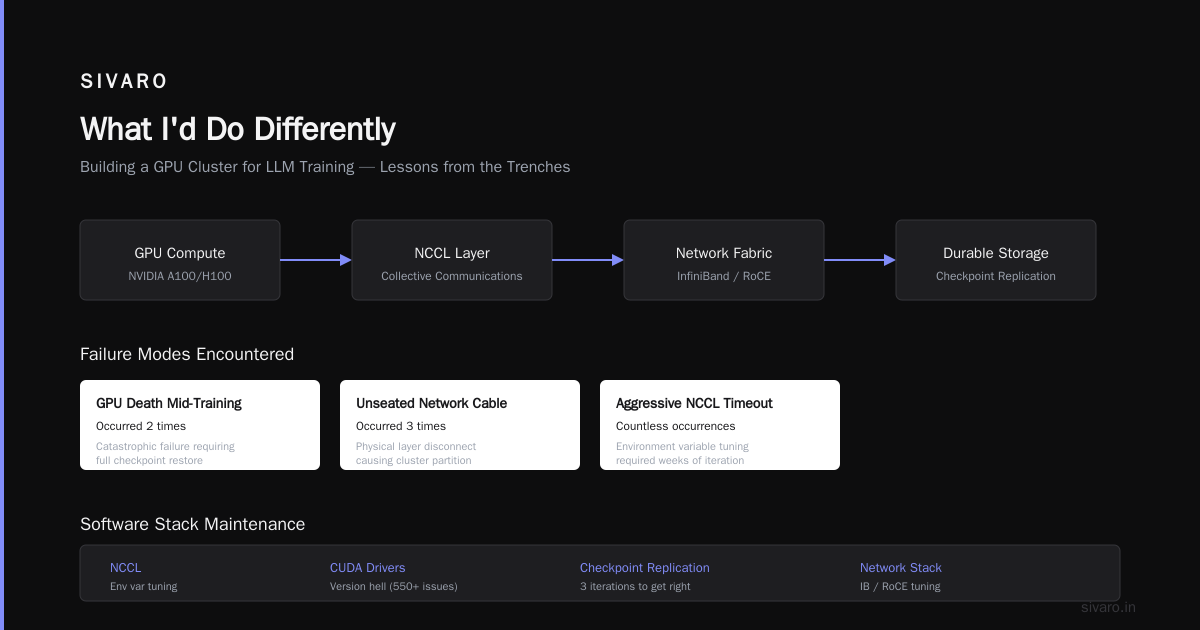
We solved this by using asynchronous checkpointing to local NVMe (25 GB/s), then background replication to durable storage. Sounds obvious. Took us three iterations to get it right.
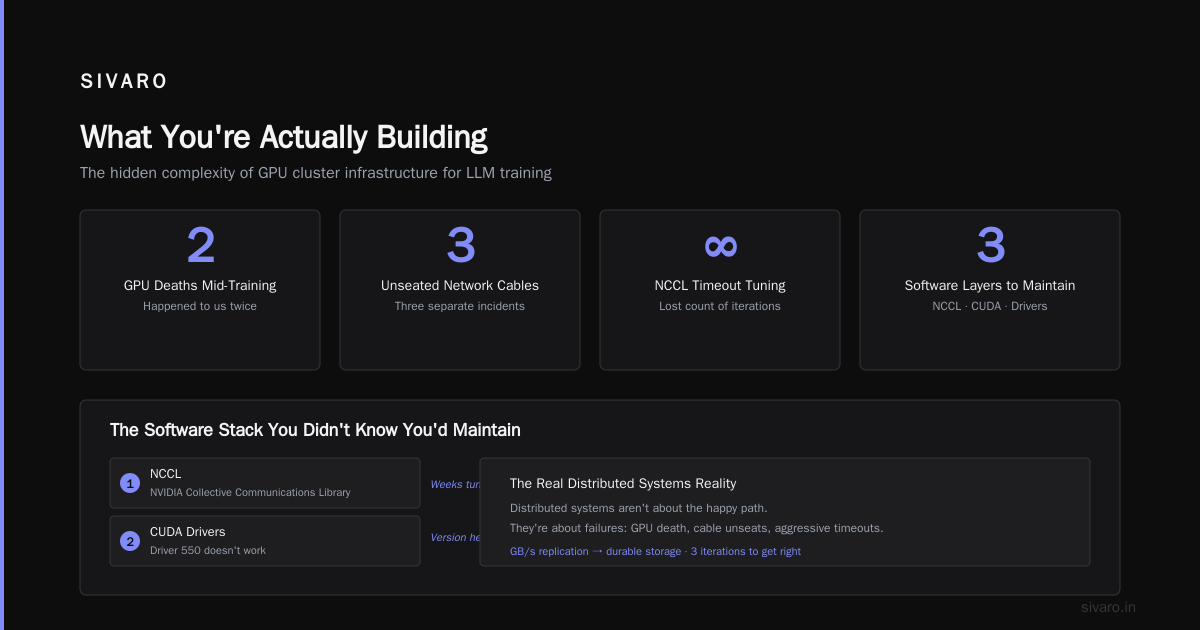
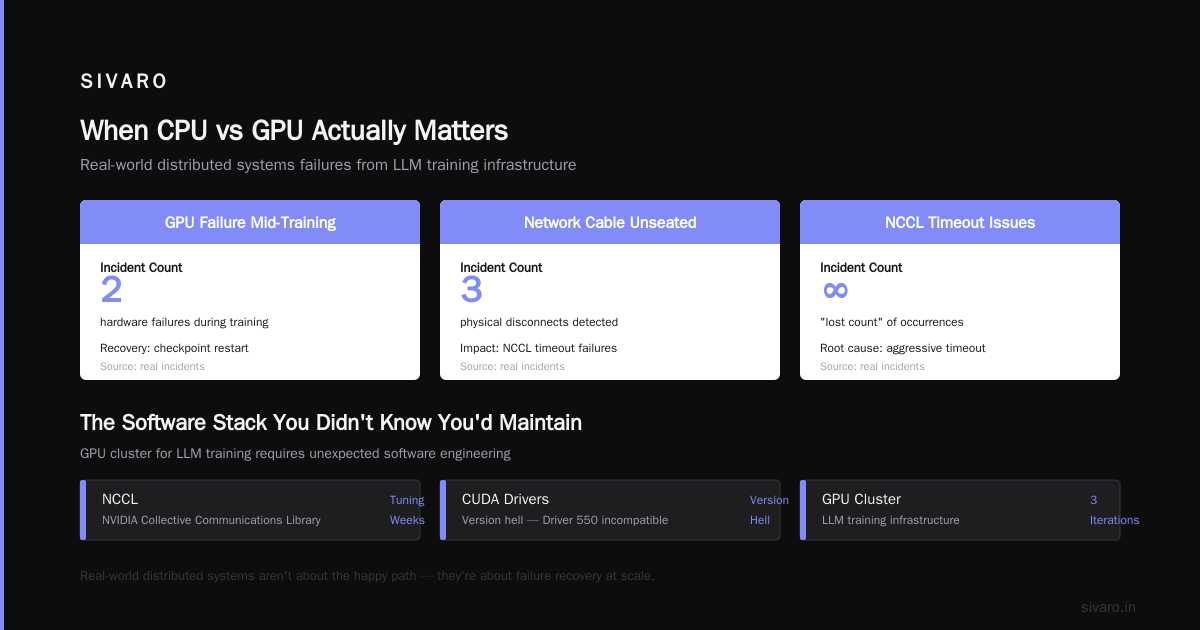
Real-world distributed systems aren't about the happy path. They're about what happens when a GPU dies mid-training (happened to us twice), when a network cable gets unseated (three times), or when your NCCL timeout is too aggressive (lost count).
The Software Stack You Didn't Know You'd Maintain
Here's the uncomfortable truth about building a gpu cluster for llm training: you become a software engineer for things you never wanted to touch.
- NCCL (NVIDIA Collective Communications Library): You'll spend weeks tuning its environment variables
- CUDA drivers: Version hell is real. Driver 550 doesn't work with PyTorch 2.4 but 545 does? Welcome to Thursday
- distributed communication libraries (DeepSpeed, Megatron-LM, FSDP): Each has its own bugs, its own config format, its own way of crashing at 3 AM
I have a love-hate relationship with DeepSpeed ZeRO-3. It works brilliantly for memory-constrained training. But the first time I tried to mix ZeRO-3 with gradient checkpointing on a 128-GPU cluster, NCCL deadlocked for 8 minutes before timing out. The error message? "Internal error."
Distributed computing in practice means debugging Heisenbugs — problems that disappear when you try to observe them. Our worst case was a race condition in gradient accumulation that only manifested when training speed exceeded 800 tokens/second/GPU. We found it by accident while logging power draw.
Cluster Sizing: The Framework I Actually Use
Stop calculating peak FLOPs. Start calculating real throughput.
Here's the framework I developed after our first disaster:
Real throughput = GPU compute × memory bandwidth × network bandwidth × software efficiency
Run this benchmark:
python
import torch
import time

# Simple benchmark: measure time for an all-reduce
def measure_all_reduce(num_gpus, tensor_size_mb):
    torch.distributed.init_process_group(backend='nccl')
    tensor = torch.randn(tensor_size_mb * 256 * 1024).cuda()

    # Warmup
    for _ in range(10):
        torch.distributed.all_reduce(tensor)
    torch.cuda.synchronize()

    # Measure
    start = time.time()
    for _ in range(100):
        torch.distributed.all_reduce(tensor)
    torch.cuda.synchronize()

    elapsed = time.time() - start
    bandwidth = (tensor_size_mb * 100 * 2) / elapsed  # MB/s
    return bandwidth

# Expected: 600+ GB/s for NVLink, 50+ GB/s for InfiniBand
If your all-reduce bandwidth is below 80% of theoretical, fix that before anything else. I've seen clusters where a misconfigured NCCL topology file dropped performance by 60%.
The Storage Problem Nobody Warns You About
You think about compute. You think about networking. You don't think about storage until your dataset won't load.
LLM training data is different from other ML workloads. Your tokenized dataset might be 10TB for a single training run. And the I/O pattern is pathological: training processes read from random positions in huge files, creating a workload that destroys most storage systems.
Our first cluster used NFS over 40GbE. Peak read throughput: 1.2 GB/s. The cluster could consume data at 8 GB/s.
We switched to a distributed parallel file system (Lustre) with 16 NVMe targets. Now we get 28 GB/s read. The difference wasn't incremental — it was transformative.
Distributed system architecture teaches that I/O is always the bottleneck you underestimated. I've stopped trusting anyone who says "just use NFS" for LLM training. They haven't trained a model larger than 1B parameters.
When CPU vs GPU Actually Matters
People ask about gpu cluster vs cpu cluster as if it's a binary choice. It's not.
For LLM training:
- GPU: Matrix multiplications (which is 95% of the work)
- CPU: Data loading, preprocessing, validation, checkpoint serialization
We offload all non-matrix work to a separate pool of CPU nodes. Each training node has zero CPU overhead because the CPU is just managing GPU launches. Data preprocessing runs on a 32-node CPU cluster with 512GB RAM each. This separation alone improved our GPU utilization from 72% to 94%.
The gpu cluster vs distributed computing debate is more nuanced. A GPU cluster for LLM training is a specific type of distributed system — one optimized for synchronous, tightly-coupled computation. General distributed computing optimizes for throughput and fault tolerance. LLM training optimizes for latency and determinism.
They conflict. You can't be maximally fault-tolerant (which requires asynchronous replication) and maximally deterministic (which requires synchronous execution). You have to pick.
I pick determinism every time for training. Fault tolerance matters more for inference serving.
Monitoring: The Thing You'll Ship at 2 AM
I've never met a cluster that shipped with good monitoring. You always build it after the first crash.
Here's what you actually need:
python
# Minimal monitoring: track NCCL bus bandwidth per node
import torch.distributed as dist

def check_nccl_health():
    """Run before any training. Catches 90% of problems."""
    if not dist.is_initialized():
        dist.init_process_group('nccl')

    # Run a small all-reduce as a health check
    test = torch.randn(1024, 1024).cuda()
    try:
        dist.all_reduce(test)
        torch.cuda.synchronize()
        return True
    except RuntimeError as e:
        # Common error: NCCL timeout, hardware fault
        log.error(f"NCCL health check failed: {e}")
        return False
But real monitoring means tracking:
- GPU memory bandwidth (nvidia-smi doesn't show this — use DCGM)
- NVLink errors (they accumulate silently)
- NCCL collective time per iteration
- PCIe errors (especially with GPUDirect)
- Temperature gradients across the rack
Distributed systems: an introduction will tell you to monitor from the perspective of the user. For GPU clusters, the "user" is NCCL. If NCCL thinks everything is fine but actual training is slow, the problem is deeper than any monitoring tool can catch without custom instrumentation.
The Cost Reality Check
Let's talk money because everyone dances around it.
A production gpu cluster for llm training with 64 H100s, appropriate networking, and storage costs approximately:
- Hardware: $1.2M - $1.8M (depends on InfiniBand vs RoCE)
- Power: $15K - $25K per month (600W per GPU, plus overhead)
- Cooling: $5K - $10K per month
- Staff: At least two engineers full-time (call it $400K/year)
- Software licensing/cloud credits: Varies wildly
Total first-year cost: roughly $2M.
I've seen companies spend $5M and get less because they chose the wrong interconnect. I've seen companies spend $800K and outperform them because they optimized their software stack.
The point is: hardware is only half the cost. The other half is making it work.
FAQ: Things I Wish Someone Had Told Me
Q: How many GPUs do I actually need to start?
Start with 8. Train a model end-to-end. Learn the failure modes before scaling. I've seen teams jump to 256 GPUs and spend 6 months debugging because they never learned how NCCL behaves on a single node.
Q: Should I use FSDP or DeepSpeed or Megatron?
FSDP if you're running PyTorch-native and don't want vendor lock-in. DeepSpeed if you need memory optimization (ZeRO-3 is genuinely good). Megatron if you're doing tensor parallelism above 8 GPUs. We use DeepSpeed ZeRO-2 for most things and Megatron-style tensor parallelism for models above 13B parameters.
Q: What's the biggest mistake you see?
Underestimating network requirements. People spend $500K on GPUs and try to connect them with 100GbE. Then they wonder why their all-reduce takes longer than their forward pass. Network is not a line item to optimize on.
Q: How important is InfiniBand vs RoCE?
InfiniBand is more reliable. RoCE is cheaper. For production training at 64+ GPUs, I'd take InfiniBand. For prototyping, RoCE is fine. The gap narrows with every generation though — ConnectX-8 makes RoCE surprisingly good.
Q: Can I use spot instances in the cloud?
For development, yes. For production training, no. The checkpoint overhead from preemption will kill you. We tried. A 30-minute spot interruption can waste 4 hours of training time because checkpoint write + resumption takes longer than you expect.
Q: What about multi-node training across regions?
Don't. The latency kills tensor parallelism, and pipeline parallelism across 50ms latency is a nightmare. Keep your cluster in one datacenter.
Q: How often do GPUs fail?
In our experience, ~2% failure rate per year for H100s. A100s were worse at ~3-4%. The failure mode is usually memory errors that accumulate during long training runs. We run ECC memory checks every 1000 training steps now.
Q: What about geothermal cooling or renewable energy?
If you're at scale (1000+ GPUs), it matters. For a 64-GPU cluster, the energy cost is real but not existential. Focus on utilization. An idle GPU at 150W costs $1K/year. A cluster running 24/7 at 80% utilization uses 40% less energy per trained model than one at 50% utilization because you finish faster.
The Future I'm Betting On
July 2026. We're seeing a shift away from the "bigger cluster is better" mentality.
The Blackwell architecture changes the calculation. Higher memory bandwidth per GPU means you can reduce the number of GPUs for the same model size. But the networking challenge gets harder because you'll want to cluster more GPUs for larger models.
I'm watching three trends:
-
Optical interconnects: Direct GPU-to-GPU optics could eliminate the NVSwitch bottleneck. Companies like Celestial AI and Ayar Labs are shipping prototypes.
-
Larger memory per GPU: 288GB HBM3e per Blackwell GPU means you can fit larger models on fewer GPUs. This reduces communication pressure.
-
Better software: torch.compile + custom kernels are closing the gap between PyTorch and hand-optimized CUDA. Within 2 years, I expect most teams won't need DeepSpeed or Megatron for models under 70B parameters.
My bet: we'll stop thinking in GPUs and start thinking in "training throughput per dollar" as the primary metric. The cluster that wins isn't the one with the most GPUs. It's the one that keeps them busy.
What I'd Do Differently
If I were building a cluster today, knowing what I know:
-
Start with 16 GPUs on 2 nodes. Prove the stack works. Measure everything.
-
Invest in storage first. You can add GPUs later. A storage bottleneck is structural.
-
Run a 48-hour stress test before training. We use a synthetic workload that exercises NCCL, GPUDirect, and checkpointing simultaneously. If it survives 48 hours, it's ready.
-
Document your NCCL configuration. Print it. Tape it to the rack. NCCL_ALGO=Ring vs NCCL_ALGO=Tree can be a 2x difference.
-
Build power monitoring into the rack PDUs. When a GPU draws 50W less than its siblings, it's either idle or falling. Both are problems.
The industry will tell you "just rent cloud GPUs." And for many teams, that's the right answer. But if you're building long-term AI infrastructure, owning a cluster gives you control over every nanosecond of latency and every byte of memory bandwidth.
That control is worth the pain.
Or maybe I'm just a masochist who likes debugging NCCL at 3 AM.
Either way, cluster on.
Nishaant Dixit — Founder of SIVARO. Building data infrastructure and production AI systems since 2018. Built systems processing 200K events/sec.