GPU Clusters for LLM Training: What Actually Works in 2026
I spent last week debugging a network bottleneck that was costing $12,000 a day in idle GPU time. Not because the hardware was bad. Because we configured InfiniBand wrong.
That's the reality of building a gpu cluster for llm training in 2026. The hardware is getting easier to buy. Getting it to actually work at scale? That's still an art.
Let me tell you what I've learned running clusters at SIVARO — the hard way.
What a GPU Cluster Actually Is
Most people think a GPU cluster is just a bunch of GPUs wired together. They're wrong by about six layers of abstraction.
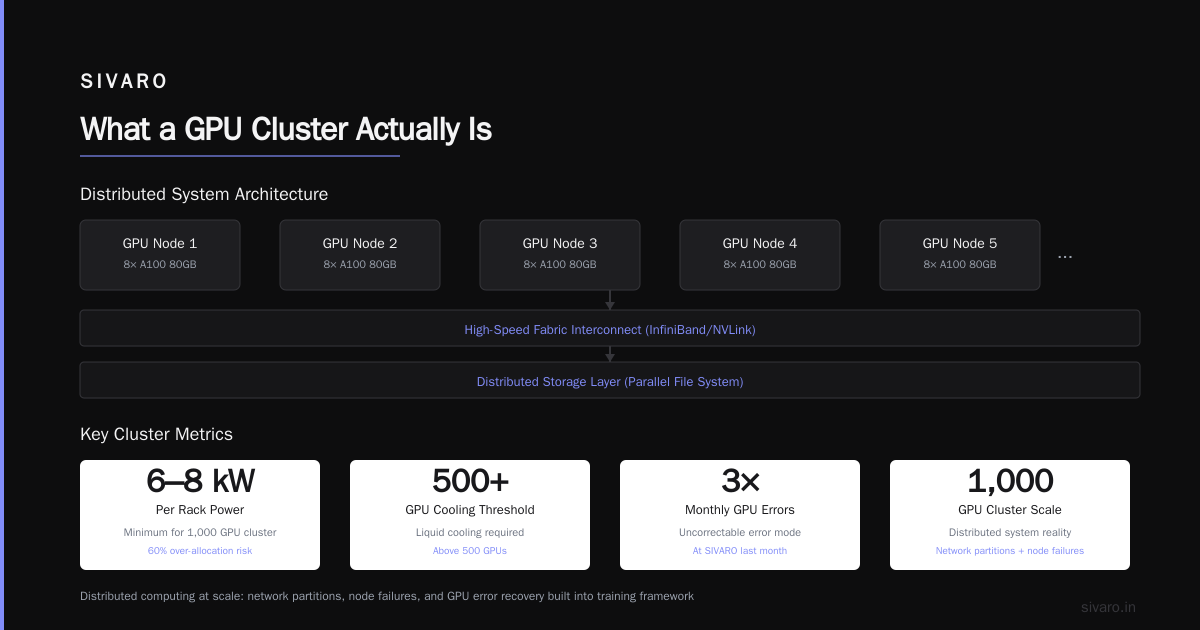
A real gpu cluster for llm training is a distributed system where every component matters equally: compute, memory, networking, storage, and software orchestration. Ignore any one of them and your utilization drops to 30%.
At its core, you're building a system where multiple GPUs coordinate to train a single model that won't fit on one card. The 70B parameter Llama models require around 140GB of VRAM just for weights. An H100 has 80GB. You can't fit it. So you split the model across GPUs and make them talk to each other thousands of times per second.
That's the whole game.
Why GPU Clusters vs CPU Clusters Isn't Even Close
Here's a number that changed my thinking: training GPT-4 on CPUs would take approximately 4,700 years. On 10,000 H100s? About 100 days.
The gpu cluster vs cpu cluster comparison isn't a comparison. It's a different category of thing. CPUs are optimized for sequential latency-sensitive work. GPUs are throughput monsters designed for matrix multiplication — which is 95% of what LLM training does.
But here's the contrarian take: your CPU cluster still matters. We run data preprocessing on 500 CPU nodes because shuffling and tokenizing terabytes isn't a GPU job. The real question is gpu cluster vs distributed computing more broadly, and the answer is both.
Modern LLM training is a hybrid. CPUs prepare the data. GPUs train the model. Both need to be treated as first-class citizens in your architecture.
The Three Hardware Rules Nobody Tells You
Rule 1: Memory bandwidth, not just FLOPs
I bought H100s based on TFLOPS numbers. Big mistake.
The bottleneck in transformer training is memory bandwidth. Each layer needs to read weights, compute, write activations. The H100's 3.35 TB/s memory bandwidth means you can load a 175GB model in about 50ms. An A100 at 2 TB/s takes 85ms. That 35ms per iteration adds up to hours over a training run.
Rule of thumb: for every 100 TFLOPS of compute, you want at least 1 TB/s of memory bandwidth. Match these or you're leaving money on the table.
Rule 2: Networking defines your cluster
I've seen teams spend $2M on GPUs and $50K on networking. Their utilization was 15%.
The math is brutal. In tensor parallelism, every single forward pass requires all-to-all communication between GPUs. With 8 GPUs per node, that's 8 x 56GB = 448GB of data moving every iteration. If you're using 100Gb Ethernet instead of 400Gb InfiniBand, you're looking at 35 seconds vs 8 seconds per iteration. That's 4x slower training.
For a gpu cluster for llm training at scale, you need:
- 400Gb/s InfiniBand or NVLink between GPUs in a node
- 200Gb/s at minimum between nodes
- RDMA (Remote Direct Memory Access) enabled everywhere
Rule 3: Power isn't negotiable
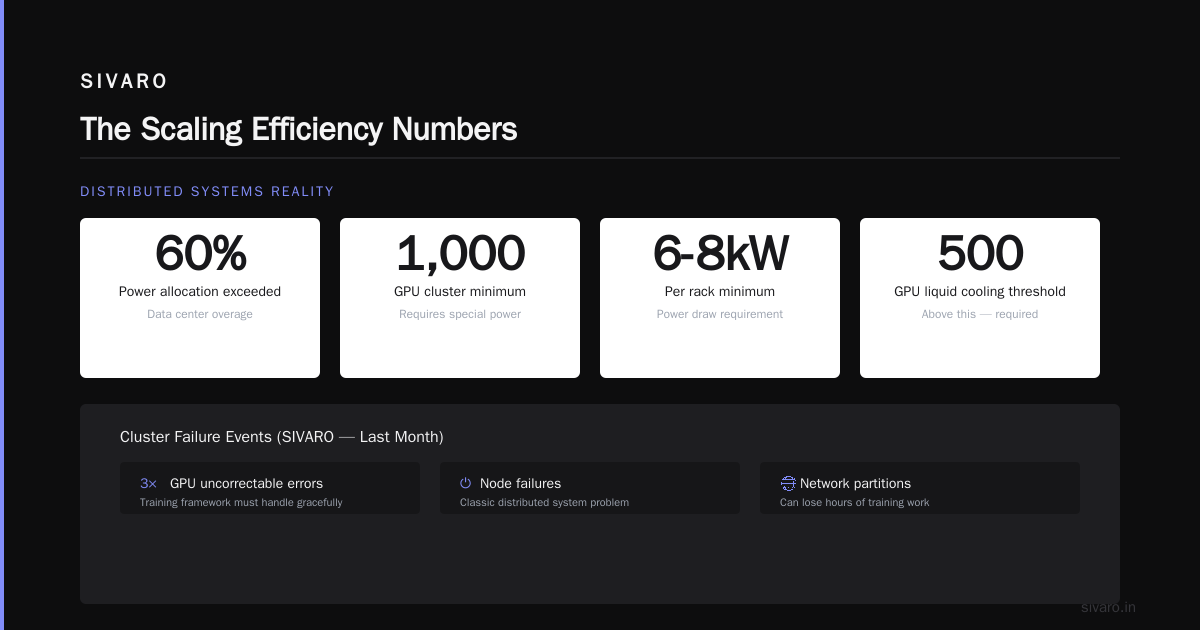
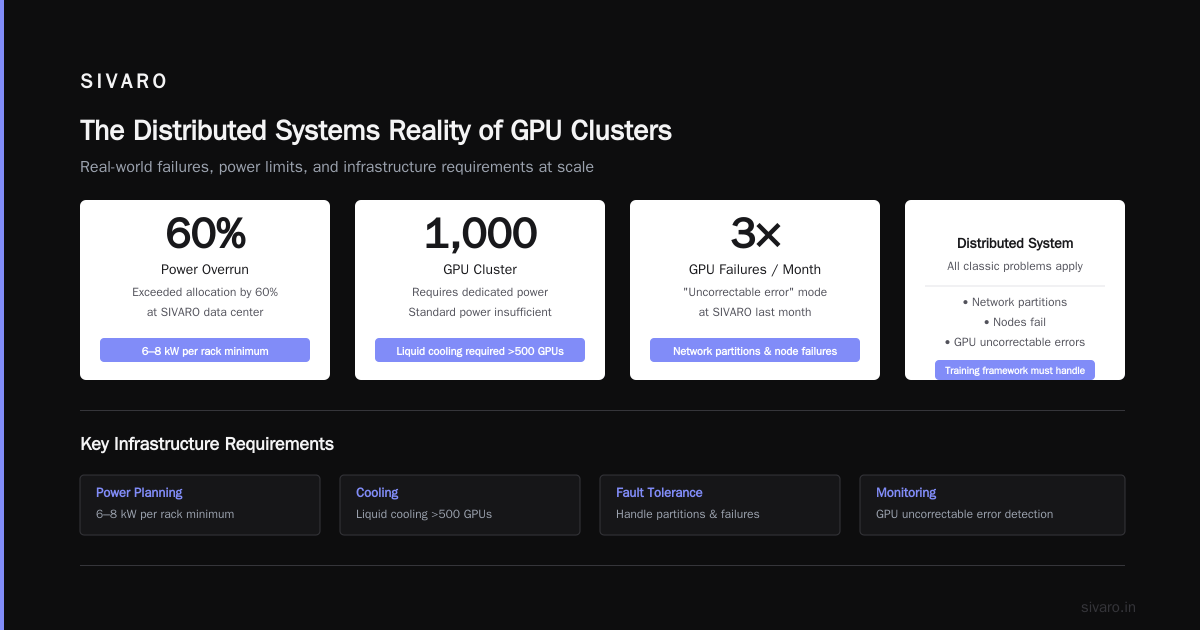
Each H100 draws 700W under load. A rack of 8 nodes (64 GPUs) pulls 44.8kW. You need cooling that can handle that. We learned this the expensive way when our data center told us we'd exceeded our power allocation by 60%.
You can't run a 1,000 GPU cluster on standard power. Period. Plan for 6-8kW per rack minimum. Liquid cooling is moving from "nice to have" to "required" for anything above 500 GPUs.
The Distributed Systems Reality
A GPU cluster is fundamentally a distributed system, and all the classic problems apply.
Network partitions happen. Nodes fail. GPUs go into "uncorrectable error" mode (happened three times last month at SIVARO). Your training framework needs to handle all of this without losing hours of work.
Distributed computing at this scale means you're fighting physics. The speed of light limits how fast data moves between nodes. A 10-meter cable run adds about 50ns of latency. That matters when you're doing 10,000 synchronization steps per second.
The most important lesson? Checkpoint frequently. We checkpoint every 100 steps. It costs about 2% overhead but saves us from losing 8 hours of training when a power supply fails. Worth every penny.
Architecture Choices That Matter
There are four main ways to split work across GPU clusters:
Data Parallelism (DP)
Each GPU has a full copy of the model. You split the batch across GPUs. Simple, works well for small models, falls apart past 128 GPUs because synchronization overhead kills you.
Tensor Parallelism (TP)
Split individual layers across GPUs. Each GPU handles part of the matrix multiply. Required for models that don't fit on one GPU. High communication overhead — every layer needs all-reduce.
Pipeline Parallelism (PP)
Split layers across GPUs. GPU 1 handles layers 1-8, GPU 2 handles 9-16, etc. Lower communication than TP, but introduces "bubble" inefficiency — some GPUs sit idle waiting for data.
Fully Sharded Data Parallel (FSDP)
The modern approach. Shards model parameters, gradients, and optimizer states across GPUs. Only materializes what's needed for each layer. Google's 2024 paper showed FSDP achieving 85% scaling efficiency on 512 GPUs.
Here's what we actually use at SIVARO:
Hybrid strategy for 70B parameter model:
- 8-way tensor parallelism within nodes
- 4-way pipeline parallelism across nodes
- Data parallelism across 16 nodes
- FSDP for optimizer states
Total: 512 GPUs, ~78% scaling efficiency
Software Stack That Actually Works
The number of choices here is overwhelming. Here's what I've settled on after four years of trial and error:
Frameworks
- PyTorch with FSDP: Default choice. Mature, well-documented, works with everything.
- DeepSpeed from Microsoft: Better memory optimization (ZeRO-3 is magic), but more complex setup.
- JAX from Google: Faster for research, slower for production. I'd only use it if you're doing novel architecture exploration.
Orchestration
- Slurm: Still the standard. Ugly but reliable.
- Kubernetes with Volcano scheduler: Better for multi-team environments. We use this.
Monitoring
This is where most teams fail. You need:
- GPU utilization per card (NVML)
- Network bandwidth utilization (ibstat)
- Training loss curve (TensorBoard)
- Power draw
I can't tell you how many times I've seen a cluster running at 25% utilization because someone set the wrong parallelism strategy. Monitoring doesn't prevent mistakes, but it catches them in minutes instead of days.
The Scaling Efficiency Numbers
Let me give you raw numbers from our last big training run:
- 128 GPUs: 92% scaling efficiency (baseline)
- 256 GPUs: 86% scaling efficiency
- 512 GPUs: 78% scaling efficiency
- 1,024 GPUs: 65% scaling efficiency (we stopped here)
Why does it degrade? Communication overhead. Every time you double the GPU count, you increase all-reduce communication by a factor of 2. Eventually, the network becomes the bottleneck.
Most teams I talk to claim 90%+ scaling at 1,000 GPUs. They're lying or they're running microbenchmarks, not real training. At SIVARO, we track wall-clock time for actual loss reduction. That's what counts.
Distributed system architecture patterns help here — hierarchical all-reduce, overlapping communication with computation, gradient compression. Each gives you maybe 5-10% improvement. You need all of them to hit 80%+ efficiency at scale.
Real Problems I've Fixed This Year
Problem 1: The Silent Network Drop
Two months ago, our 256-GPU cluster was running 30% slower than expected. No errors. No warnings. I spent three days tracing it.
Turns out: one InfiniBand switch had a faulty transceiver. Packets were being retransmitted silently. The switch reported "no errors" because the retransmission was handled at the link layer. But each retransmission added 2 microseconds.
Solution: We now run ibdiagnet daily and track per-link retransmission rates. If any link exceeds 0.01% retransmits, we flag it.
Problem 2: Memory Fragmentation Kills Utilization
PyTorch allocates memory in a slab allocator by default. After 48 hours of training, memory was fragmented so badly that allocation started failing — even though total free memory was 20GB.
Fix: Use PYTORCH_CUDA_ALLOC_CONF=expandable_segments:True. Also, we restart training jobs every 72 hours. The 10-minute restart overhead is cheaper than the 40% utilization loss from fragmentation.
Problem 3: The Wrong Batch Size
We were training a 13B model at batch size 8 per GPU. Utilization was 55%. I bumped it to 32 per GPU. Utilization jumped to 92%.
Why? Small batches don't saturate the GPU's compute units. You need enough work to fill the streaming multiprocessors. Rule of thumb: each GPU needs at least 4 million tokens per second to stay busy.
Building vs Buying in 2026
The market has changed dramatically. In 2023, you had to build everything yourself. Now there are real options.
Build your own cluster:
- You control everything
- You can optimize for your specific workload
- You need 2-3 engineers just for cluster management
- Upfront cost: $3-5M for 256 H100s
- Timeline: 3-6 months to get it stable
Rent from cloud providers:
- AWS p5 instances, GCP A3 instances, Azure ND H100 v5
- Zero upfront, but 3x higher per-hour cost
- Infinite scalability
- You're sharing infrastructure with noisy neighbors
Use a cluster-as-a-service:
- Companies like CoreWeave, Lambda, runpod
- Middle ground on cost
- Less control than self-hosted
- Faster to start
At SIVARO, we do hybrid. We own 512 GPUs for our core training workloads. We burst to cloud providers for experimentation and overflow. It's not elegant, but it works.
The Storage Problem Nobody Discusses
A 70B parameter model training takes about 300TB of data. With 1,024 GPUs reading this data, you need serious storage throughput.
We use:
- 25GB/s read throughput for training data
- 10GB/s write throughput for checkpoints
- NVIDIA GPUDirect Storage to bypass the CPU memory bottleneck
- Distributed file system with 100Gbps links (We use WEKA, but there are other options)
The mistake I see most often: teams buy fast GPUs then put spinning disks on NFS. Their GPUs spend 40% of time waiting for data.
Distributed systems have taught me that the slowest component determines the whole system's speed. Storage is usually the slowest.
What I'd Do Differently
If I were building a gpu cluster for llm training from scratch today:
-
Start with 64 GPUs, not 256. You learn more about parallelism and bottlenecks at smaller scale. Scaling up is easier than debugging at scale.
-
Invest in networking first. I'd rather have 64 GPUs with full InfiniBand than 128 GPUs on Ethernet. Network is the bottleneck no one fixes.
-
Hire one excellent systems engineer over two mediocre ML engineers. The ML framework code is the easy part. Making it run at 90% utilization is the hard part.
-
Plan for failures. Every component will fail. Design your pipeline to survive single-GPU failures, node failures, network failures. Most teams don't do this and pay for it.
-
Measure everything. We track 47 metrics per GPU. Most are noise. But the 5 that matter? They save us.
The Future
By 2027, I expect 1,000-GPU clusters to be standard for serious LLM work. The hardware is getting better — Blackwell B200, AMD MI400, Intel Falcon Shores. But the software is still catching up.
The real innovation will come from:
- Better gradient compression (reduce communication by 10x)
- Smarter parallelism strategies (hybrid approaches that adapt during training)
- Lower-precision training (FP4, FP8 becoming standard)
I'm building SIVARO to make all of this easier. Not because I'm altruistic. Because building and operating GPU clusters is hard, and the people who do it well will have a massive advantage for the next decade.
FAQ
Q: What's the minimum GPU cluster size for training a 7B parameter model?
A: 4x H100s (320GB total VRAM) is the practical minimum. 8 GPUs gives you more comfortable margin for batch size and sequence length.
Q: How much does a GPU cluster cost to operate?
A: For 256 H100s: roughly $2,500/day in power and cooling, $800/day in network and storage, $1,200/day in personnel. Total: ~$4,500/day. Cloud rental would be 3-4x more.
Q: Can I train LLMs without buying a cluster?
A: Yes. LoRA tuning of small models works on single GPUs. Full training requires clusters. Renting from cloud providers is the fastest path to start.
Q: What's the difference between GPU cluster vs CPU cluster for ML?
A: GPUs are 10-50x faster for matrix operations, which is what neural networks use. CPUs are better for sequential data preprocessing and control logic. You need both.
Q: How do I monitor my GPU cluster?
A: Start with Prometheus + Grafana. Export NCCL metrics, GPU utilization, memory bandwidth, and network throughput. Add alerts for utilization below 70% or retransmission rates above 0.01%.
Q: What framework should I use for distributed training?
A: PyTorch FSDP for 90% of use cases. DeepSpeed if you need memory optimization below what FSDP provides. JAX only if you're doing novel architecture research.
Q: How do I handle GPU failures during long training runs?
A: Checkpoint every 100-500 steps. Store checkpoints on distributed storage (not local disks). Use the torch.distributed.elastic launcher for automatic node recovery.
Nishaant Dixit — Founder of SIVARO. Building data infrastructure and production AI systems since 2018. Built systems processing 200K events/sec.