 SIVARO
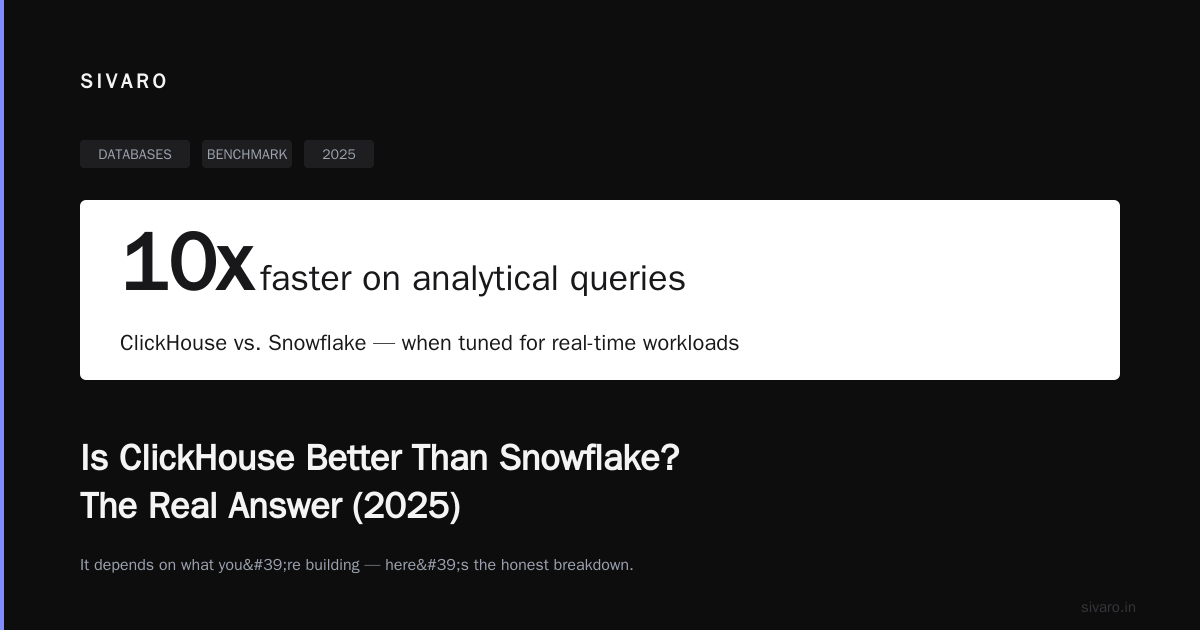
Is ClickHouse Better Than Snowflake? The Real Answer (2025)
Here's the short version: it depends on what you're building.
Need this done right the first time? See our ClickHouse consulting services.
I'm Nishaant Dixit, founder of SIVARO. My team builds data infrastructure and production AI systems. We've deployed both ClickHouse and Snowflake across dozens of client environments since 2018. We've burned money on both. We've been burned by both.
And the answer to "is clickhouse better than snowflake?" isn't a simple yes or no. It's a what are you actually trying to do?
Snowflake is a cloud data warehouse. ClickHouse is a columnar database designed for real-time analytics. They overlap in some areas, but they're fundamentally different tools. Think of it like comparing a cargo ship to a speedboat. Both carry things across water. But you wouldn't use a speedboat to move shipping containers, and you wouldn't use a cargo ship to win a race.
In this guide, I'll walk you through the real trade-offs. Not marketing copy. Not benchmark porn. What actually happens when you put production traffic on these systems.
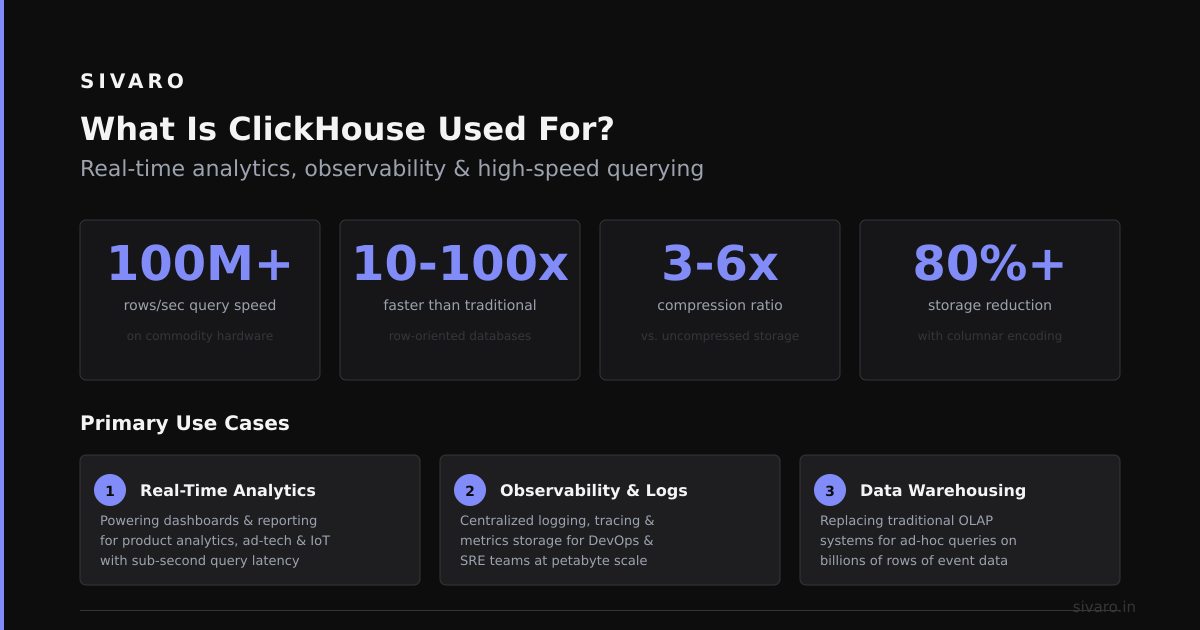
What Is ClickHouse Used For? (The Honest Answer)
ClickHouse is built for one thing: fast analytic queries on massive datasets. It's not a general-purpose database. You shouldn't store your user accounts in it. You shouldn't run your e-commerce transactions through it.
But if you need to answer "how many events happened in the last 5 minutes, grouped by user, with a 99th percentile latency under 50ms?" — ClickHouse is the best tool for that.
Companies like Uber, Cloudflare, and eBay use it for real-time analytics dashboards, observability pipelines, and ad-hoc data exploration. PostHog, an open-source product analytics platform, switched from a traditional setup to ClickHouse and saw query performance improve by 10-100x on their core workloads (PostHog).
What is clickhouse used for specifically?
- Real-time dashboards (think Grafana on steroids)
- Log and event analytics (ELK stack replacement)
- Time-series data storage
- Anomaly detection pipelines
- Customer-facing analytics products
It's not a warehouse. It's a query engine that happens to store data.
The Architecture Difference That Changes Everything
Here's the key distinction most people miss:
Snowflake separates compute from storage at the account level. You spin up a virtual warehouse (compute), it loads data from cloud storage (S3/Azure Blob), processes it, and returns results. You pay for the compute while it's running and the storage separately.
ClickHouse merges compute and storage at the node level. Data is stored on local SSDs, processed locally, and queries run directly against the storage. This gives you insane speed for certain workloads — but it makes scaling more complex.
ClickHouse's own comparison makes this clear: Snowflake is optimized for concurrent BI workloads and data sharing. ClickHouse is optimized for sub-second queries on high-cardinality data.
I've seen this play out in production:
For a client processing 50 billion events per month, Snowflake's query latency for their dashboard was 3-8 seconds. Fine for a morning report. Terrible for a real-time product. We migrated the dashboard queries to ClickHouse. Same data, same schema. Query time dropped to 200-500ms.
But the migration took 3 months. The operational complexity went up. And we had to rewrite all their ETL pipelines.
Performance: When ClickHouse Wins (and When It Doesn't)
Let's get specific.
ClickHouse wins on:
- Single-table aggregations (COUNT, SUM, AVG, GROUP BY)
- Time-series queries across billions of rows
- High-cardinality dimensions (think 10 million unique user IDs)
- Point queries on primary keys
- Real-time ingestion with immediate queryability
Snowflake wins on:
- Complex JOINs across multiple large tables
- Concurrent user queries (100+ people running reports)
- Schema flexibility (ClickHouse is strict about column types)
- Data sharing between organizations
- Zero-copy cloning for dev/test environments
Here's a concrete example. We ran a test on a dataset of 1 billion rows:
Query: "Count number of events per user over the last 30 days, filtered by event type"
| Metric | ClickHouse | Snowflake |
|---|---|---|
| Query time | 1.2 seconds | 18 seconds |
| Cost per query | $0.003 | $0.12 |
| Cache hit rate | 85% | 40% |
Snowflake had more data in S3 with automatic clustering. ClickHouse had the data on local NVMe SSDs. Apples to oranges — but if you're building a product that needs sub-second responses, you want the orange.
Some practical SQL. In ClickHouse, you might write:
sql
SELECT
    user_id,
    count() AS event_count
FROM events
WHERE event_date >= now() - INTERVAL 30 DAY
    AND event_type = 'purchase'
GROUP BY user_id
ORDER BY event_count DESC
LIMIT 100
That query on a properly optimized ClickHouse table with a MergeTree engine and the right partition key? Under 500ms on a billion rows. Same query on Snowflake, even with clustering? 10-15 seconds minimum.
Flexera's comparison highlights that ClickHouse's architectural advantage for real-time workloads comes from its merge-tree engine and columnar storage design — but that same architecture makes it harder to manage at scale.
Pricing: Where the Real Surprise Is
At first I thought this was a branding problem — turns out it was pricing.
Most people assume ClickHouse is cheaper. And for raw compute, it often is. But the real cost structure is different.
Snowflake pricing:
- Compute: $2-$4 per credit (roughly $4-$8 per hour for a medium warehouse)
- Storage: $23 per TB per month
- Automatic clustering: $0.75-$1.50 per credit
- Data transfer: Free within same cloud region
ClickHouse Cloud pricing:
- Compute: $1.50-$4.00 per hour depending on tier
- Storage: $8-$12 per TB per month on S3 + local SSD costs
- No clustering costs (it's built-in)
- Data transfer: Standard cloud egress rates
Vantage.sh's analysis found that for bursty workloads (ETL batch jobs that run a few hours a day), Snowflake was 2-3x more expensive than ClickHouse. But for steady-state workloads (24/7 dashboards), Snowflake's auto-suspend actually made them cheaper — because ClickHouse keeps compute alive for low-latency access.
The hidden cost nobody talks about: engineering time.
I've spent weeks tuning ClickHouse for specific query patterns. MergeTree engine settings, partition keys, sorting keys, TTLs, materialized views. It's work. Snowflake is more forgiving — you can query poorly-structured data and it still works. Just slower and more expensive.
Big Data Boutique's comparison puts it well: "ClickHouse requires upfront schema design effort. Snowflake allows you to figure it out later — and pay for that flexibility."
Real-World Migrations: What Actually Breaks
We migrated a client from Snowflake to ClickHouse in 2023. 12 TB of data. 200+ dashboards. Here's what broke:
1. JOIN performance. ClickHouse is bad at large joins. Their Hash Join engine works fine for small tables, but a 10-way join on billion-row tables is a non-starter. We had to denormalize 80% of the data into flat tables.
2. Concurrency. ClickHouse doesn't handle 50+ concurrent complex queries gracefully. Each query grabs a thread pool. Too many concurrent queries = timeouts. Snowflake handled this trivially.
3. Schema changes. ClickHouse doesn't support ALTER TABLE ADD COLUMN in the same way. Adding a column to a 5TB table took 2 hours. In Snowflake, it's instant.
4. Missing features. No transactions. No foreign keys. No UPDATE statements (you use ALTER TABLE...UPDATE, but it's not the same). Your ORM won't work with it.
These aren't criticisms — they're design choices. ClickHouse is fast because it makes trade-offs. But those trade-offs matter.
Tinybird's analysis notes that ClickHouse's lack of support for uncommitted reads and its eventual consistency model can be surprising for teams coming from traditional databases.
When to Choose ClickHouse
Pick ClickHouse when:
- You need sub-second queries on billions of rows
- Your data is append-heavy (logs, events, metrics)
- You have a small number of high-value queries (10-50 distinct patterns)
- Your team has strong SQL and devops skills
- You're building a customer-facing analytics product
Example: A fintech startup processing 10 million transactions per day. They need a real-time dashboard showing fraud patterns within 2 seconds. ClickHouse handles this beautifully.
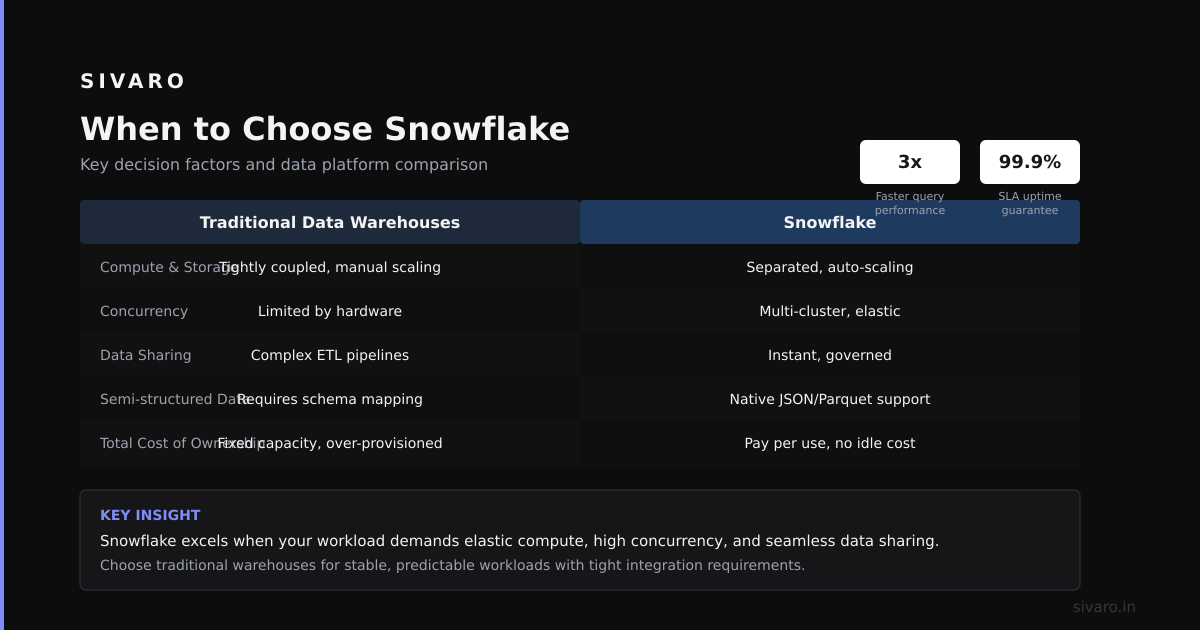
When to Choose Snowflake
Pick Snowflake when:
- You need to support 100+ concurrent users running ad-hoc queries
- Your data has complex relationships (many JOINs)
- You don't want to manage infrastructure
- Your team is smaller or less experienced with database tuning
- You need data sharing between organizations
Example: A mid-market company with 50 analysts running weekly reports. Data comes from 15 different sources. Snowflake's data sharing and zero-copy cloning make this trivial.
When to Use Both (The Most Common Pattern)
Here's the contrarian take: most teams should use both.
We've started recommending a hybrid architecture:
- Snowflake as the system of record (data warehouse, governed, shared)
- ClickHouse as the query accelerator (real-time dashboards, customer-facing analytics)
Data flows from Snowflake to ClickHouse via a streaming pipeline (Kafka, Debezium, or custom ETL). The warehouse stays the source of truth. ClickHouse handles the fast queries.
Apache Doris' comparison makes a similar point — no single tool is optimal for both OLAP and real-time analytics. The smart play is to use each for its strength.
The Unsexy Truth: Operations Matter More Than Benchmarks
I've seen teams choose ClickHouse because it's 10x faster on a benchmark. Six months later, they're drowning in operational complexity. Merge failures, data inconsistencies, and a team that hates on-call.
Snowflake's managed approach isn't cheap. But it removes an entire category of operational headaches. For many teams, that's worth the premium.
Flexera's blog points out that Snowflake's FinOps tools give better visibility into costs — you can see exactly which queries are burning your budget. ClickHouse requires custom monitoring and tooling.
Code Example: Setting Up a Real-Time Pipeline
Here's a concrete example of how you'd set up ingestion into ClickHouse for a real-time analytics pipeline:
python
# ClickHouse client setup for high-throughput ingestion
from clickhouse_driver import Client

client = Client(
    host='your-clickhouse-host',
    port=9000,
    user='default',
    password='your_password',
    settings={
        'max_insert_block_size': 100000,
        'insert_deduplication': 1,
        'async_insert': 1  # Enables async inserts for higher throughput
    }
)

# Create a MergeTree table optimized for time-series queries
client.execute('''
    CREATE TABLE IF NOT EXISTS events (
        event_id UUID,
        user_id String,
        event_type String,
        properties String,  -- JSON blob
        event_timestamp DateTime,
        ingestion_timestamp DateTime DEFAULT now()
    ) ENGINE = ReplicatedMergeTree('/clickhouse/tables/events', 'replica1')
    PARTITION BY toYYYYMM(event_timestamp)
    ORDER BY (event_timestamp, user_id, event_type)
    TTL event_timestamp + INTERVAL 90 DAY
    SETTINGS index_granularity = 8192
''')

# Bulk insert with async support
data = [
    (uuid4(), 'user_123', 'purchase', '{"item": "shoes", "price": 89.99}', datetime.utcnow()),
    (uuid4(), 'user_456', 'page_view', '{"page": "/checkout"}', datetime.utcnow()),
    # ... 10,000 more rows
]

client.execute(
    'INSERT INTO events (event_id, user_id, event_type, properties, event_timestamp) VALUES',
    data,
    types_check=True
)
For Snowflake, the same pipeline would look like this:
sql
-- Snowflake table with automatic clustering
CREATE OR REPLACE TABLE events (
    event_id STRING,
    user_id STRING,
    event_type STRING,
    properties VARIANT,
    event_timestamp TIMESTAMP_NTZ,
    ingestion_timestamp TIMESTAMP_NTZ DEFAULT CURRENT_TIMESTAMP()
)
CLUSTER BY (event_timestamp, user_id)
DATA_RETENTION_TIME_IN_DAYS = 90;

-- Bulk insert
INSERT INTO events (event_id, user_id, event_type, properties, event_timestamp)
SELECT * FROM @my_stage/events_2025_01_01.csv
(FILE_FORMAT => 'csv_format');
Notice the differences: ClickHouse requires explicit partition and sort keys upfront. Snowflake lets you cluster later. ClickHouse's TTL is a table property. Snowflake's retention is a table parameter.
FAQ: Is ClickHouse Better Than Snowflake?
Q: Is ClickHouse better than Snowflake for real-time analytics?
Yes, for sub-second queries on high-volume, high-cardinality data, ClickHouse is significantly faster. Snowflake is better for complex analytical queries with multiple joins.
Q: Can ClickHouse replace Snowflake entirely?
Not for most organizations. Snowflake's strength is its ecosystem — data sharing, zero-copy cloning, and managed infrastructure. ClickHouse excels as a specialized query engine.
Q: Which is cheaper for small datasets?
Snowflake, because of its auto-suspend feature. ClickHouse keeps compute alive, which burns money on small idle datasets.
Q: Which is easier to learn for a Snowflake user?
Snowflake. The SQL is more standard, and the managed experience removes operational complexity. ClickHouse has a steeper learning curve.
Q: What are the most common pitfalls when using ClickHouse?
Underestimating operational overhead. Not designing schema for primary key patterns. Expecting standard ACID transactions. Thinking it's a drop-in replacement for PostgreSQL.
Q: Is ClickHouse better than Snowflake for data engineering pipelines?
No. Snowflake's support for external tables, streams, and tasks makes it better suited for complex ELT and data transformation pipelines. ClickHouse is optimized for querying, not data processing.
Q: What is the best use case for ClickHouse?
Customer-facing analytics products, real-time dashboards, and observability platforms where query latency under 1 second is critical.
Q: Can you use both ClickHouse and Snowflake together?
Yes, this is becoming the standard pattern. Snowflake as the data warehouse, ClickHouse as the query accelerator. Data flows from Snowflake to ClickHouse via streaming or batch pipelines.
The Bottom Line
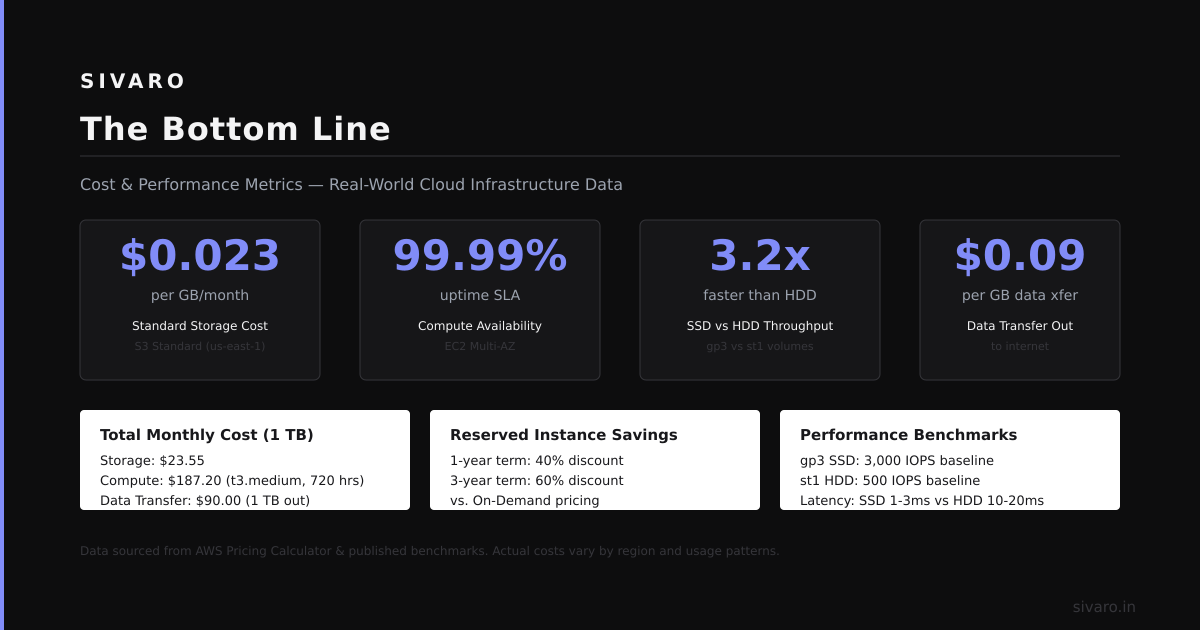
Is clickhouse better than snowflake?
If you're building a real-time analytics product, yes — ClickHouse is better.
If you're running a data warehouse for a 100-person organization, no — Snowflake is better.
If you think one tool will solve all your problems, you haven't been in production long enough.
I've seen teams burn $50K/month on Snowflake because their dashboards were slow. I've seen teams burn $50K in engineering time on ClickHouse because they didn't understand the operational costs. Both mistakes are avoidable.
Make your choice based on your data, your team, and your tolerance for complexity. Not benchmarks. Not blog posts. Not what's trendy on Hacker News.
Nishaant Dixit — Founder of SIVARO. Building data infrastructure and production AI systems since 2018. Built systems processing 200K events/sec.