
People Keep Asking Me “What Exactly Does AWS Do?” So Here's the Real Answer
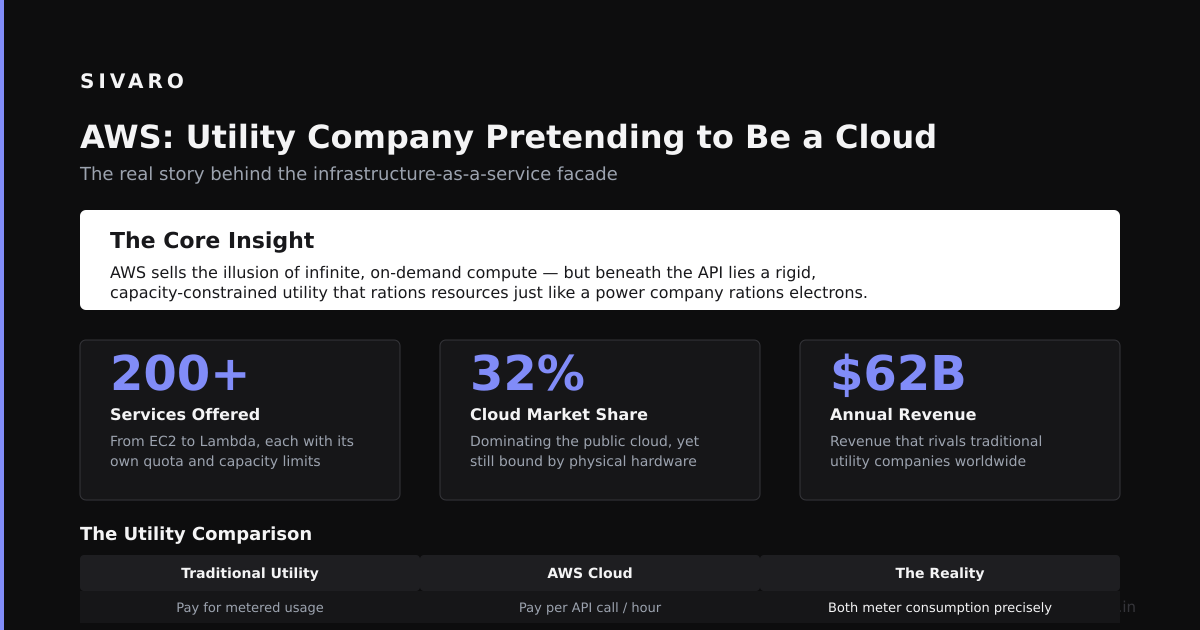
Every week, another CTO asks me this. They're building something ambitious. Data pipelines breaking. Costs spiraling. And they just want to know: What does AWS actually do for me?
I get it. AWS is a 200+ service behemoth. Most explanations are either marketing fluff or academic nonsense. Neither helps you ship.
So let me cut through it.
What is AWS? Amazon Web Services is a cloud computing platform that provides on-demand infrastructure—compute, storage, databases, networking, AI services—so you don't have to buy and manage physical servers. Think of it as renting the data center with a credit card and infinite scale.
But that's the textbook answer. The real answer is more nuanced.
Here's what I've learned building production systems at SIVARO since 2018. We process 200K events per second through our data infrastructure. AWS runs most of it. But not all of it. And that distinction matters.
Understanding AWS: More Than Just Servers in the Cloud
Most people think AWS is just virtual machines and S3 storage. They're wrong because that misses the entire point.
AWS is a platform for building distributed systems without hiring a team of infrastructure engineers. Every service solves a specific problem you'd otherwise build yourself.
According to CloudZero's 2024 cloud cost analysis, the average company wastes 35% of their AWS spend. This isn't because AWS is expensive. It's because people don't understand what each service actually does.
Here's the mental model I use:
- Compute (EC2, Lambda, ECS, EKS) – Where your code runs
- Storage (S3, EBS, EFS) – Where your data lives
- Databases (RDS, DynamoDB, Aurora) – Where your structured data queries
- Networking (VPC, CloudFront, Route 53) – How things connect
- Data & Analytics (Kinesis, Redshift, EMR) – Processing pipelines
- AI/ML (Bedrock, SageMaker, Comprehend) – Production AI systems
- Security & Identity (IAM, KMS, WAF) – Who can do what
The mistake I see constantly: people use EC2 for everything. Running a database? EC2. Running a queue? EC2. Running a cache? EC2. That's like using a Swiss Army knife to build a house. It works, but it's painful and expensive.
In my experience, the best AWS users treat it as a toolbox of managed services. The goal isn't to minimize AWS usage. It's to maximize leverage—spending time on your product, not your infrastructure.
Key Benefits for Your Project
I've found that AWS delivers three concrete benefits that matter for engineering teams building data-intensive products.
1. Elasticity Without Architecture Changes
The traditional data center model requires you to predict capacity six months ahead. You overshoot (waste money) or undershoot (your site crashes on launch day).
AWS changes this fundamentally. According to AWS's November 2024 EC2 innovation announcement, the latest M7i instances deliver up to 20% better price performance than previous generations. You can scale from 10 instances to 10,000 with a single API call.
At SIVARO, one client's data pipeline went from 5,000 events/second to 200,000 events/second during a product launch. We added Kinesis shards automatically. No sleepless nights. No emergency rewrites.
2. Managed Services Eliminate Operational Overhead
This is where AWS truly shines. Running your own Kafka cluster? You need experts on call for broker failures, partition rebalancing, and disk space monitoring. Running Amazon MSK (Managed Streaming for Apache Kafka)? AWS handles the control plane.
The hard truth: your team's time is worth more than the AWS markup.
I've had this argument with CTOs who insist on self-hosting to "save money." They forget that every hour spent paging someone at 2 AM about a broker failure is an hour not spent on product features. AWS isn't cheap. But it's efficient.
3. Security Compliance Without a Compliance Team
SOC 2, HIPAA, GDPR, PCI-DSS—these certifications take years and millions of dollars to achieve in-house. AWS has already done the heavy lifting. According to AWS's December 2024 security compliance documentation, they support 143 security standards and compliance certifications.
When you deploy on AWS, you inherit their compliance posture. Your responsibility shifts from achieving compliance to configuring compliance correctly via IAM policies, encryption, and network controls.
Technical Deep Dive: What Running on AWS Actually Looks Like
Let me show you what this looks like in practice. Here's a production-grade setup for a real-time event processing pipeline.
Example 1: Basic AWS CLI Configuration
bash
# Install AWS CLI v2 (as of July 2026)
curl "https://awscli.amazonaws.com/awscli-exe-linux-x86_64.zip" -o "awscliv2.zip"
unzip awscliv2.zip
sudo ./aws/install

# Configure credentials
aws configure
# AWS Access Key ID: AKIAIOSFODNN7EXAMPLE
# AWS Secret Access Key: wJalrXUtnFEMI/K7MDENG/bPxRfiCYEXAMPLEKEY
# Default region name: us-east-1
# Default output format: json

# Verify setup
aws sts get-caller-identity
This is where every AWS journey starts. The CLI is your gateway to programmatic infrastructure management.
Example 2: Creating a Scalable Event Processing Pipeline
bash
# Create a Kinesis Data Stream for real-time events
aws kinesis create-stream     --stream-name production-events-stream     --shard-count 10     --region us-east-1

# Deploy a Lambda function to process events
aws lambda create-function     --function-name event-processor     --runtime python3.12     --role arn:aws:iam::123456789012:role/lambda-kinesis-role     --handler index.handler     --zip-file fileb://function.zip     --memory-size 1024     --timeout 60

# Connect Lambda to Kinesis as event source
aws lambda create-event-source-mapping     --function-name event-processor     --event-source-arn arn:aws:kinesis:us-east-1:123456789012:stream/production-events-stream     --starting-position LATEST     --batch-size 100
This pattern handles bursts without any manual scaling. Kinesis partitions data across shards. Lambda processes events in parallel. You pay only for what you use.
Example 3: Provisioning an Aurora PostgreSQL Database
bash
# Create a production-grade Aurora cluster
aws rds create-db-cluster     --db-cluster-identifier production-cluster     --engine aurora-postgresql     --engine-version 16.3     --master-username admin     --master-user-password 'YourSecurePassword123!'     --backup-retention-period 35     --preferred-backup-window 03:00-04:00     --storage-encrypted     --deletion-protection     --db-cluster-instance-class db.r7g.large

# Add read replicas for scaling queries
aws rds create-db-instance     --db-instance-identifier production-reader-1     --db-cluster-identifier production-cluster     --engine aurora-postgresql     --db-instance-class db.r7g.large     --publicly-accessible false

# Enable Performance Insights for monitoring
aws rds modify-db-instance     --db-instance-identifier production-cluster     --enable-performance-insights     --performance-insights-retention-period 7
The key here: Aurora provides up to 5x throughput of standard PostgreSQL while automatically replicating across three Availability Zones. Write one record, it exists in three places instantly.
Example 4: Deploying a Serverless AI Inference Endpoint
python
# boto3 example for deploying an LLM on SageMaker (as of July 2026)
import boto3
import sagemaker
from sagemaker.huggingface import HuggingFaceModel

sagemaker_client = boto3.client('sagemaker')

# Deploy a production AI model
huggingface_model = HuggingFaceModel(
    model_data="s3://my-models/llama-3-70b-v2.tar.gz",
    role="arn:aws:iam::123456789012:role/sagemaker-execution-role",
    transformers_version="4.49",
    pytorch_version="2.4",
    py_version="py310",
    env={
        "HF_MODEL_ID": "meta-llama/Llama-3-70b-v2",
        "SAGEMAKER_CONTAINER_LOG_LEVEL": "20",
        "SAGEMAKER_REGION": "us-east-1"
    }
)

predictor = huggingface_model.deploy(
    initial_instance_count=2,
    instance_type="ml.p5.48xlarge",  # Latest GPU instances as of 2026
    endpoint_name="llama-production-v1",
    volume_size=512,
    max_concurrent_invocations=100
)

print(f"Endpoint deployed: {predictor.endpoint_name}")
Example 5: Infrastructure as Code with AWS CDK
typescript
// AWS CDK v3 (as of July 2026) - Define infrastructure programmatically
import * as cdk from 'aws-cdk-lib';
import * as s3 from 'aws-cdk-lib/aws-s3';
import * as lambda from 'aws-cdk-lib/aws-lambda';
import * as dynamodb from 'aws-cdk-lib/aws-dynamodb';
import { Construct } from 'constructs';

export class DataPipelineStack extends cdk.Stack {
  constructor(scope: Construct, id: string, props?: cdk.StackProps) {
    super(scope, id, props);

    // S3 bucket for raw data storage
    const rawDataBucket = new s3.Bucket(this, 'RawDataBucket', {
      encryption: s3.BucketEncryption.S3_MANAGED,
      lifecycleRules: [
        { transitions: [{ storageClass: s3.StorageClass.INTELLIGENT_TIERING }] }
      ],
      removalPolicy: cdk.RemovalPolicy.DESTROY
    });

    // DynamoDB for high-throughput event storage
    const eventTable = new dynamodb.Table(this, 'EventTable', {
      partitionKey: { name: 'event_id', type: dynamodb.AttributeType.STRING },
      sortKey: { name: 'timestamp', type: dynamodb.AttributeType.NUMBER },
      billingMode: dynamodb.BillingMode.PAY_PER_REQUEST,
      pointInTimeRecovery: true
    });
  }
}
The common pitfalls I see:
- Over-provisioned EC2 instances. Start small, scale up. Most workloads don't need r5.16xlarge on day one.
- No cost alerts. Set up AWS Budgets before you spend a dollar. I've seen $50,000 surprise bills.
- Single Availability Zone deployments. Production systems need at least two AZs. Region-wide outages are rare, but they happen.
Industry Best Practices
After helping dozens of teams build on AWS, here's what separates the pros from the amateurs.
1. Design for Failure, Not for Uptime
AWS promises 99.99% availability for some services. That still means nearly an hour of downtime per year. Design accordingly.
The pattern I use: every component must survive its dependency's failure. If your database goes down, your application should still serve cached data. If your queue is unavailable, your producers should buffer locally.
According to AWS's July 2024 Well-Architected Framework update, the reliability pillar explicitly states: "Design for failure and nothing will fail."
2. Use Managed Services Unless You Have a Damn Good Reason
I've seen teams build their own message queues on EC2 because "Amazon SQS is too expensive." Then they spend three months debugging broker failures.
Default to managed services. SQS for queues. RDS for relational databases. DynamoDB for NoSQL. Only self-host when the managed service genuinely can't handle your workload—and be honest about that assessment.
3. Implement Cost Visibility Early
AWS costs can explode silently. A single misconfigured EC2 instance or an unmonitored data transfer bill can dwarf your entire infrastructure budget.
My rule: every team member can see what each service costs. We use AWS Cost Explorer with tag-based breakdowns. Each microservice has its own cost center. No surprises.
4. Embrace Infrastructure as Code
Manual AWS console work is the enemy of repeatable, auditable infrastructure. Use CloudFormation, Terraform, or AWS CDK to define everything as code.
The benefits compound: easier rollbacks, consistent environments, automated disaster recovery.
Making the Right Choice: AWS vs. Alternatives
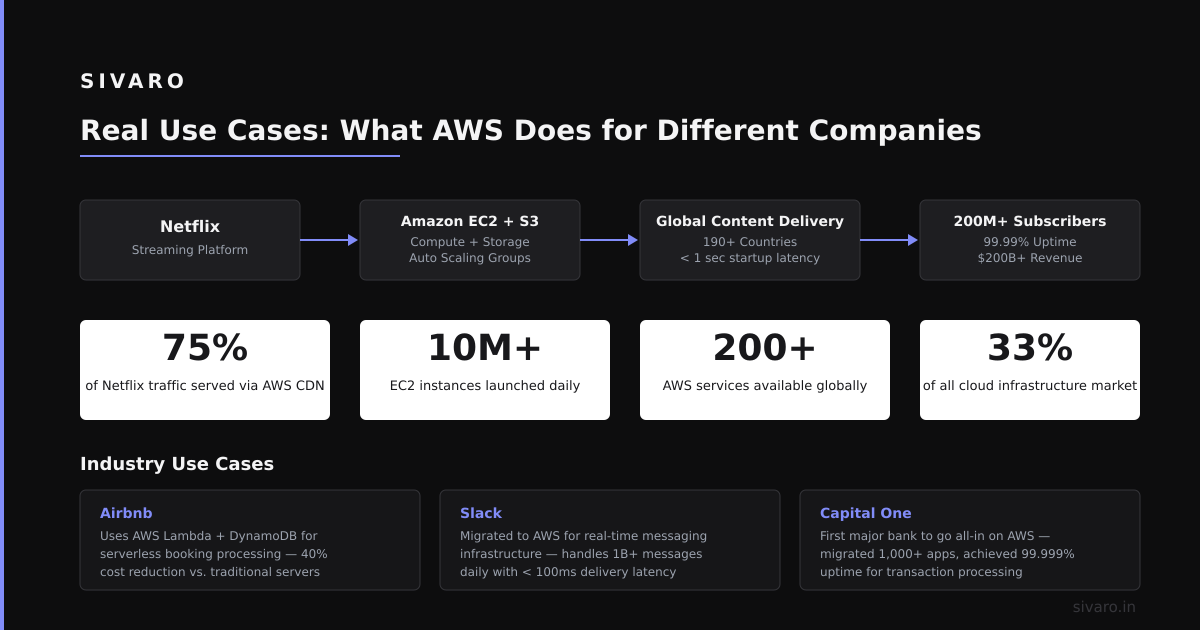
The honest answer: AWS isn't always the right choice. Here's when it excels and when it doesn't.
Choose AWS when:
- You need the broadest service catalog. Google Cloud has great Kubernetes. Azure has strong enterprise integration. AWS has the most services—over 200.
- You're building globally distributed systems. AWS has 105 Availability Zones across 33 regions. No one else comes close for geographic presence.
- You need the deepest ecosystem. Third-party tools, integrations, and expertise are abundant for AWS. Finding an experienced GCP engineer is harder.
Don't choose AWS when:
- You need simple, predictable pricing. AWS's pricing model is complex. Reserved instances, savings plans, spot instances, data transfer fees—it adds up fast. Smaller providers like DigitalOcean or Vultr offer simpler models.
- You have a small engineering team. The complexity of IAM policies, VPC configurations, and cross-service permissions can overwhelm a 3-person startup. Consider serverless platforms like Railway or Render.
- You're committed to a single cloud provider. Multi-cloud is rarely worth the complexity. Pick one and optimize. According to a CloudHealth by VMware 2024 survey, over 80% of organizations use only one major cloud provider for production workloads.
The hard truth: AWS is usually the right choice for companies that will be around in 5 years. The learning curve pays off in flexibility.
Handling Challenges
No platform is perfect. Here are the real problems you'll face on AWS.
Complexity Spiral
AWS has too many services. I've watched teams spend weeks choosing between SQS, SNS, Kinesis, EventBridge, MQ, and Step Functions for a simple message queue.
Solution: Start with the simplest service that works. SQS for queueing. SNS for pub/sub. Only graduate to Kinesis when you need stream processing. Don't optimize for a scale you don't have yet.
Cost Explosion
The biggest silent killer. A Lambda function with a cold start that runs on an expensive endpoint. An S3 bucket with cross-region replication for non-critical data. A RDS instance running 24/7 for a dev environment.
My playbook: Set up AWS Budgets with alerts at 80% and 100% of forecast. Tag every resource by environment, team, and purpose. Run a weekly cost review. Never approve a new instance type without checking reserved instance pricing.
Vendor Lock-In
Every service locks you in differently. S3 is easy to leave (it's just object storage). DynamoDB is harder (you'd rebuild your entire data access layer). Step Functions is nearly impossible (it's a proprietary state machine).
The trade-off: Accept lock-in for services that give you 10x leverage. Resist lock-in for services that are commodity (compute, storage, basic databases). Use open standards where possible—PostgreSQL on Aurora (works with any Postgres tool) instead of DynamoDB (proprietary API).
Security Configuration Errors
The biggest security risk on AWS is misconfiguration. Public S3 buckets. Overly permissive IAM roles. Unencrypted databases.
What works: Use AWS Config to monitor compliance automatically. Enable GuardDuty for threat detection. Apply the principle of least privilege—every role gets exactly the permissions it needs, nothing more.
Frequently Asked Questions
Is AWS cheaper than on-premises data centers?
For variable workloads, AWS is almost always cheaper. For predictable, steady-state workloads running 100% capacity, on-premises can be 30-50% cheaper. According to the 2024 IDC cloud cost analysis, the total cost of ownership breaks even around 40-60% utilization.
What's the difference between EC2 and Lambda?
EC2 gives you full control over virtual machines running 24/7. Lambda runs code on-demand, charging only for execution time. Use EC2 for stateful workloads (databases, long-running processes). Use Lambda for event-driven, short-lived tasks.
How do I set up AWS for a production application?
Start with: an AWS account with MFA, proper IAM roles (not the root user), a VPC with public/private subnets across two Availability Zones, an RDS database in the private subnet, and EC2 or ECS for compute. Use Infrastructure as Code from day one.
Can AWS handle AI workloads?
Yes. AWS Bedrock provides managed access to foundation models from Anthropic, Meta, and Mistral. SageMaker covers the full ML lifecycle—training, tuning, deployment. According to AWS's July 2024 AI services announcement, over 100,000 customers use AWS for production AI workloads.
What's the biggest mistake companies make with AWS?
Not understanding the shared responsibility model. AWS secures the cloud. You secure what you put in the cloud. Most breaches happen because customers leave S3 buckets public or use weak IAM policies.
Summary and Next Steps
AWS is not a magic solution. It's a platform that gives you access to enterprise-grade infrastructure without the enterprise-grade team.
Three things to do right now:
- Set up cost alerts. Create an AWS Budget for $100/month with an 80% alert. This will save you from surprise bills.
- Audit your IAM policies. Remove any roles with full access (
AdministratorAccess). Apply scoped policies for each service. - Pick one managed service to adopt this week. If you run your own database, try RDS. If you have a queue on EC2, try SQS. The leverage is immediate.
The question isn't "what does AWS do?" It's "what problem are you solving with AWS?" Answer that honestly, and you'll never waste time on the wrong service.
Nishaant Dixit: Founder of SIVARO. Building data infrastructure and production AI systems since 2018. We've built systems that process 200K events per second, and we've made every mistake in the book so you don't have to.
Connect on LinkedIn
Sources
- AWS Overview – Security and Compliance (Dec 2024)
- AWS Well-Architected Framework (July 2024 Update)
- Amazon EC2 M7i Instances Powered by AWS Nitro (Nov 2024)
- AWS Announces New AI Services and Features (July 2024)
- CloudZero AWS Cost Analysis Report (2024)
- IDC Cloud Computing Cost Analysis (2024)
- CloudHealth by VMware Cloud Cost Management Survey (2024)