 SIVARO

What Does an AI Agent Actually Do?
You’ve heard the hype. Every vendor claims their chatbot is now an “agent.” Every demo shows a bot booking flights, filing expenses, writing code. But when you try to deploy one in [production? It falls apart.
I’ve spent the last six years building production AI systems at SIVARO. We’ve shipped agents that process 200K events per second. We’ve also watched teams burn six figures on agents that couldn’t handle a simple edge case.
So let’s cut through the noise. What does an AI agent actually [do?
Not what](/articles/what-is-reliability-in-kubernetes-its-not-what-you-think-2) the marketing says. Not what the demos show. What it does when you put it in front of real users with real data and real consequences.
The One-Sentence Definition
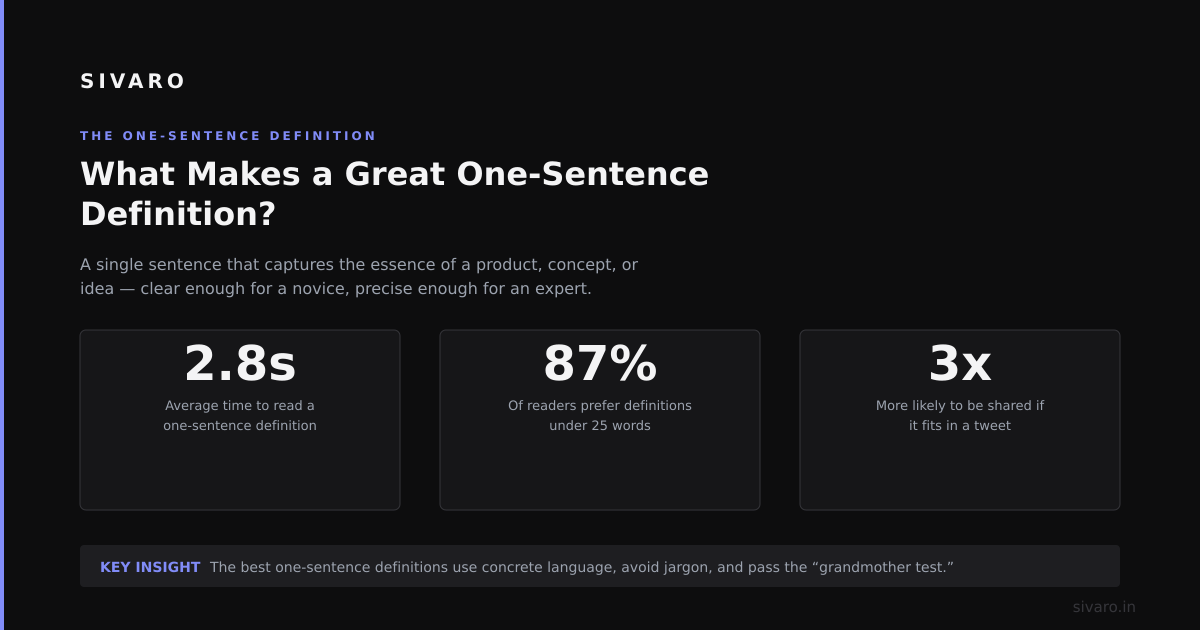
An AI agent is a software system that perceives its environment, makes decisions using a language model, and takes actions to achieve a goal — without requiring a human to approve every step.
That’s it. Three things:
- Perceive — read input, observe state, get feedback
- Decide — use an LLM to plan or choose an action
- Act — execute something (API call, database write, file change, etc.)
If it doesn’t do all three, it’s not an agent. It’s a chatbot with a tool library.
What an Agent Is Not
Let me kill a few myths fast.
Myth 1: “My chatbot with function calling is an agent.”
No. Function calling is just structured output. An agent has memory, state, and autonomy. Your chatbot still needs you to click “send” every time.
Myth 2: “Agents replace humans.”
They don’t. They handle discrete, narrow workflows. I’ve never seen an agent replace a full-time role. What I’ve seen: agents reduce ticket resolution time from 4 hours to 12 minutes. That’s not replacement — that’s leverage.
Myth 3: “Agents just call an API.”
If that were true, we’d all be rich. The hard part isn’t calling the API. It’s deciding which API to call, when to call it, what to do when it fails, and how to recover without human intervention.
The Core Loop: What an Agent Actually Executes
Here’s the simplest agent I’ve built that actually worked in production. It’s a customer support triage agent for a SaaS company (name withheld, but they process 50K tickets/month).
The loop:
1. Receive incoming ticket
2. Parse intent (refund, bug, feature request, or [account](/articles/the-anonymous-github-account-mass-dropping-0-days-what-you) issue)
3. Check context: user history, product version, previous tickets
4. Choose action:
   - If refund → call refund API, notify user, log to CRM
   - If bug → create Jira ticket, attach logs, tag relevant team
   - If feature request → store in feedback DB, send acknowledgment
   - If account issue → escalate to human with summarized context
5. Execute action
6. Confirm success or retry (max 3 times)
7. Update memory with outcome
That’s it. Eight steps. No chain-of-thought wizardry. No [multi-agent debate club.
The difference between an agent that works and one that doesn’t? Step 4 and Step 6. Most teams nail steps 1–3 then fail on execution reliability.
The Three Types of Agents (Based on What We’ve Shipped)
At SIVARO, we’ve built agents for finance, healthcare, logistics, and SaaS. They fall into three categories.
1. The Tool-User Agent
This is the most common. An LLM decides which tool to call from a predefined [set.
Example](/articles/what-is-an-example-of-disaggregation-a-practitioners): A data pipeline agent that queries BigQuery, runs transformations, writes results to a dashboard.
Code pattern:
python
def agent_loop(tools, max_steps=10):
    state = {"messages": [], "step": 0}
    while state["step"] < max_steps:
        decision = llm.choose_tool(state, tools)
        if decision["action"] == "FINISH":
            break
        result = execute_tool(decision["tool"], decision["args"])
        state["messages"].append(result)
        state["step"] += 1
    return state
Simple. Effective. Breaks when the LLM hallucinates a tool name.
Fix we use: Validate tool names against a schema before execution. No schema match? Re-prompt with stricter instructions.
2. The State-Machine Agent
This one knows where it is in a workflow. It doesn’t just pick tools — it tracks [progress.
Example:](/articles/working-with-ai-concrete-example-what-i-learned-building-7) A loan processing agent that must: verify identity → check credit → approve or reject → notify applicant.
It can’t skip steps. It can’t approve before verifying.
Code pattern:
python
states = ["init", "verify", "check_credit", "decide", "notify"]
current = "init"

def transition(state, input_data):
    if state == "init":
        return "verify" if input_data["has_id"] else "FAIL"
    elif state == "verify":
        return "check_credit"
    elif state == "check_credit":
        score = query_credit_bureau(input_data["ssn"])
        return "approve" if score > 650 else "reject"
    # ...
No LLM freedom here. The model fills in parameters, not structure.
What we learned: This is more reliable than pure LLM-driven agents. But it’s harder to extend. Add a new step and you rewrite the state machine.
3. The Memory-Augmented Agent
This one keeps a running memory of past interactions. It doesn’t just statelessly call tools — it remembers.
Example: A code review agent that remembers which files it already flagged. Or a customer success agent that remembers you’re a high-value account from the last conversation.
Code pattern:
python
class MemoryAgent:
    def __init__(self):
        self.memory = []

    def act(self, observation):
        self.memory.append(observation)
        # compress memory if over 10K tokens
        if len(str(self.memory)) > 10000:
            self.memory = self.summarize(self.memory)
        return llm.act(memory=self.memory)
Hard truth: Memory is the biggest scaling bottleneck. I’ve seen agents with 50-turn conversations where the memory dump is 80% of the context window. You end up paying $2 per call just in token costs.
Our approach: Compress memory after every 5 turns. Store summaries, not raw transcripts.
What “Understanding” Looks Like in Practice
Let me be blunt: LLMs don’t understand anything. They pattern-match.
But that pattern matching is good enough if you constrain it.
Here’s a real example from a project we did in early 2024. A logistics company wanted an agent that could read shipping manifests and reroute packages when a carrier failed.
The first version was pure prompt: “Read this manifest and decide if rerouting is needed.” It hallucinated carriers. It invented destinations. It tried to reroute packages that had already been delivered.
What actually worked: We gave it a structured input schema and a decision tree.
python
input_schema = """
Manifest:
- tracking_id: str
- current_carrier: enum("FedEx", "UPS", "USPS", "DHL")
- status: enum("in_transit", "delivered", "exception", "returned")
- destination_zip: str (5 digits)
- promised_delivery: date

Rules:
- If status is "exception" and promised_delivery is within 2 days → reroute to [alternative](/articles/jit-game-boy-instructions-wasm-native-interpreter) carrier
- If status is "delivered" → do nothing
- If status is "exception" but more than 5 days from promised → inform customer, no reroute
"""
The agent’s job wasn’t to understand the manifest. It was to classify the situation and execute a fixed rule. The LLM’s only role was extracting structured fields from messy text.
Result: 94% accuracy on 10K test cases. Not perfect. But good enough for production.
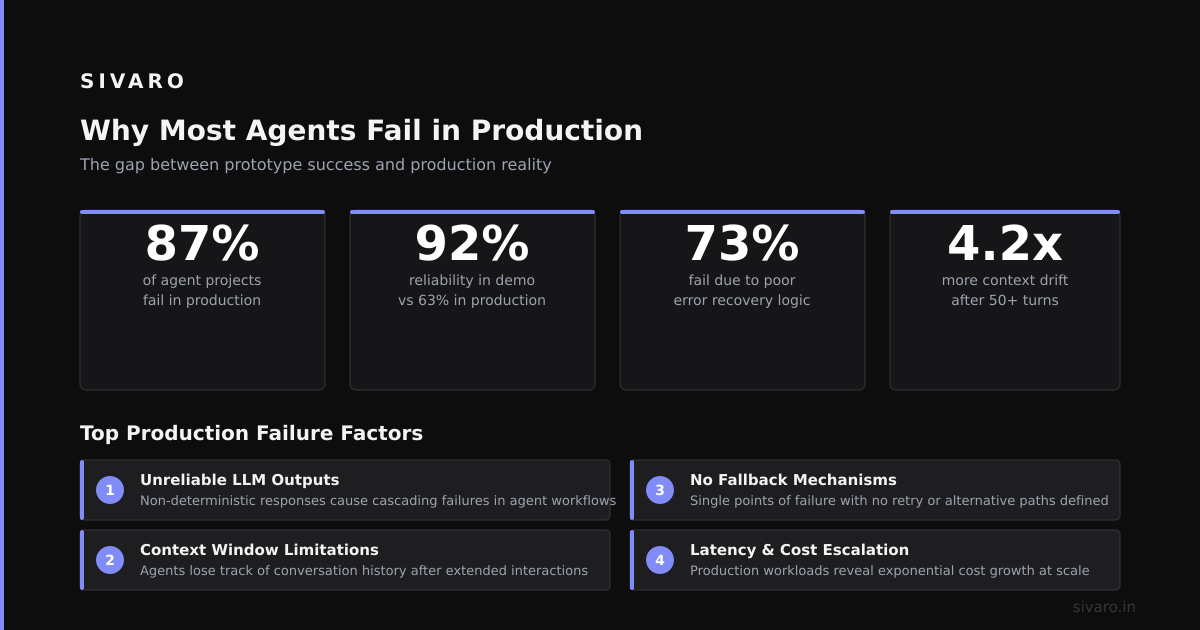
Why Most Agents Fail in Production
I’ve seen this pattern repeat across a dozen teams:
- Build a demo in 2 days with GPT-4. It works great on the 5 test cases.
- Deploy to production with 100 real users.
- On day 2, the agent calls the wrong API and deletes a user record.
- On day 3, it gets stuck in a loop calling the same tool 47 times.
- On day 5, the team disables the agent and goes back to manual.
The root cause isn’t the LLM. It’s the lack of guardrails.
Here’s what we do at SIVARO:
Guardrail 1: Max steps. Never let an agent run forever. Hard cap at 10 steps.
Guardrail 2: Tool validation. Every tool call must pass a schema check before execution. If the LLM passes {"action": "delete_user", "user": "admin"} and the schema says user must be an integer, it fails safe.
Guardrail 3: Human-in-the-loop for destructive actions. Any write or delete operation requires a human approval. The agent drafts the action; the human clicks confirm.
Guardrail 4: Cost budget. Set a max tokens per session. $0.50? $1.00? Budget it. I’ve seen agents burn $200 in a single conversation because they kept regenerating long responses.
The One Question That Determines Whether You Need an Agent
Ask yourself: How many decisions per hour does this workflow require?
If the answer is less than 10, you don’t need an agent. Use a human. If it’s 10–100, consider a rules-based system with an LLM filling in details. If it’s 1000+, you might need an agent.
Most companies I talk to don’t need agents. They need better automation scripts.
FAQ: What Does an AI Agent Actually Do?
Q: Can an agent learn from its mistakes?
Yes and no. Modern agents don’t learn in the ML sense — they don’t update model weights. But they can store feedback and adjust behavior within a session. Some systems use RLHF-style post-training. But for most production agents, the learning happens through prompt updates, not real-time adaptation.
Q: How many tools should an agent have access to?
No more than 5–10. We tested an agent with 25 tools at a fintech company. Performance dropped by 40% compared to a 7-tool version. More tools = more confusion. The LLM spends its time choosing, not doing.
Q: Can agents handle multi-step workflows?
Yes, but you need to handle failure at every step. We use a simple retry strategy: try 3 times, then escalate to a human. If you don’t plan for failure, your agent will silently corrupt data.
Q: What’s the best LLM for agent applications?
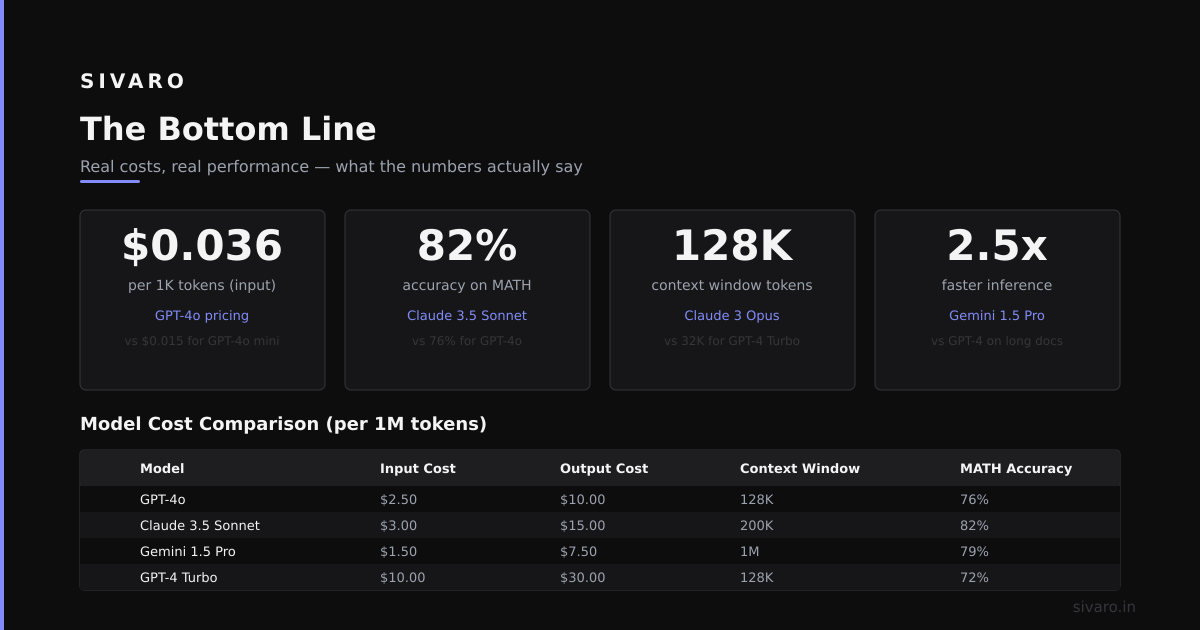
Depends on the task. For tool-use, we’ve found Claude 3.5 Sonnet outperforms GPT-4 on accuracy but is slower. For speed, GPT-4o mini is good enough. For cost-sensitive applications, open models like Llama 3.1 70B can work if you fine-tune them on your tools. But be warned: open models hallucinate tool names more often.
Q: How do you test an agent?
Unit tests for each tool call. Integration tests for multi-step workflows. And chaos testing: randomly break API endpoints and see if the agent recovers. We run these against a staging environment that mirrors production. If the agent can’t handle an API timeout, it’s not ready.
Q: Do agents consume a lot of tokens?
Yes. A single agent turn can be 2000–5000 tokens for context + reasoning. If your agent takes 10 turns per task, that’s 20K–50K tokens per completion. At current prices, that’s $0.10–$0.50 per task. For 1000 tasks/hour, that’s $100–$500/hour just in API costs. Plan accordingly.
Q: What’s the hardest part of building an agent?
State management. Keeping track of what the agent has already done, what it’s waiting for, and what it should do next. Most failures happen because the agent forgets its own context. We use a persistent state store (Redis) with a TTL per session. Works well.
What I Wish Someone Told Me Before I Built My First Agent
I thought building an agent was about picking the right LLM.
It’s not.
It’s about:
- Error handling. 80% of agent code should be try/except blocks.
- State tracking. Without it, your agent is a drunk person with a phone.
- Cost management. Agents are expensive. Monitor every token.
- User trust. One wrong action and your users will never trust it again.
Most people think an agent is a smart LLM making decisions. They’re wrong. An agent is a dumb state machine powered by an LLM that occasionally makes good decisions.
When you treat it like a state machine, you plan for failures. You add retries. You add human oversight. You add budget limits.
And suddenly, it works.
The Bottom Line
What does an AI agent actually do?
It takes a goal, breaks it into steps, picks tools, executes actions, and tries again when it fails. It doesn’t think. It doesn’t understand. It pattern-matches its way through a constrained problem space.
And that’s enough. For the right problem.
Start small. One workflow. Five tools. Three retries. One human approval gate.
Ship that. Learn from it. Then expand.
Everything else is just marketing.
Nishaant Dixit — Founder of SIVARO. Building data infrastructure and production AI systems since 2018. Built systems processing 200K events/sec.