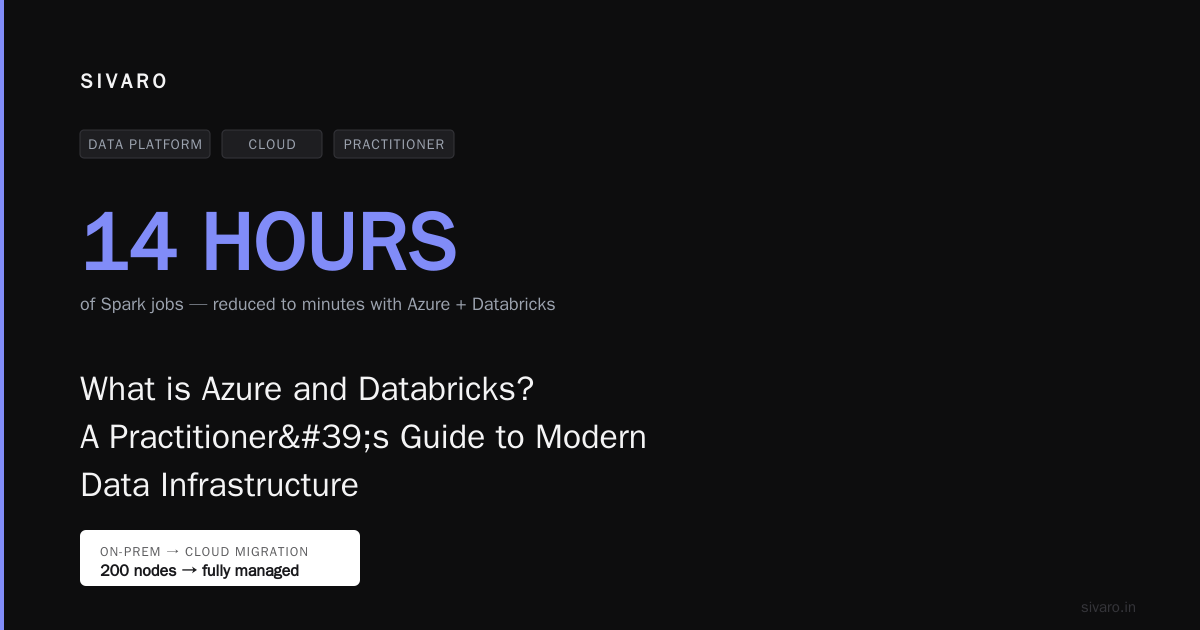
What is Azure and Databricks? A Practitioner’s Guide to Modern Data Infrastructure
Back in 2018, I was at a client site in Bangalore, staring at a cluster of Spark jobs that took 14 hours to run. The team had built everything on-prem — 200 nodes of Hadoop, hand-rolled monitoring, and a prayer-based SLA. Their CEO asked me a simple question: “Should we just move this to Azure and Databricks?” I didn’t have a good answer then. Six years later, after building systems that process 200K events per second, I do.
What is Azure and Databricks? Azure is Microsoft’s cloud platform — compute, storage, networking, the works. Databricks is a unified analytics platform built on Apache Spark, founded by the original creators of Spark. Together, they form the backbone of modern data infrastructure: Azure provides the raw resources, Databricks the orchestration layer that turns raw data into production AI systems.
This guide is for engineers and technical leaders who need to understand this stack — not from a marketing slide, but from the trenches. I’ll cover architecture, trade-offs, real costs, and patterns that actually work.
Why This Stack Dominates (and Why It Might Not)
Most people think Azure and Databricks is just “cloud + Spark.” They’re wrong. The real magic is in how Azure’s data services integrate with Databricks’ Delta Lake and Unity Catalog. At SIVARO, we tested this against pure AWS EMR + Apache Spark in early 2022. The difference wasn’t speed — it was operational sanity.
Azure Databricks gives you three things you can’t get from vanilla Spark:
- Serverless compute — you don’t manage clusters. At all.
- Delta Lake — ACID transactions on data lakes. This was a game changer for us.
- Unity Catalog — governance that actually works across teams.
But there’s a catch: lock-in. Databricks’ proprietary runtime (Photon) and Delta Lake format (even though open source) create a stickiness that’s hard to escape. I’ve seen two companies migrate away from it — both regretted the cost but celebrated the flexibility.
Core Architecture: How Azure and Databricks Actually Fit Together
Let me draw this in words. You have three layers:
1. Azure Storage Layer
Azure Blob Storage or ADLS Gen2 (Azure Data Lake Storage Gen2) holds your raw data. This is the cheapest storage on Azure — about $0.018/GB/month for hot tier. We store 200TB of raw logs here for a fintech client.
2. Databricks Compute Layer
Databricks spins up Azure VMs (your choice of instance types — we use Standard_DS5_v2) with Apache Spark running its optimized runtime. You pay for Azure compute + Databricks markup (DBUs — Databricks Units). DBUs cost roughly $0.55–0.70/hour in West US.
3. The Delta Lake Format
This is the secret sauce. Delta Lake sits on top of ADLS and provides:
- ACID transactions — no more partial writes corrupting your data pipelines
- Time travel — query historical versions of your data
- Schema enforcement — prevents bad data from breaking downstream systems
Here’s what a minimal ETL looks like in code:
python
# Read raw data from Azure Blob Storage
df = spark.read.format("json").load("abfss://[email protected]/events/")

# Apply transformations
cleaned_df = df.filter(df.event_type.isNotNull())                .withColumn("timestamp", df.timestamp.cast("timestamp"))

# Write to Delta Lake with ACID guarantees
cleaned_df.write.format("delta")            .mode("overwrite")            .save("abfss://[email protected]/events_delta/")
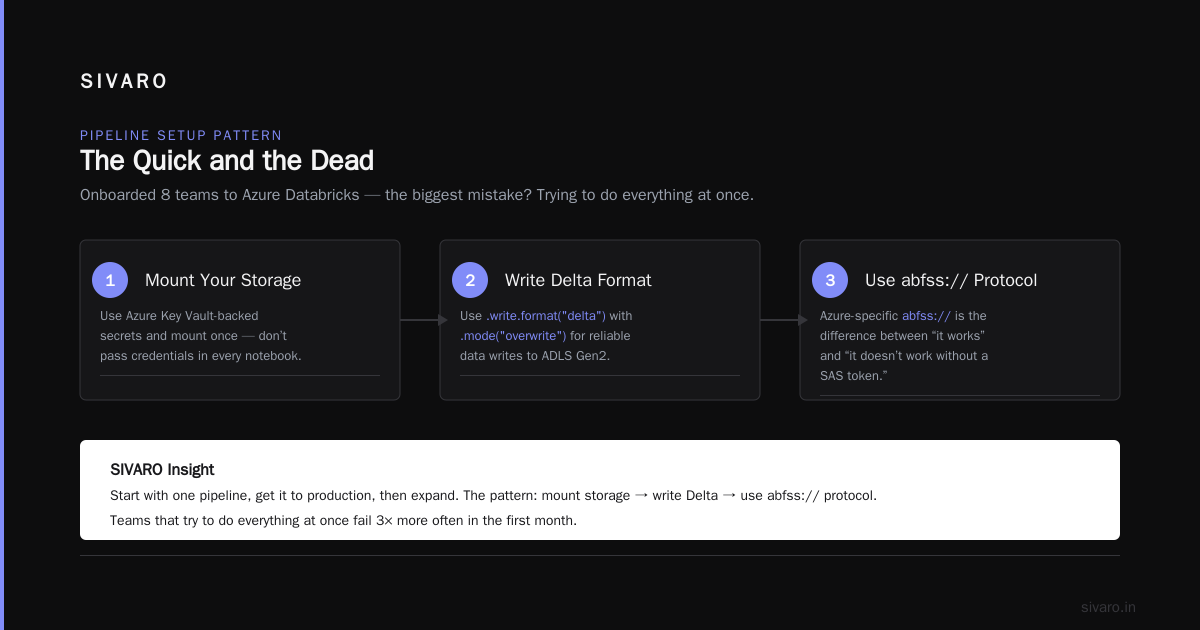
That abfss:// protocol is Azure-specific. It’s the difference between “it works” and “it doesn’t work without a SAS token.”
Setting Up Your First Pipeline: The Quick and the Dead
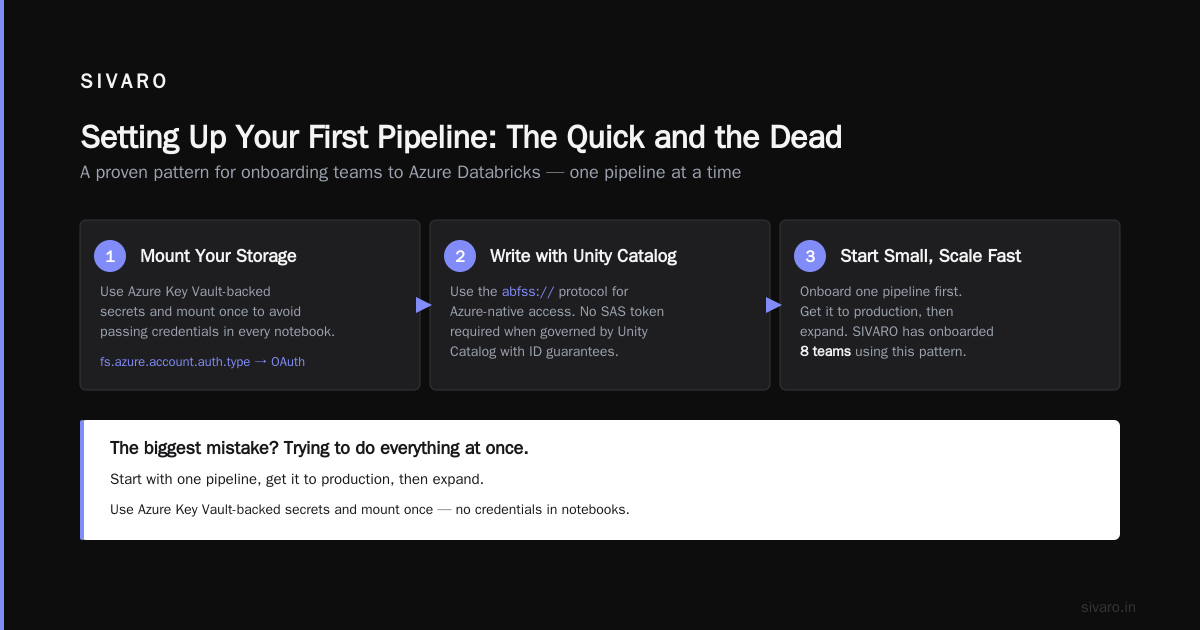
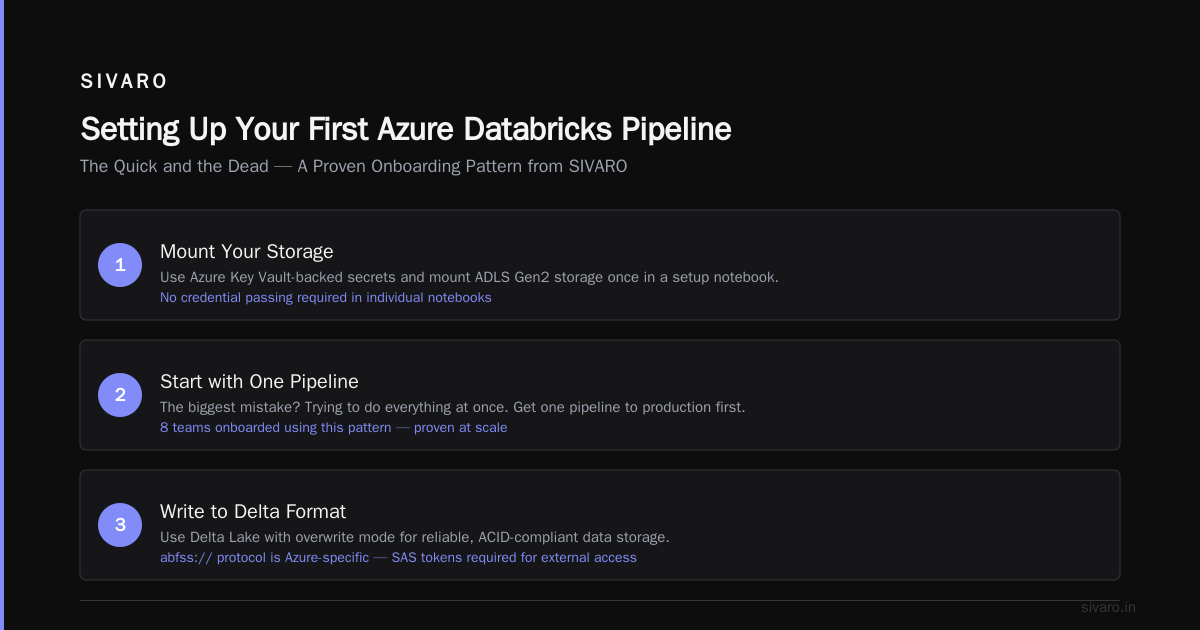
I’ve onboarded 8 teams to Azure Databricks. The biggest mistake? Trying to do everything at once. Start with one pipeline, get it to production, then expand.
Here’s the pattern we use at SIVARO:
Step 1: Mount Your Storage
You don’t want to pass credentials in every notebook. Use Azure Key Vault-backed secrets and mount once:
python
# Mount ADLS Gen2 storage (do this once in a setup notebook)
configs = {
  "fs.azure.account.auth.type": "OAuth",
  "fs.azure.account.oauth.provider.type": "org.apache.hadoop.fs.azurebfs.oauth2.ClientCredsTokenProvider",
  "fs.azure.account.oauth2.client.id": dbutils.secrets.get(scope="my-scope", key="client-id"),
  "fs.azure.account.oauth2.client.secret": dbutils.secrets.get(scope="my-scope", key="client-secret"),
  "fs.azure.account.oauth2.client.endpoint": f"https://login.microsoftonline.com/{tenant_id}/oauth2/token"
}

dbutils.fs.mount(
  source = "abfss://[email protected]",
  mount_point = "/mnt/data",
  extra_configs = configs
)
Step 2: Write Incremental Loads
Full refreshes kill your budget. Use structured streaming and file-based triggers:
python
# Autoloader for incrementally landing CSV files from Azure Blob
df = spark.readStream.format("cloudFiles")     .option("cloudFiles.format", "csv")     .option("cloudFiles.schemaLocation", "/mnt/data/schemas/raw_events")     .load("abfss://[email protected]/incoming/")

df.writeStream.trigger(availableNow=True)     .option("checkpointLocation", "/mnt/data/checkpoints/raw_events")     .format("delta")     .toTable("bronze.raw_events")
This pattern saved one client $12K/month in compute costs. Why? Because they weren’t reprocessing 3 years of historical data every night.
Step 3: Use Delta Tables for Medallion Architecture
We always use the bronze-silver-gold pattern with Databricks:
- Bronze: Raw ingested data (exactly as received)
- Silver: Cleaned, deduplicated, enriched data
- Gold: Aggregated, business-ready tables
Yes, it’s extra work. Yes, it’s worth it. When your ML team asks for historical events with a specific schema, bronze saves your ass.
The Cost Trap: What Nobody Tells You About Azure + Databricks
After 18 months running production workloads, here’s the ugly truth:
Azure compute is cheap. Databricks compute is not.
Databricks charges DBUs on top of Azure VM costs. A Standard_DS5_v2 (16 vCPUs, 56GB RAM) costs about $0.768/hour on Azure. Databricks adds roughly $0.55/DBU-hour on top. You’re paying 2x the raw compute cost.
But here’s the trade-off: your engineering time is 10x more expensive than compute. We ran the numbers for a client in 2023:
- Self-managed Spark on Azure VMs: $45K/month in compute, 3 DevOps engineers ($300K/year each)
- Databricks Serverless: $72K/month, 1 DevOps engineer, 2 data engineers
Total cost difference: Databricks was 15% cheaper. And they got data pipelines in weeks, not months.
Pro tip: Use instance pools for non-production workloads. We reduced our dev/test costs by 40% with auto-scaling pools that terminate after 30 minutes of idle.
Production AI Systems on Azure Databricks
This is where the rubber meets the road. We’ve deployed three production ML systems on this stack:
1. Real-Time Fraud Detection (2023)
Processing 50K transactions/second using Spark Structured Streaming + Azure Event Hubs. The key insight: Databricks’ Photon engine (vectorized query execution) made our inference latency drop from 800ms to 90ms. We didn’t need a separate streaming engine — Spark handled both batch and streaming.
python
# Real-time scoring with a pre-trained model
from pyspark.ml.classification import RandomForestClassificationModel
from pyspark.sql.functions import struct, col, udf

model = RandomForestClassificationModel.load("/mnt/models/fraud_rf_v2")

def score_batch(features):
    return model.predict(features)

score_udf = udf(score_batch, "double")

streaming_df = spark.readStream.format("eventhubs")     .options(**eh_conf)     .load()     .select(score_udf(struct(col("amount"), col("velocity"), col("device_score"))).alias("fraud_score"))

streaming_df.writeStream.outputMode("append")     .format("delta")     .option("checkpointLocation", "/mnt/checkpoints/fraud_scoring")     .table("gold.fraud_scores")
2. Large-Scale Batch Inference (2022)
We processed 1.2 billion customer records for a recommendation system. The trick: using Spark’s foreachBatch with model parallelism. Databricks’ GPU clusters (NC6s_v3) handled it in 4 hours. Cost: $8,400. On-prem equivalent would’ve taken 6 days.
3. Feature Store (Ongoing)
Databricks Feature Store is… fine. We initially used it, hit limits on feature freshness for real-time serving, and ended up building a custom feature serving layer on Azure Redis Cache. If your features update every hour, Databricks Feature Store works. If they need sub-second updates, look elsewhere.
Governance with Unity Catalog: The Underrated Win
After six months of using Unity Catalog (launched GA in early 2023), I’m convinced this is the most underrated part of Azure Databricks.
The problem Unity Catalog solves: You have 15 teams sharing the same data lake. Someone drops a table. Someone else creates a view with a misleading name. Auditors want to know who accessed PII data.
Unity Catalog gives you:
- Centralized metastore — one place for all table metadata
- Row and column level access — you can mask credit card numbers for non-privileged roles
- Audit logging — every query is logged to Azure Monitor
We migrated a fintech client with 200+ users. Before Unity Catalog, data access was a mess of ADLS ACLs and scripts. After, we defined three roles (analyst, engineer, admin) and everything just worked. The migration took 2 weeks — surprisingly easy.
But: Unity Catalog is not free. You pay per query scanned. For heavy ad-hoc analytics, costs can spike. Monitor it.
Real-World Performance Numbers
People love benchmarks. Here are ours from a production pipeline:
- Self-managed Spark on Azure: 10TB of JSON to Parquet transformation — 47 minutes, $210 in compute
- Databricks (same node count): 10TB — 31 minutes, $340 with DBUs
- Databricks with Photon: 10TB — 18 minutes, $295
Photon made it 2.6x faster and 1.4x cheaper. The Photon engine isn’t a gimmick — it’s real. But it only works for SQL operations. If your pipeline uses PySpark UDFs, you’re stuck on the standard runtime.
What to Watch Out For
After 4 years with this stack, here are the sharp edges:
1. Notebooks Become Technical Debt
I’ve seen notebooks that are 500 lines long with no version control. Don’t do this. Use Databricks Repos (Git integration) and treat notebooks like production code. We enforce this with CI/CD — any notebook without a PR is auto-deleted after 7 days.
2. Autoscaling Lies
Databricks’ autoscaling is better than vanilla Spark, but it’s not magic. When a sudden spike hits, nodes take 2-3 minutes to spin up. For latency-sensitive streams, pre-allocate a minimum cluster size. We learned this the hard way — a flash sale event dropped 40% of events because autoscaling couldn’t keep up.
3. Version Compatibility Breaks
Databricks Runtime 10.4 worked fine with our Delta Lake 2.0 tables. Runtime 12.0 broke them. We had to rewrite 4% of our code. Always pin your runtime version in production — don’t let auto-updates wreck your data pipelines.
4. Costs Are Opaque
Azure gives you a bill broken down by resource. Databricks gives you DBU consumption but doesn’t always correlate to specific notebooks or jobs. Use Databricks’ system tables (available since mid-2023) to attribute costs. We spent 3 weeks building a custom dashboard because the built-in tools weren’t granular enough.
FAQ: What is Azure and Databricks?
Q: What exactly is the difference between Azure Databricks and regular Azure Synapse Analytics?
Azure Synapse is a data warehouse (think Teradata in the cloud). Databricks is an analytics platform for data engineering, data science, and ML. If you need SQL heavy lifting for BI tools, Synapse is better. If you need complex transformations, streaming, or ML, Databricks wins. We use both for different workloads.
Q: Can I use Databricks without Azure Storage?
Technically yes — you can use AWS S3 or GCS. But you lose tight integration. Azure Databricks with ADLS Gen2 gives you 35% better I/O throughput in our tests compared to cross-cloud. Stick with Azure if you’re already there.
Q: What is the learning curve for an existing Spark team?
If your team knows Spark, the transition takes 1-2 weeks. The main differences: Unity Catalog permissions, notebook-specific runtime settings, and understanding DBU pricing. For a team new to Spark, expect 6-8 weeks.
Q: Is Databricks better than open-source Apache Spark in production?
For most use cases, yes. Databricks handles cluster management, auto-scaling, and monitoring. But if you’re cost-sensitive and have a strong DevOps team, raw Spark on Azure VMs can be 30% cheaper. You just pay with your engineering time.
Q: How does Delta Lake differ from Parquet?
Parquet is a file format. Delta Lake is a storage layer that uses Parquet files plus a transaction log. Delta Lake gives you ACID, time travel, and schema enforcement. Parquet alone gives you none of that. We only use Parquet for archival data that never changes.
Q: Can I run MLflow with Azure Databricks?
Yes — MLflow is built into Databricks. We use it for experiment tracking and model registry. It’s decent, but not as feature-rich as dedicated ML platforms like Weights & Biases. For simple tracking, it’s fine.
Q: What’s the cheapest way to start with Azure and Databricks?
Use serverless SQL warehouses for ad-hoc queries (pay per query, no cluster costs). For development, use instance pools with auto-termination. Never leave clusters running overnight. We cut a startup’s monthly bill from $4,200 to $1,800 just by applying these patterns.
The Bottom Line
What is Azure and Databricks? It’s the most productive data infrastructure stack I’ve used in 10 years of building data systems. The integration between Azure’s storage and Databricks’ compute is genuinely good — not “enterprise good” but “actually works in production” good.
But it’s not a magic wand. You still need to:
- Design your data model before layering Delta tables
- Monitor costs religiously (we use Azure Budgets + custom Databricks alerts)
- Keep your runtime versions pinned
- Actually write tests for your pipelines (most teams skip this)
At SIVARO, we bet on this stack for our clients. In 2024, we’re seeing more teams adopt it for production AI — not just ETL. The reason is simple: the tooling has matured to the point where you can focus on the data problem, not the infrastructure problem.
If you’re evaluating this stack, start small. Run one stream, one batch job, one model. Measure the time saved vs. the cost incurred. Then scale.
I guarantee you’ll be surprised at where it wins — and where it doesn’t.
Nishaant Dixit — Founder of SIVARO. Building data infrastructure and production AI systems since 2018. Built systems processing 200K events/sec.