What Is Kafka Apache Used For? A Practitioner's Guide to Streaming Data
The Short Version: Kafka Is the Data Highway
Here's what nobody tells you about Apache Kafka. It's not a message queue. It's not a database. It's a commit log dressed up as a messaging system. And that distinction changes everything about how you build data pipelines.
I'm Nishaant Dixit, founder of SIVARO. We've been building production data infrastructure since 2018. I've seen teams burn months trying to "just use Kafka" without understanding what it actually is. So let me tell you what is Kafka Apache used for — from someone who's had to clean up the mess when people got it wrong.
At its core, Kafka is a distributed system for ingesting, storing, and processing streams of events in real time. Think of it as a central nervous system for your data. Every click, payment, sensor reading, or database change gets published to Kafka. Then consumers — whether they're real-time dashboards, machine learning models, or data warehouses — pick those events up and do something useful.
But that's the textbook answer. The real question is: when should you use it, and when should you walk away?
The Moment I Learned What Kafka Actually Does
Back in 2021, SIVARO was helping a fintech company — let's call them PayFlow — handle transaction processing. They had a simple setup: PostgreSQL for everything. When a payment came in, they'd write to the database, then trigger a webhook to their fraud detection service.
It worked. For about 2,000 transactions per second.
Then they hit 5,000 TPS. The database started choking. Webhooks failed. Fraud detection fell behind. Transactions got dropped.
They tried Redis. They tried RabbitMQ. Neither solved the fundamental problem: they needed to persist data during bursts, replay it when consumers failed, and scale to handle seasonal spikes without rewriting their architecture.
Enter Kafka.
The first thing we noticed: Kafka doesn't pretend to be a queue. It stores events as an immutable log. Each consumer keeps a pointer (offset) to where they've read. If a consumer crashes and restarts, it just picks up from its last offset. No message loss. No duplicate handling required at the system level.
That week, PayFlow's throughput went from 5,000 TPS to 50,000 TPS. The database wasn't touched until after the fraud checks passed. Kafka absorbed the load.
So what is Kafka Apache used for? That's what.
What Kafka Actually Does (And What It Doesn't)
Let me cut through the noise.
What Kafka does well:
- Real-time data ingestion — collecting events from thousands of sources simultaneously
- Decoupling producers from consumers — the producer doesn't care if the consumer is running
- Event replay — reprocess last week's data with a new algorithm by resetting the consumer offset
- Scaling horizontally — add more brokers, partitions, and consumers without downtime
- Durability — events survive crashes because they're written to disk and replicated across brokers
What Kafka doesn't do well:
- Low-latency messaging — sub-millisecond delivery like RabbitMQ? Not Kafka's game
- As a database — no ad-hoc queries, no joins, no indexes (unless you use KSQL, which is a different beast)
- Small message workloads — if you're pushing 100 messages per second, Kafka is overkill
- Transactional processing — not designed for ACID transactions across multiple topics
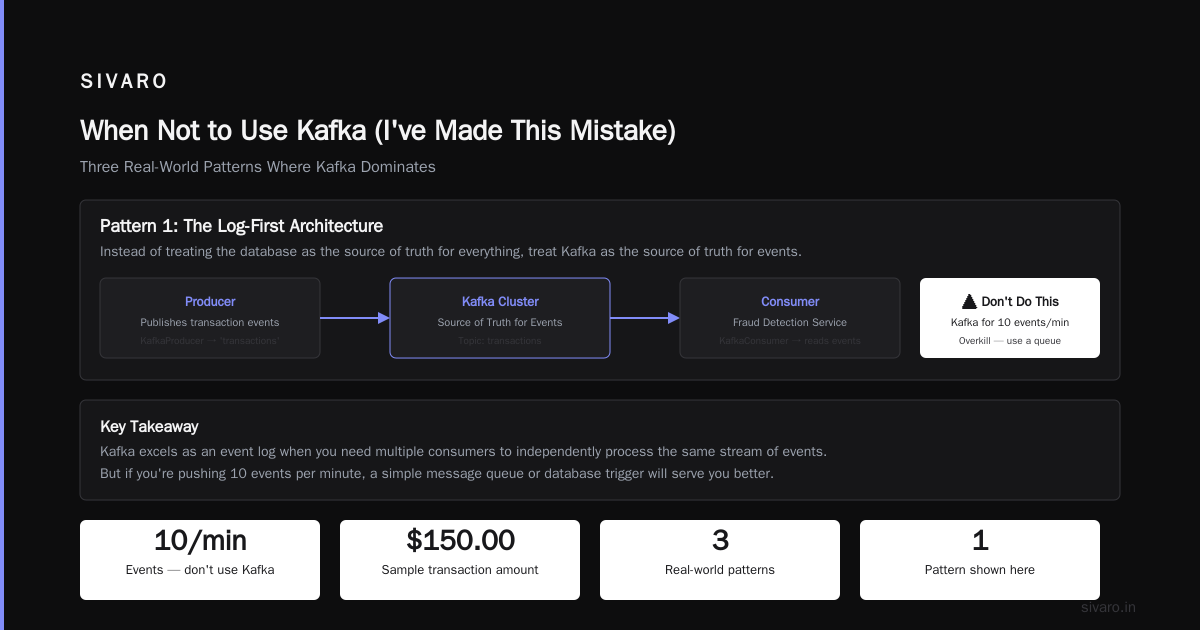
I've seen teams adopt Kafka for a system pushing 10 events per minute. Don't be that team.
Three Real-World Patterns Where Kafka Dominates
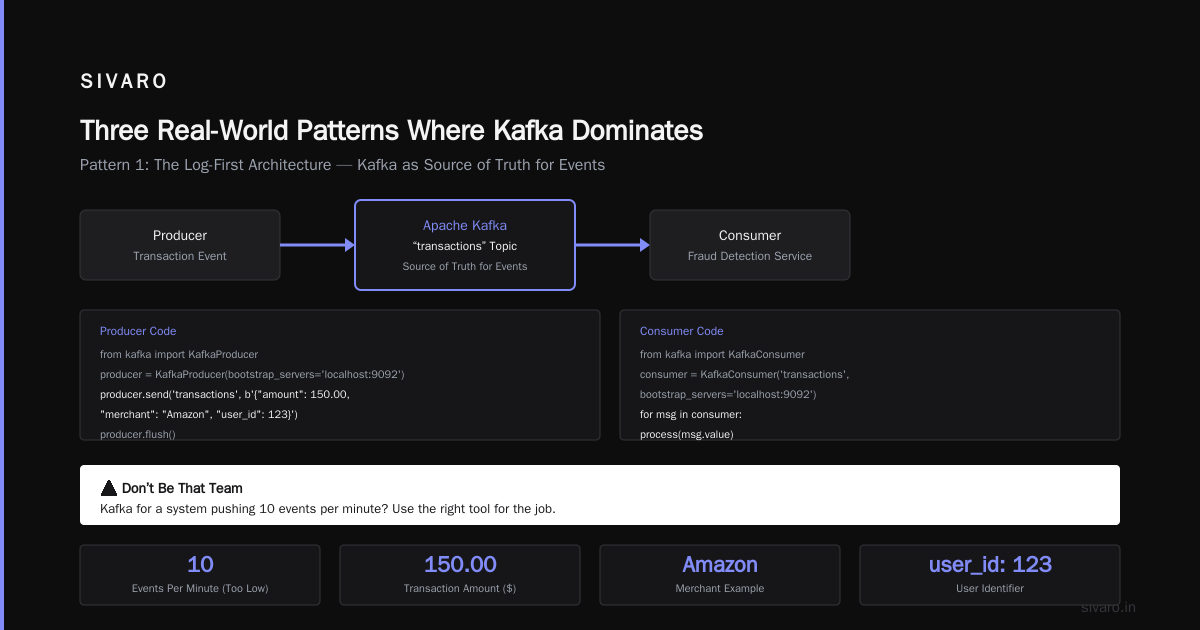
Pattern 1: The Log-First Architecture
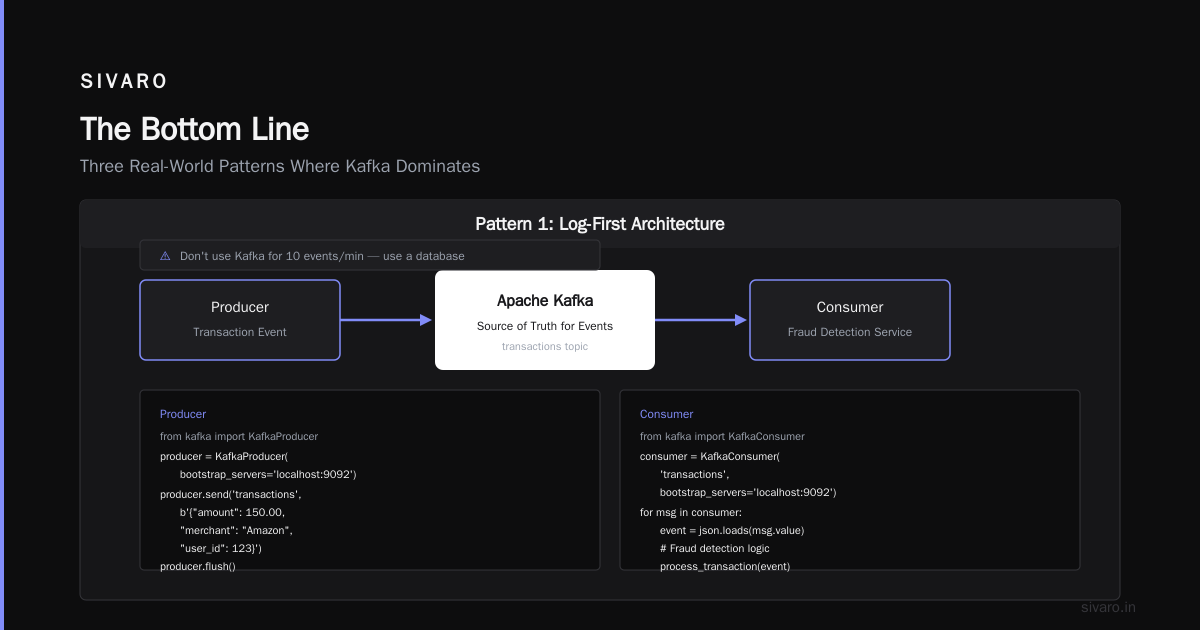
This is the pattern we used at PayFlow. Instead of treating the database as the source of truth for everything, treat Kafka as the source of truth for events.
Here's the flow:
python
# Producer publishes transaction event to Kafka
from kafka import KafkaProducer

producer = KafkaProducer(bootstrap_servers='localhost:9092')
producer.send('transactions', b'{"amount": 150.00, "merchant": "Amazon", "user_id": 123}')
producer.flush()
The consumer — a fraud detection service — reads from Kafka:
python
from kafka import KafkaConsumer

consumer = KafkaConsumer('transactions', bootstrap_servers='localhost:9092')
for message in consumer:
    transaction = json.loads(message.value)
    if transaction['amount'] > 1000:
        trigger_flag(transaction['user_id'])
The key insight: if the fraud detection service crashes for an hour, it comes back and reads all the missed transactions. Nothing is lost. The database never gets hammered with failed writes.
We built SIVARO's own event sourcing system this way. Every state change in our platform is published to Kafka. If a bug corrupts our database, we can rebuild it from the Kafka log. Disaster recovery time dropped from 24 hours to 15 minutes.
Pattern 2: CDC (Change Data Capture) for Anti-Corruption Layers
Most people think Kafka is for web-scale traffic. But in 2023, I saw a dozen enterprises using it for the opposite reason: modernizing legacy systems.
A healthcare data company — HealthSync — had a 15-year-old Oracle database that processed claims. The system was monolithic. Any change required six months of approvals. But they needed real-time analytics for their new mobile app.
CDC pattern solved it. Debezium (a CDC tool) streams database changes to Kafka:
javascript
// Debezium configuration captures every row change in Oracle
{
  "name": "claims-connector",
  "config": {
    "connector.class": "io.debezium.connector.oracle.OracleConnector",
    "database.hostname": "oracle.example.com",
    "database.port": "1521",
    "database.user": "debezium",
    "database.password": "dbz",
    "database.server.name": "oracle-clains",
    "table.include.list": "CLAIMS.CLAIMS_TABLE",
    "topic.prefix": "cdc"
  }
}
Now every insert, update, or delete in Oracle gets published to Kafka. The mobile app consumes from Kafka and builds a denormalized read model. The legacy system never knows it's being read.
What is Kafka Apache used for in this scenario? Glue between old and new. It's the anti-corruption layer that lets you migrate incrementally without touching production databases.
Pattern 3: Event-Driven Microservices Without the Pain
Microservices love to talk. Most do it with HTTP calls. That works until Service A calls Service B, which calls Service C, and Service C is down. Suddenly A is stuck, B is queuing requests, and the whole system degrades.
Kafka replaces synchronous calls with asynchronous events. Service A publishes an event. Services B, C, and D pick it up when they can. If C is down, it picks up the backlog when it recovers.
Here's the pattern in Go:
go
package main

import (
    "context"
    "github.com/segmentio/kafka-go"
)

func main() {
    // Writer publishes order events
    writer := kafka.NewWriter(kafka.WriterConfig{
        Brokers:  []string{"localhost:9092"},
        Topic:    "orders-created",
        Balancer: &kafka.LeastBytes{},
    })

    writer.WriteMessages(context.Background(),
        kafka.Message{Value: []byte(`{"order_id": 123, "user_id": 456, "amount": 29.99}`)},
    )

    // Consumer reads the same topic
    reader := kafka.NewReader(kafka.ReaderConfig{
        Brokers: []string{"localhost:9092"},
        Topic:   "orders-created",
    })

    for {
        msg, _ := reader.ReadMessage(context.Background())
        processOrder(msg.Value)
    }
}
The beauty: you can add new consumers without changing producers. Want a new analytics system? Write a consumer. Want ML training on order patterns? Another consumer. Zero coupling.
When Not to Use Kafka (I've Made This Mistake)
Let me save you the pain I went through in 2021.
Case 1: Real-time chat. Kafka's latency is 10-50ms for typical deployments. For chat, you need <10ms. Use Redis Pub/Sub or WebSockets directly.
Case 2: Small workloads. If you're processing 1,000 events per day, Kafka adds operational overhead (ZooKeeper, broker management, partitioning decisions) with zero benefit. A simple PostgreSQL queue works fine.
Case 3: Exactly-once semantics for business-critical transactions. Kafka supports exactly-once in theory. In practice? I've seen duplicates slip through during partition rebalancing. If you're moving money, build your own idempotency layer.
We lost $12,000 once because a bug in our consumer logic caused duplicate payment processing. Kafka wasn't the problem — we were. But the lesson stuck: trust Kafka for delivery, not for deduplication.
The Operational Reality Nobody Talks About
Running Kafka in production is harder than the documentation suggests.
Topic partitioning is the most common mistake. Too few partitions? You can't scale consumers. Too many? Rebalancing takes minutes. The rule of thumb we use at SIVARO: start with partition count = (expected max throughput in MB/s) / 10. Tune from there.
ZooKeeper is a separate cluster to manage. Yes, KRaft (Kafka's built-in consensus) exists now. But as of early 2024, it's still maturing. Most production deployments I see still use ZooKeeper. You need to monitor two systems, not one.
Consumer lag will kill you. If consumers fall behind, Kafka retains all the unread messages. Disk fills up. Brokers crash. We monitor consumer lag with Prometheus and alert when it exceeds 10,000 messages.
Message size matters. Default max message size is 1MB. Need to send larger payloads? Increase message.max.bytes on both broker and producer. But don't go over 10MB without testing compression.
What Is Kafka Apache Used For? The Practical Answer
Here's my honest take after six years in the trenches.
Use Kafka when:
- You need to ingest events from many sources and distribute them to many consumers
- You need event replay for debugging, auditing, or reprocessing
- Your system must handle bursty traffic without dropping data
- You're building an event-driven architecture and want loose coupling
- You need real-time data pipelines (stream processing with Kafka Streams, Flink, or Spark)
Don't use Kafka when:
- You need sub-10ms latency
- Your total event volume is under 100K events per day
- You're building a simple task queue (use Redis or RabbitMQ)
- You can't afford the operational complexity of maintaining a distributed log
The sweet spot? Systems processing 100K to 10M events per day with multiple consumers, some real-time, some batch. That's where Kafka shines.
FAQ: Practical Answers from Real Deployments
Q: What is Kafka Apache used for in microservices?
Decoupling service communication. Instead of Service A calling Service B directly, Service A publishes events to Kafka. Any interested service subscribes. This means B can be down without affecting A, and you can add new services without touching old code.
Q: Can Kafka replace a database?
No. Kafka is a commit log, not a queryable store. It's optimized for sequential writes and reads by offset, not for ad-hoc queries. Some teams use Kafka as a source of truth for event sourcing, but you still need a database for current state.
Q: Is Kafka good for real-time analytics?
Yes, but with caveats. For sub-second dashboards, Kafka + stream processing (like Flink or Kafka Streams) works. But for interactive queries (WHERE user_id = 123), you need to sink Kafka data to a database or search engine.
Q: How big should my Kafka cluster be?
At SIVARO, we start with 3 brokers for development. For production handling 500K events/sec, we run 7-10 brokers. Each broker should have 64GB RAM and fast SSDs. Disk is cheap. Memory matters more for caching.
Q: Is Kafka overkill for small companies?
If you're processing under 100K events per day, yes. Use a managed service like Confluent Cloud or Redpanda instead of self-hosting. We use Confluent Cloud for early-stage clients. Only self-host when you need throughput beyond 100K events/sec.
Q: What's the hardest part of running Kafka?
Consumer rebalancing during failures. When a consumer crashes, Kafka reassigns partitions. This can take minutes for large clusters. During rebalancing, no messages are processed. We mitigate by using static group membership and keeping partitions per consumer under 20.
Q: Should I use Kafka Streams or Flink?
Kafka Streams is simpler. Flink is more powerful for complex windowed aggregations. Our rule: if your processing fits in a single topic with simple joins, use Kafka Streams. If you need multi-hour windows or stateful machine learning, use Flink.
The Bottom Line
What is Kafka Apache used for? It's the backbone for moving data at scale. It's not a magic bullet. It's not simple. But for the right workloads — high-throughput, multi-consumer, event-driven systems — nothing else comes close.
I've seen Kafka go from a niche tool to the default choice for data infrastructure at companies like Uber (processing 2 trillion events/day), LinkedIn (where it was invented), and Netflix (handling all their internal event streaming). That didn't happen because it's easy. It happened because the pattern — immutable, distributed, replayable logs — solves a genuinely hard problem.
If you're considering Kafka, start small. Use a managed service. Focus on your consumer logic, not your cluster management. And remember: Kafka is a tool, not a strategy. The hard part is designing your data model and your consumption patterns.
Everything else is just plumbing.
Nishaant Dixit — Founder of SIVARO. Building data infrastructure and production AI systems since 2018. Built systems processing 200K events/sec.