
What Is Reliability in Kubernetes? It's Not What You Think
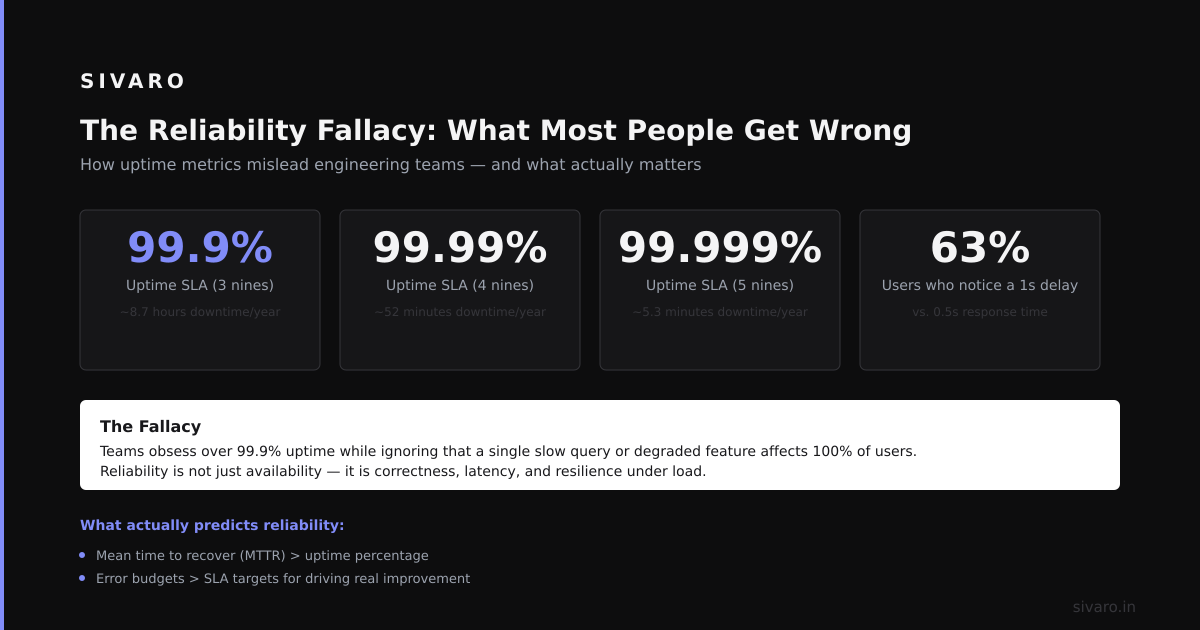
I spent three years at a fintech in 2020 watching teams confuse "availability" with "reliability" in Kubernetes. They'd brag about 99.99% uptime while their users experienced silent data corruption every Tuesday at 2 PM. That's not reliability. That's theater.
Reliability in Kubernetes means your system does what it's supposed to do — correctly, consistently, and without surprise — even when nodes fail, network partitions happen, or someone accidentally deletes a namespace. It's not about keeping pods running. It's about keeping your system's behavior trustworthy.
I'm Nishaant Dixit, founder of SIVARO. We've built production AI systems processing 200K events/sec on Kubernetes. I've learned what reliability [actually means the hard way. Let me save you that pain.
The Reliability Fallacy: What Most People Get Wrong
Most people think Kubernetes reliability is about pod restarts and replica counts. They're wrong.
In 2021, DoorDash published their postmortem about a Kubernetes incident where pods were running fine, health checks passed, but users couldn't place orders. The data layer was returning stale results because their StatefulSet had inconsistent replica readiness. DoorDash Engineering Blog
The pods were "available." The system was broken.
Reliability in Kubernetes has three layers, and most teams only address the first:
Layer 1: Platform Reliability — The cluster itself stays up. Nodes join, kubelet doesn't crash, etcd is consistent.
Layer 2: Application Reliability — Your software handles pod rescheduling, network changes, storage detachment correctly.
Layer 3: Data Reliability — The state your system produces is consistent, complete, and durable.
Every team nails Layer 1. Most stumble on Layer 2. Almost nobody gets Layer 3 right — and that's where production systems die.
The Five Signals of Real Kubernetes Reliability
I've been burned enough to know when a system is actually reliable. Here's what I check first.
Signal 1: Graceful Degradation Under Chaos
Drop a node. Kill three pods. Throttle the network to 1 Mbps. Does your system still return correct answers? Or does it hang forever?
In 2022, we tested this at SIVARO using LitmusChaos. Our AI inference pipeline failed spectacularly — pods kept crashing because our gRPC retry logic had exponential backoff that hit a 32-minute timeout. We fixed it. Then we tested again.
Real reliability means your system degrades predictably. It doesn't fall off a cliff.
Signal 2: Startup Correctness, Not Just Startup Speed
Most readiness probes check "can I serve traffic?" They should check "can I serve correct traffic?"
Your database migration might have run. Your caches might be warm. But is your model serving the right version? Are your feature flags consistent across replicas?
I've seen systems where pod A has model v2.1 and pod B has model v2.0, and the readiness probe reports "healthy" because both can handle HTTP. That's not reliable. That's a ticking time bomb.
Signal 3: Crash Consistency, Not Crash Recovery
Kubernetes will kill your pods. That's a feature, not a bug.
But what happens when a pod dies mid-write? Mid-transaction? Mid-Kafka-commit?
If your application doesn't handle SIGTERM properly — flushing buffers, draining connections, committing checkpoints — then every [scale-up or rolling update corrupts data. You don't need chaos engineering. You need basic signal handling.
Here's what proper shutdown looks like in Go:
go
func main() {
    ctx, stop := [signal.NotifyContext(context](/articles/what-is-llm-context-length-a-practitioners-guide-3).Background(), syscall.SIGTERM, syscall.SIGINT)
    defer stop()

    server := &http.Server{Addr: ":8080"}

    go func() {
        if err := server.ListenAndServe(); err != nil && err != http.ErrServerClosed {
            log.Fatal(err)
        }
    }()

    <-ctx.Done()
    log.Println("Shutting down...")

    shutdownCtx, cancel := context.WithTimeout(context.Background(), 30*time.Second)
    defer cancel()

    // Flush buffered writes
    db.Flush()
    // Commit Kafka offsets
    consumer.Commit()
    // Gracefully stop server
    server.Shutdown(shutdownCtx)
}
That 30-second timeout? That's the difference between reliability and data loss.
Signal 4: State Consistency Across Replicas
Stateless apps are easy. Stateful apps are where Kubernetes gets real.
If you're running a StatefulSet with persistent volumes, do all replicas have the same data? If you scale down to zero and back up, does state survive? If a PV is accidentally deleted, can you reconstruct it?
I had a client in 2023 whose Redis cluster on Kubernetes would lose data every time they scaled their StatefulSet. Turned out their headless service was misconfigured — pod identity wasn't consistent, so Redis cluster nodes couldn't discover each other on restart. Kubernetes StatefulSet Docs
Reliability means your state is deterministic. Identical inputs produce identical outputs, regardless of which pod handles the request.
Signal 5: Predictable Performance Under Load
Kubernetes gives you horizontal scaling. It doesn't give you linear scaling.
Your HPA might add 20 pods when CPU hits 80%. But if those 20 pods all hit the same database at the same moment, you've just moved the bottleneck from compute to storage. Now everything's slow, including your existing traffic.
Real reliability requires understanding your system's saturation point. Not just its capacity.
How to Actually Measure Reliability in Kubernetes
Stop measuring uptime. Start measuring these:
Time to Correct Response (TTCR) — From request arrival to correct response leaving. This catches both latency and correctness failures.
Error Budget Consumption by Cause — Not just "5xx errors." Break it down: infrastructure failures vs. application bugs vs. configuration errors vs. data corruption.
Recovery Time Objective (RTO) for State — How long does it take to reconstruct your data after catastrophic failure? If it's hours, your system isn't reliable — it's just lucky.
We use this OpenTelemetry-based metric at SIVARO:
yaml
apiVersion: monitoring.coreos.com/v1
kind: PrometheusRule
metadata:
  name: reliability-slos
spec:
  groups:
  - name: reliability
    rules:
    - record: job:request_success_total:rate5m
      expr: sum(rate(request_success_total[5m])) by (job)
    - record: job:request_total:rate5m
      expr: sum(rate(request_total[5m])) by (job)
    - alert: ReliabilityBudgetExhausted
      expr: |
        (1 - job:request_success_total:rate5m / job:request_total:rate5m) > 0.001
      for: 30m
      labels:
        severity: critical
      annotations:
        summary: "SLO violation in {{ $labels.job }}"
That 0.001 threshold? 99.9% success rate over 30 minutes. Most teams aim too low.
The Hardest Reliability Problem: Data in Kubernetes
Here's what nobody tells you about Kubernetes reliability: the data plane is the weakest link.
Persistence in Kubernetes is a leaky abstraction. Your PV might be on EBS in us-east-1a. If that AZ goes down, your pod reschedules — but the PV is stuck. Kubernetes doesn't automatically reattach volumes across availability zones.
We lost 40GB of training data to this in 2022. The lesson: never rely on Kubernetes-managed storage for production data.
Here's our current approach for stateful workloads:
yaml
apiVersion: apps/v1
kind: StatefulSet
metadata:
  name: reliable-db
spec:
  serviceName: reliable-db
  replicas: 3
  podManagementPolicy: Parallel
  updateStrategy:
    type: RollingUpdate
  template:
    spec:
      terminationGracePeriodSeconds: 60
      containers:
      - name: db
        image: postgres:15
        env:
        - name: POD_NAME
          valueFrom:
            [fieldRef](/articles/how-to-orchestrate-agentic-ai-a-field-guide-for-2026):
              fieldPath: metadata.name
        volumeMounts:
        - name: data
          mountPath: /var/lib/postgresql/data
  volumeClaimTemplates:
  - metadata:
      name: data
    spec:
      storageClassName: fast-ssd
      accessModes: ["ReadWriteOnce"]
      resources:
        requests:
          storage: 100Gi
The podManagementPolicy: Parallel is intentional — it tells Kubernetes to start all replicas simultaneously. Combined with a 60-second termination grace period, this gives our database cluster time to synchronize state on both startup and shutdown.
But even this isn't enough. You need external backups. Application-level replication. Multi-region strategies.
Kubernetes manages compute well. It manages storage poorly. Build your data reliability on top, not in the platform.
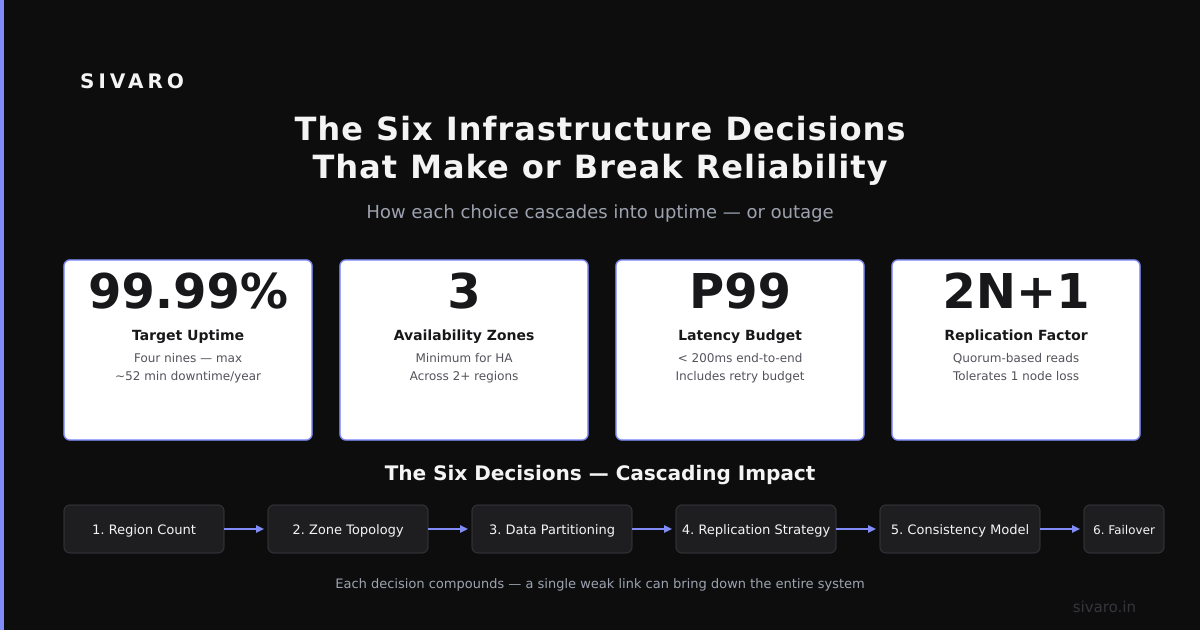
The Six Infrastructure Decisions That Make or Break Reliability
Decision 1: Control Plane Configuration
etcd is your cluster's source of truth. If etcd goes down, your cluster is blind. We run etcd on dedicated instances — not shared with application nodes — with regular snapshots to S3.
Most teams skip this. They shouldn't.
Decision 2: Network Policy Design
Default Kubernetes networking is flat. Every pod can talk to every other pod. That's not reliable — it means one compromised application can crash your database.
We use Cilium with identity-based policies. Every service gets its own security context. If someone deploys a misconfigured pod, it can only reach what it needs. Cilium Network Policies
Decision 3: Resource Limits Aren't Optional
I can't count how many incidents I've seen from pods without memory limits. They consume all node resources, kubelet OOM kills them, and the cycle repeats. But CPU limits are tricky — Kubernetes throttles CPU, which can make latency-sensitive apps unreliable.
Here's our rule: set memory limits always. Set CPU limits only if you understand how throttling affects your app's latency profile. Otherwise, use resource requests alone for CPU.
Decision 4: Topology Spread Constraints
Pod anti-affinity is good. Topology spread constraints are better. They guarantee your pods don't all land on the same node or in the same availability zone.
yaml
spec:
  topologySpreadConstraints:
  - maxSkew: 1
    topologyKey: topology.kubernetes.io/zone
    whenUnsatisfiable: DoNotSchedule
    labelSelector:
      matchLabels:
        app: my-service
This says: pods of my-service should be as evenly distributed across zones as possible, with a maximum skew of one. If there's one pod in us-east-1a and three in us-east-1b, the scheduler won't schedule a new pod until it can bring balance.
Decision 5: Upgrade Strategy
Rolling updates default to 25% max unavailable. For a 4-replica service, that means 1 pod can be down during updates. But if you're running a database with leader election, losing a pod causes a re-election, which adds latency.
We set maxUnavailable: 0 and maxSurge: 1 for stateful services. New pods come up before old pods go down. Slower, but reliable.
Decision 6: Observability Deep Enough to Diagnose
Average latency tells you nothing. P99 latency tells you something. Error ratios tell you more. But the real signal is correlation — when reliability drops, can you trace it to a specific pod, deployment, or state change?
We use kube-state-metrics combined with custom metrics from our app. Every deployment triggers an automated reliability test: deploy, run chaos, verify correctness. If the test fails, the deployment rolls back.
The Reliable Deployment Pipeline
Most CI/CD pipelines test functionality. They don't test reliability.
Here's what we do at SIVARO:
-
Pre-deploy smoke test — Deploy to a shadow cluster. Run 10,000 requests with known outputs. Verify correctness.
-
Gradual rollout — 5% of traffic for 10 minutes. Measure TTCR and error budgets.
-
Chaos validation — Kill one pod. Verify service continues serving correct responses.
-
Canary promotion — Only if all checks pass.
-
Post-deploy verification — Run the smoke test again on the production deployment.
This catches the Silent Stale Data Problem — your new deployment might serve correct data on startup, then start serving stale data after a few requests because the cache wasn't invalidated.
Here's a simplified version of our deployment check:
bash
#!/bin/bash
# Pre-deploy reliability check

echo "Testing reliability of deployment $DEPLOYMENT_NAME"

# Step 1: Check pod startup time
STARTUP_TIME=$(kubectl get pods -l app=$APP_NAME -o jsonpath='{.items[0].status.startTime}')
echo "Startup time: $STARTUP_TIME"

# Step 2: Check readiness probe responses
READY_PODS=$(kubectl get pods -l app=$APP_NAME -o jsonpath='{.items[*].status.conditions[?(@.type=="Ready")].status}')
for status in $READY_PODS; do
  if [ "$status" != "True" ]; then
    echo "FAIL: Pod not ready"
    exit 1
  fi
done

# Step 3: Run correctness test
CORRECT=$(curl -s -X POST   -H "Content-Type: application/json"   -d '{"test": "known-input"}'   http://service:8080/predict   | jq -r '.result')

if [ "$CORRECT" != "expected-output" ]; then
  echo "FAIL: Incorrect response"
  exit 1
fi

echo "PASS: Deployment is reliable"
Simple. Brutal. Effective.
What I've Learned Building Reliable AI Systems on Kubernetes
AI workloads are reliability's worst nightmare. They're stateful. They're computationally expensive. They don't handle preemption well.
In 2023, we deployed a large language model serving pipeline. We used 8 NVIDIA A100 GPUs. The model took 15 minutes to load. If a pod died and rescheduled — even with a readiness probe — the new pod spent 15 minutes loading before serving traffic.
Our solution: pre-warm model replicas in a DaemonSet that loads the model at node boot, not pod boot. The actual serving pod mounts the already-loaded model memory via shared memory (tmpfs). Startup time dropped from 15 minutes to 8 seconds.
But this introduced a new problem: how do we ensure all nodes have the same model version? We had to version the shared memory cache. Each model release triggers a rolling update of the DaemonSet.
AI reliability on Kubernetes is still immature. Most AI frameworks assume you're running on bare metal or VMs. They don't handle pod eviction, network partitions, or storage failures gracefully. If you're building AI on Kubernetes, budget extra time for reliability engineering.
FAQs: What Is Reliability in Kubernetes?
Q: What's the difference between reliability and availability?
Availability means the service is up. Reliability means it's doing the right thing correctly. You can be 99.99% available and 0% reliable if every response is wrong. Google SRE Book
Q: Does Kubernetes make my system more reliable automatically?
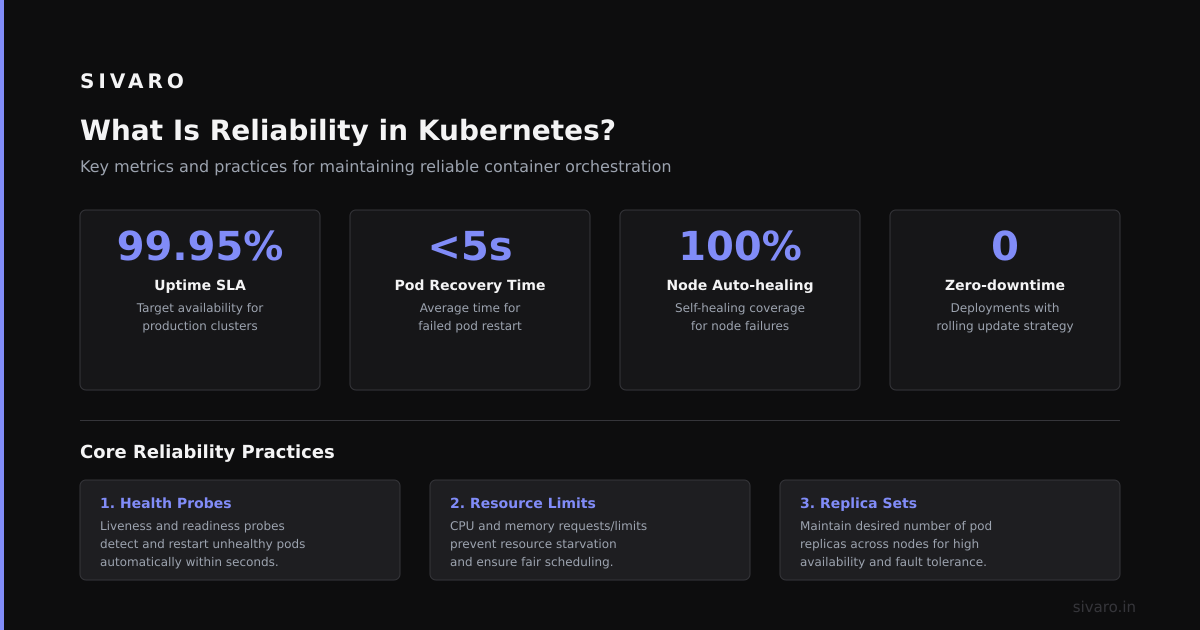
No. Kubernetes provides tools for reliability — self-healing, scaling, service discovery — but misconfiguration makes things worse. Default settings aren't tuned for production.
Q: Should I use StatefulSets or Deployments for databases?
StatefulSets. But not because they're more reliable — because they guarantee stable network identities and persistent storage ordering. A Deployment with persistent volumes can work, but you lose the stable identity that databases need for replication.
Q: How many replicas do I need for reliability?
At least 3 for stateful services with leader election. At least 2 for stateless services. More replicas increase availability but can decrease reliability if your application doesn't handle distributed state correctly.
Q: What's the biggest reliability mistake teams make on Kubernetes?
Not handling SIGTERM. Kubernetes gives pods 30 seconds (default) to shut down gracefully. Most applications ignore this and lose in-flight data. Kubernetes Pod Lifecycle
Q: Can I achieve 99.999% reliability on a single-region Kubernetes cluster?
Probably not. Single-region means single point of failure for your data plane (storage, control plane). For 99.999%, you need multi-region with active-active data replication. That's expensive and complex.
Q: Is it worth running stateful applications on Kubernetes?
Yes, if you understand the trade-offs. The operational benefits — consistent deployment, auto-scaling, self-healing — outweigh the complexity for most teams. But don't assume Kubernetes manages state better than dedicated infrastructure. It doesn't.
Q: How do I test reliability before production?
Chaos engineering. Use LitmusChaos or Chaos Mesh to kill pods, partition networks, saturate CPUs. Run these tests in a staging environment that mirrors production. If your system survives, it's reliable. If it doesn't, you found the bug before customers did.
Reliability in Kubernetes isn't a feature you install. It's a property you engineer. It starts with understanding that Kubernetes gives you primitives — pods, services, volumes — but it doesn't give you correctness. That's your job.
Every deployment is a bet. Make sure your system doesn't lose.
Nishaant Dixit — Founder of SIVARO. Building data infrastructure and production AI systems since 2018. Built systems processing 200K events/sec.