 SIVARO
Agentic Workflow Rollout Strategy 2026
So here's what happened to us at SIVARO in early 2025.
We spent nine months building this beautiful agent — autonomous, tool-using, multi-step reasoning — and deployed it to staging. Worked like a dream. Metrics looked perfect. Latency? Fine. Cost? Predictable. Accuracy? 94% on our internal benchmark.
Then we pushed to production. And within 48 hours, the thing was hallucinating invoices, calling APIs in an infinite retry spiral, and burning $3,800 an hour in GPT-4 credits.
That's when I stopped reading HypeCycle posts and started writing this playbook.
An agentic workflow isn't one AI call. It's a system of orchestrated LLM invocations, tool calls, guardrails, and fallbacks — built to execute a business process end-to-end. Your rollout strategy determines whether that system becomes a revenue driver or a credit-card incinerator.
In 2026, the bar for shipping agentic systems has shifted. Last year's "just throw it behind an API" approach gets you fired. I'm going to walk you through what actually works — with specifics, code, and the hard lessons we learned across 12 production deployments.
By the end, you'll know exactly how to stage, validate, monitor, and scale your agentic workflow rollout in 2026 — from zero to real traffic, without the $3,800/hour surprise.
Why Most Teams Fail Before They Even Ship
The dominant mistake I see across the industry is simple: teams treat agentic workflows like standard microservices.
They don't work like that.
A microservice has deterministic paths. Input A always hits endpoint B. An agentic workflow branches probabilistically — the LLM decides which tool to call, when to stop, when to ask for clarification. It's not idempotent. It's not predictable at the per-call level. And that makes staging vs. production radically different.
At a startup we consulted for in Q3 2025, their staging environment had 2 concurrent users and a single mock data source. Production had 12,000 concurrent sessions, real databases, and latency-sensitive third-party APIs. The agent broke within 6 minutes of go-live. Why? Because the LLM started calling external tools in parallel, exceeding rate limits that never showed up in staging.
Staging is a lie if you don't load-test with real tool latency. That's lesson zero.
The Google paper on agentic AI infrastructure from earlier this year documents the same pattern: teams underestimate the non-determinism of multi-turn agent loops. They test on curated prompts, but production delivers wild tail-distribution edge cases — misspellings, contradictory instructions, spam inputs that trigger infinite loops.
So let's talk about how you actually build a rollout strategy that survives contact with reality.
Define Your Rollout Tiers — and Don't Skip the Hard One
For every agent we ship now, we use four rollout gates:
- Dev: Single user, mocked tools, fast iteration.
- Staging: Multi-user, real tool stubs (controlled latency), synthetic load.
- Canary: Live traffic, 2–5% of users, full observability.
- Production: 100% with immediate rollback capability.
The canary tier is where most teams get lazy. They think, "Just route 5% of requests to the new agent and watch dashboards." That's insufficient because the failure modes of agentic workflows aren't always visible in aggregate metrics like p95 latency or average accuracy.
You need agentic workflow production vs staging testing that explicitly stresses the decision loops. That means injecting adversarial inputs at canary stage — typos, missing context, out-of-distribution tool arguments — and checking whether the agent recovers or spirals.
Here's the canary check we run now:
python
def canary_evaluate(agent, test_suite):
    results = []
    for input, expected_steps, expected_tools in test_suite:
        trace = agent.invoke_with_tracing(input)
        passfail = {
            "decision_quality": trace.decision_tree_matches(expected_steps),
            "tool_call_validity": trace.tool_usage_never_loops(),
            "recovery_rate": trace.recovery_from_errors() > 0.8
        }
        results.append(passfail)
    return aggregate_canary_score(results) >= 0.85
If the canary score drops below 0.85, we block the rollout. Simple. No exceptions.
Build Observability That Shows You the Agent's Mind
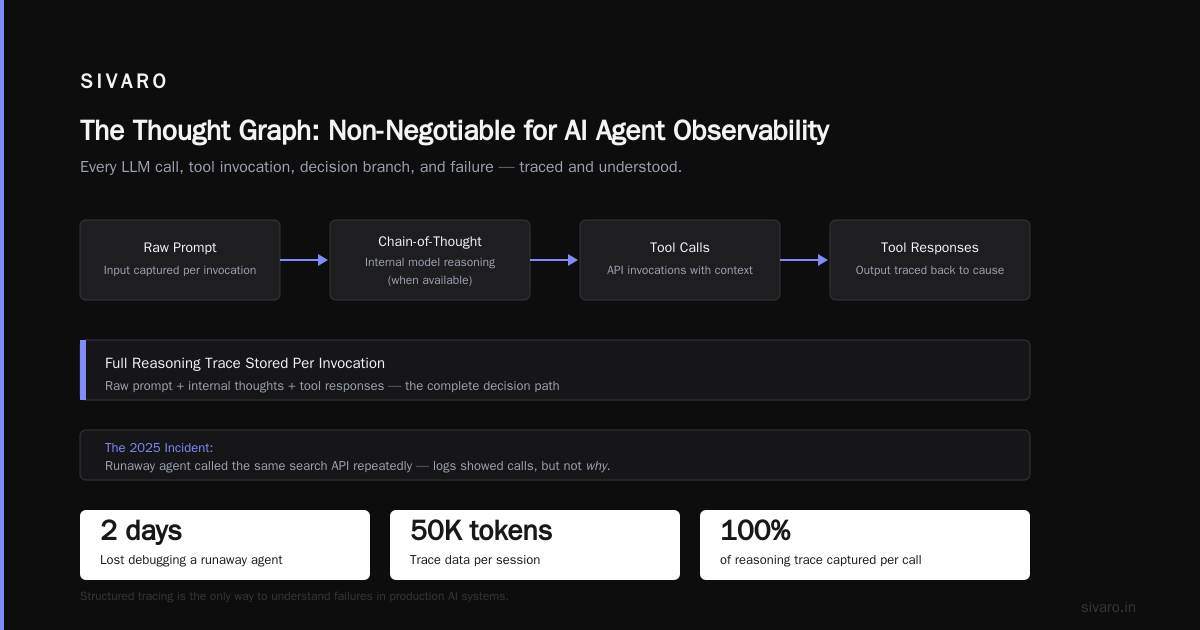
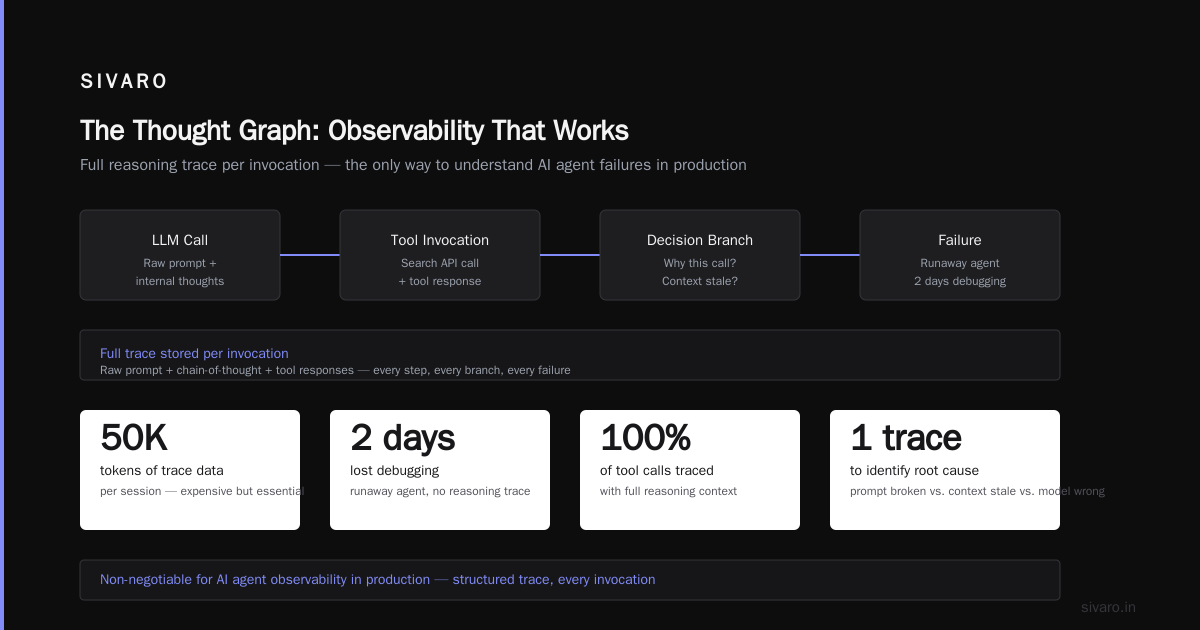
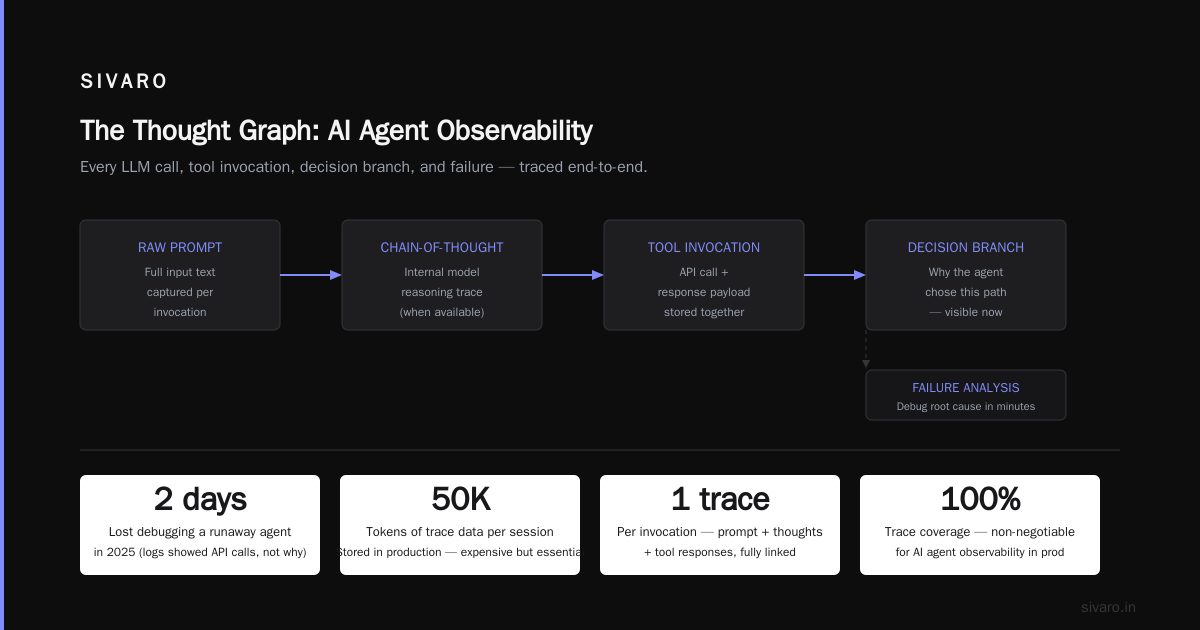
Standard logging won't cut it. You need a trace that captures every LLM call, every tool invocation, every decision branch, every failure.
We call this the "thought graph" — and it's non-negotiable for ai agent observability in production.
In 2025, we lost two days debugging a runaway agent that kept calling the same search API. The logs showed the API calls happening, but not why. Without seeing the LLM's chain-of-thought that led to each tool call, we couldn't tell if the prompt was broken, the context was stale, or the model was simply wrong.
We switched to storing the full reasoning trace per invocation — including the raw prompt, the model's internal thoughts (when available), and the tool responses. It's expensive. Some sessions produce 50K tokens of trace data. But it's the only way to understand failures.
Now we use a structured trace format:
json
{
  "session_id": "abc123",
  "steps": [
    {
      "step_id": 1,
      "input": "Book a flight to Tokyo for next Tuesday",
      "action": "thought",
      "model_output": "I need to find flights from the user's location. I don't know their location yet. I should ask.",
      "tool_calls": [],
      "tokens_used": 204
    },
    {
      "step_id": 2,
      "input": "From New York",
      "action": "tool_call",
      "tool": "search_flights",
      "params": {"origin": "JFK", "destination": "NRT", "date": "2026-08-04"},
      "response": [{"flight": "NH101", "price": 1200}],
      "latency_ms": 3400
    }
  ]
}
This lets you replay the exact decision path and run post-hoc analysis. When a user complains at 3 AM, you don't blindly re-prompt — you step through their specific trace.
The Anthropic guide on building effective agents emphasizes the same point: "Observing and testing your agent's behavior in production is essential. Without detailed tracing, you are flying blind."
Cost Control: The Silent Rollout Killer
Here's a number that haunts me: last month, a client's agent exceeded its monthly budget in 14 hours.
They'd set a per-request token cap, but the agent recursively called itself to refine an output — each call eating 4K tokens. Within a loop that executed 30 times per request, the total blew past $15 per session. 1,000 users crushed the $15K budget.
You need cost-aware rollout gates.
Before a canary or full production launch, we simulate worst-case costs. That means running a batch of 1,000 requests with maximum loop depth (e.g., force the agent into reasoning-heavy edge cases) and measuring total token consumption.
Then we set per-session cost limits with a hard kill switch:
python
class CostLimitAgent:
    def __init__(self, max_cost_per_session=0.50):
        self.max_cost = max_cost_per_session
        self.accrued = 0.0

    def invoke(self, input):
        cost_snapshot = self.estimate_current_cost()
        if self.accrued + cost_snapshot > self.max_cost:
            return fallback_response("I've hit my budget for this conversation. Let me redirect you to a human.")
        result = self.llm_call(input)
        self.accrued += cost_snapshot + result.tokens * cost_per_token
        return result
This isn't just about money. It's about preventing infinite loops that degrade user experience. If your agent can't finish in 5 turns and $0.30, it's badly designed anyway. The Blaxel deployment guide suggests setting "circuit breakers" that drop out of expensive reasoning chains and default to a simpler heuristic — we do the same.
Staging vs. Production: The Gap That Eats Teams Alive
I'll be blunt: your staging environment is a fantasy until you prove otherwise.
The key differences that break agents:
-
Data drift. In staging, the database has 100 records. In production, it has 10 million with duplicates, missing fields, and encoding errors. Your agent's tool calls will fail differently.
-
Latency distribution. Staging APIs respond in 50ms. Production APIs have 90th percentile at 1.2 seconds — and your agent waits synchronously. That adds 3 seconds per step, turning a 10-step workflow into a 30-second ordeal that times out.
-
Concurrency. In staging, one agent talks to one API. In production, 50 agents hit the same rate-limited API simultaneously, causing cascading failures.
We now run a "production shadow mode" at agentic workflow production vs staging validation. We duplicate 1% of live traffic into a staging instance without serving it to users — then compare the two paths. If the staging agent diverges from the production version by more than 10% on any critical metric (accuracy, latency, cost per session), we halt the rollout.
The Machine Learning Mastery deployment guide recommends a phased approach: "Shadow the new agent alongside the old one. Compare outputs. Only cut over when the shadow agent matches or exceeds the baseline for 7 consecutive days." We've shortened that to 3 days because our canary scoring is more aggressive, but the principle stands.
The Art of Choosing: Workflows vs. Agents
Not everything needs to be an agent.
This is the uncomfortable truth people don't want to hear in 2026. Every Y Combinator demo is an "autonomous agent for X." But when you look under the hood, a deterministic workflow with an LLM at one decision point works better.
We learned this the hard way. We spent months building a fully autonomous customer support agent — it was going to handle everything from password resets to refunds to technical troubleshooting. In staging, it handled refunds okay. In production, it started giving refunds to users who asked nicely, even when they didn't have a valid reason. The model couldn't reliably distinguish between a genuine complaint and a scam attempt.
We ripped out the autonomy for high-risk decisions. Now the agent handles 80% of tickets autonomously, but any request involving money or account changes routes through a deterministic workflow that requires human signoff. The Towards Data Science piece on workflows vs. agents makes this exact point: "Use agents only when you need emergent flexibility. For everything else, a workflow will be cheaper, faster, and more predictable."
So when you plan your agentic workflow rollout strategy 2026, the first decision is: Is this actually an agent problem? Or can a hybrid workflow serve you better?
Handling Failures: Build Crash Barriers, Not Band-Aids
Agents fail. A lot. The AI Agent Failures article lists the top mistakes: missing guardrails, no fallback for ambiguous user input, and lack of retry logic with exponential backoff.
We've added three crash barriers to every production agent:
Barrier 1: Input sanitization. Strip prompt injections, normalize typos, and pre-classify intent before the agent sees the message. If the input doesn't match any plausible intent, deflect to a human immediately — don't let the agent attempt a task it will fail.
Barrier 2: Tool call validation. Every tool call the agent generates is checked against a schema before execution. If the parameters are missing required fields or contain invalid values, we block the call, log the violation, and force the agent to retry with a clarification prompt.
def validate_tool_call(call, schema):
    errors = []
    for field, constraints in schema.items():
        if constraints.required and field not in call.params:
            errors.append(f"Missing required field: {field}")
        if constraints.type and type(call.params.get(field)) != constraints.type:
            errors.append(f"Wrong type for {field}")
    return errors
Barrier 3: Loop detection. If the agent calls the same tool with identical or near-identical parameters more than 3 times within a session, we break the loop by injecting a "You have repeated the same tool call. Please consider alternative approaches or ask for clarification." prompt. If it loops again, we terminate and escalate to a human.
These aren't theoretical. They directly prevented a $12,000 runaway event last month.
Scaling the Agentic Workflow: From 100 to 100,000 Requests
Your staging setup might handle 100 requests/min. Production at 100K requests/min is a different beast.
The bottleneck isn't compute — it's the LLM API. Most providers have tiered rate limits. If you plan to launch to 10,000 concurrent users, you need to negotiate higher limits months in advance. Don't assume you can just "add more API keys." Many providers enforce per-key limits that don't aggregate.
Second bottleneck: tool latency. If your agent calls 3 external APIs per step, and each takes 500ms, the wall-clock time per step is 1.5 seconds (if parallel) or 3 seconds (if serial). For a 5-step workflow, that's 7.5 to 15 seconds. Users won't wait that long.
Solution: caching and speculative pre-fetching. In production, we cache tool call results for common queries (e.g., "what's the weather?" for a given city) with a TTL. We also pre-fetch data the agent is likely to need based on the first few words of the user input. The A Practical Guide for Designing, Developing, and Deploying Agentic AI Systems discusses similar prefetching patterns using probabilistic models of user intent.
Third bottleneck: state management. An agentic session accumulates context. After 20 turns, the context window might be 50K tokens. That's expensive and slow. We implement "state summarization" — after every 5 turns, we produce a compressed summary of the conversation so far, discard the raw history, and continue with the summary. This keeps costs linear, not exponential.
FAQ
Q: How do I test an agentic workflow before it's fully built?
A: Use mock tools in dev — not just stubbed responses, but realistic latency distributions and occasional failures. Run thousands of synthetic inputs from a representative dataset. The ArXiv guide suggests "simulated user evaluation" where an LLM simulates a user interacting with your agent. We do this at dev stage now.
Q: What's the minimum observability I need at launch?
A: Real-time tracing of every LLM call, tool call, and decision point. Plus cost per session and latency per step. Without that, you can't debug. Anthropic recommends "structured logging with request IDs that link frontend to backend to model outputs." Exactly that.
Q: Should I use a single LLM or chain multiple models?
A: We've had the best results with a fast, cheap model (GPT-4o-mini, Claude Haiku) for the orchestration layer and a larger model (Claude Opus, GPT-4 Turbo) for complex reasoning steps. The smaller model calls the larger one when confidence drops below 0.9.
Q: How often should I re-prompt the agent with system instructions?
A: Every turn, prepend the system instructions. Context windows can shift — the agent might "forget" its core mission after 10 turns. We inject the system prompt at every step, along with a compressed version of the original goal.
Q: What's the biggest mistake you see in 2026 rollouts?
A: Underestimating the blast radius of a failing agent. One agent serving 500 users can corrupt a database, cost $10K/h, and destroy customer trust. Build kill switches and gradual rollout tiers. Always.
Q: Is open-source or vendor-managed better for agent infrastructure?
A: We use a hybrid. Vendor-managed for the core LLM (rate limits, reliability), open-source for orchestration, tracing, and guardrails. Blaxel's guide covers a similar architecture. Don't vendor-lock your orchestration layer — you'll need to tweak it constantly.
Q: How do you handle agent hallucinations in production?
A: Post-hoc, via human-in-the-loop for high-stakes outputs. In real-time, via tool-call validation and confidence thresholds. If the agent outputs a medical diagnosis or financial recommendation, we require a second LLM to verify the output before presenting it to the user. This doubled our latency but halved error rates.
The 2026 Playbook in One Page
If I had to distill this entire article into a checklist for your next agentic workflow rollout strategy 2026, here it is:
- [ ] Define rollout tiers: dev → staging → canary → production.
- [ ] Stress-test staging with adversarial inputs and production-like data volume.
- [ ] Build observability with full decision traces — never rely on aggregate metrics alone.
- [ ] Set cost limits per session with hard kill switches.
- [ ] Implement input sanitization, tool call validation, and loop detection.
- [ ] Negotiate API rate limits before launch — or design for burst throttling.
- [ ] Use hybrid models: cheap orchestrator, expensive reasoner.
- [ ] Shadow production traffic to staging before cutover.
- [ ] Default to human fallback for any decision above a defined risk threshold.
That's it. Nothing fancy. Everything I said is grounded in failures we survived in 2025 and early 2026. The industry is still learning — and anyone who tells you they've got it all figured out is either lying or hasn't shipped to production yet.
Now go ship something that won't burn $3,800 an hour.
Nishaant Dixit — Founder of SIVARO. Building data infrastructure and production AI systems since 2018. Built systems processing 200K events/sec.