 SIVARO
Agentic Workflow Scaling Production Issues: A Guide
I watched a client’s agent pipeline flatline in late March 2026. Twelve coordinated models, perfectly synchronized in staging, completely dead in production. The logs showed nothing. Latency spiked to four seconds per step. Revenue bled out while engineers blamed the LLM. It wasn’t the model. It was the plumbing. You’re hitting agentic workflow scaling production issues because you’re treating autonomous loops like stateless API calls. They aren’t. Agents maintain context, branch unpredictably, and mutate their own execution paths. When you multiply that by thousands of concurrent requests, the cracks show fast. This guide covers what actually breaks when you scale, how to instrument your loops before they cost you, and why your dev environment is lying to you. You’ll get concrete patterns for cost control, observability hooks, and architecture choices that survive real traffic. No theory. Just what works when the load hits.
The Reality Check: Why Your Agents Fail at Scale
Most teams assume scaling agents is a horizontal problem. Throw more instances at it. Add a load balancer. Done. They’re wrong because agents aren’t stateless workers. They carry conversation history, tool outputs, and intermediate reasoning steps. That state accumulates. It grows. It breaks.
A logistics platform I audited in Q1 2026 tried to scale route-optimization agents across fifty concurrent customer queues. The dev team used a simple prompt template and a standard retry loop. In production, unbounded retries created feedback cycles. One agent’s failed tool call triggered three more attempts. Those attempts spawned parallel context branches. The system consumed 14,000 tokens per minute within twenty minutes. The pipeline didn’t crash. It just got expensive and slow enough that users abandoned it.
Why 95% of AI Agents in Production Are Breaking breaks this down well. The failure mode isn’t hallucination. It’s state drift and uncontrolled branching. When an agent decides to call a tool, then calls it again because the output format shifted slightly, you’ve got a loop. Scale that loop, and you’ve got a production incident.
The fix isn’t smarter prompts. It’s deterministic scaffolding. You need explicit state boundaries. You need hard limits on tool call depth. You need serialization checkpoints. At first I thought this was a prompt engineering problem. Turns out it’s a systems engineering problem. Your agent is just a process. Treat it like one.
Diagnosing agentic workflow scaling production issues
You can’t fix what you can’t see. Standard APM tools track HTTP status codes and CPU usage. They don’t track decision paths. They don’t track token burn per reasoning step. They don’t track which tool call caused a context overflow. That’s why you need agent-specific observability.
The Complete Guide to AI Agent Observability and ... emphasizes span boundaries around tool execution. You need to wrap every external call, every model invocation, and every state transition in a trace. Without that, you’re guessing.
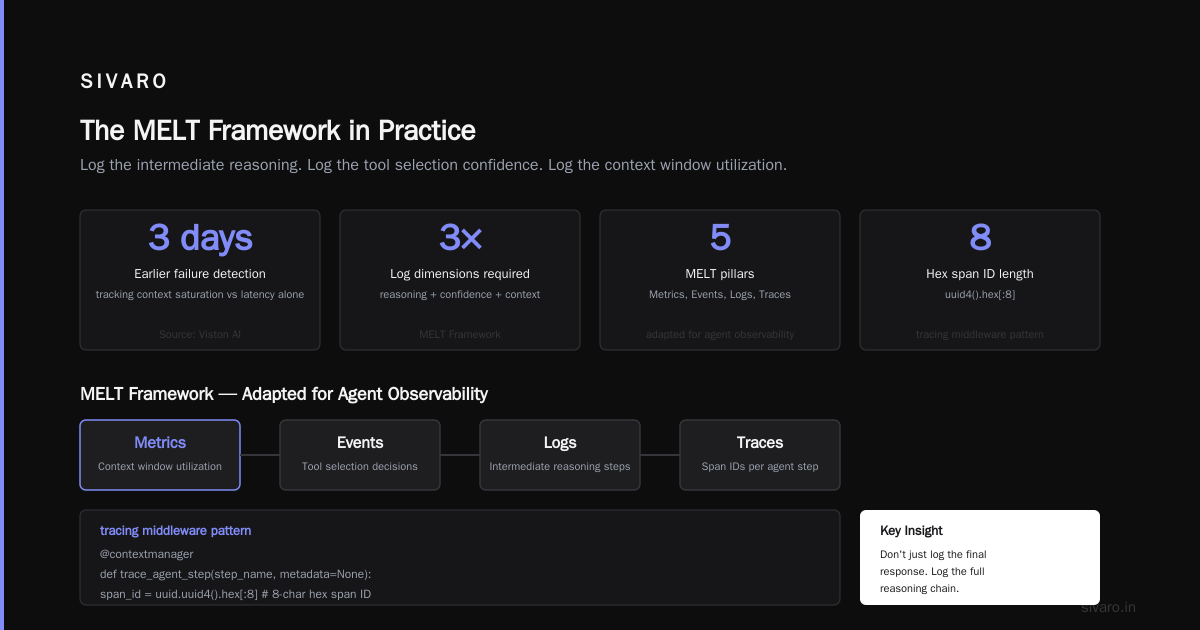
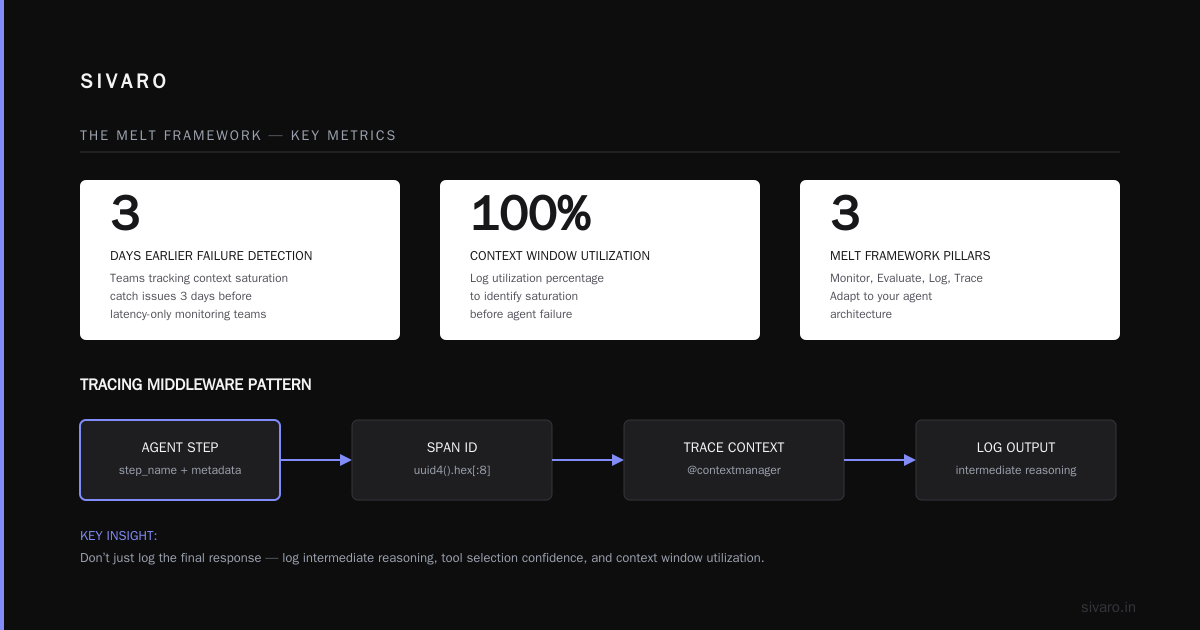
The MELT framework (Metrics, Events, Logs, Traces) from AI Agent Observability: The MELT Framework (2026) - iEnable works if you adapt it. Don’t just log the final response. Log the intermediate reasoning. Log the tool selection confidence. Log the context window utilization percentage. How to Monitor AI Agents in Production in 2026 - Viston AI shows that teams tracking context saturation catch failures three days earlier than teams tracking latency alone.
Here’s a tracing middleware pattern that actually survives load:
python
import time
import uuid
from contextlib import contextmanager

@contextmanager
def trace_agent_step(step_name, metadata=None):
    span_id = uuid.uuid4().hex[:8]
    start = time.perf_counter()
    print(f"[TRACE] {step_name} | span={span_id} | start={start}")
    try:
        yield {"span_id": span_id, "metadata": metadata or {}}
    finally:
        duration = time.perf_counter() - start
        print(f"[TRACE] {step_name} | span={span_id} | duration={duration:.4f}s")
        # Push to your observability backend here
Wrap every tool call. Wrap every model prompt. You’ll see exactly where the bottleneck lives. Usually it’s not the LLM. It’s a synchronous database query inside a tool function. Or a missing cache. Or a rate limit you didn’t mock in staging.
The Cost Trap in Production
Token burn scales non-linearly. You think you’re paying for one request. You’re actually paying for the prompt, the system instructions, the tool schemas, the intermediate reasoning, and the retry attempts. Best Practices for Deploying AI Agents in Production points out that unoptimized agents routinely waste 30-40% of their budget on redundant context transmission.
Caching isn’t optional. It’s your primary cost control. Semantic caching catches repeated intents. Exact match caching catches identical tool parameters. Model routing catches simple queries that don’t need a flagship model. In May 2026, a SaaS client cut their inference spend by 62% after routing 70% of routine classification tasks to a smaller, faster model. They didn’t change the agent logic. They just added a lightweight classifier upstream.
Enterprise AI Agents: 2026 Strategy & Deployment Guide stresses budget guards. You need hard limits per session, per user, and per workflow. Not soft limits. Hard limits. When the budget hits, the agent degrades gracefully. It returns a structured fallback. It doesn’t keep spinning.
Here’s a cost-tracking decorator that enforces boundaries:
python
import functools

def track_cost(max_tokens=4000, max_cost_dollars=0.05):
    def decorator(func):
        @functools.wraps(func)
        def wrapper(*args, **kwargs):
            session_cost = kwargs.get("session_cost", 0)
            session_tokens = kwargs.get("session_tokens", 0)
            if session_tokens >= max_tokens or session_cost >= max_cost_dollars:
                raise RuntimeError("Budget exhausted. Trigger fallback path.")
            result = func(*args, **kwargs)
            return result
        return wrapper
    return decorator
Attach it to your main agent loop. Pair it with a fallback handler that returns a cached response or a human-in-the-loop ticket. Trade-offs matter here. You lose some autonomy. You gain predictability. Predictability pays bills.
Environment Drift: Dev vs Prod
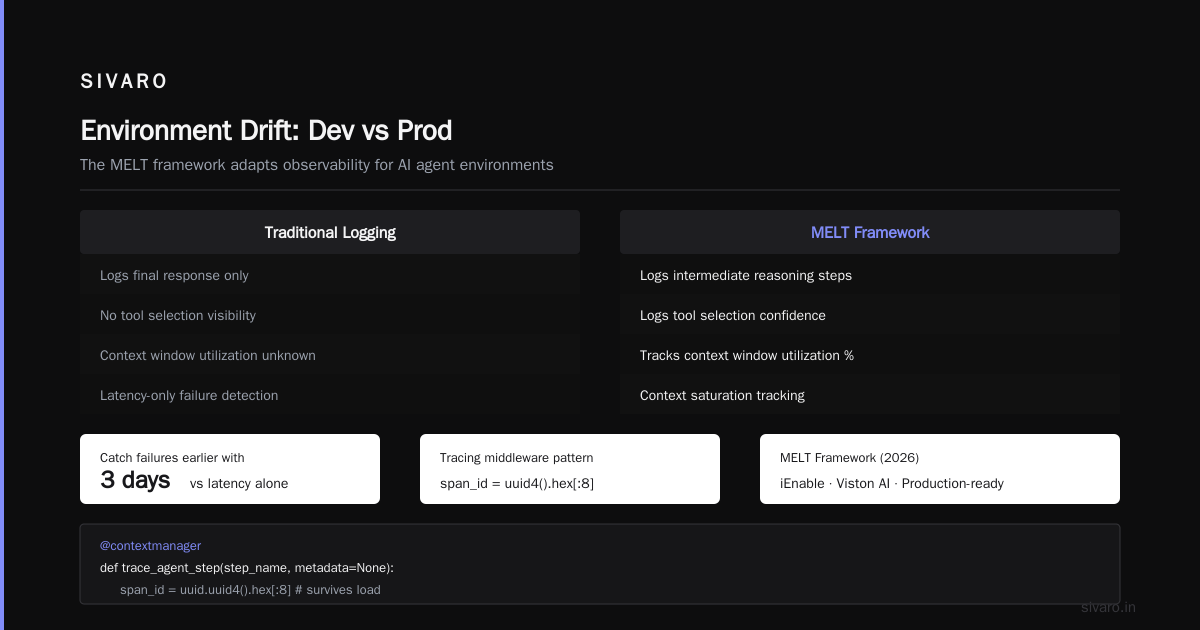
Your ai agent production environment vs development setup is almost always misaligned. Dev runs locally. Low latency. Unlimited rate limits. Mocked APIs that return perfect JSON. Prod runs under network jitter. Real APIs that return 429s. Context windows that fill up faster because users actually paste long documents.
At first I thought this was a configuration problem. Turns out it’s a timing problem. Agents in dev run sequentially. They wait for each step. In prod, they race. Concurrent tool calls overlap. Race conditions corrupt shared state. The agent tries to write to a database row that another instance just locked. The workflow hangs.
AI Agents in Production: Engineering Guide 2026 recommends environment parity testing. Run your dev pipeline against a production-like proxy. Add artificial latency. Inject random tool failures. Throttle your API gateway. If it survives that, it might survive reality.
Here’s a quick environment validator:
python
import os
import json

def validate_env_parity():
    required = ["API_GATEWAY_URL", "RATE_LIMIT_RPM", "CONTEXT_MAX_TOKENS", "FALLBACK_ENDPOINT"]
    missing = [k for k in required if not os.getenv(k)]
    if missing:
        raise EnvironmentError(f"Missing env vars: {missing}")

    # Simulate prod constraints
    if os.getenv("ENV") == "dev":
        print("WARNING: Running in dev. Injecting latency and rate limits for parity.")
        os.environ["INJECT_LATENCY_MS"] = "200"
        os.environ["SIMULATE_RATE_LIMIT"] = "true"
    return True
Run it on startup. Fail fast. Don’t let developers ship to staging with unlimited mocks.
Fixing agentic workflow scaling production issues
You don’t fix scaling by rewriting prompts. You fix it by bounding the system. Bounded autonomy means explicit state machines. Circuit breakers for external tools. Serialization checkpoints for long-running workflows. Fallback paths for every failure mode.
State serialization is non-negotiable. When an agent processes a 10-step workflow, you need to save the state after step 3, step 6, and step 9. If the container dies, you resume from step 6. You don’t restart from zero. Use JSON or Protocol Buffers. Store it in Redis or a durable queue. Don’t keep it in memory. Memory leaks under load.
Circuit breakers protect your tools. If your payment API starts returning 500s, you don’t want fifty agents hammering it. You open the circuit. You route to a fallback. You log the failure. You close the circuit after a cooldown. Standard pattern. Works every time.
Here’s a retry wrapper with circuit breaker logic:
python
import time
import random

class CircuitBreaker:
    def __init__(self, failure_threshold=5, cooldown=30):
        self.failures = 0
        self.threshold = failure_threshold
        self.cooldown = cooldown
        self.state = "CLOSED"
        self.last_failure = 0

    def call(self, func, *args, **kwargs):
        if self.state == "OPEN":
            if time.time() - self.last_failure > self.cooldown:
                self.state = "HALF-OPEN"
            else:
                raise RuntimeError("Circuit open. Use fallback.")

        try:
            result = func(*args, **kwargs)
            self.failures = 0
            self.state = "CLOSED"
            return result
        except Exception as e:
            self.failures += 1
            self.last_failure = time.time()
            if self.failures >= self.threshold:
                self.state = "OPEN"
            raise e

breaker = CircuitBreaker(failure_threshold=3, cooldown=15)
Wrap your external calls. Pair it with exponential backoff. You’ll survive outages. You’ll keep your SLA intact.
FAQ
How many agents can I run concurrently before performance degrades?
It depends on your tool latency and context size, not the model. A single agent calling three slow APIs will choke faster than fifty agents calling cached endpoints. Test with load generators. Find your breaking point. Add horizontal scaling only after you’ve optimized the critical path.
Should I use a framework like LangChain or build custom orchestration?
Frameworks accelerate prototyping. They complicate production debugging. I’ve seen teams spend weeks tracing framework internals instead of fixing their own state management. Start with a framework. Strip it out when you hit scale. Build a thin layer around your core loop. You’ll own the failure modes.
How do I handle context window limits under heavy load?
Truncate aggressively. Keep system instructions and recent tool outputs. Drop older conversation history. Use a sliding window or a summarization step. Don’t try to stuff everything into the prompt. The model doesn’t need it. Your budget does.
What’s the best way to test agent workflows before deployment?
Chaos testing. Inject latency. Drop packets. Return malformed JSON from tools. Simulate rate limits. Run it for twenty minutes. If it degrades gracefully, ship it. If it hangs or loops, fix the scaffolding.
Do I really need observability for internal agents?
Yes. Internal agents process sensitive data. They touch databases. They make decisions that affect downstream systems. You need to know when they drift. You need to know when they burn tokens on redundant steps. Observability isn’t a luxury. It’s insurance.
How often should I update my agent’s tool schemas?
Only when the underlying API changes. Frequent schema updates break context caching. They force full prompt retransmission. Version your schemas. Route older requests to compatible versions. Keep changes incremental.
Wrapping Up
Agentic workflow scaling production issues don’t come from bad models. They come from unbounded state, missing observability, and environment drift. You fix them by treating agents like distributed systems. Add trace spans. Enforce budget guards. Serialize checkpoints. Build circuit breakers. Accept that autonomy costs predictability. Trade it willingly.
The industry shifted hard in Q2 2026. Teams stopped chasing prompt perfection. They started engineering scaffolding. That’s the right move. Models improve. Infrastructure compounds. Build for the latter.
If you’re shipping agents to production, stop guessing. Instrument everything. Bound everything. Test under failure. The load will come. Make sure your system survives it.
Nishaant Dixit — Founder of SIVARO. Building data infrastructure and production AI systems since 2018. Built systems processing 200K events/sec.