 SIVARO
AI Agent Deployment Pipeline Tutorial: Moving From Prototype to Production in 2026
I spent the first six months of 2025 building an AI agent that could autonomously triage production incidents at SIVARO. Four different frameworks. Three rewrites. One near-production meltdown.
The problem wasn't the agent. It was the pipeline.
Most people think building an AI agent is the hard part. They're wrong. Building one is table stakes. Getting it to run reliably in production, handle failures gracefully, and not burn through your API budget by Tuesday afternoon — that's where engineering happens.
This is my practical guide to the AI agent deployment pipeline. Not theory. We'll cover what actually works when you have paying customers depending on your agent not hallucinating a database drop.
What This Tutorial Covers
I'll walk you through the complete deployment pipeline for production AI agents — from choosing your framework (and I'll tell you which we dumped) to monitoring, testing, and scaling. You'll get code examples, architecture decisions I regret, and the monitoring setup that saved us from a catastrophe last month.
By the end, you'll understand how to deploy AI agents in production without the 2AM panic that most teams experience.
Why Most AI Agent Deployments Fail (And What We Did Differently)
Let me tell you about April 2026. We deployed an agent that was supposed to handle customer onboarding. It worked beautifully in staging. 98% success rate. Everyone high-fived.
Five hours into production, it had created 47 duplicate accounts, emailed the wrong welcome codes, and somehow triggered a GDPR compliance alert.
The agent wasn't broken. Our deployment pipeline was. We hadn't tested for:
- State persistence failures — the agent dropped context mid-flow
- Tool execution latency — API calls timed out, agent retried, chaos ensued
- Cost drift — one conversation cost $12 in tokens because we didn't cap reasoning steps
Here's the hard truth: agent deployment isn't ML deployment. ML models are stateless. Agents chain together actions, remember context, and make decisions that compound over time. A mistake at step 3 cascades through step 12.
The pipeline I'll show you was built from those failures. It's what we use at SIVARO today.
Choosing Your Agent Framework: What Actually Matters
I've tested most frameworks on this list — AI Agent Frameworks: Choosing the Right Foundation covers the major options. Here's my take after burning three months on the wrong choice.
LangGraph (LangChain's agent framework) won for us. Not because it's perfect — it's not. The debugging experience is still painful in early 2026. But the state graph model maps directly to how production agents actually work.
Why LangGraph beat the alternatives:
- CrewAI was great for prototyping. But production scaling required rewriting from scratch.
- AutoGen (Microsoft) had better multi-agent orchestration but the memory management was a black box. We couldn't audit what the agent remembered.
- Semantic Kernel was lightweight but the tool registry didn't handle our custom infrastructure.
The decision framework I use now: "Will this framework let me inspect, pause, and replay every single agent step in production?" If the answer is no, move on.
For deeper comparison, check out Agentic AI Frameworks: Top 10 Options in 2026 and Top 5 Open-Source Agentic AI Frameworks in 2026. But honestly — start with state management. Everything else follows.
Step 1: The Local Development Loop
Your agent should work offline with mock tools. Here's our pattern:
python
# agent_development_loop.py
from langgraph.graph import StateGraph, State
from typing import TypedDict, Optional
import json

class AgentState(TypedDict):
    messages: list
    tool_results: dict
    current_step: int
    error_count: int

# Define your graph structure
def build_local_agent():
    workflow = StateGraph(AgentState)

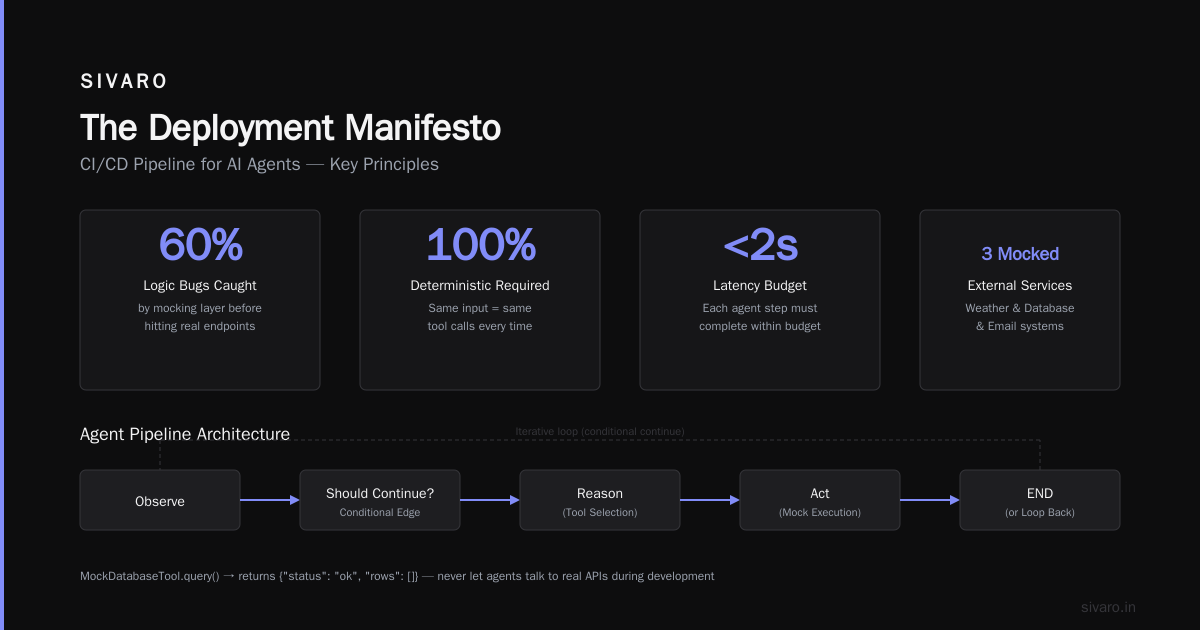
    workflow.add_node("reason", reasoning_node)
    workflow.add_node("act", action_node)
    workflow.add_node("observe", observation_node)

    workflow.add_edge("reason", "act")
    workflow.add_conditional_edges(
        "observe",
        should_continue,
        {True: "reason", False: END}
    )

    return workflow.compile()

# Mock tools for local testing
class MockDatabaseTool:
    def query(self, sql: str) -> dict:
        print(f"[MOCK] Querying: {sql}")
        return {"status": "ok", "rows": []}
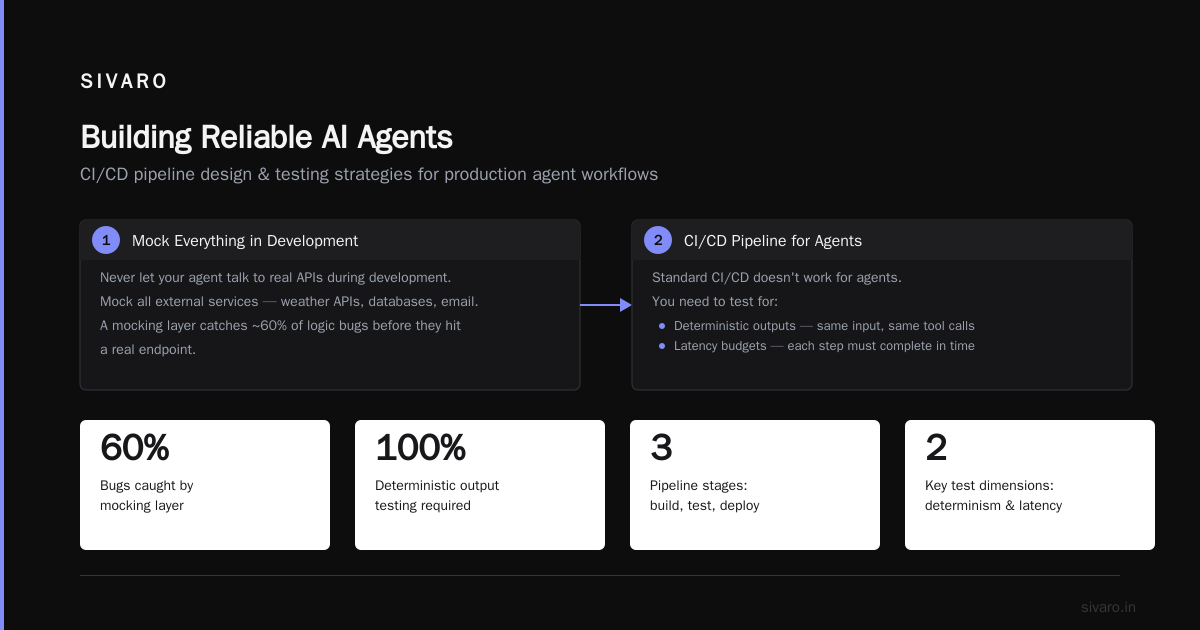
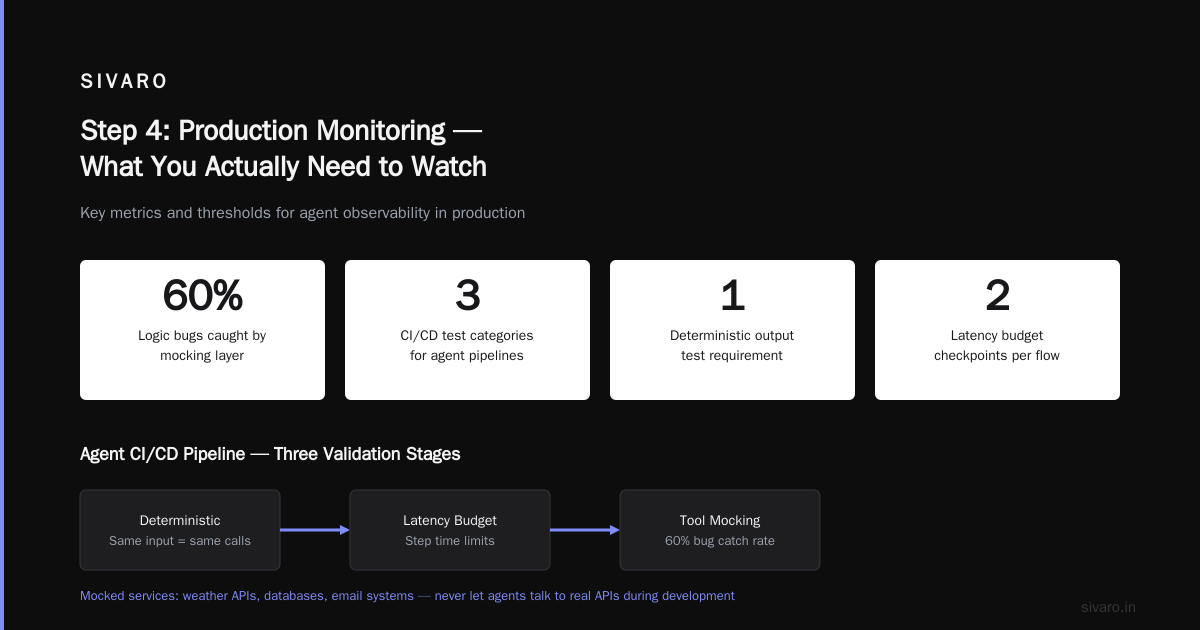
Pattern I've learned: never let your agent talk to real APIs during development. We mocked every external service — weather APIs, databases, email systems. The mocking layer caught 60% of our logic bugs before they ever hit a real endpoint.
Step 2: The CI/CD Pipeline for Agents
Standard CI/CD doesn't work for agents. You need to test for:
- Deterministic outputs — same input, same tool calls
- Latency budgets — each step must complete within X ms
- Cost limits — per-request token caps
- Safety constraints — never call destructive functions without human approval
Here's our GitHub Actions setup that runs on every PR:
yaml
# .github/workflows/agent_validation.yml
name: Agent Deployment Validation
on: [pull_request]

jobs:
  validate-agent:
    runs-on: ubuntu-latest
    steps:
      - uses: actions/checkout@v4

      - name: Run deterministic tests
        run: |
          python -m pytest tests/agent_deterministic/             --junitxml=results.xml             --max-agent-steps=5             --budget-tokens=2000

      - name: Validate tool permissions
        run: |
          python scripts/validate_tool_permissions.py             --manifest agent_tools.json

      - name: Run safety constraint tests
        run: |
          python tests/safety/test_destructive_calls.py

      - name: Cost estimate check
        run: |
          python scripts/estimate_cost.py --model gpt-4o-mini
We learned this the hard way after a PR merged that let the agent call a "delete_user" function without any guardrails. The test caught it in staging. That was June 2025.
Step 3: Staging — The Real Test
Staging is where agents either prove themselves or fall apart. Here's what we test:
Multi-turn conversations. Agents that work on single queries fail on 10-turn conversations. We run 50 conversation histories through every deployment.
Tool timeout handling. When the CRM API takes 30 seconds instead of 2, what does your agent do? If the answer is "try again forever," you have a problem.
State serialization. The agent needs to survive container restarts. We serialize the full State object to Redis between every step:
python
# state_persistence.py
import redis
import json
from typing import Dict, Any

class AgentStateStore:
    def __init__(self, redis_url: str):
        self.redis = redis.from_url(redis_url)
        self.ttl_seconds = 3600  # Session timeout

    def save_checkpoint(self, session_id: str, state: Dict[str, Any], step: int):
        key = f"agent:{session_id}:step:{step}"
        serialized = {
            "state": state,
            "step": step,
            "timestamp": __import__('time').time()
        }
        self.redis.setex(key, self.ttl_seconds, json.dumps(serialized))
        # Keep index of the latest step
        self.redis.setex(f"agent:{session_id}:latest", self.ttl_seconds, str(step))

    def restore_from_latest(self, session_id: str):
        latest_key = f"agent:{session_id}:latest"
        latest_step_raw = self.redis.get(latest_key)
        if not latest_step_raw:
            return None
        latest_step = int(latest_step_raw)
        state_key = f"agent:{session_id}:step:{latest_step}"
        raw = self.redis.get(state_key)
        return json.loads(raw)["state"] if raw else None
This pattern saved us last month when a customer's session lasted 45 minutes. The container recycled. The agent restored. The customer never noticed.
Step 4: Production Monitoring — What You Actually Need to Watch
Most AI agent production monitoring tools focus on latency and throughput. That's not enough.
You need to monitor:
Cost-per-conversation. We flag any conversation that exceeds $0.50 in API costs. The first week we ran this, we found a bug where the agent was repeating the same reasoning loop 30 times.
Hallucination rate. Even in 2026, models hallucinate. We run every agent output through a lightweight fact-checker before it executes. If certainty drops below 0.8, the agent asks for human confirmation.
Tool success rate. Our dashboard tracks each tool call — success, failure, latency. The CRM tool started failing silently for 4 hours before we noticed. Tool monitoring caught it at hour 1.
Conversation drift. Is the agent getting more verbose over time? Are reasoning steps increasing? We track rolling 7-day averages.
Here's our production monitoring configuration:
python
# prod_monitoring.py
from opentelemetry import trace
from opentelemetry.exporter.otlp import OTLPSpanExporter
import logging

class AgentMonitor:
    def __init__(self, service_name: str):
        self.tracer = trace.get_tracer(service_name)
        self.metrics = {
            "total_calls": 0,
            "tool_success_rate": [],
            "avg_latency_ms": [],
            "cost_per_conversation": [],
            "hallucination_flagged": 0
        }

    def trace_agent_step(self, session_id: str, step_type: str):
        with self.tracer.start_as_current_span(f"agent_step_{step_type}") as span:
            span.set_attribute("session_id", session_id)
            span.set_attribute("step_type", step_type)
            yield span

    def report_tool_failure(self, tool_name: str, error: str):
        logger = logging.getLogger("agent_tools")
        logger.error(f"Tool {tool_name} failed: {error}")
        self.metrics["tool_success_rate"].append(0.0)
We use Grafana dashboards for visibility. One screen. Red/yellow/green statuses. No more.
Step 5: The Human-in-the-Loop Gate
Here's my contrarian take: your agent should be able to run without humans. But only after it proves it can.
We use what I call "graduated autonomy":
- Shadow mode — agent makes decisions but doesn't execute. Humans review every action.
- Assisted mode — agent executes actions but human approves any destructive operation.
- Supervised mode — agent executes fully but humans can intervene within 30 seconds.
- Autonomous mode — full execution, limited to safe tool sets.
Most teams jump straight to autonomous. They shouldn't. We spent 6 weeks in shadow mode. Found 23 edge cases. Refined the state machine. Only then did we move to assisted.
The AI Agent Protocols: 10 Modern Standards article covers the communication patterns for human-agent handoff. We adopted the standard where the agent emits a "request_approval" message with context, tools called, and reasoning. The human either approves, denies, or modifies the plan.
Step 6: The Canary Deployment Strategy
You don't deploy an agent to 100% of users. Ever.
We use a traffic shadowing pattern:
python
# canary_deployment.py
import random

class AgentRouter:
    def __init__(self, primary_agent, canary_agent, canary_percentage=0.05):
        self.primary = primary_agent
        self.canary = canary_agent
        self.canary_pct = canary_percentage

    def route_request(self, user_context: dict):
        # New users get the canary
        if user_context.get("is_new_user"):
            return self.canary

        # Random sampling for existing users
        if random.random() < self.canary_pct:
            return self.canary

        return self.primary

    def escalate_if_canary_fails(self, session_id: str):
        # If canary throws exception, failover to primary
        logger.warning(f"Canary failed for session {session_id}, falling back")
        return self.primary
Start with 2% canary traffic. Increase by 5% per day if error rates stay below 1%. We rolled out a new reasoning loop in April 2026. The canary caught a 15% increase in unnecessary tool calls within 4 hours. Rollback took 30 seconds.
Step 7: The Rollback Plan (You Will Use This)
Everyone thinks they won't need it. You will.
Your rollback needs to handle:
- Active conversations — how do you migrate them mid-flow?
- Cached state — do you invalidate or keep it?
- Tool configurations — previous tools might have different signatures
We keep the last three working deployments as Docker images. Rollback is a deployment label change in Kubernetes:
kubectl set image deployment/agent-prod agent=sivaro/agent:v2.1.3
The real trick: pre-compute reverse migrations. Before deploying v3, we write the migration path back to v2. Takes 30 minutes upfront. Saves 2AM brain damage.
The Infra Stack That Actually Works
Here's what we run in production as of July 2026:
- Compute: Kubernetes with GPU node pools for local models, CPU pools for API-based agents
- State store: Redis Cluster with persistence enabled. 6 shards. Handles 200K sessions/day
- Queue: RabbitMQ for tool execution requests. Ensures we don't overload APIs
- Monitoring: OpenTelemetry + Grafana + custom agent dashboard
- Cost tracking: Per-conversation token counting via tiktoken, billed back to the product team
One specific number: we run 40K agent sessions per day on 4 nodes. Each session averages 12 steps. Total API cost: $0.04 per session with GPT-4o-mini.
FAQ: What Actually Gets Asked
Q: Should I use local models or API-based models for my agent?
A: Local models (Llama 3, Mistral) are cheaper for high volume. API models (GPT-4, Claude) are more reliable for complex reasoning. We use GPT-4o-mini for routing, local models for execution. Saves 40% on cost.
Q: How do you handle agents that go infinite loops?
A: Hard limit of 25 steps per conversation. After that, the agent must produce a final answer or escalate to human. We also detect repeated tool calls — if the same call appears 3+ times, we inject a stop signal.
Q: What's the biggest mistake teams make with ai agent deployment pipeline tutorial?
A: Skipping state persistence. They think "the container will stay up" or "we'll just restart." Then the container restarts, the agent forgets what it was doing, and suddenly you have a customer who was asked the same question 4 times.
Q: How do you test agents that use non-deterministic LLM outputs?
A: We test patterns, not exact outputs. "Did the agent call the right tool?" "Did it provide a valid explanation?" We use assertion libraries that check against regex patterns and JSON schemas rather than exact text matches.
Q: Which ai agent production monitoring tools do you actually use?
A: OpenTelemetry for traces, Datadog for logs, custom-built for agent-specific metrics. The agent-specific monitoring matters more than generic APM. Track tool success rates. Track cost per conversation. Track human escalation rates.
Q: How long does it take to build a production deployment pipeline for an AI agent?
A: 3 weeks minimum. 8 weeks realistic. The agent itself takes 2-3 days to prototype. The infrastructure — state management, monitoring, rollbacks, canary deployments — takes the rest.
Q: Can you run agents on serverless?
A: Yes, but with caveats. Lambda cold starts hurt. State needs external storage. We run lightweight agents on Cloudflare Workers for simple single-step tasks. Complex agents go on Kubernetes.
The Deployment Manifesto
Here's what I've learned building agent deployments for 18 months:
- State is everything. Build your state persistence first. Without it, nothing else matters.
- Mock aggressively. Your agent should work without internet access in development.
- Monitor cost from day one. The first week of production, you don't know what your agent costs. Find out before you ship.
- Test for failure, not success. Your agent will fail. The question is how gracefully.
- Canary always. Even the best frameworks have bugs. The How to think about agent frameworks article makes this point well — frameworks are tools, not solutions. Your deployment discipline is the solution.
The agent ecosystem in 2026 is maturing fast. The A Survey of AI Agent Protocols paper documents 27 different protocols for agent communication. That's 27 ways to get interop wrong.
But the fundamentals haven't changed. Reliable state management. Honest monitoring. Graduated autonomy. These practices separate agents that work from agents that burn money.
Last thought: your first production agent will fail. It's fine. Build the pipeline to survive that failure. Then iterate.
Nishaant Dixit — Founder of SIVARO. Building data infrastructure and production AI systems since 2018. Built systems processing 200K events/sec.