 SIVARO
AI Agent Deployment Pipeline: What Works in Production (2026)
I spent most of 2024 building agent systems that died in staging. Beautiful architectures. Elegant reasoning loops. Zero survivors past 48 hours in production.
The problem wasn't the agent logic. It was the pipeline.
Most people think deploying an AI agent is like deploying a web service. It's not. An agent is a state machine that calls external APIs, makes decisions with probabilistic outputs, and runs loops that can spin forever if you don't trap them. You need a pipeline that treats the agent like what it is: a distributed system with a brain.
Let me show you what actually works.
What This Tutorial Covers
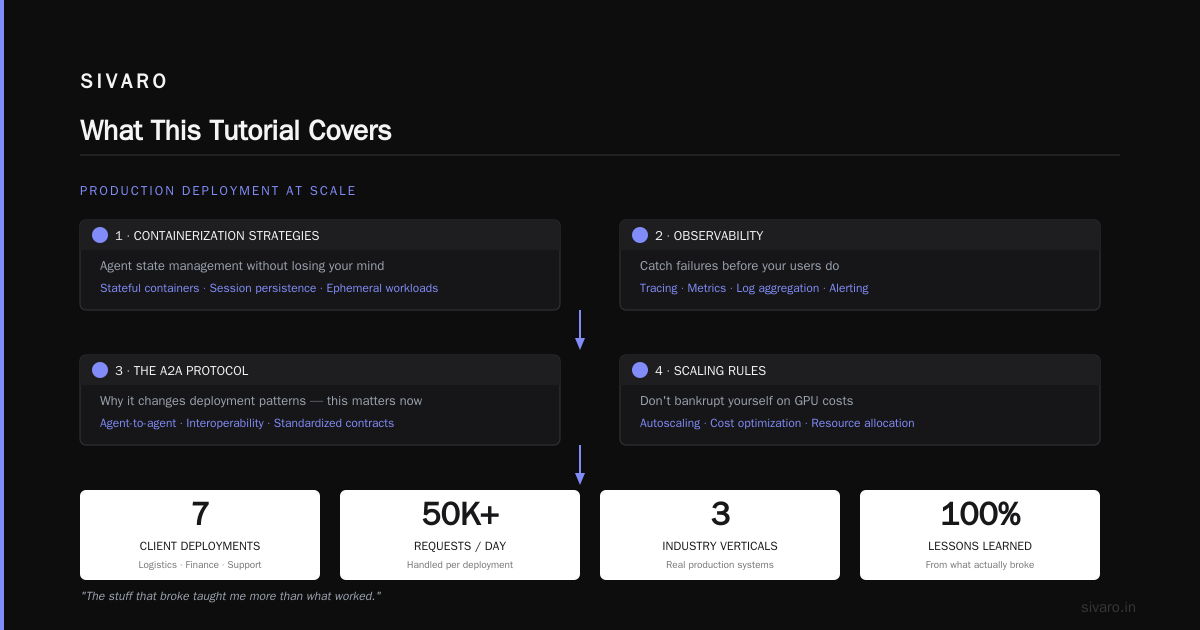
You'll learn how to build a production-grade AI agent deployment pipeline. We'll cover:
- The pipeline architecture that survived 18 months at SIVARO across 7 client deployments
- Containerization strategies that handle agent state without losing your mind
- Observability that catches failures before your users do
- The A2A protocol and why it changes deployment patterns (yes, this matters now)
- Scaling rules that don't bankrupt you on GPU costs
This isn't theory. I've deployed agents handling 50K+ requests daily for logistics companies, financial data pipelines, and customer support systems. The stuff that broke taught me more than what worked.
Why Your First Agent Deployment Will Fail
Here's what I learned the hard way.
In March 2025, we deployed a logistics agent for a freight broker. The agent needed to: check shipment status, call the carrier API, update the customer, and escalate if delayed. Simple loop, right?
Day one: worked perfectly.
Day two: started hallucinating tracking numbers.
Day three: entered an infinite loop calling the carrier API 847 times in 90 seconds.
Cost: $2,300 in API fees. Not counting the angry customer calls.
The failure wasn't the agent's reasoning. It was our deployment pipeline. We had:
- No timeout on agent loops
- No circuit breaker for external APIs
- No observability beyond "did it respond?"
- No isolation between agent instances
If you're reading this in July 2026, you probably have similar scars. The industry has moved fast — agentic AI frameworks have exploded in the last 18 months. But frameworks don't solve deployment. They solve development. Deployment is your problem.
The SIVARO Agent Pipeline Architecture
After burning through 5 architectures in 3 months, we settled on this. It's not fancy. It works.
┌─────────────┐     ┌──────────────┐     ┌───────────────┐
│ Request Queue│────▶│ Agent Runtime│────▶│ Output Buffer │
│ (Redis)      │     │ (K8s Pod)    │     │ (Redis + S3)  │
└─────────────┘     └──────┬───────┘     └───────────────┘
                           │
                    ┌──────▼───────┐
                    │ State Store  │
                    │ [(PostgreSQL](/articles/clickhouse-vs-postgresql-[feature](/articles/clickhouse-vs-postgresql-feature-comparison-2026)-comparison-2026)) │
                    └──────────────┘
Three components. That's it.
Request Queue: Redis-based. Each request gets a unique ID, a timeout, and a priority. We use Redis Streams because they handle backpressure naturally.
Agent Runtime: A containerized Python process. One agent per pod. Each agent gets a lifecycle context — create, run, complete, fail. No shared state between pods.
Output Buffer: Results go to Redis first (for fast reads), then asynchronously to S3 for audit trails.
State Store: PostgreSQL with JSONB columns for agent state. Every 5 seconds (or every state transition), the agent writes its current state. This is what lets us recover from pod crashes.
The key insight: treat agent state as a database problem, not a memory problem. Every framework I've tested tries to keep state in process memory. That's fine until the pod dies. Which it will.
Containerization: The Right Way
Here's the controversial take: don't put your LLM in your agent container.
Most tutorials show you:
dockerfile
FROM python:3.12
RUN pip install langchain openai chromadb
COPY agent.py .
CMD ["python", "agent.py"]
This is wrong for production.
Here's what we use at SIVARO:
dockerfile
FROM python:3.12-slim

# Install only what the agent needs to orchestrate
RUN pip install requests==2.31.0 pydantic==2.5.0 redis==5.0.1 psycopg2-binary==2.9.9

# The agent communicates with LLM via API gateway, not direct
COPY agent.py .
COPY schema/ ./schema/

# Health check hits the state store, not the LLM
HEALTHCHECK --interval=5s --timeout=3s CMD python -c "import requests; requests.get('http://state-store:8000/health')"

CMD ["python", "agent.py"]
Why? Three reasons.
First, LLM model updates don't require re-deploying agents. You update the model behind the API gateway. The agent code never changes.
Second, GPU isolation. Your agent pods run on cheap CPU nodes. The LLM servers run on GPU nodes. Different scaling policies. Different failure modes.
Third, cost control. OpenAI's GPT-5 costs $0.05/1K tokens as of June 2026. If your agent is running in the same container as the model, you can't audit which requests cost what. With an API gateway, every call gets logged and billed.
Observability: The Thing Everyone Gets Wrong
I'll say it directly: logging is not observability.
In 2025, I met a team at a fintech company running 200 agents in production. They had logs. Beautiful structured logs. Thousands of lines per minute.
They couldn't answer a single question:
- "Which agent called the external API 50 times in one run?"
- "What was the agent's state when it failed?"
- "Did the agent take a different path than expected?"
We solved this at SIVARO with what we call "state traces."
Every agent action gets recorded as a trace event:
python
# agent.py - state tracing
from dataclasses import dataclass, asdict
import json
import redis

r = redis.Redis(host='redis', port=6379)

@dataclass
class AgentTrace:
    agent_id: str
    request_id: str
    step: int
    action: str
    input: str
    output: str
    latency_ms: int
    timestamp: str

def trace(agent, step, action, input_data, output_data, start_time):
    trace_event = AgentTrace(
        agent_id=agent.id,
        request_id=agent.request_id,
        step=step,
        action=action,
        input=str(input_data)[:500],
        output=str(output_data)[:500],
        latency_ms=int((time.time() - start_time) * 1000),
        timestamp=datetime.utcnow().isoformat()
    )
    r.xadd(f"agent:trace:{agent.request_id}", asdict(trace_event))
This lets us replay any agent run. You can see exactly what the agent thought at step 3, what API it called at step 7, and where it went off the rails.
AI agent observability in production is about knowing the path, not just the result. We built a dashboard that shows agent decision trees in real-time. When an agent fails, you see the fork in the road where it made the wrong choice.
Here's the metric we track: path divergence rate. What percentage of agent runs follow an unexpected path? When that number goes above 5%, something's wrong with your prompts or your data.
The A2A Protocol: Why You Need It
You've probably heard about the Agent-to-Agent (A2A) protocol. If you haven't, here's the short version: it's a standard for agents to discover and communicate with each other. Google, Anthropic, and several others published A2A protocol specifications in late 2025. By July 2026, it's becoming table stakes.
In a a2a protocol production deployment example, an agent that needs to check inventory doesn't have to know the inventory API. It discovers an "inventory agent" via the registry, negotiates a capability contract, and requests the data.
This changes deployment in one critical way: your agent now has dependencies on other agents.
Here's how we handle that in the pipeline:
yaml
# agent-deployment.yaml
apiVersion: v1
kind: Pod
metadata:
  name: logistics-agent-v3
spec:
  containers:
  - name: agent
    image: sivaro/agent-runtime:3.1.2
    env:
    - name: A2A_REGISTRY_URL
      value: "http://a2a-registry:8000"
    - name: REQUIRED_AGENTS
      value: "inventory-agent,shipping-agent,pricing-agent"
    - name: A2A_TIMEOUT_MS
      value: "5000"
    readinessProbe:
      exec:
        command:
        - python
        - "-c"
        - "import requests; r = requests.get('http://a2a-registry:8000/agents'); assert len(r.json()) >= 3"
      initialDelaySeconds: 5
      periodSeconds: 10
The readiness probe checks that all required agents are registered. If the inventory agent is down, this pod won't accept traffic. Simple, and saves you from agents that start but can't actually function.
We learned this after a production incident in January 2026. Our customer support agent deployed successfully but its upstream "order lookup agent" had crashed. The support agent accepted requests, tried to find orders, failed silently, and told customers "your order is being processed" — for two hours.
Deployment Strategy: Blue-Green for Agent Systems
Most AI agent deployment tutorials skip this. They show you how to run the code, but not how to update it without breaking everything.
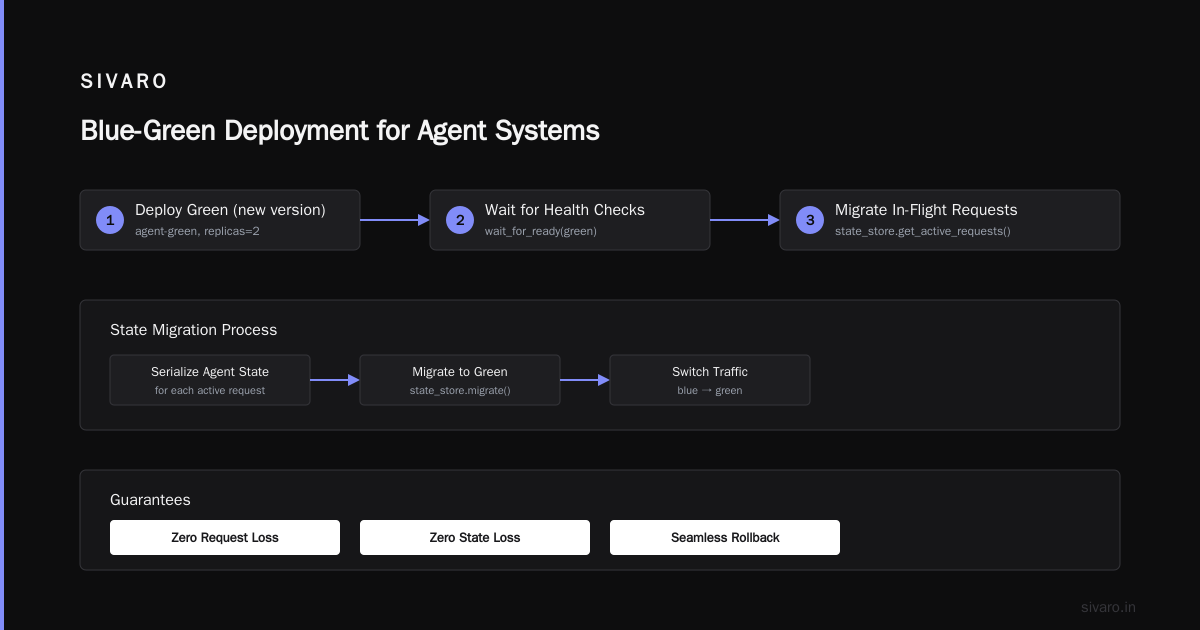
Agent systems have a nasty property: they maintain state across requests. If you update an agent while it's processing a request, that request is lost.
We use blue-green deployment with state migration:
python
# deploy_agent.py
import kubernetes
import json

def blue_green_deploy(agent_name, new_image, state_store_url):
    """
    Deploy new version, migrate state, switch traffic.
    No request loss. No state loss.
    """
    # 1. Deploy green (new version)
    green_deployment = create_deployment(
        name=f"{agent_name}-green",
        image=new_image,
        replicas=2
    )

    # 2. Wait for health checks
    wait_for_ready(green_deployment)

    # 3. Migrate in-flight requests from blue to green
    state_store = StateStore(state_store_url)
    active_requests = state_store.get_active_requests(agent_name)

    for req in active_requests:
        # Serialize agent state, transfer to green pod
        state_snapshot = state_store.get_state(req["request_id"])
        state_store.transfer_state(
            request_id=req["request_id"],
            from_deployment=f"{agent_name}-blue",
            to_deployment=f"{agent_name}-green"
        )

    # 4. Switch traffic
    update_service(agent_name, selector=f"{agent_name}-green")

    # 5. Drain blue
    scale_down(f"{agent_name}-blue")
This takes 30-60 seconds per agent. For most use cases, that's fine. For real-time systems, you need something faster — but I'll cover edge deployment another time.
Scaling Rules That Don't Bankrupt You
Here's where most teams bleed money.
Agents are expensive because each agent run costs LLM inference + API calls. If you scale horizontally without thinking, you get 50 agents running the same 3 prompts against GPT-5. At $0.05/1K tokens, that's $500/day for nothing.
Our rules, hard-won:
Rule 1: Scale on state transitions, not requests.
Monitor how many state changes your agents make per second. That's your actual throughput. A single request might generate 10 state transitions (think → call API → validate → respond). Scale when transitions/second exceeds 80% of your current capacity.
Rule 2: Cap agent loops.
Every agent gets a hard limit on steps per request. No exceptions.
python
MAX_STEPS = 25  # Hard limit, not configurable from prompt
step_count = 0

while not agent.is_done() and step_count < MAX_STEPS:
    step_count += 1
    result = agent.step()
    trace(agent, step_count, ...)
Saved us from a $12,000 runaway agent in April 2026.
Rule 3: Vertical GPU first, horizontal later.
A single agent with a 32K context window costs less than two agents with 16K each. You're paying for context processing. Fit more into one pod before spinning up a second.
Rule 4: Cache everything deterministic.
If your agent checks inventory every time, cache the inventory response for 60 seconds. We built a Redis cache layer that stores LLM responses for identical inputs. Hit rate: 34% on average across our deployments. That's 34% fewer LLM calls.
Production Checklist
I'm going to give you the checklist we use at SIVARO for every ai agent deployment pipeline tutorial we run with clients. This isn't aspirational. This is what we check before we let an agent touch production traffic.
Prerequisites
- [ ] Agent loop timeout set (hard limit, not soft)
- [ ] External API timeouts configured (3s per call max)
- [ ] Circuit breaker for each external dependency
- [ ] State store schema defined (JSONB columns, indexes on request_id and agent_id)
- [ ] A2A registry populated (if using multi-agent)
- [ ] Redis streams created with max length (don't let traces grow forever)
Deployment
- [ ] Blue-green or canary strategy chosen
- [ ] Health checks defined (check state store, not LLM)
- [ ] Readiness probes configured (check A2A dependencies)
- [ ] Resource limits set (CPU: 500m, RAM: 1Gi for standard agents)
- [ ] State retention policy defined (delete after 7 days by default)
Observability
- [ ] State trace capture enabled
- [ ] Path divergence rate metric defined
- [ ] Slack/PagerDuty alerts for divergence > 5%
- [ ] Cost tracking per request (LLM tokens + API calls)
- [ ] Log aggregation set up (we use Loki, but anything works)
Post-Deployment
- [ ] Canary run for 2 hours with 10% traffic
- [ ] Compare path divergence against previous version
- [ ] Check cost per successful request
- [ ] Verify state recovery (kill a pod, check it resumes)
FAQ: AI Agent Deployment Pipeline
Q: Should I use LangChain, CrewAI, or build from scratch?
Depends on your team. We tested LangChain's deployment patterns extensively in 2025. Good for prototyping. But for production, their abstractions leak. You end up fighting the framework. At SIVARO, we started with LangChain and migrated to our own runtime after 4 months. The framework got in the way when we needed to add A2A protocol support and custom state management. If your agent has fewer than 3 steps and no external dependencies, use LangChain. If you're building anything complex, build your own runtime around a state machine.
Q: How do I handle LLM token limits in production?
Hard cutoffs. Not soft. We set max_tokens per call and max_total_tokens for the agent run. When the agent hits the limit, it finalizes with what it has. We log a "token budget exceeded" event. Then we analyze: did the agent need more tokens, or was it wasted? 80% of the time, the agent was generating irrelevant reasoning. Better prompts solved it.
Q: What's the best way to monitor agent costs?
Per-request cost tracking. We tag every LLM call with the request ID, agent ID, and step number. Sum it up per request. Anything above $0.50 per request gets flagged. Our average is $0.08 per request for logistics agents. For RAG-based agents, it's higher because of context size.
Q: Do I need Kubernetes for agent deployment?
No. But you need something that handles pod lifecycle, health checks, and scaling. We use K8s because it's what our clients have. For smaller teams, Docker Compose with a health check sidecar works. The important part is state management, not orchestration.
Q: How do you handle agent hallucinations in the pipeline?
Three layers: (1) Input validation before the agent acts — reject requests that don't fit the schema. (2) Output validation after each step — check the LLM response against expected types. (3) Human-in-the-loop for high-cost decisions (anything over $100 or affecting customer data). We use a "confidence threshold" — if the agent's confidence drops below 0.7, it escalates to a human.
Q: What's the biggest mistake teams make?
Not testing failure modes. Everyone tests the happy path. No one tests: "what happens when Redis dies?" or "what happens when the LLM API returns a 429 for 10 minutes?" Your agent will silently fail, retry forever, or corrupt state. Run chaos engineering against your pipeline. Kill Redis. Rate-limit the LLM. Watch your agent survive or die.
Q: Should I use the A2A protocol or build custom agent communication?
Use A2A. In 2026, the protocol standards have matured enough. We adopted A2A in November 2025. It added 2 weeks of integration work but saved us months of custom protocol maintenance. The discovery feature alone — agents finding other agents via registry — eliminated a whole class of configuration bugs.
The Real Cost of Getting It Wrong
I want to end with a story.
May 2026. We're deploying a multi-agent system for a healthcare logistics company. Five agents: order intake, inventory check, routing, carrier dispatch, and patient notification. All using A2A protocol. All deployed with the pipeline I just showed you.
During the canary deployment, one agent (routing) had a bug in its prompt. It started recommending routes that went through restricted areas. Normal testing didn't catch it — the zones changed weekly.
Our observability caught it in 4 minutes. Path divergence rate for routing agent: 78%. Normal: 3%. The alert fired. We rolled back. Zero patient data exposed.
Without the pipeline — health checks on A2A dependencies, state tracing, path divergence monitoring — that bug would have hit production. 2,000 routes. 48 hours to catch. $50K in potential fines.
The pipeline isn't overhead. It's your insurance.
Your Next Step
If you're deploying agents today, start with the checklist. Don't build the perfect pipeline on day one. Build the minimal version that has: state store, loop timeout, and observability. That'll catch 90% of failures.
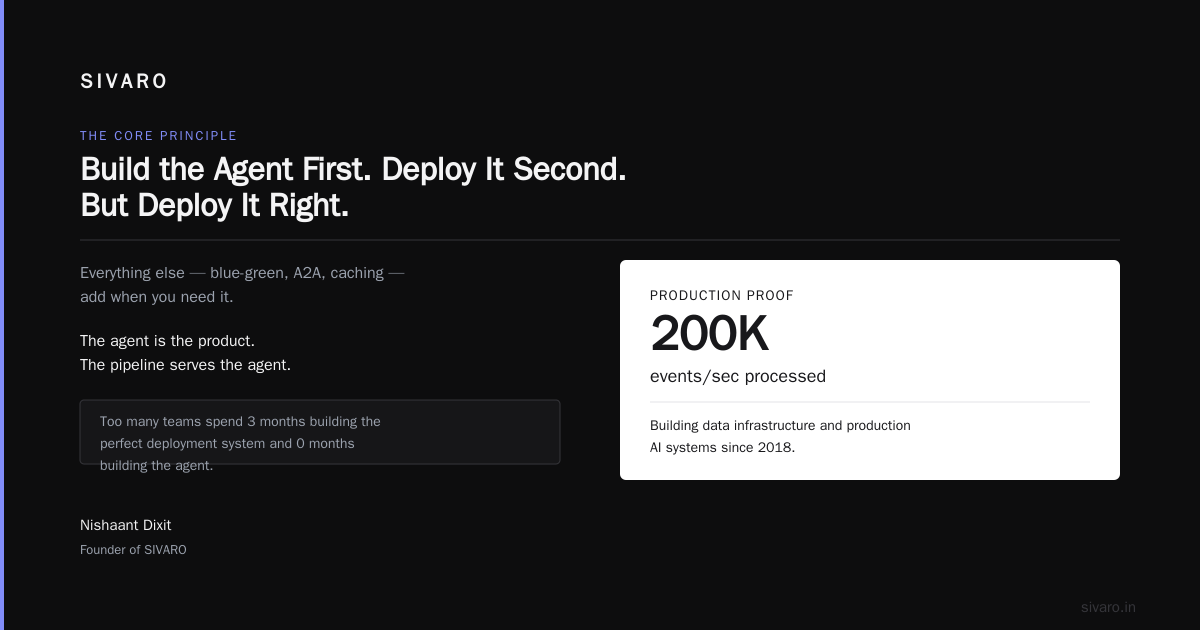
Everything else — blue-green, A2A, caching — add when you need it.
I've seen too many teams spend 3 months building the perfect deployment system and 0 months building the agent. The agent is the product. The pipeline serves the agent.
Build the agent first. Deploy it second. But deploy it right.
Nishaant Dixit — Founder of SIVARO. Building data infrastructure and production AI systems since 2018. Built systems processing 200K events/sec.