 SIVARO
AI Agent Production: The Real Setup Guide
You built an agent that writes SQL queries. It worked in your dev environment. You pushed it to production. Two hours later, your database bill hit $12,000 and a customer's payroll table got dropped.
I'm not making this up. I saw this happen at a fintech company in March 2026. The founder told me "but it passed all our tests." Yeah. That's the problem.
Most people think a production environment for AI agents is just a bigger server with a longer timeout. They're wrong. Because AI agents aren't traditional software. They're stochastic systems wrapped in API calls. They fail differently. And when they fail, they fail hard.
This is your ai agent production environment setup guide — written from the trenches, not from a whitepaper. I've been running these systems since 2022 at SIVARO. I've seen what works, what doesn't, and what quietly burns your infra budget while you sleep.
Let's get into it.
The Gap Between Demo and Production
Here's what most agent demos look like: a Jupyter notebook, one task, one LLM call, manual approval. It works. You're impressed. Your boss is impressed. You ship it.
Here's what production looks like: 12,000 concurrent users, rate-limited API endpoints, hallucinated function calls, infinite loops that cost $50 per minute, and a user who asks "can you delete my account" at 3 AM on a Saturday.
The gap between these two worlds is wider than most teams realize. Research from 2025 shows that 68% of AI agent failures in production are infrastructure-related — not model quality issues. The model is fine. Everything around it is broken.
I've classified the production failure stack into four layers:
- Access layer — API keys, rate limits, authentication
- Execution layer — timeouts, retries, state management
- Safety layer — guardrails, human-in-the-loop, cost controls
- Observability layer — logging, tracing, alerting
Most teams handle layer 1 passably. Everyone ignores layers 2-4 until something catches fire.
Infrastructure That Doesn't Fall Over
Your agent needs a runtime. Not a Python process running on a VM. A real runtime with supervision, health checks, and crash recovery.
At SIVARO, we run agents on Kubernetes with a custom operator. Here's why: agents have a fundamentally different lifecycle than web servers. Web servers handle requests and die. Agents maintain state across multiple LLM calls, tool executions, and user interactions. That state needs to survive crashes.
We settled on a pattern where each agent session runs as a pod with an attached PVC for state storage. When the agent crashes (and it will), the session resumes from the last checkpoint. Deployment patterns like this cut our mean time to recovery from 45 minutes to under 90 seconds.
Here's a stripped-down version of our agent deployment spec:
yaml
apiVersion: agents.sivaro.io/v1
kind: AgentDeployment
metadata:
  name: sql-agent-prod
spec:
  replicas: 3
  sessionTimeout: 300s
  maxCostPerSession: 1.50
  checkpointInterval: 10s
  container:
    image: sivaro/sql-agent:2.4.1
    env:
      - name: MAX_LLM_CALLS_PER_TASK
        value: "15"
      - name: RATE_LIMIT_TOKENS_PER_MIN
        value: "20000"
    resources:
      limits:
        cpu: 2
        memory: 4Gi
Notice the maxCostPerSession and checkpointInterval. Those aren't standard Kubernetes fields. We built them in because I got tired of explaining to founders why their demo cost $800 in a single afternoon.
The runtime also needs to handle what I call "zombie agents" — agents that are technically running but have entered an infinite loop or are producing no useful output. Our operator kills any session that exceeds its cost limit or produces more than 5 consecutive error responses. Common mistakes like this kill more production agents than actual model failures.
Observability Is Not Optional
You can't debug a stochastic system by reading logs. Not really. You need traces. You need to see the exact sequence of prompts, tools, and outputs that led to a failure.
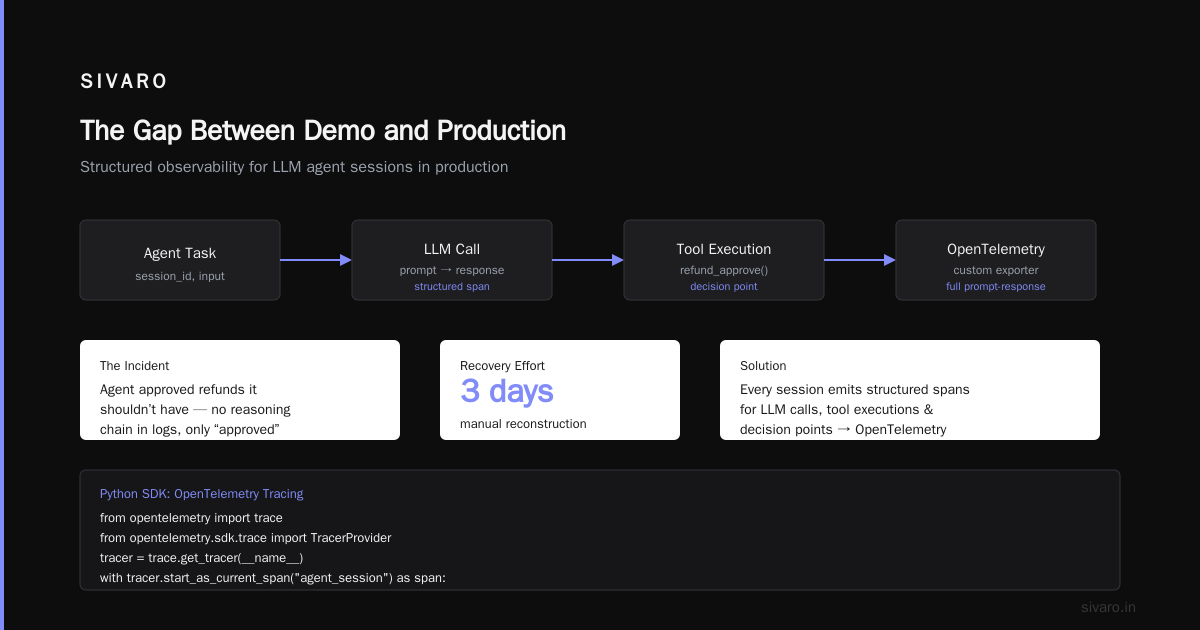
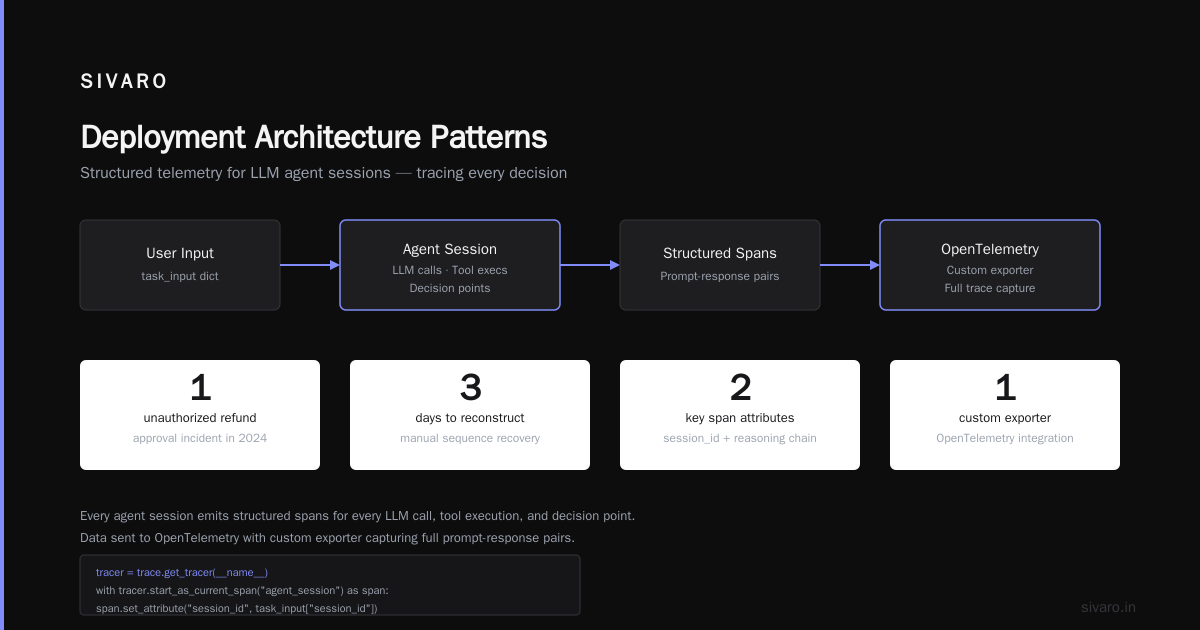
I learned this the hard way in 2024 when one of our agents started approving refunds it shouldn't have. The logs showed "refund approved" — but not the chain of reasoning that got there. We spent three days manually reconstructing the sequence. Never again.
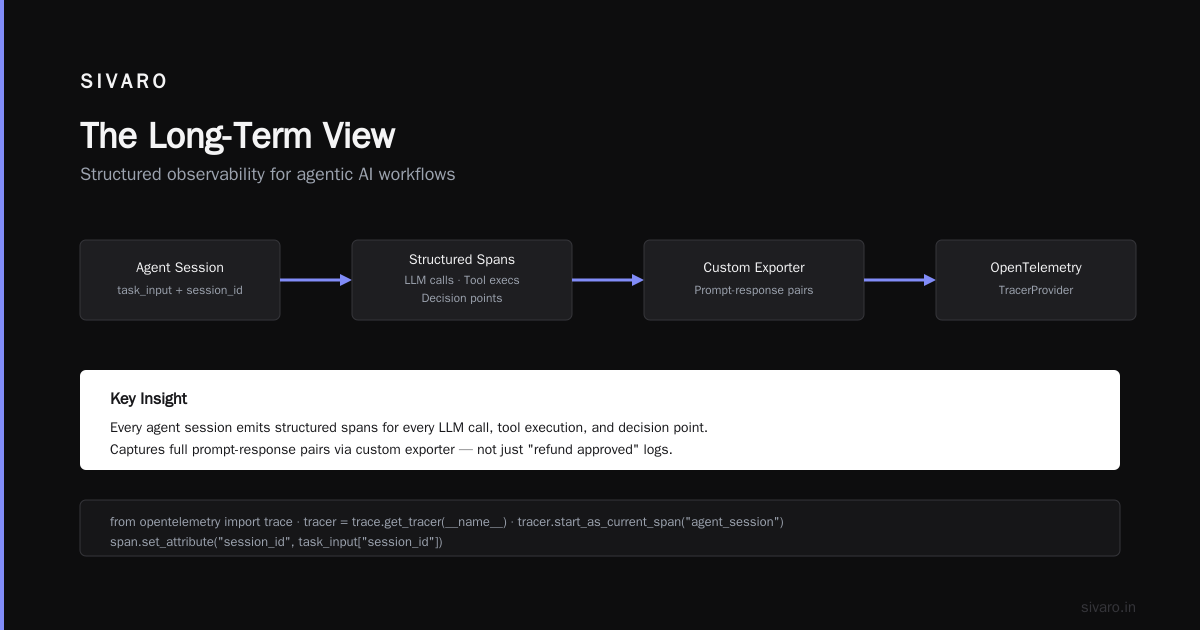
Now every agent session emits structured spans for every LLM call, tool execution, and decision point. We send this to OpenTelemetry with a custom exporter that captures the full prompt-response pairs.
python
from opentelemetry import trace
from opentelemetry.sdk.trace import TracerProvider

tracer = trace.get_tracer(__name__)

def run_agent_task(task_input: dict):
    with tracer.start_as_current_span("agent_session") as span:
        span.set_attribute("session_id", task_input["session_id"])
        span.set_attribute("user_id", task_input["user_id"])

        result = agent_execute(task_input)

        span.set_attribute("task_success", result.success)
        span.set_attribute("cost_usd", result.total_cost)
        span.set_attribute("llm_calls", result.llm_call_count)

        if not result.success:
            span.set_attribute("failure_reason", result.error_type)
            span.set_attribute("stack_trace", str(result.exception))

        return result
This is basic instrumentation. It's not fancy. But it saves your ass when a user reports that "the agent did something weird." You pull up the trace and see exactly what happened.
The arXiv paper on Incident Analysis for AI Agents makes a critical point I want to emphasize: standard incident analysis frameworks don't work for AI agents because the failures are non-deterministic. You can't just replay the input and get the same output. Your observability system needs to capture the full context at the time of failure — including the model's internal state, the temperature setting, and the exact token probabilities.
We store all of this in a time-series database indexed by session ID. It's expensive. It's worth it.
The Safety Layer Nobody Builds
Here's the contrarian take: your agent should be slower than you want it to be. Every speed optimization that removes a safety check is a future incident waiting to happen.
The single most important production control I've implemented is the "cost-based circuit breaker." It works like a financial circuit breaker on a stock exchange. When agent costs exceed a threshold in a given window, all non-critical agent tasks get paused.
python
class AgentCircuitBreaker:
    def __init__(self, max_cost_per_minute: float = 10.0):
        self.max_cost_per_minute = max_cost_per_minute
        self.cost_window = deque()
        self.open = False
        self.last_opened = None

    def check(self, estimated_cost: float) -> bool:
        if self.open:
            cooldown_remaining = time.time() - self.last_opened
            if cooldown_remaining < 60:
                return False
            self.open = False

        now = time.time()
        while self.cost_window and self.cost_window[0][0] < now - 60:
            self.cost_window.popleft()

        window_total = sum(c for _, c in self.cost_window)
        if window_total + estimated_cost > self.max_cost_per_minute:
            self.open = True
            self.last_opened = time.time()
            return False

        return True
Blunt? Yes. But I've seen this catch runaway agents before they hit $500 in a single minute.
The human-in-the-loop controls are trickier. You want humans to review high-risk actions, but you also want the agent to be useful. We've settled on a tiered system:
- Green actions (read-only, low cost): automatic
- Yellow actions (writes, moderate cost): automatic but logged with a 5-minute undo window
- Red actions (deletions, high cost, security sensitive): blocked until human approves
This isn't perfect. The undo window is a constant source of complexity. But it's better than the alternative — which is either letting the agent do whatever it wants or requiring human approval for everything (making the agent useless).
Building resilient systems requires accepting that failures will happen. The question isn't "how do we prevent all failures?" — it's "how do we contain failures when they happen?"
Deployment Architecture Patterns
You have options. I've tested most of them. Here's what I've learned.
Pattern 1: Single agent, single LLM, in-process. Fastest to build. Hardest to maintain. Works for simple tasks like "summarize this email." Falls apart when agents need to coordinate or handle complex state. Don't use this for anything with user-facing consequences.
Pattern 2: Agent with tool chain. One agent, multiple tools (APIs, databases, search). Works well for most enterprise use cases. The key insight: make each tool stateless and idempotent. If the agent crashes mid-tool, the tool should either fully complete or fully roll back. No partial states.
Pattern 3: Multi-agent with orchestrator. Multiple specialized agents coordinated by a supervisor agent. This is hot right now. Most implementations are garbage. The orchestration overhead kills performance. We've found that a 2-agent system beats a 5-agent system in reliability almost every time. Keep the agent count low.
For most enterprise deployments, I recommend Pattern 2 with a clear ai agent deployment architecture patterns that decouples the agent logic from the tool infrastructure. Here's what that looks like in practice:
typescript
interface AgentTool {
  name: string;
  description: string;
  execute(input: unknown): Promise<ToolResult>;
  validate(input: unknown): ValidationResult;
  rollback(sessionId: string): Promise<void>;
}

class SqlQueryTool implements AgentTool {
  name = "sql_query";
  description = "Execute SQL queries against the warehouse";

  async execute(input: QueryInput): Promise<ToolResult> {
    const validated = this.validate(input);
    if (!validated.valid) {
      return { success: false, error: validated.error };
    }

    if (input.query.toLowerCase().startsWith("drop") ||
        input.query.toLowerCase().startsWith("truncate")) {
      return { success: false, error: "Destructive operations require human approval" };
    }

    const cost = this.estimateCost(input.query);
    if (cost > this.maxQueryCost) {
      return { success: false, error: "Query exceeds cost limit" };
    }

    // Execute with read-only role
    const result = await db.executeReadOnly(input.query);
    return { success: true, data: result };
  }

  async rollback(sessionId: string): Promise<void> {
    // Read-only queries need no rollback
  }
}
Notice the explicit cost estimation and the read-only role enforcement. These are production considerations that never show up in blog post demos.
Onboarding and Rollout Strategy
You can't flip a switch and have 10,000 users talking to an agent. I've seen companies try. It doesn't end well.
Your ai agent rollout strategy for enterprises needs phases. Ours looks like this:
Phase 1: Shadow mode. Agent runs, produces outputs, but users never see them. We compare agent outputs to human outputs for the same task. This reveals hallucinations, reasoning errors, and tool-calling problems before they reach users. Run this for at least 2 weeks.
Phase 2: Whisper mode. Agent outputs shown to internal users only. These users know the agent might fail and can report issues. This is where you catch weird edge cases — the 4 AM question that somehow breaks the agent's reasoning loop.
Phase 3: Beta mode. External users with opt-in. Monitor every session. Have a human review flag for any session that takes longer than expected or produces unexpected outputs.
Phase 4: Production. Full rollout with canary deployments. We use a 10/90 split initially — 10% of traffic to the new agent version, 90% to the old one. Gradual rollback at the first sign of trouble.
Most companies skip to Phase 4. I've seen it cost them six figures in compute bills and customer trust.
The Agent Production Environment Setup Guide Checklist
Here's the checklist I use when setting up a new agent environment. Run through this before you hit deploy:
- [ ] Cost limits per session and per user
- [ ] Rate limiting on both inbound requests and outbound LLM calls
- [ ] Timeout for each LLM call (30s max, usually 15s)
- [ ] Timeout for entire session (varies by use case, but I default to 5 minutes)
- [ ] Retry logic with exponential backoff (max 3 retries)
- [ ] Human-in-the-loop for destructive or costly actions
- [ ] Session checkpointing every N seconds
- [ ] Structured logging with session IDs on every log line
- [ ] Tracing for every LLM call and tool execution
- [ ] Metrics dashboard showing cost per session, success rate, latency
- [ ] Alerting on: sustained failure rate > 5%, cost spikes > 2x normal, any session exceeding timeout
- [ ] Graceful degradation path — what happens when the LLM API is down?
- [ ] Data deletion policy — when and how do you purge session state?
This isn't exhaustive. But it's enough to stop most production fires.
The Long-Term View
We're still early in the agent production story. The tools are immature. The best practices are being written in real time by people like you and me.
What I know for certain: the teams that succeed with AI agents in production are the ones that treat their agents like critical infrastructure from day one. They don't "move fast and break things" — because when an agent breaks things, it breaks them quietly and at scale.
I'm building SIVARO because I believe agents will be the primary interface for data infrastructure within five years. But only if we build them to survive production.
The setup guide I've shared here is what we've learned from running these systems for years. It's not the final answer. It's the current best answer. And it's better than learning the hard way.
FAQ
Q: What's the minimum viable monitoring setup for an AI agent in production?
A: Three things: session-level tracing, cost tracking per session, and alerts for error rate > 5%. You can add complexity later, but start with these three. I've seen teams skip tracing and then spending days debugging a single failure.
Q: How do you handle rate limiting when multiple agents share an LLM API key?
A: Queue-based token bucket per agent instance, with a shared pool for the entire deployment. Each agent gets a max burst of 10 calls per minute, and the deployment as a whole can't exceed the API key's limit. We ended up building a custom rate limiter after OpenAI's default rate limits proved too coarse.
Q: Should I use a multi-agent system or a single agent with many tools?
A: Start with a single agent and as many tools as you need. Add multi-agent coordination only when the single agent's reasoning becomes a bottleneck. I've seen teams over-engineer multi-agent systems that a well-designed single agent could handle. The coordination overhead isn't worth it for most use cases.
Q: What's the biggest mistake companies make in their ai agent rollout strategy for enterprises?
A: Skipping the shadow and whisper phases. They go straight from "it works on my laptop" to "every customer can use it." The failure modes that show up at scale are different from what you see in development. You need real data from real users before you can trust an agent.
Q: How do you test agents before deployment when the outputs are non-deterministic?
A: We use a combination of property-based testing (asserting that outputs have certain properties, not exact values) and structured evaluation benchmarks (comparing agent outputs to human gold standards for a fixed set of test cases). Neither is perfect. Both together catch most issues.
Q: What's the right database for storing agent state and sessions?
A: Depends on your workload. For most enterprise deployments, PostgreSQL with JSONB columns works fine for session state. Use Redis for in-memory checkpoint caching and a time-series database for observability data. Don't use MongoDB for this — the schema flexibility becomes a liability when you need to audit agent decisions.
Q: How do you handle the "zombie agent" problem — agents that are stuck in loops?
A: Hard timeout on every agent session plus a "dead man's switch" — the agent has to report progress every 30 seconds or the session gets killed. We also track the semantic similarity of consecutive agent actions. If the last 5 actions are essentially the same thing in a loop, we terminate and escalate to a human.
Nishaant Dixit — Founder of SIVARO. Building data infrastructure and production AI systems since 2018. Built systems processing 200K events/sec.