 SIVARO
AI Agents Deployment Best Practices: A Field Guide From Someone Who's Been Burned
I launched my first production AI agent in September 2025. It crashed in under 4 hours. The agent started hallucinating order confirmations for products we didn't stock. Customers got excited. Then angry. Then my phone started ringing.
That failure cost us around $12,000 in refunds and two weeks of engineering time. More importantly, it taught me something no whitepaper ever could: deploying AI agents isn't a scaling problem. It's a reliability problem wearing a scaling problem's clothes.
This guide is what I wish I'd read before that September afternoon. It covers ai agents deployment best practices gleaned from building data infrastructure at SIVARO across 2025 and 2026. You'll learn what works, what breaks, and what the glossy vendor docs won't tell you.
The Real State of Agent Deployment Right Now (July 2026)
Let me be direct: most people think deploying an AI agent is like deploying a microservice. It's not. A microservice either works or doesn't. An agent can work perfectly for 47 minutes, then decide to email your entire customer base in Icelandic.
We're in a weird moment. The frameworks are mature enough to feel dangerous. The AI Agent Frameworks landscape has consolidated around a few serious players — LangGraph, CrewAI, AutoGen, and a handful of others. But maturity in demos doesn't mean maturity in production. The gap between "looks good in a notebook" and "survives Black Friday traffic" is where most teams get stuck.
I've seen this pattern repeat. A team spends 4 weeks building an agent. They deploy it. It works for 3 days. Then a weird edge case triggers an infinite loop. The agent starts calling APIs faster than the database can handle them. Someone panics and kills the process. Repeat.
You don't want to learn these lessons the expensive way. So let's talk about what actually matters.
Pick Frameworks by Your Failure Mode, Not Your Feature List
Here's a contrarian take: the choice between Agentic AI Frameworks matters less than people think. All major frameworks can handle the happy path. The difference appears when things break.
Most teams pick a framework by asking: "Which one has the most stars on GitHub?" or "Which one supports the most LLM providers?" These are the wrong questions.
The right question: "When my agent fails, how does this framework help me understand why?"
In my experience, LangChain's framework wins on observability. Their tracing tools in LangSmith let you replay agent decisions step by step. CrewAI wins on structure — its hierarchical task system prevents the "spaghetti agent" problem where one component calls another calls another with no clear ownership.
But here's the hard truth: no framework saves you from bad design. I've seen teams use the best tools and still build agents that collapse under load. The framework is a starting point, not a safety net.
The Architecture Question: Monolith vs. Swarm
Most teams start with a monolithic agent. One model, one prompt, one loop. It works fine for simple tasks. Then the agent needs to read a PDF, cross-reference it with a database, call an external API, and format the result. The monolithic prompt becomes a 4000-line monster. No one can debug it.
You have two options. First, modular agents with shared state — each agent handles one task, writes results to a common store, and passes control. Second, swarm architectures where agents coordinate through a supervisor.
My team tested both approaches. Single-agent-modular worked better for tasks with clear sequential dependencies. Swarm worked better when agents needed to negotiate or parallelize work. But swarm introduces a coordination problem: when 3 agents disagree, who decides? Your supervisor agent becomes a bottleneck.
Here's what I settled on: modular agents with a human-in-the-loop escalation path. If the agent's confidence drops below 0.7, it stops and asks for help. Simple. Boring. Works.
Observability Isn't Optional (It's Your Only Debugger)
The biggest shock when you deploy AI agents in production is how often they make correct-seeming mistakes. The answer looks right. The steps look reasonable. But the reasoning was flawed. You can't debug this with logs alone.
You need three things:
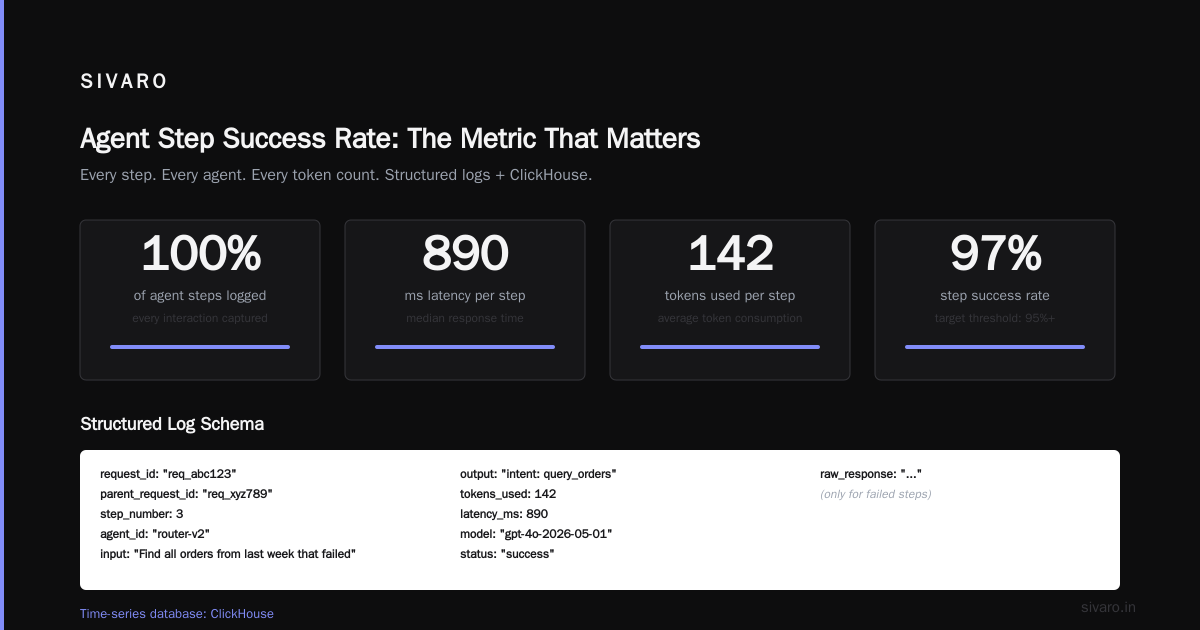
First, decision tracing. Every agent action should be recorded: what input it received, what it decided, why it decided that. LangSmith does this. So does Weights & Biases. Use something.
Second, confidence monitoring. Your agent should output a confidence score with every decision. Track these over time. If confidence drops by 20% between Tuesday and Wednesday, something changed. Maybe your LLM provider updated their model. Maybe your data schema shifted. Either way, you catch it before customers do.
Third, guardrail metrics. Define what "bad" looks like. For customer support agents, a bad decision is giving wrong information. For code-generation agents, a bad decision is producing insecure code. Measure these specifically. Don't track generic "accuracy" — track "apology rate" or "rollback frequency."
I learned this the hard way. Our first production agent had excellent accuracy metrics. It was wrong in ways our metrics didn't measure. AI Agent Protocols are starting to standardize observability interfaces, but we're not there yet. You need to build your own measurement systems.
The Prompt Engineering Trap
Everyone wants a silver bullet prompt. "Write the perfect system prompt and your agent will never hallucinate." I believed this too. I spent weeks crafting prompts. We A/B tested variants. We had a winner.
Then our agent encountered a user question that was 1800 words long. The prompt + the question overflowed the context window. The agent started making up responses.
The problem isn't prompt quality. It's prompt stability. Your prompt interacts with context length, with model updates, with input variance. The same prompt that works today might break tomorrow because the model provider changed their tokenizer.
Open-source agentic frameworks give you more control here. You can pin model versions, control context management, and implement your own prompt structure. But even then, you need testing infrastructure that catches prompt-related failures.
My rule: test every prompt against at least 200 real user inputs before deployment. Not synthetic data. Real inputs. The weirdness is always in the tail.
Security: The Thing Everyone Forgets Until It's Too Late
Here's a story that still makes me cringe. A startup I know deployed an agent that had access to their Stripe dashboard. The agent's prompt included: "You can query any API endpoint the user requests." A user asked "query /api/refund/create." The agent did it. $40,000 in unauthorized refunds.
Your agent will execute code. That code will have permissions. Those permissions will be broader than you think.
Three security rules I now enforce:
Rule 1: Least privilege by default. Your agent doesn't need database admin access. It doesn't need to read every table. Give it a read-only role on specific tables. If it needs to write, create a separate write role with strict rate limits.
Rule 2: Action validation. Every API call should pass through a validator. The validator checks: does this action match the agent's declared task? Is the target within allowed parameters? This is a static rules engine, not AI. Boring code prevents expensive disasters.
Rule 3: Session isolation. Each agent session should have its own temporary credentials. If a session goes rogue, revoke those credentials. Don't let a malicious attack in Session A affect Session B's permissions.
The AI Agent Protocols survey discusses emerging standards for inter-agent authentication, but we're not there yet. Build your own walls.
Load Testing Agents Is Different From Load Testing APIs
You've load-tested APIs. Send N requests per second, measure response time, find the breaking point.
Agents don't work that way. An agent might receive one request and make 40 internal API calls. Another request might complete in 2 steps. The variability kills standard load testing.
Here's what I do instead:
First, profile the inner loop. Track how many LLM calls your agent makes per user request. Track how many database queries. Track the distribution. Most agents have a "typical" path and a "edge case" path that's 20x more expensive.
Second, test for cascade failure. What happens when the LLM is slow? Your agent spins, waiting for a response. More user requests queue up. Each spins, waiting. Now you have 100 concurrent LLM requests instead of 5. Your provider rate-limits you. All agents fail simultaneously.
Third, test prompt injection at scale. Not just whether the agent resists injection, but whether the injection causes resource exhaustion. A clever injection could make your agent loop infinitely, burning through your API budget.
We test with a "chaos monkey" approach: randomly inject slow responses, empty responses, and malicious payloads. If the agent survives an hour of this, it's ready for production.
The Deployment Pipeline Nobody Talks About
Most teams deploy agents like web services: build, push, restart. This fails because agents have memory. An agent that was working with Model v1 might break with Model v2. Not because Model v2 is worse, but because it weights information differently.
Your deployment pipeline needs:
- Model version pinning. Never auto-upgrade your LLM. Pin the version. Test explicitly before cutting over.
- Shadow deployment. Run the new agent alongside the old one. Log both decisions. Compare them for N hours before routing traffic.
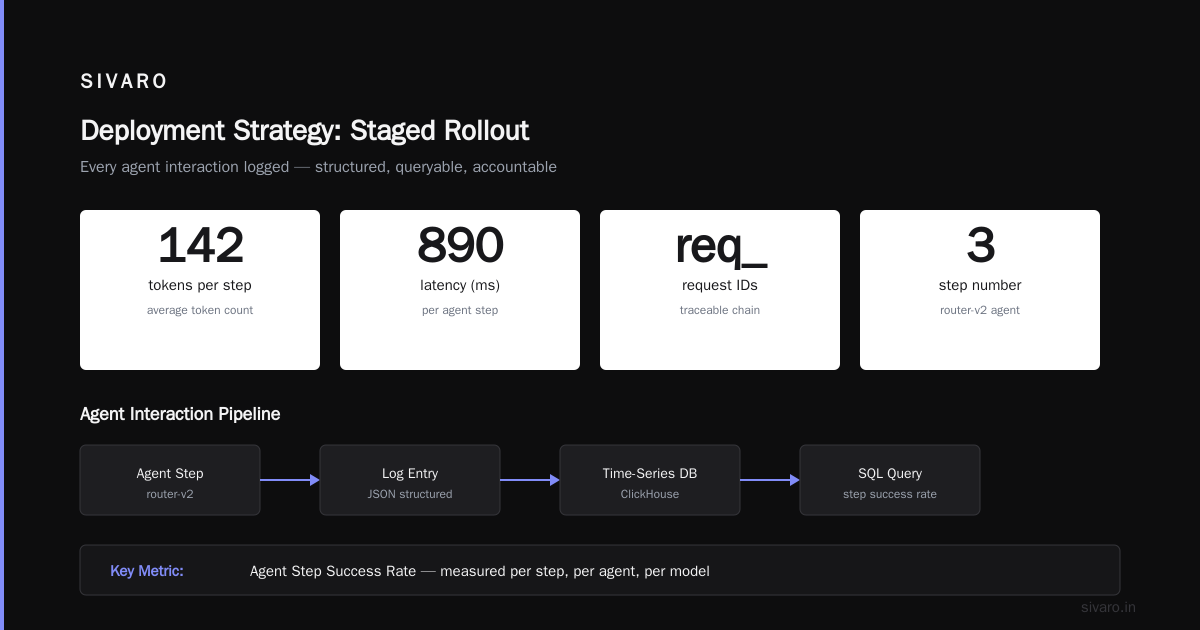
- Gradual rollout. Start at 1% of traffic. Move to 5%. Then 20%. Monitor each step for 24 hours. Roll back if something looks off.
The agentic workflow production rollout should take days, not hours. I know this sounds slow. I know your stakeholders want it faster. Show them the refund numbers from my first deployment. They'll understand.
Memory and State: The Unseen Complexity
Agents need memory. They need to remember what the user said 5 messages ago. They need to remember what they learned from a database query. They need to persist state across sessions.
Most teams start with in-memory state. It works until it doesn't. When the agent restarts, it forgets everything. When you scale to multiple instances, they have different memories.
You need a state store. Redis works for short-term memory. PostgreSQL works for long-term. But you also need a strategy for what to remember. Storing every token conversation bloats memory. Storing too little makes the agent dumb.
My approach is "critical path persistence": store only the decisions, not the reasoning chain. If the agent decided to call API X, store that decision and its outcome. Store the reasoning as compressed logs for debugging, but don't load it into active memory.
I've seen teams store entire conversation histories as context. At 100 concurrent users, the latency becomes unbearable. Your agent spends more time reading its own memory than doing useful work.
Cost Control: The Silent Killer
Let's talk money. An agent that makes 5 LLM calls per user request costs 5x what you expect. Most teams estimate based on single-call pricing. Then they multiply by expected users. The math looks fine.
Until users send complex requests that need 12 LLM calls. Until the agent hallucinates and loops, making 50 calls in 2 minutes. Until your bill is $8,000 for a weekend.
You need cost controls:
- Per-session caps. Max 20 LLM calls per user session. Hard stop. If the agent hasn't resolved the issue by then, escalate to a human.
- Budget alerts. Monitor cost per request. Set alerts if it exceeds 2x the expected average.
- Model tiering. Easy requests get a cheap, fast model. Hard requests escalate to a more capable (expensive) model. This 80/20 split saved us 60% on API costs.
I use a simple routing prompt: "If the user's request matches pattern A, B, or C, use GPT-4o-mini. Otherwise, use GPT-4o." The cheap model handles 70% of requests. The expensive model handles the other 30%. Average cost drops dramatically.
FAQ: Questions From Teams I've Advised
Q: Should I build my own agent framework or use an existing one?
Build only if you have a team of 5+ engineers dedicated to infrastructure. Otherwise use existing frameworks. The custom framework trap is real — you'll spend 6 months building what CrewAI already does, but worse.
Q: How do I handle agent hallucination in production?
You can't eliminate it. You can detect it. Use confidence thresholds, cross-reference with known facts, and have a fallback path. Our rule: if the agent can't verify a fact from a trusted source, it says "I don't know" instead of guessing.
Q: What monitoring tools do you recommend?
LangSmith for decision tracing. Datadog or Grafana for infrastructure metrics. Build custom dashboards for agent-specific metrics like "apology rate" and "escalation rate." Generic monitoring misses agent-specific failure patterns.
Q: How many humans do I need per agent?
One human per 50 active agent sessions. The human handles escalations and reviews low-confidence decisions. This ratio works for moderate complexity tasks. High-stakes decisions need more oversight.
Q: When should I use multi-agent vs. single-agent architecture?
Single agent for linear tasks (data entry, simple Q&A). Multi-agent for parallel or complex tasks (code generation, workflow automation). The overhead of multi-agent isn't worth it for simple use cases.
Q: How do I test agents before deployment?
Record 500 real user interactions. Replay them through your agent. Compare agent decisions to human decisions. Any deviation is a flag for review. Then run stress tests with simulated traffic at 3x expected load.
Q: What's the biggest mistake teams make?
They trust the agent. They assume because the answer looks reasonable, it is reasonable. They skip validation. They skip monitoring. They skip rollback plans. Then they're surprised when something goes wrong. Agents are probabilistic systems. Treat them like it.
What I'd Do Differently If I Started Today
I'd spend the first month not building agents. I'd spend it building the infrastructure around them. Monitoring. Cost controls. Security gates. Rollback automation. The agent itself is the easy part. The scaffolding is the hard part.
I'd also start with a narrower scope. Our first agent tried to do too much. It was a customer support agent, a data analyzer, and a workflow automator all at once. It failed at all three. A focused agent that does one thing well beats a generalist agent that does everything poorly.
And I'd fire my first agent faster. I kept trying to fix it. More prompts. More rules. More fallbacks. Two weeks of effort. Eventually I scrapped it and built a simpler version. The simpler version worked on day one. Sometimes the best fix is starting over.
The Bottom Line
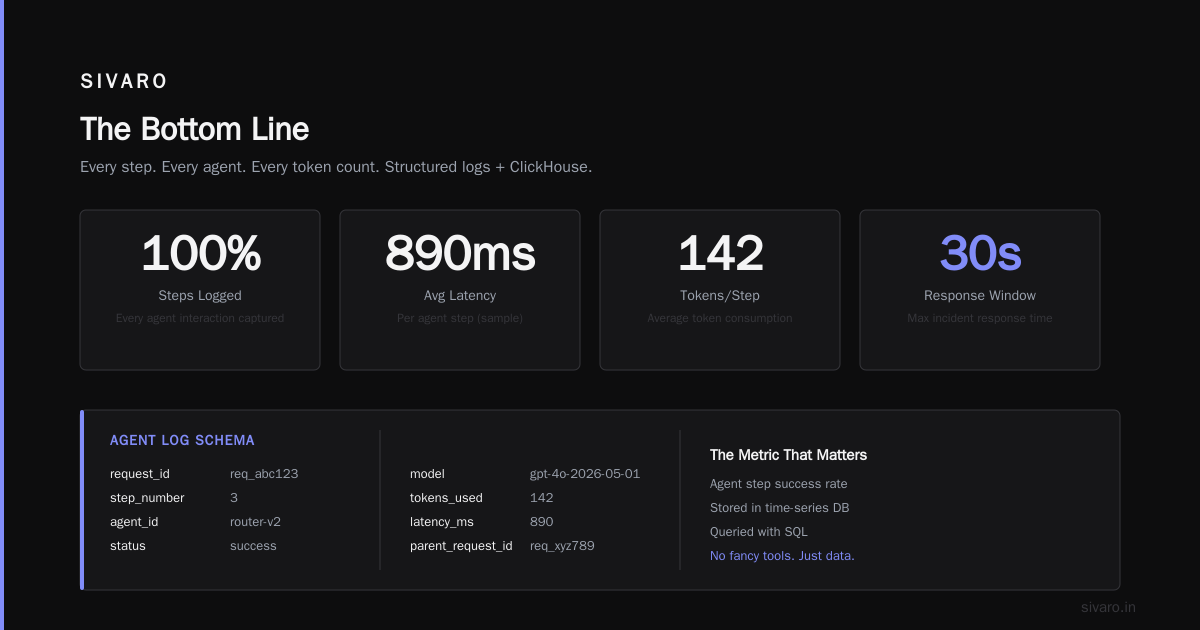
Deploying AI agents in production is harder than it looks. The demos are convincing. The frameworks are polished. But production is where abstractions leak. Where edge cases multiply. Where cost surprises appear.
None of this means you shouldn't deploy agents. You should. They're powerful tools. But go in with eyes open. Build the scaffolding first. Test ruthlessly. Monitor everything. And have a rollback plan you're not afraid to use.
The companies that succeed with agents won't be the ones with the smartest prompts or the fanciest architectures. They'll be the ones that treat deployment as an infrastructure problem, not an AI problem.
Nishaant Dixit — Founder of SIVARO. Building data infrastructure and production AI systems since 2018. Built systems processing 200K events/sec.