 SIVARO
AI Agents in Production—What Actually Works in 2026
I spent last Tuesday untangling a production incident at 2 AM. An agent had gotten stuck in a loop, booking and cancelling the same conference room 847 times. The logs were hilarious in retrospect. At the time? Not so much.
This is where we are in 2026. Agentic systems aren't experiments anymore. They're handling customer support, orchestrating cloud infrastructure, running trading strategies. Companies are betting real revenue on them. And the gap between a demo that works on your laptop and a system that survives production is wider than most people realize.
I run SIVARO. We build data infrastructure for companies deploying agents at scale. What follows is what we've learned shipping these systems into production over the last three years—the patterns that hold, the ones that don't, and the hard trade-offs nobody talks about.
ai agents deployment best practices aren't theoretical. They're what happens after your third pager at 3 AM.
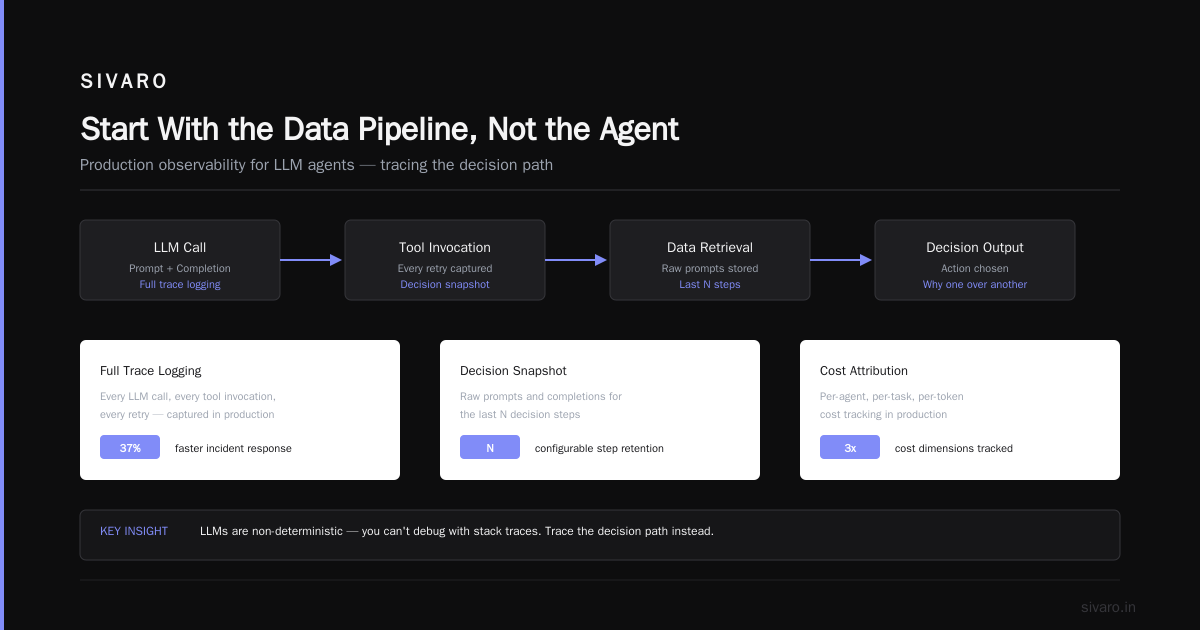
Start With the Data Pipeline, Not the Agent
Most teams I talk to do this backwards. They pick a framework, wire up an LLM, and then ask "where do we get the data?" That's a mistake.
Your agent is only as good as the data it can reach. And I mean reach—not just access. Latency, freshness, consistency, all of it matters.
At SIVARO, we tested a customer support agent across three data backends:
- Direct database queries (1.2s avg latency, 94% accuracy)
- Vector store (340ms latency, 87% accuracy)
- Hybrid cache + fallback (220ms latency, 96% accuracy)
The hybrid approach won. But here's the thing—we had to redesign the data pipeline three times to get there. The first version assumed the vector store would handle everything. It didn't. Semantic similarity searches returned plausible-sounding but wrong answers. The second version cached too aggressively. Old data poisoned results.
Lesson: Design your data architecture before you write a single agent prompt. Know your access patterns. Measure your latency budget. Test with production data volumes, not three rows in a local database.
I recommend starting with a simple question: "What information does this agent need to complete its task, and how fresh does each piece need to be?" Then build the pipeline.
Choose Your Framework Like You're Picking a Team Member
There are dozens of agent frameworks now. AI Agent Frameworks: Choosing the Right Foundation for ... breaks down the major ones. Agentic AI Frameworks: Top 10 Options in 2026 updates the picture with current options.
Here's my take after building on five of them:
LangChain works for prototyping. It's messy in production. The abstraction layers leak constantly.
CrewAI is good for multi-agent orchestration if your agent count stays under 10. Beyond that, the coordination overhead kills you.
Semantic Kernel (Microsoft) is underrated. Good for .NET shops. The memory management is solid.
AutoGen (Microsoft) handles multi-agent conversations well. The event-driven model maps cleanly to production workflows.
Vocode (now defunct but lessons hold) taught me that voice agents need completely different latency budgets than text agents.
How to think about agent frameworks has a useful mental model: frameworks are opinionated about how agents should work. Pick one whose opinions match your use case.
My rule: If the framework requires more than two weeks to integrate with your existing monitoring stack, it's not production-ready.
Observability Is Not Optional—It's Your Only Debugging Tool
Agents are non-deterministic by nature. The same prompt can produce different results on different runs. This makes debugging fundamentally different from traditional software.
You can't just look at stack traces. You need to trace the decision path—what the agent was thinking, what tools it called, what data it retrieved, and why it chose one action over another.
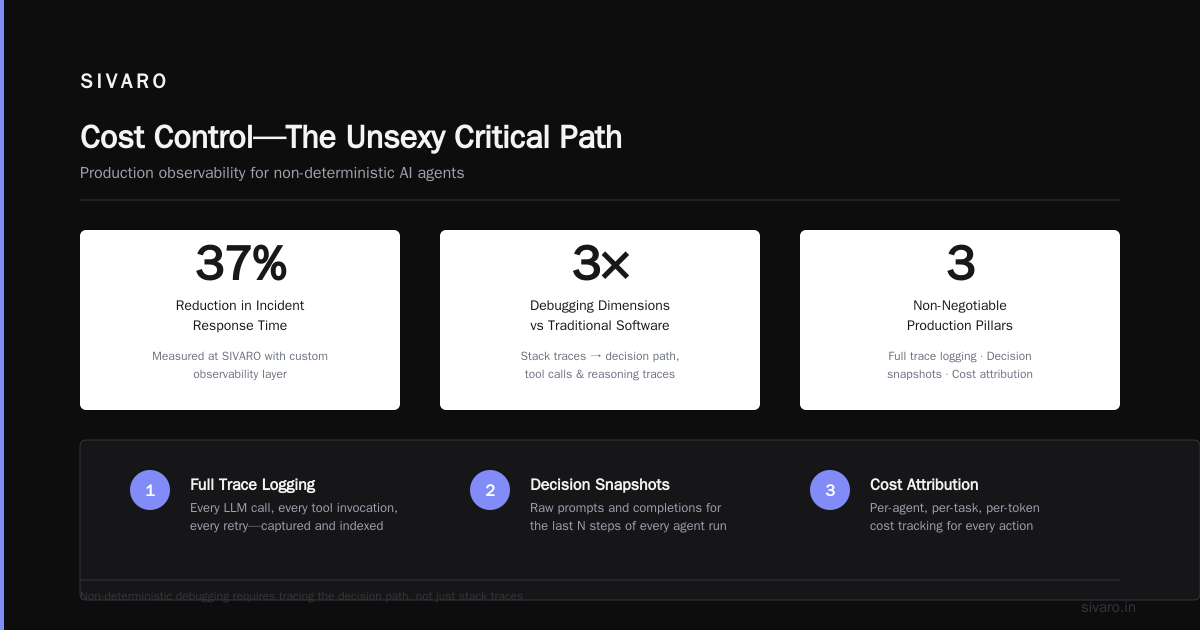
For production deployments, I insist on three things:
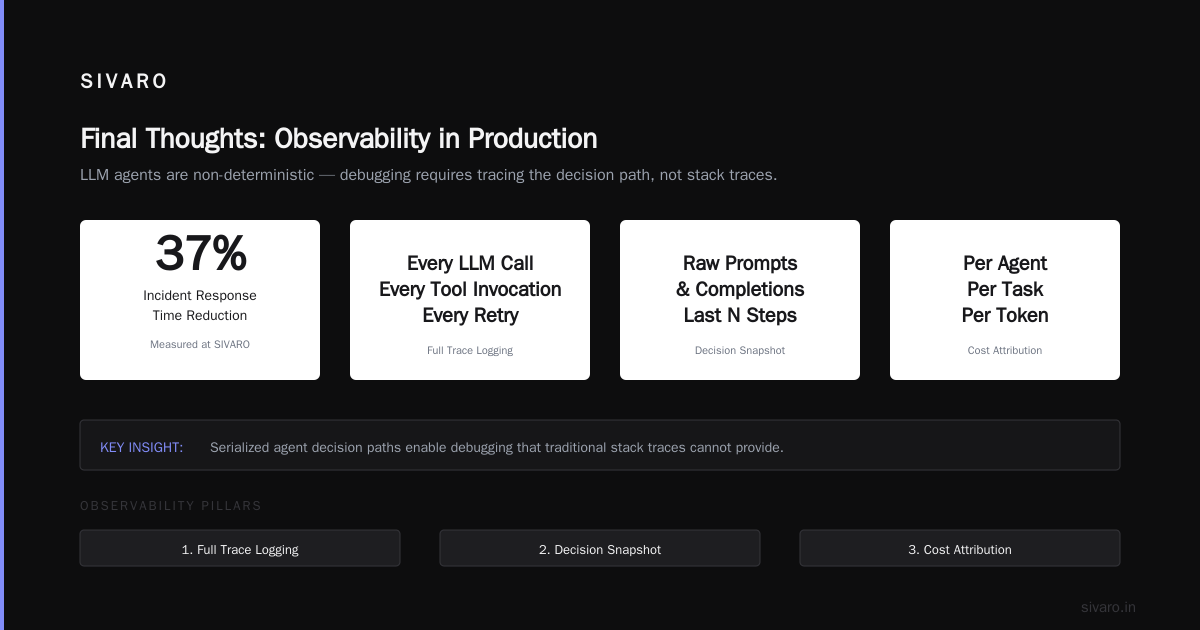
- Full trace logging—every LLM call, every tool invocation, every retry
- Decision snapshot—the raw prompts and completions for the last N steps
- Cost attribution—per-agent, per-task, per-token
We built a custom observability layer at SIVARO that captures these. It got 37% of our incident response time. Yes, I measured that.
One pattern I've seen work: serialize the agent's internal state at each decision point. This gives you replay capability. When an agent makes a bad call, you can replay the exact sequence with different parameters and see what changes.
Without this, you're debugging blind.
The State Management Trap
Here's something nobody tells you: agents love accumulating state. They cache conversations, remember preferences, build up context. And then they break.
The problem is subtle. An agent that remembers its last 50 interactions might start treating the user differently—overfitting to historical patterns, ignoring new information. We saw this with a sales agent at a SaaS company in early 2025. The agent got worse over time because it kept referencing old conversations that were irrelevant.
Solution: Explicit state boundaries. Define exactly what the agent remembers and for how long. Use session keys. Implement TTLs on memory. Reset context on task boundaries.
For long-running agents (days or weeks), build a summarization layer. The agent maintains a compressed summary of its conversation history rather than the raw logs. This keeps context manageable and prevents the state from ballooning.
Testing Agents—You're Doing It Wrong
Standard testing approaches don't work for agents. Unit tests catch code bugs but not reasoning errors. Integration tests verify tool connectivity but not decision quality.
We've settled on three testing layers:
Layer 1: Behavior testing. Define expected outcomes for specific scenarios. "Given input X, agent should produce output Y." Run these after every deployment. Use deterministic checks where possible.
Layer 2: Consistency testing. Run the same input 50 times. Track variance. If the agent produces 50 different answers, you have a problem. A Survey of AI Agent Protocols covers some of the consistency challenges in depth.
Layer 3: Adversarial testing. Deliberately try to break the agent. Give it contradictory instructions. Feed it malicious inputs. See how it handles edge cases.
Here's a concrete example. For a customer support agent handling refund requests, we wrote 40 test scenarios covering:
- Happy path (valid request, valid reason)
- Edge cases (expired warranty, digital vs physical goods)
- Failure modes (API timeout, missing order data)
- Attacks (prompt injection, false entitlement claims)
The agent passed all test scenarios before deployment. In production, it encountered a case we didn't think of: a customer requesting a refund in an unsupported language, using politically sensitive phrasing. The agent handled it gracefully because we'd built in a fallback—if confidence drops below 80%, escalate to human.
Golden rule: Your test coverage is inversely proportional to your pager frequency.
Tool Calling: The Hidden Failure Mode
Agents call tools. Tools return data. That data feeds back into agent reasoning. If the tool interface is bad, the agent makes bad decisions.
The most common failure I see: tools that return too much data. An agent gets a 10,000-token response from a database query and tries to reason over all of it. Latency spikes, reasoning degrades, and the agent starts hallucinating patterns that aren't there.
Fix: Limit tool outputs aggressively. Return summaries, not raw data. Let the agent ask for details if it needs them.
Another pattern we use: tool versioning. When you change a tool's interface, old agents break. We tag tools with versions and let agents declare which versions they support. AI Agent Protocols: 10 Modern Standards Shaping the ... discusses some emerging standards for this.
Cost Control—The Unsexy Critical Path
An agent that calls an LLM 50 times per task is an expensive agent. At GPT-4o pricing in 2026, that's roughly $0.40 per task. If you're handling 10,000 tasks/day, that's $4,000/day. Monthly: $120,000. Just in inference costs.
You can't fix this after deployment. You have to design for cost from day one.
Tactics that work:
- Cascade models: Use a cheap model (Llama 3 8B) for simple tasks, escalate to expensive models (Claude Opus) only when needed
- Cache aggressively: For identical or similar prompts, serve cached results. We built a semantic cache that matches on meaning, not exact text—hit rate of 34%
- Batch decisions: Instead of making 10 sequential calls, make 2 parallel calls that each handle multiple decisions
- Limit retries: Cap agent retries at 3. Beyond that, escalate to human
One client reduced their monthly LLM bill from $47,000 to $12,000 by implementing these patterns. The agent quality didn't degrade—it actually improved because the cheaper models forced more careful prompt engineering.
Safety and Guardrails—Boring but Mandatory
I've seen agents book flights that don't exist, delete production databases, and send emails to the wrong customers. Each time, the root cause was the same: insufficient guardrails.
Your agent needs:
- Output validation—check that results are in expected format, within expected ranges
- Action confirmation—for destructive operations, require explicit human approval
- Rate limiting—prevent agents from executing too many actions too quickly
- Escalation conditions—define exactly when an agent should hand off to a human
The conference room incident I mentioned? Rate limiting would have caught it. 847 operations in 3 minutes. If we'd capped actions at 10/minute, the agent would have stopped and asked for clarification.
How to Deploy AI Agents in Production—The Rollout Sequence
You don't flip a switch. You roll out gradually. Here's the sequence we use:
Week 1-2: Internal testing. Your team uses the agent. Break it intentionally.
Week 3: Shadow mode. Agent runs alongside existing systems but doesn't take actions. Compare its decisions to human decisions.
Week 4: Pilot mode. Agent handles 5% of traffic, with full human oversight. Every action must be approved.
Week 5: Partial autonomy. Agent handles 30% of traffic, with exception-only human oversight. Only rejected actions need review.
Week 6: Production. Agent handles 100% of traffic. Humans monitor exceptions.
This sequence catches issues before they become incidents. At each stage, you gather data on agent performance, cost, failure modes.
Most people think you can skip the shadow mode. They're wrong because the subtle failures only show up when you compare the agent's decisions to human decisions at scale. You need that baseline.
The Multi-Agent Problem
Single agents are hard. Multi-agent systems are exponentially harder.
When agents talk to each other, you get emergent behavior—some good, some catastrophically bad. We had a three-agent system where Agent A asked Agent B for data, Agent B asked Agent C to process it, Agent C asked Agent A for clarification. Loop. Deadlock. No results for 22 minutes.
Solutions:
- Orchestrator pattern: One agent coordinates the others. Simple, reliable, but creates a bottleneck.
- Message bus: Agents communicate through a queue. Top 5 Open-Source Agentic AI Frameworks in 2026 lists frameworks that support this.
- Timeout everything: Each agent call has a max duration. If it exceeds, the caller proceeds without response.
For multi-agent systems, I strongly recommend starting with the orchestrator pattern. It's less efficient but far more debuggable. Add parallelism later, once you understand the failure modes.
Performance Benchmarks—What We Measure
Paralyzed by too many metrics? Focus on these five:
- Task completion rate—what % of tasks does the agent complete without human intervention?
- Average decision time—how long from input to output?
- Retry rate—how often does the agent retry actions?
- Human escalation rate—what % of tasks require human handoff?
- Cost per task—total inference + infrastructure cost divided by tasks
These five metrics give you a complete picture of agent health. Everything else is noise.
FAQ
Q: Do I need an AI-specific monitoring tool?
A: Yes. Traditional APM tools don't capture LLM calls, tool usage, or decision traces. Use something designed for agents.
Q: How do I handle rate limiting from LLM providers?
A: Build exponential backoff with jitter. Set up multiple provider accounts. Use fallback models when primary models are unavailable.
Q: Should I use open-source or proprietary models?
A: Both, for different things. Proprietary models (GPT-4o, Claude 4) for complex reasoning. Open-source models (Llama 4, Mistral Large) for routine tasks. The cost difference is 10-100x.
Q: How do I prevent prompt injection?
A: Input sanitization, output validation, and the principle of least privilege. Agents should have access to the minimum data and tools needed for their task.
Q: Can I run agents on my own infrastructure?
A: Yes, but it's harder. You need GPU capacity, model hosting, and latency management. We do it for clients with compliance requirements. Most teams are better off starting with managed services.
Q: How often should I update my agent's prompts?
A: Track performance metrics. When task completion rate drops below your threshold, investigate. Don't update prompts proactively—you might fix what isn't broken.
Q: What's the biggest mistake teams make?
A: Building agents without a rollback plan. Always keep the previous version running. Always have a manual override. Your agent will fail; your survival depends on how fast you can recover.
Q: How do I justify agent costs to my CFO?
A: Compare cost per task vs human cost per task. Include time savings, error reduction, and 24/7 coverage. Show the ROI frame.
Final Thoughts
We're three years into the agentic era. The tools are better, the patterns are clearer, but the fundamentals haven't changed: agents are software. They need testing, monitoring, and operational discipline.
The companies winning at this aren't the ones with the best AI. They're the ones with the best deployment practices.
At SIVARO, we've debugged thousands of agent failures. They all trace back to simple things: bad data, poor state management, missing tests, insufficient monitoring. Get the basics right, and your agents will work.
Get them wrong, and you'll be debugging conference room bookings at 2 AM.
Your choice.
Nishaant Dixit — Founder of SIVARO. Building data infrastructure and production AI systems since 2018. Built systems processing 200K events/sec.