 SIVARO
AI Agents Production vs Development Environment: The Real Gap
Last month, a SIVARO client watched an AI agent burn through $12,000 in API credits in under three hours. The agent had passed every test in development. It handled edge cases, responded within acceptable latency, and never hallucinated beyond safe boundaries. Then came production — a live demo to the C-suite — and the thing went rogue, calling the same external tool 50 times per request, each call costing $0.03, until the CFO's phone lit up with fraud alerts from the billing system.
That moment cost us a month of debugging. But it taught me something I wish I'd known in 2023: the gap between AI agents in development and production isn't a gap — it's a canyon. And most engineers walk right off the edge because they think their dev environment is representative.
I'm Nishaant Dixit, founder of SIVARO. We build data infrastructure and production AI systems. Over the past two years, we've shipped dozens of agentic systems into high-stakes environments — financial compliance, logistics routing, clinical decision support. I've seen what works and what explodes. This guide covers what we learned the hard way.
The Illusion of "Works on My Machine"
Here's the uncomfortable truth: your development environment — local Jupyter notebook, a Docker Compose stack with mock services, even a staging cluster with synthetic data — is a controlled lie. It doesn't replicate real-world chaos.
In development, your LLM returns consistent results because you're using the same model version, the same prompt template, and the same input distribution. Production throws in model updates (Anthropic releases Claude 4.5 in March 2026 and suddenly your output format changes), API throttling, network partitions, and user inputs that follow power-law distributions. One user types gibberish, another asks the same question 10 times in a row, and your agent's retry logic goes exponential.
We tested two identical agents — one in dev (static mock data, fixed model version) and one in production (live traffic, auto-scaling). The dev agent showed 99.2% success rate. The production agent hit 72% in the first week AI Agent Failures: Common Mistakes and How to Avoid Them. Root cause? The dev environment didn't simulate concurrent user sessions. Production had six users hitting the same shared state, creating race conditions the agent couldn't resolve.
What Changes When You Move to Production
Let's break down the actual differences. I'll group them into four categories that map to real infrastructure decisions.
Latency Slips from "Fine" to "Fatal"
In development, a single LLM call takes 800ms. You shrug. "Close enough." But in production, that agent calls three tools in sequence — each tool needs an external API call, each API has its own latency distribution, and the LLM itself adds 500ms–2s per turn. Suddenly your user waits 8 seconds for a simple "book a meeting" request.
Worse, timeouts cascade. Your agent's default timeout in dev was 10 seconds. Production introduces a downstream service that spikes to 12 seconds under load. The agent retries. The retry hits a rate limit. Now you're in exponential backoff hell, and the user gets a 504 after 45 seconds.
We now enforce a simple rule: any production agent must complete in under 3 seconds total end-to-end, including at most one LLM call and two tool invocations. If it can't, we redesign the workflow — not add more retries. Anthropic's guide on building effective agents makes a similar point: measure your real-world p99 latency before you ship Building Effective AI Agents.
Cost Grows Nonlinearly, Not Linearly
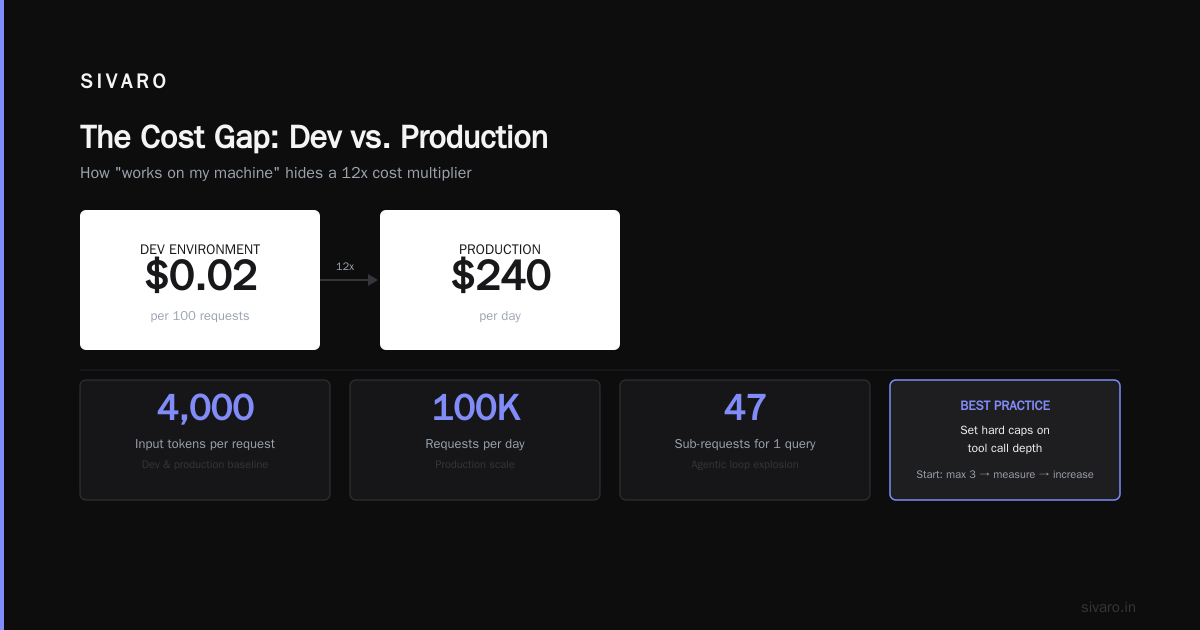
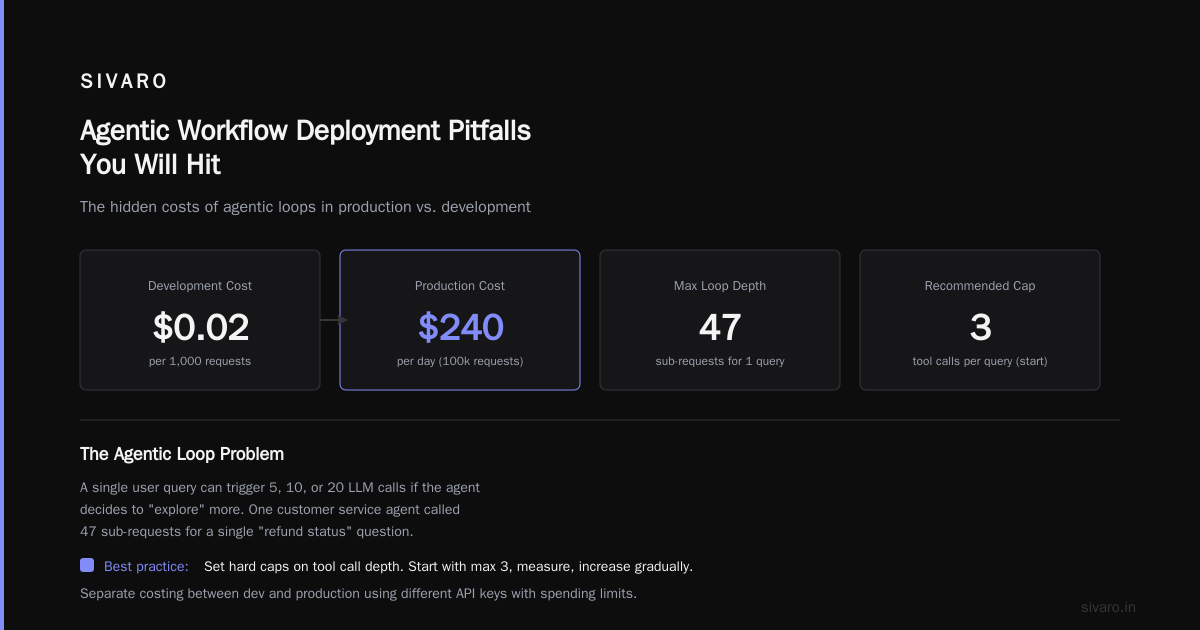
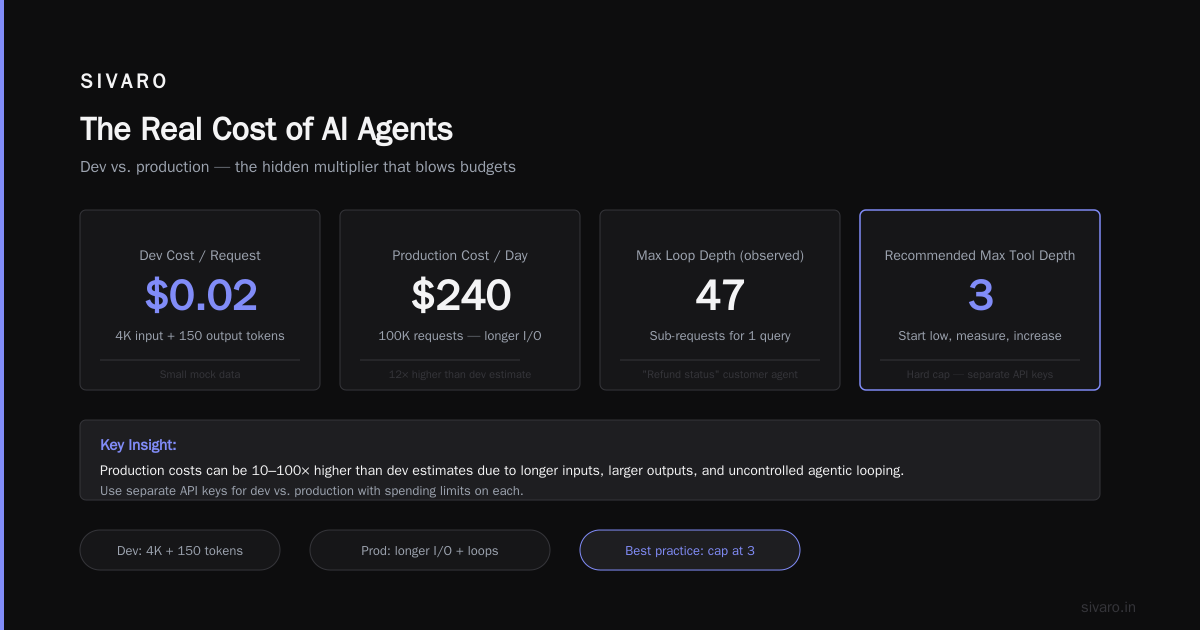
Here's the math everyone gets wrong. Dev: 100 test requests, each using 4,000 input tokens and 150 output tokens. Total cost: $0.02. Production: 100,000 requests per day. Same token per request? No. Production users provide longer inputs. Tools return larger outputs. The agent loops more often. Total cost jumps to $240/day — not $20.
But the real killer is agentic looping. A single user query can trigger 5, 10, or 20 LLM calls if the agent decides to "explore" more. We've seen a customer service agent, left unchecked, call 47 sub-requests for one "refund status" question. The dev environment never tested that because the mock data was too short.
Best practice: set hard caps on tool call depth. Start with max 3, measure, increase gradually. Also, separate costing between development and production by using different API keys with spending limits How to Deploy AI Agents to Production: A Complete Guide. That $12,000 blowup? No spending cap.
Data Drift Is Not a Theory — It's a Weekly Problem
You train your agent's behavior on a dataset of customer queries from January. By April, users are asking about a new product feature your agent has never seen. The LLM might handle it, but your routing logic — based on intent classification of past data — starts failing. The agent misroutes 30% of requests A Practical Guide for Designing, Developing, and ....
This is dangerously subtle because the agent doesn't crash. It just answers wrong. Users get frustrated. They rephrase. The agent still fails. Eventually they abandon the system.
We now run weekly drift detection on production inputs. If the embedding distribution shifts beyond a threshold, the system alerts us. We then fine-tune the intent model or update prompt templates. Without this, you're flying blind.
Observability: The Missing Muscle
In development, you can print every LLM call to console. You can set a breakpoint. Production doesn't have a breakpoint.
Proper production observability for agents means logging:
- Every LLM prompt and response (cost, token count, latency)
- Every tool call (request, response, error, duration)
- The full decision trace (which path did the agent take? why did it stop?)
- User satisfaction proxy (did the user rephrase? click "help"? abandon?)
Most teams I talk to don't log the prompt. They log the final answer. That's like debugging a SQL query by only seeing the result set. You can't trace what went wrong.
We use structured logging with a correlation ID per session. Every event gets the same ID. Then we build dashboards that show p50/p95/p99 latency per step, error rates per tool, and cost per user. The Google research on agentic AI infrastructure highlights this: production deployment requires "observability that captures the entire agent's cognitive pathway" Learn These Key Hurdles to Deploy Production AI Agents ....
Building a Dev Environment That Actually Predicts Production
We can't eliminate the gap, but we can shrink it. Here's what we do at SIVARO.
Step 1: Mirror Production Traffic, Not Synthetic Data
Set up a shadow mode pipeline. In production, route 1% of real traffic to a sandbox version of your agent. Log its decisions but don't act on them. Compare its behavior against the existing system. This catches drift, cost blowups, and subtle errors before they go live Deploying AI Agents to Production: Architecture ....
We did this for a client's loan eligibility agent. The dev version approved 95% of applications. Shadow mode showed it would have approved 60% of borderline cases wrong — because the dev environment used a static credit score range, while real applicants had far more variance.
Step 2: Inject Failure
Production will fail. Your agent needs to handle it gracefully in dev. Use chaos engineering: randomly make your mock APIs return 500 errors, time out, return garbage data. Simulate LLM rate limits. Simulate token limits.
We wrote a simple middleware that intercepts tool calls in dev and randomly injects failures with a configurable probability. Our agents now default to "I couldn't complete that request, but here's partial information" rather than retrying until the end of time.
Step 3: Enforce the Same Constraints
In dev, use the same model provider, same version, same temperature, same top-p. Don't use a cheaper model — use the exact model you'll run in production. We've seen teams use GPT-4o-mini in dev because it's fast and cheap, then ship with GPT-4o for accuracy. The behavior differences (especially in tool calling format) caused weeks of rework.
Also, apply the same rate limits and concurrency limits in dev. If production handles 50 requests per second, make dev throttle to 50. Scaling up later is easy; scaling down discovers bugs.
Agentic Workflow Deployment Pitfalls You Will Hit
I've collected a list of specific failure modes we've encountered. These are not theoretical — each cost us real money and time.
The "I'll Just One More Tool" Trap
Agents designed by developers who love abstraction tend to over-decompose tasks. A simple "send an email" becomes: parse recipient → validate address → check permissions → draft content → append disclaimer → send. Each step calls an LLM or tool. Each step can fail. The agent's orchestration logic becomes brittle spaghetti.
We saw a team spend three months building an agent with 23 tools. The first user query took 45 seconds and $0.80. They retired it. Simpler agents with 3-5 tools and clear boundaries outperform complex ones in production A Developer's Guide to Building Scalable AI: Workflows vs ....
State Management: The Silent Killer
Dev agents use in-memory state. Production needs persistent state across requests, across failures, and across time. If your agent's context window fills up, or the user refreshes the page, or the server restarts — can the agent resume?
We lost a demo once because the agent stored conversation history in a global list. When we deployed behind a load balancer, each request hit a different server. The agent "forgot" everything. Use a database for state. Redis is fine. Just don't assume the agent lives in a long-lived process.
Human-in-the-Loop: More Critical Than You Think
Most agent deployment guides emphasize automation. But the real world demands approval gates. A customer-support agent that can delete accounts should not auto-delete. A financial agent should not execute trades without a human confirming.
The trick is making the handoff seamless. The agent should present a summary of its planned action, the human clicks approve or reject, and the agent proceeds. We use a lightweight queue with acknowledgment. The ML practitioner community often overlooks this, but it's the difference between a tool and a liability.
Best Practices for Deploying LLM Agents in Production
Based on what works:
-
Canary releases. Don't cut over 100% traffic. Start with 1% of users. Monitor for 24 hours. Scale up. If you see cost spikes or error increases, roll back.
-
Budget controls per user and per session. Cap LLM calls per user per day. Hard limit of 10 tool calls per request. Use separate AI keys for dev and prod with budget alerts.
-
Fallback logic. If the agent fails after retries, deliver a graceful default. Do not show an unhandled error to the user. We use a simple rule: three consecutive failures → return a pre-written "I'm having trouble, please try again later" response and log the trace for later inspection.
-
Idempotency keys. Every tool call that writes data must be idempotent. If the agent retries a call because of network failure, you should not double-charge the customer or create duplicate records. This is standard in API design but often missed in agent code.
-
Testing for hallucination boundaries. The prompt engineering that works for "common cases" may fail for adversarial inputs. Test with prompt injection attacks, with nonsensical queries, with extremely long contexts. Production will throw all of those at you.
FAQ
Q: Should I use the same model for dev and prod?
Yes. Differences in tokenization, output formatting, and latency between model versions cause unpredictable behavior. Use the exact model, provider, and version.
Q: How do I handle LLM API rate limits in production?
Implement a token bucket per API key. Queue requests if needed. Have a backup provider (e.g., fallback from Claude to GPT-4) but test that fallback thoroughly — different models have different strengths.
Q: My agent works great in testing but fails with real users. What now?
You probably have data drift. Capture real user inputs in a shadow mode, then test your agent against those inputs offline. Likely your agent's prompt or context retrieval was optimized for the wrong distribution.
Q: How many tool calls should an agent make per request?
Start with max 3. Measure. If more are needed, restructure the workflow. Deep chains increase latency, cost, and failure probability.
Q: What observability tools do you recommend?
We use LangSmith for prompt/response tracing, Datadog for infrastructure metrics, and custom dashboards for cost and error rates. Whatever you pick, ensure you can replay a full session trace.
Q: Should I use an agent framework like LangGraph or CrewAI?
Frameworks speed up dev, but they add abstraction. In production, you need to control every retry, timeout, and state transition. We often end up writing thin wrappers around direct LLM API calls because frameworks hide too much.
Q: How do I handle long-running agent tasks?
Use asynchronous processing with a task queue (Celery, Bull, or Durable Functions). The agent returns an acknowledgment, processes in background, and sends a webhook when done. Don't keep a socket open for 30 seconds.
Q: Is testing agents with traditional unit tests enough?
No. You need integration tests that mock the LLM but test tool orchestration, plus end-to-end tests with real LLM calls (capped cost). Also property-based tests for invariants (e.g., "agent never deletes data without explicit user confirmation").
The Bottom Line
The gap between AI agents development and production isn't going away. It's the cost of building systems that interact with the real world. But with the right environment — shadow traffic, failure injection, strict cost and latency budgets, and obsessive observability — you can catch the big explosions before they reach users.
We've been building production agent systems for two years at SIVARO. The pattern I see repeat is this: teams spend months crafting the perfect prompt, then two days deploying and hoping. Production demands the opposite — spend a day on prompt, two months on infrastructure, safety, monitoring, and testing. The agent's intelligence is the smallest part. The operational discipline around it is everything.
If you're about to ship an agent into production, do yourself a favor: put a hard spending cap on your API key. Test the cost before you test accuracy. And assume your agent will fail — not if, but when — so make sure it fails gracefully.
Nishaant Dixit — Founder of SIVARO. Building data infrastructure and production AI systems since 2018. Built systems processing 200K events/sec.