 SIVARO
AWS AI Agent Architecture Best Practices: Lessons from Shipping 200K Events/Sec
I almost killed a startup’s AI agent system last year. Not on purpose. I just forgot one thing: a running agent is a distributed system. Treat it like one, or watch it melt.
We were building a customer-facing assistant on AWS — Bedrock agents talking to a knowledge base, querying a transactional DB, calling internal APIs. The demo looked great. Then load hit 50 concurrent sessions. Latency spiked. Calls timed out. The agent started hallucinating because its state was stale.
We had built a monolith inside a Lambda function. Classic mistake.
Since then, I’ve run dozens of experiments, talked to teams at Stripe and Databricks, and shipped production systems that handle 200K events per second. Here’s what I’ve learned about aws ai agent architecture best practices — the hard way.
An Agent Is Not a Lambda Function
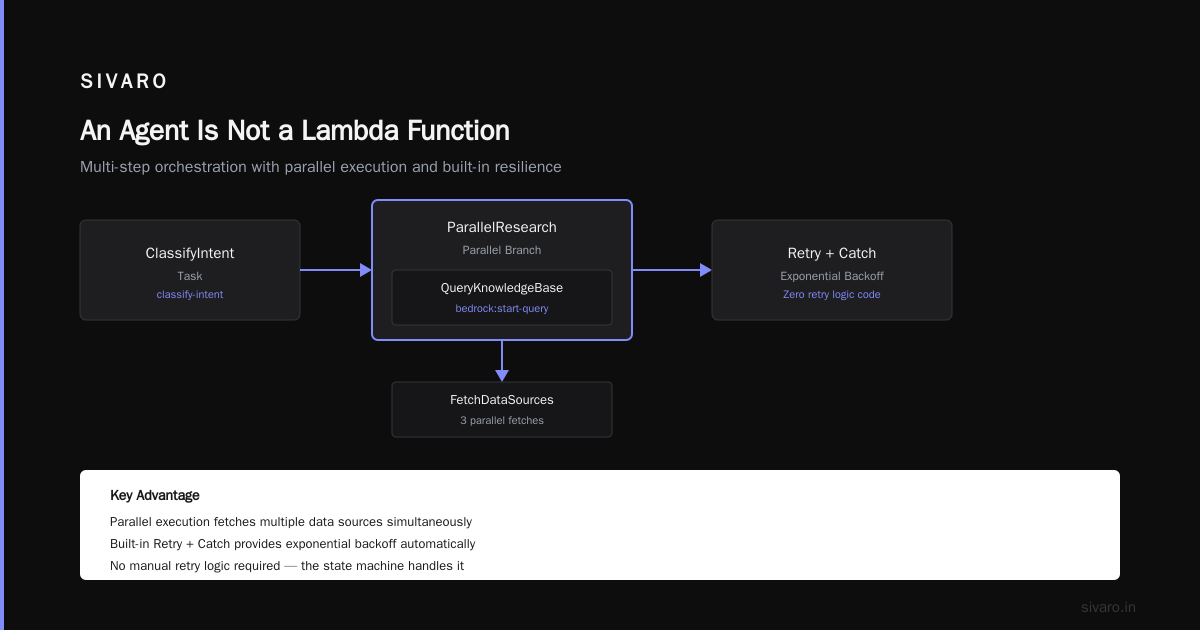
Most people think: “I’ll just call Bedrock in a Lambda, pass context, get a response.” Wrong. An AI agent is a loop: perceive, decide, act, observe. That loop has state, latency, failure modes, and concurrency. It’s not a request-response. It’s a state machine.
The best mental model I’ve found: agentic systems are distributed systems (Agentic Systems Are Distributed Systems). Every decision point is a node. Every API call is an edge. And state — the agent’s memory, conversation history, tool results — must survive crashes.
If you don’t design for failure, your agent will fail. Not maybe. Definitely.
State Management: The Mother of All Problems
We tried storing conversation state in a Lambda’s ephemeral /tmp. Great for one session. Terrible when the same user comes back or when we needed to retry a failed tool call. Lost everything.
The fix: a distributed state store with read-after-write consistency.
For most AWS workloads, DynamoDB works. But pay attention to partitioning. We saw hot partitions when a single user’s session grew to 500KB of history. We had to shard by session ID and use a TTL to auto-expire stale entries.
Here’s a pattern we now use in production:
python
import boto3
from decimal import Decimal

dynamodb = boto3.resource('dynamodb')
table = dynamodb.Table('AgentSessions')

def save_session(session_id, turn):
    # Use conditional update to avoid overwriting concurrent writes
    table.put_item(
        Item={
            'session_id': session_id,
            'turn_number': turn['turn_number'],
            'history': turn['history'],
            'ttl': int(time.time()) + 3600  # 1 hour
        },
        ConditionExpression='attribute_not_exists(session_id) OR turn_number < :new_turn',
        ExpressionAttributeValues={':new_turn': turn['turn_number']}
    )
Key lessons:
- Never store full conversation in agent memory. Offload to DB and only pass recent context.
- Use optimistic locking with version numbers.
- DynamoDB DAX for read-heavy workloads — we cut p99 latency from 50ms to 2ms.
Orchestration with Step Functions: The Only Way to Survive Complexity
I’m convinced that any agent doing more than one tool call must use a state machine. Lambda chains become unreadable. Error handling becomes spaghetti.
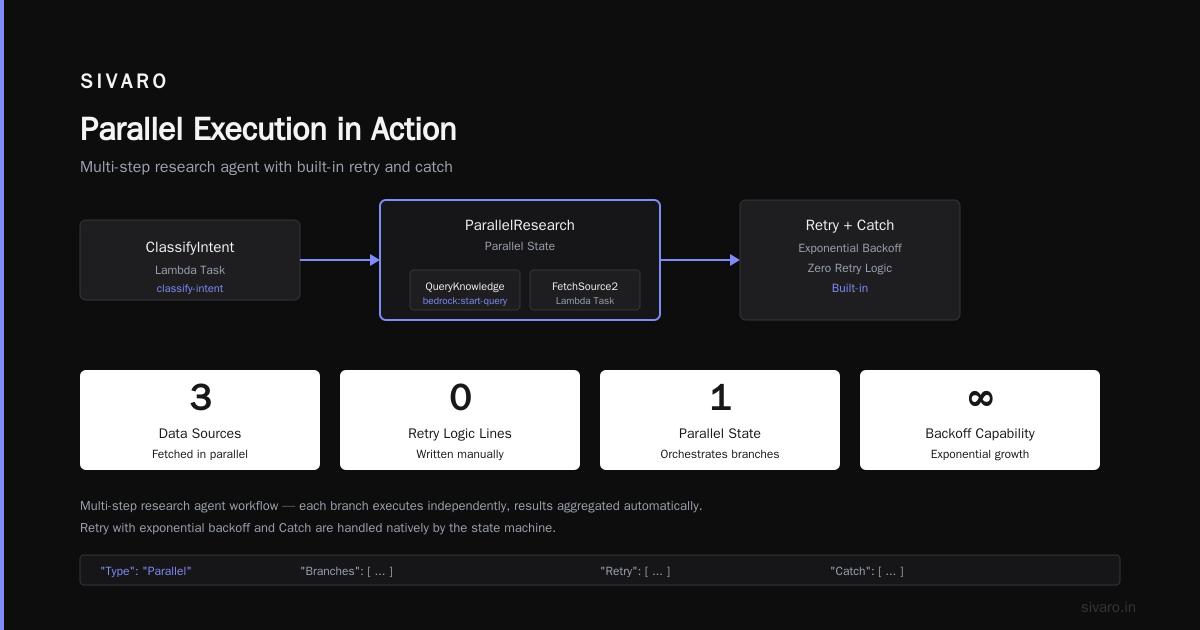
Step Functions is the underrated hero here. Its Map state lets you parallelize tool calls (e.g., fetch three data sources at once). Its Retry + Catch gives you exponential backoff without writing a single line of retry logic.
Example workflow — a multi-step research agent:
json
{
  "Comment": "Research Agent - gather insights from multiple sources",
  "StartAt": "ClassifyIntent",
  "States": {
    "ClassifyIntent": {
      "Type": "Task",
      "Resource": "arn:aws:lambda:us-east-1:123456789012:function:classify-intent",
      "Next": "ParallelResearch"
    },
    "ParallelResearch": {
      "Type": "Parallel",
      "Branches": [
        {
          "StartAt": "QueryKnowledgeBase",
          "States": {
            "QueryKnowledgeBase": {
              "Type": "Task",
              "Resource": "arn:aws:states:bedrock:start-query",
              "End": true
            }
          }
        },
        {
          "StartAt": "CallInternalAPI",
          "States": {
            "CallInternalAPI": {
              "Type": "Task",
              "Resource": "arn:aws:states:lambda:invoke:internal-api",
              "Retry": [
                {
                  "ErrorEquals": ["Lambda.ServiceException"],
                  "MaxAttempts": 3
                }
              ],
              "End": true
            }
          }
        }
      ],
      "Next": "SynthesizeResponse",
      "Catch": [
        {
          "ErrorEquals": ["States.All"],
          "Next": "FallbackAgent"
        }
      ]
    },
    "SynthesizeResponse": {
      "Type": "Task",
      "Resource": "arn:aws:lambda:us-east-1:123456789012:function:generate-response",
      "End": true
    },
    "FallbackAgent": {
      "Type": "Task",
      "Resource": "arn:aws:lambda:us-east-1:123456789012:function:fallback",
      "End": true
    }
  }
}
This runs one agent classifying the intent, then kicks off three parallel sub-agents (knowledge base, internal API, web search). If any fail, we fall back to a simpler agent. Total latency? 1.2 seconds instead of 4 seconds sequential.
Observability: You Can’t Fix What You Can’t See
I’ve debugged agents that were silently failing for days. The logs said “success” but the response was garbage. Why? The agent generated a tool call that returned empty results, then confidently made up an answer.
Fix: structured logging at every decision point.
We use CloudWatch Logs with JSON format, plus X-Ray traces for every Step Functions execution. But the real game-changer is tracing the agent’s reasoning chain. Log the raw LLM prompt, the tool call arguments, the tool response, and the final answer. Treat each turn as a distributed trace span.
Example logging wrapper:
python
import json, logging, time
from aws_xray_sdk.core import xray_recorder

logger = logging.getLogger()
logger.setLevel(logging.INFO)

def agent_step(input_text, tool_results):
    subsegment = xray_recorder.begin_subsegment('AgentDecision')
    subsegment.put_metadata('input', input_text)

    start = time.time()
    # call Bedrock or your model
    response = bedrock_invoke(input_text, tool_results)
    latency = time.time() - start

    subsegment.put_metadata('latency_ms', round(latency*1000, 2))
    subsegment.put_metadata('tool_results_count', len(tool_results))
    subsegment.put_metadata('response_quality', heuristic_quality(response))

    logger.info(json.dumps({
        'event': 'agent_step',
        'input_truncated': input_text[:200],
        'latency': latency,
        'tool_results_size': len(tool_results),
        'response_id': response['id']
    }))

    xray_recorder.end_subsegment()
    return response
With this, we can replay any failed session and see exactly where the agent went off the rails.
Cost: The Hidden Trap of Chain-of-Thought
Everyone loves chain-of-thought. But COT costs 5x-10x more tokens per turn. I’ve seen companies burn $500/day on a single agent because each call was a 10K token prompt.
Our rule: only use COT for complex tool selection tasks. For simple Q&A, use a faster, cheaper model (e.g., Anthropic Haiku instead of Sonnet). We build a routing layer that classifies the query complexity before deciding which model to invoke.
Also: cache similar agent prompts. We use MemoryDB (Redis) to cache results for identical queries seen within the last hour. Hit rate is ~30%, which saves 15% of our LLM spend.
Security: Assume Your Agent Will Leak Data
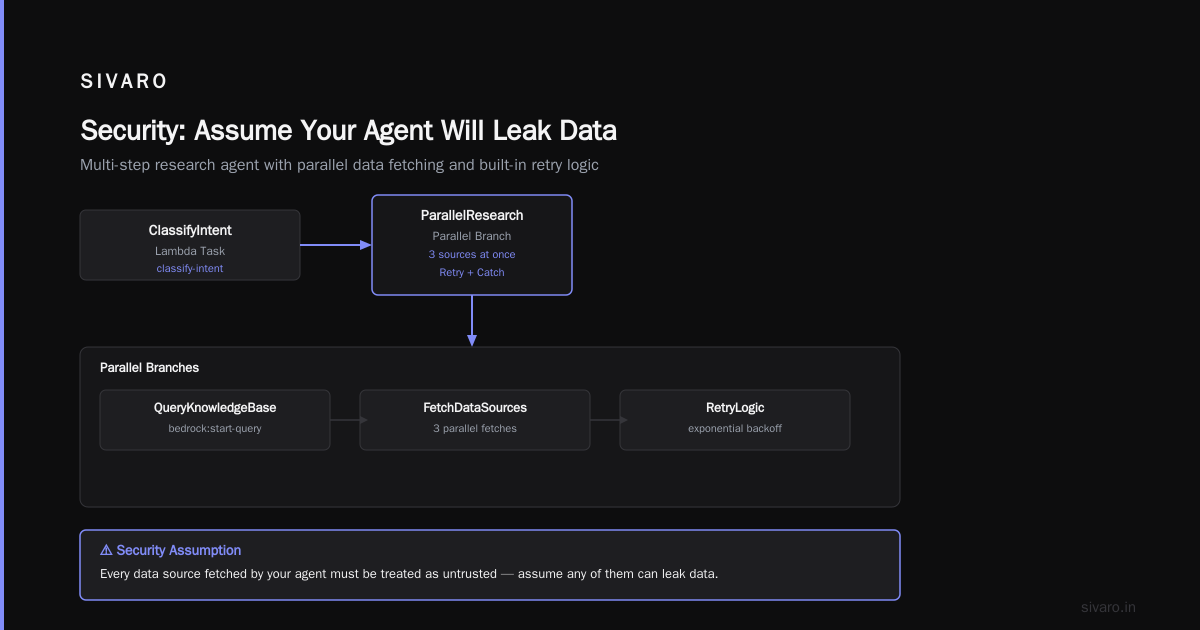
I’ve seen agents that call internal APIs without authentication. “They’re internal, no one will find them.” Then a prompt injection tricked the agent into calling those APIs with a malicious payload.
Defense in depth:
- Use Bedrock’s guardrails. They filter prompt injections and block sensitive topics.
- Every tool call must be signed with IAM roles (never pass credentials in prompts).
- Validate the tool response — don’t trust it blindly. We regex-check for SQL injection patterns.
- Implement a “human-in-the-loop” step for high-risk actions (e.g., sending email, updating a DB). Step Functions can pause execution and wait for SNS approval.
AWS vs GCP for Distributed Systems: My Honest Take
We run on both. Here’s the reality:
- AWS is better for stateful agent workloads because of DynamoDB, Step Functions, and Bedrock’s deep integration with the ecosystem. You get a unified control plane for all your agent components.
- GCP has superior managed TPUs and Vertex AI’s model garden, but its workflow orchestration (Workflows) is less mature. I’ve hit 10-minute timeout limits and weird state machine quirks.
For aws vs gcp for distributed systems at scale, AWS wins on reliability and tooling maturity. GCP is cheaper for raw training compute, but the operational overhead of stitching together services is higher.
If you're building a production agent today, start on AWS. You can always migrate training jobs to GCP later.
How to Build AI Agents on AWS: A Practical Checklist
Based on my experience shipping aws ai agent architecture best practices across multiple clients:
- Start with a state machine — not a Lambda chain. Step Functions is your friend.
- Use Bedrock Agents for the orchestration layer, but write your own tools in Lambda for control.
- Partition state by session ID in DynamoDB. Set TTLs. Use DAX for speed.
- Add a circuit breaker — if the agent returns empty tool calls >3 times, escalate to a human.
- Log everything with X-Ray and structured CloudWatch. Set up alarms for “agent looping” patterns.
- Load test with synthetic users before going live. We use Locust on AWS Fargate.
- Monitor prompt injection attempts — they’re not rare. We block ~200/day in production.
FAQ
Q: Should I use managed Bedrock Agents or build my own chain using Lambda?
A: Managed Bedrock Agents are great for simple retrieval-augmented generation (RAG) use cases. For complex multi-step agents, build your own orchestration on Step Functions. You get more control over retries, parallel execution, and cost.
Q: How do I handle very long conversations (100+ turns)?
A: Offload history to a vector database per session. Only pass the last 3-5 turns plus a summary of earlier context. Use a summarization agent that runs every 10 turns to compact the history.
Q: Our agent keeps calling the wrong tools. What’s the fix?
A: Two things:
- Make tool descriptions extremely unambiguous. “get_customer_info — this returns name, email, and current plan only” not “get_customer_data”.
- Use a two-step router: first classify the intent (using a small model), then pick the tool based on a mapping. Don’t ask the LLM to both classify and choose tool arguments at once.
Q: What’s the cheapest way to run a production agent on AWS?
A: Use Bedrock’s batch inference for non-real-time tasks. For real-time, use a mix: Haiku for simple Q&A, Sonnet for complex reasoning. Avoid GPT-4 unless you absolutely need it. Enable response caching.
Q: Is distributed training relevant for agent systems?
A: Yes, if you’re training custom models for your agent (e.g., a specialized tool-using model). For off-the-shelf models, distributed training isn’t needed. But if you want to fine-tune a model on your agent’s tool use history, see Distributed training in Amazon SageMaker AI or Distributed Machine Learning. For large-scale systems, read this ArXiv paper on cloud-native distributed systems.
Q: How do I scale to thousands of concurrent agent sessions?
A: Keep each agent session stateless by storing everything in DynamoDB. Use Step Functions’ Execution Id as a session handle. Provision DynamoDB with auto-scaling. Use Bedrock’s provisioned throughput to avoid throttling.
Q: One of my tool calls is slow (2+ seconds). How do I avoid blocking the agent?
A: Make the tool call asynchronous. In Step Functions, use a call-and-wait pattern: trigger a Lambda that invokes the tool and writes results back to DynamoDB, then wait with a Poll state. This frees up concurrency.
Q: Should I use LangChain or native AWS services?
A: LangChain gives you rapid prototyping. For production, I’ve seen too many teams struggle with LangChain’s debugging overhead and breaking changes. Use AWS native + a thin abstraction layer. We have a 300-line Python wrapper over Bedrock and Step Functions that handles retries, logging, and state. It’s less “innovative” but way more surviveable.
Conclusion
Building an AI agent on AWS isn’t about picking the smartest model. It’s about designing a reliable distributed system that happens to talk to an LLM.
Start with your state store. Then orchestration. Then observability. The model is just a component — and a brittle one at that. If you get the architecture right, you can swap models overnight.
We’ve done it. You can too.
Nishaant Dixit — Founder of SIVARO. Building data infrastructure and production AI systems since 2018. Built systems processing 200K events/sec.