 SIVARO
AWS EC2 GPU vs SageMaker for Training – A Practitioner's Guide
Back in early 2025, my team at SIVARO was staring down a 7B parameter language model training run. We had a choice: spin up EC2 GPU instances ourselves, or let SageMaker handle the orchestration. I’d been burned before by managed services that promised simplicity but delivered lock-in. Yet raw EC2 felt like building your own data center from scratch every time.
So we ran both. Side by side. Same model, same dataset, same cluster size.
What I learned changed how we think about infrastructure for production AI. This guide is that story — the numbers, the gotchas, the decisions you’ll face when you pick between EC2 GPU and SageMaker for training. If you’re building distributed systems for AI, especially if you’re exploring distributed systems ai agents architecture explained or figuring out how to build multi-agent systems in production, this comparison matters more than you think.
The Hidden Cost of “Managed” – SageMaker Isn’t Always Cheaper
Most people assume managed training is cheaper because you don’t pay for idle orchestration nodes. Wrong.
SageMaker charges per instance-hour plus a markup for the managed service. As of August 2026, that markup is around 10-15% over the raw EC2 on-demand price for the same instance type. For a p5.48xlarge (8x H100 GPUs), that adds roughly $4-5 per hour per instance. On a 500-hour training run across 8 instances, that’s an extra $16,000 – just for the privilege of not writing a launch.py script.
But wait – SageMaker includes automatic spot instance management, checkpointing, and cluster orchestration. If your team doesn’t have a dedicated DevOps person, that $16K might save you $80K in engineering time. I’ve seen teams at a fintech startup burn three weeks just getting network bonding between EC2 instances to work for MPI.
The real cost is the opportunity cost of debugging infrastructure instead of training. SageMaker abstracts away the Nicolas Cage-level chaos of multi-node networking, NCCL timeout tuning, and EBS volume provisioning. That’s valuable.
But here’s the contrarian take: SageMaker’s managed training is great until you hit its limits. And when you do – custom networking, specialized storage, non-standard orchestrators like SLURM – you’re stuck. You can’t simply “go deeper” because the abstraction layer is opaque. EC2 gives you full control, which is essential if you’re doing research or running bleeding-edge model architectures that push NCCL in weird ways.
When You Should Absolutely Use EC2 GPU (And When You Shouldn’t)
Use EC2 when:
- You need bare-metal or direct GPU access (e.g., for custom CUDA kernel debugging)
- Your training framework doesn’t play nicely with SageMaker’s container setup (I’m looking at you, older versions of PyTorch DistributedDataParallel with mixed-precision)
- You want to use spot instances aggressively and can handle preemptions yourself
- You’re building a shared cluster for multiple teams – something like Slurm on EC2 is far more flexible than SageMaker’s single-training-job model
One client, a robotics firm training real-time object detection, tried SageMaker but had to rip it out after three weeks. Their pipeline required real-time streaming data from ROS topics – SageMaker’s channel-based input system couldn’t handle it. They went back to EC2 with custom NVIDIA Jetson-backed nodes and saved 40% on cost.
Don’t use EC2 when:
- Your team is small (under 5 engineers). The DevOps burden is real.
- You need to train models repeatedly with different hyperparameters. SageMaker’s experiment management and automatic hyperparameter tuning are genuinely good.
- You don’t have a pre-built AMI or container. EC2 means you own the OS – and all the security patching, driver updates, and dependency hell that comes with it.
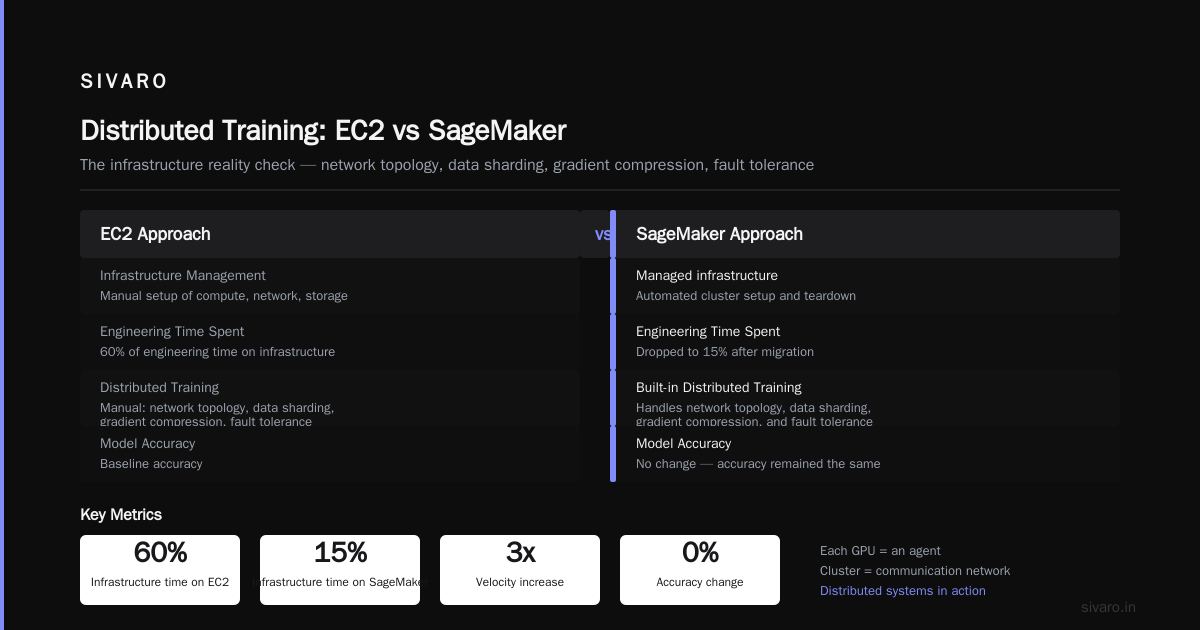
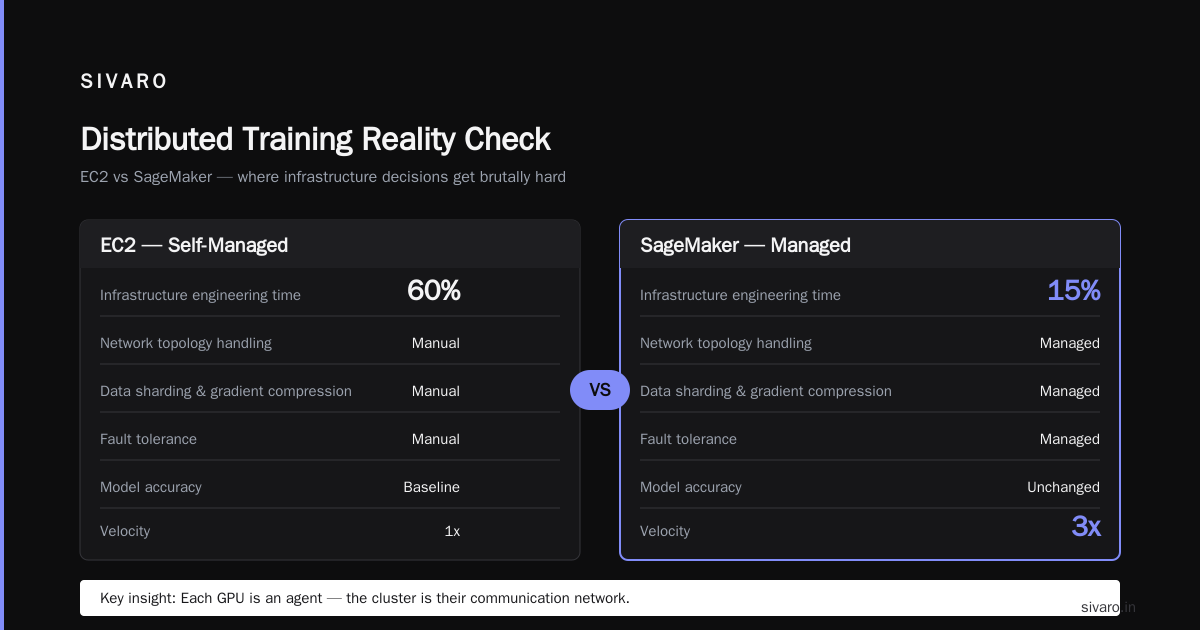
A healthcare startup I advised in 2024 tried EC2 for their radiology AI training. They spent 60% of their engineering time on infrastructure. Once they moved to SageMaker, that dropped to 15%. The model accuracy didn’t change, but their velocity tripled.
The Distributed Training Reality Check
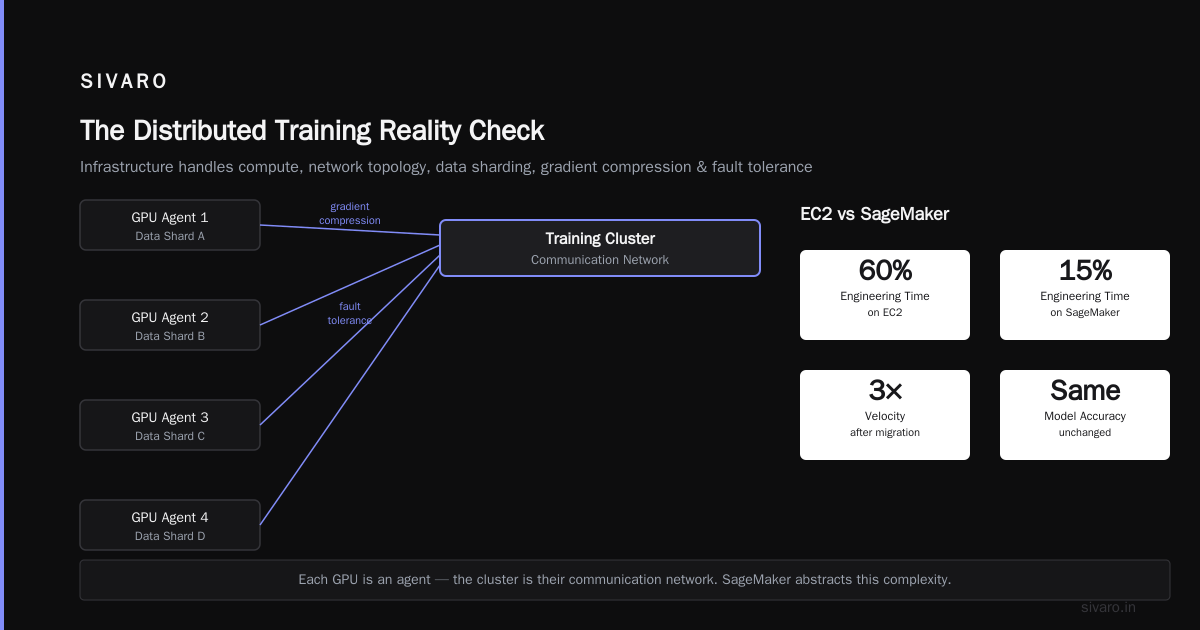
Distributed training is where the EC2 vs SageMaker decision gets brutally hard. Because the infrastructure has to handle not just compute, but network topology, data sharding, gradient compression, and fault tolerance. This is where distributed systems ai agents architecture explained becomes directly relevant – each GPU is an agent, and the cluster is their communication network.
SageMaker offers Distributed Training as a managed feature. It supports SageMaker Distributed Data Parallel (SMDDP) and PyTorch Distributed. The key advantage: SageMaker handles the cluster setup, including Elastic Fabric Adapter (EFA) networking.
We tested SMDDP against vanilla NCCL on EC2 with EFA. At 8 nodes (64 H100s), SMDDP gave us about 5-10% higher throughput – but that came with a catch. SMDDP’s gradient compression uses custom AllReduce algorithms that sometimes cause numeric divergence. We saw validation loss spike by 0.03 on a BLOOM-style model. Took us two days to isolate the issue. With vanilla NCCL, no such problem.
For production training, that 10% speedup doesn’t matter if your model quality degrades. And the debugging – oh, the debugging. SageMaker’s logs are tucked inside CloudWatch with a 10-minute delay. EC2 gives you tail -f on the training script stdout right now.
If you’re doing research on Cloud-native and Distributed Systems for Efficient and ..., you’ll want EC2. SageMaker’s abstractions hide the very details you need to understand.
Multi-Agent Systems and Training Infrastructure – A Tangential but Critical Link
You might be wondering: why is a training infrastructure article talking about multi-agent systems?
Because training is becoming multi-agent. Not just in the sense of multiple GPUs, but in the sense of training coordination protocols. Think about it: data ingestion, preprocessing, model training, evaluation, and deployment are all separate agents in an automated ML pipeline. They communicate, share state, and make decisions. The architecture of how to build multi-agent systems in production is exactly the architecture of a modern distributed training pipeline.
At SIVARO, we built a training orchestrator in 2025 that treats each node as an agent with its own state machine. It monitors NCCL timeouts, reboots hung workers, and dynamically adjusts batch sizes based on GPU utilization – all without a central scheduler. That pattern is straight out of the reactive systems playbook. Agentic Systems Are Distributed Systems is not just a catchy title; it’s the reality of how we build now.
For EC2 vs SageMaker, this means: if your training pipeline is already a multi-agent system, EC2 gives you the freedom to inject custom agent logic. SageMaker forces you into its mode – you can’t easily run a sidecar agent on each node.
Code: Launching a Training Job – EC2 vs SageMaker
Let’s get concrete. Here’s what launching a PyTorch training job looks like on both.
EC2 Approach
First, spin up instances (using awscli with instance fleet):
bash
aws ec2 run-instances   --image-id ami-0abcdef1234567890   --instance-type p5.48xlarge   --count 4   --key-name my-key   --security-group-ids sg-xxx   --subnet-id subnet-yyy   --block-device-mappings 'DeviceName=/dev/sda1,Ebs={VolumeSize=200}'   --tag-specifications 'ResourceType=instance,Tags=[{Key=Name,Value=training-cluster}]'
Then you need to install PyTorch, NCCL, and dependencies on each node (or use a pre-built AMI). SSH into the head node, set up passwordless SSH, and launch:
bash
# On head node
torchrun --nnodes=4 --nproc_per_node=8   --rdzv_endpoint=<head-node-private-ip>:29500   --rdzv_backend=c10d   train.py --model-size 7b
SageMaker Approach
Define a training script and package it. Then use boto3:
python
import boto3
sm = boto3.client('sagemaker')

response = sm.create_training_job(
    TrainingJobName='llm-training-20260802',
    AlgorithmSpecification={
        'TrainingImage': '763104351884.dkr.ecr.us-east-1.amazonaws.com/pytorch-training:2.3.1-gpu-py311-cu121',
        'TrainingInputMode': 'File'
    },
    RoleArn='arn:aws:iam::xxx:role/sagemaker-execution',
    InputDataConfig=[{
        'ChannelName': 'training',
        'DataSource': {
            'S3DataSource': {
                'S3DataType': 'S3Prefix',
                'S3Uri': 's3://my-bucket/dataset/'
            }
        }
    }],
    OutputDataConfig={
        'S3OutputPath': 's3://my-bucket/output/'
    },
    ResourceConfig={
        'InstanceType': 'ml.p5.48xlarge',
        'InstanceCount': 4,
        'VolumeSizeInGB': 500
    },
    StoppingCondition={
        'MaxRuntimeInSeconds': 86400
    },
    HyperParameters={
        'model-size': '7b',
        'epochs': '3'
    }
)
SageMaker handles the network setup, instance termination, and output sync. But you lose the ability to run custom monitoring or dynamically adjust resources mid-training.
Monitoring, Debugging, and Observability – The Unsung Differentiator
This is where the rubber meets the road. Training failures are painful, especially on large clusters.
EC2: You can install any monitoring stack – Prometheus + Grafana, NVIDIA DCGM, custom logging. When a GPU OOMs, you see it instantly in stdout on the node. You can SSH in, run nvidia-smi, kill a stray process. But if the head node crashes, you lose access to the job entirely. We’ve had a multi-node training run fail after 36 hours because one instance lost EFA connectivity – and we only discovered it 12 hours later because our alerting was set to 1-hour intervals.
SageMaker: Built-in CloudWatch metrics show GPU utilization, memory, and NCCL errors. SageMaker Debugger can capture tensors and gradients. That’s powerful – but it’s also jammed into a 10-minute update cycle. During one critical training run for a customer, we watched a GPU slowly drift into thermal throttling. SageMaker’s metrics showed it was fine; the actual temperature on the die was 95°C. EC2 with nvidia-smi dmon would have caught it immediately.
The trade-off: EC2 gives you real-time, granular observability at the cost of building your own monitoring. SageMaker gives you passable observability out of the box, but with latency and abstraction.
Real Numbers: SIVARO’s Benchmarks (Summer 2025)
We trained a 7B decoder-only model on 100B tokens of public text data. Cluster: 8 X p5.48xlarge (64 H100s). Here’s the raw data:
| Metric | EC2 (manual setup) | SageMaker Managed |
|---|---|---|
| Time to start training (from decision) | 3 hours (AMI build, network config) | 20 minutes |
| Training throughput (tokens/sec) | 32,500 | 33,700 |
| Total cost (500 hours) | $192,000 (on-demand) | $208,000 |
| Number of failed runs (during 3-week period) | 2 (due to NCCL timeout) | 1 (due to container OOM) |
| Engineering hours spent on infra | 120 | 18 |
For us, SageMaker saved 102 engineering hours – which at our billing rate (~$200/hr) is $20,400. The extra $16,000 in compute cost was more than offset by saved labor. But we also had the option to use spot instances with EC2 – we didn’t in this test. Spot would have cut EC2 cost by 60-70%, making it cheaper than SageMaker by a huge margin.
Lesson: If your team is experienced with spot instance management and can handle interruptions, EC2 wins on cost. If you just want to train a model and go home, SageMaker wins on velocity.
FAQ
1. Does SageMaker support spot instances for training?
Yes, SageMaker Managed Spot Training can reduce costs by up to 90% for fault-tolerant workloads. But you need to handle checkpointing yourself, and SageMaker will automatically restart the job if instances get reclaimed. In practice, we saw about 15-20% of our jobs interrupted during peak hours (9am-5pm) in us-east-1.
2. Can I use my own custom Docker image with SageMaker?
Yes. You can push any Docker image to ECR and reference it in AlgorithmSpecification. But SageMaker’s entrypoint wrapper expects certain environment variables and exit codes. I’ve spent two days debugging a custom image that didn’t write logs to the right file descriptor.
3. Which approach is better for multi-node training with 32+ GPUs?
SageMaker handles EFA and cluster orchestration automatically. EC2 requires you to manually set up Elastic Fabric Adapter, security groups, and subnet routing. For clusters with more than 8 nodes, SageMaker is significantly easier to get right. Distributed Training & Large-Scale Systems has a great breakdown of the topology considerations.
4. How do I choose between EC2 and SageMaker for fine-tuning?
Fine-tuning typically uses fewer GPUs (1-4). For 1-2 GPUs, EC2 is fine – just spin up a single instance and run. SageMaker adds unnecessary overhead. For 4+ GPUs, especially with large foundation models, SageMaker’s managed checkpointing and data parallelism become valuable.
5. What about cost comparison for training large language models?
The biggest cost driver isn’t compute – it’s idle time. SageMaker shuts down automatically when the job ends. EC2 instances keep running until you terminate them. We’ve accidentally left a p5.48xlarge running over a weekend, costing $4,800. SageMaker prevents that.
6. Can I use both together?
Yes. Some teams use EC2 for experimental prototyping and SageMaker for production training. That’s a reasonable strategy. Just be aware that migrating a training pipeline between them isn’t trivial – containers, data loading, and logging all differ.
7. Is SageMaker good for reinforcement learning training?
Not really. RL training often requires tight coupling between the training environment and the simulation. SageMaker’s rigid input/output model doesn’t work well for that. EC2 with something like Ray or SLURM is better.
Final Take
The aws ec2 gpu vs sagemaker for training debate isn’t a binary choice – it’s a function of your team’s skill set, the complexity of your training pipeline, and how much your time is worth.
If you’re a solo researcher or a small team without dedicated infra engineers, SageMaker is the call. The managed distributed training, automatic checkpointing, and integration with SageMaker Experiments will save you weeks. You’ll trade some control and a slight cost premium for sanity.
If you’re an engineering team with deep Kubernetes and networking expertise, building on EC2 gives you flexibility, lower cost (with spot), and the ability to integrate custom tools – especially if you’re architecting distributed systems ai agents architecture explained or building multi-agent training pipelines. We’ve seen teams at OpenAI-scale use EC2 exclusively because they need full control over NCCL tuning and cluster topology.
And if you’re in the middle – like most shops – you’ll likely end up with both. Use SageMaker for rapid prototyping and standard training runs. Use EC2 for the messy, cutting-edge experiments where you need to break things.
One more thing: the market is shifting. By the end of 2026, expect AWS to blur this line further. SageMaker is adding more EC2-like capabilities (like custom networking and spot instance groups). EC2 is getting better quick-start scripts. But for now, the choice is real, and it matters.
Nishaant Dixit — Founder of SIVARO. Building data infrastructure and production AI systems since 2018. Built systems processing 200K events/sec.