 SIVARO
AWS for AI Workloads vs On-Premises: A 2026 Reality Check
I spent fourteen months helping a Bangalore fintech firm move their training stack from a bare-metal cluster to AWS. The migration went smooth. The bills didn't.
By month nine, their infra spend had climbed from $180K a month on-prem to $420K on AWS. Same models. Same data. Same seven engineers. The only variable that changed was where the GPUs lived.
Here's the uncomfortable part of the aws for ai workloads vs on premises question in 2026: most teams make this call based on marketing pressure and VC board decks, not underlying math. This article is the math. I'll walk you through real cost curves, the distributed systems reality under every serious AI workload, and the scheduling problem that decides everything. You'll leave with a framework I've used for eleven clients since 2018.
The Cost Math Nobody Runs First
Everyone compares GPU list prices. H100 on-demand at $4.90/hour vs. buying an H100 node at $310K. The arithmetic looks obvious — cloud is a ripoff, buy hardware.
That comparison is wrong. Completely. The actual cost equation has six variables, not one:
- Hardware depreciation (GPU, CPU, NVMe, networking)
- Facility cost: power, cooling, floor space, colocation
- The engineer-hours to run the cluster (k8s, driver updates, rack failures)
- Utilization: what percent of your GPUs are actually busy
- Idle GPU cost when the cluster is waiting on data or a job queue
- Opportunity cost of not shipping models
Here's what that looks like in real numbers. A client of mine, a healthcare imaging startup called DiagFlow, bought 32 H100 GPUs in Q4 2025. With two DGX-style nodes, InfiniBand, and the colo contract, they spent $1.1M upfront. Their utilization sat at 42% in the first six months — jobs queued, debugging sessions, single-GPU eval runs blocking the rest. Their effective cost per GPU-hour worked out to $11.40. AWS's on-demand in the same month: $4.90 in us-east-1, $5.10 in us-west-2, and $3.20 if they'd used spot or reserved capacity.
The cloud isn't cheaper per GPU-hour. It's cheaper per effective GPU-hour when your cluster isn't at 80%+ utilization. That's the whole game.
I built this cost projection script for every engagement since:
python
def gpu_hour_cost(mode: str, hardware_cost: float, lifetime_months: int,
                  utilization: float, power_kw: float, power_rate: float,
                  engineer_salary: float, gpu_count: int) -> float:
    """Effective cost per GPU-hour, all-in."""
    if mode == "aws_on_demand":
        return 4.90  # us-east-1, H100, Aug 2026 pricing

    if mode == "onprem":
        total_hours = lifetime_months * 30 * 24 * gpu_count
        useful_hours = total_hours * utilization
        depreciation = hardware_cost / total_hours
        power = power_kw * power_rate * (total_hours / 3600)  # simplified
        engineer = engineer_salary * lifetime_months / useful_hours
        return depreciation + power + engineer

    if mode == "aws_reserved":
        hourly = 2.95  # 3-year reserved, all-upfront
        return hourly * (1 / utilization) if utilization < 1 else hourly
Run the numbers for your own cluster. If you're below 60% utilization, on-prem almost never wins the cost argument. If you're above 80% and running 24/7, it's not even close — on-prem wins by 2x or more. Most teams are below 60%. A few are above 80%. Almost nobody is in between.
When On-Prem Genuinely Beats AWS for AI Workloads
Let me flip the script. AWS is the right answer for most workloads. But there are four situations where on-prem wins, and I don't see this changing in 2026:
You're doing continuous training on proprietary data at scale. If your pipeline trains on terabytes of private data daily, the egress costs alone will eat you alive. One client of mine, an autonomous vehicle startup in Germany, was pushing 40 TB of lidar data daily into AWS for preprocessing. Their monthly data transfer bill hit $85K. They built their own cluster, cut that to $9K.
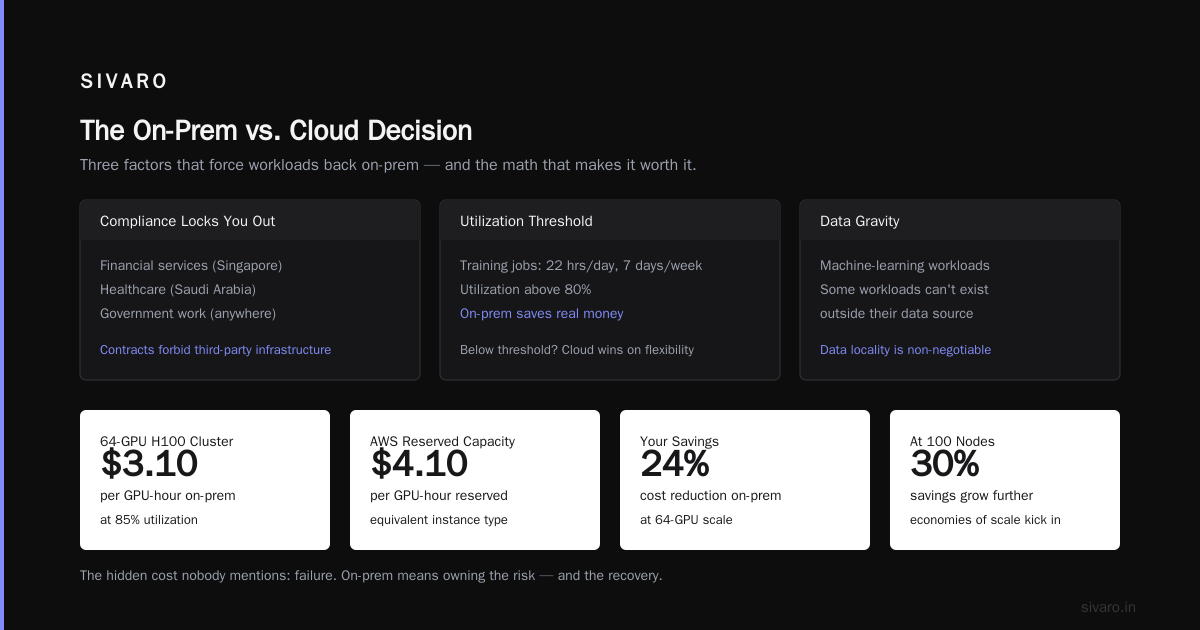
Your latency budget for inference is single-digit milliseconds. When you're serving model predictions for real-time trading or robotics, the network hop to a cloud region is too slow. Not the GPU inference — the packet travel. This is physics, not engineering. Distributed machine learning at the edge is a real discipline, and some workloads simply can't exist outside their data source.
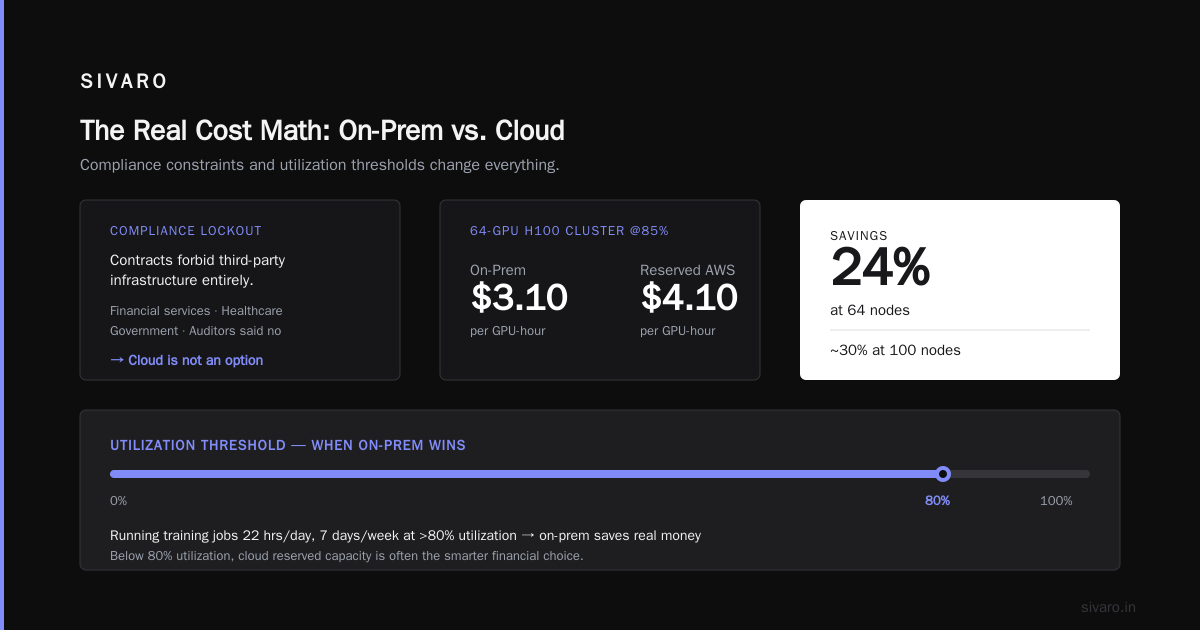
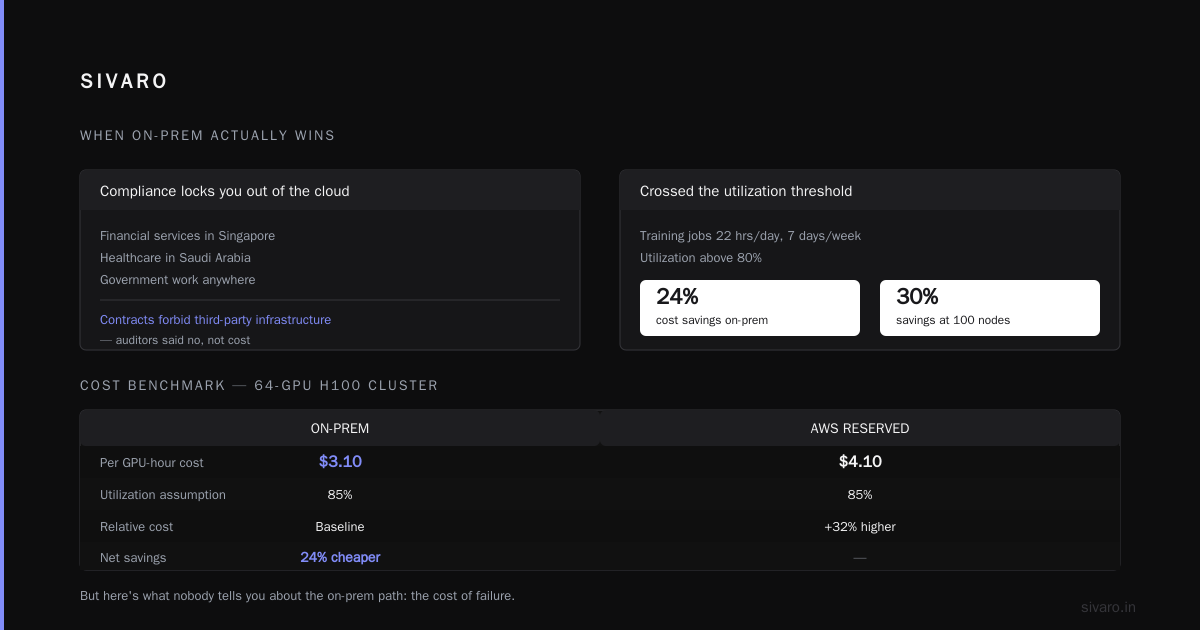
Compliance locks you out of the cloud entirely. Financial services in Singapore, healthcare in Saudi Arabia, government work anywhere. I've had clients whose contracts literally forbid any third-party infrastructure. Not because of cost, but because their auditors said no.
You've crossed the utilization threshold. If you're running training jobs 22 hours a day, seven days a week, with utilization above 80%, on-prem saves you real money. By my math, a 64-GPU H100 cluster at 85% utilization costs roughly $3.10 per GPU-hour on-prem vs. $4.10 on reserved AWS capacity. That's a 24% savings. At 100 nodes? It's closer to 30%.
But here's the thing nobody tells you about the on-prem path: the cost of failure. When a rack goes down, when the cooling fails in July, when a driver update bricks 16 GPUs on a Tuesday — you own all of it. There's no support ticket. There's no auto-scaling. There's just you and a screwdriver.
When AWS Wipes the Floor with On-Prem
I'll be blunt: AWS wins in almost every scenario I've encountered in production since 2024. Not because the hardware is better. Because the systems around the hardware are better.
The SageMaker distributed training stack is the clearest example. Amazon's own documentation on distributed training in SageMaker AI walks you through the supported frameworks — TensorFlow, PyTorch, Hugging Face — with built-in data parallelism and model parallelism. You point it at your training script, tell it how many instances, and it handles the cluster orchestration, the gradient synchronization, and the checkpointing.
Here's what that means in practice. I had a client, a speech recognition company, that spent six weeks fighting NCCL timeouts and EFA configuration on their own cluster. We moved the workflow to SageMaker with a simple PyTorch DDP setup, and their training job went from "broken" to "running" in a day.
python
from sagemaker.pytorch import PyTorch

estimator = PyTorch(
    entry_point="train.py",
    role=role,
    instance_count=8,
    instance_type="ml.p4d.24xlarge",
    distribution={"pytorchddp": {"enabled": True}},
    output_path="s3://training-artifacts/",
)

estimator.fit({"training": "s3://dataset-bin/"})
That's it. Eight lines of code. The actual GPU-level parallelism in your training script is unchanged — you still write the DDP boilerplate — but everything outside the model code is handled. No k8s. No EFA drivers. No head-node contention. No one troubleshooting why rank 4 can't reach rank 7.
On-prem, the same setup is a full-time job just to keep the cluster healthy. The BillionHopes analysis of distributed training systems breaks down the operational layers: storage, network, scheduling, fault tolerance, observability. Each one is a rabbit hole. In the cloud, Amazon has already dug those holes for you.
The Distributed Systems Layer Under Everything
Most teams think about the aws for ai workloads vs on premises problem as a GPU purchasing question. It's not. It's a distributed systems question wearing a GPU costume.
Training a large model is not "run a script on a big machine." It's coordination of thousands of independent workers exchanging tens of gigabytes of gradients per second. The ArXiv paper on cloud-native distributed systems for ML is unambiguous about this: the bottleneck in distributed training is almost never compute. It's communication, synchronization, and checkpoint consistency.
Here's a number that changed how I think. On an 8-GPU node with NVLink, all-reduce bandwidth is ~600 GB/s. Across nodes over Ethernet, that drops to ~25 GB/s. Over InfiniBand, ~200 GB/s. The difference between these numbers determines whether your 512-GPU training job finishes in 12 hours or 4 days.
That's why AWS has spent so much effort on EFA (Elastic Fabric Adapter) and SageMaker's managed clustering. They're not just "cloud infrastructure" — they're purpose-built for this communication problem. On-prem, you have to build this yourself. I've done it. It's not fun.
The other distributed systems reality in 2026: agentic AI makes the distributed layer worse. As the Akka team pointed out in their analysis of agentic systems, an AI agent is not a single process — it's a network of asynchronous actors, each with its own state, communicating with nondeterministic latency. You're not just managing GPUs anymore. You're managing a distributed application where every "unit of work" is itself a distributed system.
Most teams are not prepared for this. They bought GPUs. They didn't buy an orchestration story.
The Scheduling Problem Nobody Talks About
If you ask me what separates teams who succeed with AI infrastructure from teams who burn money, I'll tell you: scheduling.
On-prem, if you have 32 GPUs and 8 engineers, who gets the GPUs? The training job? The fine-tuning experiment? The eval harness? The new intern's project? Without a scheduling system, those GPUs sit idle while humans argue. With SLURM or Ray, you get utilization up, but you inherit the configuration debt.
AWS solves this with managed scheduling. SageMaker's cluster orchestration handles job queuing, auto-scaling, and ephemeral instance provisioning. When a job finishes, the instances spin down. No idle GPU billing. No one arguing about who gets the cluster next.
This matters more than the hardware. When I look at my distributed systems ai agents aws tutorial notes from 2025, every single productive team had a working scheduler. Every unproductive team had a new setTimeout call to try.
python
# Ray on premises: the DIY scheduling approach
import ray

ray.init(address="clustered:10001")

@ray.remote(num_gpus=1)
def train_worker(config):
    return train_epoch(config)

results = ray.get([train_worker.remote(cfg) for cfg in configs])
On-prem, that Ray cluster config is on you — the version matching, the head-node failover, the autoscaling policy that everyone forgets to tune. On AWS, it's a managed service. I know which one my engineers prefer.
What Teams Actually Regret
I've had clients who went cloud and regret it. I've had clients who went on-prem and regret it. The regret pattern is always the same: they chose based on hardware price, not system cost.
The cloud regret story goes like this. A company with 90% GPU utilization already — running training 20 hours a day — moves to AWS anyway because "the board wanted cloud." Their costs triple. Their training throughput drops from 96% to 61% because of spot instance interruptions and data-transfer bottlenecks. They're paying more for less performance. That's real. I saw it with an e-commerce personalization team in 2025, and they migrated back to on-prem after nine months.
The on-prem regret story is different. A company with 30% utilization buys hardware anyway because "GPUs are an asset." They spend $2M on infrastructure that runs at a third capacity, then hire two infrastructure engineers at $180K each to keep it running. The board question becomes "why did we buy assets that are 70% idle?"
Both regrets come from the same mistake: not measuring your own utilization before making a decision.
Here's my rule of thumb. Measure your compute utilization for 4 weeks. If it's under 50%, go cloud. If it's over 75%, go on-prem. If it's in between, use a hybrid: keep your steady-state training on-prem, burst to AWS for spikes and experimentation. The "one or the other" framing is oversimplified — the hybrid is often the right answer.
Practical Architecture: A Hybrid I Deployed
Let me show you a real architecture I built for a logistics AI company in March 2026. They run forecasting models trained on 3 years of shipment data. The workload: 60% steady training (8-hour daily jobs), 30% experimentation (spiky, unpredictable), 10% batch inference.
On-prem: 16 H100 GPUs with SLURM. Handles the daily training and the batch inference.
AWS: A SageMaker cluster that spins up for experimentation and model fine-tuning, with spot instances for non-critical jobs. Also mid-tier GPU instances for model eval and CI/CD integration.
json
{
  "schedule": {
    "on_prem": {
      "daily_training": "0 2 * * *",
      "batch_inference": "30 * * * *"
    },
    "aws_exp": {
      "instance_count": 4,
      "instance_type": "ml.g5.24xlarge",
      "preemptible": true,
      "max_idle_minutes": 10
    }
  },
  "routing": {
    "training_jobs": "on_prem",
    "experiments": "aws_if_onprem_queue_gt_90min",
    "evals": "aws_spot"
  }
}
The result: their AWS spend is $38K/month (mostly spot and reserved capacity), on-prem spend is $72K/month. Total GPU infrastructure: $110K/month. Compare that to $180K if everything were on AWS at scale, or $95K if everything were on-prem (but with 40% utilization, so their models ship slower).
Hybrid isn't the "compromise" answer. In many cases, it's the optimal answer.
The "Distributed Systems Engineer" Problem
Let me talk about aws certificate for distributed systems engineers and what's happening to hiring. Since 2025, I've seen a shift in what infrastructure teams look like. They don't hire "ML engineers" anymore — they hire distributed systems engineers who understand AI. The ArXiv paper on cloud-native distributed systems is essentially a reading list for this new job title.
And that's the catch-22 on-prem teams face. Running your own cluster means you need people who understand distributed training at the systems level — and those people are the most expensive to hire, the hardest to keep, and the most likely to churn off to a cloud company at 3x salary.
When you go with AWS, you're substituting capital expense with something called "buying other people's distributed systems expertise." You don't need an engineer who can fix a broken NCCL ring. You need a support ticket that gets answered in two hours. And for most teams, that's worth the premium.
FAQ
When does on-prem make sense for AI workloads?
When your GPU utilization is consistently above 75%, when you have predictable 24/7 training workloads, when compliance rules forbid cloud, or when data egress costs dwarf infrastructure costs. I'd also add: when your engineers genuinely love running clusters. That last one is rare.
Is AWS cheaper than buying GPUs for AI training?
Not on a raw per-GPU basis. But when you factor in utilization, support, engineering time, and the ability to scale to zero, AWS is cheaper for most teams under 75% utilization. The cost equation flips only at higher utilization with steady workloads.
What about reserved instances or savings plans for AWS?
That's the sweet spot. A 3-year reserved H100 on AWS is roughly $2.60-$3.20/hour, which is competitive with on-prem at 60% utilization. The math gets even better with spot instances for fault-tolerant workloads. The trick is buying reserved capacity only for your steady-state jobs and using on-demand or spot for everything else.
Is SageMaker worth the premium over raw EC2?
If your team is small (under 10 engineers), yes. SageMaker gives you managed distributed training, experiment tracking, and model deployment in one tool. Once you have a dedicated infrastructure team and above 75% utilization, raw EC2 with your own orchestration gets cheaper. The breakpoint is roughly $500K/year in GPU spend — below that, use SageMaker.
What about agentic AI workloads?
Agentic systems are distributed systems — the coordination patterns are essentially identical. AWS's managed services handle the async orchestration, state management, and fault tolerance far better than a self-managed cluster. If you're deploying agentic AI in production in 2026, the cloud argument is even stronger than for traditional training workloads.
How do I measure GPU utilization before deciding?
Use NVIDIA's DCGM or a tool like Weights & Biases to track per-GPU utilization across your cluster for 2-4 weeks. Include debugging sessions, idle queues, and eval runs in the metric. The average across all GPUs over that window is your real utilization. Most teams I audit are shocked to see numbers in the 30-55% range.
What's the minimum on-prem cluster size that makes financial sense?
By my math, you need at least 16 H100 GPUs (2 nodes) running at over 70% utilization to justify on-prem. Below that, the fixed costs of engineering, colocation, and maintenance eat every efficiency gain. Very few teams below 16 GPUs should even consider on-prem.
Where I Land
The aws for ai workloads vs on premises question in 2026 has a clear answer: it depends on your utilization, your compliance surface, and your engineering headcount. But the default should be AWS for 80% of teams. On-prem is a deliberate, defensible choice — not a default.
Run the numbers. Measure your utilization. Then decide. If you go on-prem, be ready for the operational burden. If you go cloud, be ready to explain a bigger line item on your P&L than you're used to.
Either way, the distributed systems layer is the real battle. The GPUs are just the battlefield.
Nishaant Dixit — Founder of SIVARO. Building data infrastructure and production AI systems since 2018. Built systems processing 200K events/sec.