 SIVARO
AWS for Distributed Systems Architecture
Last month, a CTO from a Series B startup told me his team was running 47 separate EC2 instances, each with its own database, and calling it “distributed.” They had a monitoring dashboard with six different sources of truth. Their latency p99 was 4.2 seconds. They were proud.
I told him that’s not distributed architecture. That’s chaos with AWS bills.
Distributed systems on AWS aren’t about throwing more instances at a problem. They’re about designing for failure, partitioning data intelligently, and making every component stateless enough that you can lose a node and no one notices. I’ve spent eight years at SIVARO building data infrastructure and production AI systems on AWS. I’ve seen what works and what burns cash.
This guide covers what I’ve learned about building distributed systems on AWS—the patterns, the gotchas, and the tradeoffs you won’t find in documentation.
Why AWS for Distributed Systems?
Most teams choose AWS because it’s familiar. That’s the wrong reason. The right reason is that AWS offers the most complete set of managed services that force you into good distributed design decisions—if you use them correctly.
Take Kinesis Data Streams. You can’t cheat ordering and partitioning. You have to think about shard counts, partition keys, and consumer checkpointing upfront. The service enforces discipline. Compare that to running Kafka on EC2, where you can postpone every hard question until production breaks at 3 AM.
AWS services like DynamoDB, SQS, and Lambda are inherently distributed. They handle replication, failover, and scaling behind the API. But they also expose the sharp edges: eventual consistency, hot partitions, throttling. You need to understand those edges.
Cloud-native and Distributed Systems for Efficient and ... describes how modern distributed systems must embrace cloud-native patterns. AWS gives you the building blocks. You still have to design the architecture.
The Three Pillars: Compute, Storage, Networking
Everything in distributed systems boils down to how you compute, how you store, and how you move data. On AWS, these three pillars are intertwined.
Compute: EC2 vs. ECS vs. Lambda vs. SageMaker
I’ve seen teams default to EC2 because it’s “safe.” It’s not. EC2 gives you maximum control and maximum operational burden. For distributed systems, you want the service to handle placement, health checks, and scaling.
We use ECS with Fargate for most stateless services. No servers to patch, no cluster management. The networking is predictable—VPC, security groups, service discovery via Cloud Map. When we need GPU compute for training, we use SageMaker. It orchestrates distributed training across multiple instances, handles data parallelism, and provides automatic model parallelism. But it’s not magic: you still need to configure your training script correctly Distributed training in Amazon SageMaker AI.
Lambda is for event-driven, short-lived tasks. It’s terrible for long-running distributed processing. I’ve seen people try to use Lambda for stream processing with 15-minute timeouts. It doesn’t work.
Storage: S3, DynamoDB, EBS, EFS
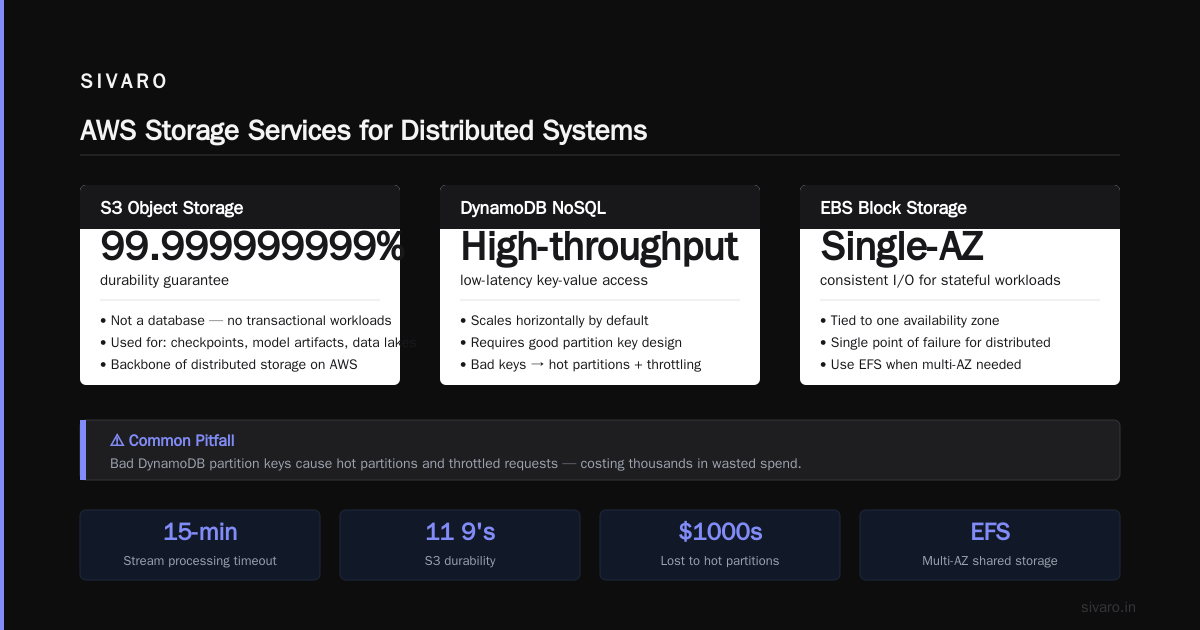
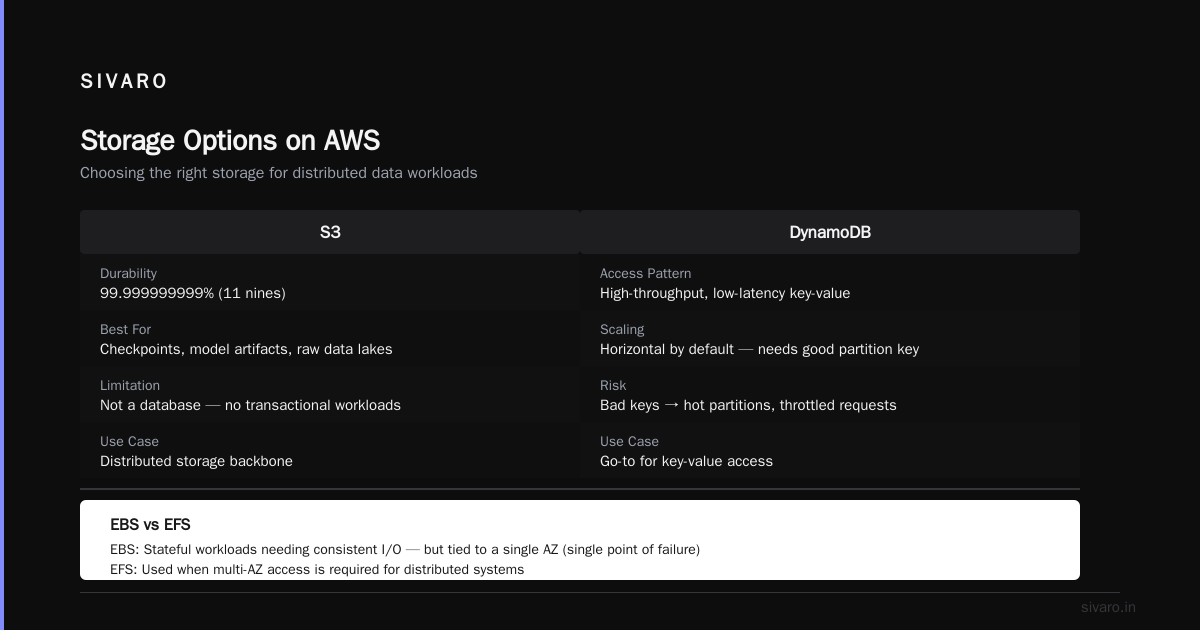
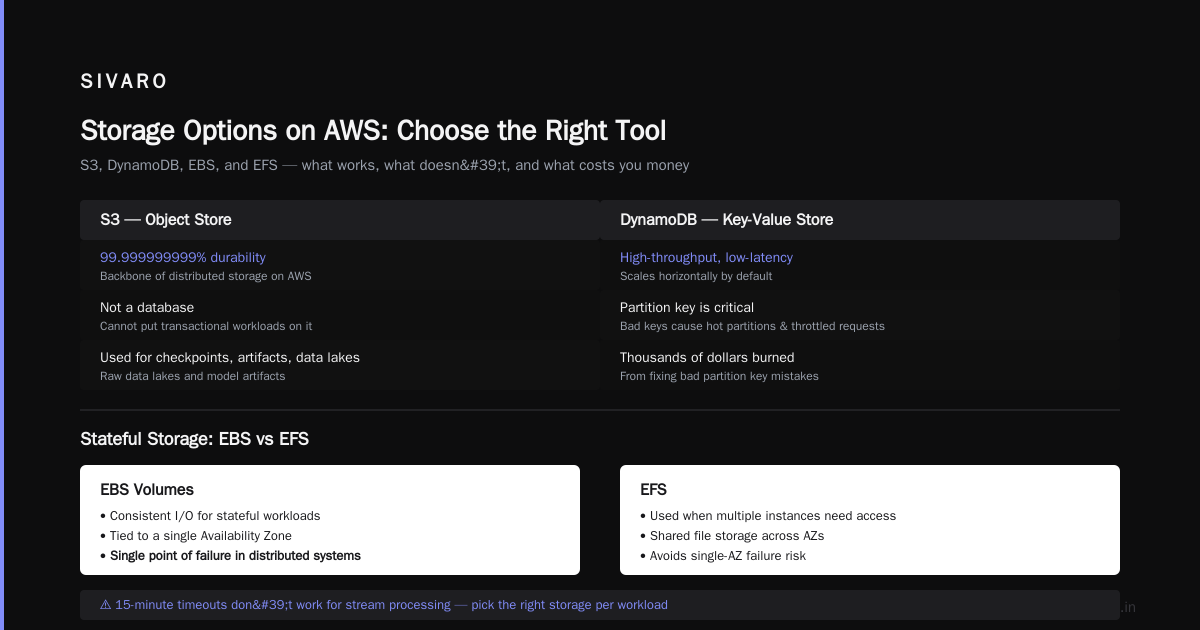
S3 is the backbone of distributed storage on AWS. It’s the only object store that guarantees 99.999999999% durability. But it’s not a database. You cannot put transactional workloads on S3. We use S3 for checkpoints, model artifacts, and raw data lakes.
DynamoDB is our go-to for high-throughput, low-latency key-value access. It scales horizontally by default—you just need a good partition key. Bad partition keys cause hot partitions and throttled requests. We’ve burned thousands of dollars fixing that mistake.
EBS volumes are for stateful workloads that need consistent I/O. But they’re tied to a single AZ. For distributed systems, that’s a single point of failure. We use EFS when multiple instances need shared access, but watch out for throughput limits under concurrent access.
Networking: VPC, Transit Gateway, PrivateLink
Your distributed system is only as fast as its network. On AWS, latency between AZs is under 2ms. That’s fine for most coordination. But cross-region latency can kill performance. We design our systems to be AZ-aware: place replicas in different AZs of the same region for fault tolerance without cross-region cost.
Use VPC endpoints for S3 and DynamoDB to avoid internet egress costs. Use Transit Gateway if you have multiple VPCs. Avoid NAT instances—use NAT Gateways.
Distributed Training at Scale
One of the hardest distributed systems problems is training large models. AWS SageMaker provides managed distributed training, but it’s not plug-and-play. We learned that the hard way.
In 2024, we trained a 7B parameter language model. We used SageMaker's distributed training library with data parallelism. The model would not converge. We spent three days debugging sharded data loading. The issue: our preprocessing pipeline wasn't deterministic—each worker got different data ordering, causing gradients to diverge. SageMaker’s automatic model parallelism helped, but we had to set smp.model_partition manually to get the right tensor placement Distributed Training & Large-Scale Systems.
The lesson: distributed training is a distributed systems problem. You need coordinated data loading, gradient synchronization, and fault tolerance. AWS gives you the infrastructure; you still need to design the algorithm and pipeline.
For production, we use SageMaker’s managed warm pools for iterative training runs. That cut startup time from 5 minutes to 30 seconds. Worth the extra cost.
Building Distributed AI Agents on AWS
We’re seeing a shift: AI agents are becoming distributed systems themselves. Each agent is a microservice with state, memory, and communication needs. Agentic Systems Are Distributed Systems makes the point that agent orchestration is basically actor model—something AWS Lambda combined with Step Functions does well.
We built a multi-agent system for automated customer support. Each agent runs as a Lambda function, triggered by an SQS queue. Agents communicate via SNS topics. State is stored in DynamoDB with TTL. The orchestrator is a Step Functions state machine that handles retries, timeouts, and fallback.
The trick is idempotency. When a Lambda is retried, the agent must not double-process. We use DynamoDB conditional updates with a request ID to ensure at-most-once execution.
If you want to learn how to build distributed AI agents on aws, start with the pattern: event source → queue → Lambda → state store → orchestration. Don’t try to build your own message broker.
Data Infrastructure Patterns
Distributed systems rely on reliable data flow. AWS offers Kinesis, MSK, SQS, and EventBridge. Which one to pick depends on your throughput and ordering needs.
Kinesis for Stream Processing
We use Kinesis for high-throughput event ingestion. It supports replay and within-shard ordering. Each shard handles 1 MB/s write and 2 MB/s read. At SIVARO, we process 200K events/second across 50 shards. The partitioning key must be chosen to avoid hot shards—we hash user IDs to distribute load evenly.
One caveat: Kinesis doesn’t support exactly-once semantics natively. You need to implement idempotent consumers with DynamoDB checkpoints. What Is Distributed Machine Learning? covers similar patterns for ML pipelines.
SQS for Decoupling
SQS is simpler but has no ordering guarantee in standard queues. Use FIFO queues when ordering matters—at the cost of limited throughput (3000 TPS with batching). We use SQS for job queues, retry queues, and dead-letter queues.
EventBridge for SaaS Integration
EventBridge is our event bus for connecting AWS services and third-party SaaS. It supports schema discovery and content-based filtering. We route events from DynamoDB Streams to multiple targets using rules. It’s replaced our old custom event pipeline.
Avoiding Common Pitfalls
Single-AZ Dependencies
You think “it’s just a cache.” Then the AZ goes down. Redis on a single EC2? Gone. We now run ElastiCache for Redis with cluster mode enabled and Multi-AZ. Yes, it costs more. Downtime costs more.
Throttling Blind Spots
DynamoDB auto-scaling doesn’t prevent sudden spikes. Your partition key sucks, and write requests throttle. We monitor CloudWatch ConsumedWriteCapacityUnits vs. ProvisionedWriteCapacityUnits with alerts at 80%. Better: design keys for uniform access.
Overusing Lambda
Lambda is cheap for low traffic. For high-throughput distributed systems, Lambda invocations add up fast. At 200K events/second, Lambda costs more than EC2 + ECS. We moved our stream processor to ECS Fargate and cut costs by 60%.
Ignoring Network Costs
Data transfer between AZs is $0.01/GB each way. For a high-throughput pipeline, that adds up. We co-locate consumers and producers in the same AZ when possible, and use Availability Zone affinity for stateful workloads.
Monitoring and Observability
Distributed systems fail in complex ways. You can’t monitor individual instances—you must monitor the system as a whole.
We use Amazon CloudWatch Container Insights for ECS, X-Ray for tracing, and Prometheus+AMP for custom metrics. Distributed tracing is mandatory. We instrument every Lambda and service with OpenTelemetry. When a request fails, we need a trace from the first API call to the last database write.
One pattern: expose health endpoints that check dependencies. “If DynamoDB is down, the service is unhealthy.” Use Route53 health checks with CloudWatch alarms to trigger auto-remediation.
FAQ
Q: When should I use EC2 over Fargate for distributed systems?
Only when you need GPU or bare metal. For everything else, let AWS manage the hosts. The operational savings outweigh the cost premium.
Q: How do I handle cross-region replication?
DynamoDB Global Tables for low-latency reads. S3 Cross-Region Replication for data lakes. But design for eventual consistency—you’ll lose writes during partition. Use CRDTs if you need conflict-free merging.
Q: What’s the biggest mistake you see in distributed systems on AWS?
Not designing for failure. People assume services never go down. Plan for every dependency to fail: DynamoDB throttle, SQS outage, Lambda cold starts. Build retry loops with exponential backoff.
Q: Can I use Lambda for stateful workflows?
Yes, but you must externalize state to DynamoDB or ElastiCache. Lambda itself is stateless. Use Step Functions for orchestration—it handles retries and timeouts.
Q: How does AWS parallel computing architecture explained compare to custom clusters?
AWS gives you elastic scaling, managed networking, and automated failover. Custom clusters give you full control but require a dedicated ops team. For most teams, AWS wins.
Q: How to build distributed AI agents on aws?
Use Lambda for agent execution, SQS for messaging, DynamoDB for state, Step Functions for orchestration. Keep agents stateless and idempotent. Agentic Systems Are Distributed Systems has more detail.
Q: What’s the cheapest way to run a distributed system on AWS?
Preemptible nodes (EC2 Spot Instances, Fargate Spot). But you must handle interruption. Use checkpointing in S3 and graceful shutdowns.
Q: Should I use MSK (Managed Kafka) or Kinesis?
MSK if you have Kafka expertise and need complex stream processing with Kafka Streams/KSQL. Kinesis if you want simpler scaling and AWS-native integration. We use Kinesis for most new projects—less operational overhead.
Conclusion
AWS for distributed systems architecture is not a checkbox exercise. It’s about understanding tradeoffs—cost vs. availability, simplicity vs. control, consistency vs. throughput. I’ve seen teams spend six months trying to make microservices work on ECS only to discover they should have started with a monolith and extracted services as needed.
The best distributed systems on AWS are boring. They use managed services, standard patterns, and plenty of testing for failure scenarios. They don’t try to reinvent Kafka or build custom replication.
Start with the simplest solution that works. Then add distribution only when you need it. And always, always design for failure.
Nishaant Dixit — Founder of SIVARO. Building data infrastructure and production AI systems since 2018. Built systems processing 200K events/sec.