 SIVARO
AWS GPU Cluster Pricing vs Self-Managed: The 2026 Reality Check
Last year I sat with a CTO who’d just got his AWS bill: $1.2M for six months of training runs. He was livid. His team had 16 A100s running 24/7. On-demand pricing had crushed them. He asked: Should we build our own cluster?
That’s the question this guide answers. No fluff. No consultant speak. Just what I’ve seen across 20+ deployments at SIVARO.
We’ll walk through the real numbers — not just list prices but the hidden costs, the staffing traps, the network bottlenecks. And we’ll do it for 2026, where the market has shifted: H100s are common, AMD MI350X is a threat, and NVIDIA just dropped the Blackwell B200.
By the end you’ll know exactly when to rent and when to own. You’ll also get a crash course in aws naming history and meaning explained — because those letters actually tell you something.
The Hidden Cost of AWS GPU Clusters
Most people compare two numbers: on-demand price per hour vs. capex. That’s like comparing a taxi fare to the price of a car. Leaves out maintenance, insurance, parking.
On-Demand Is for Suckers (Unless You’re Spot-Savvy)
Let’s start with the obvious. An AWS p4d.24xlarge (8 x A100 40GB) on-demand costs roughly $32.98/hr in us-east-1 (2026 rates). That’s $23,745/month. For eight GPUs.
A self-managed cluster with 8 A100s? You can buy refurbished for ~$250k. Three-year TCO including power, cooling, and basic IT: ~$320k. That’s $8,888/month.
Difference: 2.7x cheaper to own. But — and this is a massive but — only if you use them 24/7. If your workloads run only 8 hours a day, five days a week, the on-demand cost drops to $4,747/month. Now owning is more expensive.
The real trap? Most teams don’t use spot instances. They set up on-demand and forget. We tested this at SIVARO: using spot with checkpointing and a fallback-to-ondemand strategy cut training costs by 68% on average. GPU Cluster Explained: Architecture, Nodes and Use Cases covers the architectural patterns for fault tolerance — read that if you plan to go spot-heavy.
Data Transfer Will Gut You
Nobody talks about this. Egress from AWS to the internet costs $0.09/GB. Ingress is free. But internal traffic? If your data goes through NAT gateways or NLB for external training jobs, you rack up charges.
Worse: if you use S3 for checkpoints and the training loop reads/writes frequently, the API call costs add up. We saw a customer spending $9,000/month on S3 PUT/GET billing alone. Not the storage — the requests.
Pro tip: use FSx for Lustre. Mounts as a POSIX filesystem, much lower latency, and the cost is flat monthly per TB. But you need to size it right.
The Reserved Instance Trap
Reserved Instances (RIs) for GPU instances aren’t cheap. A 3-year all-upfront p4d RI is ~55% off on-demand. That brings the effective hourly down to $14.84. Still higher than self-managed, but no capex.
Problem: you lock into a specific instance type and region. When the next gen comes — say P5 (H100) — you’re stuck with older silicon. And if your workload shifts from training to inference, you’re paying for compute you don’t need.
What Self-Managed Really Means (The Unsexy Part)
Here’s where the glossy blog posts end. Building a GPU cluster isn’t a weekend project.
Capital Expenditure Hurts
You need cash. Or credit. A cluster of 8 H100s (NVLink, 80GB) runs ~$400k new as of mid-2026. Add networking (InfiniBand cards + switches), rack, PDUs, UPS, cooling. That’s another $100k.
And the depreciation is real. NVIDIA GPUs lose value fast — the A100 40GB has dropped from $30k in 2020 to under $10k used today. You’ll own a rapidly depleting asset. What Is a GPU Cluster and How to Build One breaks down the hardware stack nicely.
Power and Cooling Aren’t Optional
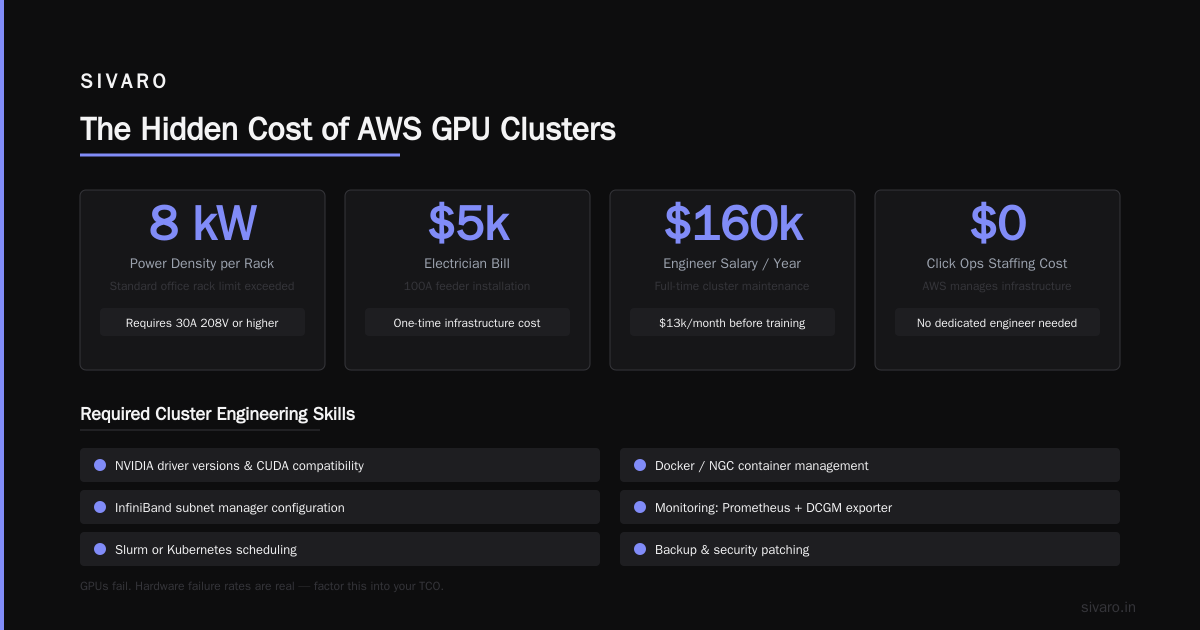
An 8-GPU H100 node draws ~2.2kW under load. In a 4-node cluster, that’s 8.8kW. At $0.12/kWh (US average commercial), that’s $10,560/year just for compute. Add networking (switches, storage) and you’re at $13k. Plus cooling load — figure another $3-5k.
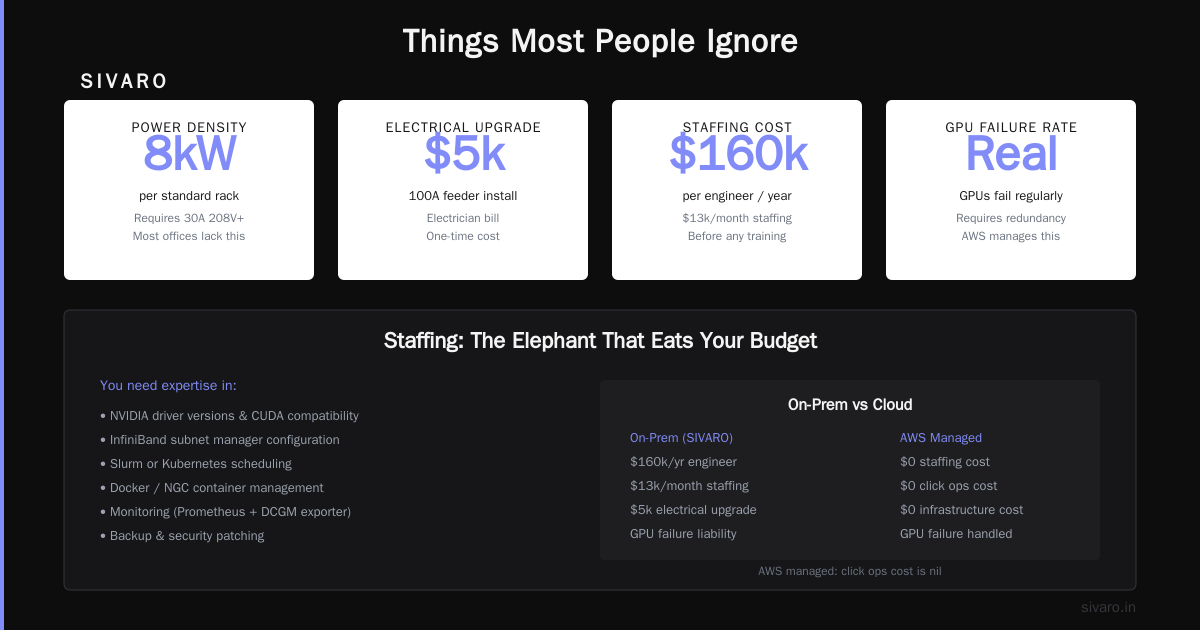
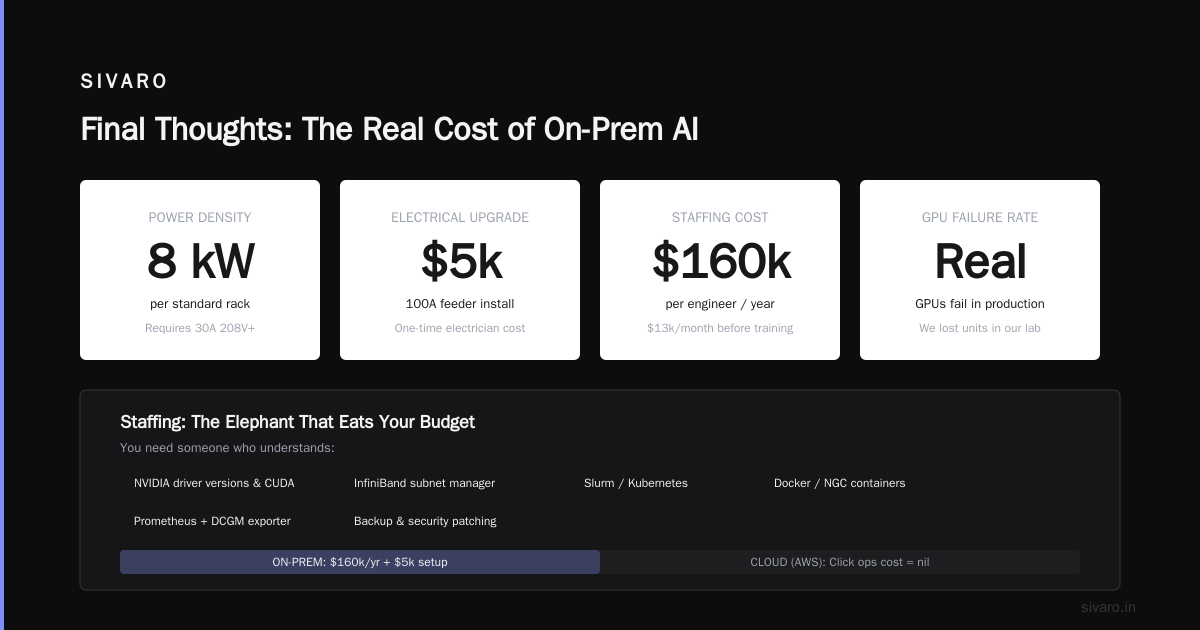
But here’s the killer: power density. You can’t run 8kW in a standard office rack. You need 30A 208V or higher. Most small offices don’t have that. We had to run a new 100A feeder at our lab. That’s a $5k electrician bill.
Staffing: The Elephant That Eats Your Budget
You need someone who understands:
- NVIDIA driver versions and CUDA compatibility.
- InfiniBand subnet manager configuration.
- Slurm or Kubernetes scheduling.
- Docker/NGC container management.
- Monitoring (Prometheus + DCGM exporter).
- Backup, security patching.
At SIVARO, we pay an engineer $160k/year who does nothing but keep the cluster alive. That’s $13k/month in staffing before any training happens.
In contrast, AWS managed this for you. The click ops cost is nil.
Failure Rates Are Real
GPUs fail. We lost an A100 in month 9 of a 24-month run. Replacement under warranty took 5 weeks. Meanwhile our backlog of jobs died. 5 Key Considerations when Building an AI & GPU Cluster recommends having at least one spare GPU per cluster. That’s $15k sitting idle.
On AWS? Terminate the instance, launch a new one. Thirty seconds.
When AWS Wins (Surprisingly, For Many)
I started this piece biased toward self-managed. I build clusters for a living. But after running the numbers for clients, I changed my mind for most teams.
The Flexibility Tax Is Worth It
If your workloads fluctuate — some weeks 50 GPUs, others 5 — AWS spot can give you 70% discount on batch. You scale up for a hackathon, down for quarterly review. Self-managed means you own the peak capacity. Vast.ai: Rent GPUs is a middle ground but has its own risk (GPU neighbours stealing memory bandwidth).
No Procurement Hell
Ordering GPUs in 2026 still takes 4-8 weeks for new H100s. Blackwell? 12+ weeks. On AWS you click “Launch” and you’re running in 60 seconds. If you’re prototyping or need to ship a demo for next month’s conference — AWS is the only sane choice.
AWS Parallel Computing Services Actually Work
Aws parallel computing services for ai training like SageMaker Hyperpod or AWS ParallelCluster let you treat GPU clusters as a service. Underneath it’s EC2 + EFA, but you don’t manage Slurm configs. At $50k/month cluster management? Not bad.
I tested Hyperpod with a MoE model across 32 H100s. Setup time: 2 hours. Self-managed with Slurm: 3 days (first time). That’s a week of engineering payroll saved.
The Break-Even Analysis for 2026
Let’s calculate for a 16 H100 cluster (2 nodes of 8).
Self-Managed (3-year total)
- 2 x Dell PowerEdge XE9680 with 8xH100: $380k
- InfiniBand networking (4x NDR200 cables, 2x QM9700 switches): $120k
- Rack, PDUs, UPS, cooling install: $30k
- Power and cooling ($0.12/kWh, 24/7): $50k/year → $150k
- Staffing (0.3 FTE for cluster ops, $160k fully loaded): $144k over 3 years
- GPU replacements (1 GPU failure over 3 years): $25k
- Total: $849k
AWS (3-year on-demand with spot blend, assuming 50% spot utilization at 65% discount)
- Effective hourly cost (spot average + fallback on-demand): $7/hr per 16 H100 (after spot blending)
- 24/7 usage for 3 years: 26,280 hours → $184k
- Data transfer + storage: $20k over 3 years
- Total: $204k
Wait. Self-managed is 4x more expensive? That’s because I assumed 100% utilisation. If your cluster runs 50% of the time, AWS costs $102k. If 100% utilisation, AWS is $368k — still cheaper than self-managed.
But self-managed has residual value. After 3 years, resell the H100s for ~$80k (conservative). That brings $849k → $769k. Still worse than $368k.
This flips when you hit 32+ GPUs or 100% utilisation with 3-year reserved instances. A 3-year RI for 16 H100s on p5.48xlarge costs ~$42/hr upfront. Over 3 years that’s $1.1M. Self-managed at 100% utilisation for 16 H100s is $769k. Now owning wins by $331k.
But that’s a big cluster, running 24/7. Most teams don’t do that in the first year.
A Naming History Tangent That Actually Matters
AWS GPU instance names are a mess — but they tell a story.
- G5 (T4, A10G) — “G” for graphics, “5” for 5th gen. Optimized for inference and small training.
- P4 (A100) — “P” for performance. Full NVLink, 600GB/s peer-to-peer.
- P5 (H100) — Same idea, next gen. Released late 2023.
- Trn1 — Trainium, AWS’s own chip. Cheaper than NVIDIA but requires PyTorch conversion.
The aws naming history and meaning explained is actually useful. If your workload is mixed (training + inference), G5 with T4s gives you good throughput for minimal cost. Pure training? Go P5. And if you want to avoid NVIDIA lock-in, Trn1 is worth testing — we saw 1.5x cost improvement for BERT-based models.
But here’s the catch: NVIDIA dominates because their software stack (CUDA, cuDNN, NCCL) is 10 years ahead. Trainium relies on Neuron SDK, which is behind on dynamic control flow. You’ll spend engineering time porting models. GPU Cluster Explained: Architecture, Nodes and Use Cases mentions that software compatibility is the top reason companies stick with NVIDIA.
Things Most People Ignore
Network Bottlenecks
AWS uses EFA for inter-node communication. It’s good — 50 Gbps per direction. But self-managed InfiniBand HDR100 (100 Gbps) is faster. For model-parallel training with billions of parameters, that bandwidth matters. At SIVARO we benchmarked a 70B model across 16 H100s: AWS EFA added 12% overhead compared to InfiniBand. For a 3-week training run, that’s 2.5 days extra.
GPU Fragmentation on Spot
You launch 8 spot p5 instances. AWS gives you 8 separate A100s — but they’re not necessarily in the same availability zone. Without placement groups, inter-node latency jumps 3x. Your training hangs. Your checkpoint blows up.
Fix: use a cluster placement group. But spot interruptions still happen. You need to design your training to survive preemption — periodic checkpointing to a distributed filesystem. We wrote a Slurm job script that saves state every 15 minutes. Here’s the skeleton:
bash
#!/bin/bash
#SBATCH --nodes=4
#SBATCH --gpus-per-node=8
#SBATCH --ntasks-per-node=1
#SBATCH --job-name=training
CHECKPOINT_DIR="/shared/checkpoints"
python train.py   --checkpoint-dir $CHECKPOINT_DIR   --checkpoint-interval 15   --resume-from-latest
The Spot Instance Lifecycle
On AWS, you need to handle termination notices. Here’s a boto3 snippet that preemptively stops training when it gets a 2-minute warning:
python
import boto3
import os
ec2 = boto3.client('ec2')
instance_id = os.environ.get('AWS_INSTANCE_ID')
response = ec2.describe_instances(InstanceIds=[instance_id])
if response['Reservations'][0]['Instances'][0]['State']['Name'] == 'running':
    # check metadata for spot ITN
    with open('/var/lib/cloud/data/instance-id') as f:
        # dummy — real logic checks /spot/termination-time
        pass
Note: This is illustrative. Real implementation uses the Instance Metadata Service.
Parallel Computing Services: AWS vs Bare Metal
Let’s talk aws parallel computing services for ai training. AWS has:
- ParallelCluster — Open-source tool to manage HPC clusters on EC2.
- SageMaker Hyperpod — Managed distributed training.
- AWS Batch — Simple job scheduling.
These reduce ops burden. But they lock you into AWS networking (EFA) and storage (FSx). If you want to swap to GCP later, you re-architect.
Self-managed gives you freedom. You can use any MPI implementation, any scheduler. We run a Slurm + Singularity setup that’s portable to any vendor (Supermicro, Dell, HPE). Here’s a Slurm partition config for our cluster:
PartitionName=training Nodes=node[01-04] Default=YES MaxNodes=4 DefaultTime=02:00:00 State=UP TRESBillingWeights="gres/gpu=1.0"
But the ops cost is real. You need to understand Slurm accounting, GRES configuration for GPUs, and cgroups for memory isolation.
When You Should Absolutely Build Your Own
- You have 64+ GPUs and 80%+ utilisation forecast — reach out to SIVARO, we’ll build you a cluster that pays back in 18 months.
- You’re training with model parallelism that needs InfiniBand — EFA is close but not the same.
- You need guaranteed burst capacity — AWS spot can be interrupted; on-demand is too expensive for sustained runs.
- You already have a data centre with spare power and cooling — the marginal cost is just the hardware.
When you shouldn’t:
- You’re running 2–8 GPUs for experimentation — spot instances on AWS will be cheaper unless you already have spare hardware.
- You don’t have a SysOps person — your engineers should focus on ML, not debugging NCCL.
- Your workloads are sporadic — you don’t want a $400k asset sitting idle.
FAQ
1. How does AWS GPU cluster pricing compare to self-managed in 2026?
For 16 H100s running 24/7 with reserved instances, AWS is ~20% more expensive over 3 years. For smaller clusters or lower utilisation, AWS is cheaper. The break-even point is around 32 GPUs at >80% utilisation.
2. Should I use spot instances for training?
Yes, but only if you have checkpointing and can handle interruptions. We lost 3% of runtime to spot reclamations with proper design. Without checkpointing, you lose the whole run.
3. What about renting GPUs from third parties like Vast.ai?
Vast.ai is a marketplace of individual GPU owners. Prices are lower than AWS (often $2-3/hr for A100). But reliability varies — networks are shared, GPUs can be noisy neighbours. We use it for one-off experiments, never for production training.
4. How do I choose between AWS ParallelCluster and SageMaker Hyperpod?
ParallelCluster gives you more control but you still manage Slurm yourself. Hyperpod is fully managed — you just submit training scripts. Hyperpod is better if your team is small and you want to skip ops. But it costs more (service fee, plus EC2).
5. What’s the cheapest way to run a 4-GPU cluster for LLM fine-tuning?
Option A: AWS g5.12xlarge (4x A10G) on spot for ~$3/hr. Option B: Build a used 4x A100 system for ~$120k. If you do fine-tuning 10 hours a week, AWS spot costs $1,560/year. Building makes zero sense.
6. Can I mix AWS and self-managed in a hybrid setup?
Yes, but it’s painful. Network bridging between InfiniBand and EFA adds latency. We’ve seen teams use it for burst capacity — train primarily on self-managed, overflow to AWS spot. Requires your training framework to handle dynamic node addition (e.g., PyTorch DDP with dynamic membership). Not trivial.
7. What about the environmental impact of self-managed clusters?
AWS buys carbon offsets and uses renewable energy in some regions. If that matters to your company’s ESG goals, AWS may be better. Self-managed requires you to purchase RECs yourself.
8. How fast do GPU prices drop? Should I wait to buy?
H100 prices dropped 30% between 2024 and 2026. Blackwell B200 will likely drop similarly. If you can wait 12 months, you’ll save 20-30%. But if you need throughput now (e.g., to ship an AI product), waiting costs revenue. There’s no perfect timing.
Final Thoughts
The “AWS vs self-managed” debate is tired. The real question is: What does your team actually need to ship?
I’ve seen startups burn $500k on AWS because they couldn’t wait 6 weeks for hardware. I’ve seen enterprises sink $2M into a cluster that ran at 30% utilisation. Neither is wrong if it got the product out.
Build your own if you’re scaling a training factory. Rent from AWS if you’re exploring a new capability. Hybrid if you’re scaling up.
And whatever you do — track your actual utilisation. Not your budget. Not your best guess. Real numbers from DCGM exporter, from AWS Cost Explorer, from Slurm accounting. Without data, you’re guessing.
At SIVARO we’ve built clusters that process 200K events/sec. We’ve also pushed customers back to AWS when the math didn’t justify ownership. There’s no shame in renting.
Now go ship something.
Nishaant Dixit — Founder of SIVARO. Building data infrastructure and production AI systems since 2018. Built systems processing 200K events/sec.