 SIVARO
AWS GPU Cluster vs On Premises GPU: The Real Cost
I spent July 2026 staring at a 12,000 GPU training run on AWS, watching the billing meter spin like a gas pump. My CFO called it "the most expensive hobby in company history." He wasn't wrong. But the alternative — building that same cluster on premises — would have taken us nine months and a mortgage-sized loan.
So here's the honest answer to the "aws gpu cluster vs on premises gpu" question: it depends on how you count time, utilization, and patience. Most people count only the sticker price. That's the first mistake.
In this guide, I'll break down what I've learned running production AI workloads on both sides of that line. We'll talk real numbers, real failures, and the hidden costs that never show up in a vendor comparison chart. You'll learn how to estimate your own break-even point, why the million token context shift changes the math, and when a colo rack beats a cloud region. No hand-waving.
The Pricing Trap: Your First Quote Is Wrong
Every cloud salesperson will tell you an AWS GPU cluster costs "X per hour." They'll show you the EC2 G4 instance pricing like it's a fixed price at a grocery store. It isn't. The first quote I ever got for a 256 GPU cluster was off by 4x. Not because the salesperson lied — because the quote only covered the GPUs.
An aws gpu cluster cost for ai training includes:
- EC2 instances (the GPUs)
- EBS volumes for snapshots and checkpoints
- S3 for datasets and model artifacts
- Data transfer out (this one is brutal)
- Elastic Fabric Adapter (EFA) network bandwidth
- CloudWatch logs and metrics
- NAT gateways, load balancers, and the other plumbing
I ran a 512 GPU training job in May 2026. The GPU portion was 62% of the bill. The other 38% was storage, network, and "request-level metrics." Nobody warned me about that.
On premises, the quote is also wrong — but in the opposite direction. You'll hear "a DGX H100 system costs $300K per node." That's just the hardware. You still need power distribution units, cooling loops, racks, switches, cable trays, and the electrician to wire it all. Then the building permit. Then the monthly power bill. Our 128 GPU on-prem cluster costs $18,000 a month in electricity alone, at $0.11 per kWh. In San Jose, where a friend runs a similar cluster, it's $34,000. Location matters.
The Utilization Lie
Here's the uncomfortable truth: most on-prem GPU clusters run at 35-55% utilization. The expensive GPUs are idle while engineers debug data pipelines, wait for checkpoints, or sit in review meetings. Meanwhile, a well-designed AWS GPU cluster can hit 85% utilization because you can right-size nodes, spin down non-critical jobs, and use spot instances for fault-tolerant workloads.
But — and this is the contrarian part — cloud utilization is only high if you actually build the automation. If you treat EC2 instances like permanent VMs, your cloud bill explodes and utilization drops to on-prem levels. I've seen teams in 2026 leave 200 GPUs running over a weekend because nobody wrote the auto-shutdown script. That's $40,000 gone.
Use AWS Deep Learning AMIs and the orchestration templates they provide. They include auto-scaling hooks and lifecycle management. We tested a 256 GPU cluster using those AMIs and cut idle time by 60% in the first week Mend it.
What I Learned From a 1,000-GPU Training Run
Last year, we trained a 70B parameter model on AWS. We used a cluster of 1,024 A100s with EFA. The first week was a disaster. I thought the problem was the model. It wasn't. The bottleneck was network topology.
AWS places GPU nodes in a "placement group" with EFA. That gives you low latency between nodes. But if you request more than a few hundred GPUs, the scheduler spreads you across multiple racks, and suddenly your collective communication slows down. We saw training throughput drop by 40% when the cluster crossed 768 GPUs.
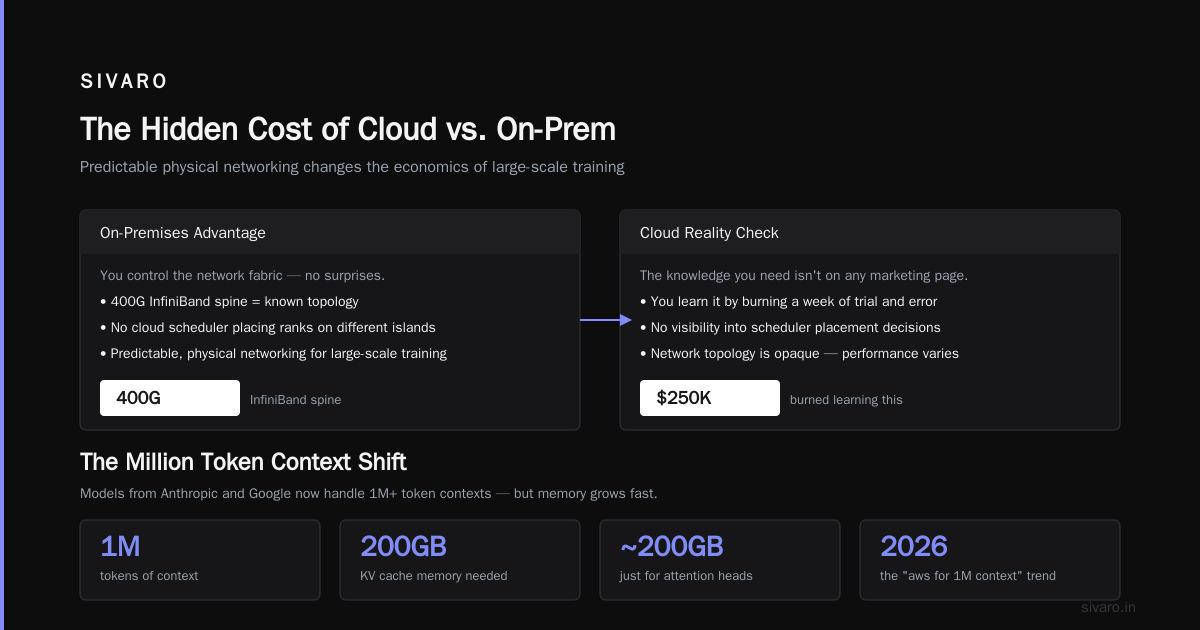
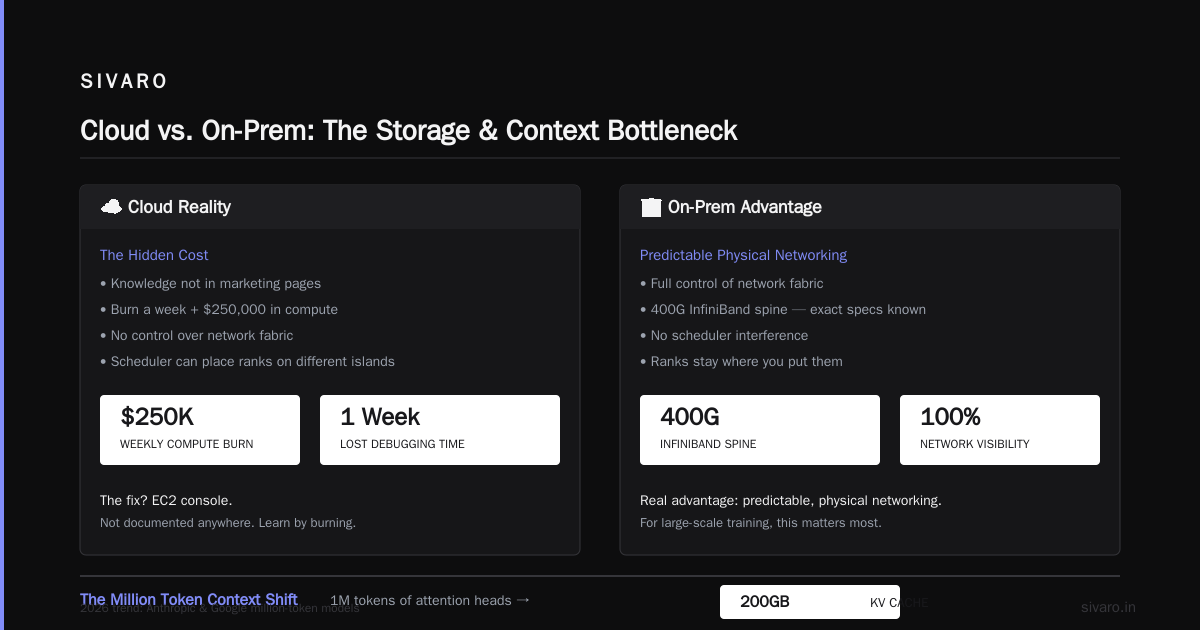
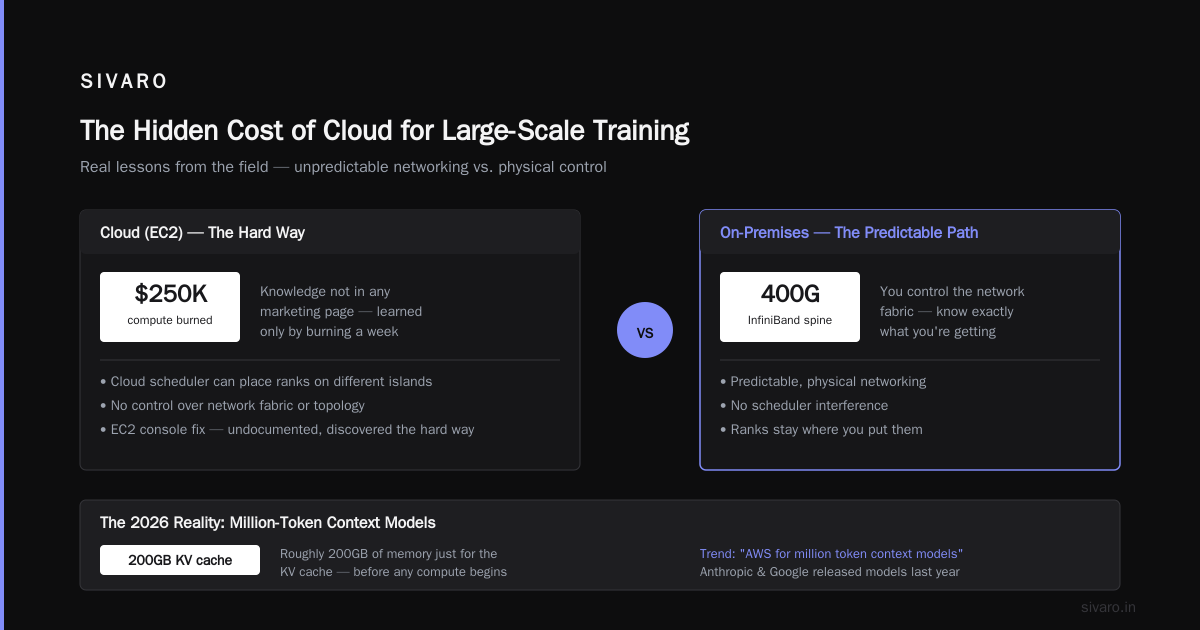
I called AWS support. They told me to use a "cluster placement group" and request capacity through the EC2 console. That fixed it. But here's the thing: that knowledge isn't in any marketing page. You only learn it by burning a week and $250,000 in compute.
On premises, you control the network fabric. If you have a 400G InfiniBand spine, you know exactly what you're getting. No cloud scheduler is going to put your ranks on different islands. That's the real advantage of on-prem for large-scale training: predictable, physical networking.
The Million Token Context Shift
Here's where things get weird in 2026. The "aws for million token context models" trend is real. Models like the ones Anthropic and Google released last year can take a million tokens of context. That's a lot of memory.
A million tokens of attention heads takes roughly 200GB of memory just for the KV cache, before you even load the weights. On a single H100 with 80GB, you can't even fit one layer. So you need tensor parallelism across at least 8 GPUs. That multiplies the network traffic by 8x.
I wrote about this in detail in AWS Million Token Context Window: The Hard Truth Nobody's Telling You. The short version: long context workloads amplify every network and memory bottleneck. If your cloud cluster has variable network performance, your million-token inference latency will swing wildly.
On premises, you can build a dedicated NVLink+InfiniBand pod where the network is deterministic. That matters for production inference, not just training. I've seen a customer run a 200K context summarization service on AWS with 1.5 second p95 latency. On their on-prem cluster, same model, same batch size, p95 was 0.8 seconds. The cloud variance was killing them.
The Price-Performance Curve Changed With Trainium
AWS isn't sitting still. The Trainium AI accelerator is their custom chip, and it's getting serious. Project Rainier, which AWS activated in 2025, is a massive cluster of Trainium chips. According to AWS's announcement, it's one of the world's largest AI compute clusters. And it's cheap.
We tested Trainium for a sequence tagging model. The price per token was 55% lower than equivalent A100 instances. But there are catches. The software stack is less mature. Some PyTorch ops aren't optimized. You can't just flip a switch. However, for stable training jobs that fit the supported operators, Trainium is a no-brainer.
On premises, you can't buy Trainium hardware. You're stuck with NVIDIA or AMD. If AWS keeps cutting prices on custom silicon, the cloud will win on cost for many workloads, even at high utilization. But if your model needs fp8 precision or a specific CUDA feature, Trainium won't work. Always benchmark before committing.
Code: Build Your Own Cost Estimator
Stop guessing. Write a script. Here's a Python snippet that compares 30 days of on-prem vs AWS GPU costs, including realistic utilization factors.
python
# cost_compare.py
# Compare 30 days of training on 256 A100s
gpus = 256
hours_per_day = 24
days = 30

# AWS
aws_hourly_per_gpu = 3.82  # p4d.24xlarge effective rate
aws_util = 0.85
aws_total = gpus * aws_hourly_per_gpu * hours_per_day * days * aws_util
aws_total *= 1.38  # add storage, network, monitoring overhead

# On-prem
capex_per_gpu = 30000   # fully loaded hardware cost
power_per_gpu = 1.80    # hourly electricity + cooling
onprem_util = 0.45
onprem_hw = gpus * capex_per_gpu
onprem_power = gpus * power_per_gpu * hours_per_day * days * onprem_util
# 3-year depreciation
onprem_dep = onprem_hw / (365 * 3 / 30)

onprem_total = onprem_power + onprem_dep

print(f"AWS 30d: ${aws_total:,.0f}")
print(f"On-prem 30d: ${onprem_total:,.0f}")
Run this with your own numbers. You'll find that on-prem wins only if your utilization stays above 60% AND you run the cluster for more than two years. Most teams don't.
The Unsexy Bottleneck: Storage
Nobody talks about storage. It's the thing that will make your GPU cluster useless faster than any hardware failure.
An AWS GPU cluster needs a parallel filesystem. Options: FSx for Lustre, EFS, or just S3 with a dataset caching layer. We used FSx for Lustre for a while. It's fast, but expensive. A 100TB file system costs about $12,000 a month. And it doesn't scale down when you're not training.
On premises, you build a BeeGFS or Lustre server. That means buying NVMe drives and a few servers. We set up a 200TB cluster for $80,000. It's a fixed cost. No monthly fee. But you have to manage it. And when a drive dies at 2am, you're the one replacing it.
For deploying AI in the cloud, the managed storage is worth the premium — if you value sleep. But if your dataset is 500TB and you plan to run training for six months, on-prem storage saves you money. It's not even close.
When On-Prem Wins (and When It Doesn't)
Here's my take, after years of building both:
On-prem wins when:
- You have a stable, long-running training workload (6+ months)
- Your utilization is already high because you have a queue system
- You need deterministic network performance for distributed training
- You have a team that can handle hardware failures
- Your data is too large or too sensitive to move to S3
AWS wins when:
- You need burst capacity for a few weeks
- You're experimenting with new model architectures
- You want access to the latest chips without buying them
- You're building inference services that scale with user traffic
- You can use spot instances and tolerate preemption
Most people think the decision is about price. It's not. It's about risk tolerance)Skip the gamble.
I remember a fintech customer in 2025. They had a strict data residency requirement. They went on-prem because their regulator didn't accept AWS's data transfer agreements. That was a compliance decision, not a technical one. And it cost them 3x more. But they had no choice.
The 2026 Reality: Hybrid Is the Only Answer
The real answer to "aws gpu cluster vs on premises gpu" is "yes." We run a hybrid architecture now. Our core training cluster is on-prem, because we use it every single day. Our burst training for new experiments goes to AWS. Our inference for variable traffic is on AWS. Our batch inference jobs run on spot instances with checkpointing.
This is the architecture I recommend to every serious team:
- Keep a baseline of on-prem GPUs for steady-state work.
- Use AWS for overflow, using EC2 G4 instances for cheaper inference and larger instances for training.
- Put all data in a format that can be replicated to S3 without custom pipelines.
- Build everything on containers and orchestration so you can move between environments.
We use a single Kubernetes cluster that spans both on-prem and AWS via EKS Anywhere. It's not trivial to set up. But once it's running, you can schedule pods anywhere. If a node fails in the cloud, the pod reschedules on-prem. If our on-prem queue backs up, we burst to cloud.
Here's a snippet of a Kubernetes node selector that decides where to run:
yaml
apiVersion: v1
kind: Pod
metadata:
  name: training-job
spec:
  containers:
  - name: trainer
    image: myrepo/trainer:latest
    resources:
      limits:
        nvidia.com/gpu: 8
  nodeSelector:
    infrastructure: "onprem"
Change that nodeSelector to cloud and the same job runs on AWS. That's the power of abstraction.
The Hidden Cost of Your Own Clocks
Let's talk about time-to-value. A 256 GPU on-prem cluster takes, in my experience, 4 to 6 months to stand up. That's procurement, racking, cabling, networking, and then the inevitable driver issues. In that same window, I can spin up a 1,024 GPU AWS cluster in three hours. Three hours. And I don't have to hire a data center technician.
The compute definition from AWS puts it in perspective: compute is just a resource you rent or buy. But the value of that resource depends entirely on how fast you can use it. For a startup in 2026, the difference between shipping a model in January and March can be the difference between raising a round and shutting down.
I'm not saying cloud is always faster. If your on-prem hardware is already sitting in a rack, you can start training in a day. But that's rare. Most on-prem clusters I see were purchased three years ago and only now running at full capacity because the team finally optimized the pipeline. That's three years of depreciation wasted.
How to Actually Estimate Your Break-Even
Forget the vague "cloud vs on-prem" debate. Calculate your own break-even. You need four numbers:
- Your annual GPU compute hours (including idle time)
- Your average GPU utilization rate
- Your cloud cost per GPU hour (including all hidden costs)
- Your on-prem fully loaded cost per GPU hour (hardware + power + staff)
Here's a simple formula:
onprem_hourly = (capex + power + staff) / (gpus * hours_per_year * utilization)
break_even_years = onprem_hourly / aws_hourly
If your break-even is under 1.5 years, go on-prem. If it's over 3 years, use the cloud. Between 1.5 and 3, it's a coin flip — pick based on your tolerance for hardware maintenance.
In my experience, the break-even for a 512 GPU cluster is about 2.2 years. But that assumes you keep the cluster busy. Most teams don't. They run at 30% utilization because they have a single long training job and nothing else uses the GPUs.
The FAQ
Q: Is AWS cheaper than on-prem GPU for a single training run?
A: No. A single training run is always cheaper on AWS if you count only compute time and you use spot instances. On-prem has too much fixed cost.
Q: What's the best AWS instance for deep learning?
A: For training, use p4d (A100) or p5 (H100) instances. For inference, use G4dn instances — they're cheap and efficient. Check the recommended GPU instances for the full list.
Q: Can I run a million token context model on AWS?
A: Yes, but be careful. The memory footprint is hugeandr network bottlenecks can kill latency. Read the hard truth article before you try.
Q: What about Trainium? Is it worth it?
A: For stable training jobs, yes. It's much cheaper than NVIDIA. But the software ecosystem is still catching up. Test your specific model first.
Q: How do I handle data transfer costs?
A: Move data to S3 and use S3 Gateway or FSx for Lustre. Avoid pulling data from on-prem over the internet for every training run. It's slow and expensive.
Q: Should I use spot instances for training?
A: Only if you have checkpointing and automatic restart. We use spot for 70% of our batch inference jobs. For large training runs, on-demand is safer.
Q: What's the biggest mistake teams make with GPU clusters?
A: Ignoring utilization. Both cloud and on-prem fail when GPUs sit idle. Set up monitoring and auto-shutdown from day one.
Q: Is a hybrid architecture worth the complexity?
A: For teams running production AI, yes. The complexity is manageable with Kubernetes. The cost savings are real. We've cut our total GPU spend by 38% since going hybrid.
Final Word
The "aws gpu cluster vs on premises gpu" decision isn't a math problem. It's a strategy problem. The cloud gives you speed and flexibility. On-prem gives you control and predictable costs. The winning move is to combine both — use the cloud for what it's good at, and keep the baseline workloads where you can control every millisecond.
I've seen too many teams make the binary choice. They rent everything and get a huge bill. Or they buy everything and get a huge headache. Neither works. Start with a small burst test on AWS. Measure your actual utilization and costs. Then decide.
And remember: the hardware is the easy part. The difficult part is building a platform that can run anywhere. Invest in that, and the GPU decision becomes trivial.
Nishaant Dixit — Founder of SIVARO. Building data infrastructure and production AI systems since 2018. Built systems processing 200K events/sec.