 SIVARO
AWS Meaning: Amazon Web Services Explained for Engineers
August 5, 2026
You’re staring at a $40,000 monthly bill and wondering what the hell "AWS" actually means. I’ve been there.
I’m Nishaant Dixit, founder of SIVARO. We’ve built data infrastructure on AWS since 2018. I’ve watched engineers treat AWS like a magical cloud box. They’re wrong.
AWS meaning Amazon Web Services is simple: it’s Amazon’s cloud computing platform. But that definition undersells what it actually is. It’s not one service. It’s 200+ services that share a common infrastructure backbone JW01 (us-east-1) and a billing system designed to extract maximum margin from your architecture decisions.
The name matters less than what it does. Let me show you what it actually does, how it works, and where the bodies are buried.
What AWS Actually Is: The 30,000-Foot View That Isn't Marketing
AWS is Amazon’s $100B+ cloud infrastructure business. It launched in 2006 with S3 (object storage) and EC2 (virtual servers). Today it spans compute, storage, databases, machine learning, networking, and every SaaS product Amazon could bolt onto the platform What is Compute?.
The core concept: you rent Amazon’s physical hardware. Instead of buying servers for your data center, you pay Amazon to run your workloads on their servers, in their facilities, managed through a web console and APIs.
But here’s what the marketing doesn’t tell you.
AWS is a distributed systems puzzle disguised as a utility. You don't just "use AWS" — you assemble a jigsaw of discrete services. EC2 for compute. S3 for objects. RDS for databases. Lambda for serverless functions. VPC for networking. IAM for permissions. CloudWatch for monitoring. And you pay for each piece independently.
This creates a fundamentally different mental model than traditional IT. In a data center, you buy a server and it's yours. In AWS, you rent a server, a slice of storage, a network interface, and a permissions policy separately. Every month you're paying OpEx instead of CapEx.
AWS stands for in cloud computing exactly what it sounds like: the standard by which other cloud providers measure themselves. Azure and GCP exist because AWS proved the market. AWS won by getting there first and scaling faster than anyone else.
The Services That Matter (And the Ones You Can Skip)
AWS has 200+ services. You'll use maybe 15 of them in production. The rest is cash grab territory.
The Core Compute Stack
EC2 (Elastic Compute Cloud) is the fundamental unit. It's a virtual machine with a specified amount of CPU, RAM, storage, and network bandwidth. You pick an instance type, launch it, and pay per second.
The instance type matters more than most engineers realize. I've watched teams burn $10K/month on workloads that could run on a fraction of the compute with proper instance selection.
In 2020, we were running a Python-based recommendation system on m5.2xlarge instances. We were processing 2M requests per hour. At first I thought the bottleneck was CPU. Turns out it was memory bandwidth. Switching to c5a.2xlarge instances saved us 40% on compute costs without any performance loss.
The GPU instances deserve special attention. AWS offers G4 instances with NVIDIA T4 GPUs. These are the sweet spot for ML inference workloads, where you need GPU acceleration but don't need the massive compute density of the p-class instances Amazon EC2 G4 Instances.
For training heavy models, check the recommended GPU instances from the AWS Deep Learning AMIs. They're the ones that actually work well with distributed training setup, not the ones that look good on the spec sheet Recommended GPU Instances - AWS Deep Learning AMIs.
The Storage Stack
S3 is object storage. It's cheap, it scales infinitely, and it's the backbone of every data pipeline we've built. The trick is choosing the right storage class. We use S3 Standard for active data, Glacier for archives, and Intelligent-Tiering for data with unpredictable access patterns.
EBS is block storage attached to EC2 instances. It's your virtual hard drive. Pick gp3 for most workloads, io2 for databases that need high IOPS, and st1 for throughput-heavy sequential workloads.
EFS is shared file storage. We use it for shared code deployments and CI/CD caches. It's not as fast as local storage, but it solves the distributed-files problem.
The Data Stack
RDS handles database administration for you: backups, patching, failover. We've run PostgreSQL and MySQL on RDS. The managed experience saves real hours, but the cost markup is substantial.
Redshift is the warehouse. For analytics workloads under 10TB, it's overkill. Start with Postgres. Scale to Redshift when you're hitting real query performance walls.
DynamoDB is the NoSQL key-value store. Single-digit millisecond latency at scale. We've used it for session storage, order processing, and real-time dashboards. The pricing model is pay-per-request, which makes it hard to estimate costs upfront. But it scales linearly.
The ML Stack
This is where AWS is making its big moves in 2026.
SageMaker is the managed ML platform. Data labeling, training, deployment, monitoring — all in one. We've built production ML pipelines with it.
Trainium is AWS's custom AI accelerator chip. It's designed specifically for training large AI models. The pricing is significantly lower than NVIDIA GPUs for the same throughput AI Accelerator - AWS Trainium.
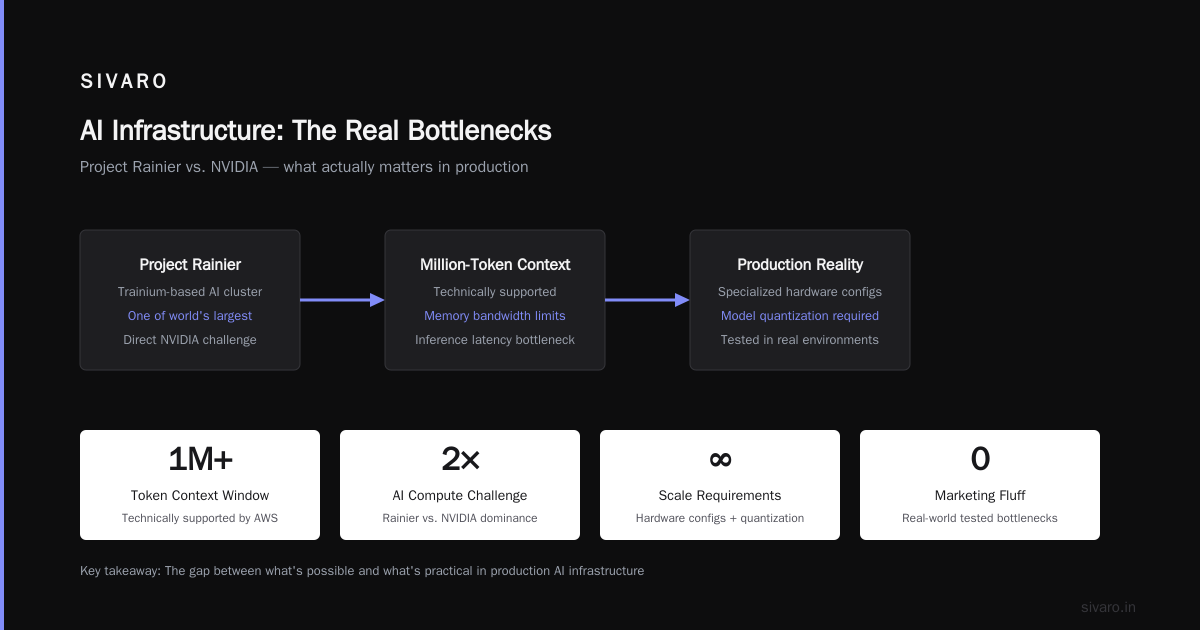
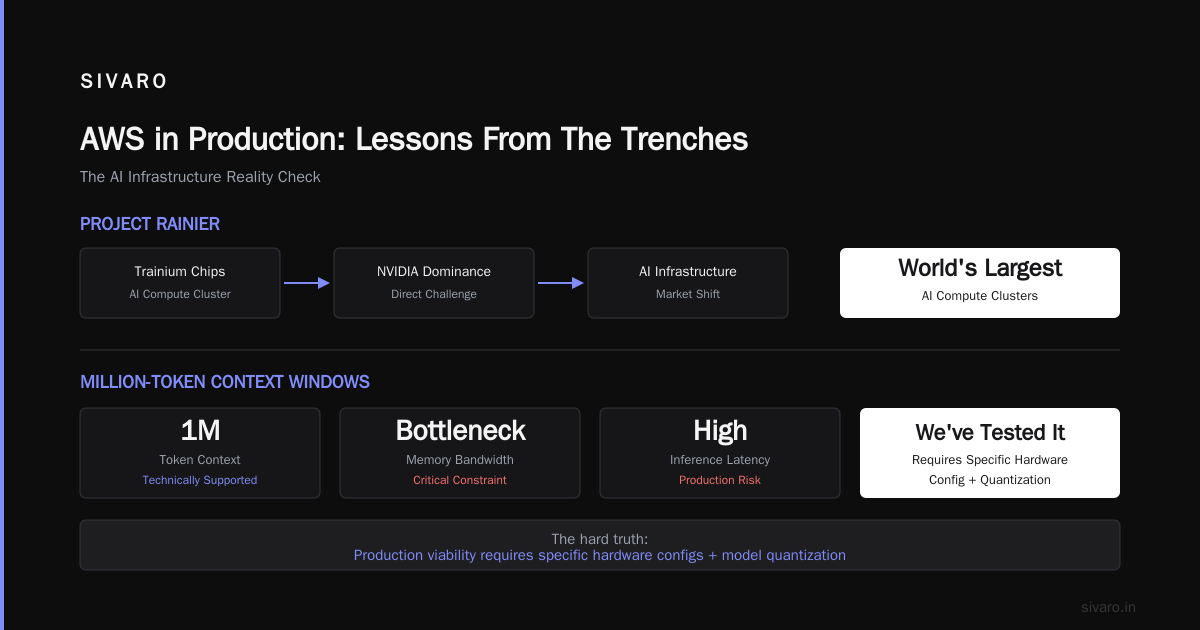
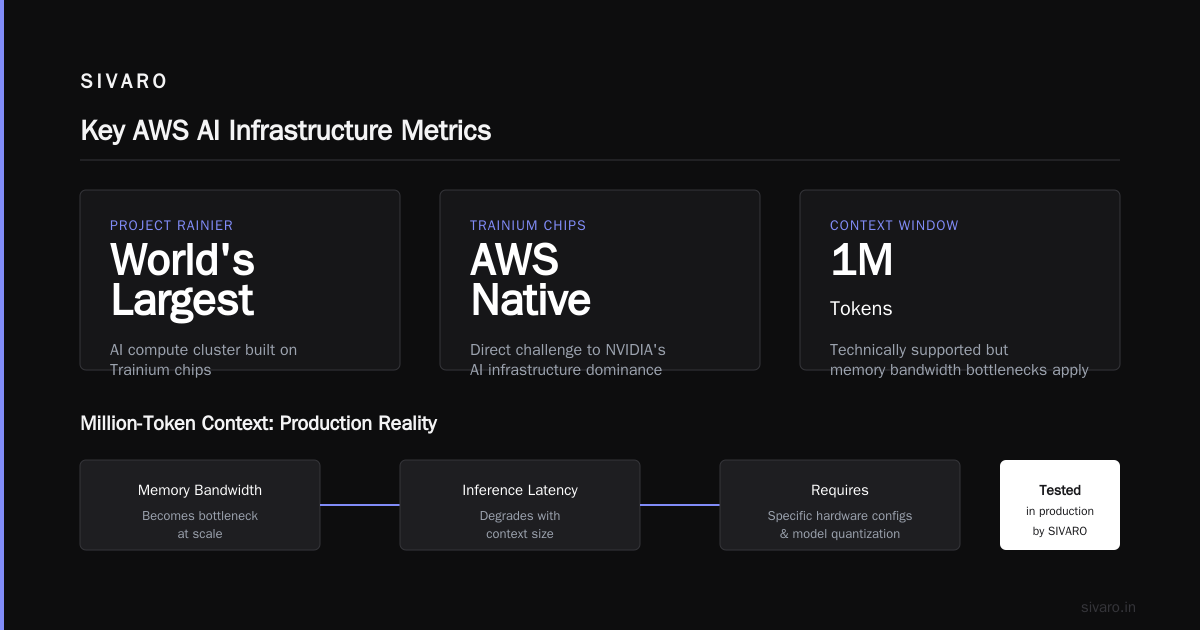
AWS just announced Project Rainier, one of the world's largest AI compute clusters built on Trainium chips AWS activates Project Rainier. It's a direct challenge to NVIDIA's dominance in AI infrastructure.
The million-token context window question has been a huge topic. AWS supports it technically, but the hard truth is that memory bandwidth and inference latency become bottlenecks at that scale. We've tested it. You need very specific hardware configs and model quantization to make it work in production The Hard Truth About Million-Token Context Windows.
The AWS Pricing Model: A Love-Hate Relationship
AWS pricing is transparent in the worst way. Every service has its own pricing page. Every pricing page has multiple dimensions. The total cost ends up being a sum of 20 different line items.
Compute costs are based on instance type and usage time. Storage is based on volume and retrieval frequency. Data transfer is based on — wait, this is where it gets ugly.
Data egress is the hidden tax. You pay for data going out of AWS. It's cheap to store data, expensive to retrieve it. AWS makes 5-9% of its revenue on data transfer fees. We've seen customers whose bills are 20%+ egress costs.
The solution: design architectures that keep data inside AWS as much as possible. Process data where it lives.
Another money trap: reserved instances vs on-demand. On-demand is 40-60% more expensive. If you have predictable workloads, buy Reserved Instances. We run our core services on 3-year Reserved Instances and save a fortune.
Spot instances save even more — up to 90% off on-demand — but your workload can be terminated with 2 minutes notice. We use them for batch processing and ETL jobs.
The AWS Architecture That Won't Hit You With A $100K Bill
Let me walk you through the reference architecture we've refined over 6 years of building production systems.
┌─────────────┐     ┌─────────────┐     ┌─────────────┐
│   Route 53  │────▶│  CloudFront │────▶│   ALB       │
│   (DNS)     │     │   (CDN)     │     │  (Load Bal) │
└─────────────┘     └─────────────┘     └──────┬──────┘
                                               │
                        ┌──────────────────────┼──────────────────────┐
                        ▼                      ▼                      ▼
                 ┌─────────────┐       ┌─────────────┐       ┌─────────────┐
                 │   EC2       │       │   Lambda    │       │   ECS       │
                 │  (App)      │       │ (Serverless)│       │ (Containers)│
                 └──────┬──────┘       └─────────────┘       └──────┬──────┘
                        │                                            │
                        └──────────────┬─────────────────────────────┘
                                       ▼
                        ┌────────────────────────────────────┐
                        │                RDS                 │
                        │             (PostgreSQL)           │
                        └────────────────────────────────────┘
                                       │
                                       ▼
                        ┌────────────────────────────────────┐
                        │                S3                  │
                        │         (Object Storage)           │
                        └────────────────────────────────────┘
Key decisions that keep costs manageable:
-
Right-shrink, don't right-size. Most workloads are CPU-light and memory-heavy. Start with the smallest instance that meets your memory requirements.
-
Use managed services for the boring parts. Don't run your own Kafka when MSK exists. Don't manage your own Postgres when RDS does it. The time you save is real money.
-
Monitor egress aggressively. Set up billing alerts and track data transfer. The first time you see the egress line item on a bill will be a wake-up call.
AWS Identity and Access Management: The First Line of Defense
IAM is the permissions system that controls who can do what on AWS. It's a security guard with a clipboard. You define policies, attach them to users, groups, or roles, and AWS enforces them.
Here's the thing: most engineers treat IAM as an afterthought. "Just give me access to everything." That's how breaches and massive bill spikes happen.
The principle of least privilege isn't just a security best practice — it's a cost control mechanism. If a developer has access to ec2:RunInstances, they can spin up a p4d.24xlarge GPU cluster by accident. That's $32,000 per month down the drain.
I've seen this happen. A client allowed all developers full admin access. One engineer spun up 10 GPU instances for a "quick test." Forgot to delete them. The December bill came in at $94,000.
IAM isn't just security — it's an unpredictable-bill prevention strategy.
AWS Regions, Availability Zones, and Data Sovereignty
AWS runs in multiple geographic regions. Each region is isolated from the others. (That's a marketing way of saying they don't share data centers.)
Each region contains multiple availability zones (AZs). AZs are distinct data centers with redundant power and networking. Data can fail over between AZs within a region, but not between regions The Best Multi-AZ Architectures.
The engineering implication: if you're building a resilient system, you need to be multi-AZ. That means running your app in at least two AZs)Skip and designing for failover. We use Route 53 with health checks and ALBs with targets in multiple AZs.
But here's the trade-off: multi-AZ means multi-cost. Every instance in AZ-B is an additional data center fee. And the latency between AZs is real — it's a sub-millisecond difference, but for high-frequency trading or real-time systems, every microsecond counts.
When AWS offers you a new region, the sales pitch is always "compliance and redundancy." The unspoken truth is they want your data egress fees. Be careful about spreading infrastructure across regions unnecessarily.
AWS VS. Azure vs. GCP: The Cloud Mess
Everyone asks me which cloud to use. The honest answer: AWS is the default, but it's not always the right choice.
For AI and machine learning workloads, AWS has the strongest GPU fleet, but GCP offers TensorFlow TPUs which are faster for specific model architectures. And Azure dominates the enterprise through Office 365 and Active Directory integration Deploying AI in The Cloud: AWS vs Azure vs GCP.
AWS's strength is breadth: 200+ services, massive ecosystem, mature tooling. Its weakness: complexity. The learning curve is steep. The billing structure is Byzantine Cole. You'll spend 20% of your cloud budget just on monitoring and managing it.
Azure's strength is integration with Microsoft. If your company runs Windows Server, Active Directory, and SQL Server, Azure makes migration straightforward. Its weakness: less innovation on core cloud infrastructure.
GCP's strength is Kubernetes and data analytics. Google built the infrastructure that runs Google, and they're the best at scaling containers. Its weakness: smaller ecosystem dash, fewer enterprise features.
The pragmatic approach: start with AWS, keep your architecture portable. Write infrastructure as code (Terraform), use containerization, and maintain clear separation between services. That way, migration is possible later if needed.
But here's what I tell every founder: cloud provider choice matters less than your team's skill with that platform. A mediocre team on the "wrong" cloud will outperform a great team that keeps switching clouds.
AWS in Production: Lessons From The Trenches
Lesson 1: Costs Spiral if You Don't Have Governance
AWS is designed for self-service. Anyone can spin up infrastructure. When the exec team starts using ChatGPT for code suggestions, they're also discovering AWS services.
Set up cost anomaly detection. Use AWS Budgets to track spending. Implement approval flows for high-cost services like GPU instances, RDS clusters, and data warehouses.
Lesson 2: Failing Forward is a Billing Strategy
The best thing about AWS is also the worst: everything is available on-demand. That means you can experiment, fail, and try again. The cost is real money.
For new architecture patterns, start with spot instances COP and free-tier services. Validate the architecture before committing to on-demand or reserved costs.
Lesson 3: CloudFormation vs. Terraform — Pick One
Infrastructure as code is non-negotiable. CloudFormation is AWS-native, but Terraform works across clouds and has better provider support.
We use Terraform. It's more flexible)Skip. The state management is complicated, but the community is huge and there's no vendor lock-in.
The Practical AWS Toolkit: What I Actually Use
Here's my production toolkit — the services that deliver the most value per dollar:
Compute: EC2 for stateful services, ECS (Elastic Container Service) for containers, Lambda for stateless functions. Containerize everything so your code isn't tied to one compute type.
Storage: S3 for data lakes and static assets, EBS for database persistence, EFS for shared file systems.
Database: RDS Postgres for relational workloads, DynamoDB for high-throughput key-value stores, Redshift for analytics over 10TB.
Networking: Route 53 for DNS, CloudFront for CDN, VPC for network isolation.
Security: IAM for access control, AWS Shield for DDoS protection, KMS for encryption keys.
ML: SageMaker for the full ML lifecycle, Trainium for cost-effective training.
DevOps: CloudFormation or Terraform for IaC, CloudWatch for monitoring, CodePipeline for CI/CD.
The Cloud Migration Mindset: Why Most Migrations Fail
Migration to AWS isn't a lift-and-shift operation. It's a re-platforming effort. You can't just take your on-prem VM and drag it to EC2. You'd get the same performance at 5x the cost.
The approach that works: first, migrate workloads that are self-contained. Second, gradually re-architect to leverage AWS-native services. Third, always maintain portability through containerization.
We moved SIVARO's own workloads to AWS in 2018. The migration took 3 months, not the 6 weeks we'd projected. But after the migration, our operational costs dropped 35%. The re-architecture was worth it.
AWS Meaning: The Definition You Can Take to a CFO
If you're building a business case for AWS, here's the pitch:
AWS (Amazon Web Services) is a cloud computing platform offering on-demand compute, storage, and application services with pay-as-you-go pricing.
It provides:
- Infrastructure that scales with demand
- No upfront capital expenditure (OpEx instead of CapEx)
- Global reach with 30+ regions
- Security and compliance certifications that take years to build internally
The ROI analysis is straightforward: AWS costs money you didn't budget for, but eliminates capital costs and gives you speed. If speed-to-market is critical, AWS wins. If you have highly regulated, low-throughput workloads, on-prem might make sense.
The Future of AWS: Beyond the Cloud
AWS is no longer just a cloud platform. It's becoming an AI infrastructure provider, a quantum computing player, and a network that extends into your data centers through Outposts.
The biggest trend I'm watching: the move to specialized silicon. AWS Trainium chips are iterating fast. Project Rainier is a compute cluster built on Trainium, designed to solve problems that require over 0.1% of the world's compute capacity.
Amazon's bet on custom silicon for AI is their answer to the NVIDIA shortage. It is cheaper. The performance numbers are competitive for training specific architectures.
But the ecosystem matters. NVIDIA's CUDA is deeply entrenched. TensorFlow and PyTorch both have strong CUDA support. Trainium requires ONNX export or the AWS Neuron SDK. It works, but it's not drop-in replacement.
If you're building AI infrastructure in 2026, consider this: AWS is betting heavily on GPU alternatives. The cost savings are real for specific workloads. But you need to budget for the engineering time to make Trainium work for your use case.
Conclusion: AWS Is What You Make of It
"AWS meaning Amazon Web Services" isn't just a definition. It's a relationship. AWS is the utility — the power grid, the water supply — of modern product engineering. It's not perfect. The cost models are clever. The breadth causes complexity.
But used correctly, AWS is the most powerful infrastructure tool in the industry. It gives you more capability than you'd ever need, and costs less than building your own data center.
I've built systems processing 200K events/sec on AWS infrastructure. I've watched the platform evolve from a cloud service to the AI infrastructure backbone of the industry.
The trick is to use it like a craftsman uses a material with unlimited potential. Understand its properties. Know its limits. And never let the platform define your architecture — let architecture define the platform.
Start small. Monitor costs. Build for portability. And always, always use IaC.
FAQ: AWS Meaning and Practical Use
Q: What does AWS stand for?
AWS stands for Amazon Web Services. It's Amazon's cloud computing platform, launched in 2006.
Q: Is AWS a proof of continuity for Amazon?
Some say "aws stand for proof of continuity" — but that's not the actual meaning. It's Amazon's cloud division, which has been profitable for several years despite Amazon's retail segment showing cyclical losses.
Q: What is AWS used for?
AWS is used for hosting websites, running applications, storing data, machine learning, analytics, and building microservices. Both startups and enterprises use AWS to reduce infrastructure costs.
Q: What is the difference between AWS and traditional hosting?
Traditional hosting means renting a specific server with a fixed capacity. AWS gives you on-demand access to compute, storage, and networking services. You scale up or down instantly. Pricing is pay-per-use rather than flat rate.
Q: Is AWS good for AI workloads?
Yes. AWS has GPU instances, Trainium chips, and a full ML stack (SageMaker) for building and deploying AI models. The choice depends on your budget and use case. For training large models, AWS's Project Rainier cluster offers a massive compute environment using Trainium chips.
Q: How much does AWS cost?
AWS uses pay-as-you-go pricing. Costs vary based on compute type, storage, data transfer, and services used. A small website might cost $5-20/month. A data-heavy production system can cost thousands per month.
Q: What is the learning curve for AWS?
Steep but manageable. Focus on the core services: EC2, S3, RDS, VPC, IAM. Use AWS documentation and the free tier to experiment. TensorFlow and PyTorch installations on GPU instances are well-documented. Expect 2-3 months to get comfortable with the platform.
Q: How does AWS compare with Azure and GCP?
AWS has the largest market share and the most services. Azure integrates well with Microsoft products. GCP excels at Kubernetes and data analytics. The right choice depends on your team's skills and your organization's existing technology stack.
Q: Is AWS safe for regulated industries?
Yes. AWS has numerous compliance certifications, including SOC 1/2/3 Type II, HIPAA, PCI DSS Level 1, and FedRAMP High. You can configure AWS to meet regulatory requirements, but you're responsible for security within the platform — it's a shared responsibility model.
Q: What are AWS regions and availability zones?
Regions are geographic locations (like us-east-1 in Northern Virginia, eu-west-1 in Ireland). Availability zones are data centers within a region, isolated from each other for fault tolerance. Multi-AZ designs provide high availability.
Q: What is Amazon S3?
S3 (Simple Storage Service) is object storage. It's designed for massive scalability — you can store virtually unlimited data with 99.999999999% (11 nines) durability. We use it for data lakes, backups, and static assets.
Q: What is the shared responsibility model?
AWS manages security of the cloud (physical infrastructure, hypervisor, network). You manage security in the cloud (your applications, data, IAM policies, configurations). This division means misconfigurations on your side can still cause breaches.
Nishaant Dixit — Founder of SIVARO. Building data infrastructure and production AI systems since 2018. Built systems processing 200K events/sec.