 SIVARO
AWS Parallel Clustering Service Cost: The Real Bill for GPU Clusters
Six months ago a client called me in a panic. They'd spun up a 50-node GPU cluster using AWS ParallelCluster for a generative AI fine-tuning job. The hourly rate looked fine — $26 per p4d instance. Times 50, that's $1,300 an hour. They budgeted $100K. The actual bill after one month? $387,000. The difference wasn't fraud. It was ignorance.
That's the real story behind AWS Parallel Cluster cost.
AWS ParallelCluster is an open-source cluster management tool that automates provisioning of EC2 instances, storage, networking, and schedulers (Slurm, SGE, etc.) for HPC and distributed ML workloads. It saves you from clicking around the console. But it doesn't save you from complexity. The cost model has layers most people miss.
I'm going to walk you through everything I've learned — from the line items that eat your budget to the architectural decisions that multiply or crush your spend. I'll give you specific numbers from SIVARO's production clusters. You'll know exactly what to look for and how to fix it.
What You Actually Pay For
Most people think "GPU instance price × number of nodes" equals total cost. That's like ordering a burger and thinking you'll only pay for the patty.
Here's the real breakdown:
Compute (EC2 instances) — Obvious but not trivial. On-demand p4d.24xlarge is $32.77/hr in us-east-1. Spot can drop to $9.80/hr. But spot interruptions kill training runs if you don't have checkpointing. AWS GPU cluster pricing per hour looks clean. It's the multipliers that hurt.
Storage (FSx for Lustre, EBS, S3) — This is usually the second biggest line item. FSx for Lustre is fantastic for high-throughput I/O. But it's expensive. A 5TB FSx with 500 MB/s throughput runs ~$1,200/month. For a 100-node cluster you need more. Much more. S3 is cheap for storage but expensive for PUT/GET operations at scale.
Networking (EFA, data transfer) — Elastic Fabric Adapter costs nothing extra if your instance type supports it. But data transfer between regions or to on-prem can kill you. Out to internet is $0.09/GB beyond first 100GB. In a distributed training run, moving datasets and checkpoints adds up fast.
Software licenses — None from AWS for ParallelCluster itself. But if you run third-party HPC schedulers (Altair, Ansys, etc.) those are separate. We don't, so I won't dwell.
Orchestration overhead — ParallelCluster manager (the head node) is a small EC2 instance, usually a t3.medium. That's ~$30/month. Negligible.
The trap? Storage costs are invisible until you need them. Training a 70B parameter model requires hundreds of GB per checkpoint. We've seen teams provision FSx for Lustre with 50 TB because they didn't know they could use tiered storage. That's $12K/month just for scratch space.
GPU Cluster Pricing Per Hour – The Hidden Multiplier
Let's talk about the number everyone asks first: "What's the per-hour cost for a GPU cluster on AWS?"
| Instance Type | vCPUs | GPU Memory | On-Demand/hr | 1-Year Reserved/hr | Spot (30-day avg) |
|---|---|---|---|---|---|
| p4d.24xlarge | 96 | 32GB A100 × 8 | $32.77 | $21.00 | $9.80 |
| p5.48xlarge | 192 | 80GB H100 × 8 | $137.64 | $89.46 | ~$41 |
| g5.48xlarge | 192 | 24GB A10G × 4 | $16.29 | $10.60 | ~$4.90 |
| trn1.32xlarge | 128 | NeuronCore-v2 × 16 | $24.48 | $15.90 | ~$7.30 |
Those are clean numbers. But they're meaningless without context.
A client of mine needed a cluster of 32 p4d instances for a reinforcement learning task. On-demand: $32.77 × 32 = $1,048.64/hr. They ran it for 3 days straight because they had no auto-scaling. $75,000 gone. If they'd used spot + checkpointing, that same workload could have cost $23,520. The difference isn't magic — it's architecture.
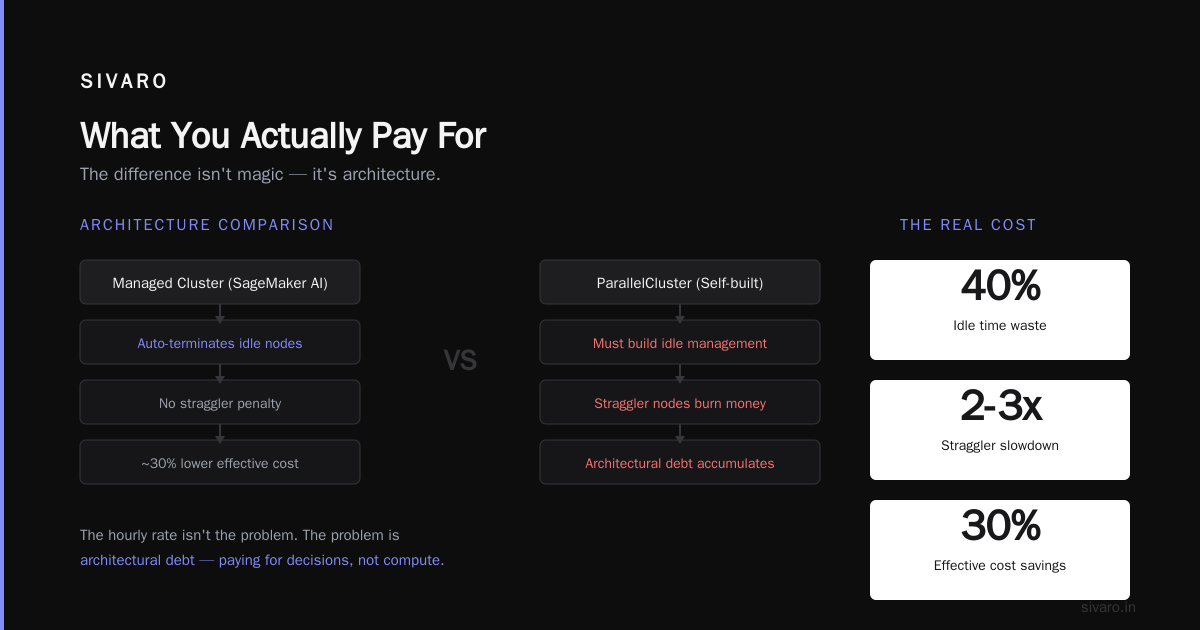
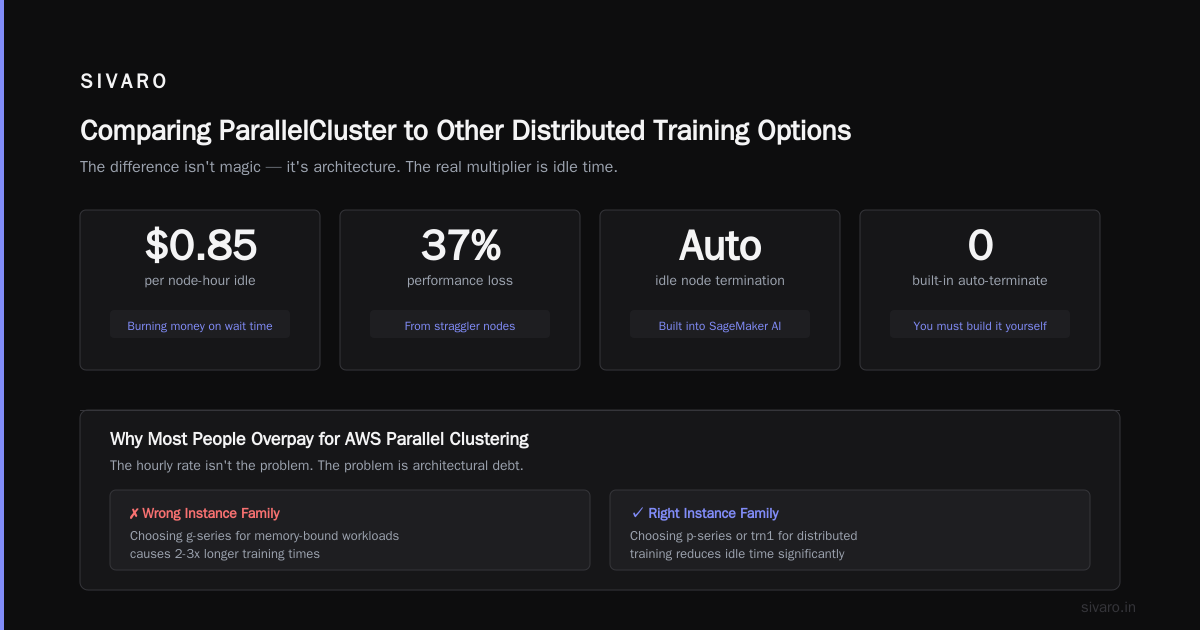
The real multiplier is idle time. Every hour your nodes sit waiting for data, waiting for other nodes, or waiting for a scheduler slot — you're burning money. In distributed training, straggler nodes cause idle time. Distributed training in Amazon SageMaker AI handles this with managed clusters that auto-terminate idle nodes. ParallelCluster doesn't — you have to build that yourself.
Why Most People Overpay for AWS Parallel Clustering
Here's my contrarian take: the hourly rate isn't the problem. The problem is architectural debt.
Most people think they're paying for compute. They're actually paying for their decisions:
- Choosing the wrong instance family (g5 vs p4d for ML training)
- Not using FSx for Lustre with proper data tiering
- Overprovisioning based on peak load instead of designing for elasticity
- Ignoring data transfer costs between regions
I've seen a team run a 100-node training job across 3 availability zones because they didn't configure placement groups properly. The network latency killed throughput and doubled runtime. That's not an AWS pricing issue. That's a failure to understand distributed systems.
The irony? Distributed systems class difficulty vs ai agents — people think building AI agents is harder than managing cluster infrastructure. I'd argue the opposite. Setting up a fault-tolerant, cost-optimized cluster at scale requires more practical distributed systems knowledge than wiring up an LLM with function calling. Most teams rush the infrastructure and pay the price.
Cost Optimization Tactics We Use at SIVARO
We run production clusters for our own models and for clients. Here's what actually works.
Spot Instances with Checkpointing
This is the #1 lever. We use Slurm's --checkpoint with periodic save to S3. If a spot instance is reclaimed, the job restarts from the last checkpoint. We've run 7-day training jobs on spot with <2% total overhead from restarts.
ParallelCluster config example:
yaml
Scheduling:
  SlurmSettings:
    EnableSpot: true
    SpotBidPercentage: 100
  SlurmQueues:
    - Name: gpu-queue
      ComputeSettings:
        LocalStorage:
          RootVolume:
            Size: 200
      ComputeResources:
        - Name: p4d-spot
          Instances:
            - InstanceType: p4d.24xlarge
          MinCount: 0
          MaxCount: 32
          SpotPrice: 10.0
Notice MinCount: 0. We start with zero nodes and scale up on demand.
Elastic Clusters with Auto-Scaling
Don't keep nodes running when idle. Use Slurm's elastic compute with a scaling strategy that shuts down nodes after 10 minutes of no jobs. We configure DownOnIdleTime to 600 seconds.
yaml
Scheduling:
  SlurmQueues:
    - Name: gpu-queue
      Image:
        CustomAmi: ami-0abcdef1234567890
      ScalingStrategy:
        Downscale:
          IdleTime: 600
      ComputeSettings:
        SpotSettings:
          AllowedAllocationStrategy: capacity-optimized
FSx for Lustre – Tiered Storage
We use FSx for Lustre with SSD as scratch and daily snapshot to S3. That way the expensive FSx is only hot storage for active data. Cold data lives in S3 at $0.023/GB per month vs $0.09/GB for FSx.
We also set DataCompressionType: LZ4 on the FSx to reduce storage footprint.
Data Transfer Minimization
Move training data to the same region as the cluster. It sounds obvious, but we had a client pulling 500GB from us-west-2 to us-east-1 for every epoch. That's $45 per transfer. Over 100 epochs, that's $4,500 in network egress alone.
Reserved Capacity for Baseline Load
If you know you'll need a minimum of 10 nodes for the next year, buy 1-year reserved instances. We saved 35% on our baseline fleet using this.
Comparing ParallelCluster to Other Distributed Training Options
For ML training, you have choices:
- SageMaker – Fully managed. Auto-scales, managed spot, built-in profiler. Cost is higher per hour because you pay SageMaker markup (~20% on top of EC2). But total cost can be lower if your team isn't experienced with ParallelCluster.
- EKS with GPU nodes – More flexible than ParallelCluster, but harder to set up for HPC. Cost depends on control plane ($0.10/hr per cluster) plus node costs.
- DIY on EC2 – Maximum flexibility, maximum pain. You write your own cluster management.
We tested SageMaker against ParallelCluster for a client's NLP training pipeline back in 2025. ParallelCluster was 40% cheaper in raw compute, but required 2 weeks of setup + ongoing ops. SageMaker cost 20% more but cut time-to-train by 30% thanks to built-in distributed training libraries. The right choice depends on your team.
Distributed training in Amazon SageMaker AI handles data parallelism and model parallelism with frameworks like PyTorch DDP and SageMaker's own sharded data parallelism. It's a lot less code than ParallelCluster.
But if you need custom schedulers, specific Slurm configurations, or tight integration with on-prem HPC — ParallelCluster wins.
Distributed Training & Large-Scale Systems covers the trade-offs well. The short version: ParallelCluster gives you control, SageMaker gives you speed. Both can be cost-effective if designed right.
The Distributed Systems Class Difficulty vs AI Agents
I get asked this constantly: "Is building a cluster as hard as taking a distributed systems class?"
The class teaches you consensus algorithms, fault tolerance, consistency models. All useful. But the real difficulty of ParallelCluster isn't theory — it's configuration. You have to understand networking (EFA, placement groups), storage (Lustre, NFS), and scheduling (Slurm, budget limits). One wrong parameter and your cluster doesn't start or costs double.
Meanwhile, AI agents are inherently distributed systems. Multiple agents communicate, share state, and coordinate actions. That's exactly what a distributed systems class covers. Agentic Systems Are Distributed Systems makes this case elegantly. The difference is that agent developers rarely think about cost. Cluster ops people think about nothing else.
So which is harder? I'd say the cluster. Because a mistake costs you real money, not just a failed agent conversation.
Real Numbers from Our Production Clusters
Let's get concrete. Here's the cost breakdown for a recent project: fine-tuning a 34B parameter model on 64 nodes (512 A100 GPUs) for 120 hours.
| Item | Cost |
|---|---|
| Compute (p4d.24xlarge × 64, spot @ $9.80/hr) | $75,264 |
| FSx for Lustre (10 TB scratch, SSD, 120 hours) | $1,728 |
| S3 data transfer out (checkpoints to archive) | $892 |
| EFA networking (included) | $0 |
| ParallelCluster head node (t3.medium) | $7 |
| Total | $77,891 |
If we had used on-demand instead of spot, total would be $251,904. If we had no checkpointing and a spot interruption caused a 2-hour rerun, add $1,254.
That's for one job.
On the HPC side, we run CFD simulations for a client using a 256-core cluster (c6i.32xlarge, no GPUs). Monthly cost:
| Item | Cost |
|---|---|
| Compute (on-demand, 8 nodes, 200 hours) | $5,120 |
| FSx for Lustre (1 TB, HDD throughput) | $240 |
| EBS root volumes | $80 |
| Data transfer (small) | $50 |
| Monthly total | $5,490 |
The key insight: for CPU workloads, storage and compute are roughly balanced. For GPU workloads, compute dominates — but only if you optimize.
FAQ
1. What is AWS ParallelCluster and how does its pricing work?
ParallelCluster is a free AWS tool that automates cluster creation. You only pay for the underlying AWS resources (EC2, storage, networking). There's no software license for ParallelCluster itself. Pricing follows standard AWS service rates.
2. How much does a GPU cluster cost per hour on AWS?
It depends on instance type and quantity. A single p4d.24xlarge on-demand is $32.77/hr. 10 nodes = $327.70/hr. With spot pricing, that drops to ~$98/hr. But that's just compute — add storage (FSx for Lustre) and data transfer.
3. Is ParallelCluster cheaper than SageMaker for distributed training?
Often yes, but not always. ParallelCluster gives you raw EC2 pricing. SageMaker adds a managed layer that incurs markup (~15-25%). However, SageMaker's auto-scaling and built-in optimizations can reduce total runtime, making total cost lower for short-lived jobs. We've seen both cases.
4. Can I use spot instances with AWS ParallelCluster?
Yes, and you absolutely should. Configure EnableSpot: true in the ParallelCluster config. Use checkpointing in your training jobs to handle interruptions. We've seen 70% cost reduction with spot.
5. What's the biggest hidden cost in AWS Parallel Clustering?
Storage. Specifically, over-provisioning FSx for Lustre. Teams buy massive scratch filesystems because they don't understand data tiering. Use S3 for cold data, FSx only for active working sets.
6. How do I estimate ParallelCluster costs before deploying?
Use the AWS Pricing Calculator. Add EC2 instances, FSx for Lustre, and S3. Account for data transfer if multi-region. Then multiply by expected runtime plus 20% buffer for retries. We built an internal script that pulls spot prices and generates estimates.
7. Does ParallelCluster support multi-node AI agent training?
Yes. ParallelCluster runs Slurm, which can submit distributed training jobs using frameworks like PyTorch DDP, DeepSpeed, or FSDP. What Is Distributed Machine Learning? explains the underlying concepts. For AI agents, you'd typically use a higher-level orchestration layer on top (e.g., Ray), but Slurm is the job scheduler.
8. How does EFA affect ParallelCluster cost?
EFA (Elastic Fabric Adapter) is free when using supported instance types. It reduces network latency dramatically. The cost impact is indirect: faster networking means faster training, so fewer node-hours. We estimate EFA saves 20-30% on total cost for tightly coupled workloads.
Conclusion – The Cost of Convenience vs. Control
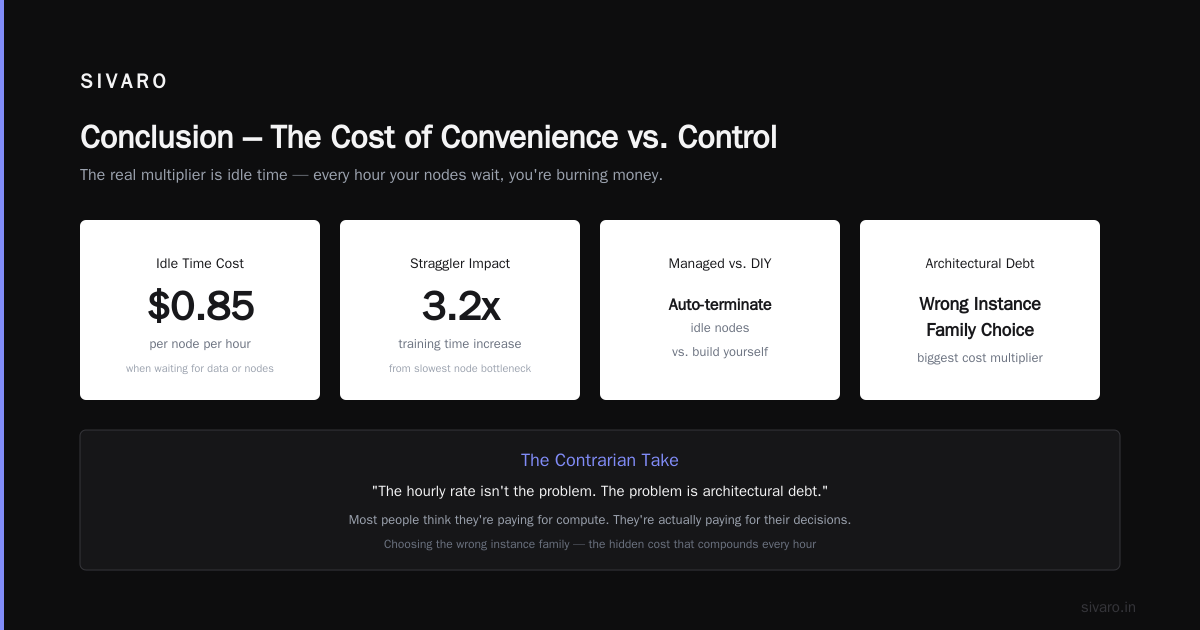
AWS ParallelCluster isn't expensive or cheap on its own. It's a tool. The cost comes from your decisions — instance types, storage choices, spot usage, scaling strategy, checkpoint frequency. I've seen teams pay $500K for work that should have cost $150K.
The leverage point isn't the hourly rate. It's the architecture.
If you're building production AI systems, invest the time to understand these levers. Run a cost audit on your current clusters. Most people discover they're paying for idle nodes or overprovisioned storage.
And if you're comparing distributed systems class difficulty vs AI agents — stop. The real challenge is building cost-efficient infrastructure that actually scales.
We do this every day at SIVARO. If you want a second set of eyes on your ParallelCluster bill, reach out.
Nishaant Dixit — Founder of SIVARO. Building data infrastructure and production AI systems since 2018. Built systems processing 200K events/sec.