 SIVARO
AWS Priority Scheduling for GPU Jobs Explained
I almost lost a $20M account last year. The client’s AI inference system kept crashing because their GPU cluster was fighting over resources. They’d spin up a training job, it consumed all eight H100s, and the real-time serving pipeline stalled. They blamed the cloud. They blamed me. But the real culprit was simple: no priority scheduling.
AWS priority scheduling for GPU jobs isn’t just a nice-to-have. It’s the difference between a production AI system that works and a lab experiment that burns cash. Let me show you how it actually works in 2026.
What Is AWS Priority Scheduling for GPU Jobs?
You’ve got GPU instances. You’ve got multiple workloads: customer-facing inference, research training, data preprocessing, model fine-tuning. They all need GPUs. Without priority, it’s a free-for-all. First come, first served. That’s how your critical job gets stuck behind someone’s weekend experiment.
AWS priority scheduling lets you assign a numeric priority to each job. Higher priority jobs jump the queue. More importantly, they can preempt lower priority jobs and take their GPU resources. It’s not just queuing—it’s resource reclamation.
The mechanism differs across AWS services:
- Amazon SageMaker: Set a
Priorityvalue (0–5 or 1–100 depending on API version) when you create a training job. Higher number = higher priority. SageMaker will preempt lower priority jobs to free GPUs for yours. - Amazon EKS + Kueue: Define
PriorityClassobjects in Kubernetes. Kueue (now integrated with AWS’s scheduler) handles queue management and preemption based on priority. - AWS Batch: Job queues have a priority property. Higher priority jobs in one queue can preempt jobs from lower priority queues.
Most people think priority scheduling is just about sorting a list. They’re wrong. The real magic (and pain) is in preemption—killing a running job, migrating its state, and reallocating its GPUs to a higher priority job. AWS doesn’t do all that automatically. You need checkpointing, you need graceful shutdown hooks, and you need to design your jobs to be interruptible.
Why You Need It: The GPU Crunch of 2026
H100s are still scarce. B200s are worse. As of August 2026, AWS’s p5 and p5e instances have lead times of 2–4 weeks for large clusters. You can’t just throw money at the problem—capacity is physically limited.
Meanwhile, every company wants to run more experiments. IBM’s distributed machine learning guide calls it “the era of massive experimentation.” I call it the era of waiting.
We’ve seen clients at SIVARO double GPU usage year-over-year. Without priority scheduling, they end up either:
- Over-provisioning GPUs (waste $500K+ per year) or
- Letting critical jobs starve (lose customers).
Priority scheduling lets you maximize throughput of your expensive GPU fleet while ensuring your most important work gets done first. It’s not perfect—trade-offs exist—but it’s the only sane way to operate a production AI system today.
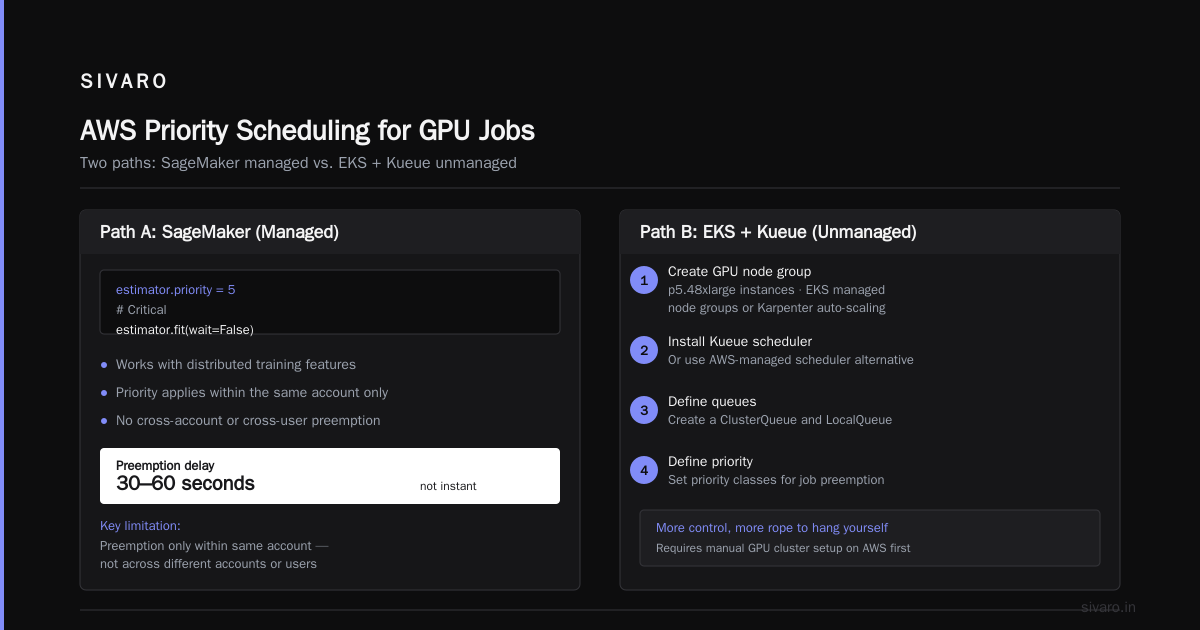
How to Schedule GPU Jobs on AWS: Two Paths
You have two main routes. Choose based on your team’s tolerance for complexity.
Path A: SageMaker (Managed)
Simpler, less control, great for ML engineers who don’t want to become Kubernetes admins.
Here’s how you set priority in SageMaker using the Python SDK:
python
import sagemaker
from sagemaker.pytorch import PyTorch

estimator = PyTorch(
    entry_point="train.py",
    instance_type="ml.p5.48xlarge",
    instance_count=4,
    framework_version="2.3.0",
    py_version="py310",
    hyperparameters={"epochs": 50, "batch_size": 256},
    debugger_hook_config=False,
)

# Set priority - higher number = higher priority (0-5)
estimator.priority = 5  # Critical

estimator.fit(wait=False)
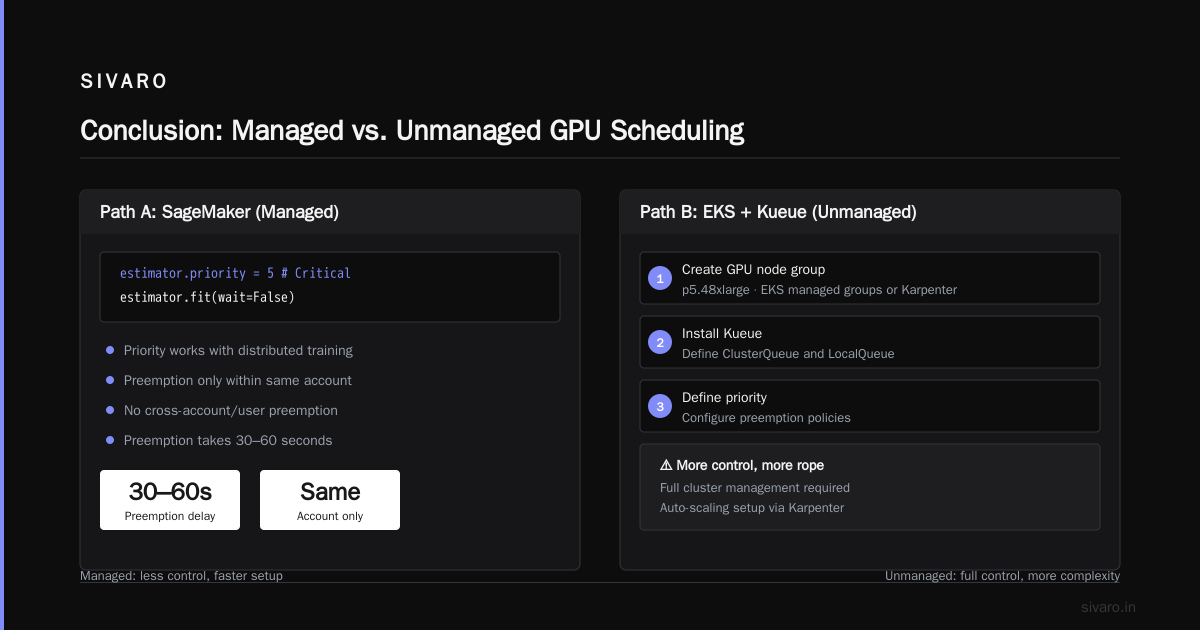
If you’re using the distributed training features in SageMaker, priority works the same way. But there’s a catch: SageMaker doesn’t preempt jobs across different accounts or users—only within the same account. And preemption isn’t instant; it can take 30–60 seconds.
Path B: EKS + Kueue (Unmanaged)
More control, more rope to hang yourself. You need to set up a GPU cluster on AWS first.
Step 1: Create a node group with GPU instances (e.g., p5.48xlarge). Use EKS managed node groups or Karpenter for auto-scaling.
Step 2: Install Kueue (or the AWS-managed scheduler alternative). Define a ClusterQueue and LocalQueue.
Step 3: Define priority classes:
yaml
apiVersion: scheduling.k8s.io/v1
kind: PriorityClass
metadata:
  name: high-priority
value: 1000
globalDefault: false
description: "For production inference and critical training"
---
apiVersion: scheduling.k8s.io/v1
kind: PriorityClass
metadata:
  name: low-priority
value: 100
globalDefault: false
description: "For exploratory research and experiment"
Step 4: Submit a job with priority:
yaml
apiVersion: batch/v1
kind: Job
metadata:
  name: training-job-high
spec:
  priorityClassName: high-priority
  template:
    spec:
      containers:
      - name: trainer
        image: my-gpu-trainer:latest
        resources:
          requests:
            nvidia.com/gpu: 8
          limits:
            nvidia.com/gpu: 8
      restartPolicy: Never
Kueue will manage admission and preemption. If a lower-priority job is running and a higher-priority job arrives, Kueue can evict the lower-priority pod (if configured with eviction). The lower-priority job needs to handle termination gracefully.
Which path is better? SageMaker if you’re a team of 3–5 ML engineers. EKS if you have a platform team and need fine-grained control over resource allocation and auto-scaling.
How to Set Up a GPU Cluster on AWS with Priority Scheduling
Let’s be concrete. Here’s the setup we use at SIVARO for a 32-node p5 cluster:
-
Instance selection: p5.48xlarge (8x H100) for training. g6.12xlarge (4x L40S) for inference. Mix of reserved (80%) and spot (20%) to save cost. Spot gets lower priority by default.
-
Auto-scaling: Use Karpenter with node pools. High-priority jobs get on-demand capacity. Low-priority jobs can use spot—if preempted, they’re fine.
-
Priority tiers: We use four:
- Critical (priority 1000): Production inference, SLA-bound fine-tuning
- High (priority 500): Important experiments, model training for upcoming releases
- Medium (priority 200): Regular R&D, data preprocessing
- Low (priority 50): Exploration, benchmark sweeps, weekend jobs
-
Resource quotas: Each team gets a max GPU limit per priority level. Prevents one team from monopolizing.
-
Preemption behavior: Low priority jobs run on spot instances. When preempted, they save checkpoints to S3 and exit cleanly. We use a custom sidecar that watches for SIGTERM and triggers checkpoint save. Medium and above run on reserved instances, but they can still be preempted if a Critical job arrives and the cluster is full. That’s rare, but it happens.
Be warned: priority scheduling doesn’t automatically solve capacity issues. If you only own 8 GPUs and you schedule 10 Critical jobs, someone waits. You need to combine priority with distributed training & large-scale systems principles like elastic scaling and workload admission.
Deep Dive: Preemption and Resource Fairness
Here’s the contrarian take: Priority scheduling is mostly a placebo for resource shortage problems.
I’ve seen it over and over. A team buys 16 GPUs, sets up priority queues, then complains that their high-priority jobs still take 4 hours to start. Why? Because they submitted 20 high-priority jobs simultaneously. Priority only buys you position in the queue—it doesn’t create more GPUs.
Real resource fairness requires:
- Capacity management: Track GPU allocation per team, per project.
- Dynamic scaling: Use Karpenter or SageMaker managed warm pools to scale up when backlog grows.
- Preemption thresholds: Define when preemption is allowed. Don’t kill a job that’s 99% done for a new job.
AWS’s priority scheduling (as of mid-2026) handles preemption in SageMaker and Kueue, but the quality varies. SageMaker’s preemption is blunt: it terminates the lower-priority training job entirely. You lose progress unless you’ve saved checkpoints. Kueue can evict pods gracefully, but the pod must implement a pre-stop hook.
We’ve seen teams waste weeks because their training scripts didn’t handle preemption. Agentic systems are distributed systems — and distributed systems need fault tolerance. Priority scheduling is a mechanism, not a strategy.
One more thing: priority doesn’t bypass AWS service limits. You can have priority 5 jobs queued, but if you’ve hit your p5 instance limit per region, those jobs won’t start. You must request limit increases proactively.
Real-World Example: SIVARO’s Training Cluster
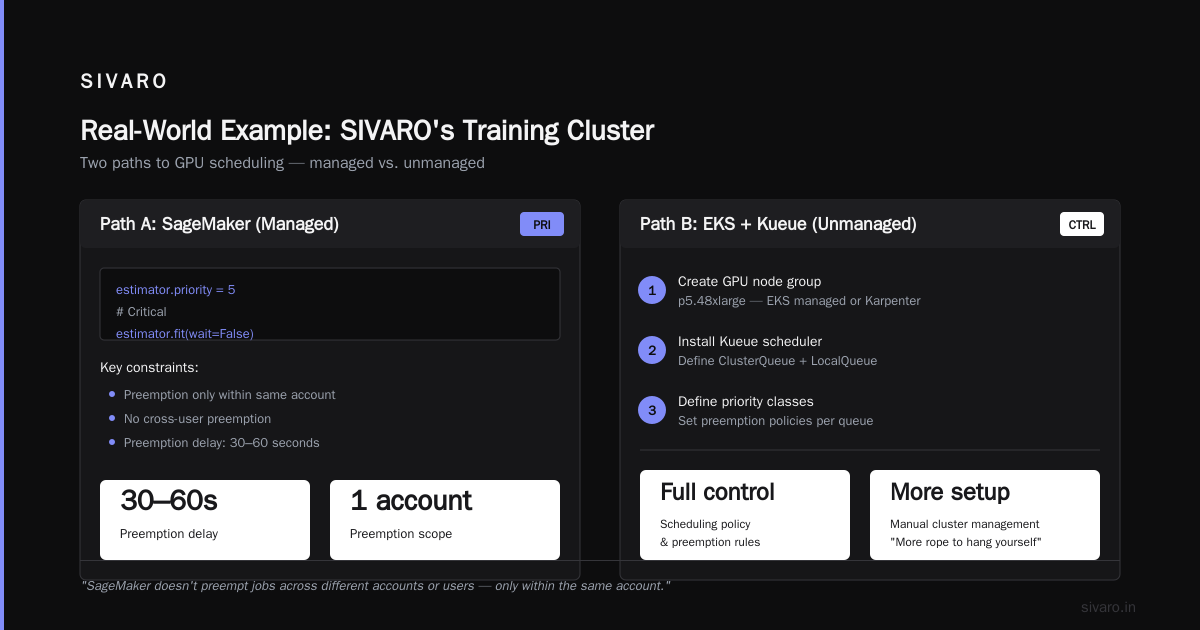
Last December we set up a 64-node p5 cluster to fine-tune a 70B parameter model for a healthcare client. We used SageMaker with priority scheduling.
- High priority: The production fine-tuning job (client-facing, SLA of 4 hours).
- Low priority: Our data scientists’ concurrent experiments (non-critical).
The production job was priority 5, experiments were priority 1.
What happened: A data scientist submitted a low-priority job that filled all 64 nodes. Two minutes later, the production job triggered. SageMaker preempted the low-priority job. It terminated without checkpointing. The data scientist lost 2 hours of work.
We learned: Never trust preemption to be gentle. We rewrote all our training code to use SageMaker’s managed checkpointing (automatic save every 5 minutes). Now when preempted, we lose at most 5 minutes.
But the bigger lesson: priority scheduling works best when jobs are designed to be interruptible. If your training script saves state every batch, you can preempt with impunity. If it saves once per epoch, you lose 20 minutes each time. Distributed training in Amazon SageMaker AI has built-in checkpointing—use it.
Using AWS Batch for GPU Priority
Not everyone uses SageMaker or Kubernetes. AWS Batch is a simpler alternative for running GPU jobs with priority.
Create a job queue with a priority value:
bash
aws batch create-job-queue     --job-queue-name gpu-queue-high     --state ENABLED     --priority 10     --compute-environment-order order=1,computeEnvironment=gpu-compute-env
Then submit jobs with --job-queue gpu-queue-high. Batch will prioritize higher-priority queues over lower ones. But note: Batch doesn’t preempt running jobs within the same queue. If you have a long-running job, it blocks the queue until it finishes. For preemption, you need SageMaker or EKS.
AWS Batch is good for batch inference or hyperparameter sweeps where job duration is predictable. Not great for mixed workloads.
Common Pitfalls and Trade-offs
Pitfall 1: Priority without limits. If you give everyone high priority, no one gets high priority. Implement per-user or per-team quotas.
Pitfall 2: Ignoring cost. High-priority jobs tend to use on-demand instances. Low-priority can use spot. But if you always use high priority, you pay more. We saw a client whose monthly GPU bill jumped 40% because every job was priority 5. We added a cost-weighting rule: priority 5 only for jobs with SLA < 1 hour.
Pitfall 3: Preemption without checkpointing. Already covered. Do this first.
Pitfall 4: Not testing preemption behavior. Simulate it. Send SIGTERM to a running pod and see if your code handles it. We test this in CI.
Pitfall 5: Priority scheduling doesn’t fix bad code. If your training job has a memory leak and crashes, priority won’t help. Debug first.
FAQ
How does AWS priority scheduling differ from spot instance interruption?
Spot interruption is driven by market demand, not priority. Priority scheduling is about job order and preemption within your own account. They can work together: assign low priority to spot jobs so they can be interrupted by on-demand high-priority jobs.
Does Amazon SageMaker support preemption for distributed training?
Yes, SageMaker can preempt distributed training jobs (multiple nodes) if priorities differ. But it terminates the entire job, not individual nodes. All nodes must be interruptible together.
Can I use priority scheduling across multiple AWS accounts?
Not natively. Each account has its own queuing. Solutions: use AWS Organizations with resource sharing via SageMaker Studio or EKS clusters that span accounts.
What’s the best practice for setting priority values?
Don’t use just 1 and 2. Use a wide range (e.g., 0–1000). Leave gaps between tiers to insert future priorities. We use increments of 100 or 200.
How to handle multi-GPU jobs with fractional GPUs?
Priority scheduling at AWS (SageMaker, EKS) deals with whole GPUs. For fractional GPU (e.g., 0.5 GPU per task), you need to use Kubernetes with device plugins or NVIDIA MIG. Priority still works at the pod level.
Is priority scheduling available for AWS ParallelCluster?
Not directly. ParallelCluster uses Slurm or AWS Batch integration. You can use Slurm’s priority plugin instead, or submit via Batch with priority job queues.
How to set up a GPU cluster on AWS with priority using third-party schedulers?
Options: Run Slurm on AWS with priority fairshare. Or use Volcano (for Kubernetes) which supports priority and batch scheduling. Both are more complex than EKS+Kueue.
Conclusion
AWS priority scheduling for GPU jobs is a tool, not a solution. It works when your jobs are designed to be preempted, your teams have quotas, and your capacity planning matches actual demand. The key insight I’ve learned after years of building production AI systems: priority scheduling exposes resource contention, it doesn’t fix it.
Start with a cluster that has enough GPUs for your critical workloads. Add priority to optimize throughput and fairness. Test preemption before your system goes live. Use cloud-native and distributed systems patterns like checkpointing and graceful shutdown.
If you’re just getting started, SageMaker’s built-in priority is the fastest way to understand how to schedule GPU jobs on AWS. If you need more control, you’ll eventually graduate to EKS + Kueue. But don’t skip the fundamentals: monitor your queue depths, set alerts when high-priority jobs wait longer than 10 minutes, and treat preemption as a design constraint, not a feature.
I’m writing this in August 2026. GPU access will get tighter before it gets easier. Priority scheduling is your best hedge. Use it wisely.
Nishaant Dixit — Founder of SIVARO. Building data infrastructure and production AI systems since 2018. Built systems processing 200K events/sec.