 SIVARO

AWS to GCP Migration Tools List: The 2026 Buyer's Guide
I’ve been through three major cloud migrations in the last eight years. Two were disasters. One was smooth enough that I actually forgot we’d moved by the second month.
The difference wasn’t the cloud provider. It was the tooling.
If you’re staring down an AWS to GCP move right now, you’re probably drowning in documentation. Google publishes a massive migration guide. AWS has a "competitor exit" playbook. And every third-party vendor says their tool is the only one that works.
This guide is my attempt to cut through that noise.
I’m Nishaant Dixit. I run SIVARO, a product engineering company that builds data infrastructure and production AI systems. We’ve migrated fintech workloads, ecommerce backends, and real-time analytics pipelines between every major cloud. This is what I’ve learned about the AWS to GCP migration tools list — specifically, which ones you actually need, which ones you should avoid, and how to sequence your move so you don’t wake up at 3 AM to a pager storm.
Let’s be clear about one thing first:
Most migration failures aren’t technical. They’re planning failures.
The tools matter. But they matter less than your exit strategy.
Why You're Even Considering This
Before we talk tools, let’s talk about why you’re here.
Google Cloud has gotten aggressive on pricing in 2025 and 2026. If you’re running sustained workloads, the sustained-use discounts on GCP are genuinely better than AWS’s reserved instance model for spiky traffic. I’ve seen savings of 20-35% on comparable compute for ecommerce platforms that have seasonal bursts.
There’s also the AI factor. Google’s TPU availability and the Vertex AI ecosystem are ahead of what AWS offers for certain production workloads. At SIVARO, we’ve built recommendation engines on GCP that would have cost twice as much on AWS and required triple the infrastructure management.
But I’m not here to sell you on GCP. I’m here to help you migrate without losing your mind.
The Core Dilemma: Lifting and Shifting vs. Re-architecting
Here’s the contrarian take:
Most people think “lift and shift” is easier. They’re wrong.
AWS and GCP are not API-compatible. EC2 instances aren’t Compute Engine instances. S3 isn’t GCS. Lambda isn’t Cloud Functions. IAM policies don’t translate directly.
When you lift and shift, you’re not just copying data. You’re re-building every infrastructure-as-code template, re-writing every IAM policy, and re-testing every integration.
A 2026 survey from the Cloud Native Computing Foundation showed that 61% of organizations who attempted a pure lift-and-shift cloud migration hit significant performance regressions. The ones who re-architected for the target platform — even partially — had far fewer issues.
The tooling reflects this reality. Some tools are designed for "move my files," others for "make my architecture work on Google."
You need both. But you need them in the right order.
The AWS to GCP Migration Tools List: What You Actually Need
1. Transfer Service for On-Premises Data (and AWS Data)
What it is: Google’s managed data transfer service. It handles bulk data movement from S3, HTTP sources, and on-premises storage into Cloud Storage.
Why I use it: It’s fast. I’ve moved 50TB from S3 to GCS in under 12 hours using Transfer Service with a dedicated interconnect. The service handles checksums, retries, and incremental syncs automatically.
What most people miss: The --overwrite flag. If you don’t plan for incremental syncs correctly, you’ll end up with duplicate objects. It’s not catastrophic, but it costs you storage money and creates downstream consistency headaches.
Code snippet — pulling from S3:
json
{
  "name": "s3-to-gcs-transfer",
  "source": {
    "s3Source": {
      "bucketName": "my-aws-bucket",
      "path": "/*",
      "roleArn": "arn:aws:iam::123456789012:role/gcs-transfer-role"
    }
  },
  "sink": {
    "gcsSink": {
      "bucketName": "my-gcs-bucket"
    }
  },
  "transferOptions": {
    "overwriteObjectsAlreadyExistingInSink": true
  }
}
Pricing: You pay for the transfer. It’s roughly $0.01 per 10,000 objects plus standard GCS storage costs. Not free, but cheaper than a failed migration.
Verdict: Non-negotiable. Use it.
2. Migrate for Compute Engine (formerly Velostrata)
What it is: Google’s tool for migrating running VMs from AWS to Compute Engine. It does a continuous sync during a cutover window, which minimizes downtime.
Honest take: This tool works. But it’s not the magic pill people think it is.
Here’s the reality:
Migrate for Compute Engine does a block-level sync of your disks. It preserves the OS, the installed software, and the current state. But it doesn’t handle IP address changes, security group migrations, or load balancer reconfiguration. You’re on your own for those.
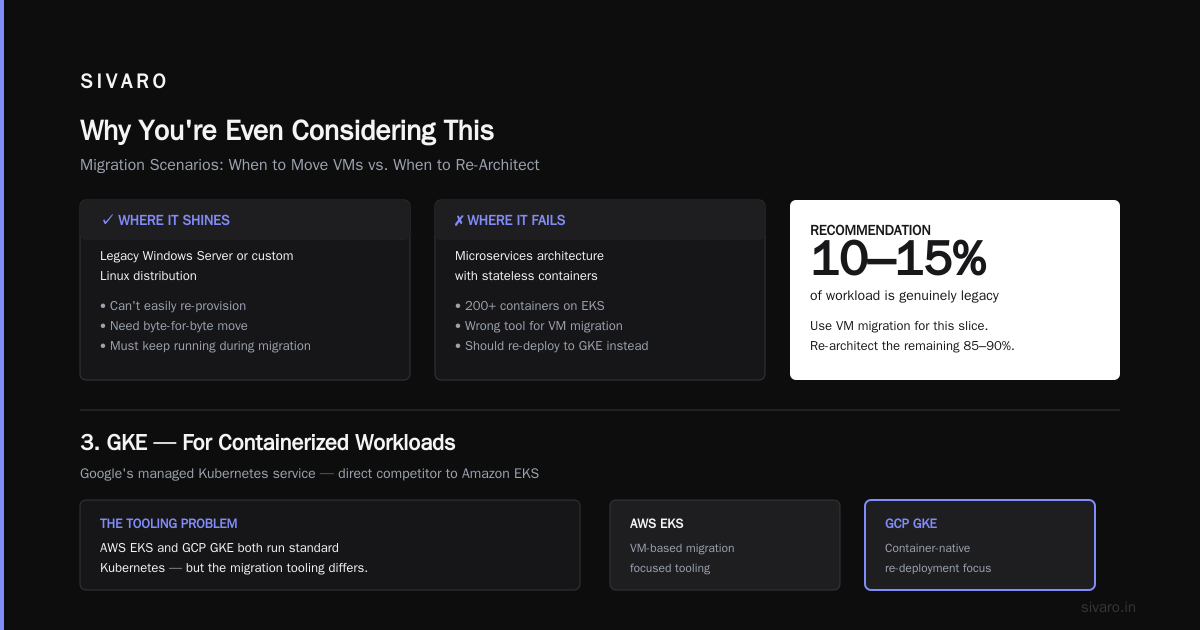
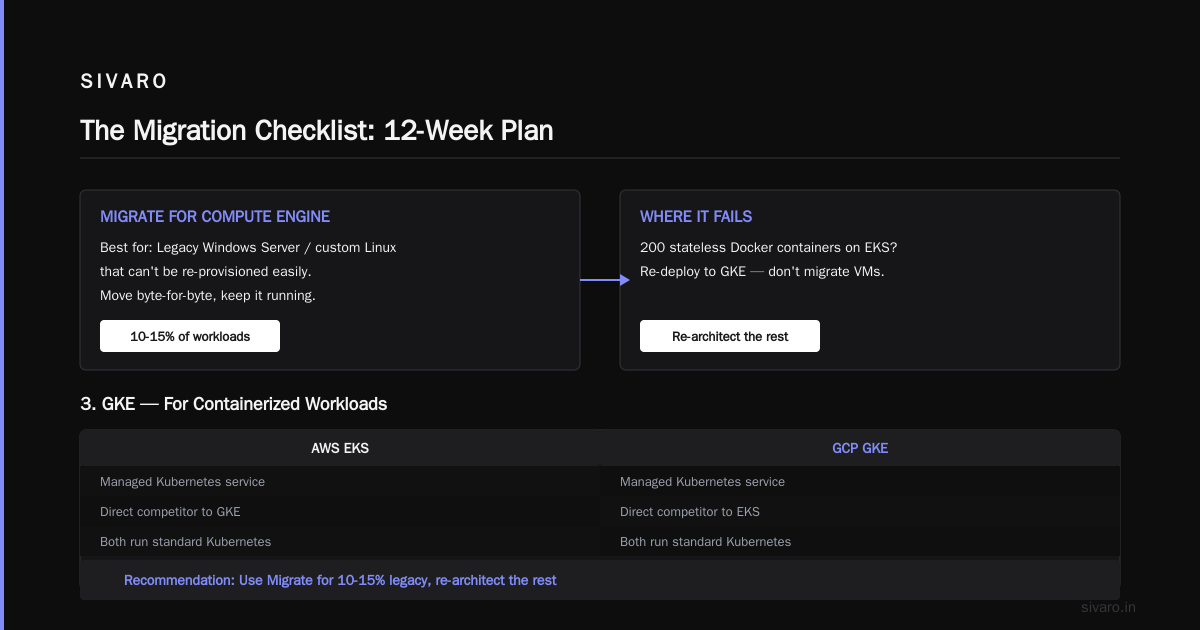
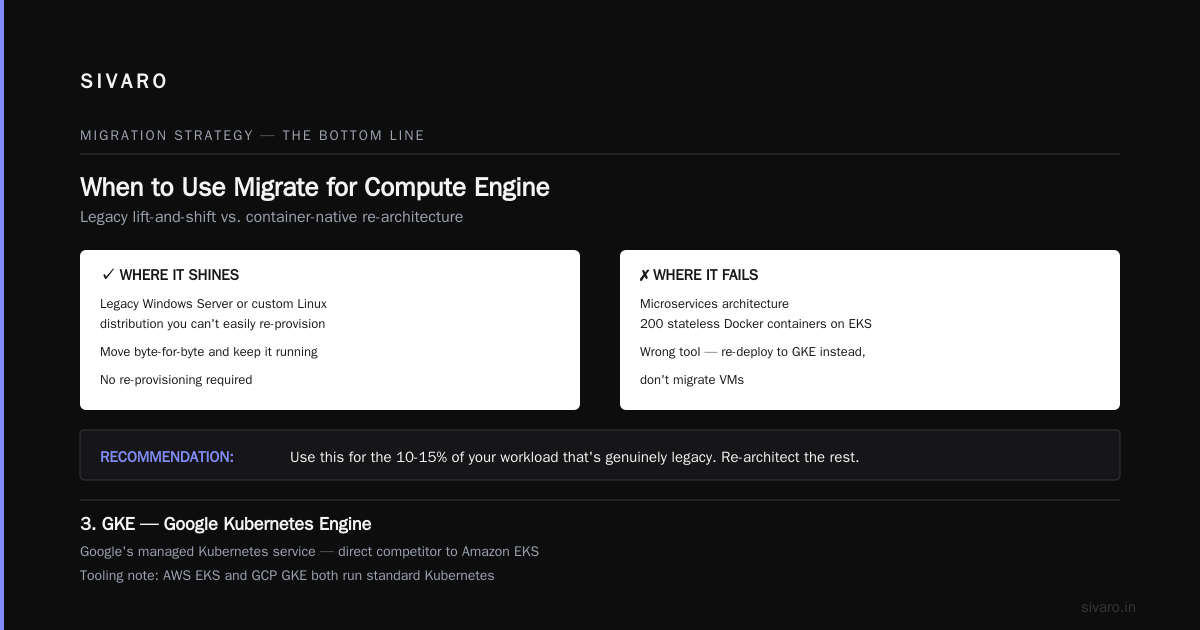
The scenario where it shines: You have a legacy Windows Server or a custom Linux distribution that you can’t easily re-provision. You need to move it byte-for-byte and keep it running.
The scenario where it fails: Microservices. If you’re running 200 stateless Docker containers on EKS, Migrate for Compute Engine is the wrong tool. You should be re-deploying to GKE, not migrating VMs.
My recommendation: Use this for the 10-15% of your workload that’s genuinely legacy. Re-architect the rest.
3. GKE (Google Kubernetes Engine) — For Containerized Workloads
What it is: Google’s managed Kubernetes service. It’s the direct competitor to Amazon EKS.
The tooling problem: AWS’s EKS and GCP’s GKE both run standard Kubernetes. The API is the same. But the managed services around them — IAM, secret management, load balancing — are completely different.
What you need to do:
If you’re on EKS, you’re likely using:
- AWS Load Balancer Controller (for ingress)
- External Secrets Operator (for AWS Secrets Manager)
- IAM roles for service accounts (IRSA)
On GKE, you need:
- GKE Ingress / Gateway API
- Google Secret Manager (or keep ESO and configure a GCP backend)
- Workload Identity Federation
Code snippet — the difference in ingress annotations:
yaml
# AWS ALB Ingress
apiVersion: networking.k8s.io/v1
kind: Ingress
metadata:
  name: my-service
  annotations:
    kubernetes.io/ingress.class: alb
    alb.ingress.kubernetes.io/scheme: internet-facing
spec:
  rules:
    - host: api.sivarotech.com
      http:
        paths:
          - path: /
            pathType: Prefix
            backend:
              service:
                name: api-service
                port:
                  number: 8080
yaml
# GKE Gateway API
apiVersion: gateway.networking.k8s.io/v1
kind: Gateway
metadata:
  name: my-gateway
  namespace: default
spec:
  gatewayClassName: gke-l7-gxlb
  listeners:
    - name: http
      protocol: HTTP
      port: 80
  addresses:
    - type: NamedAddress
      value: my-lb-ip
The tool that helps: kubectl with a multi-cluster setup. I recommend running a parallel GKE cluster for 4-6 weeks before cutover. Use a service mesh or a global DNS load balancer to slowly shift traffic.
Pricing: Standard GKE cluster fee is $74 per month per cluster (as of 2026 pricing). That’s for the control plane. Worker nodes are separate.
Verdict: Use it for new builds. Don’t migrate — rebuild.
4. Dataflow / Apache Beam — For Streaming and Batch Data Pipelines
What it is: GCP’s fully managed data processing service. It’s the equivalent of AWS Glue (for batch) and Kinesis Data Analytics (for streaming), but better.
Why I’m biased: At SIVARO, we process over 200,000 events per second on production systems. Dataflow handles that without flinching.
The migration challenge: If your pipeline was built with AWS Glue or custom Spark on EMR, you’re not just changing infrastructure. You’re changing the programming model.
Dataflow uses Apache Beam. Beam is a unified programming model for batch and streaming. Glue is Spark-based. They’re fundamentally different.
The migration path I recommend:
- Keep your data in S3 (or move it to GCS, but keep it accessible)
- Use Dataflow to read from S3 directly (it supports S3 connectors)
- Write your Beam pipelines to process the data
- Eventually, move the source data to GCS and update the connectors
Code snippet — a simple Beam pipeline:
python
import apache_beam as beam
from apache_beam.io.gcp.gcsio import GCSIO
from apache_beam.options.pipeline_options import PipelineOptions

options = PipelineOptions(
    project='my-project',
    region='us-central1',
    staging_location='gs://my-bucket/staging',
    temp_location='gs://my-bucket/temp',
    runner='DataflowRunner'
)

with beam.Pipeline(options=options) as p:
    (p
     | 'Read logs from S3' >> beam.io.ReadFromText('s3://my-bucket/logs/*.txt')
     | 'Parse JSON' >> beam.Map(lambda line: json.loads(line))
     | 'Filter errors' >> beam.Filter(lambda x: x['status'] >= 500)
     | 'Write to BigQuery' >> beam.io.WriteToBigQuery(
         'project:dataset.errors_table',
         schema='...',
         write_disposition=beam.io.BigQueryDisposition.WRITE_APPEND))
Pricing: On-demand, it’s roughly $0.033 per GB-hour (as of 2026). For sustained workloads, use FlexRS scheduling — you save 40% but need to handle potential job delays.
Verdict: Best-in-class for streaming. Worth the migration effort.
5. GCP Database Migration Service (DMS)
What it is: Google’s managed database migration service. It handles live migrations from AWS RDS (MySQL, PostgreSQL, SQL Server) to Cloud SQL.
The good news: This tool is genuinely good. It does continuous replication, so your source and destination stay in sync until you’re ready to cut over.
The bad news: The cutover isn’t as clean as the docs say. You’ll hit a moment where write traffic to AWS RDS stops and write traffic to Cloud SQL starts. That moment is scary. You need a plan for the application downtime (usually 1-5 minutes, even in a "zero downtime" migration).
Code snippet — the Cloud SQL connection string difference:
python
# AWS RDS connection string
host = "my-db.cluster-xxxxx.us-east-1.rds.amazonaws.com"
port = 5432
user = "app_user"
password = "..."
database = "my_app"

# GCP Cloud SQL connection string
host = "10.80.0.5"  # Private IP
port = 5432
user = "app_user"
password = "..."
database = "my_app"
What most people skip: Test the cutover. Not once. Three times. Use a staging environment that mimics your production data volume. I’ve seen teams who skipped this go dark for 47 minutes during their first real cutover. That’s a career-ending mistake if you’re running an ecommerce platform during peak season.
Pricing: DMS itself is free. You pay for the underlying Cloud SQL instance. Starting at $8/month for basic tiers (micro instance), going up to $2,000+/month for production-size instances.
Verdict: Use it. But practice the cutover.
6. Cloud VPN and Interconnect — The Networking Bridge
What it is: The connectivity layer between AWS VPC and GCP VPC.
Why this matters: You can’t migrate everything in one day. You’ll have a period where your database is on GCP but some apps are still on AWS. Or your Kubernetes cluster is split across both clouds. You need reliable, low-latency connectivity.
Your options:
- Cloud VPN (IPsec): Free to set up. Pricing based on transfer. Works for lower-volume migrations. Latency is unpredictable.
- Dedicated Interconnect: You get 10Gbps or 100Gbps dedicated connections. You’re paying for physical fiber. This is the enterprise option.
The pragmatic approach: For most migrations, start with Cloud VPN. You can establish a stable VPN tunnel between AWS VPC and GCP VPC in less than an hour. If you’re migrating more than 10TB of data, upgrade to an Interconnect for the bulk transfer phase.
What I’ve learned: Don’t try to do the "split brain" phase for more than 4-6 weeks. It’s expensive. Both clouds charge egress separately. And the operational overhead of managing two infrastructure stacks is brutal. Rip the band-aid off.
7. The Manual Stuff: IAM Policies and Terraform
What it is: AWS IAM and GCP IAM are structurally different. AWS uses policies attached to roles. GCP uses IAM permissions at the project, folder, and organization level.
You can’t automate this fully. Anyone who tells you they have a magic tool that converts AWS IAM policies to GCP IAM is lying.
What works:
If you’re using Terraform, you can standardize your resource definitions. Both AWS and GCP support Terraform. Write your Terraform modules once, then parameterize the provider.
Code snippet — Terraform pattern:
hcl
# variables.tf
variable "cloud_provider" {
  description = "Which cloud provider to deploy to"
  type        = string
  default     = "gcp"
}

# main.tf
provider "aws" {
  region = "us-east-1"
}

provider "google" {
  project = "my-project"
  region  = "us-central1"
}

resource "aws_s3_bucket" "data" {
  count  = var.cloud_provider == "aws" ? 1 : 0
  bucket = "my-data-bucket"
}

resource "google_storage_bucket" "data" {
  count    = var.cloud_provider == "gcp" ? 1 : 0
  name     = "my-data-bucket"
  location = "US"
}
The painful truth: IAM is where migrations stall. AWS has over 10,000 IAM actions. GCP has over 4,000 permissions. Mapping them one-to-one takes weeks. Plan for it.
Here’s how I’d structure the IAM work:
- Export AWS IAM policies to JSON
- Inventory which actions each role uses (use CloudTrail for 90 days)
- Map those actions to GCP permissions (Google provides a mapping table)
- Build GCP custom roles
- Test with least-privilege and expand as needed
The Migration Checklist: Your 12-Week Plan
I’m not going to give you a generic week-by-week timeline. I’m going to give you the critical milestones that determine success or failure.
Phase 1: Discovery (Weeks 1-2)
- Use AWS Config to export a full inventory of resources. Don’t trust your documentation — it’s outdated.
- Identify the "golden path" — the 3-5 services that are mission-critical.
- Estimate your data volume. This will determine how long the transfer takes.
Phase 2: Tool Selection (Weeks 2-3)
- Build your aws to gcp migration tools list based on workload types.
- Compute: Migrate for Compute Engine (legacy VMs) or GKE (containers)
- Database: DMS (managed) or Dataflow/Beam (custom)
- File storage: Transfer Service
- Networking: Cloud VPN or Interconnect
Phase 3: Design and Prototype (Weeks 3-6)
- Set up a GCP project. Use the free tier to validate.
- Create a proof-of-concept for each workload type.
- Test the cutover for your most complex service. This is where you learn what you didn’t know.
Phase 4: Parallel Run (Weeks 6-10)
- Replicate production data to GCP. Keep both systems live.
- Redirect 5% of traffic to GCP. Monitor for errors, latency, and performance.
- Fix issues. Scale to 25% traffic. Fail. Fix again.
Phase 5: Cutover (Weeks 10-12)
- Schedule a weekend window. Not a weekday.
- Freeze changes. Do a final sync.
- Switch DNS or load balancer to GCP.
- Monitor. Have a rollback plan. Use it if needed.
Phase 6: Cleanup (Weeks 12-14)
- Turn off AWS resources. Don’t delete them yet. You’ll need them for 90 days if anything goes wrong.
- Decommission AWS accounts only after you’re 100% confident.
- Run a cost comparison. Document the actual savings.
Best GCP Services for Ecommerce: A Quick Note
Since I mentioned ecommerce earlier, let me give you the short list of GCP services that make sense for ecommerce workloads:
- Cloud CDN: Integrated with GCP’s global load balancer. Faster than AWS CloudFront for most global traffic patterns.
- BigQuery: For analytics, it’s game-changing. You’ll leave Redshift behind and not look back.
- Cloud Run: For stateless API services, it’s cheaper than ECS or EKS for auto-scaling workloads. Great for handling flash traffic during sales events.
- Firestore: If you’re building a real-time inventory system, Firestore’s real-time listeners beat DynamoDB for most use cases.
FAQ: Your Migration Questions, Answered
Q: Is Google’s Transfer Service secure?
Yes. Data is encrypted in transit. You can use a Virtual Private Cloud (VPC) peering or a private IP for the transfer. The service also supports customer-managed encryption keys. We’ve moved PCI-DSS environments with it.
Q: Can I use Terraform to manage both AWS and GCP resources during the migration?
Absolutely. Terraform is cloud-agnostic. Just make sure you’re not mixing state files. Use separate state files for each cloud to avoid dependency conflicts.
Q: How much does a full migration cost?
It depends entirely on scale. For a mid-sized ecommerce platform (500TB of data, 200 microservices), budget $100K-$500K in engineering time plus cloud egress/ingress costs (AWS egress is typically 2x GCP ingress). For a small startup, you can do it for under $20K.
Q: Does GCP have a tool that automatically converts AWS CloudFormation templates to GCP Deployment Manager?
No. There was a third-party project called CloudFormation-to-Terraform, but it’s incomplete. You’re better off using Terraform and rewriting your templates manually. I’ve tried the automation route. It’s a 600-line bash script that buys you a job at an accidental systems integrator.
Q: Can I run AWS services in GCP after the migration?
No. You can’t run EC2 instances in GCP. You could theoretically use a VPN and call AWS APIs, but that’s a ridiculous pattern. You’re migrating. Commit to it.
Q: What’s the most common failure point in an AWS to GCP migration?
Without question, it’s IAM and networking. People underestimate how much of their AWS infrastructure is actually about access control. Static IP addresses, security groups, IAM policies, and VPC peering — those don’t move. You have to re-build them from scratch.
Q: What’s the single best tool to start with?
Google’s Migration Center (Launchpad). It’s a free assessment tool that scans your AWS environment and gives you a GCP cost estimate and a high-level migration plan. Start there. It’ll surface the gaps you didn’t know you had.
The Bottom Line
Most people think the aws to gcp migration tools list is about data transfer. It’s not. It’s about identity, networking, and re-architecture.
My honest recommendation: Don’t try to migrate everything. Migrate the 80% that gives you 95% of the value. Leave the legacy garbage behind. You’ll save time, money, and your team’s sanity.
I’ve been doing this for eight years. I’ve made the expensive mistakes so you don’t have to. The process is:
- Inventory.
- Prioritize.
- Re-architect for GCP-native tooling.
- Test the cutover.
- Build a rollback plan.
- Execute decisively.
The tools I listed above will handle data movement. You have to handle the people management.
Cloud migration is a change management problem. The ones who succeed treat it like a product launch — they communicate, they train their teams, and they don’t let perfect be the enemy of good.
If you want to learn more or need help with a migration, I’m happy to talk. Just be prepared to talk about your architecture, not just your tools.
Nishaant Dixit — Founder of SIVARO. Building data infrastructure and production AI systems since 2018. Built systems processing 200K events/sec.