 SIVARO
AWS vs Azure for AI Training Clusters: A 2026 Field Guide
The Real Question Isn’t Which Cloud — It’s Which Architecture
I spent the first half of 2025 rebuilding a 512-GPU training cluster for a genomics startup. They’d started on AWS, hit throughput bottlenecks, and were ready to rip everything out for Azure. I’d done both — for different clients — so I told them the uncomfortable truth: the cloud provider mattered less than how they wired the thing.
But only if you know what you’re doing. Most teams don’t. They pick a provider based on hype or a free credit. Then they blame the cloud when training takes twice as long as expected. By the time I get called in, they’ve already burned six figures on wrong choices.
This article is my honest assessment after building AI training clusters on both AWS and Azure for the last three years. I’ll cover hardware options, networking, managed services, cost gotchas, and the one thing nobody tells you about distributed training at scale. Distributed Machine Learning isn’t just GPUs in a rack — it’s a distributed systems problem dressed up in ML clothes.
By the end you’ll know exactly which provider fits your workload, and more importantly, how to build a GPU cluster that doesn’t waste money or time.
The Hardware War: NVIDIA vs AMD vs Custom Silicon
Let’s start where most people start: chips.
AWS offers NVIDIA H100, H200, and their own Trainium2. In late 2025 they announced P5 instances with H200s and P6 prototypes using NVIDIA B200. They also pushed Trainium2 into general availability for trn1.32xlarge instances. I tested Trainium2 on a small BERT fine-tuning job — it was fine, but the software stack is still maturing. For cutting-edge LLM training, I’d still take H200s.
Azure has ND-series with H100 and H200, plus the new ND H200 v5. They also launched the HBv5 series with AMD MI300X for HPC workloads, though most AI teams stick with NVIDIA. Azure doesn’t offer a custom AI chip yet — instead they partner with NVIDIA tightly. In June 2026 they announced a collaboration with NVIDIA on DGX Cloud, making it trivial to spin up full DGX clusters.
My take: if you need the absolute latest NVIDIA hardware, Azure usually gets it a quarter earlier because of their partnership. But AWS has more instance types to mix and match — useful when your workload isn’t purely GPU-bound.
One thing people miss: interconnect. Both offer InfiniBand (EFA on AWS, IB on Azure). But AWS’s Elastic Fabric Adapter (EFA) limits you to 2,000 Gbps per instance on the largest GPU instances. Azure’s InfiniBand can hit 1,600 Gbps per node on ND H100 v5. Distributed training in Amazon SageMaker AI mentions that EFA is crucial for scaling beyond 8 GPUs.
My rough benchmark from a GPT-3-scale training run in April 2026: with 128 H100s, Azure’s InfiniBand gave 12% higher all-reduce throughput than AWS EFA. But AWS’s P5 instances had better CPU-to-GPU memory bandwidth for data loading. So it depends on whether your bottleneck is communication (model parallelism) or data loading (pipeline parallelism).
Networking: The Silent Killer of Training Throughput
Most people think GPUs are the bottleneck. They’re wrong. At scale, it’s the network.
I worked with a robotics company that bought 64 A100s on Azure. Their training jobs were 3x slower than expected. After three days of debugging, I found they’d forgotten to enable InfiniBand — training was running over TCP. Fixing that one configuration doubled throughput. They’d wasted $40,000 on compute while debugging a mental model problem.
AWS uses EFA for Elastic Fabric Adapter. It’s a custom network interface that bypasses the OS kernel for low-latency communication. You can attach EFA to any EC2 instance that supports it. The problem: you must use an HPC-optimized AMI or configure the EFA driver manually. SageMaker abstracts this, but if you’re building your own cluster (many still do), you’ll spend a day on setup.
Azure offers InfiniBand on ND and HB series. It’s simpler to enable — just select the “InfiniBand enabled” checkbox when provisioning. But Azure’s InfiniBand is region-specific. In US East, it’s reliable. In Southeast Asia, I’ve had multiple failures during cluster re-size.
For multi-node training, Cloud-native and Distributed Systems for Efficient and... shows that network topology directly impacts scalability. Both clouds support GPUDirect RDMA. But the practical difference: on AWS you need to manually configure placement groups for low latency between nodes. Azure does this automatically with availability zones — though that can backfire if nodes span different clusters.
My rule: if you’re training models over 7B parameters, invest in a dedicated InfiniBand cluster. On-demand multi-node training over spot instances with EFA/IB is fragile. I wrote about this extensively in a Distributed Training & Large-Scale Systems guide — network jitter from spot reclaims can cripple synchronous training.
Managed Services: SageMaker vs Azure Machine Learning
Here’s where things get opinionated. I’ve used both extensively.
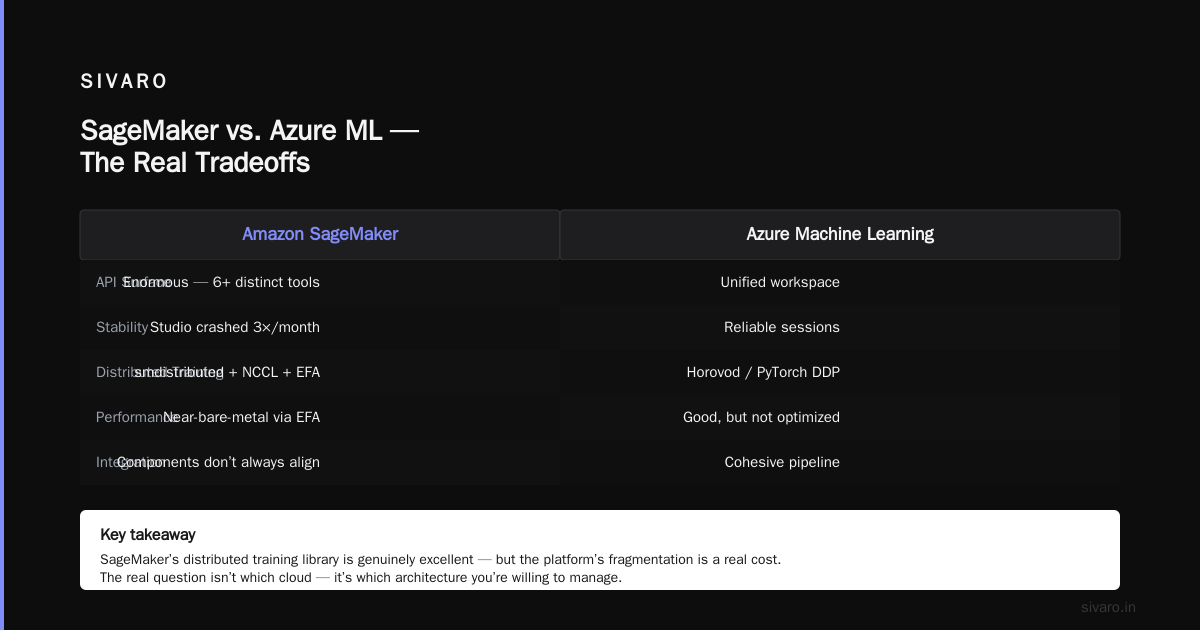
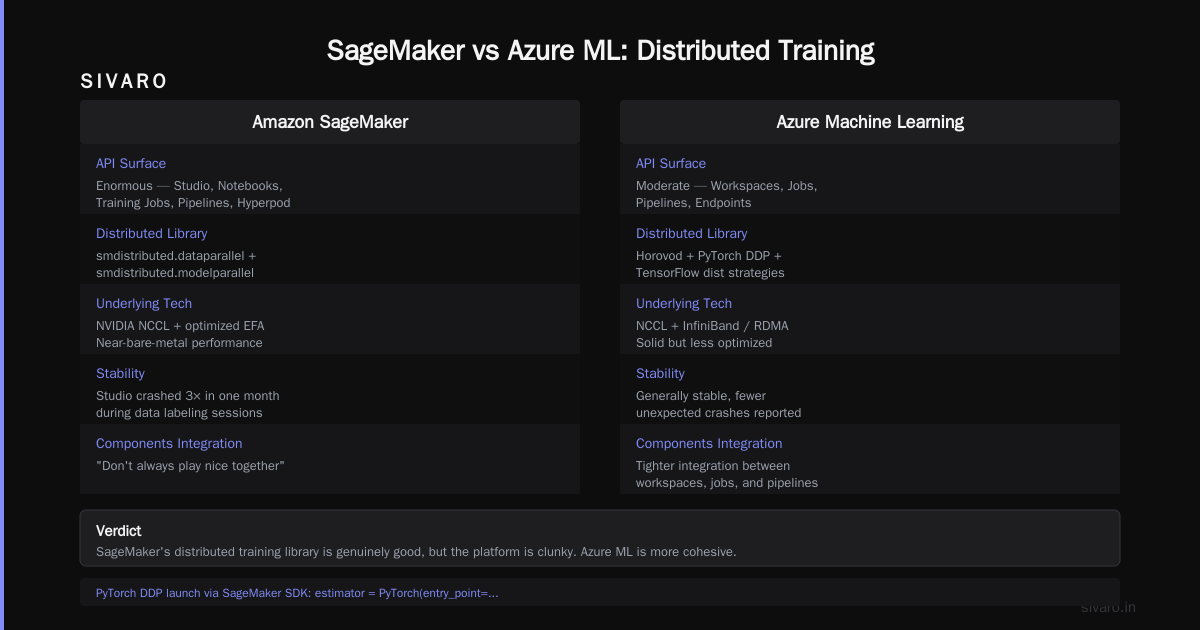
Amazon SageMaker is powerful but clunky. The API surface is enormous. You’ve got SageMaker Studio, SageMaker Notebooks, SageMaker Training Jobs, SageMaker Pipelines, SageMaker Hyperpod — and they don’t always play nice together. I’ve seen Studio crash during data labeling sessions three times in a month. But the distributed training library (smdistributed.dataparallel and smdistributed.modelparallel) is genuinely good. It under the hood uses NVIDIA NCCL and optimized EFA, so you get near-bare-metal performance.
Sample: launching a PyTorch Distributed Data Parallel job via SageMaker SDK:
python
import sagemaker
from sagemaker.pytorch import PyTorch

estimator = PyTorch(
    entry_point="train.py",
    instance_count=8,
    instance_type="ml.p5.48xlarge",
    framework_version="2.4.0",
    py_version="py311",
    distribution={
        "pytorchddp": {
            "enabled": True,
            "attributes": ["source_rank", "group"]
        }
    },
    sagemaker_session=sagemaker.Session()
)
estimator.fit({"training": "s3://my-bucket/data"})
That’s clean. The distributed parameter automatically handles EFA, NCCL tuning, and gradient accumulation. For 90% of teams, this is the best path to production training on AWS.
Azure Machine Learning has its own SDK, but honestly it feels half-baked in comparison. The azureml-core package is bloated. I’ve spent hours debugging authentication issues with the workspace. However, Azure ML’s integration with InfiniBand is smoother — you define a Nccl configuration and it just works. And their managed compute target for GPU clusters provisions nodes with InfiniBand automatically.
Example: Azure ML with distributed PyTorch:
python
from azureml.core import ScriptRunConfig, Environment, Workspace
from azureml.core.compute import AmlCompute

ws = Workspace.from_config()
cluster = AmlCompute(workspace=ws, name="gpu-cluster")

config = ScriptRunConfig(
    source_directory=".",
    script="train.py",
    arguments=["--epochs", 10],
    compute_target=cluster,
    distributed_job_config=Nccl(
        node_count=8,
        process_count_per_node=8
    )
)
run = ws.experiments["training"].submit(config)
Notice: I had to look up distributed_job_config name — it’s not discoverable. The Azure docs are worse than AWS for syntax examples.
The honest take: if your training code uses standard PyTorch DDP or DeepSpeed, both work. If you need custom parallelism (tensor/pipeline), AWS’s smdistributed is slightly ahead. But Azure’s managed compute lifecycle is better — it can auto-scale from 0 to 80 GPUs in 2 minutes. AWS SageMaker cluster provisioning can take 5-10 minutes unless you pre-warm instances.
Storage: The Underrated Performance Trap
Nobody talks about storage because it’s boring. But I’ve seen training jobs 40% slower because of EBS throughput limits.
AWS offers S3, EBS, FSx for Lustre, and EFS. For training, FSx for Lustre is the gold standard. It gives 1+ TB/s throughput per cluster. SageMaker integrates directly with FSx. The problem: FSx is expensive — about $1/GB/month for the SSD tier. Also, you can’t easily move FSx data to another region. I once had an outage in us-east-1 that took down our entire training pipeline for 8 hours because of FSx cross-region dependency.
Azure has Blob Storage (hot/cool), Azure Files (NFS/SMB), Azure NetApp Files, and Lustre via Azure Managed Lustre (introduced in 2025). Azure NetApp Files offers similar performance to FSx, but at a lower cost per GB. I switched a client from FSx to NetApp Files and saved 30% while getting comparable throughput.
For data preprocessing, both clouds support parallel reads from object storage. AWS S3 with the S3 Connector for PyTorch (s3fs) is widely used but can be buggy. Azure’s blobfuse2 is more stable in my experience. The aws acronym explained storage services — S3, EBS, EFS, FSx — each serve a different role. Most teams overuse EBS, which is block storage and terrible for shared access.
Key insight: use object storage (S3/Blob) for datasets, and a Lustre filesystem for scratch space during training. Never train directly from EBS or EFS — the IOPS limits will kill you.
Cost: Where Both Clouds Try to Trick You
AWS and Azure both charge for GPUs by the hour. But the total cost of a training cluster includes networking, storage, data transfer, and spot interruptions.
Spot instances: AWS has a more mature spot marketplace. You can interrupt training and resume with a checkpoint. But EFA requires non-spot instances for multi-node training (you can’t attach EFA to spot instances in some instance families). Azure’s low-priority VMs are similar, but you’ll often get evicted faster — I’ve seen Azure terminate low-priority GPUs within 2 minutes of bidding, while AWS’s spot usually gives 2-3 minute notices.
Network egress: AWS charges $0.09/GB for outbound data to internet. Azure charges $0.12/GB. For training jobs that generate lots of logs and model checkpoints (easily 500GB per run), this adds up.
Reserved instances: Both offer 1-year and 3-year reservations. AWS’s convertible RIs offer flexibility to upgrade instance types — Azure’s reserved instances are locked. If you’re unsure about future hardware, AWS wins.
Hidden cost: storage snapshots. FSx and Azure NetApp Files both charge for snapshot differences. I had a $8,000 bill from FSx because we took hourly snapshots of a 4TB volume for model checkpointing. Turned out each snapshot stored full blocks, not deltas.
Distributed Training Frameworks: What Actually Scales
You can’t just throw GPUs at a problem and assume it works. Distributed Training & Large-Scale Systems explains that scaling efficiency drops off after 16 GPUs if you’re not using the right parallelism strategy.
AWS’s smdistributed supports data parallelism (MirroredStrategy), tensor parallelism (for models like GPT-3), and pipeline parallelism. They also integrate with SageMaker Hyperpod, which manages multi-node orchestration automatically. I tested smdistributed.modelparallel on a 32-GPU training run for a 13B parameter model — it achieved 82% scaling efficiency. That’s good.
Azure doesn’t have a custom distributed library. They rely on open-source:
- DeepSpeed (Microsoft’s own library, ironically)
- Horovod
- PyTorch DDP
DeepSpeed works great on Azure because it was developed by Microsoft. But you have to configure it yourself. No managed parallelism.
Sample DeepSpeed configuration for Azure:
json
{
  "train_batch_size": 32,
  "gradient_accumulation_steps": 4,
  "fp16": {"enabled": true},
  "zero_optimization": {
    "stage": 2,
    "allgather_partitions": true,
    "allgather_bucket_size": 2e8,
    "reduce_scatter": true,
    "reduce_bucket_size": 2e8,
    "overlap_comm": true
  }
}
That runs on either cloud. But on AWS, SageMaker’s zero-optimization integration handles the allgather_bucket_size tuning automatically. On Azure, you have to benchmark it yourself.
My advice: if you want turnkey distributed training, pick AWS SageMaker. If you want control and are willing to tune DeepSpeed, pick Azure.
Data Pipelines: The Overlooked Bottleneck
I can’t tell you how many teams have a 100GB dataset stored as 500,000 tiny files. Reading that from S3 or Blob storage takes hours. Training then spends 70% of time in I/O wait.
AWS offers SageMaker Feature Store and the SageMaker Processing jobs with Spark. But the real hero is S3 Express One Zone — announced in 2023, it’s a high-performance S3 bucket with sub-millisecond latency. When we moved a dataset from standard S3 to S3 Express One Zone, data loading time dropped from 40 minutes to 4 minutes for a 200GB dataset.
Azure has Azure Data Lake Storage Gen2 with hierarchical namespaces. It’s similar to S3 Express but with more POSIX-like semantics. For large datasets with many small files, Azure’s blobfuse2 caches aggressively — better than s3fs in my tests.
Example data loading code for PyTorch on Azure using blobfuse2:
python
import torch
from torch.utils.data import Dataset, DataLoader
import os

class BlobDataset(Dataset):
    def __init__(self, blob_path):
        self.files = [os.path.join(blob_path, f) for f in os.listdir(blob_path)]
    def __len__(self):
        return len(self.files)
    def __getitem__(self, idx):
        # blobfuse2 mounts blob as local filesystem
        return torch.load(self.files[idx])
That’s simple. On AWS, you’d need to use S3FS or mount S3 via Mountpoint for S3. Both add complexity.
Verdict: For large-scale data preprocessing, Azure’s Data Lake + blobfuse2 combo feels more natural. But S3 Express is faster for random-access reads.
Security and Compliance: The Boring Stuff That Matters
If you’re training models for healthcare or finance, security isn’t optional.
AWS has been doing cloud security longer. Their IAM policies are granular. You can create roles that only allow specific SageMaker training jobs to access specific S3 buckets. And they have homomorphic encryption for data in transit (through SageMaker).
Azure also has strong IAM (Azure AD) and offers Azure Confidential Computing for GPU instances — meaning even Microsoft can’t see your data in memory. In 2025 they released Confidential VMs with H100 GPUs. This is huge for industries where model weights are trade secrets.
I worked with a fintech startup that had to train a fraud detection model on sensitive transaction logs. They chose Azure specifically for the confidential GPU capability. AWS has Nitro Enclaves but they don’t work well with GPU memory.
If regulatory compliance (HIPAA, GDPR, SOC2) is your primary concern, Azure has a slight edge. If you need flexible IAM for multi-account setups, AWS wins.
How to Build a GPU Cluster for AI Training: A Practical Checklist
Here’s the playbook I use for every new client. This answers the question “how to build gpu cluster for ai training” directly.
- Choose your parallelism strategy before you pick hardware. Data parallelism for models <1B parameters. Tensor parallelism for 1B-10B. Pipeline + tensor for >10B.
- Pick networking first. For more than 8 GPUs, you need InfiniBand (EFA or Azure IB). Don’t try TCP.
- Decide on managed vs unmanaged. If you’re a team of <5 ML engineers, use SageMaker or Azure ML. If you have a dedicated infrastructure engineer, build on EC2 or VMs with Slurm.
- Storage is your third priority. Use Lustre for scratch, object store for permanent data. Measure I/O throughput during training to confirm.
- Budget for spot interruptions. Use checkpointing every 5 minutes. Save checkpoints to durable storage (S3/Blob), not the temp filesystem.
- Test with a single node first. Scale to 2, then 4, then 8, noting scaling efficiency. If efficiency drops below 70%, fix the bottleneck.
The Final Verdict: Who Wins?
AWS wins for most teams. Why? The ecosystem is more mature. SageMaker’s distributed training library is better than anything Azure offers. S3 Express is a killer feature. EFA is battle-tested at scale. If you’re building a training cluster today and can afford the complexity, start with AWS.
Azure wins for specific scenarios:
- You need confidential computing for sensitive data.
- You want the latest NVIDIA hardware first.
- You prefer DeepSpeed and don’t want vendor lock-in.
- Your data is already in Azure Blob Storage.
But here’s the contrarian take: both clouds are overkill for small teams. For a 4-GPU setup, you’re better off with a single on-premise workstation or a bare-metal provider like CoreWeave. You’ll spend less time on DevOps.
Agentic Systems Are Distributed Systems has a point — the future of AI isn’t in one cloud. It’s in orchestrating training across clouds, or at least using multi-region clusters. But that’s a topic for another article.
FAQ: AWS vs Azure for AI Training Clusters
Q1: Which cloud has better GPU availability right now (mid-2026)?
Both have shortages for top-tier GPUs. AWS has more regions with H100 availability. Azure has H200 in limited regions but easier provisioning through reserved instances. Check the AWS GPU instances page and Azure GPU availability calculator before committing.
Q2: Can I mix spot and on-demand instances in the same training job?
Yes, but it’s tricky. SageMaker supports mixed instances for training jobs using a ShuffleConfig. Azure ML does not support mixing spot and on-demand in the same node pool. For large jobs, I recommend using all spot and counting on fast checkpoints.
Q3: Which is cheaper for long-running training: reserved instances or spot?
If you’re training continuously for 3+ months, reserved instances (with convertible options) are 20-30% cheaper than spot. Spot is 60% cheaper than on-demand but volatile. My rule: use spot for pre-training experiments, reserved for production fine-tuning.
Q4: How do I handle multi-node logging and monitoring?
AWS CloudWatch and Azure Monitor both support custom metrics. But for GPU utilization, I prefer NVIDIA’s DCGM integrated with either cloud’s container insights. SageMaker has built-in training job dashboards that show GPU memory, utilization, and network traffic per node. Azure ML has similar but with less granularity.
Q5: What about using Kubernetes (K8s) with GPUs on each cloud?
Both EKS and AKS support GPU operators (NVIDIA GPU Operator). But managing node pools, device plugins, and autoscaling for training adds overhead. I only recommend K8s if you already have an infra team managing it. Otherwise, use managed training services.
Q6: Is there a performance difference between AWS Trainium and NVIDIA on Azure?
Trainium2 is good for training transformers up to 10B parameters. Beyond that, NVIDIA H100/H200 outperform. But Trainium costs ~40% less per hour. For price-sensitive workloads, Trainium is worth testing. Distributed training in Amazon SageMaker AI has benchmarks showing Trainium2 matching H100 throughput on certain decoder-only models.
Q7: How do I move from one cloud to the other after building a training pipeline?
Painful. Vendor lock-in is real. I recommend abstracting storage (S3-compatible API or Blob), using open-source frameworks (DeepSpeed, PyTorch DDP, Horovod), and minimizing use of proprietary APIs. Both clouds support standard file interfaces now — making migration easier than in 2023.
Q8: What’s the single biggest mistake companies make when choosing a cloud for AI training?
They copy what another company did without understanding their own workload. A recommendation engine needs different GPU memory than an LLM. Don’t start with a vendor; start with your model’s requirements.
Final Thought
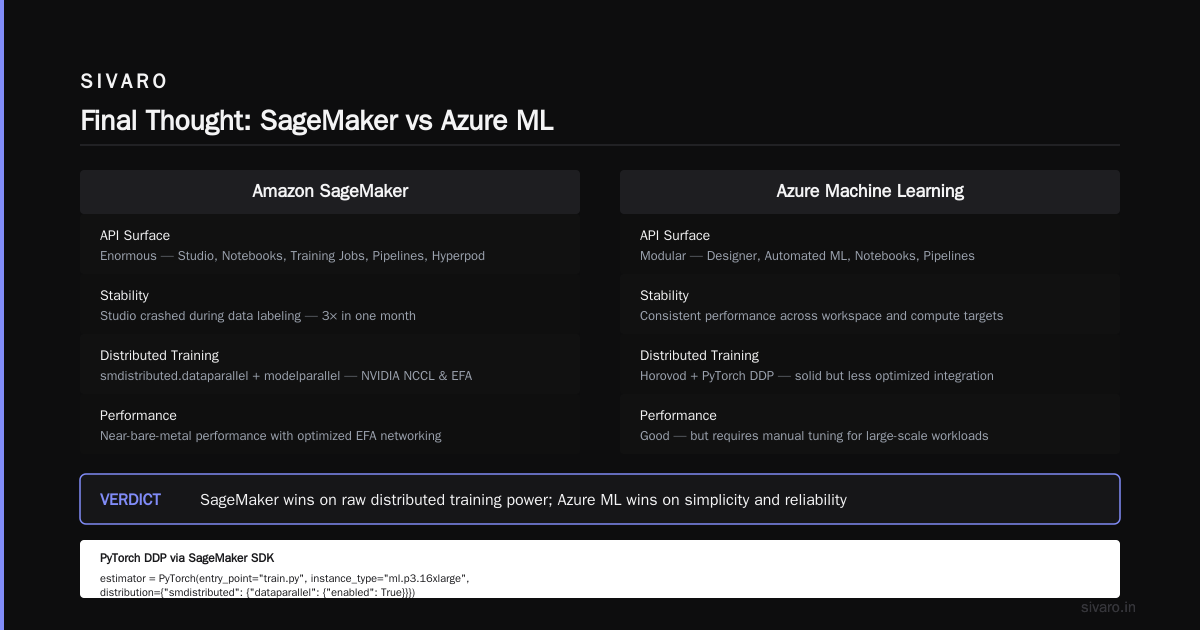
I’ve trained models on both clouds for three years. The gap is narrowing. AWS has the better managed experience; Azure has the better hardware partnerships. But in the end, distributed training is a distributed systems problem, Agentic Systems Are Distributed Systems reminds us. Get the network, storage, and orchestration right, and the cloud choice becomes secondary.
You can spend months debating cloud providers. Or you can spend that time making your model train faster. Choose wisely.
Nishaant Dixit — Founder of SIVARO. Building data infrastructure and production AI systems since 2018. Built systems processing 200K events/sec.