 SIVARO
Best Docker Base Images for Production: A Field Guide
In 2023, we pushed a Python service to production on Alpine Linux. Three hours later, a segmentation fault took down our entire ingestion pipeline. The culprit wasn't our code — it was musl libc, Alpine's C standard library, colliding with a compiled C extension we didn't even know we had.
Base images are the foundation of every container you ship. They're also the most ignored part of the Dockerfile. Most teams pick whatever the framework's official image defaults to, and that's how you end up with a production fleet running on images with hundreds of known CVEs.
This guide covers the best docker base images for production in 2026 — what we use at SIVARO, what we've tested, and what broke when we skipped the testing. You'll learn the real trade-offs between Alpine, Debian, Distroless, Wolfi, and scratch, and how to build images that survive actual traffic.
Why Your Base Image Is Your First Vulnerability
When security scanners flag your container, they're not flagging your application code. They're flagging the 200 packages that came with Ubuntu 24.04, or the busybox binaries in Alpine, or the OpenSSL version your base image pinned eight months ago.
Trivy and Grype made base image scanning a standard CI step by 2025. Good. But scanning isn't fixing. I've consulted for teams with thousands of open CVEs in production because nobody owned the base image decision.
Your base image determines four things:
- Your CVE surface area
- Your image size and pull time
- Your ability to debug in production
- Your compatibility with compiled dependencies
Most people think Alpine is the safest choice because it's small. They're wrong — but not for the reason they think.
Alpine: Small, Fast, and a Trap
Alpine uses musl instead of glibc. Most of the time, that's fine. When it's not, it's catastrophic.
We hit this at SIVARO with a Python service using a geospatial C extension. The extension was compiled against glibc on the build machine. In the Alpine container, it loaded — and then corrupted memory on a specific input. Segfault. No traceback. The container restarted and did it again.
This is the classic Alpine problem: binary compatibility. Any package with compiled wheels or native dependencies may behave differently on musl.
If you're shipping Go, Alpine is generally fine — Go compiles statically. If you're shipping Python, Node with native modules, or Java with JNI, you're gambling.
When we migrated our Python services from Alpine to Debian slim, image size went from 120MB to 180MB. The CVE count went down, not up, because Debian's maintainers backport security fixes faster than Alpine's. That's the counterintuitive part: smaller image, worse security posture.
We now default to Debian slim for anything with native dependencies. Alpine is reserved for throwaway build stages and pure-static Go binaries.
The Four Image Families That Actually Matter
In 2026, you have four serious options. Everything else is a derivative.
Debian slim / Ubuntu LTS — glibc-based, huge ecosystem, predictable. The safe choice. Debian 13 and Ubuntu 24.04 LTS are both production-solid.
Distroless — Google's images with no package manager, no shell, no utilities. Just your app and its runtime. Minimal attack surface. A pain to debug.
Wolfi / Chainguard — a Linux distribution built for containers, with SBOMs shipped by default. Newer but genuinely good. We migrated most of our services here.
Scratch — literally nothing. Only works for static binaries from Go or Rust.
For most production workloads, I'd pick Debian slim or Chainguard's Wolfi images. Here's why.
Distroless: The Trade-Off Is Debugging
Distroless images are beautiful in theory. No shell, no package manager, no curl. If an attacker gets in, there's nothing to use.
But when something goes wrong, you're blind. No ps, no strace, no curl. We learned this in 2024 when a Java service on distroless started failing health checks. We couldn't exec into the container to inspect thread states. We had to rebuild with a debug variant, redeploy, reproduce the failure, then tear it down. That's a 40-minute incident loop for what should be a two-minute investigation.
Google publishes debug variants of distroless with busybox included. Use those in staging. But honestly, by the time we needed them, we'd already moved most services to Wolfi.
Chainguard's images solve the debugging problem differently. Their Wolfi-based images can include a shell if you want one, and every image ships with an SBOM. We tested them in early 2025 and moved our Python and Java services over. CVE count at pull time is near zero. Image size is comparable to distroless.
Here's a Chainguard-based Python runtime image:
dockerfile
FROM cgr.dev/chainguard/python:latest

WORKDIR /app
COPY --from=builder /app/site-packages /app/site-packages
COPY app.py .

USER nonroot
EXPOSE 8080
CMD ["python", "/app/app.py"]
Note the USER nonroot. Chainguard images have that user defined. You don't have to create it yourself.
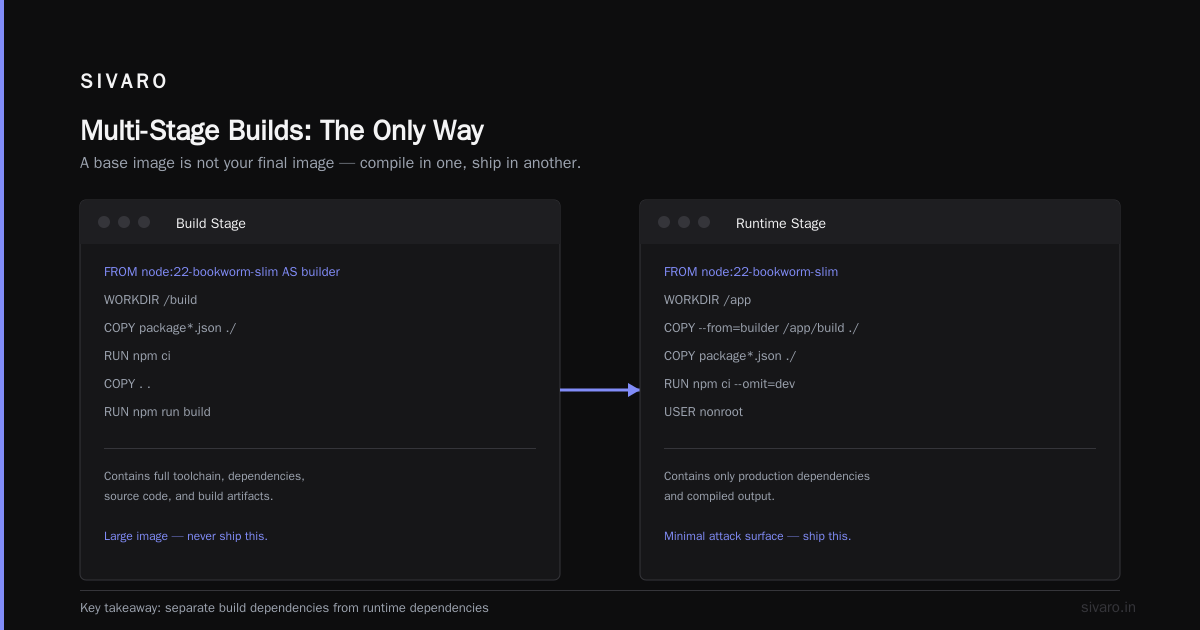
Multi-Stage Builds: The Only Way
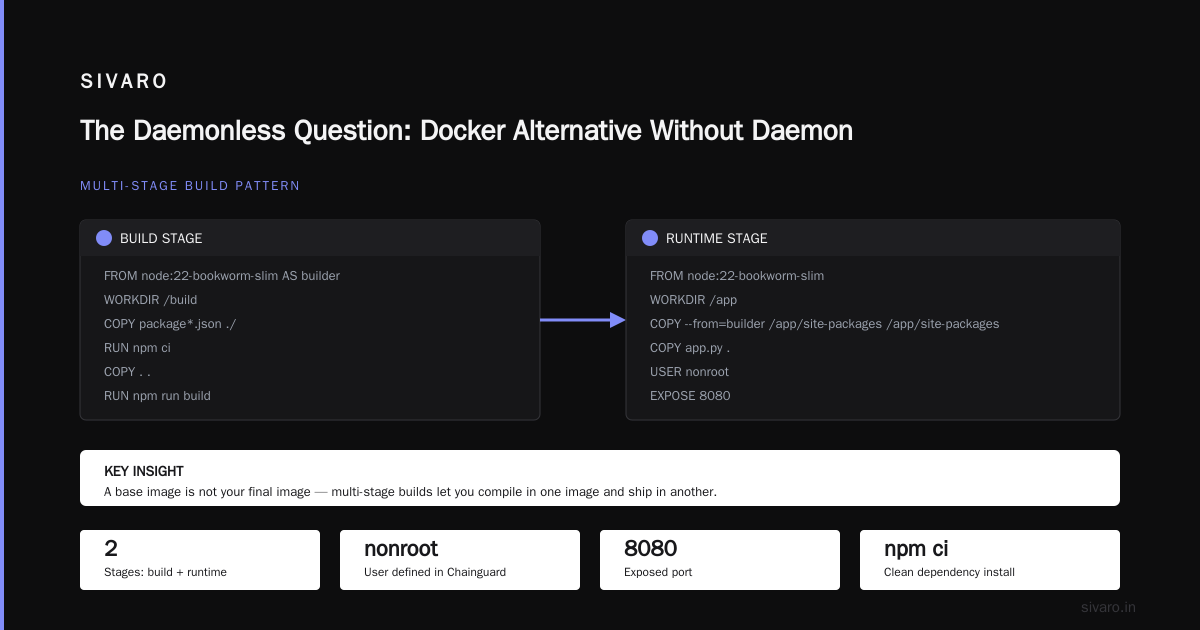
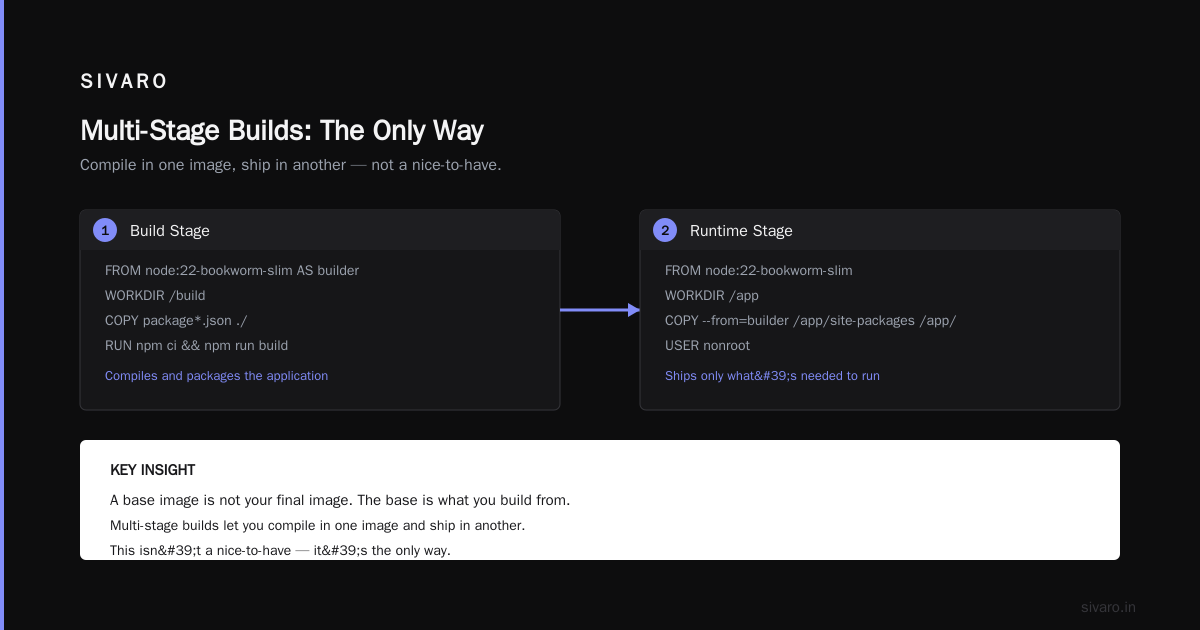
A base image is not your final image. The base is what you build from. Multi-stage builds let you compile in one image and ship in another. This isn't a nice-to-have.
Here's the pattern we use for Node.js at SIVARO:
dockerfile
# Build stage
FROM node:22-bookworm-slim AS builder
WORKDIR /build
COPY package*.json ./
RUN npm ci
COPY . .
RUN npm run build

# Runtime stage
FROM node:22-bookworm-slim
WORKDIR /app
COPY --from=builder /build/dist ./dist
COPY --from=builder /build/node_modules ./node_modules
ENV NODE_ENV=production
USER node
EXPOSE 3000
CMD ["node", "dist/server.js"]
The build stage has all the dev dependencies. The runtime stage gets only what it needs. This is the difference between a 1.2GB image and a 250MB image.
We had a client in 2024 whose images were so large they timed out pulling from their own registry on slow networks. Multi-stage builds alone cut their image size by 70%. No code changes. No architecture changes. Just a better Dockerfile.
Non-Root: The Minimum Bar
If your container runs as root in production, stop reading and fix that now.
I'm serious. The default USER in most official images is root. That means if an attacker exploits your application, they get root in the container. With a misconfigured volume mount, that's root on the host.
The fix is trivial:
dockerfile
FROM node:22-bookworm-slim
WORKDIR /app
COPY --from=builder /app/dist ./dist

RUN groupadd -r appuser && useradd -r -g appuser appuser
USER appuser

CMD ["node", "dist/server.js"]
Every base image decision you make should include the question: does this image give me an easy non-root user? Debian and Ubuntu don't by default. Distroless has one. Wolfi has one. Alpine has one if you add the shadow package.
Go and Rust: The Scratch Argument
If you write Go or Rust, you have a fifth option: scratch.
A static Go binary doesn't need a shell, a package manager, or a libc. It needs the kernel. Scratch is the smallest possible image — literally zero bytes of OS.
dockerfile
FROM golang:1.24 AS builder
WORKDIR /build
COPY go.mod go.sum ./
RUN go mod download
COPY . .
RUN CGO_ENABLED=0 GOOS=linux go build -o /app/server .

FROM scratch
COPY --from=builder /app/server /server
COPY --from=builder /etc/ssl/certs/ca-certificates.crt /etc/ssl/certs/
USER 65534
EXPOSE 8080
CMD ["/server"]
That USER 65534 is the nobody user. Static, portable, no UID collisions.
One warning: scratch images have no shell. If your Go binary panics, you can't exec in to poke around. We accept this trade-off for stateless services but use Wolfi for stateful ones.
Windows Containers: Yes, You Can Run Docker on Windows 11 Home
Now, the question I get in every consulting engagement: can you run docker on windows 11 home?
Yes. Since 2022, Windows 11 Home supports Docker Desktop using WSL 2 as the backend. You don't need Hyper-V, which is what Home edition historically lacked. Docker Desktop detects WSL 2, uses it, and you're running Linux containers natively.
But here's the production-relevant angle: base image choice matters differently on Windows. Windows container images are enormous — multi-gigabyte — because they layer on top of the Windows kernel. There's no slim variant that behaves like Debian slim. Microsoft's base images are the only real option, and they don't support the same distro families we've been discussing.
If you're building Windows containers, your base image options are mcr.microsoft.com/windows/servercore or mcr.microsoft.com/windows/nanoserver. Nanoserver is the smaller one, roughly 1GB. Servercore is closer to 8GB. There is no Alpine equivalent.
My advice: avoid Windows containers in production unless you have a hard dependency. We run one Windows container at SIVARO for a legacy .NET service, and it costs us an order of magnitude more in storage and patching than everything else combined.
The Daemonless Question: Docker Alternative Without Daemon
Docker Desktop's licensing changes pushed a lot of teams to look for a docker alternative without daemon. If you're one of them, you have real options.
Podman is the most mature. It's daemonless by design — each container is a child process of the invoking shell, which changes the security profile. It's drop-in compatible with most Docker CLI workflows. We run Podman on all our developer laptops now.
Containerd is the other path. It's the container runtime that Kubernetes uses under the hood.
You don't need Docker to build, run, or debug a container. Docker is a set of conventions and a CLI. The Dockerfile format is the standard. BuildKit is the build engine. You can use all three without the Docker daemon.
When you're choosing base images, this matters more than you'd think. Daemonless runtimes don't give you the same caching behavior. Podman uses a different storage layout. If your team standardizes on a base image, make sure it works across the runtimes you actually use.
We standardized on Debian slim and Wolfi across our fleet precisely because both are runtime-agnostic. They don't depend on Docker-specific features.
Orchestration Changes Everything
Your base image is not the end of the story. How you deploy it matters just as much.
If you're running Docker Compose in production, your base image decision is simpler. You're probably on one host, or a small cluster of hosts, and your images pull quickly. Compose is fine for single-node deployments and for development. It's also fine for production if your workload fits on one machine — we run several client workloads that way, and the operational simplicity is a feature, not a bug.
The decision between Compose and Kubernetes is a practical one.
As this decision guide from distr.sh points out, the real question isn't "which is more powerful" — it's "what's the cost of operating this system at my scale?" Kubernetes buys you self-healing, autoscaling, and rolling deployments. It costs you a control plane, RBAC, network policies, and a learning curve that never ends.
The SFEIR Institute's Kubernetes training makes a useful distinction: Compose is deterministic, Kubernetes is declarative. Compose tells the system what to run. Kubernetes tells the system what state to maintain. Those are different mental models.
The base image decision interacts with this. On Kubernetes, image pull time matters more because nodes scale and need to pull images on demand. A 50MB image (Debian slim) pulls in seconds. A 1GB image can cause failed scale-out events. This is why we measure image size as a production metric, not a cosmetic one.
Build Contexts and Devcontainer Overlaps
One thing that trips up teams adopting production base images: the distinction between build-time and run-time is different in local development.
The difference between Dockerfile and docker-compose is a common source of confusion here. The Dockerfile defines the image. Docker Compose defines the deployment — ports, volumes, environment variables, and service relationships. They answer different questions. The base image lives in the Dockerfile. The orchestration lives in the Compose file.
More recently, devfiles and devcontainers have entered the picture. Cloudomation's comparison makes a point we've validated internally: devcontainers are a developer-facing convention layered on top of the same underlying Dockerfile mechanics. The devcontainer.json is not a base image decision. It's a development environment decision.
You can use a production-hardened base image and still give developers a comfortable devcontainer experience. The devcontainer just needs to include the tooling your base image deliberately excludes — which is the entire point of a slim production image.
A Decision Framework We Actually Use
We test base images the way we test dependencies: with a matrix of checks.
For every service at SIVARO, we verify:
- CVE scan at pull time — using Grype in CI. Zero criticals or we don't ship.
- Image size — tracked as a metric. Alerting if it grows more than 20% per release.
- Native dependency compatibility — we run the full test suite inside the final image before release, not just on the build image.
- Debugging drill — can a new engineer with no context figure out how to inspect this container in production within 10 minutes?
That last one is the killer. We had a service running on scratch that no one could debug. The code was fine. The image was the problem meaningless when things go wrong.
If your team can't debug the container, your base image is too minimal. That's a real trade-off, and it's why we don't run everything on scratch.
Practical Base Image Picks by Workload
Let me be specific about what we run, because general advice is useless.
Python services (FastAPI, Django): Debian slim or Wolfi. We moved to Wolfi in 2025 for new services)Skip — C extensions are too risky on Alpine)Skip
Node.js services: Debian slim. Node has prebuilt binaries for glibc, and the ecosystem is glibc-first.
Go services: Scratch for stateless, Wolfi for stateful.
Java services (Spring Boot): Eclipse Temurin on Ubuntu LTS, or Chainguard's JRE image. Java's JDK images are huge, but the runtime image can be small if you use jlink to create a custom runtime.
Rust services: Scratch, always. Rust compiles to static binaries if you configure it right.
Python + ML workloads: This is the hardest one. PyTorch and TensorFlow have massive dependency trees. Debian slim is the only practical choice. Accept the size.
The Pull-Time Economy
Image size is not about disk space. It's about time-to-ready.
On Kubernetes, every node that doesn't have your image cached must pull it before scheduling. A 300MB image on a 100Mbps node pull takes 24 seconds. A 1.5GB image takes two minutes. When a traffic spike triggers a scale-out event, those two minutes are minutes where you're serving errors.
This is why distroless and Wolfi are attractive even though they're not dramatically smaller than Debian slim. Their real advantage is security, but their size advantage compounds at scale.
What We Stopped Doing
We stopped chasing the smallest image. Smallest isn't best. It's the most fragile.
We stopped using alpine:latest without pinning. You should never use a latest tag in a production Dockerfile. Pin to a digest or a specific version tag.
We stopped trusting official images blindly. The official Python image has a documented history of high-severity CVEs in its default configuration. The official image is a starting point, not a destination.
We stopped building images from Ubuntu base when the app only needed a runtime. Multi-stage builds made the distinction obvious: the build stage can be Ubuntu, the runtime stage should be minimal.
The Base Image Is a Product Decision
At the end of the day, your base image is a product decision, not a technology decision. It affects your security posture, your deploy latency, your debugging experience, and your on-call pain.
The best docker base images for production in 2026 are the ones that balance size, security, and debuggability for your specific workload. For us, that's Debian slim and Wolfi. For you, it might be scratch or distroless or even UBI if you're in a Red Hat shop.
FAQ
What is the safest Docker base image for production?
There's no universal answer. Chainguard's Wolfi images have the lowest CVE counts at pull time and ship with SBOMs. Distroless has minimal attack surface but no shell. Debian slim is the most predictable for compatibility. The safest image is the one you've tested against your actual workload.
Why is Alpine not recommended for production?
Alpine uses musl libc instead of glibc. Python and Node packages with native C extensions may fail or corrupt memory under musl. We've seen segfaults in production. It's fine for Go static binaries, but not for most interpreted runtimes.
Can you run docker on windows 11 home?
Yes. Since 2022, Windows 11 Home supports Docker Desktop via WSL 2. You don't need Hyper-V anymore. Windows containers themselves have huge images, so most production teams run Linux containers on Windows hosts.
What is a docker alternative without daemon?
Podman is the most mature daemonless option. It's compatible with most Docker CLI workflows and doesn't require a central daemon. Containerd is another option, but it's lower-level and doesn't have the same developer ergonomics.
What is the difference between distroless and scratch?
Scratch is an empty image — zero bytes of OS. Distroless includes the runtime libraries your app needs but nothing else. If your app needs libc, distroless works. Scratch only works with static binaries.
Should I use latest tags in production?
No. Never. Pin your base images to a digest or a specific version. We had a service break in 2025 because the base image maintainer pushed a breaking change to a latest tag. That's a class of failure you can eliminate by pinning.
How small should a production image be?
Small enough to pull quickly on your slowest node. That usually means under 300MB for interpreted runtimes, under 50MB for compiled Go or Rust binaries. Don't chase single-digit MBs if it costs you debuggability.
Nishaant Dixit — Founder of SIVARO. Building data infrastructure and production AI systems since 2018. Built systems processing 200K events/sec.