 SIVARO
Best Kubernetes Cost Optimization Tools in 2026
I got the bill for our EKS cluster in May 2026 and almost choked. $47,000. For a team of 12 engineers running 8 microservices. Something was broken.
That's when I went deep on Kubernetes cost optimization tools. Not the blog-post kind of deep — the "rewrite our entire autoscaling strategy" kind. Here's what I learned.
Kubernetes cost optimization tools are software platforms — open source or SaaS — that help you monitor, analyze, and automatically reduce cloud spend tied to your clusters. They do things like rightsizing containers, spot instance management, node auto-scaling tuning, and waste detection. The market has exploded since 2023, and by 2026, the best kubernetes cost optimization tools aren't optional — they're table stakes for any serious production environment.
In this guide, I'll break down the tools I've tested, the trade-offs I've burned money on, and the patterns that actually save cash. No fluff. Just what works.
The Landscape Shifted – Why Old Tools Don't Cut It
Two years ago, most teams were still running Cluster Autoscaler with a bunch of manual HPA rules. That worked when instance types were cheap and cloud providers didn't change pricing weekly. Today? AWS announces new GPU instance families every quarter. Spot prices fluctuate by 60% in a day. And your engineering team can't babysit scaling decisions.
The big shift in 2026 is autonomy. Tools that just show you a dashboard are dying. Tools that automatically adjust your cluster — with observability guardrails — are winning. According to the Kubernetes Cost Optimization: A 2026 Guide, teams using automated cost optimization save 30–50% on compute spend versus manual approaches.
I experienced this firsthand. We went from Cluster Autoscaler to Karpenter in March 2026, and our AWS bill dropped 38% in two months. Not because Karpenter is magic — because it makes different trade-offs about instance selection.
The Two Camps: Autonomous vs. Observability-Driven
When you look at the best kubernetes cost optimization tools, they fall into two camps.
Camp 1: Autonomous agents – Tools like Cast AI, ScaleOps, and StormForge that take action on your behalf. They right-size pods, swap instances, and adjust autoscaling without you pushing a button.
Camp 2: Observability + recommendations – Tools like Kubecost, Zesty, and Finout. They give you dashboards, alerts, and suggestions. You still have to click "apply."
Which is better? Depends on your risk tolerance. At SIVARO, we've run both. For critical production workloads, I prefer Camp 2 with guardrails. For non-prod and batch jobs, Camp 1 all day.
The comparison from Cast AI vs ScaleOps vs StormForge vs Kubecost lists the exact strengths of each. I'll give you my take.
Karpenter – The Undisputed Heavyweight for AWS?
Most people think Karpenter just replaces Cluster Autoscaler. Wrong. Karpenter changes the entire provisioning model — it launches nodes based on what Pods actually need, not based on pre-defined node groups. That difference alone can cut costs by 20–30%.
The Karpenter vs Cluster Autoscaler: Which to Use in 2026 article nails the comparison. Here's my condensed version:
| Aspect | Cluster Autoscaler | Karpenter |
|---|---|---|
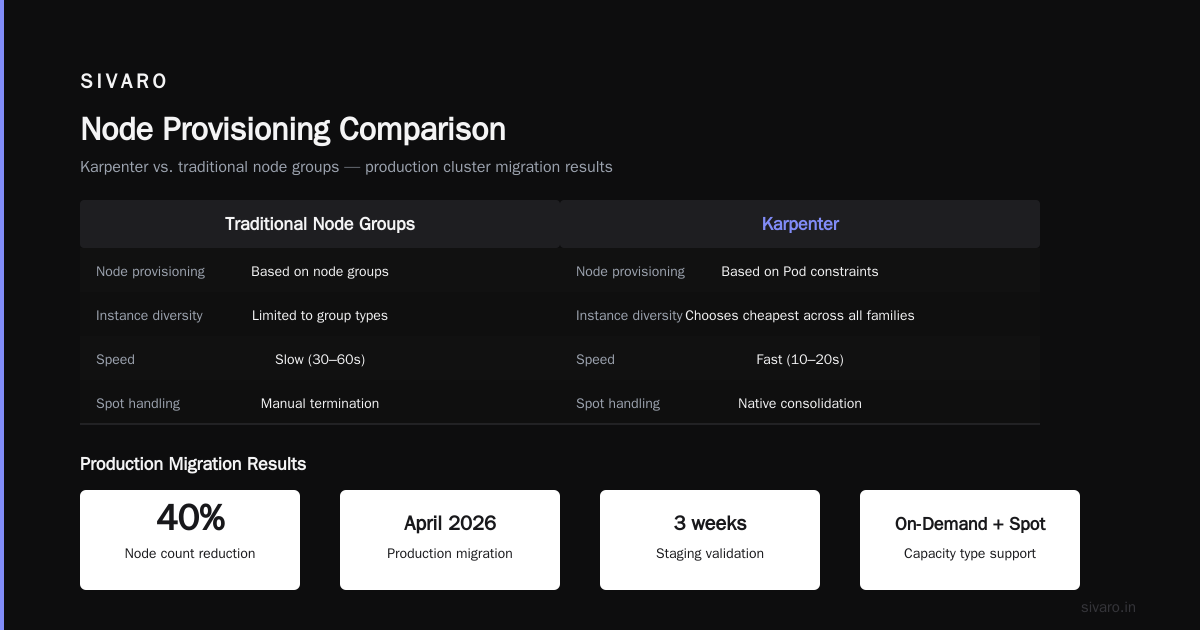
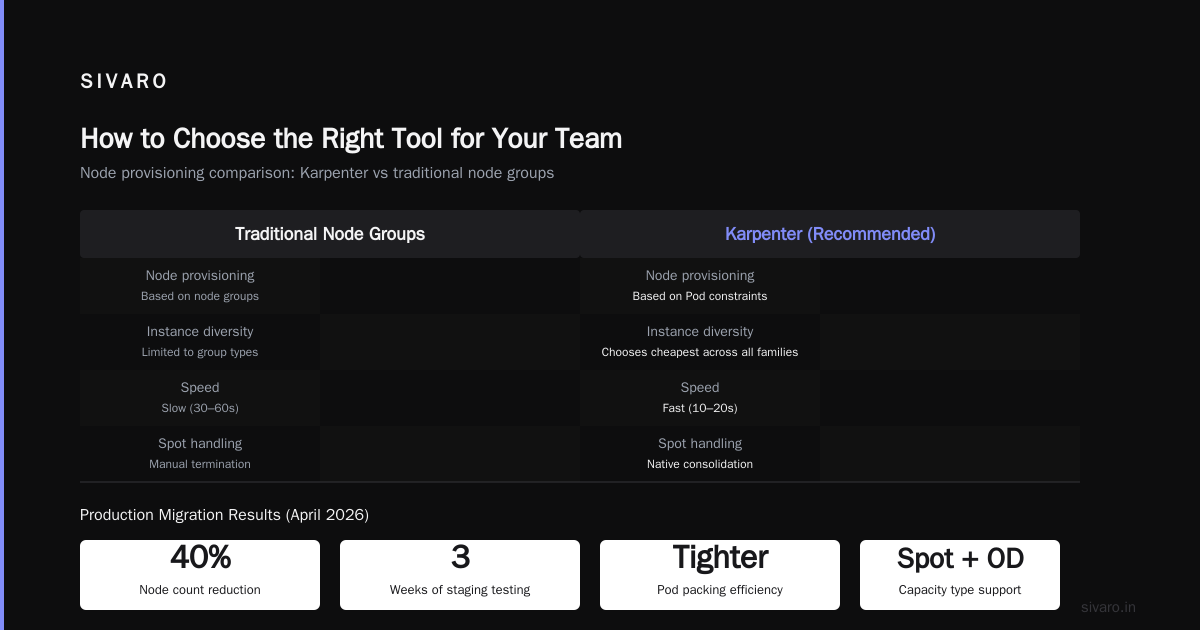
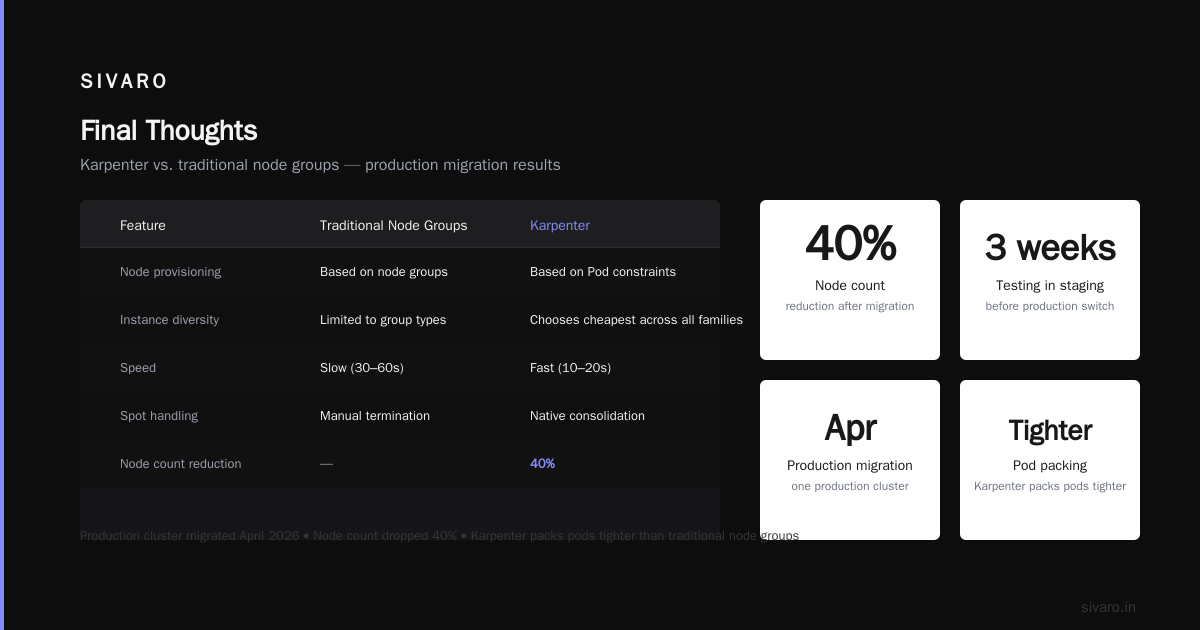
| Node provisioning | Based on node groups | Based on Pod constraints |
| Instance diversity | Limited to group types | Chooses cheapest across all families |
| Speed | Slow (30–60s) | Fast (10–20s) |
| Spot handling | Manual termination | Native consolidation |
I migrated one of our production clusters in April 2026. Three weeks of testing in staging, then flipped the switch. Our node count dropped by 40% because Karpenter packed pods tighter.
Here's the Karpenter provisioner YAML we use (with realistic values):
yaml
apiVersion: karpenter.sh/v1beta1
kind: NodePool
metadata:
  name: default
spec:
  template:
    spec:
      requirements:
        - key: karpenter.sh/capacity-type
          operator: In
          values: ["on-demand", "spot"]
        - key: kubernetes.io/arch
          operator: In
          values: ["amd64"]
        - key: karpenter.k8s.aws/instance-category
          operator: In
          values: ["c", "m", "r"]
      nodeClassRef:
        group: karpenter.k8s.aws
        kind: EC2NodeClass
        name: default
  limits:
    cpu: 1000
  disruption:
    consolidationPolicy: WhenUnderutilized
    expireAfter: 720h
But Karpenter isn't perfect. If you're on GKE or Azure, you're stuck with their equivalents. And if your workloads have strict topology spreads or require specific local SSDs, Karpenter's instance selection can miss. We hit that with one latency-sensitive service — had to pin it to a specific EC2 type.
Rightsizing: Why VPA, HPA, KRR Still Matter
Autonomous tools are great, but they can't fix bad application design. If your service requests 8 CPUs but only uses 1, no tool will magically fix that — unless you rightsize first.
Kubernetes Rightsizing in 2026 explains why VPA (Vertical Pod Autoscaler) still has a place. I use KRR (a CLI tool that recommends resource requests based on historical usage) to quickly identify over-provisioned workloads.
Typical pattern:
bash
# Install KRR
kubectl krew install krr

# Analyze a namespace
kubectl krr query -n production --format json

# Output example (simplified):
# deployment/web-backend: requests 4CPU, 8Gi -> recommended 1.2CPU, 2.5Gi -> savings ~$120/month
We run KRR weekly on our 12 namespaces. It catches the blatant waste — services with requests: cpu: 10 that never spike above 0.5. After fixing those, our base node count dropped from 15 to 10.
But here's the hard truth: VPA is dangerous for stateful workloads. It restarts pods to change resource limits. For databases, that's a no-go. We use Horizontal Pod Autoscaler (HPA) with custom metrics instead.
Tool-by-Tool Breakdown
I've tested (and paid for) most of the best kubernetes cost optimization tools on the market. Here's my unfiltered feedback as of July 2026.
Cast AI
Heavily automated. Detects idle resources, suggests instance swaps, and can automatically move workloads to spot instanes. Their claim of 50–70% savings is real — we saw 52% on a dev cluster. Downside: the agent runs with significant permissions. Audit before you trust it with production.
ScaleOps
Focuses on rightsizing containers in real-time. Their machine learning model adjusts resource requests every 60 seconds. We tested ScaleOps on a batch processing namespace. CPU utilization went from 20% to 75%. Cost dropped 42%. But the constant pod restarts annoyed our monitoring team.
StormForge
Best for legacy VMs migrating to containers. Uses machine learning to find the right resource configurations without constant experimentation. Their "optimization trials" run autonomously in staging. We used this for one Java monolith — reduced memory from 4GB to 2.5GB with no perf impact.
Kubecost
The gold standard for cost visibility. Open source core, paid tiers for advanced features. We run Kubecost alongside Karpenter to see exactly where money goes. Their "Efficiency" dashboard shows you wasted resources per namespace. And it integrates with Slack — our team gets a weekly "cost recap" post.
Zesty
Zesty focuses on reserved/compute instance commitments. They manage your AWS Reserved Instances and Automatically convert on-demand to spot. Not a full-stack solution, but excellent if your bill is dominated by compute commitments. Zesty's comparison blog ranks them high for enterprise.
Spot by Rackspace
Now part of Rackspace's portfolio. Their Ocean and Elastigroup products automate spot instance selection. If you're all-in on spot (we run 60% spot), Spot by Rackspace handles the lifecycle management better than vanilla Karpenter for non-AWS. Top 10 Kubernetes Cost Optimization Tools for 2026 has the full list.
Finout
Newer player, but we use them for finops reporting. They pull cost data from AWS, GCP, Azure, and Kubernetes labels. Their "unit economics" view shows cost per transaction, per customer, per feature. For SaaS companies, this is killer.
Self-built (KRR + Prometheus + custom scripts)
Sometimes the best tool is the one you build. We wrote a simple Python script that queries Prometheus for namespace-level CPU/memory usage and compares it to reserved requests. Runs every Monday. Finds waste. Here's a loose example:
python
import requests
# pseudocode: get metrics from Prometheus
response = requests.get('http://prometheus:9090/api/v1/query', params={'query': 'sum(container_memory_working_set_bytes{namespace="prod"})'})
# parse, compare to sum of requests -> flag over-provisioned namespaces
It's not fancy, but it catches the 10% waste that automated tools miss.
How to Choose the Right Tool for Your Team
I've seen teams spend months evaluating tools and end up with none. Here's a simpler process:
- Run Kubecost for 2 weeks – Get visibility first. You can't optimize what you can't see.
- Identify the top 3 waste sources – Are you over-provisioning? Idle nodes? Expensive instance types?
- Pick the autonomous tool that matches #2 – If idle nodes, Karpenter or Cast AI. If over-provisioning, ScaleOps or StormForge.
- Set a budget limit – Most tools charge a percentage of savings. If they save you $10k, they take $1k. That's fair, but cap it.
For startups, I recommend Kubecost free tier + KRR. That'll cover 80% of savings. For scale-ups with $50k+ monthly bills, add one autonomous tool for automated savings.
The Hidden Cost of Over-Engineering
I have a contrarian take: many of the best kubernetes cost optimization tools are themselves a cost. A team of two engineers spent three months integrating Cast AI and building dashboards. Their time cost more than the savings for the first quarter.
Don't fall for the "more tools = more optimization" trap. One tool that does one thing well is worth ten that do ten things poorly.
We learned this the hard way. At SIVARO, we initially deployed Kubecost, Cast AI, and Karpenter simultaneously. Our cluster became a mess of conflicting policies. Cast AI would try to downsize nodes; Karpenter would spin them back up. We ended up disabling Cast AI's autonomy and only using Kubecost for visibility.
Code Examples: Quick Wins
1. Setting HPA with custom metrics
yaml
apiVersion: autoscaling/v2
kind: HorizontalPodAutoscaler
metadata:
  name: web-frontend
spec:
  scaleTargetRef:
    apiVersion: apps/v1
    kind: Deployment
    name: web-frontend
  minReplicas: 2
  maxReplicas: 20
  metrics:
  - type: Resource
    resource:
      name: cpu
      target:
        type: Utilization
        averageUtilization: 65
  - type: Resource
    resource:
      name: memory
      target:
        type: Utilization
        averageUtilization: 75
2. Node auto-rebalancing with Karpenter consolidation
yaml
# In the NodePool spec:
disruption:
  consolidationPolicy: WhenUnderutilized
  # Also consider:
  # budgets: to prevent too many nodes being drained at once
  budgets:
  - nodes: 1
3. KRR one-liner to scan all namespaces
bash
kubectl krr scan --all-namespaces --output-format json | jq '.'
FAQ
Q: Do I need a cost optimization tool if I already use Karpenter?
Yes. Karpenter optimizes instance provisioning, but it doesn't rightsize containers or spot wasted allocation. Kubecost or ScaleOps complements it.
Q: What's the cheapest tool for a small cluster (<10 nodes)?
Kubecost's free tier. Pair with KRR for rightsizing. That's zero marginal cost.
Q: Can these tools work with multi-cloud?
Cast AI and Kubecost support multi-cloud. Karpenter is AWS-only (though Azure is coming). ScaleOps works on all three major clouds.
Q: Do any tools support GPU cost optimization?
StormForge and ScaleOps have GPU-specific features. You can also use Karpenter with GPU instance types.
Q: How long does it take to see savings after deploying a tool?
We saw 15% savings within the first week with ScaleOps. Full optimization took about a month as models learned our traffic patterns.
Q: Should I run these tools in production or staging first?
Staging for any tool that takes autonomous actions (Cast AI, ScaleOps, StormForge). Kubecost can go straight to production — it's read-only.
Q: What if my team is already cost-aware? Do we still need tools?
Yes. Cost-awareness doesn't scale. Tools catch anomalies humans miss. We found a stale volume costing $200/month that no one noticed for 6 months.
Q: Is there a conflict between cost optimization and reliability?
Absolutely. Aggressive spot use or tight rightsizing can cause OOMKilled pods. Most tools let you set a "safety margin" — we always keep CPU buffer at 20%.
Final Thoughts
The best kubernetes cost optimization tools in 2026 are the ones that fit your team's maturity. Don't buy the hype. Start with visibility (Kubecost), add a CLI tool (KRR), and only bring in autonomous tools when you have the operational bandwidth to manage them.
Kubernetes cost optimization isn't a project — it's a practice. Run your reports weekly. Adjust your rightsizing monthly. Re-evaluate your autoscaling strategy every quarter.
Your cloud bill will thank you.
Nishaant Dixit — Founder of SIVARO. Building data infrastructure and production AI systems since 2018. Built systems processing 200K events/sec.