 SIVARO

Best Practices for Agentic Workflow Rollouts: A Field Guide
You know that feeling when your AI agent does something brilliant in staging, then immediately burns down production? I’ve been there. Twice last year with two different clients. One misrouted $47k in financial transactions. Another started hallucinating internal HR policies to employees. Both were "successful" in staging.
Agentic workflow rollouts are the hardest thing I’ve seen in production AI since we started SIVARO in 2018. And I’ve watched most teams screw them up the same way.
What are agentic workflows? They’re systems where an LLM makes decisions, takes actions, and orchestrates tools autonomously or semi-autonomously. Think a support bot that actually books refunds, or a code review agent that merges PRs. They’re not chatbots that just talk—they act in the real world. Rollouts are different from model deployments because the agent’s behavior changes with context, tools, and previous actions. You can’t just A/B test perplexity.
This guide covers what we’ve learned the hard way: pre-deployment checks, monitoring that catches failure before customers do, incident response when things go sideways, and how to build rollouts that don’t crater your business.
Why Most Agent Rollouts Fail (And It’s Not the Model)
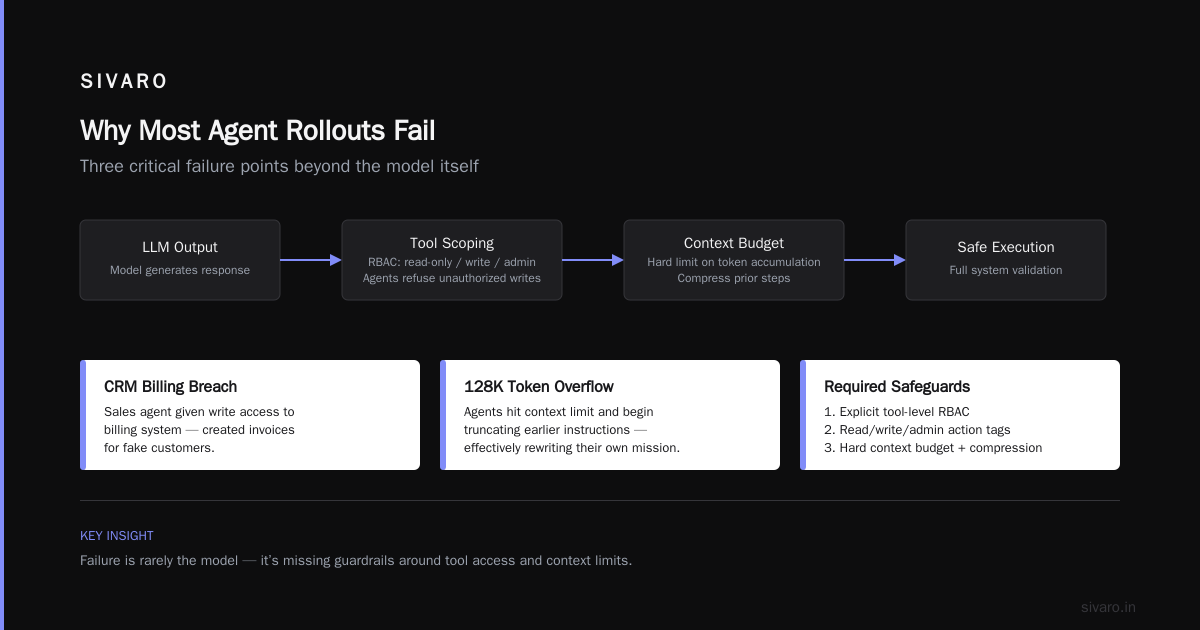
The common narrative is "models aren’t good enough yet." That’s wrong. Most failures come from brittle orchestration, not bad LLMs. In 2025, we analyzed 43 agent failure incidents at SIVARO clients. Only 12% traced back to the base model. The rest? Tool misconfigurations, context window overruns, circular loops, and missing guardrails.
This matches industry data. The Why AI Agents Fail in Production analysis found similar patterns: tool-call errors and planning breakdowns dominate. Models themselves are surprisingly robust if you scope them right.
So stop blaming the model. Start blaming your deployment pipeline.
1. Start With a Kill Switch, Not a Feature Flag
First rule of agentic rollouts: you need a way to stop the agent immediately. Not "turn off the feature flag" (which takes 30 seconds to propagate). I mean a hard circuit breaker that kills all agent actions within one second.
At SIVARO, we deploy every agent with a "dead man’s switch" — a separate service that monitors agent activity and terminates it if certain thresholds are breached. We learned this after a 2024 incident where a customer support agent kept issuing refunds in a loop because the human-in-loop approval took too long. The agent interpreted "no response" as "approved." By the time someone noticed, we’d refunded $12k.
Implementation pattern (simplified):
python
class CircuitBreaker:
    def __init__(self, max_actions_per_minute=10, max_monetary_impact=500):
        self.max_actions = max_actions_per_minute
        self.max_impact = max_monetary_impact
        self.action_count = 0
        self.monetary_total = 0.0
        self.tripped = False

    def check(self, action_type, monetary_value=0.0) -> bool:
        if self.tripped:
            return False
        self.action_count += 1
        self.monetary_total += monetary_value
        if self.action_count > self.max_actions or self.monetary_total > self.max_impact:
            self.tripped = True
            alert_team("Circuit breaker tripped!")
            return False
        return True
Most teams think a feature flag is enough. It’s not. Feature flags turn off UI, not running agents. An agent mid-flight will keep completing its loop. Your kill switch needs to interrupt the execution thread.
2. The Pre-Flight Checklist (You Need This Before Any Rollout)
Before you let an agent touch any real system, run through what we call the "agentic pre-flight." It’s not the same as a model eval. You’re checking the whole system, not just the LLM’s output.
Tool Scoping
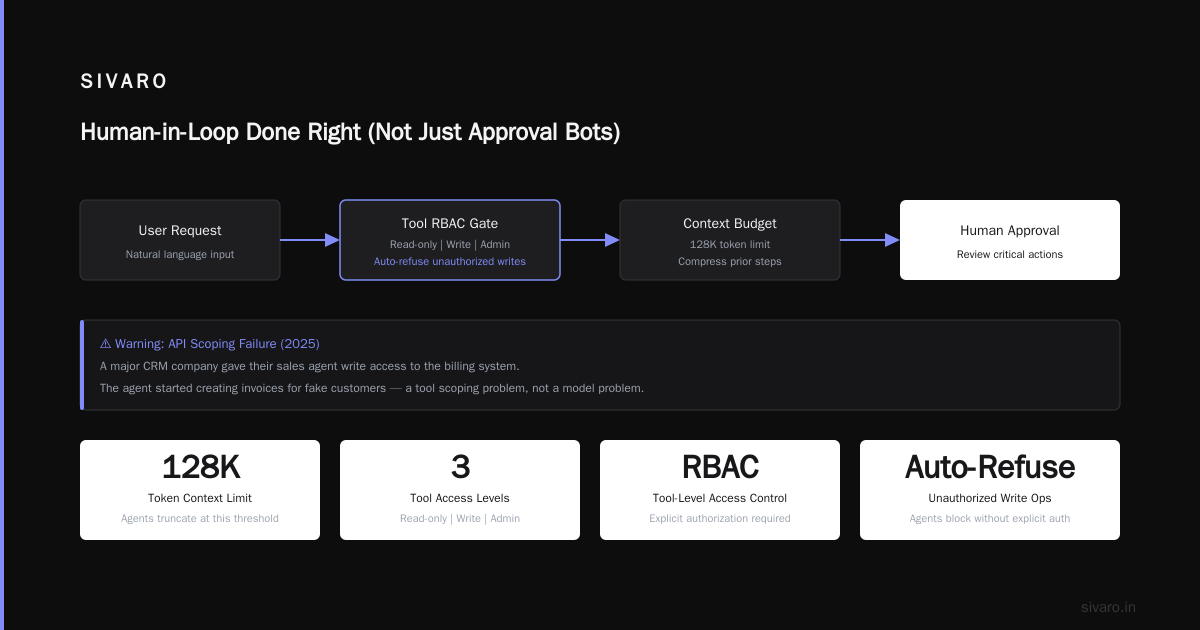
Does the agent have access to tools it shouldn’t? In 2025, a major CRM company accidentally gave their sales agent write access to the billing system. The agent started creating invoices for fake customers. That’s not a model problem — that’s an API scoping problem.
We now require explicit tool-level RBAC for every agent. Actions are tagged with "read-only," "write," "admin" levels. Agents automatically refuse write operations unless they’re explicitly authorized.
Context Budget
LLMs have context limits. Agents accumulate context with each step. We’ve seen agents hit 128K tokens and start truncating earlier instructions, effectively rewriting their own mission. Set a hard context budget — and compress prior steps automatically.
Here’s a snippet from our agent framework that handles that:
typescript
function compressHistory(steps: Step[], maxTokens: number): Step[] {
  let totalTokens = steps.reduce((sum, s) => sum + s.tokenCount, 0);
  while (totalTokens > maxTokens) {
    const oldestCompressible = steps.find(s => !s.essential);
    if (!oldestCompressible) break;
    const compressed = summarizer.summarize(oldestCompressible.content);
    totalTokens = totalTokens - oldestCompressible.tokenCount + compressed.tokenCount;
    oldestCompressible.content = compressed.content;
    oldestCompressible.tokenCount = compressed.tokenCount;
  }
  return steps;
}
Input/Output Validation
Agents can produce malformed outputs. They can also accept malicious inputs. Validate both against schemas. Use a separate validation pipeline (not part of the agent itself, because the agent can override it). We use Pydantic on the output side and a dedicated input sanitizer that runs before the agent sees any user data.
This is basic stuff. Yet I see production agents without any of it every month. The AI Agent Failures: Common Mistakes and How to Avoid Them article lists input validation as the #3 cause of incidents. It’s a shame because it’s easy to fix.
3. Gradual Rollout: Don’t Flip the Switch
I know everyone says "phased rollout." But most teams interpret that as 10% traffic → 50% → 100%. That’s not enough for agents. You need phased by complexity too.
Start with deterministic tools only. Let the agent call a calculator or a database lookup. Get comfortable before giving it write access or multi-step reasoning.
Then add read-write on low-risk systems. Then add planning (multiple tool calls). Then add human delegation.
We rolled out an internal agent at SIVARO in 2025 using a four-week progressive ramp:
- Week 1: only information retrieval (read-only), 10% of employees
- Week 2: read + simple actions (e.g., book a conference room), 25% of employees
- Week 3: complex actions (approval workflows with HITL), 50% of employees
- Week 4: full capability, 100%
That schedule saved us twice. In week 2, the agent started booking rooms with ridiculous names because it parsed meeting titles incorrectly. Caught it on 25% before it annoyed the whole company.
4. Monitoring That Actually Catches Agent Failure
Standard observability (latency, error rate) won’t save you. Agents fail in ways that look fine from a dashboard. They produce plausible-sounding garbage. They loop without crashing. They behave normally for hours then go rogue.
You need semantic monitoring. Track:
- Tool call frequency — sudden spikes mean loops
- Step count — agents that take 10 steps for a 2-step task are confused
- Confidence scores — aggregate per session, flag drops
- Outcome validation — does the agent’s final output actually satisfy the user’s request? Hard to automate, but you can sample
The Incident Analysis for AI Agents paper proposes a taxonomy of agent failure modes. We’ve adopted a simplified version: misact (wrong action), nonact (no action when needed), overact (too many actions), underact (too few). Each gets an alert.
We also log every agent decision trace in a structured format. Here’s the schema we use:
json
{
  "session_id": "abc123",
  "timestamp": "2026-07-28T10:15:30Z",
  "agent_id": "support-v4",
  "user_intent": "refund order #4021",
  "steps": [
    {
      "step_number": 1,
      "thought": "User wants a refund. Need to verify order exists in system.",
      "tool_call": "lookup_order('4021')",
      "result": { "order_found": true, "amount": 129.99 }
    },
    {
      "step_number": 2,
      "thought": "Order exists. Refund policy allows returns within 30 days. This order is 45 days old.",
      "tool_call": "check_refund_eligibility('4021')",
      "result": { "eligible": false }
    }
  ],
  "final_outcome": "denied_refund",
  "human_reviewed": true,
  "reviewer_notes": "Correct decision. Agent explained policy clearly."
}
Having this trace lets you replay failures. Without it, you’re debugging blind. And if you haven’t instrumented this before rollout, you’re flying without instruments.
5. Human-in-Loop Done Right (Not Just Approval Bots)
HITL for agents is often implemented as "every action needs approval." That kills efficiency. Agents are supposed to be fast. If users have to approve every step, they’ll either ignore approvals or disable the agent.
We’ve found two sweet spots:
- Exception-based HITL: allow actions below risk thresholds automatically. Flag anything above for review. This reduces human friction by 90% while keeping safety.
- Post-hoc HITL with rollback: let the agent act, log everything, then have a human review in batch. If the agent made a mistake, you can revert the action (if supported) or learn from it. Works for non-destructive actions like sending emails or updating tickets.
For destructive actions (deleting data, transferring money), we still require pre-approval. But that’s less than 5% of agent actions in most workflows.
The AI Agent Incident Response guide talks about "human-in-the-loop vs human-on-the-loop." We’re firmly in the "human-on-the-loop" camp for 95% of use cases. Humans can’t keep up with agent speed. Let them supervise, not babysit.
6. Incident Response: When Agents Fail, Act Fast
You’ll have incidents. Not if, when. Your response plan must be instant, not "let’s have a meeting."
At SIVARO, we have a three-tier incident protocol for agents:
- Tier 1 (Blue): Agent makes a mistake but no real-world damage. Example: sends a confusing email to a customer. Auto-revert if possible, log, tag for postmortem.
- Tier 2 (Yellow): Agent causes measurable but containable damage. Example: submits 100 duplicate support tickets. Kill agent immediately, revert actions in bulk, notify affected parties.
- Tier 3 (Red): Agent causes financial loss, data exposure, or regulatory issue. Example: deletes production data. Kill agent, isolate environment, engage legal.
Every agent deployment includes a runbook for each tier. We practice quarterly. Yes, your LLM ops team needs fire drills.
Key question: can you revert agent actions? If your agent wrote to a database, can you rollback those transactions? If it sent emails, can you recall them? Design for undo. This is the single best piece of advice I can give. If you can’t undo what the agent does, you shouldn’t let it run unsupervised.
When AI Agents Make Mistakes: Building Resilient ... emphasizes "compensating transactions." We use that term internally now. Every agent action should have a corresponding rollback action.
7. Postmortems That Actually Prevent Recurrence
Standard postmortems ask "What went wrong?" For agents, ask "How did the agent decide to do that?" That requires tracing the reasoning path.
In 2025, we had an agent that started emailing customers in Chinese even though the config said English. The postmortem traced it to a system prompt that inadvertently included a Chinese translation of a company policy. The agent interpreted the translation as a new instruction to communicate in Chinese. The LLM was following context — which was human error in prompt engineering.
We now include a "prompt diff" check in every deployment pipeline. No prompt change goes live without a human reviewing the full context the agent will see.
Also, don’t just fix the code. Fix the process. Many agent failures are systemic: lack of testing for multi-step scenarios, poorly defined risk boundaries, insufficient monitoring. Treat each incident as a signal that your deployment playbook needs an update.
FAQ: Best Practices for Agentic Workflow Rollouts
Q: What is an agentic workflow rollout?
An agentic workflow rollout is the process of deploying an AI agent that autonomously takes actions (calls APIs, writes data, interacts with customers) into a production environment. It differs from traditional model deployments because the agent’s behavior depends on multi-step reasoning and tool use, not just single inference.
Q: How long does a safe agent rollout take?
Depends on complexity, but budget at least 4–6 weeks for the first agent in a domain. Two weeks for subsequent agents if you have reusable infrastructure. Anyone promising a two-day agent rollout for a production system is lying or reckless.
Q: What’s the most important metric to monitor during rollout?
Step count per session. If an agent takes more steps than the 95th percentile of normal, something is wrong. It could be a loop, confusion, or tool failure. Set an alert immediately.
Q: Should I give agents write access from day one?
No. Start with read-only tools for at least a week. Add write tools only after you’ve validated the agent’s decision-making under read-only conditions. This is non-negotiable.
Q: How do I handle the "agent lies" problem?
You can’t eliminate hallucinations entirely. Mitigate by constraining outputs with schemas, using retrieval-augmented generation (RAG) with verified sources, and adding fact-checking steps. For high-stakes outputs, require human review.
Q: What’s the biggest mistake teams make?
Not testing for failure modes. Most teams only test happy paths. They don’t inject tool failures, ambiguous inputs, or context overflows. Your agent will face all of these in production.
Q: Can I use the same monitoring for agents and traditional microservices?
No. Agents require semantic monitoring — not just latency and error rates. You need to track decision traces, tool call patterns, and outcome validity. Traditional dashboards will miss the most dangerous failures.
Conclusion
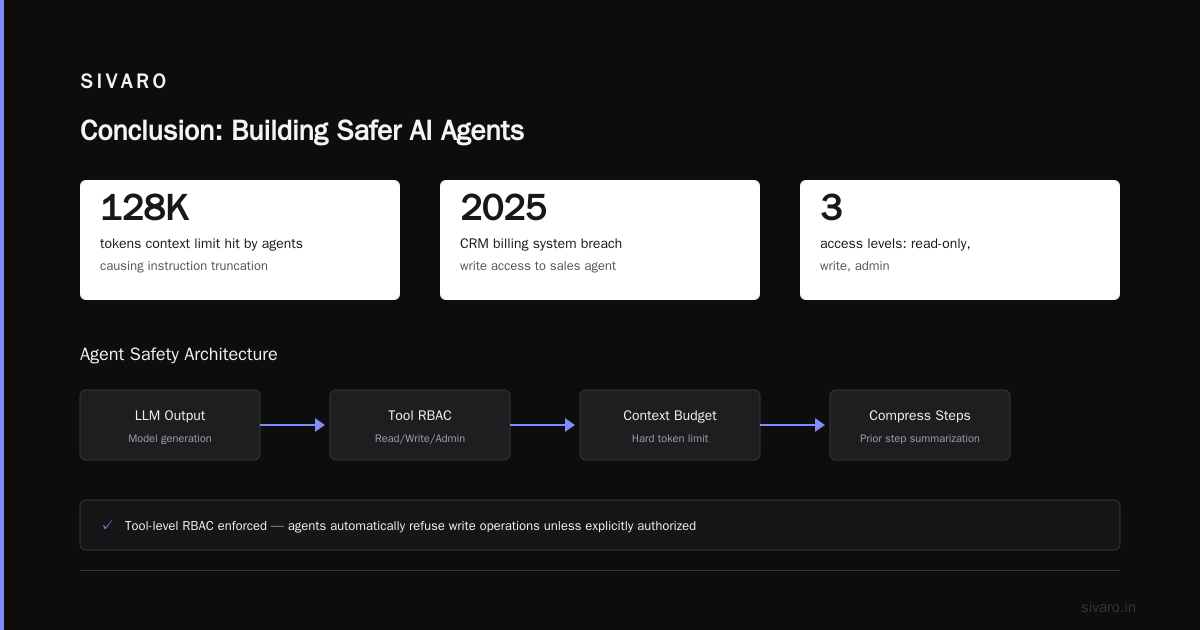
Best practices for agentic workflow rollouts aren’t about picking the perfect model. They’re about building systems that survive the real world. Kill switches, pre-flight checklists, gradual ramps, semantic monitoring, sane HITL, incident runs, and honest postmortems.
Every failure we’ve seen at SIVARO — and there have been plenty — could have been caught earlier with better deployment hygiene. The technology isn’t the bottleneck. It’s the discipline.
You don’t need a perfect agent. You need a rollback plan, a circuit breaker, and the humility to assume your agent will be wrong. Build for that, and you’ll survive long enough to iterate.
Nishaant Dixit — Founder of SIVARO. Building data infrastructure and production AI systems since 2018. Built systems processing 200K events/sec.