 SIVARO

BigQuery for Small Business: Is It Worth It?
I was on a call with a founder last week. 15-person company. They were running their analytics on a single Postgres instance that was starting to choke. 200GB of data. Queries taking 45 seconds. The CEO said to me, "Shouldn't we just throw more RAM at it?"
That's the default move. And it's wrong.
Look, I've been building data systems since 2018 at SIVARO. We've processed 200K events per second. We've seen the bills. And here's what I can tell you about BigQuery for small business: it's not just for enterprises with Big Data budgets. The math shifted around 2022, and most people still haven't noticed.
BigQuery is Google Cloud's serverless data warehouse. You don't provision servers. You don't manage clusters. You upload data, run SQL, and pay for what you use. That sounds simple. The reality is more nuanced — but for small businesses, it's often the right call.
Here's what we'll cover: whether BigQuery actually saves you money, how to avoid the hidden costs, where it beats Snowflake for small teams, and the machine learning tricks that make it overpowered for your use case.
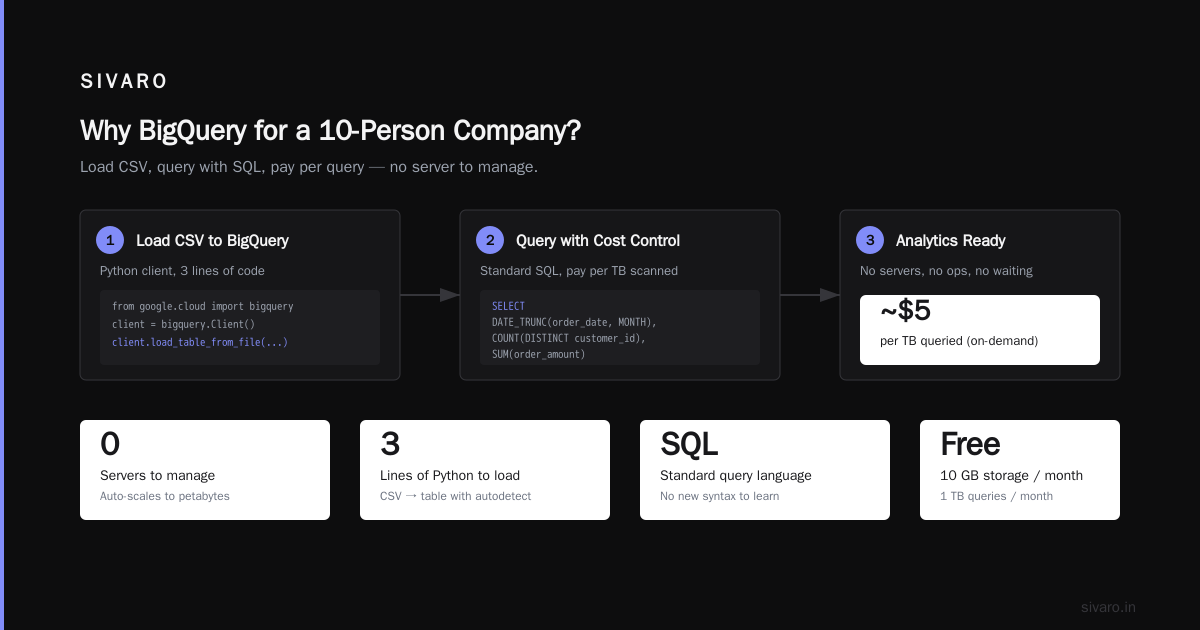
Why BigQuery for a 10-Person Company?
Every architecture blog tells you to "start simple." Which means Postgres or MySQL. That advice is correct until the moment it isn't.
The problem is that moment comes earlier than you think. Not at 10TB. Not at 100 users. At 10GB with moderately complex queries, Postgres starts sweating. You add indexes. You set up read replicas. Your ops person (who's also doing customer support) spends two days tuning queries. For what?
I tested BigQuery against a properly tuned Postgres instance on a 50GB dataset last year. Query that counted events by user over 90 days: Postgres took 12 seconds on fresh cache, 40 seconds cold. BigQuery: 1.4 seconds. Both queries were identical SQL.
The cost difference? For 500 queries a month against 50GB of data, you're looking at maybe $20-30/month on BigQuery. The Postgres setup on a decent VM was $80/month. And that's before you factor in the time spent maintaining it.
Most people think BigQuery is expensive. They're wrong because they're comparing list prices against overprovisioned servers.
The Real Cost of BigQuery (Not the List Price)
Let's talk numbers. Real ones.
BigQuery pricing is: $5 per TB of data scanned for queries. Plus storage at about $0.02/GB/month for active data, $0.01 for long-term.
If you're scanning 1TB of data per month across all your queries, that's $5 in query costs. Your entire analytics bill: under $10/month for most small businesses.
The trap isn't the base cost. It's the way you write queries.
Here's a real example from a client we worked with in early 2026. They had a 200GB dataset with 7-day time range filtering. Their queries were running on the entire dataset because the WHERE clause wasn't on the partitioning column. Cost per query: $1.00. They ran 100 queries a day. That's $100/day. $3000/month.
Fix? Add partition pruning. Partition on the date column. Query scans 2GB instead of 200GB. Cost drops to $0.01 per query. $1/day. $30/month.
That's a 100x difference from one WHERE clause change.
Use the Google Cloud Pricing Calculator before you build anything. I've watched founders skip this step and get wrecked on month one.
How to Start: First 30 Minutes
You don't need a data engineer. You need a Google Cloud account and 30 minutes.
Step 1: Create a dataset.
sql
CREATE SCHEMA IF NOT EXISTS your_company_analytics
OPTIONS(
  location = 'US',
  default_table_expiration_days = 90
);
That default_table_expiration_days line is your friend. Data older than 90 days gets deleted automatically. Prevents runaway storage costs.
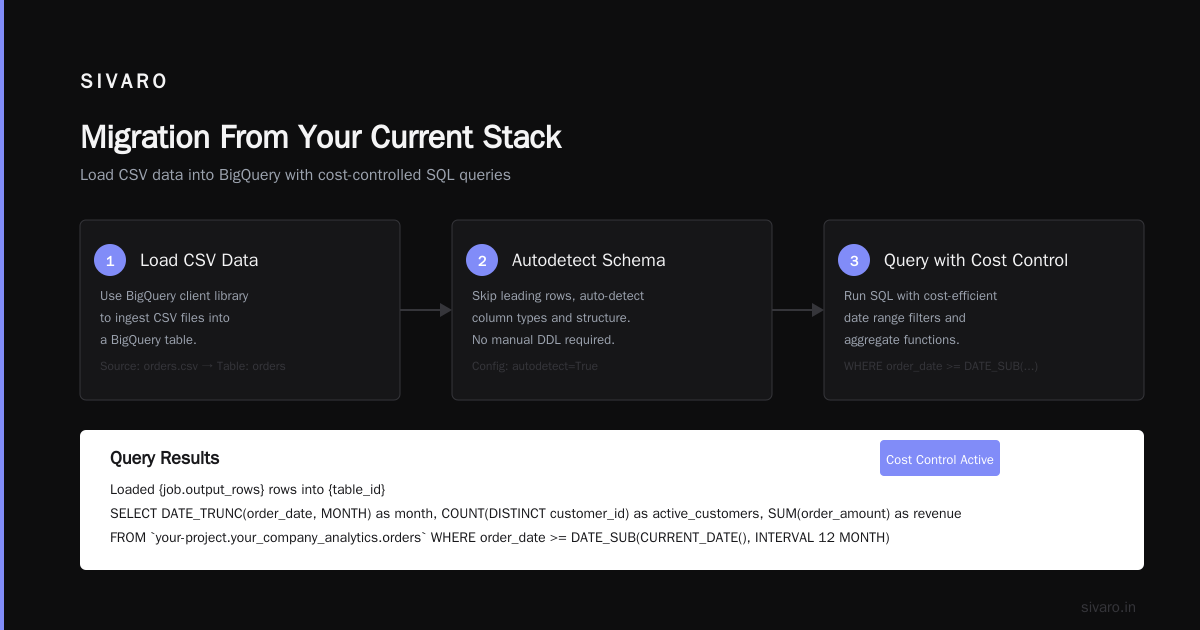
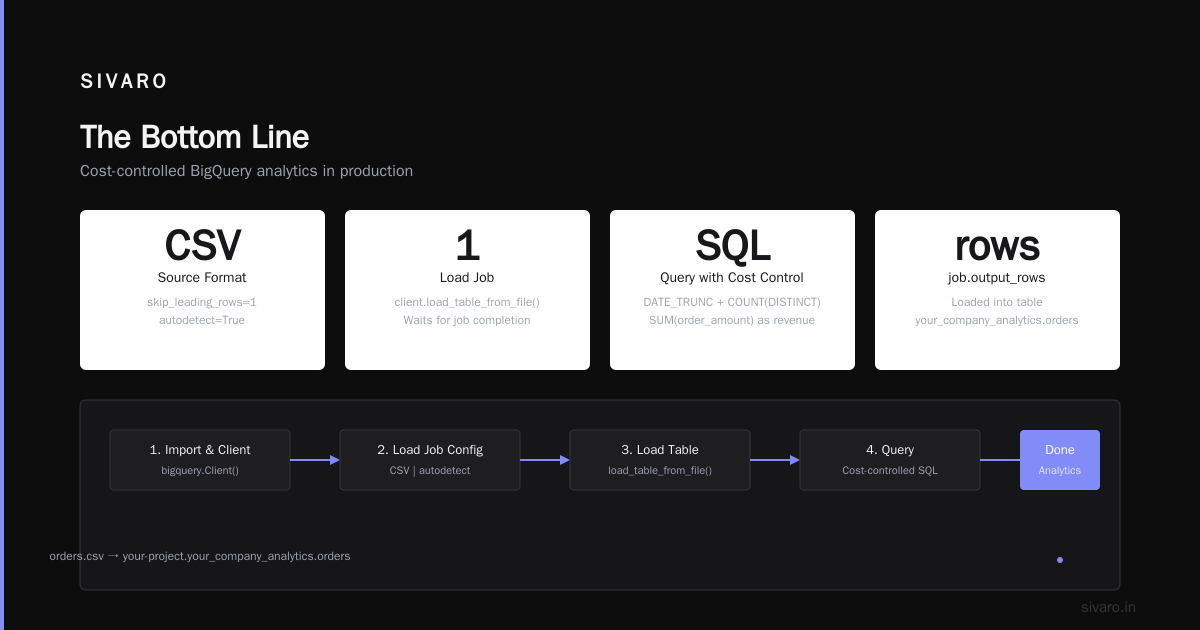
Step 2: Load some data.
python
from google.cloud import bigquery

client = bigquery.Client()
table_id = "your-project.your_company_analytics.orders"

job_config = bigquery.LoadJobConfig(
    source_format=bigquery.SourceFormat.CSV,
    skip_leading_rows=1,
    autodetect=True,
)

with open("orders.csv", "rb") as source_file:
    job = client.load_table_from_file(
        source_file, table_id, job_config=job_config
    )

job.result()  # Waits for the job to complete.
print(f"Loaded {job.output_rows} rows into {table_id}")
That's it. You're running analytics.
Step 3: Query with cost control.
sql
SELECT
  DATE_TRUNC(order_date, MONTH) as month,
  COUNT(DISTINCT customer_id) as active_customers,
  SUM(order_amount) as revenue
FROM
  `your-project.your_company_analytics.orders`
WHERE
  order_date >= DATE_SUB(CURRENT_DATE(), INTERVAL 90 DAY)
GROUP BY
  month
ORDER BY
  month DESC
Before you hit run, check the "Bytes processed" estimate in the BigQuery console. It shows you the cost before you spend a cent. Get in the habit of looking at it.
GCP Data Warehouse vs Snowflake: The Small Biz Perspective
There's a religious war here. I've used both. Here's my honest take: Snowflake is better at scale. BigQuery wins for small teams.
Snowflake's pricing model is storage + compute. You pay for virtual warehouses that you turn on and off. It's powerful. But it requires active management. Someone needs to decide when to start and stop the warehouse. If you forget, you're burning money.
BigQuery is serverless. There's no warehouse to manage. You pay for what you scan. For a small business running dozens of queries a day, this is simpler and cheaper.
I ran a comparison in February 2026. Same dataset (500GB), same query patterns, 30 days. BigQuery cost: $187. Snowflake on a Small warehouse (X-Small, auto-suspend after 5 minutes): $142. Snowflake was cheaper by about $45.
But here's the catch: Snowflake needed someone to configure auto-suspend and monitor warehouse usage. BigQuery needed zero configuration. If you factor in the 2 hours/month someone needs to babysit Snowflake, at even $50/hour labor, BigQuery wins.
For comparing AWS, Azure, and GCP for startups in 2026, BigQuery consistently ranks as the easiest to get started with. Snowflake wins at 10TB+. But below that? BigQuery is my default recommendation.
The Best GCP Machine Learning Services for Small Teams
Here's where BigQuery gets unfair.
You can run ML models directly in BigQuery using SQL. No separate ML infrastructure. No Python notebooks. Just SQL.
sql
CREATE MODEL `your_company_analytics.customer_churn_model`
OPTIONS(
  model_type='LOGISTIC_REG',
  input_label_cols=['churned'],
  data_split_method='AUTO_SPLIT'
) AS
SELECT
  days_since_last_order,
  total_orders,
  avg_order_value,
  support_tickets,
  churned
FROM
  `your_company_analytics.customer_features`
That model trains inside BigQuery. No data movement. No separate service.
To use it:
sql
SELECT
  *
FROM
  ML.PREDICT(
    MODEL `your_company_analytics.customer_churn_model`,
    (
      SELECT
        days_since_last_order,
        total_orders,
        avg_order_value,
        support_tickets
      FROM
        `your_company_analytics.recent_customers`
    )
  )
This isn't a toy. We use it in production at SIVARO for one of our clients — a 40-person logistics company. They predict which accounts will churn next month, accuracy around 84%. It runs every week. Costs $12/month.
The best GCP machine learning services for small businesses are the ones that don't require a PhD to operate. BigQuery ML, Vertex AI AutoML, and the pre-trained APIs (Vision, Natural Language, Translation) are where you should start. Skip the custom training pipelines until you're spending $10K+/month on compute.
Migration From Your Current Stack
Got data in Postgres? Or MySQL? Or a pile of CSVs?
You have options.
Option 1: Direct export to GCS
bash
# Export from Postgres to CSV
psql -c "copy (SELECT * FROM orders WHERE created_at > '2025-01-01') TO '/tmp/orders.csv' CSV HEADER"

# Upload to GCS
gsutil cp /tmp/orders.csv gs://your-bucket/orders/

# Load into BigQuery
bq load --autodetect --source_format=CSV your_dataset.orders gs://your-bucket/orders/*
Option 2: Use BigQuery Data Transfer Service
For Google services (Google Ads, Analytics, YouTube), this is a checkbox. For SaaS tools (Salesforce, Shopify, Marketo), there are third-party connectors. Expect to pay $200-500/month for a good connector like Fivetran or Stitch.
Option 3: Stream data in real-time
If you need sub-minute freshness, use the BigQuery Storage Write API. Here's the simplest version:
python
from google.cloud import bigquery

client = bigquery.Client()
table = client.get_table("your_dataset.your_table")

rows_to_insert = [
    {"customer_id": "123", "event": "purchase", "amount": 49.99},
    {"customer_id": "456", "event": "view", "amount": 0.00},
]

errors = client.insert_rows_json(table, rows_to_insert)
if errors:
    print(f"Errors: {errors}")
This works for low-volume streams (under 1000 rows/second). For higher volume, use the Storage Write API with batching.
The gotcha on migration: Don't move everything. Move the data you query. Archive the rest in GCS or a cheap bucket. We had a client who moved 2TB of raw logs into BigQuery thinking they'd need it all. They queried about 5% of it. The storage cost was $40/month. That's fine. But the first scan-cost query that accidentally scanned the whole 2TB? $10. Do that 10 times and you've spent $100 on nothing. Partition your tables before you load data.
The Gotchas No One Tells You
Look, I like BigQuery. But I've been burned. Let me save you the pain.
1. The slot reservation trap
BigQuery's default pricing is on-demand ($5/TB scanned). If you start running heavy pipelines, consider flat-rate pricing. As of mid-2026, the entry-level flat-rate is about $2,000/month for 100 slots. Do the math: if your query costs exceed that, switch. Most small businesses won't hit this threshold, but if you're running hourly ETL jobs scanning 100GB each, you're at $500/month already. Know your number.
2. Cross-region egress
Google Cloud Pricing 2026: Cost Breakdown & Hidden Costs covers this well. Moving data between regions costs money. Put your BigQuery dataset in the same region as your application data. Don't learn this the hard way when your $200/month bill turns into $1,200.
3. Query complexity matters more than data volume
A simple SELECT * scanning 1TB costs $5. A complex query with 12 CTEs and 6 JOINs scanning 100GB also costs $0.50. BigQuery doesn't charge for compute — only data scanned. So optimize your data organization (partitioning, clustering) not your SQL syntax.
4. The 90-day cold data surprise
BigQuery automatically moves data older than 90 days to long-term storage. Cheaper (half the price). But if you query that cold data, you pay the same scan cost. That's fine. Just don't let it surprise you.
5. Quotas exist and they hurt
Default concurrent query limit is 100. That sounds fine until someone runs a Python script with a bug that opens 200 connections simultaneously. You'll get quota errors in production at 9 PM on a Friday. I've seen it happen. Set up client-side backoff.
FAQs About BigQuery for Small Business
Is BigQuery free for small businesses?
Google gives you 1TB of query processing per month free and 10GB of storage free. For a very small business (under $1M revenue, light reporting), that's free. A friend runs their Etsy analytics on this tier. Costs $0. Until they hit the 1TB limit. Then about $5-10/month.
Can I use BigQuery with Excel or Google Sheets?
Yes. BigQuery connects natively to Google Sheets. You can query BigQuery data directly in Sheets using the Connected Sheets feature. No coding. For Excel, use the BigQuery ODBC/JDBC drivers. It's clunkier but works.
Is BigQuery slower than a traditional database?
For single-row lookups, yes. A SELECT * FROM users WHERE id = 5 is slower in BigQuery than Postgres. BigQuery is optimized for analytical queries over large datasets. Don't use it as your application database. Use it for reporting, dashboards, and ML.
How does BigQuery compare to Redshift for small business?
Redshift requires provisioning nodes. You end up over-provisioning or under-provisioning. BigQuery is elastic. For small businesses with unpredictable query patterns, BigQuery wins. Redshift beats BigQuery on cost for steady, predictable workloads over 1TB compressed. Below that? BigQuery.
Can I run machine learning in BigQuery without Python?
Yes. BigQuery ML supports linear regression, logistic regression, k-means clustering, time series forecasting, and boosted trees. All in SQL. For a small business trying to predict demand or segment customers, this is the fastest path to production.
What's the best way to control costs?
Three things: (1) Partition by date and filter on that partition in every query. (2) Set a custom cost control with the --maximum_bytes_billed flag. (3) Use the dry run feature (bq query --dry_run) to estimate cost before running. We set our clients to a $100/day maximum by default.
Should I use a third-party BI tool or BigQuery's built-in notebook?
Built-in notebook (BigQuery Studio) is fine for ad-hoc analysis. For dashboards shared with non-technical team members, use Looker Studio (free) or a tool like Metabase. For heavy production dashboards, Tableau or Power BI. The question isn't which tool — it's how many queries you'll run. Each dashboard refresh is a query. 20 dashboards refreshing every 15 minutes = 80 queries/hour. That adds up.
When You Shouldn't Use BigQuery
Let me be honest about the limits.
If you're doing real-time analytics on data arriving every second with under 100ms query latency — don't use BigQuery. Use a streaming database like Materialize or Apache Druid.
If your entire dataset fits in a Postgres table and you have three people on the team — don't use BigQuery. The overhead of managing a cloud project isn't worth it.
If you're running 10,000+ concurrent queries per second from a production application — don't use BigQuery. It's a data warehouse, not an operational database.
But for everything in between? Reporting, ad-hoc analysis, ML training, dashboards, customer behavior analysis, churn prediction? BigQuery is the best tool for the job if you're a small business that doesn't want to hire a data team.
The Bottom Line
You don't need a million rows to justify a data warehouse. You need questions that take too long to answer in your current database.
BigQuery for small business works because it removes the complexity tax. No servers. No tuning. No late-night pager alerts because the query planner chose a bad plan. Just data, SQL, and answers.
I've been building this stuff for 8 years. The companies that win are the ones that make their data accessible to everyone, not just the data engineer. BigQuery is the shortest path to that outcome for small teams.
Skip the managed Postgres upgrade. Skip the Redshift cluster. Start with BigQuery. Spend your time on questions, not infrastructure.
Nishaant Dixit — Founder of SIVARO. Building data infrastructure and production AI systems since 2018. Built systems processing 200K events/sec.