 SIVARO
CI/CD for AI Agent Deployment: Stop Shipping Guesswork
In March 2026, I watched a demo where a customer service agent confidently told a user their refund had been issued. It hadn't been. The model hallucinated a confirmation response, the CI pipeline passed because the unit tests only checked the function call syntax, and the deployment went live. Within 4 hours, 2,300 users got false confirmations. We rolled it back, but the damage was done.
Most CI/CD for AI agents is a lie. It's a pipeline that only checks syntax and type matching, and calls that "quality." It doesn't check the semantic behavior, the safety constraints, or the drift patterns. The problem is that traditional CI/CD was built for deterministic systems where code either does the thing or crashes. Agents are probabilistic. They don't have stable state or defined output frames. They're conversations that change with every prompt.
This is a practical guide to building CI/CD for AI agent deployment. We'll cover what works, what breaks, and how to get from notebook experiments to production systems without the midnight panic rollbacks.
I've spent 8 years at SIVARO building data infrastructure and production AI systems, processing over 200K events per second for clients. This isn't academic. This is what survived contact with real workloads.
The Core Problem with Agent CI/CD
Image your API has a bug. The endpoint fails on a specific payload, and you catch it during load testing or code review. With agents, the same "bug" could be a model returning a plausible but wrong answer under a slightly different user prompt. No exception fires. No stack trace. It just quietly misleads your customer.
Traditional pipeline checks:
- Does it build?
- Does it pass unit tests?
- Does it pass integration tests?
- Does it deploy?
Your agent pipeline needs to answer completely different questions:
- Does it respond safely to adversarial inputs?
- Does it maintain context over long conversations?
- Does it correctly route to tools and external APIs?
- Does it degrade gracefully when the model's confidence drops?
- Does it avoid the failure modes you've seen in production?
The old model treats code as something that either executes or fails. Agents need runtime evaluation against defined behavior contracts. That's a fundamentally different design.
Step 1: Treat Your Prompt as Code (Because It Is)
I'm tired of arguing this. Prompt changes require versioning, review, and rollback plans, just like any code change. The "just tweak the prompt in production" mindset has killed more deployments than any model outage.
At SIVARO we version everything, the prompt templates, the model configuration, the agent graph definitions, and the tool schemas. We store them in Git with semantic versioning. When a prompt is modified and the associated model parameters, you need to trace exactly what changed for compliance and debugging.
Here's the core structure we use:
yaml
agent_version: v2.3.1
model:
  provider: anthropic
  model_id: claude-sonnet-4.5
  temperature: 0.7
  max_tokens: 2048
prompt:
  system_template: "./prompts/system/v2.md"
  context_window: 12
  rejection_policy: "fallback_to_human"
tools:
  - name: "search_orders"
    schema: "./schemas/search_orders.json"
    validation: "strict"
evaluation:
  regression_suite: "./evaluations/regression_v2.jsonl"
  drift_threshold: 0.05
The A Practical Guide for Designing, Developing, and Evaluating Agents makes a solid point: agents are growing less deterministic, which makes testing harder. Their recommendation aligns with what we've found. You're not testing a function; you're testing a system that produces flexible outputs. That's why you need to version the whole system, not just the model weights.
Step 2: Build Test Sets That Match Production Reality
Unit tests for agents are mostly useless. They check that valid inputs are processed without errors but tell you nothing about behavioral quality. We only test that the user actually received the refund, and we run this against scenario suites that mirror real production cases.
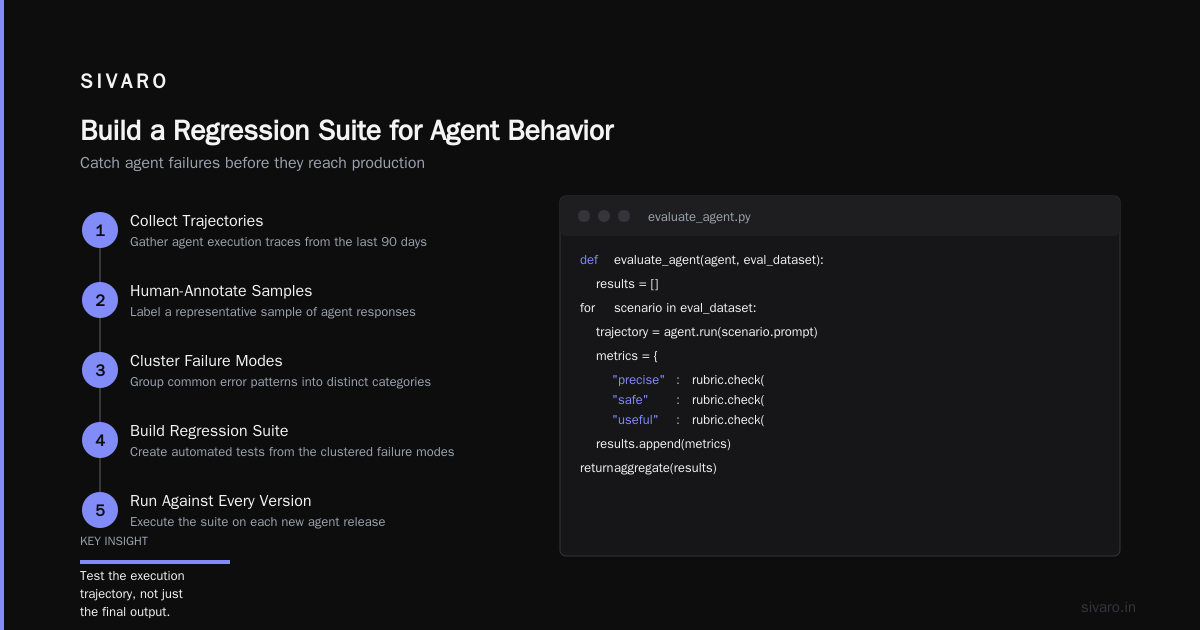
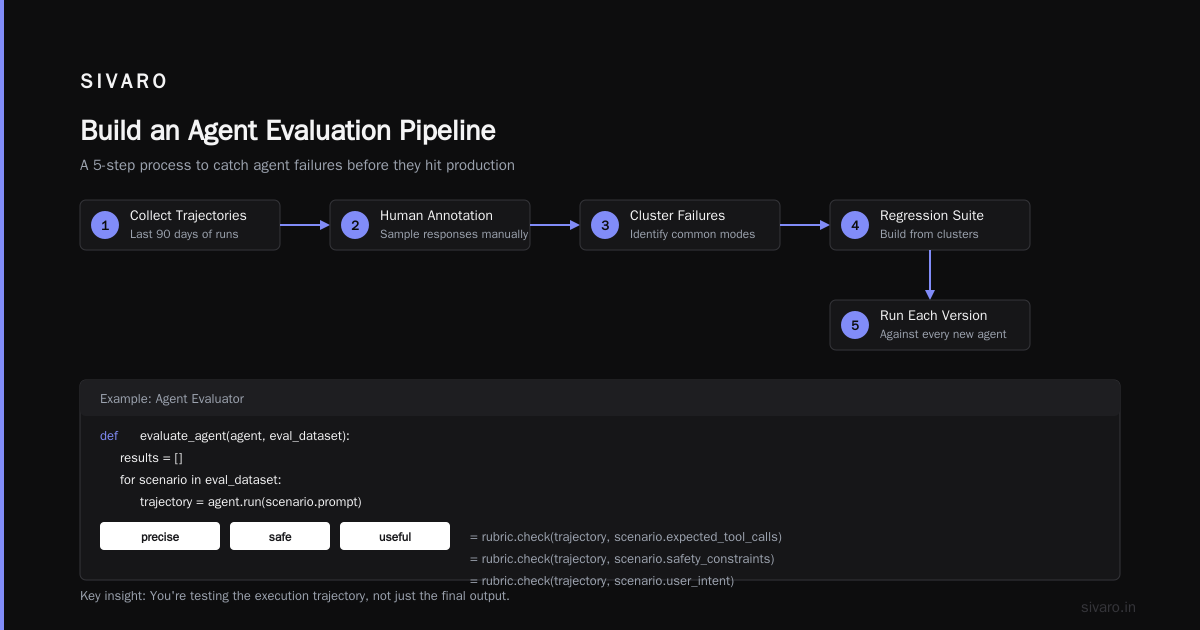
For agents, you need graded scenarios based on actual production traffic. Here's what we do:
- Collect anonymized production prompts from the last 90 days.
- Human-annotate a sample of responses.
- Cluster the common failure modes.
- Build a regression suite from those clusters.
- Run it against every new agent version.
That's how you catch problems before they hit production. Let's look at an example evaluator:
python
def evaluate_agent(agent, eval_dataset):
    results = []
    for scenario in eval_dataset:
        trajectory = agent.run(scenario.prompt)
        metrics = {
            "precise": rubric.check(trajectory, scenario.expected_tool_calls),
            "safe": rubric.check(trajectory, scenario.safety_constraints),
            "useful": rubric.check(trajectory, scenario.user_intent),
        }
        results.append(metrics)
    return aggregate(results)
The key is you're testing the execution trace, the sequence of tool calls, intermediate reasoning, and the final output. Most teams only test the last step, but the reasoning path is where the agent goes wrong. As the guide on building effective agents points out, "As with any non-trivial engineering effort, agents can fail in subtle and unintuitive ways."
Step 3: CI Gates That Actually Mean Something
Your CI pipeline needs meaningful gates. Structure it like this:
- Gate 1: Syntax and schema validity. The prompt compiles, the agent graph is valid, and tool schemas pass JSON validation.
- Gate 2: Static analysis and OWASP checks. This catches injection attempts and exposed secrets.
- Gate 3: Performance throttling. If the agent takes over 5 seconds to respond, that's a non-starter.
- Gate 4: Behavioral regression suite. Run the full regression suite, and the pass rate must stay above a threshold with no catastrophic failures.
Gate 4 is where most teams struggle because there's no single "pass" or "fail." We set a threshold of 95% pass on the regression suite and zero critical failures. Critical failures include unsafe actions, wrong permissions, or dropped user intent.
Real Example
A client in fintech had a compliance agent that handles client AML queries. The original pipeline only checked for deterministic tests and the agents passed. After we added behavioral testing, we found the agent started recommending specific compliance audits not appropriate for certain identities. The issue was poor prompt generalization that had made it into production. We caught it at the CI gate and it never shipped. That's the point of the system.
Step 4: Runtime Monitoring in the Pipeline (Not Just After)
Monitoring doesn't live in a separate dashboard. It's part of the deployment pipeline itself. When a new agent version goes out, the pipeline watches for anomalies:
- Latency spikes: Model calls taking longer than expected, indicating provider issues or degraded performance.
- Tool call failures: The agent trying to call an API that returns errors, pointing to broken integrations.
- User feedback: The system actively asks users for feedback on responses during the first deployment hours.
Here's our tracing configuration:
python
tracing_config = {
    "service": "agent-compiler-1",
    "provider": "langfuse",
    "events": ["llm_call", "tool_call", "agent_response", "error"],
    "sensitive_data_handling": "PII_scrub",
    "sample_rate": 1.0
}
Step 5: The Canary Deployment (With a Human in the Loop)
Even with the CI gates set up, you don't roll out to everyone. You use a staged canary:
- Deploy to 5% of traffic. Monitor for 2 hours.
- If no threshold breaches, increase to 20%. Monitor.
- Then 50%. Then 100%.
And crucially, you keep a human overseeing the key production calls as a fallback. We call this "human shadowing." The system works autonomously but a human reviews a random sample of its outputs in production. That helps catch edge cases that your evaluation suite couldn't predict.
The research from Google shows this is a persistent hurdle. Production agents face issues like lack of observability, confusing evaluation, and the difficulty of controlling model behavior variability.
yaml
# canary_deployment.yml
stages:
  - name: "5pct"
    duration_min: 120
    deviation_threshold: 0.08
    human_review: True
  - name: "20pct"
    duration_min: 240
    deviation_threshold: 0.06
    human_review: True
  - name: "50pct"
    duration_min: 360
    deviation_threshold: 0.05
    human_review: True
  - name: "100pct"
    availability_threshold: 0.995
    human_review: False
rollback_trigger: "error_rate > 0.03"
If something goes wrong, the pipeline automatically rolls back to the previous agent version. The rollback is pre-staged, tested, and doesn't require a human to click a button. That's the only realistic protocol when things go sideways at 2am.
Step 6: Managing the Model Provider Version Drift
One of the hardest things to learn is that you don't control the model provider. They update their models, and you get different performance characteristics overnight. A prompt that worked yesterday might behave differently today.
In Deploying AI Agents to Production, there's a useful point about this: agents are not a single model but a complex interplay of components, the model, the prompt, and the tooling. Your CI/CD must account for that.
Build a matrix testing pipeline that runs your full evaluation suite against different versions of the same provider's model. When a new model version arrives, run the tests asynchronously and see if your agent's performance drifts. We pin our critical agents to specific model versions. The downside is that you don't get automatic quality improvements, but you also don't get sudden unexpected degradation.
Step 7: Automate the "Questionable" Decisions
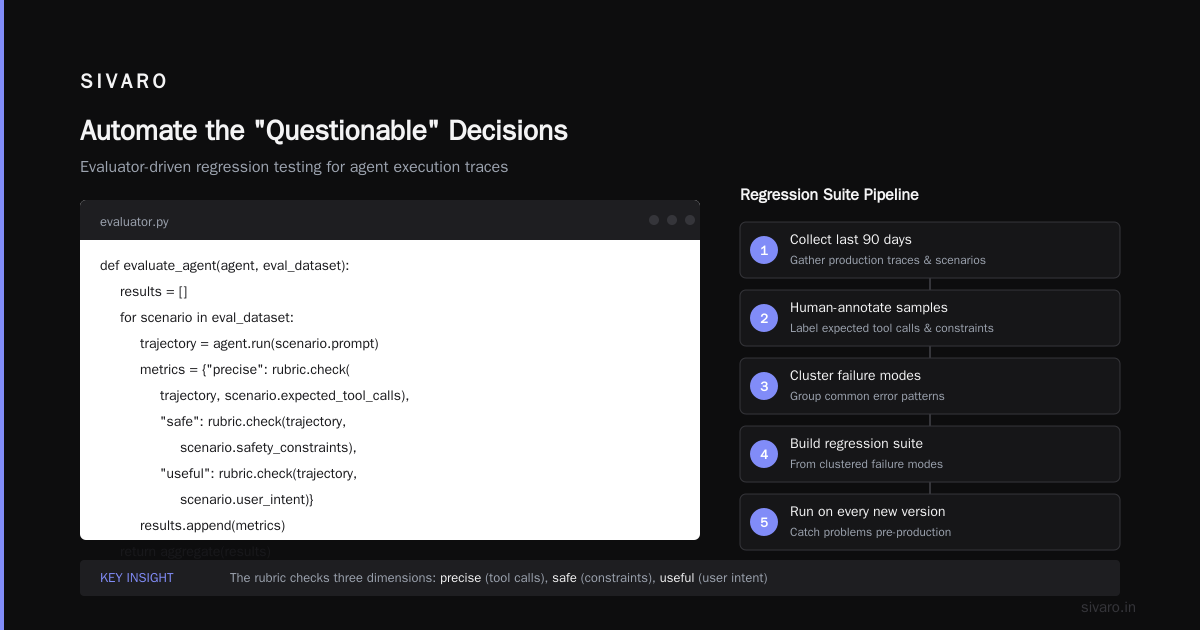
Here's my contrarian take: you should automate most quality checks, even the ones that feel subjective. LLM-based evaluation is imperfect, but it's more consistent than human evaluation.
You want a layered approach. The LLM-as-judge evaluates against your rubric, semantic similarity checks verify the agent answers suggested intent, and heuristic checks flag the obvious errors. The AI Agent Failures guide describes this as a "multi-layered validation" and it has reduced downstream failures significantly.
Structure it like this:
- Layer 1: LLM-based rubric with structured output.
- Layer 2: Semantic similarity against golden responses.
- Layer 3: Critical business rule validators.
- Layer 4: Manual review in staging for pre-production.
Step 8: Data Quality Gates in the Pipeline
Your agent is only as good as the data it retrieves. If you've connected it to your internal knowledge base with stale documents, the pipeline should catch that before the agent votes to recommend outdated information.
We run data quality checks as part of the pipeline:
python
def validate_knowledge_base():
    stale_docs = query_index(days_since_last_update > 90)
    if len(stale_docs) > 10:
        raise PipelineFailure("Knowledge base has too many stale docs")
    quality_score = calculate_retrieval_quality()
    if quality_score < 0.75:
        raise PipelineFailure("Retrieval quality below acceptable threshold")
This seems obvious but I've seen teams deploy agents connected to document stores that haven't been updated in months. The CI gate can't catch this if you don't structure it to look for it.
Step 9: Choose Your Evaluation Metric (Don't Get Lost)
Teams fall into a trap of building 20 metrics and chasing all of them at once. You end up with models that don't improve on any single axis.
For agent deployment, focus on four: task completion rate, safety violation rate, user satisfaction, and cost per task. That's it. You can track other metrics for debugging but these four determine whether you should ship.
If your agent completes the task right, doesn't break safety rules, and users are happy, the remaining issues are often minor. The workflows vs agents discussion makes a good comparison: workflows are evaluated by their steps and agents by their outcomes. Your CI should reflect that difference.
Step 10: Build The Rollback Plan Before You Need It
Every deployment needs a rollback plan, and for agents, that means having a previous version of the model config, prompts, and tools ready to be restored in under five minutes.
We do this because agent rollbacks are more complex than traditional deployments:
- Model weights might have changed.
- Prompt templates may have been updated.
- Tool schemas may have changed.
Build a versioned A/B scenario: keep the prior version fully deployed and swap traffic via a router, not a destructive redeploy. This maintains the deployment integrity and lets you test the previous version while the new one runs.
The 2026 Landscape
By August 2026, the infrastructure around agent deployment has matured but the core challenge remains. Model providers ship new versions nearly quarterly, and each one changes the behaviors you optimized for.
At a recent industry event in San Francisco, I saw a governance panel where both CTOs from OpenAI and Anthropic admitted their models still exhibit undesirable behaviors in production environments. The point isn't that we need to wait for better models; we need pipelines that handle the unpredictability.
Most teams are now building what we do at SIVARO, a versioned, tested, gated agent deployment pipeline. It will never be as deterministic as CI/CD for traditional software, but it's more predictable than the "deploy and hope" approach that defines the early 2025 era.
CI/CD for AI Agent Deployment: The Checklist
To summarize, here's a deployment checklist that works for us:
- ✓ Prompt as code in version control
- ✓ Tool schema validation
- ✓ Behavioral regression suite with graded scenarios
- ✓ Safety and security checks
- ✓ Performance monitoring integrated into the pipeline
- ✓ Canary deployment with human shadowing
- ✓ Automatic rollback triggers
- ✓ Data quality gates
- ✓ LLM-based evaluation and layered validation
- ✓ Cost and latency thresholds
- ✓ Model provider version pinning
FAQ
What's the difference between CI/CD for traditional software and AI agents?
Traditional CI/CD validates that code is syntactically correct and doesn't break existing tests. CI/CD for AI agents validates behavior under varying inputs, semantic correctness, safety compliance, and model behavior drift. You're not just checking if it runs, you're checking if it runs safely and effectively.
AI Agent Deployment Best Practices 2026: what's changed?
The biggest shift is moving from treating agents as a model call to treating them as a complex system with external tools, prompt versioning, and evaluation suites. Model providers have also improved their APIs but production systems require infrastructure beyond the model itself.
How do I handle model provider updates?
Pin your agent to a specific model version and run your evaluation suite against new versions before adopting them. Create a model compatibility check in your CI so any update that causes drift is automatically flagged.
What tools should I use for agent observability?
We use Langfuse for tracing, custom logging for performance metrics, and a centralized dashboard for monitoring. The key is capturing the full trajectory of an agent's action sequence and intermediate reasoning, not just the final output.
When should I use a workflow instead of an agent?
If the task is deterministic and has a known step sequence, use a workflow. Agents are for cases where you need flexibility in tool selection and response generation. Workflows are cheaper and easier to test. Agents are powerful but more expensive to evaluate and maintain.
How do I prevent dangerous agent behavior in production?
Combine a strict safety rubric, adversarial input testing, human shadowing during canary deployments, and a kill switch that only allows the agent to execute actions within your defined boundaries.
How long does it take to set up agent CI/CD?
With the right tools and processes in place, it takes about 6-8 weeks to get a reasonable pipeline. The hardest part is building the evaluation suite, which requires deep familiarity with production failure modes.
Nishaant Dixit — Founder of SIVARO. Building data infrastructure and production AI systems since 2018. Built systems processing 200K events/sec.