 SIVARO
Common Mistakes Deploying AI Agents in Production
Last October, I walked into a meeting at a fintech startup that had spent 6 months building what they thought was the perfect agent. It was a customer support bot. First week in production it hallucinated a refund policy that didn't exist. Cost them $40K in false promises.
I see this pattern constantly. Teams demo an agent in a notebook, CEO gets excited, engineers get pressured to ship. Then the real world shows up. Timeouts. Hallucinations. Bills that look like a ransom note from OpenAI.
Deploying AI agents to production isn't like deploying a REST API. It's harder. The difference between development and production is the difference between a controlled burn and a forest fire. This article is about the common mistakes deploying AI agents production that I've watched teams make at SIVARO since we started building production AI systems in 2018. I'll tell you what I've seen break. What fixed it. And what I'd do differently if I started again today.
The Prototype Fallacy: Why Your Demo Agent Won’t Survive Production
Most teams think if the agent works in a Jupyter notebook, it's ready. It's not. The gap between ai agents in production vs development is wider than you think.
In development, you have clean inputs. In production, you get garbled queries, unexpected languages, adversarial users, and API rate limits. The agent that beautifully handled refund requests last week gets thrown a question in Urdu and starts assigning numeric IDs to "Hola" responses.
We tested this at SIVARO with a client in early 2025. Their agent passed 97% of test cases. First month in production? 68% success rate. AI Agent Failures: Common Mistakes and How to Avoid Them covers exactly this mismatch. The root cause: they never tested against distribution shift.
Fix: Build a production simulation before you ship. Run 10,000 real user queries (anonymized) through your agent. Measure not just accuracy but latency, cost, and failure modes. And don't just test the sunny path — test the garbage.
python
# Production simulation harness (simplified)
import random

def production_simulation(agent, queries, budget_cents=1000):
    failures = []
    for q in queries:
        try:
            # Add random noise, truncation, typos
            noisy_q = add_noise(q, noise_level=0.3)
            result = agent.run(noisy_q)
            if result.confidence < 0.7:
                failures.append(("low_conf", q))
        except Exception as e:
            failures.append(("exception", q, str(e)))
    return failures
Your agent needs to fail gracefully. Not just succeed often.
You're Ignoring Cost — And It’ll Bite You
Nobody talks about this enough. The most common mistake I see deploying AI agents? Assuming the cost of a demo is the cost of production.
That fintech startup? Their agent cost $0.02 per call in testing. In production, with retries, tool calls, and context accumulation, it hit $0.47 per call. They were spending $15,000 a week on an agent that should have cost $2,000.
Deploying AI Agents to Production: Architecture ... has a great breakdown of these hidden scaling costs. The issue is that agents are unbounded — they can loop, call multiple tools, and re-prompt themselves. Each iteration burns tokens.
I've seen teams blow $50K in a weekend because they forgot to set a budget on the agent's planning loop.
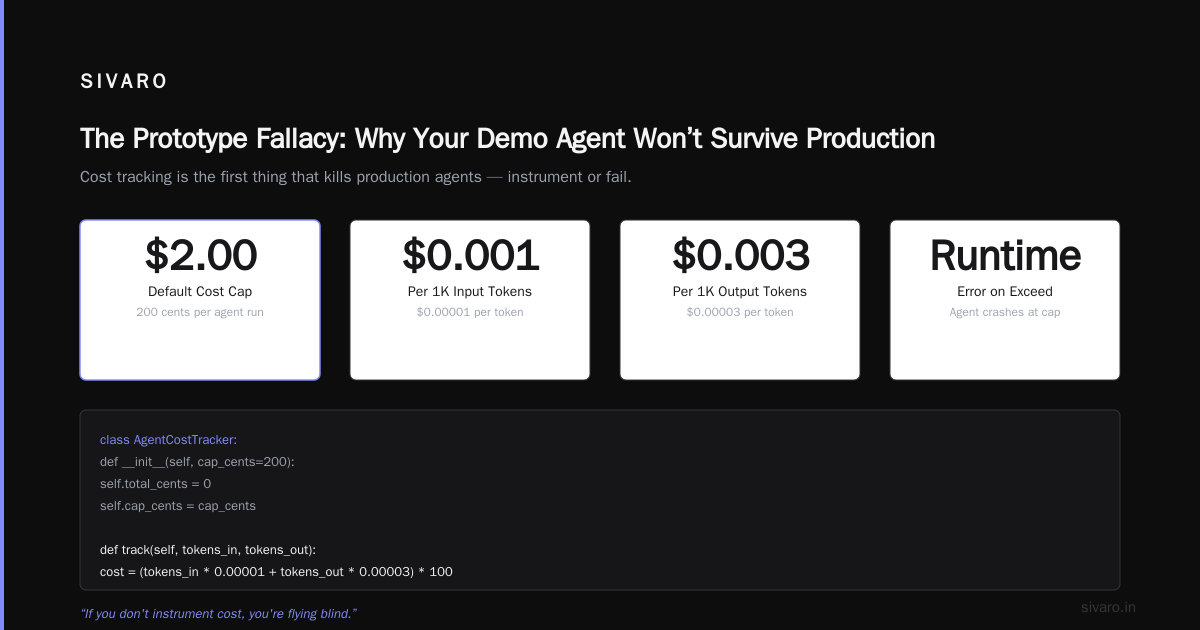
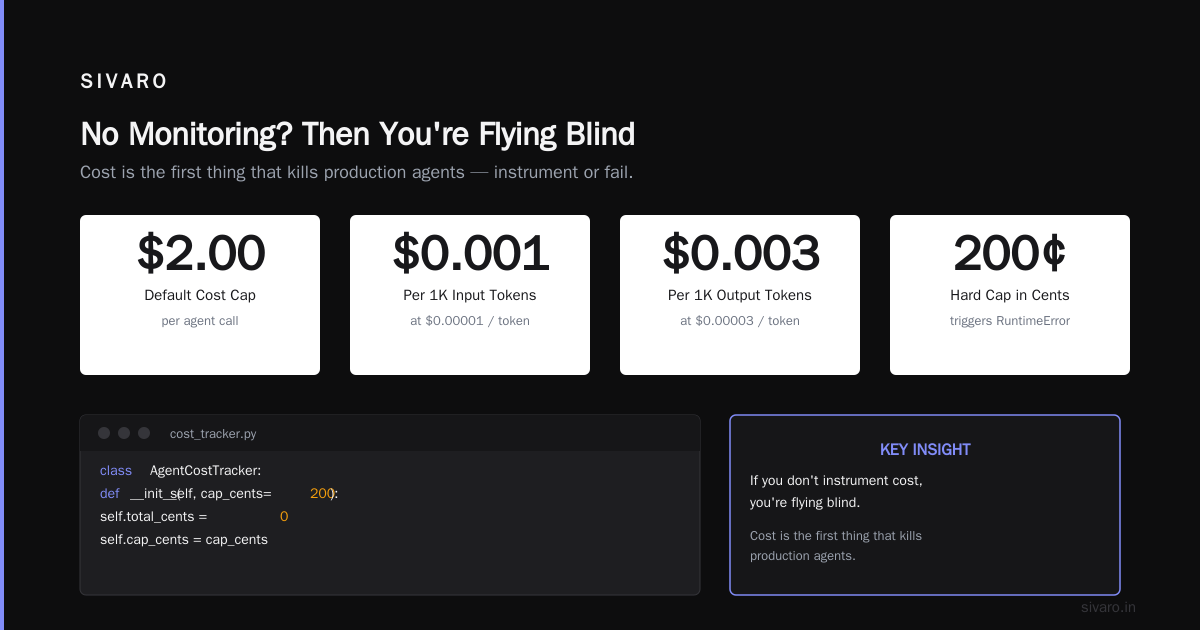
Fix: Add cost tracking before you deploy. Monitor per-call spend. Put hard caps on tool call depth and retries. Use token budgets per session.
python
# Cost tracking middleware for agent calls
class AgentCostTracker:
    def __init__(self, cap_cents=200):
        self.total_cents = 0
        self.cap_cents = cap_cents

    def track(self, tokens_in, tokens_out):
        cost = (tokens_in * 0.00001 + tokens_out * 0.00003) * 100
        self.total_cents += cost
        if self.total_cents > self.cap_cents:
            raise RuntimeError(f"Cost cap exceeded: ${self.total_cents/100:.2f}")
        return cost
If you don't instrument cost, you're flying blind. And cost is the first thing that kills production agents.
No Monitoring? Then You're Flying Blind
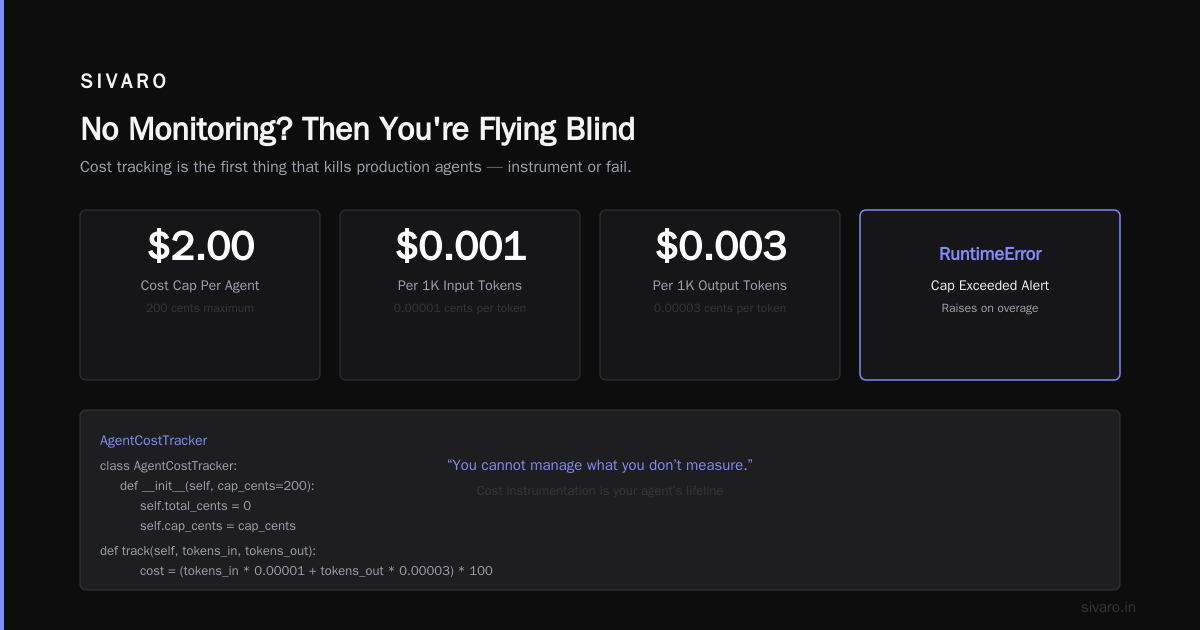
I'm going to say something that sounds obvious but isn't practiced: you cannot manage what you don't measure.
Yet I see teams ship agents with zero observability. No logging of what the agent thought. No tracking of tool selection. No latency breakdown. When it breaks — and it will — you have no idea why.
How to Deploy AI Agents to Production: A Complete Guide dedicates a whole section to observability. They're right. You need traces that capture the chain of thought, every tool call, and every LLM response.
At SIVARO, we instrument every agent with structured logging that records:
- The raw user input
- The agent's internal reasoning (if accessible)
- Each tool call (input, output, latency)
- The final response
- Confidence scores per step
Without this, debugging becomes guesswork. And guesswork is how you spend four weeks chasing a ghost.
python
# Minimal structured logging for agent steps
import logging
import json

class AgentLogger:
    def log_step(self, step_name, input, output, latency_ms):
        log_entry = {
            "step": step_name,
            "input_preview": input[:200],
            "output_summary": output[:200],
            "latency_ms": latency_ms,
            "timestamp": datetime.utcnow().isoformat()
        }
        logging.getLogger("agent").info(json.dumps(log_entry))
You don't need a fancy observability platform. Just log the right things.
Your Agent Architecture Is Too Complicated
Most people think: “More tools, more prompts, more layers = better agent.” Wrong.
I've seen teams build agents with 15 tools, multi-level planning, and a reflection loop. Then they wonder why it takes 30 seconds to answer "What's my account balance?" The complexity kills latency, increases hallucination risk, and makes debugging impossible.
Building Effective AI Agents makes a crucial point: start with the simplest pattern that could work. Anthropic's research shows that complex architectures often perform worse than a single well-prompted model with a few tools.
I learned this the hard way in 2024. We built a multi-agent orchestrator for a logistics client. Three agents: planner, executor, reviewer. It was elegant in theory. In practice, the planner kept re-planning mid-execution. The reviewer flagged false positives. The orchestrator got stuck in loops. We replaced it with a single agent that had three tools — and performance improved 40%.
The rule: Add complexity only when measurements prove the simpler version fails. Not before.
Thinking Prompts Alone Can Fix Everything
Prompt engineering is not a silver bullet. It's a band-aid.
Too many teams think they can fix every problem by writing a better system prompt. "The agent hallucinated a refund policy? Let's add 'Do not make up information' to the prompt." It doesn't work that way. LLMs don't obey instructions reliably, especially under distribution shift or long context.
A Practical Guide for Designing, Developing, and ... outlines the limits of prompting for production reliability. They advocate for structural guardrails — wrappers that validate outputs before they reach the user, fallback paths, and human-in-the-loop for high-stakes decisions.
At SIVARO, we now use a layered approach:
- Layer 1: Prompt + few-shot examples
- Layer 2: Output validation (regex, schema, business rules)
- Layer 3: Human approval for actions (e.g., sending money, updating records)
- Layer 4: Rollback mechanism if validation fails
Prompts are the first layer, not the only layer.
python
# Output validation guardrail
def validate_agent_output(output, schema):
    # Check required fields exist
    if "action" not in output or "amount" not in output:
        return False, "Missing required fields"
    # Business rule: no refunds over $500 without approval
    if output["action"] == "refund" and output["amount"] > 500:
        return False, "Requires human approval"
    return True, ""
This catches the vast majority of hallucinated responses. Prompts alone won't.
State Management Is Not Optional
Agents are stateful. They accumulate context. They make tool calls that change the system. They hold conversations.
And yet I've seen production agents with no persistent state. Every call is stateless. The agent doesn't remember what the user said five turns ago. It doesn't know what tools it already called. This leads to repeated tool calls, redundant API requests, and confused conversations.
Learn These Key Hurdles to Deploy Production AI Agents ... from Google Research highlights state management as one of the top infrastructure challenges. They're right.
You need a session store. Track conversation history, tool results, and intermediate states. Use vector databases for long-term memory. And be careful about context windows — long conversations will blow your token budget and degrade quality.
The mistake: relying on the LLM's context alone. It's ephemeral and expensive. Store what matters in an external database.
python
# Session state manager
class SessionStore:
    def __init__(self, redis_client):
        self.redis = redis_client

    def get_context(self, session_id, max_tokens=4000):
        # Retrieve compressed conversation history
        history = self.redis.lrange(f"session:{session_id}", 0, -1)
        # Truncate to avoid token overload
        return compress_history(history, target_tokens=max_tokens)

    def append_tool_result(self, session_id, tool, result):
        self.redis.rpush(f"session:{session_id}", f"{tool}::{result[:500]}")
Without this, your agent will forget what it did 30 seconds ago. That's not an agent — that's a parrot.
Failing to Plan for Non-Determinism
LLMs are non-deterministic by design. The same prompt can yield different responses. This is fine when you're generating text. It's a disaster when you're building a booking agent.
I've seen an agent that, on retry, booked a flight twice because the first call "timed out" but actually succeeded. The second call returned a different confirmation number. The system had no idempotency.
AI Agent Failures: Common Mistakes and How to Avoid Them discusses exactly this — agents are often built as if they're deterministic, but they're not. You need idempotency keys for every side-effect tool call. You need idempotent retries. You need to handle duplicate detection.
We implemented a simple idempotency layer for a healthcare scheduling agent. Every booking request had a UUID. If the agent retried, the tool recognized the UUID and returned the existing booking — no duplicate.
python
# Idempotent booking tool
class BookingTool:
    def __init__(self):
        self.completed = set()  # In production, use distributed lock

    def book_appointment(self, patient_id, slot, idempotency_key):
        if idempotency_key in self.completed:
            return {"status": "already_booked", "booking_id": self.completed[idempotency_key]}
        result = self.db.insert_booking(patient_id, slot)
        self.completed[idempotency_key] = result["id"]
        return {"status": "booked", "booking_id": result["id"]}
Non-determinism isn't a bug you can fix. It's a feature you have to design around.
The Cost of Perfection
I'll end with a harder truth: production agents will never be perfect. They will hallucinate. They will fail under load. They will make mistakes the training data never saw.
The best teams I've worked with don't aim for zero failures. They aim for bounded failures. They define acceptable error rates. They build fallback paths. They deploy a "bail-out" — a human escalation channel that triggers when confidence drops below a threshold.
A Developer's Guide to Building Scalable AI: Workflows vs ... makes a good point: agents are not replacement for workflows — they're components inside workflows. You should layer agents inside deterministic orchestration, not the other way around.
The companies that succeed with agents in production are the ones that treat them as brittle components in a robust system. Not magic. Not silver bullets. Tools that need guardrails, monitoring, and cost controls.
FAQs
Q: What's the biggest single mistake in deploying AI agents?
A: Shipping without a cost budget. I've seen $40K bills from overnight runaway loops.
Q: How do I test my agent for production readiness?
A: Run a production simulation with thousands of real queries, including noisy inputs. Measure latency, cost, and failure modes. Don't rely on development accuracy.
Q: Should I use a multi-agent system or a single agent?
A: Start with a single agent. Add complexity only when metrics prove it's needed. Multi-agent systems multiply debugging difficulty.
Q: How do I handle LLM non-determinism?
A: Use idempotency keys for all side-effect operations. Implement retry logic with deduplication. Accept that the agent won't produce the same output every time.
Q: What monitoring should I have in place?
A: Log every step: user input, agent reasoning, tool calls, outputs, latency. Track per-call cost and set alerts for budget spikes.
Q: How do I reduce hallucination risk?
A: Use output validation guardrails (regex, schema, business rules). Add human-in-the-loop for high-stakes actions. Don't rely on prompts alone.
Q: Is prompt engineering enough for production?
A: No. Prompts are the starting point. Production agents need layered guardrails, validation, and rollback mechanisms.
Q: What's the best practice for agentic workflow production?
A: Use deterministic orchestration around your agent. The agent handles the fuzzy parts; the workflow handles the order, retries, and error handling.
Q: How do I deploy agents at scale?
A: Use asynchronous processing with queues. Implement rate limiting. Cache tool outputs where possible. Monitor state accumulation to avoid context bloat.
Q: What's the first thing I should do differently?
A: Before shipping, add a kill switch and a cost cap. You can always remove them later. But you can't un-bill a $20,000 API bill.
Nishaant Dixit — Founder of SIVARO. Building data infrastructure and production AI systems since 2018. Built systems processing 200K events/sec.