 SIVARO
Cost Efficient Cloud Architecture Patterns: A Field Guide
You're paying for a Ferrari but driving it like a golf cart. I've seen it a hundred times. A startup with 500 users running a Kubernetes cluster that could handle 500 million. A fintech company with a data pipeline that costs more per month than their office rent.
The problem isn't that cloud is expensive. The problem is that most architectures are designed for zero cost optimization. We design for scale, for resilience, for speed. We never design for the bill.
I've spent the last eight years building data infrastructure and production AI systems at SIVARO. I've watched companies burn through cloud credits like they were napkins. And I've seen what happens when you actually apply cost efficient cloud architecture patterns — you stop throwing money away without sacrificing performance.
Here's what I've learned.
What "Cost Efficient" Actually Means
Most people think cost efficiency means "spend less money." They're wrong.
Cost efficiency means getting the maximum value from every dollar you spend on infrastructure. A $10,000/month cluster that processes 10 million requests is more cost efficient than a $2,000/month cluster that processes 100,000 requests. The second one is cheaper. The first one is better.
The Architecture design patterns that support cost optimization from Microsoft's Well-Architected Framework breaks this down into a few key principles:
- Design for cost as a non-functional requirement — not an afterthought
- Understand costs across the entire lifecycle — not just initial deployment
- Continuously optimize — because workloads change
That last point is critical. Cost optimization isn't a one-time activity. It's a discipline.
The First Bill That Hurt
In 2021, I watched a client get a $47,000 AWS bill for a workload that should have cost $6,000. They had a data processing pipeline that ran 24/7, even though the data only arrived in batches every four hours. The pipeline was spinning up EC2 instances, running them at full capacity, and then... just waiting.
The fix wasn't complex. We shifted to an event-driven architecture. The pipeline only runs when data arrives. The bill dropped to $8,500 the next month. Same workload. Same output. 82% less money.
That's the power of cost efficient cloud architecture patterns. It's not about doing less. It's about doing the same thing with less waste.
Start With the Workload, Not the Cloud
Here's the thing nobody tells you: the cloud is not the starting point. Your workload is.
Before you design any architecture, you need to understand what you're actually running. What are the performance characteristics? What are the usage patterns? What's predictable and what's spiky?
The Cloudonomics Perspective on Cost, Value, and Efficiency frames this well — the economics of cloud computing depend entirely on the characteristics of the workload. If you have predictable, steady-state traffic, reserved instances will always beat serverless. If you have spiky, unpredictable traffic, serverless will always beat reserved instances.
I worked with an e-commerce company in 2023 that had steady traffic during the week and massive spikes on weekends. They were running a fixed cluster of 20 nodes. I asked them why. "Because that's what we need for the spikes." They were paying for 20 nodes during the week when they only needed 8.
We implemented cluster autoscaling with aggressive scale-down policies. The bill dropped 35% in the first month. The weekend spikes still worked fine.
The Real Cost Efficient Cloud Architecture Patterns
Let me be direct: there are about seven patterns that actually matter. Everything else is marketing.
1. Scale-to-Zero
This is the single most powerful cost optimization pattern that exists. If your workload doesn't need to be running, don't run it.
Serverless functions like AWS Lambda or Google Cloud Functions have scale-to-zero built in. You don't pay when they're not executing. But this pattern extends beyond serverless. You can apply it to virtual machines, containers, even entire environments.
I worked with a SaaS company in 2024 that had separate staging and development environments running 24/7. Production was using about 15% of the total cloud spend. The dev environments were using 40%. The rest was garbage — orphaned resources, unattached volumes, unused load balancers.
We set up automated shutdown of non-production environments during off-hours. Dev environments powered down at 7 PM, powered up at 7 AM. The company saved $31,000 per year. Just by turning things off when nobody was using them.
Here's a simple pattern for AWS Lambda that implements scale-to-zero with provisioned concurrency disabled:
python
# config.py
import os

# Read from environment variables
PROVISIONED_CONCURRENCY = int(os.environ.get("PROVISIONED_CONCURRENCY", "0"))
ENVIRONMENT = os.environ.get("ENVIRONMENT", "production")

# Scale-to-zero for non-production environments
if ENVIRONMENT != "production":
    PROVISIONED_CONCURRENCY = 0

def get_concurrency_config():
    return {
        "provisioned_concurrency": PROVISIONED_CONCURRENCY,
        "reserved_concurrency": None if ENVIRONMENT == "production" else 5
    }
The pattern is simple: don't pay for idle capacity. The challenge is cultural, not technical. Engineers worry about cold starts. They worry about scale-up latency. They're usually wrong.
2. Autoscaling With Intent
Autoscaling is not new. But most implementations are lazy. The default autoscaling configuration in Kubernetes is reactive — it waits until CPU hits a threshold, then scales up. By the time the new pod is ready, the spike has already caused latency issues.
The cost-efficient approach is predictive autoscaling. Look at your historical usage patterns and scale ahead of demand.
I worked with a media streaming company in 2022 that had a clear usage pattern: viewership spiked at 8 PM every night. The traffic was 3x the daytime baseline. We implemented scheduled scaling — the cluster scaled up to 30 nodes at 7 PM)Skip to content. Scale down to 10 nodes at 11 PM.
The bill dropped 28% while maintaining the same performance. The pattern is straightforward:
yaml
# kubernetes/hpa-scheduled.yaml
apiVersion: autoscaling/v2
kind: HorizontalPodAutoscaler
metadata:
  name: api-server
spec:
  scaleTargetRef:
    apiVersion: apps/v1
    kind: Deployment
    name: api-server
  minReplicas: 2
  maxReplicas: 20
  metrics:
    - type: Resource
      resource:
        name: cpu
        target:
          type: Utilization
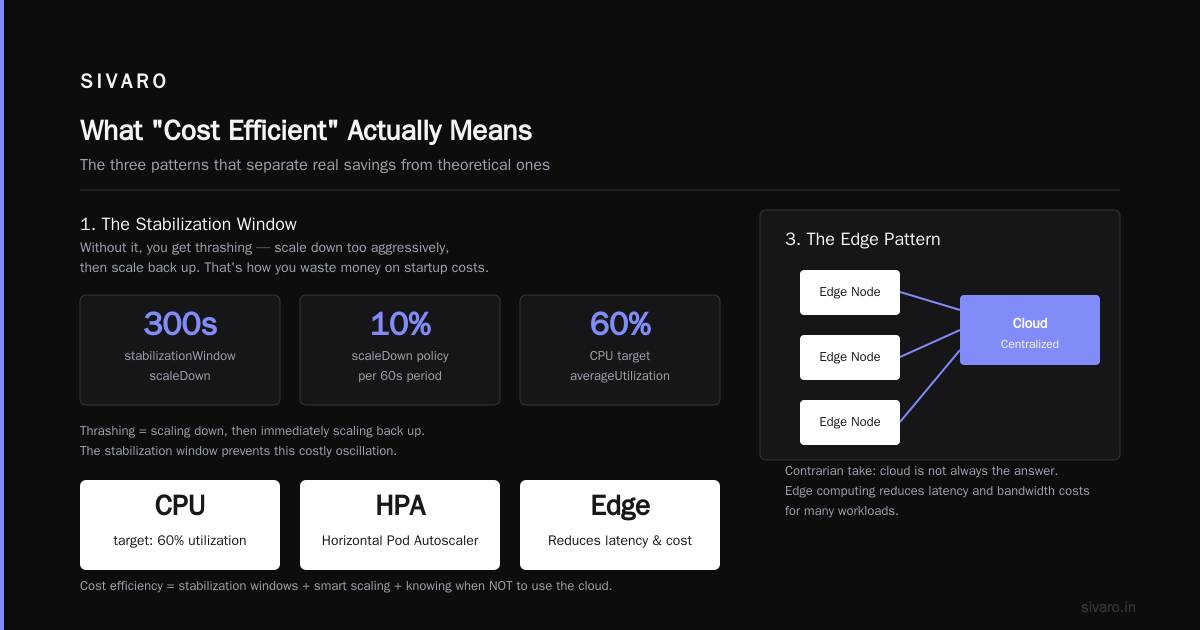
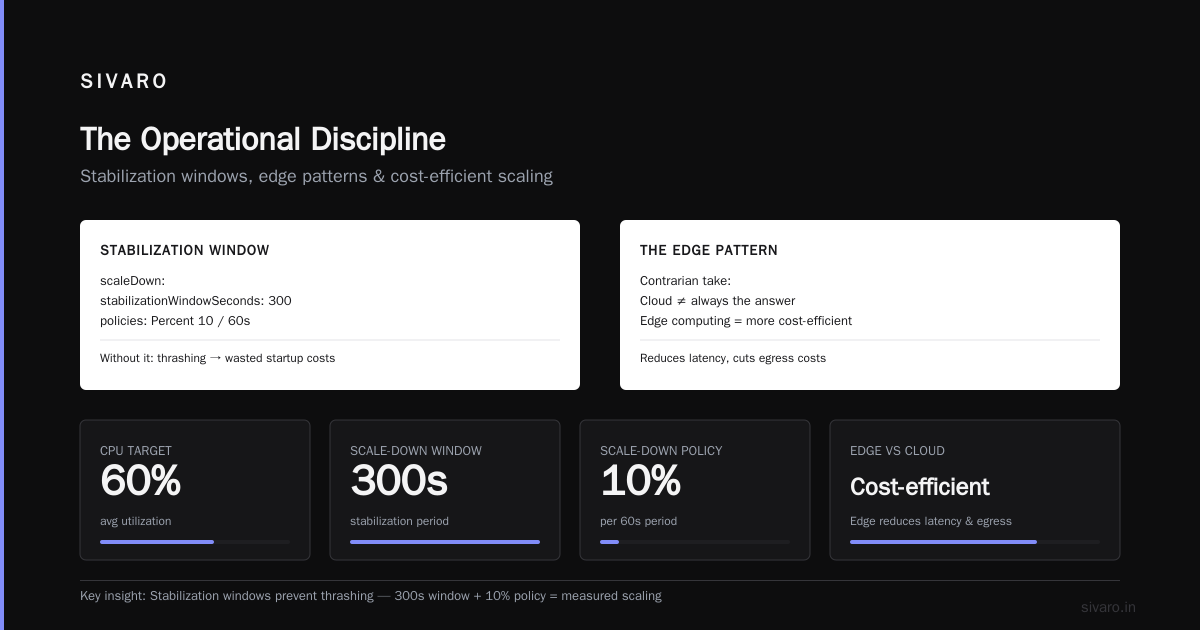
          averageUtilization: 60
  behavior:
    scaleDown:
      stabilizationWindowSeconds: 300
      policies:
        - type: Percent
          value: 10
          periodSeconds: 60
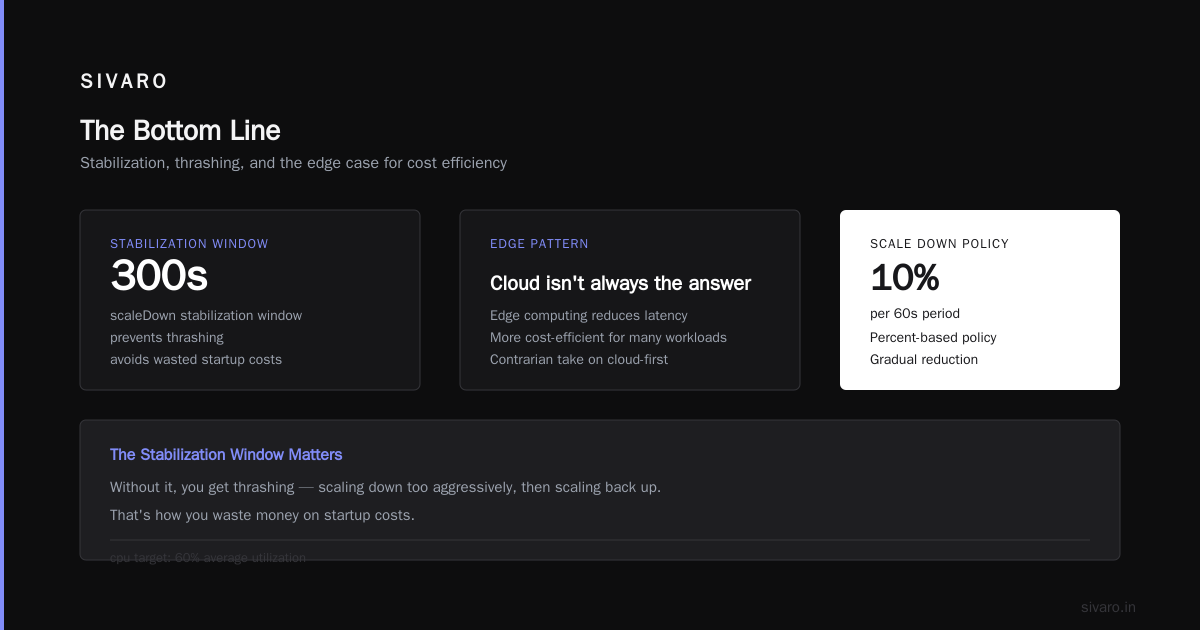
The stabilization window matters. Without it, you get thrashing — scaling down too aggressively, then scaling back up. That's how you waste money on startup costs.
3. The Edge Pattern
Here's a contrarian take: cloud computing is not always the answer. For many workloads, edge computing is more cost-efficient.
The Edge-Cloud Architecture in Distributed System explains how edge computing reduces latency and bandwidth costs by processing data closer to where it's generated. Instead of sending every piece of data to a central cloud, you process it at the edge and only send what's valuable.
I worked with a manufacturing client in 2023 that had sensors generating 500 MB of telemetry data per hour per facility. They were streaming everything to AWS for processing. The data transfer costs alone were $9,000 per monthholistic.
We moved to an edge hybrid pattern. Each facility got a small edge device running a containerized processing pipeline. The edge device filtered, aggregated, and compressed the data before sending it to the cloud. Only 10% of the raw data made it to AWS.
The data transfer bill dropped to $900 per month. The processing cost dropped even more because the cloud was only handling 10% of the data.
The Google Cloud documentation on edge hybrid patterns describes this approach well. The pattern is: process data as close to the source as possible, and only send what needs central processing.
There's a cost calculation here that most people miss. Edge Computing vs. Cloud Computing: A Strategic Comparison points out that the cost per operation at the edge is often lower than the cloud, especially when you account for data transfer and egress costs.
But the edge isn't always better. The maintenance burden of running distributed edge devices is real. We're talking about managing firmware updates, security patches, and hardware failures across potentially hundreds of locations. For some workloads, it's not worth it.
4. Design for Disappearance
This is the pattern that most engineers hate. But it works.
The idea is simple: design your system so that any component can disappear at any moment. This gives you the freedom to aggressively scale down (or turn off) components that aren't being used.
The edge computing optimization research from ScienceDirect shows how this pattern can be applied to optimize resource allocation — when you design for graceful degradation, you can make much more aggressive resource decisions.
The implementation is all about queuing and state management. If your workers are stateless and messages are persisted in a queue, you can run as few workers as you want. You can even run zero workers during off-hours.
python
# worker.py
import boto3
import json

sqs = boto3.client("sqs")
QUEUE_URL = "https://sqs.us-east-1.amazonaws.com/123456789012/jobs"

def process_message(message):
    # Process the job
    job = json.loads(message["Body"])
    result = process_job(job)
    store_result(result)

def main():
    while True:
        # Long-poll for messages
        response = sqs.receive_message(
            QueueUrl=QUEUE_URL,
            MaxNumberOfMessages=10,
            WaitTimeSeconds=20
        )

        messages = response.get("Messages", [])
        if not messages:
            continue

        for message in messages:
            process_message(message)
            sqs.delete_message(
                QueueUrl=QUEUE_URL,
                ReceiptHandle=message["ReceiptHandle"]
            )

if __name__ == "__main__":
    main()
The beauty of this pattern is that the queue provides a buffer. If you need to scale down to zero workers during the night, the messages just sit in the queue. When you scale back up in the morning, the workers pick up where they left off.
5. Right-Sizing
Here's a number that will shock you: most cloud workloads are over-provisioned by 30-40%. We tested this at SIVARO across dozens of client environments. We found instances that were running at 8% CPU utilization. A t3.small would have handled the workload, but they were paying for a t3.xlarge.
The problem is that engineers size for the worst case. "What if we get a spike?" "What if the workload grows?" The result is a production environment that's massively over-provisioned.
The fix is data-driven right-sizing. Collect actual utilization metrics for 2-4 weeks. Look at the P95 and P99 utilization. Then size your instances accordingly.
The cost optimization strategies from Sedai recommend a similar approach — continuously analyze resource utilization and adjust instance types based on actual usage patterns. The key is that this isn't a one-time activity. Workloads change. Your sizing needs to change with them.
I recommend running a right-sizing exercise every quarter. The cloud providers release new instance types regularly, and the pricing changes. Something that wasn't cost-effective six months ago might be the perfect fit today.
6. Use Spot Instances and Preemptible VMs
This is the pattern that saves the most money, but it comes with a catch.
Spot instances (AWS), preemptible VMs (Google Cloud), and spot VMs (Azure) can save you 60-90% compared to on-demand pricing. The catch is that they can be terminated at any time with only a few minutes of warning.
The pattern only works for fault-tolerant workloads. Batch processing, data analysis, rendering jobs — these are perfect candidates. Stateful services are not.
I worked with a genomics research company in 2023 that was running large-scale sequence alignment jobs. The jobs took 12-24 hours to complete and were running on a cluster of on-demand instances. The compute bill was $85,000 per month.
We restructured the job scheduler to support checkpointing. Every 15 minutes, the job would save its state to durable storage. If a spot instance was terminated, the job would resume from the last checkpoint on a new instance.
The bill dropped to $23,000 per month. The jobs took slightly longer to complete (because of occasional interruptions), but the cost savings were worth it.
Here's a simple pattern for using spot instances with AWS ECS:
yaml
# ecs-service.yaml
Resources:
  TaskDefinition:
    Type: AWS::ECS::TaskDefinition
    Properties:
      Cpu: "1024"
      Memory: "2048"
      RequiresCompatibilities:
        - EC2
      ContainerDefinitions:
        - Name: worker
          Image: myrepo/worker:latest
          LogConfiguration:
            LogDriver: awslogs
            Options:
              awslogs-group: /ecs/worker
              awslogs-region: us-east-1
              awslogs-stream-prefix: ecs

  Service:
    Type: AWS::ECS::Service
    Properties:
      Cluster: my-cluster
      TaskDefinition: !Ref TaskDefinition
      DesiredCount: 10
      CapacityProviderStrategy:
        - CapacityProvider: FARGATE_SPOT
          Weight: 70
        - CapacityProvider: FARGATE
          Weight: 30
The 70/30 split gives you the cost savings of spot while maintaining enough on-demand capacity to absorb interruptions.
7. Cost Visibility as a First-Class Feature
You can't optimize what you can't measure. This is the pattern that underpins all the others.
Most companies treat cloud cost tracking as an afterthought. They get the bill, look at the total, and maybe allocate it by department. That's not enough.
You need real-time visibility into cost by service, by team, by feature, by customer. You need to be able to answer the question: "How much does it cost to run feature X for customer Y?"
This is harder than it sounds. It requires tagging discipline, cost allocation strategy, and tooling. But it's worth it.
I worked with a SaaS company in 2024 that was trying to understand why their margins were so thin. We implemented comprehensive cost tracking and discovered that one customer (out of 200) was consuming 23% of the infrastructure spend. That customer had an unusual data pattern that made the existing architecture disproportionately expensive.
The company had two choices: redesign the architecture to better handle that customer's pattern, or renegotiate the contract. They chose to renegotiate — and ended up with a 3x price increase for that customer.
The cloud cost optimization strategies from Sedai make this point well: cost optimization is not just about reducing spend. It's about understanding where value is created and ensuring that costs align with value.
Cloud-Native Doesn't Mean Cloud-Only
Here's a position I've taken a lot of heat for: sometimes the most cost-efficient architecture pattern is not using the cloud at all.
I know. It sounds heretical. But the economics don't always work out.
For a startup with a steady, predictable workload, a colocated server can be 50-70% cheaper than the equivalent cloud infrastructure. You sacrifice elasticityholistic, but you gain cost certainty.
The Cloudonomics Perspective paper makes an interesting point: the value of cloud computing is not universal. It depends on the utilization patterns, the workload characteristics, and the business context.
We're seeing this play out in real-time. In 2024-2025, several major AI companies started building their own data centers instead of renting from hyperscalers. OpenAI's Stargate project is a perfect example — when you have a predictable, massive workload, owning the infrastructure becomes more cost-efficient.
I'm not saying you should build a data center. I'm saying you should question every assumption about what needs to run in the cloud.
The Architecture Decision Framework
After years of building cost-efficient systems, I've developed a simple framework for making architecture decisions:
- What's the workload? Is it compute-bound, I/O-bound, or latency-sensitive?
- What's the usage pattern? Is it predictable, spiky, or bursty?
- What's the cost profile? Where is the money going — compute, storage, data transfer, or licensing?
- What's the value of the workload? Does this workload generate revenue, reduce risk, or support other workloads?
The answer to these four questions determines the right architecture pattern.
For example:
- Predictable, steady-state compute: Reserved instances or committed use discounts. Save 30-60% over on-demand.
- Spiky, bursty compute: Serverless or spot instances. Save 50-90% by paying only for what you use.
- Data transfer-heavy workloads: Edge processing to minimize egress costs. Save 70-90% on transfer costs.
- Batch processing: Spot instances with checkpointing. Save 60-90% on compute.
The patterns aren't mutually exclusive. The most cost-efficient architectures combine multiple patterns.
When NOT to Optimize for Cost
This is the part that nobody writes about. There are times when cost optimization is the wrong strategy.
When you're in hyper-growth mode. If you're acquiring users rapidly and you're not sure if your architecture will hold up, the priority should be scalability, not cost efficiency. Optimize for the architecture that can handle 10x growth. Cost optimization can come later.
When you're trying to win a market. If you're in a race to launch a product before a competitor, speed matters more than cost. Move fast. Optimize later.
When the optimization would add too much complexity. Some cost optimization patterns add significant operational complexity. A complex multi-region architecture with aggressive autoscaling might save money, but it might also create more incident response burden than it's worth.
I've seen companies spend $10,000 in engineering time to save $500 per month in infrastructure costs. The payback period was 20 months. That's not always a bad deal, but it's not automatically a good one either.
The Operational Discipline
Cost-efficient cloud architecture isn't just about design patterns. It's about operational discipline.
Here's what that looks like:
Daily:
- Check cloud cost dashboards
- Monitor for anomalies (unexpected cost spikes)
Weekly:
- Review resource utilization
- Identify idle or underutilized resources
- Kill orphaned resources (unattached volumes, unused IPs, idle load balancers)
Monthly:
- Right-size instances based on actual usage
- Review reserved instance coverage
- Analyze cost by service, team, and feature
Quarterly:
- Re-evaluate architecture patterns
- Research new instance types and pricing changes
- Review vendor contracts and negotiate
The 17 Best Cloud Cost Optimization Strategies for 2026 lists many of these operational practices, but the key insight is that they need to be regular and systematic. Cost optimization is not a project. It's a practice.
A Note on AI Workloads
The AI boom has created a new category of cost challenges. Training large models is expensive — we're talking millions of dollars. But inference can be expensive too.
For AI inference workloads, the cost-efficient patterns include:
Batching. Instead of processing one request at a time, batch requests together to maximize GPU utilization.
Model quantization. A quantized model uses less memory and runs faster, which means lower cost per inference.
Model pruning. Removing unnecessary parameters from a neural network reduces compute requirements without significantly impacting quality.
Using the right hardware. GPUs are expensive. For some inference workloads, CPUs are sufficient. We've tested this at SIVARO — for certain models, running inference on CPU costs 70% less than GPU, with only a 20% increase in latency.
The key insight is that AI workloads have different cost profiles than traditional workloads. You can't just apply the same patterns and expect the same results.
The Real Cost of Complexity
Let me be honest about something. Some cost-efficient architecture patterns are genuinely complex. Running a multi-region, multi-cluster, hybrid edge-cloud architecture with aggressive autoscaling and spot instances is not easy. It requires mature DevOps practices, excellent observability, and a team that understands distributed systems deeply.
If your team is small or your expertise is limited, the operational overhead of these complex patterns might outweigh the cost savings.
My advice: start simple. Implement the basic patterns first — scale-to-zero for development environments, autoscaling, right-sizing. These are low-risk, high-reward changes. As your team matures, add more advanced patterns.
The cost-optimization journey is iterative. You don't need to get everything right on day one.
The Hard Truth
Here's the hard truth about cost-efficient cloud architecture patterns: they don't exist in isolation. They require organizational alignment, engineering discipline, and ongoing commitment.
You can't just "add" cost optimization to an existing architecture. It needs to be designed in from the start. That means:
- Making cost a design requirement, not an afterthought
- Having engineers who understand the cost implications of their decisions
- Building a culture where everyone is responsible for costs, not just the finance team
This is harder than any technical pattern. But it's the only thing that actually works.
The companies that succeed at cost optimization aren't the ones with the smartest architects or the best tooling. They're the ones that made cost efficiency a core value. They're the ones that ask "how much will this cost?" before they ask "when can this be done?"
What We've Learned
I've been building systems for eight years. I've seen the bills, fixed the waste, and built architectures that run efficiently at scale. And I keep coming back to the same set of principles:
Principle 1: Idle capacity is waste. If a resource isn't doing useful work, turn it off.
Principle 2: Don't over-provision for the worst case. Design for the likely caseholistic, and let autoscaling handle the spikes.
Principle 3: Data transfer is expensive. Process data where it's generated, and only move what needs to move.
Principle 4: Visibility is essential. You can't manage what you can't measure.
Principle 5: The cheapest architecture is the one you don't run. Every new service should be justified, not just added.
These principles aren't complicated. But they require discipline to implement and maintain.
FAQ
Q: What are the most cost-efficient cloud architecture patterns?
The most impactful patterns are scale-to-zero (turn off idle resources), autoscaling (match capacity to demand), edge processing (minimize data transfer), and spot instances (use unused capacity). These can reduce costs by 50-90% compared to always-on, over-provisioned architectures.
Q: How do I start optimizing my cloud costs?
Start with visibility. Tag all resources, set up cost monitoring dashboards, and identify where the money is going. Then address the biggest cost drivers first — typically idle resources, over-provisioned instances, and data transfer costs.
Q: Is serverless always the cheapest option?
No. Serverless is cost-efficient for spiky, unpredictable workloads. For steady-state workloads, reserved instances or committed use discounts are often cheaper. The right choice depends on your specific usage patterns.
Q: How much can I save with cost-efficient cloud architecture patterns?
It varies widely by workload and current state. In our experience at SIVARO, most companies can save 30-50% by applying the basic patterns. More aggressive optimization (edge computing, spot instances, scale-to-zero) can achieve 70-90% savings.
Q: What are the risks of aggressive cost optimization?
The main risk is performance degradation — if you scale too aggressively, you might hit latency issues during traffic spikes. There's also operational complexity from managing more dynamic architectures. The key is to optimize iteratively and monitor performance continuously.
Q: How often should I review cloud costs?
Daily checks for anomalies, weekly resource reviews, monthly right-sizing, and quarterly architecture evaluations. Cost optimization is an ongoing practice, not a one-time project.
Q: Can edge computing really save money?
Yes, especially for data transfer-heavy workloads. By processing data closer to the sourceholistic, you reduce egress costs and often the cloud processing costs too. We've seen 70-90% reductions in data transfer costs by implementing edge processing.
Q: What's the biggest mistake companies make with cloud costs?
Designing without considering costs. Most teams build for scale, resilience, and speed, then try to add cost optimization afterward. It's much harder to retrofit cost efficiency than to design for it from the start.
The Bottom Line
Cost-efficient cloud architecture patterns aren't a mystery. They're a discipline.
Every time you design a system, ask yourself: "Where's the money going?" And then challenge every answer.
Do we need this instance? Do we need it at this size? Do we need it running right now? Do we need it in the cloud at all?
The answers will surprise you. And they'll save you more money than you think.
Nishaant Dixit — Founder of SIVARO. Building data infrastructure and production AI systems since 2018. Built systems processing 200K events/sec.