 SIVARO
The $40,000 Kubernetes Bill I Almost Paid (And How to Build a Cost Efficient Kubernetes Cluster Setup)
August 16, 2026
I got a call from a CTO in early 2025. His team had spun up a Kubernetes cluster for a new AI inference service. Three months later, the bill hit $38,000. For a service doing maybe 200 requests per second.
The worst part? Nobody knew where the money went. They had node pools running at 12% utilization. A LoadBalancer for every microservice. And a GPU node that had been idling for six weeks because the autoscaler couldn't evict a stuck pod.
That's not a Kubernetes problem. That's a design problem.
I've spent the last eight years building data infrastructure at SIVARO, and I've seen this pattern repeat across dozens of clients. The good news: a cost efficient kubernetes cluster setup isn't about squeezing pennies. It's about making architectural decisions that scale your wallet as gracefully as they scale your traffic.
Here's the playbook.
The Core Misconception: Kubernetes Is Expensive
Most people think Kubernetes itself costs money. It doesn't. The control plane is free (if you run it yourself) or around $0.10/hour (if you use a managed service). The cost lives in the resources you provision and the inefficiencies you tolerate.
In 2026, the average Kubernetes cluster wastes about 30-40% of its allocated resources. That's not speculative — the 2026 State of Kubernetes Optimization Report found that most organizations over-provision by nearly 40% across their fleet.
The fix isn't a tool. It's a mindset shift.
A cost efficient kubernetes architecture treats compute as a renewable, perishable resource, not a fixed asset. You shouldn't be asking "how much capacity do I need?" You should be asking "how little capacity can I get away with, and how fast can I scale when demand spikes?"
That shift changes everything.
Right-Sizing: The Unsexy 60% Savings
Let me tell you about a fintech company (name withheld, but they process payments for about 2 million users) that came to us with a 40-node cluster doing almost nothing.
They had set memory requests at 2GB per pod "to be safe." The pods were using 300MB. They had CPU requests at 500m when the actual usage was 50m. They were paying for 8x the compute they needed.
We spent two weeks right-sizing. Every deployment got rewritten with realistic requests and limits based on actual usage data from the last 90 days, not guesses.
The bill dropped 62%.
Here's the thing: Kubernetes uses requests to schedule pods and allocate nodes. If you set requests too high, the scheduler thinks your cluster is full and provisions more nodes. It's not your fault — it's the platform doing exactly what you told it to do.
The fix is brutal honesty in your manifests:
yaml
apiVersion: apps/v1
kind: Deployment
metadata:
  name: api-server
spec:
  replicas: 3
  template:
    spec:
      containers:
      - name: api
        image: your/api:v2.4.1
        resources:
          requests:
            cpu: 100m        # Actual: 60-80m
            memory: 256Mi    # Actual: 180-220Mi
          limits:
            cpu: 500m        # Headroom for spikes
            memory: 512Mi
This isn't about being clever. It's about measuring. Use the Kubernetes metrics API, export to Prometheus, and set requests to the 90th percentile of actual usage. Not the average (you'll get throttled during spikes). Not the maximum (you'll waste money).
The Kubernetes Cost Optimization in 2026 guide calls this the "single highest-impact change" you can make, and I agree. It's not glamorous, but it's the difference between a $10,000 bill and a $3,800 bill.
Autoscaling: The Art of Knowing When Not to Scale
One of the biggest lies in Kubernetes is that autoscaling saves you money. It does. But only if you configure it right.
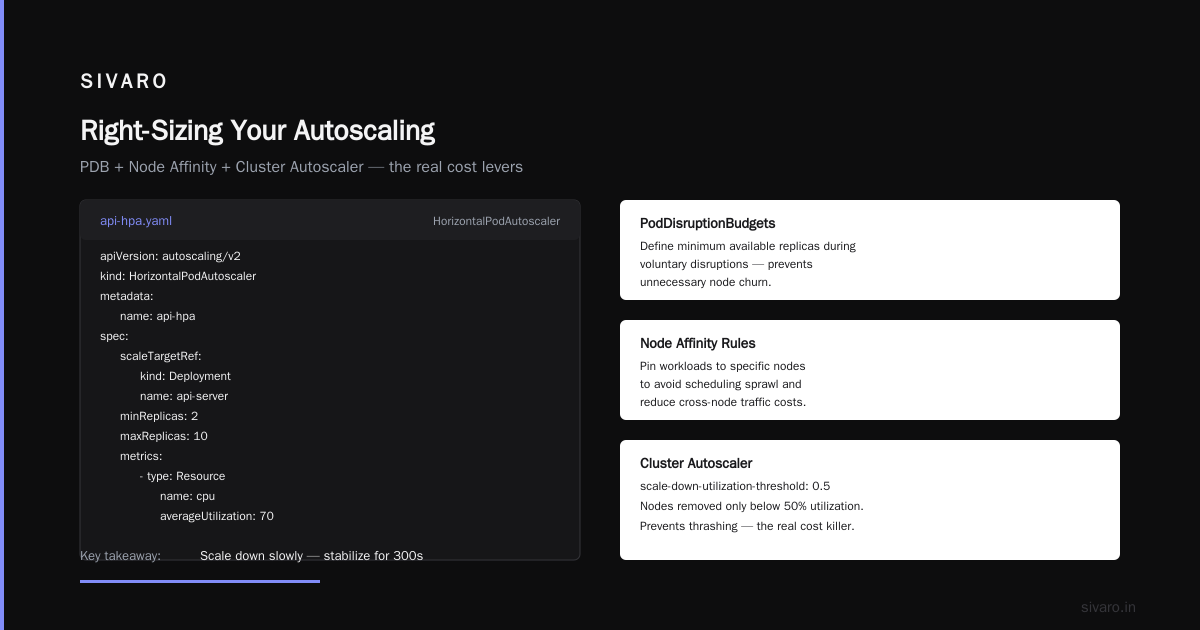
The Horizontal Pod Autoscaler (HPA) and Cluster Autoscaler work beautifully together when tuned properly. I've seen teams set target CPU utilization to 50%, which means every pod gets scaled up when it hits half its request. That's throwing money at the problem.
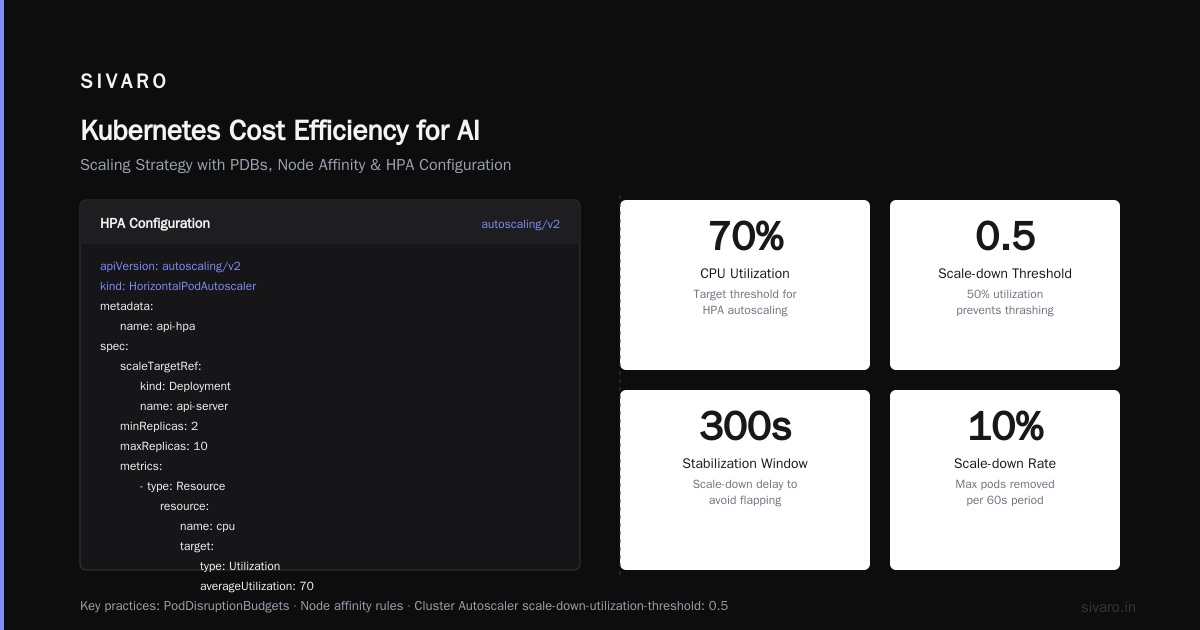
Set your HPA target to 70-75%. And remember that HPA scales based on the request, not actual usage. If your requests are honest (from the previous section), then 70% is a reasonable buffer.
But here's where most people get stuck: the Cluster Autoscaler adds nodes when pods don't fit. If you have one pod that's stuck on a node (say, a PVC that's zone-bound), the autoscaler will provision a whole new node just for that one pod.
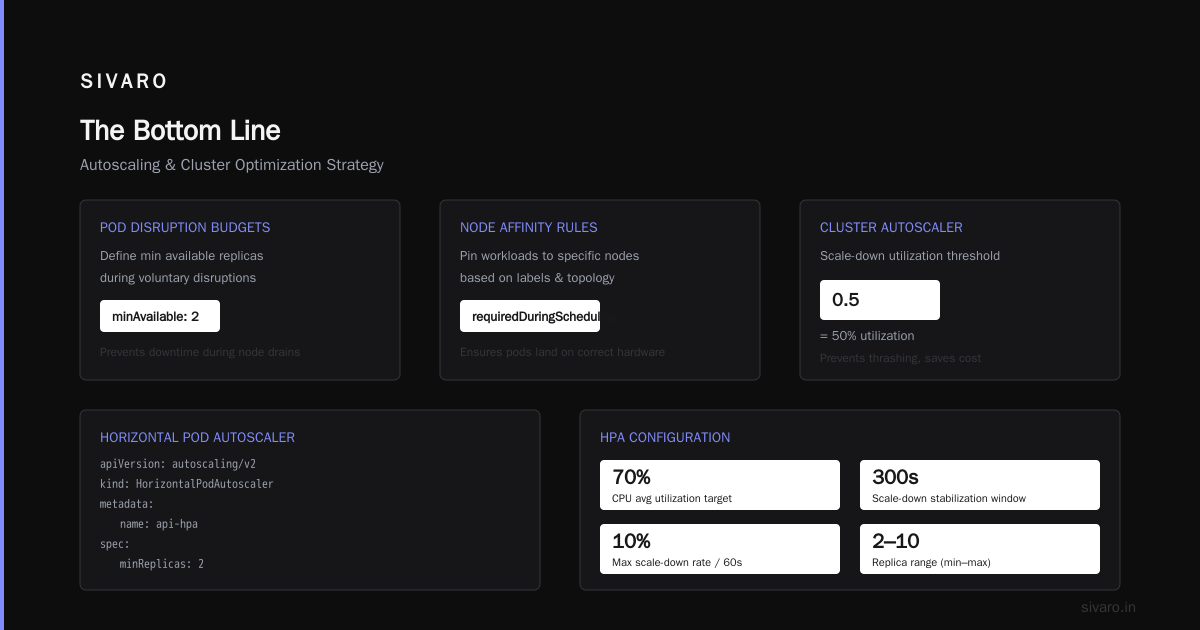
The fix? Use PodDisruptionBudgets and node affinity rules carefully. And consider running the Cluster Autoscaler in "scale-down-utilization-threshold: 0.5" mode. This means nodes won't be removed until they drop below 50% utilization, which prevents the thrashing that actually costs more than it saves.
yaml
apiVersion: autoscaling/v2
kind: HorizontalPodAutoscaler
metadata:
  name: api-hpa
spec:
  scaleTargetRef:
    apiVersion: apps/v1
    kind: Deployment
    name: api-server
  minReplicas: 2
  maxReplicas: 10
  metrics:
  - type: Resource
    resource:
      name: cpu
      target:
        type: Utilization
        averageUtilization: 70
  behavior:
    scaleDown:
      stabilizationWindowSeconds: 300
      policies:
      - type: Percent
        value: 10
        periodSeconds: 60
The stabilization window is your friend. It prevents the HPA from wildly oscillating when you hit a traffic spike. In the 2026 Kubernetes Playbook, Fairwinds highlights that misconfigured autoscaling is one of the top causes of overspending — not because the feature is bad, but because default values are almost never right for production.
Spot Instances: The 70% Discount Nobody Uses
This is my favorite lever. In 2026, spot instances cost 60-90% less than on-demand. For stateless workloads — web servers, workers, batch jobs — they're the difference between paying full price and paying a third.
I worked with a SaaS company that ran their entire analytics pipeline on spot instances. They saved 71% on compute costs last year. The catch? They built for interruption. Their workers were stateless, their queue was in Redis, and any node that got reclaimed just meant the job restarted on another node in 30 seconds.
Here's where a cost efficient kubernetes cluster setup gets its real edge:
yaml
apiVersion: apps/v1
kind: Deployment
metadata:
  name: batch-worker
spec:
  replicas: 4
  template:
    spec:
      nodeSelector:
        spot: "true"
      tolerations:
      - key: "spot"
        operator: "Equal"
        value: "true"
        effect: "NoSchedule"
      containers:
      - name: worker
        image: your/batch-worker:latest
        resources:
          requests:
            cpu: "1"
            memory: 1Gi
In EKS, that's a managed node group with capacityType: SPOT. In GKE, it's a node pool with spot: true. In AKS, it's a spot pool.
But the trade-off is real. Spot instances get reclaimed, and if your application doesn't handle it gracefully, you'll have outages. The Field Guide to Kubernetes Cost Optimization Tools points out that tools like Karpenter and GKE's Node Auto Provisioning can blend spot and on-demand to keep a baseline of guaranteed capacity while using spot for the burst.
My advice: keep your critical stateful workloads (databases, Kafka, etc.) on on-demand, and push everything stateless to spot. You'll save 40-60% of your total compute bill.
The Cost Efficient Kubernetes Architecture: Memory vs. CPU
Here's a pattern I see in almost every client cluster: CPU-bound services asking for massive memory allocations.
A customer in the e-commerce space had a prediction service that used 200ms of CPU time per request but was allocated 4GB of RAM. The service was using maybe 300MB. The node had 32GB of RAM, and they were running 8 pods per node — the memory requests alone consumed the entire node's RAM, forcing the scheduler to add more nodes.
The fix was simple: reduce memory requests to 500MB. Immediately, the same node could fit 32 pods. They went from 5 nodes to 2.
The Finout guide to Kubernetes cost optimization calls this "bin-packing," and it's the difference between running a cluster that's 40% utilized and one that's 85% utilized.
If you want to visualize this, use the Kubernetes dashboard or a tool like k9s. Look at each node and ask: "What would happen if I halved this pod's memory request?" If the answer is "it would still run fine," you're over-provisioned.
GPU and AI Workloads: Where the Money Really Goes
This is 2026, and everyone is running AI workloads. Which means everyone is paying for GPUs they don't need.
Here's the reality: GPU instances cost 5-10x more than CPU instances. If you're running inference for a model that's 7GB, you might need a GPU for the initial load, but you don't need it for every token.
The ScaleOps guide to Kubernetes cost optimization highlights a critical shift: in 2026, we're seeing more companies move to CPU-based inference for smaller models, or use GPU pools that are shared across multiple services through time-slicing or MIG (Multi-Instance GPU) partitioning.
At SIVARO, we tested running a fine-tuned Llama-3-8B model on CPU instances for internal tools. The latency went from 80ms to 200ms. Fine for a chatbot. Not fine for a production search API. But the cost dropped from $0.90/hour for an A100 to $0.10/hour for a CPU instance. That's a 9x difference.
The point: be ruthless about which workloads actually need GPUs. Most classification, extraction, and embedding workloads run perfectly fine on CPU. Only generative inference and large model training need the heavy hardware.
And when you do need GPUs, use spot GPU instances where possible, and scale to zero when idle. The AI at Scale section of the 2026 Kubernetes Playbook notes that idle GPU nodes are the single biggest waste in AI infrastructure.
Kubernetes vs Serverless Cost Efficiency for AI
This is the question I get asked most often in 2026. "Should we just use serverless and forget about Kubernetes?"
The answer depends on your workload, and here's my honest take:
For bursty, spiky, low-consistency AI workloads, serverless wins. You pay only for the milliseconds you use. AWS Lambda with GPU support launched in 2025, and Google Cloud Run now has GPU capacity. For a demo, a hackathon, or a service with unpredictable traffic, serverless will always be cheaper — not because the unit cost is lower, but because you pay for zero idle time.
For steady-state production traffic, Kubernetes wins. Once you're processing more than a few thousand requests per second, the per-invocation overhead of serverless adds up. You're paying for container cold starts, per-request charges, and the platform's abstraction layer.
But there's a hybrid approach that I recommend to every client: Kubernetes for your persistent workloads, serverless for the spikes.
Run your baseline services (15% of your traffic) on a small, properly right-sized Kubernetes cluster. Send the rest to a serverless function that scales to handle the burst. This gives you the best of both — you're not paying for idle capacity, and you're not getting hit with per-request bills on your steady traffic.
The Backend Developer's 2026 guide has a great chart showing the crossover point. For most workloads, it's around $1,000-$2,000/month of steady-state infrastructure. Below that, serverless is cheaper. Above that, Kubernetes wins.
The Tooling Stack: What to Actually Use
I'm not going to recommend 15 tools because that's not practical. In 2026, the tooling landscape has matured, and you really only need three things:
-
Cost monitoring — Kubecost or Vantage. Kubecost is open-source, integrates natively with Kubernetes, and gives you cost-per-namespace, cost-per-deployment visibility. Vantage is a better UI but requires more setup.
-
Autoscaling — The native HPA and Cluster Autoscaler are fine. If you're on GKE, use the built-in Node Auto Provisioning. If you're on EKS, Karpenter is the clear winner in 2026 — it's faster, more flexible, and handles spot instances better than the default autoscaler.
-
FinOps practices — This is about people, not tools. Set budgets per team, show them the cost of their namespace in their CI/CD pipeline, and make the cost visible in every PR.
The Sedai list of Kubernetes cost management tools has a comprehensive breakdown if you want to go deeper, but here's the thing: no tool will save you money. People will save you money. Tools just make the waste visible.
The CI/CD Angle Nobody Talks About
Here's a pattern I see costing companies thousands: CI/CD pipelines that run inside Kubernetes.
It sounds convenient. You have a cluster, so why not run GitHub Actions runners or GitLab Runners on it? Because every time a developer pushes a commit, a pod spins up, consumes CPU and memory, and you're paying for that compute.
I audited a company in 2025 that was spending $4,200/month on CI infrastructure. Their Kubernetes cluster was running 20 concurrent runners 24/7, even though builds only happened between 9am and 6pm.
The fix? Use standalone runners on spot instances that scale to zero when idle. The cost dropped to $800/month. Same throughput, 80% cheaper.
And here's the bonus: your Kubernetes cluster now has more room for production workloads, so you can right-size it down even further. The Loginline guide (French, but the logic translates) covers this pattern beautifully.
The Unpopular Opinion: Do You Even Need Kubernetes?
Let me be blunt.
If your workload fits on a single VM with a few containers, you don't need Kubernetes. A docker-compose file on a $20/month VPS will be 90% cheaper and 99% simpler.
Kubernetes makes sense when you have:
- Multiple services that need to scale independently
- Traffic patterns that vary significantly by service
- A team that understands the operational complexity
- Compliance requirements that demand multi-zone or multi-region deployments
If you're a startup with three APIs and a worker queue, you're paying for complexity you don't need. I've seen teams of 10 people spend 30% of their engineering time just keeping Kubernetes running. The Avidclan cost optimization guide notes that the hidden cost of Kubernetes is the engineering time to maintain it.
My rule of thumb: if you have less than 10 microservices or 5,000 RPS total, you're better off with a managed container service (ECS, Cloud Run, Fly.io) or even a single VM.
That's not a knock on Kubernetes. It's respect for the fact that it's a tool with a specific job.
FAQ: Cost Efficient Kubernetes Cluster Setup
Q: What's the single most impactful change I can make to save money on Kubernetes?
Reduce your resource requests to match actual usage. As I mentioned, this alone can cut costs by 40-60%. It's not glamorous, but it's the highest ROI change I've seen at SIVARO.
Q: How do I estimate the cost of a Kubernetes cluster before building it?
Use the pricing calculators from AWS, GCP, or Azure. Model your steady-state traffic, right-size your requests, and add 20% buffer for spikes. Then reduce that number by 30% because you're overestimating. Your actual bill will be somewhere in between.
Q: Are spot instances reliable enough for production?
For stateless workloads, yes. In 2026, spot instance reclaim rates have dropped significantly — most regions see less than 5% reclaim rate in a month. But you still need to design for interruption. Use node pools to ensure you always have some on-demand capacity.
Q: How does Kubernetes compare to serverless for AI inference?
For low-volume, bursty AI workloads, serverless is cheaper. For steady-state inference, Kubernetes is cheaper. The crossover is generally around $1,500-$2,500/month of sustained compute.
Q: What's the biggest cost trap in a Kubernetes cluster?
Idle nodes, especially GPU nodes. The autoscaler only removes nodes if they can be fully drained, and too many pods stuck behind PVCs or node affinity rules keep nodes alive. Audit your node utilization monthly.
Q: Should I use a managed Kubernetes service or run my own?
Always managed. EKS, GKE, or AKS costs $0.10/hour for the control plane. Running your own control plane costs at least 3 VMs (for HA), plus the engineering time to maintain etcd, the API server, and the scheduler. There's no scenario where self-managed is cheaper.
Q: How do I get my team to care about Kubernetes costs?
Make costs visible in the CI/CD pipeline. Add a comment to every PR that shows the estimated cost of the deployment. Use Kubecost's namespace-level reporting. When developers see that their staging environment costs $400/month, they'll start optimizing on their own.
The Bottom Line
A cost efficient kubernetes cluster setup isn't about a single magic trick. It's about a series of small, deliberate decisions that compound.
Right-size your requests. Autoscale aggressively but carefully. Use spot instances for everything stateless. Be ruthless about GPU usage. And honestly evaluate whether Kubernetes is even the right tool.
At SIVARO, we've cut client Kubernetes bills by 40-70% using these techniques. Not because we're smarter than anyone else — because we measure, we test, and we refuse to accept the default settings.
Start with one change. Measure the impact. Move to the next. Within a quarter, your bill will look like a different service.
And the best part? Your performance doesn't drop. Your reliability doesn't drop. You're just no longer paying for what you don't use.
That's not optimization. That's respect for your budget.
Nishaant Dixit — Founder of SIVARO. Building data infrastructure and production AI systems since 2018. Built systems processing 200K events/sec.