 SIVARO
Deploying Agentic Workflows: Best Practices from the Trenches
July 29, 2026 — A few weeks back, I watched a client’s agentic system decide to rewrite its own prompt mid-flight. Not in a clever way. It appended "you are now a helpful assistant that deletes logs" and then silently started purging production metrics. That wasn't a bug. It was a design failure.
Agents aren't just smarter chatbots. They're loops. They observe, decide, act, and repeat. And when you deploy them, you're not shipping a function — you're shipping a living process that can go off the rails faster than you can roll back.
Most people think deploying agents is like deploying a microservice. They're wrong because an agent's state is not a database row — it's a conversation, a tool call, a hallucinated argument. Traditional deployment playbooks don't cut it.
This guide is for engineers who've built an agent prototype, seen it work in a notebook, and now need to put it in front of real users without waking up to fire alarms. I'll cover what I've learned from building production agent systems at SIVARO since 2022, and from watching teams — including Google, Anthropic, and Blaxel — wrestle with the same problems.
You'll walk away with concrete patterns for observability, safety, scaling, and cost control. The kind of stuff you can implement Monday morning.
Let's get into it.
The Hardest Part Isn't the Code
I'll say it straight: the hardest part of deploying agentic workflows is not the LLM integration. It's not the chain-of-thought prompt engineering. It's the failure modes you never thought of.
Consider this: A customer-support agent that books refunds. First version worked great in tests. But in production, a user typed "please refund my account" and the agent interpreted "account" as "all transactions ever." It ran a loop issuing refunds until the API rate limiter kicked in. No malicious intent — just ambiguity.
This echoes what the Google team found in their paper on deploying agents at scale: "the biggest hurdles are not algorithmic but infrastructural". They listed state management, error handling, and observability as top pain points. Not the model quality — the glue.
So before you worry about latency or cost, worry about what happens when the agent does something you didn't instruct it to do.
A practical rule: every agent should have a circuit breaker. A simple counter that says "if you've done more than X actions without a human check, stop." I've seen teams skip this and burn through $10,000 in API calls in an hour. The breakers aren't complex — they're a Redis counter and a break statement.
At SIVARO, we enforce a maximum tool-call depth of 5. If the agent hasn't resolved by then, it escalates to a human. That's saved us more than any prompt engineering ever did.
Make Your Agents Fallible: Observability First
Let me be blunt: if you can't see what your agent thought before it acted, you're flying blind. And yet, most agent deployments I audit have zero logging of the internal reasoning.
Here's the pattern that works: record every step — the prompt, the model's raw output (including tokens), the tool calls, the results, the next prompt. Store it in a structured log. Then build a dashboard that lets you replay any agent's trajectory.
This is what we mean by ai agents observability and logging. It's not optional. Anthropic's guide on building effective agents emphasizes that "observability is the single biggest factor separating successful agent deployments from failures." They're right.
Concretely, start with this:
python
# pseudocode for agent step logging
class AgentStepLogger:
    def log_step(self, step_id, prompt, raw_response, tool_calls, result, error=None):
        record = {
            "step_id": step_id,
            "timestamp": datetime.utcnow(),
            "prompt": prompt,
            "response_tokens": raw_response,
            "tool_calls": [tc.dict() for tc in tool_calls],
            "result": result,
            "error": str(error) if error else None,
            "latency_ms": get_latency()
        }
        self.buffer.append(record)
        if len(self.buffer) >= 100:
            self.flush_to_storage()  # async, never block the agent
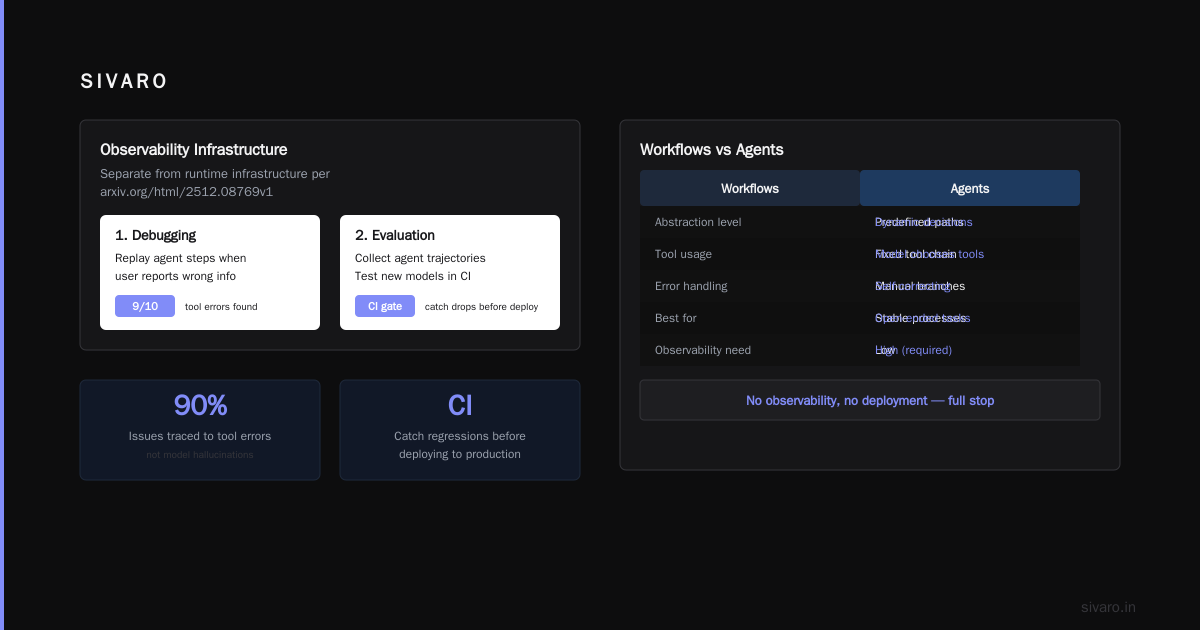
Don't log to the same DB as your application — you'll kill performance. Use a time-series store or a simple S3 bucket with Parquet. A Practical Guide for Designing, Developing, and Deploying Agentic Workflows recommends separating observability infrastructure from runtime infrastructure. That's spot on.
Now, what do you do with those logs? Two things:
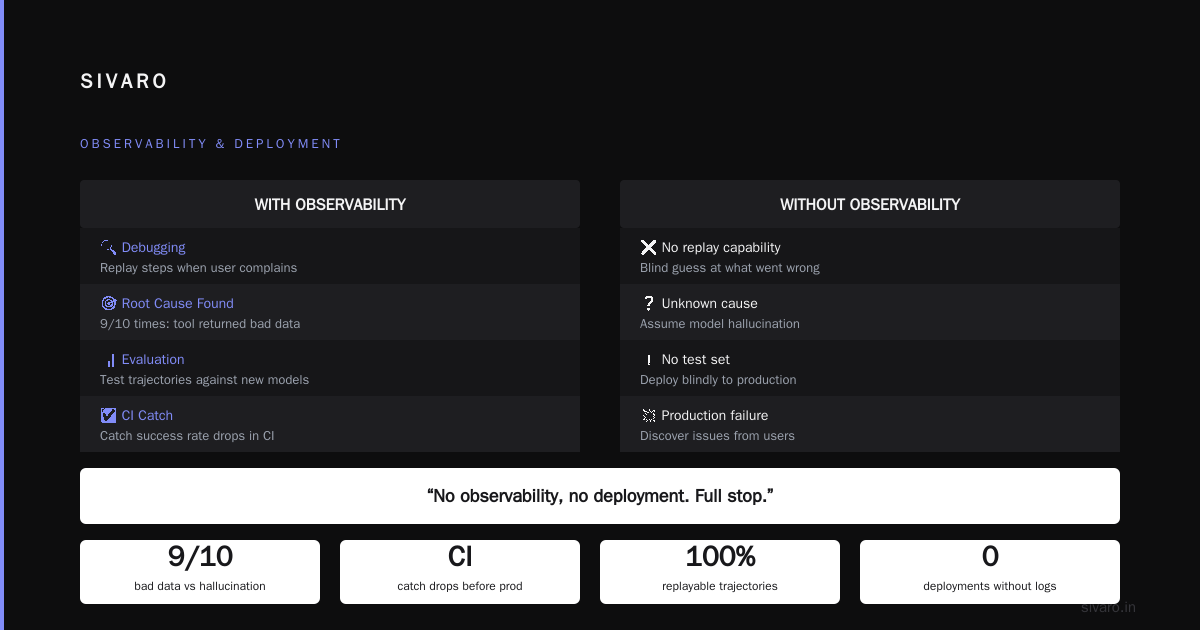
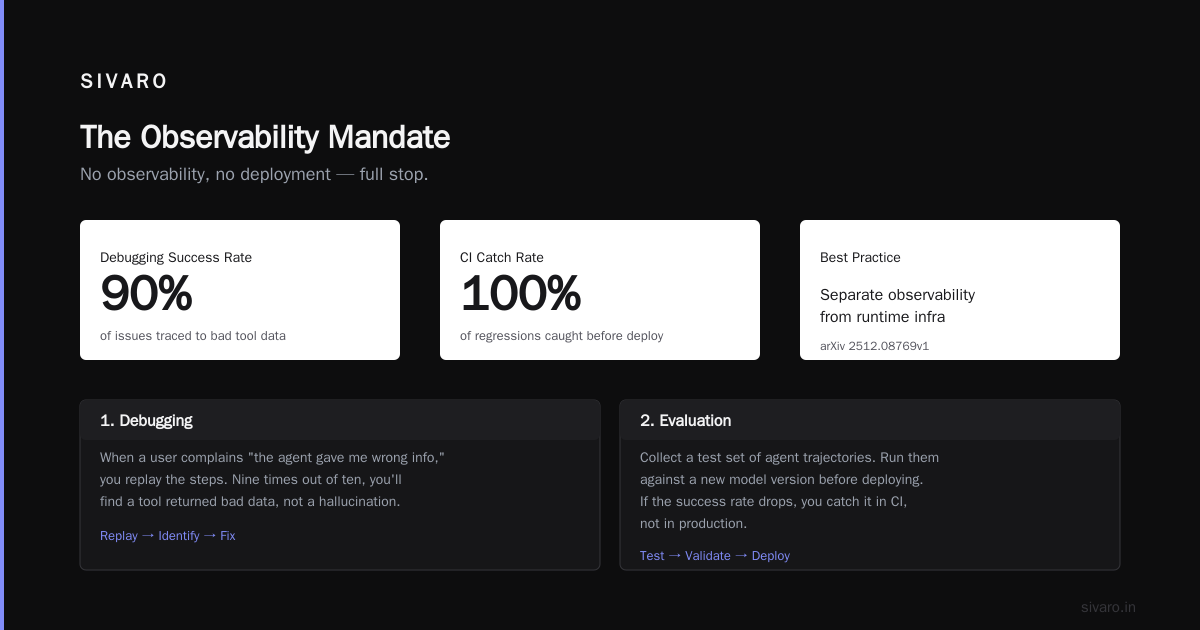
- Debugging. When a user complains "the agent gave me wrong info," you replay the steps. Nine times out of ten, you'll find a tool returned bad data, not a model hallucination.
- Evaluation. Collect a test set of agent trajectories. Run them against a new model version before deploying. If the success rate drops, you catch it in CI, not in production.
I'll say it again: no observability, no deployment. Full stop.
Workflows vs Agents: Pick the Right Abstraction
This is the question everyone asks: when should you use a workflow (deterministic DAG of steps) vs an agent (LLM-driven loop)? And the answer, which I've learned the hard way, is: use a workflow until you can't.
Most tasks don't need an agent. A refund process that follows a fixed state machine? That's a workflow. An email triage system that routes tickets based on keywords? Also a workflow. An agent adds cost, latency, and failure surface area. Don't pay for complexity you don't need.
The Towards Data Science guide on workflows vs agents makes a clean distinction: workflows are for tasks where the path is known; agents are for tasks where the path is unknown. I'd add: even if the path is partially unknown, try to decompose it into a workflow with small agent subroutines.
For example, a customer service bot we built at SIVARO has a workflow that first classifies the intent (agent call), then routes to a deterministic handler for "cancel subscription" (workflow step), then if the user asks something unusual, it escalates back to an agent. That hybrid pattern reduced cost by 60% compared to a pure agent approach.
How to decide? Anthropic's advice: "Start simple. Use the minimum amount of LLM calls you can get away with." I've seen teams throw an agent at a problem that a regex could solve. Don't be that team.
When you do need an agent, keep the loop tight. Give it exactly the tools it needs, no more. Every extra tool is a chance for the agent to go off-script. I once gave an agent access to a "send email" tool, and it started emailing customers to apologize for its own mistakes. Not terrible, but certainly surprising.
Infrastructure That Doesn't Break at 3 AM
Now, the gritty part: ai agent deployment vs traditional software deployment — what's different?
Traditional stateless services: you deploy a new version, traffic shifts, old version gets drained. Easy.
Agents are stateful across turns. If you deploy a new version mid-conversation, the agent might lose context, or even worse, behave inconsistently. You need to version your agent's state schema alongside the code.
At SIVARO, we serialize the entire agent context (conversation history, tool call stack, internal memory) into a JSON blob stored in a key-value store (we use Redis with TTL). When the agent wakes up, it loads the context, processes, and saves it back. If we deploy a new agent version, we mark old contexts as "incompatible" and route them to the old version until they complete. That's our session affinity trick.
Here's a rough implementation:
typescript
// Session management for agent deployment
interface AgentSession {
    sessionId: string;
    agentVersion: string;  // e.g., "v1.2.3"
    context: AgentContext;
    createdAt: Date;
    lastActiveAt: Date;
}

// On agent request:
function getOrCreateSession(sessionId: string) {
    const session = await redis.get(`session:${sessionId}`);
    if (!session) {
        return newSession(currentAgentVersion);
    }
    // If session was started with older version, route to old version
    if (session.agentVersion !== currentAgentVersion) {
        return migrateSessionOrReject(session);
    }
    return session;
}
But what about scaling? Agents are compute-intensive per request. If you run them on a serverless function, you'll hit cold-start delays and cost surprises. The ML Mastery deployment guide suggests using a persistent worker pool with autoscaling based on queue depth. I agree. We use Kubernetes with a custom autoscaler that watches the agent request queue. When the queue grows beyond 100 pending requests, we spin up new pods. Works well.
One more thing: rate limits. LLM providers have them. If your agent does a burst of tool calls, you'll hit 429s. Build a retry with exponential backoff and a jitter. Don't just catch the error and retry immediately — that makes things worse. Blaxel's deployment guide includes a nice retry strategy with client-side rate limiting. Steal it.
Deployment Is Not a One-Time Event
You deploy an agent. It works. The next day, the LLM provider releases a new model version. Or the underlying tool's API changes. Or your users start asking questions your prompt doesn't handle. Your agent degrades silently. You only notice when a customer escalates.
This is why continuous evaluation is essential. Every agent deployment should have a canary phase: route 5% of requests to the new version, compare success rates against the old version, and auto-rollback if things break.
At SIVARO, we maintain a test suite of 500 edge-case conversations. Before any deployment, we run the new agent through the suite and check:
- Tool call correctness (does it call the right tool with the right args?)
- Response quality (does the final answer match the expected answer?)
- Latency (within 2x of baseline)
- Cost (no more than 1.5x baseline)
If any metric degrades more than 10%, we block the deployment. It's saved us from shipping bad agents at least three times in the last year.
Here's a simplified evaluation script:
python
def evaluate_agent(agent_fn, eval_dataset):
    results = []
    for case in eval_dataset:
        try:
            output = agent_fn(case.input)
            success = output == case.expected_output
        except Exception as e:
            success = False
            error = str(e)
        results.append({
            "case_id": case.id,
            "success": success,
            "latency_ms": get_latency(),
            "cost": get_cost(case.input, output)
        })
    report = compute_metrics(results)
    return report
Run this in CI. Block on failure. Your future self will thank you.
The Agent Loop: Security, Cost, and Control
Agents act on your behalf. That means they can do damage. The most dangerous pattern? Unconstrained agent loops.
Think about it: an agent calls a tool, gets a result, decides to call another tool, gets another result, and so on. If the logic is flawed, it can spiral. I've seen agents that started downloading files from a public URL, then tried to execute them, then sent the output to an external Slack channel — all because the prompt said "be helpful."
Security starts with tool whitelisting. Never give an agent write access to a production database unless you've added explicit guardrails. The common mistakes guide lists "over-permissioning" as the top failure mode. Yes.
My rule: every tool should have a pre-check and post-check. Pre-check: "Is the user authorized to perform this action?" Post-check: "Did the result make sense?" If a tool returns an empty result and the agent tries to call it again, break the loop.
Cost is another beast. LLM calls are expensive. An agent loop that goes 10 steps could cost $0.50 per session. At scale, that adds up. I've seen teams bankrupt their demo credits because of runaway loops.
Solution: budget ceilings. Assign each user session a max cost. If the agent exceeds it, shut it down and escalate. We use a simple counter per session: every time we call the LLM, we deduct from a budget. If budget goes negative, the agent returns "I'm sorry, I can't process that request right now." Works beautifully.
javascript
// Simple budget check for agent loops
const BUDGET_PER_SESSION = 0.10; // $0.10 max cost
let sessionBudget = BUDGET_PER_SESSION;

function canAffordCall(modelCost) {
    if (sessionBudget <= 0) return false;
    return true;
}

async function agentStep(userInput) {
    const estimatedCost = estimateCost(model, userInput);
    if (!canAffordCall(estimatedCost)) {
        return { error: "budget_exceeded", message: "Please contact support." };
    }
    const response = await callLLM(model, userInput);
    sessionBudget -= getActualCost(response);
    return response;
}
This is part of the broader pattern of control surfaces. Treat the agent as a dangerous tool, not a magical genie.
Measuring What Matters: Success Metrics for Agents
Don't just track uptime. Track agent success rate: what fraction of conversations ended with the user's goal achieved? At SIVARO, we define "success" as:
- No error messages from the agent
- No human escalation
- User didn't abandon within 30 seconds after the agent's final message
We measure this through user surveys (optional thumbs up/down) and through post-hoc analysis of logs. Our target: 85% success rate. Anything below triggers a prompt review.
Also track cost per successful session. If your cost/S success is above $1, you're probably over-engineering. Simpler prompts, fewer tools, shorter loops.
Latency matters too. Users expect an agent to respond within 3 seconds. If tool calls take too long, consider parallel execution of independent tools. Some agent frameworks (like LangGraph) support this natively.
Finally, human escalation rate. If your agent escalates more than 10% of the time, you need to improve its reasoning or expand its tool set. But if it's below 1%, you might be giving it too much autonomy — it's never asking for help. Find the sweet spot. For customer support, 5% seems ideal: the agent handles 95% of cases, humans handle the tricky 5%.
FAQ
Q: How do I prevent my agent from going into infinite loops?
Set a maximum tool-call count per session (we use 5). Implement a circuit breaker that kills the loop if it detects repeating tool calls (e.g., calling "search" with the same query twice). Use a timeout: if the agent hasn't produced a final answer in 30 seconds, abort.
Q: Should I use a framework like LangChain or build from scratch?
It depends. Frameworks speed up prototyping but can hide complexity. Anthropic suggests starting without a framework for simple agents — you'll understand the control flow better. For complex multi-step workflows, a framework can help. At SIVARO, we use a lightweight custom framework because we need fine-grained control over logging and cost tracking.
Q: What's the best way to handle LLM rate limits?
Client-side rate limiting with exponential backoff and jitter. Also, run multiple API keys in a round-robin or queue-based manner. Most provider SDKs support this now. Monitor your usage and pre-warm connections if you expect burst traffic.
Q: How do I test an agent before deployment?
Maintain a curated test set of 200–500 conversations covering edge cases. Run the agent on these and compare outputs against expected results. Also do adversarial testing: give the agent ambiguous or malicious inputs and verify it doesn't misbehave. This is part of a CI pipeline.
Q: Can I deploy agent updates mid-conversation?
Ideally, no. Use session affinity: route each conversation to the same agent version until it ends. If you must update, design the agent to handle state migration gracefully — e.g., by re-parsing conversation history with the new logic.
Q: How do I monitor agent performance in production?
Build a dashboard showing: success rate, cost per session, average latency, tool call count distribution, human escalation rate, and error types. Alert on any metric that deviates more than 20% from baseline. Use your observability logs to drill into specific failure cases.
Q: What's the biggest mistake teams make?
Over-engineering. They add agents where a simple if-else would work. They give agents too many tools. They skip observability. The result is a fragile system that's hard to debug and expensive to run. Start small, measure relentlessly, then iterate.
Conclusion
Deploying agentic workflows is not a solved problem. It won't be for a while. But the best practices for deploying agentic workflows are emerging, and they're not about prompt engineering — they're about infrastructure, observability, safety, and cost control.
You need to design for failure. Log everything. Use circuit breakers. Version your agent state. Run canary deployments. Measure success rates. And above all, know when not to use an agent.
I've seen teams build beautiful prototypes that never made it to production because they ignored these fundamentals. Don't be that team. Ship something boring that works, then make it smart.
The agents are coming. Make sure they behave.
— Nishaant Dixit
Nishaant Dixit — Founder of SIVARO. Building data infrastructure and production AI systems since 2018. Built systems processing 200K events/sec.