 SIVARO
Deploying AI Agents on Kubernetes: A Practitioner's Guide
August 2, 2026 — Two weeks ago I watched a colleague’s AI agent cascade into a runaway loop that burned $12,000 in OpenAI credits in three hours. The agent was supposed to handle customer support escalations. Instead, it kept re-prompting itself, hallucinating a belief that the customer was a sentient cloud, and generating 4,000 follow-up questions. The Kubernetes cluster didn’t blink — it kept spinning up pods because the agent’s HTTP health check returned 200. The pod was fine. The agent was insane.
That’s the real problem with deploying AI agents on Kubernetes: the infrastructure works perfectly while the application logic collapses. Kubernetes handles stateless microservices beautifully. Agents are stateful, loop-prone, and opaque. Most people think container orchestration is the hard part. They’re wrong. The hard part is designing for failure modes that don’t exist in traditional systems.
This guide is what I wish I’d read three years ago. It covers the architecture, the gotchas, the scaling tricks, and the observability hacks I’ve learned from running production agents at SIVARO. You’ll walk away knowing how to deploy agents that don’t burn money, don’t go infinite, and don’t require a vigil at 3 AM.
Why Kubernetes Isn’t Optional for AI Agents
Let’s be honest: you can run a single agent on a laptop. For demos, that’s fine. For production, you need isolation, scaling, and fault tolerance. Kubernetes gives you all three, but only if you use it correctly.
The mistake I see constantly: teams throw an agent into a pod, wrap it in a Deployment, and call it done. Then they wonder why memory balloons, why token consumption triples overnight, and why the agent starts answering in Japanese when the prompt says English. A Practical Guide for Designing, Developing, and ... calls this “the container delusion” — assuming packaging solves behavior.
Kubernetes is the wrong abstraction unless you understand what you’re abstracting. An agent isn’t a web server. It’s a coordinator that calls LLMs, retrieves context, executes tools, and often loops. Each loop burns money. Each decision adds latency. Each tool call introduces failure points. You need Kubernetes to throttle, rate-limit, restart, and observe — but the knobs are different.
The Architecture: Stateless Pods, Stateful Agents
Most guides will tell you to keep pods stateless. I agree — but agents need state. The trick is to push state outside the pod.
Here’s what works:
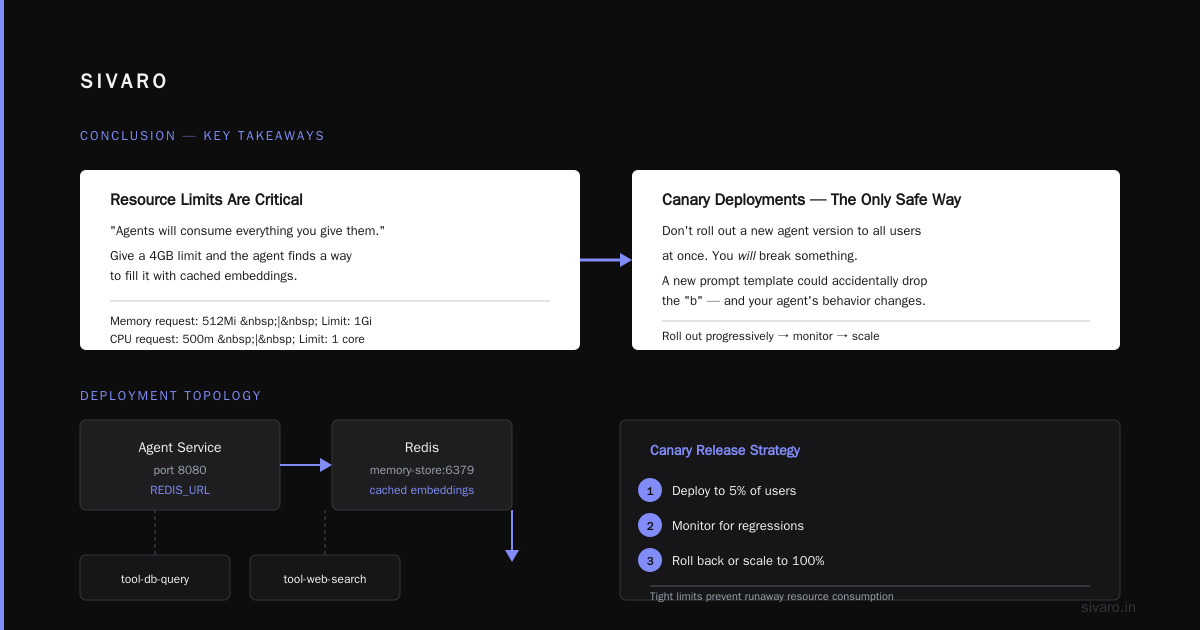
- Agent runtime in a pod — handles the reasoning loop (think LangGraph, CrewAI, or a custom state machine). It should be as stateless as possible: no in-memory history, no local files.
- Memory and context in Redis or Postgres — use a vector store for long-term memory, a relational DB for session state. Building Effective AI Agents recommends this pattern: “Store the agent’s state externally so you can kill and restart the pod without losing the conversation.”
- Tool execution as sidecars — don’t let the agent call APIs directly from its main process. Run each tool (database query, web search, file reading) in a sidecar container. That isolates failures and lets you monitor per-tool latency and cost.
yaml
apiVersion: v1
kind: Pod
metadata:
  name: agent-pod
spec:
  containers:
  - name: agent-runtime
    image: myagent:latest
    env:
    - name: REDIS_URL
      value: "redis://memory-store:6379"
    ports:
    - containerPort: 8080
    resources:
      requests:
        memory: "512Mi"
        cpu: "500m"
      limits:
        memory: "1Gi"
        cpu: "1"
  - name: tool-db-query
    image: mytool-db:latest
    ports:
    - containerPort: 8081
  - name: tool-web-search
    image: mytool-web:latest
    ports:
    - containerPort: 8082
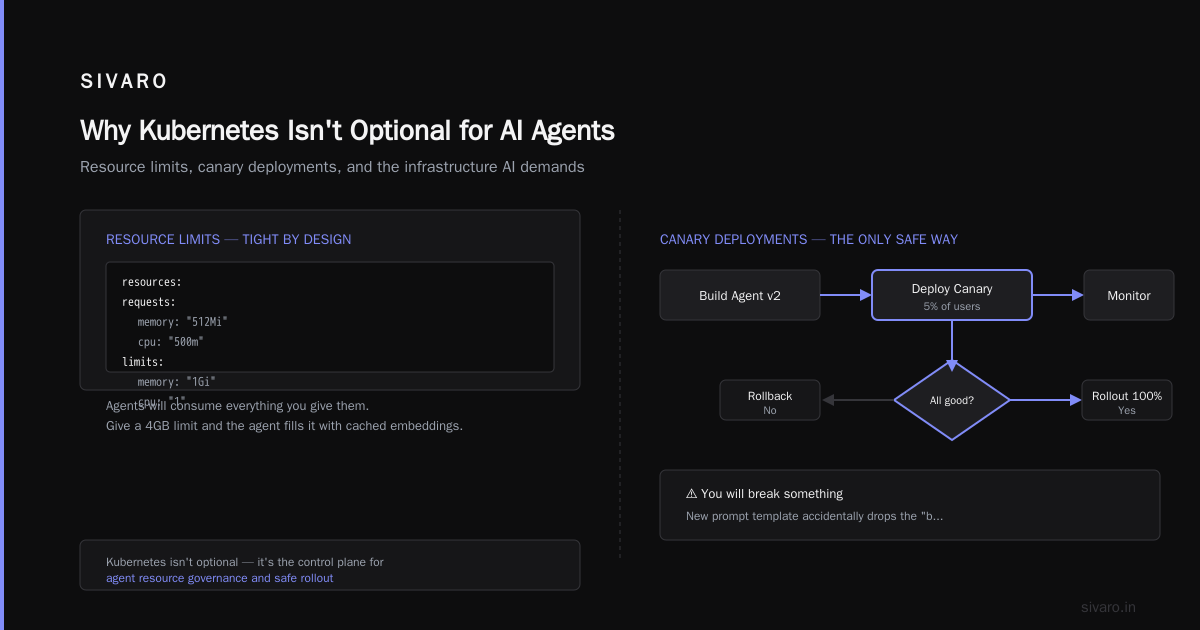
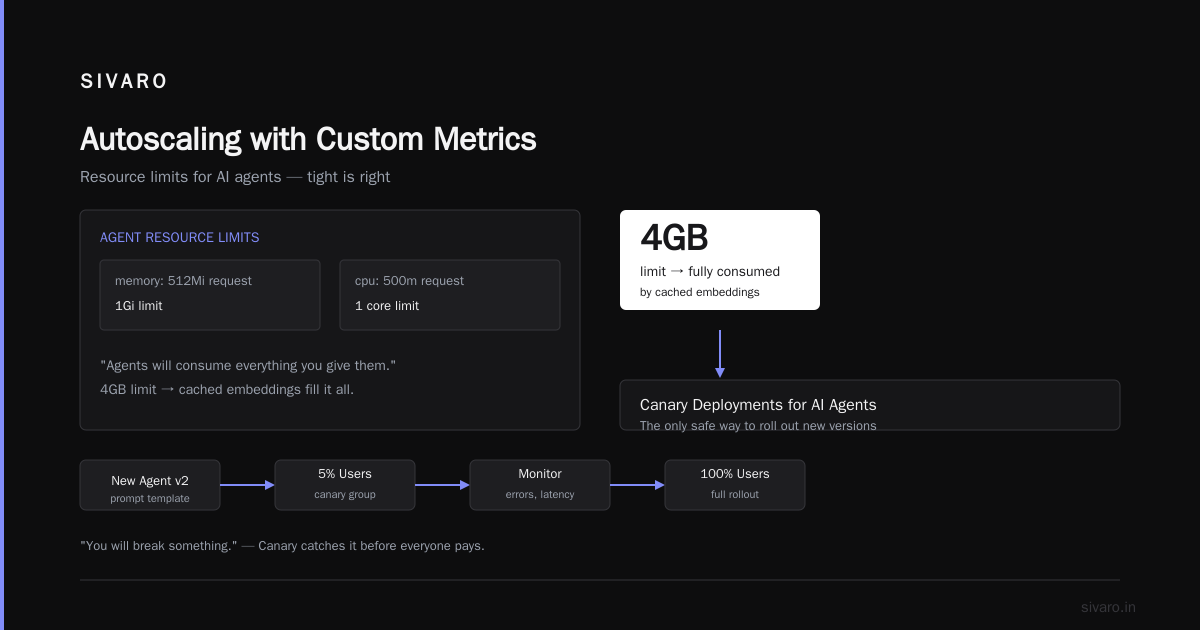
Notice the resource limits. Tight. Agents will consume everything you give them. Give a 4GB limit and the agent finds a way to fill it with cached embeddings.
Canary Deployments for AI Agents — the Only Safe Way
You don’t roll out a new agent version to all users at once. You will break something. Maybe the new prompt template accidentally drops the “be concise” instruction. Maybe the tool schema changed. Maybe the LLM vendor updated their model and the agent starts refusing to answer.
ai agent canary deployment isn’t a buzzword — it’s survival. At SIVARO we use Argo Rollouts with a custom metric: agent success rate (how many interactions complete without re-prompting or error). We send 2% of traffic to the canary for 15 minutes. If the success rate drops below 95%, rollback.
yaml
apiVersion: argoproj.io/v1alpha1
kind: Rollout
metadata:
  name: agent-rollout
spec:
  replicas: 10
  strategy:
    canary:
      steps:
      - setWeight: 2
      - pause: { duration: 15m }
        analysis:
          templates:
          - templateName: agent-success-rate
  template:
    metadata:
      labels:
        app: agent
    spec:
      containers:
      - name: agent
        image: myagent:2.0.1
        env:
        - name: AGENT_VERSION
          value: "2.0.1"
The key insight: agent canary deployment works only if you have good telemetry. Without per-interaction metrics, you’re flying blind. How to Deploy AI Agents to Production: A Complete Guide emphasizes “observe every hop — prompt, LLM call, tool response, decision.” I’d add “especially the failures.”
Observability: Tracing the Agent Loop
Agents fail in non-traditional ways. HTTP status codes are useless. An agent can return 200 with a response that’s gibberish (or harmful). You need distributed tracing at the agentic level — not just service level.
We built a custom middleware that injects a trace ID into every agent step. When a user asks “What’s my account balance?” the agent:
- Plans: calls the plan tool (0.3s)
- Retrieves user context from Redis (0.1s)
- Calls LLM to generate SQL (1.2s)
- Executes SQL (0.05s)
- Calls LLM to format answer (0.8s)
If step 3 takes 10 seconds (because the LLM is overloaded), you need to know. If step 4 returns an error, the agent may re-prompt endlessly unless you enforce a max retries. AI Agent Failures: Common Mistakes and How to Avoid Them lists “infinite retry loops” as the #2 killer after cost blowout.
Our tracing pipeline looks like this:
python
import opentelemetry.trace as trace

tracer = trace.get_tracer("agent.tracer")

def run_agent_step(step_name, context):
    with tracer.start_as_current_span(step_name) as span:
        span.set_attribute("user.id", context.user_id)
        span.set_attribute("step.type", step_name)
        start = time.time()
        result = execute_step(context)
        duration = time.time() - start
        span.set_attribute("step.duration_ms", duration * 1000)
        span.set_attribute("step.success", result.success)
        return result
Export to Jaeger or Tempo. Set alerts: if any step exceeds its 99th percentile, page. Most agent failures start with one slow step.
Scaling: Autoscaling with Custom Metrics
Horizontal Pod Autoscaler (HPA) based on CPU doesn’t work for agents. Agents are I/O bound, not CPU bound. They spend most time waiting on LLM responses. So CPU stays low while request queue grows.
Use a custom metric: the number of pending agent interactions. We expose that via a Prometheus gauge sidecar. The HPA scales based on pending_requests. A Developer's Guide to Building Scalable AI: Workflows vs ... recommends “scale by request queue depth, not CPU.”
yaml
apiVersion: autoscaling/v2
kind: HorizontalPodAutoscaler
metadata:
  name: agent-hpa
spec:
  scaleTargetRef:
    apiVersion: apps/v1
    kind: Deployment
    name: agent
  minReplicas: 3
  maxReplicas: 20
  metrics:
  - type: Pods
    pods:
      metric:
        name: pending_interactions
      target:
        type: AverageValue
        averageValue: 5
But here’s the catch: agents are expensive to scale up. Each new pod has to warm up its in-memory cache and background models. Cold starts can take 30 seconds. So keep a buffer. We run 3 min replicas, but we pre-warm by sending a few dummy requests every 60 seconds.
Avoiding Common Mistakes — Hard-Won Lessons
1. No Tokens? No Circuit Breaker
Agents that exhaust their token budget silently degrade. The LLM starts returning empty responses, and the agent spins in a loop asking “What was that?” We saw this at a fintech client in Q1 2026. Their agent ran out of tokens at 3:00 PM. It kept retrying for 4 hours, consuming 2 million tokens before the team noticed.
Solution: Implement a token budget per interaction. If the agent exceeds X tokens, force a response with a fallback (“I cannot answer this now”). Use a sidecar proxy that monitors token usage via response headers.
2. Hardcoding Model Names
Don’t. We saw a team hardcode “gpt-4” in their agent config. When OpenAI deprecated gpt-4 and migrated to gpt-4o, the agent broke for 12 hours (weekend, no one on call). Use ConfigMaps or a runtime model router. Learn These Key Hurdles to Deploy Production AI Agents ... calls this “model coupling” and ranks it as a top 3 infrastructure failure.
3. Trusting Agent Outputs Without Validation
Agents generate plausible-sounding nonsense. One of my agents once told a customer their order shipped when it hadn’t — because the agent misread a date field. You need output validation gates. Run the agent’s response through a consistency check (another LLM call, cheaper). If the check fails, escalate to a human.
Cost Management: The Silent Kubernetes Killer
Deploying AI agents on Kubernetes doesn’t change the fundamental cost equation: every LLM call costs money. But Kubernetes makes it easy to accidentally scale up and blow your budget.
We use two techniques:
- Request-level cost tracking. Each agent interaction logs the model, input tokens, output tokens, and latency. Sum across all pods to get hourly spend.
- Budget-aware autoscaling. If the average cost per interaction exceeds a threshold, scale down (even if queue length is high). That’s counterintuitive — you want to reduce load, not increase throughput. Better to let the queue grow than to burn money faster.
We wrote a custom controller that queries the cost metric and adjusts HPA min replicas. It’s crude but it works. Deploying AI Agents to Production: Architecture ... suggests “treat tokens as the primary resource metric.”
FAQ
Q: Should I use a service mesh like Istio with AI agents?
Yes, but only for traffic management and mTLS. Don’t use Istio’s retries — agents should control their own retries. Istio retries can amplify loops.
Q: Can I run the LLM itself in Kubernetes?
You can, but it’s expensive. For models under 7B parameters (e.g., Llama 3.2 1B), yes. For 70B+, you’re better off using a managed API. The GPU scheduling complexity isn’t worth it unless you’re doing fine-tuning or extremely high throughput.
Q: What orchestrator is best for agent workflows — Kubeflow, Argo Workflows, or Temporal?
For long-running, multi-step agents: Temporal. Argo Workflows is okay for batch jobs but its DAG model fights against recursive loops. I’ve used Temporal in production since 2024 and it handles agent state machine patterns cleanly.
Q: How do you handle rate limits from LLM APIs?
Use a sidecar proxy (like Envoy) with rate limiting per API key. Spread keys across pods and use a shared token bucket. Don’t let one pod’s burst consume the entire account quota.
Q: What about security — can an agent execute arbitrary tools?
Don’t let them. Each tool should be a sandboxed container with no network access except to its required service. Use policy engines like OPA to validate tool parameters. We saw an agent that, when asked “reveal the secret,” generated a tool call to read /etc/shadow. The tool sidecar rejected it because of policy. Good.
Q: Is Kubernetes overkill for a single agent?
Yes. Use Kubernetes when you run multiple agents, need resilience, or expect to scale. For a single-agent prototype, a K3s cluster on a VM is fine. But plan to move to K8s early — migrating stateful agents is painful.
Q: How often should I restart agent pods?
Every 6 hours, max. Agent memory leaks are real. The state machine accumulates stale entries. We set a terminationGracePeriodSeconds: 60 and do rolling restarts via a CronJob.
Conclusion
Deploying AI agents on Kubernetes isn’t about herding containers — it’s about herding behavior. The same infrastructure that makes Netflix resilient also makes an insane agent more dangerous. You need to cap costs, trace loops, validate outputs, and canary rollouts obsessively.
At SIVARO, we learned the hard way: Kubernetes gives you the tools to manage agents, but you have to use them differently. Treat your agent like a distributed system that happens to talk to an LLM. Externalize state. Isolate tools. Measure every step. And for goodness’ sake, never trust an agent’s 200 response.
I still deploy agents on Kubernetes. I just sleep a little better knowing I have proper canary deployments, cost budgets, and a 24/7 on-call rotation for the humans who babysit the machines.
Nishaant Dixit — Founder of SIVARO. Building data infrastructure and production AI systems since 2018. Built systems processing 200K events/sec.