 SIVARO
Docker Best Practices for Small Teams 2026
Here’s the thing about Docker: it’s not the hard part. The hard part is deciding how much orchestration you actually need before you've burned six months of engineering time on YAML files that no one understands.
I built SIVARO on a stack that started with a single docker-compose.yml file. We processed 200K events/sec at peak with that setup. We didn't need Kubernetes. Most small teams don't.
But the Docker ecosystem changed in 2025. Docker Desktop licensing got stricter, the daemon architecture came under fire, and a wave of daemonless alternatives like Finch, Podman, and Lima grew up. If you're running a small team today, you have more options — and more confusion — than ever before.
This guide is about what actually works in 2026. Not what works for a 500-engineer org at a Fortune 100. What works for you and your five or fifteen person team.
The Core Question: Compose or Kubernetes?
Most people think the progression is Docker → Kubernetes. They're wrong.
The real progression is Docker → Docker Compose → More Docker Compose → Kubernetes (only if you truly need it).
Docker Compose is a tool for defining and running multi-container applications. You write a YAML file that describes your services, networks, and volumes. You run docker compose up. Done.
Kubernetes is a distributed system for managing containers across multiple machines. It gives you service discovery, auto-scaling, self-healing, and rolling deployments. It also gives you a steep learning curve, a mountain of YAML, and a cluster that needs babysitting.
Docker Compose vs Kubernetes: A Practical Decision Guide breaks this down well. The core insight is that Compose is ideal for single-host deployments. Kubernetes is for multi-host, multi-team, high-availability scenarios.
For a small team, the decision tree is simple:
- One server? Use Compose.
- A few servers with low traffic? Use Compose with a load balancer.
- Multiple servers with autoscaling needs? Kubernetes.
- Building a platform that other teams will deploy to? Kubernetes.
The mistake I see repeatedly is teams jumping to Kubernetes because they think it's the "real" way to do containers. They hire a platform engineer. They spend three months migrating. Their deployment time went from 2 minutes to 15 minutes because of all the CI pipeline complexity.
It's not worth it.
SFEIR's analysis of Docker Compose vs Kubernetes makes a similar point: Kubernetes solves problems most teams don't have. If you don't need multi-node orchestration, you're paying for complexity you never use.
Compose Is the Production-Ready Workhorse You Think It Isn't
At first I thought Docker Compose was just for local development. Turns out it's also a production deployment tool — if you configure it right.
Here's the thing that changed everything for me: Docker Compose supports health checks, restart policies, and resource limits. Those three features solve 90% of the reliability problems small teams face.
Let me show you what I mean.
yaml
services:
  api:
    build: .
    ports:
      - "8080:8080"
    restart: unless-stopped
    healthcheck:
      test: ["CMD", "curl", "-f", "http://localhost:8080/health"]
      interval: 30s
      timeout: 10s
      retries: 3
      start_period: 40s
    deploy:
      resources:
        limits:
          cpus: "1.0"
          memory: 512M
  postgres:
    image: postgres:16
    volumes:
      - pgdata:/var/lib/postgresql/data
    restart: unless-stopped
    healthcheck:
      test: ["CMD-SHELL", "pg_isready -U postgres"]
      interval: 10s
      timeout: 5s
      retries: 5

volumes:
  pgdata:
That's a production-ready API server. The restart: unless-stopped policy means the container comes back if it crashes. The health check tells the orchestrator when the service is actually ready. The resource limits prevent one container from starving the host.
The Dockerfile vs docker-compose.yml distinction confuses a lot of people. TheServerSide's explanation is clear: the Dockerfile builds an image, the compose file runs it. They're two layers of the same system. The Dockerfile is your blueprint; compose is your operations manual.
The Daemon Problem: Docker Alternatives Without a Daemon
Docker's traditional architecture uses a central daemon (the dockerd process). This daemon is powerful but also a single point of failure. If the daemon hangs, your containers hang.
In 2025 and 2026, we've seen a shift. Podman, Finch, and other container engines run rootless, daemonless architectures. They don't require a central process. Each container runs in its own process tree.
I've been testing Podman for SIVARO's internal tooling since early 2025. The compatibility is surprisingly good. We run podman compose with our existing compose files. It just works.
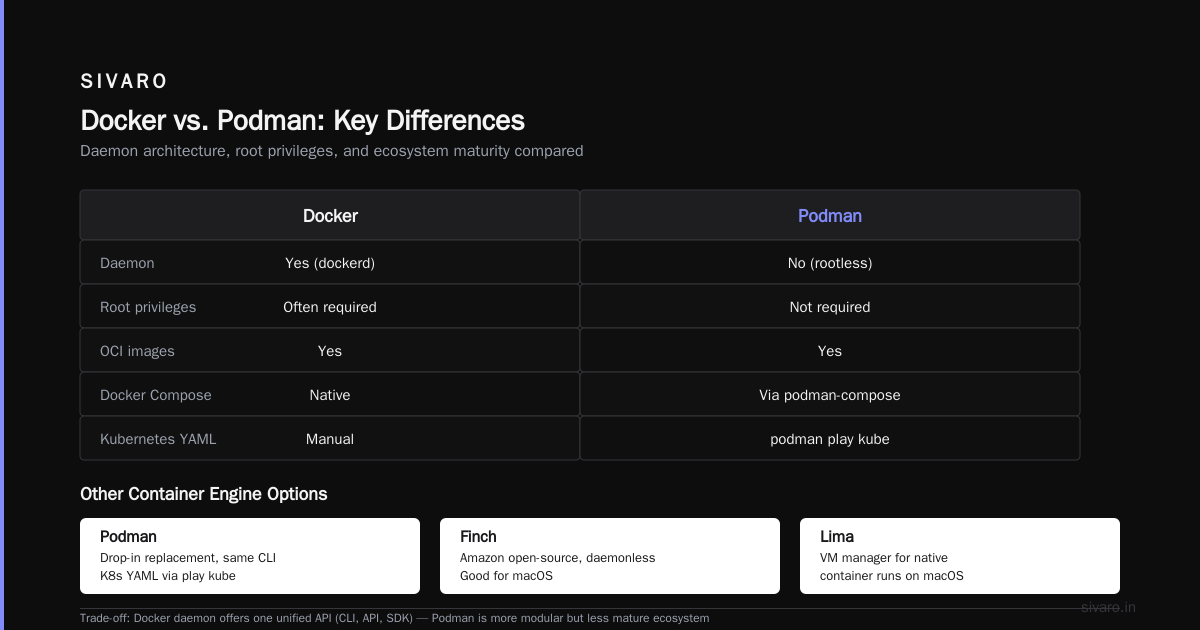
If you're looking for a docker alternative without daemon, you have solid options:
- Podman: Drop-in replacement. Uses the same CLI syntax. Supports Kubernetes YAML generation with
podman play kube. - Finch: Amazon's open-source project. Uses the same OCI containers but with a daemonless architecture. Good for macOS.
- Lima: Not a container engine itself, but a VM manager that lets you run containers natively on macOS.
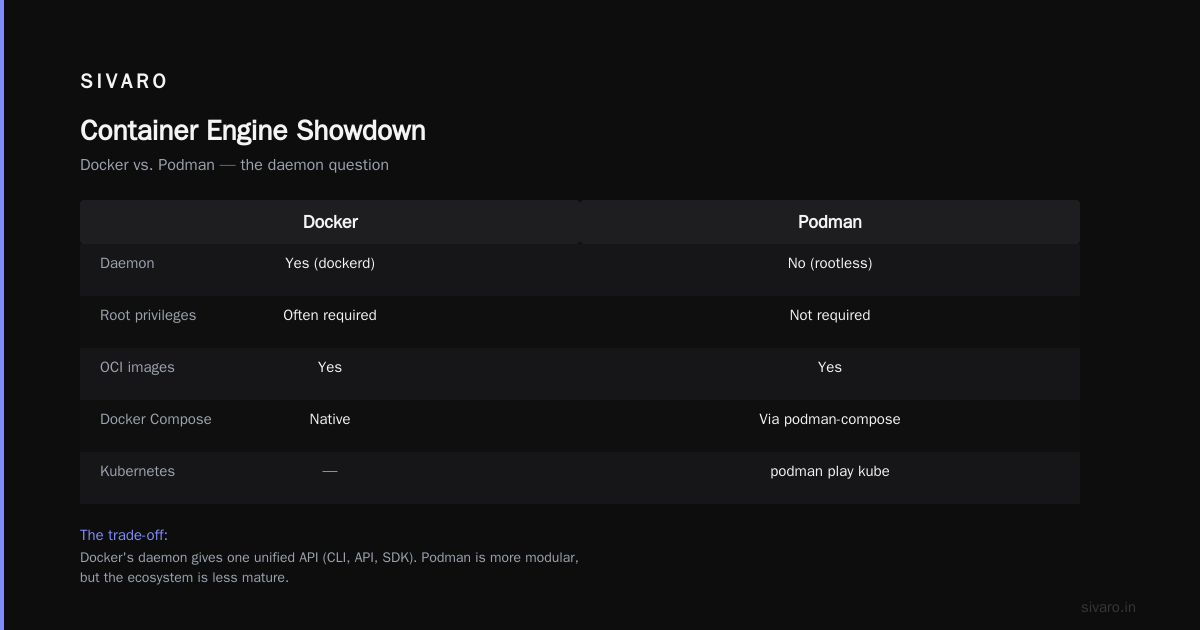
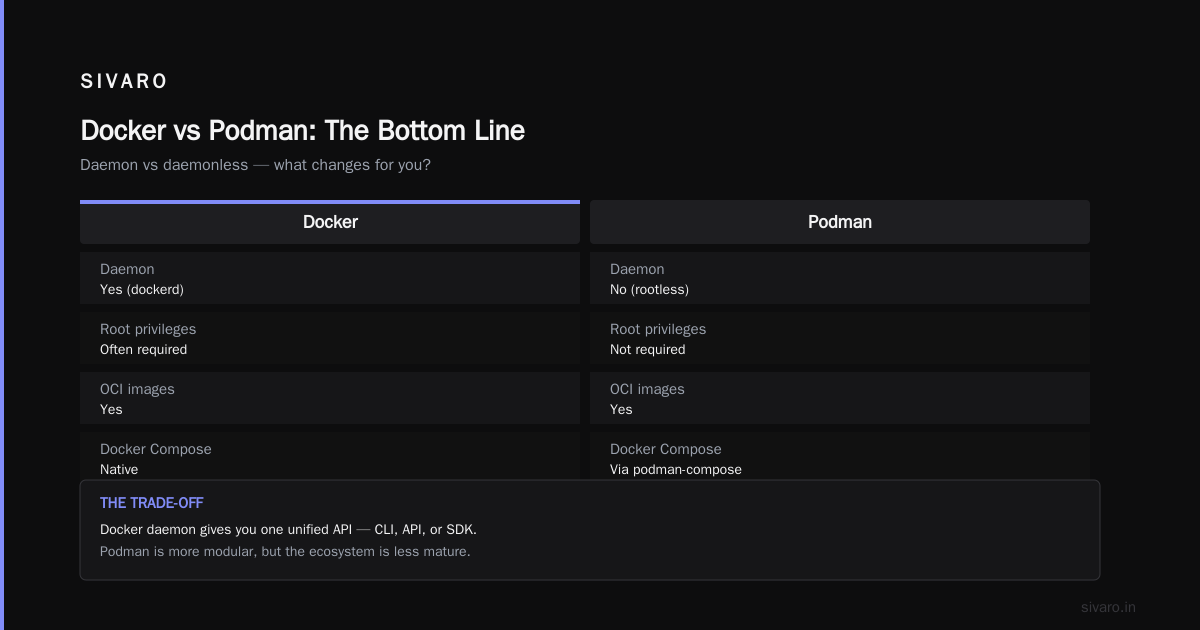
The trade-off? The Docker daemon gives you one unified API. You can interact with it via CLI, API, or SDK. Podman is more modular, but the ecosystem is less mature.
A quick comparison:
| Feature | Docker | Podman |
|---|---|---|
| Daemon | Yes (dockerd) | No (rootless) |
| Root privileges | Often required | Not required |
| OCI images | Yes | Yes |
| Docker Compose | Native | Via podman-compose |
| Kubernetes YAML | Via kompose | Native (podman play kube) |
The migration path is easy. Our CI/CD pipeline switched from Docker to Podman with minimal changes. We use podman build instead of docker build. We use podman compose up instead of docker compose up.
But if you're on a small team with limited time, don't switch for the sake of switching. Only migrate if the daemon architecture is causing you problems. Otherwise, you're solving a problem you don't have.
The Windows 11 Home Question
Here's a question I get constantly: can you run docker on windows 11 home?
The short answer is: it's complicated.
Docker Desktop on Windows requires Hyper-V or WSL 2. Windows 11 Home supports WSL 2, which is the path most people take. But there are gotchas.
The current state of affairs in 2026:
-
Docker Desktop with WSL 2: Works. You install WSL 2, install Docker Desktop, and it uses WSL 2 as the backend. The catch? Docker Desktop requires a paid license for companies with more than 250 employees or $10M+ in annual revenue. Small teams often don't hit that threshold, but the licensing terms are confusing.
-
Docker Engine in WSL 2 directly: You can install Docker Engine inside a WSL 2 distro. This bypasses Docker Desktop entirely. It's free, but you lose the GUI and the seamless Windows integration.
-
Podman with WSL 2: Same approach, but with Podman instead of Docker. Rootless by default. No licensing issues.
My recommendation for small teams: skip Docker Desktop and install Docker Engine in WSL 2. It's the most cost-effective and avoids license compliance headaches.
Here's the setup I use:
bash
# Inside WSL 2 (Ubuntu 24.04)
curl -fsSL https://get.docker.com -o get-docker.sh
sudo sh get-docker.sh
sudo usermod -aG docker $USER
newgrp docker

# Test it
docker run hello-world
Then in Windows, you can use the docker CLI from PowerShell if you enable WSL interop. It's not as pretty as Docker Desktop, but it's free and it works.
What Docker Compose Gets Right (and Wrong)
Let me talk about what Docker Compose gets wrong before I praise it. It's single-host. If your server goes down, everything goes down. You need a backup plan, whether that's automated backups or a failover strategy.
But for the small team, the upsides far outweigh the downsides.
Compose is declarative. Your entire application stack is defined in one YAML file. New team members can look at that file and understand the architecture in minutes. The learning curve is shallow.
Docker's own documentation on Compose emphasizes this: Compose lets you define services, networks, and volumes in one place. You don't need to know the internal details of each container.
The best practice is to separate compose files by environment:
.
├── docker-compose.yml          # Base configuration
├── docker-compose.dev.yml      # Dev overrides
├── docker-compose.prod.yml     # Production overrides
└── .env                        # Environment variables
Then you run docker compose -f docker-compose.yml -f docker-compose.prod.yml up -d.
This pattern keeps your dev and prod configurations in sync while allowing differences where they matter. Dev might use a bind mount for hot reloading; prod uses baked-in code.
The Future: Devfiles and Devcontainers
Here's a contrarian take: Dockerfile and Docker Compose might not be the future for development environments.
Devfile and devcontainer vs. Dockerfile and Docker-Compose outlines the shift. Devfiles and devcontainers are designed specifically for development environments, not just for running production containers.
The key difference: a Dockerfile builds a production image. A devcontainer defines a development environment with tools, extensions, and settings baked in. It's a better developer experience.
In 2026, we're seeing more teams adopt devcontainers for development and Docker Compose for production. It's a pragmatic split. Developers get consistent environments, and ops gets a stable production definition.
But don't feel pressured to adopt devcontainers if your team is happy with Docker Compose for local dev. It's a nice-to-have, not a must-have.
Container Image Best Practices That Actually Matter
Let's talk about the Dockerfile itself. Because I've seen some truly awful Dockerfiles that produce 2GB images for a simple Python API.
Use Multi-Stage Builds
This is the single biggest win for keeping images small.
dockerfile
# Stage 1: Build
FROM golang:1.23 AS builder
WORKDIR /app
COPY go.mod go.sum ./
RUN go mod download
COPY . .
RUN CGO_ENABLED=0 GOOS=linux go build -o /app/server

# Stage 2: Runtime
FROM alpine:3.20
RUN apk --no-cache add ca-certificates
WORKDIR /app
COPY --from=builder /app/server .
USER 1000:1000
EXPOSE 8080
CMD ["./server"]
That produces a tiny image. The Go binary has no dependencies, and Alpine keeps the base small.
Pin Your Base Images
This is a big one. You shouldn't use FROM python:latest or even FROM python:3.13 unless you've verified the digest.
Pin to the digest:
dockerfile
FROM python:3.13-slim@sha256:adab3e1f1234567890abcdef1234567890abcdef1234567890abcdef12345678
This guarantees reproducibility. The same Dockerfile builds the same image today, tomorrow, and a year from now. If you want updates, you update the digest intentionally.
At SIVARO, we use Renovate to automatically update base image digests in our Dockerfiles. It opens a PR when a new digest is available. We review and merge. This keeps our images fresh without manual tracking.
Run as Non-Root
This is a security best practice that's easy to implement.
dockerfile
RUN groupadd -r app && useradd -r -g app app
USER app
Don't run containers as root. In 2026, that's basic hygiene.
The "Docker Best Practices for Small Teams 2026" Checklist
If you remember nothing else, remember this checklist:
- [ ] Use Docker Compose for single-host production
- [ ] Only move to Kubernetes when you need multi-host orchestration
- [ ] Pin base images to digests
- [ ] Use multi-stage builds to keep images small
- [ ] Run containers as non-root
- [ ] Add health checks to every service
- [ ] Set resource limits
- [ ] Use
restart: unless-stopped - [ ] Keep secrets out of Dockerfiles and compose files
- [ ] Use environment-specific compose files
- [ ] Automate base image updates with Renovate or Dependabot
- [ ] Set up log rotation for your containers
- [ ] Back up your volumes
That's it. That's the list.
Secrets Management: The Dirty Secret of Docker Compose
Let's talk about the elephant in the room: secrets in Docker Compose.
Docker Compose doesn't have native secrets management like Docker Swarm does. You have a few options:
- Environment variables: Simple, but visible in
docker inspectand in the compose file. .envfiles: Gitignored, but you need to manage the file distribution.- Docker secrets: Works with Swarm, not with standalone Compose.
- External vault: HashiCorp Vault, AWS Secrets Manager, or similar.
My recommendation: use an external vault if you have more than a few secrets. For small teams, .env files with gitignore and a secure backup strategy might be enough.
Here's what I mean:
yaml
services:
  api:
    env_file:
      - .env.prod
The .env.prod file is not in git. It's on the server. It has all the secrets.
This isn't perfect. The secrets are in plaintext on the server. But for a small team, it's a reasonable trade-off. You don't need a 10-step secret management flow for a team of five.
The Watchtower Pattern: Automated Updates Done Right
One of the best things about Docker Compose in production is the ability to automate updates with Watchtower.
Watchtower is a tool that watches your running containers and automatically restarts them when a new image is pushed. It's a simple pattern that works surprisingly well.
yaml
services:
  watchtower:
    image: containrrr/watchtower
    volumes:
      - /var/run/docker.sock:/var/run/docker.sock
    command: --interval 300 --cleanup
In this setup, Watchtower checks for new images every 5 minutes, pulls them, and recreates containers. Combined with health checks, this gives you a primitive but effective auto-update system.
Is this a good idea for production? It depends on your risk tolerance.
For a small team with low traffic, it's great. You ship to the registry, and your server picks up the change within 5 minutes. No CI/CD pipeline needed.
For higher-stakes systems, you'd want staged rollouts and rollback capabilities. But for a small team, the simplicity of Watchtower often beats the complexity of a full deployment pipeline.
The CI/CD Pipeline for Docker
You don't need a complex CI/CD pipeline to ship Docker containers. You need a simple pipeline that builds, tests, and pushes.
A GitHub Actions workflow that does this:
yaml
name: Build and Push

on:
  push:
    branches: [main]

jobs:
  build:
    runs-on: ubuntu-latest
    steps:
      - uses: actions/checkout@v4
      - uses: docker/setup-buildx-action@v3
      - uses: docker/login-action@v3
        with:
          registry: ghcr.io
          username: ${{ github.actor }}
          password: ${{ secrets.GITHUB_TOKEN }}
      - uses: docker/build-push-action@v6
        with:
          context: .
          push: true
          tags: ghcr.io/yourorg/yourapp:${{ github.sha }}
Then you SSH into your server and run:
bash
docker compose pull
docker compose up -d
That's it. That's the pipeline.
Logging and Observability for Small Teams
Docker's default logging is to stdout. You need a way to collect and query those logs.
For small teams, I recommend a simple setup:
- Use
json-filelogging driver with rotation - Ship logs to a central service like Axiom or Better Stack
- Use Docker's built-in log rotation to prevent disk exhaustion
yaml
services:
  app:
    logging:
      driver: json-file
      options:
        max-size: "10m"
        max-file: "3"
This rotates logs at 10MB per file and keeps 3 files. No disk full surprises.
The Hard Truth About Docker and Small Teams
Most people think Docker is a magic bullet. It's not. It's a tool. It can simplify your deployment, but it can also add complexity.
Here's the hard truth: Docker doesn't solve your architecture problems. If your application has tight coupling between services, Docker will just make that coupling easier to deploy. It won't fix the coupling.
Docker also doesn't solve your scaling problems. If your application has a performance bottleneck, adding more containers won't help. You need to find and fix the bottleneck.
What Docker does solve is the packaging and distribution problem. It makes your application portable and reproducible. That's valuable, but it's not everything.
When to Make the Jump to Kubernetes
Let me give you a concrete answer to when you should switch to Kubernetes. It's not about traffic. It's about operational needs.
Switch to Kubernetes when you need:
- Multi-node scaling: You need to run containers on more than one server for capacity or availability.
- Self-healing: You want automatic container restart on failure (Compose does this with
restart: unless-stopped, but Kubernetes does it across nodes). - Rolling deployments: You want zero-downtime deployments with automatic rollback.
- Multi-team environments: Different teams need to deploy services to a shared cluster.
I recently spoke with a startup founder in Bangalore who moved to Kubernetes because they needed to deploy 50 microservices with independent release cycles. Compose couldn't handle that. They made the right call.
But I also spoke with a founder in Pune who moved to Kubernetes for a monolithic app. That was a mistake. The complexity wasn't justified by the workload.
The distr.sh article puts it well: Kubernetes is the right choice when you need to manage complex distributed systems. Docker Compose is the right choice when you want to run a set of services on a single host.
Docker Best Practices FAQ
Q: Should I use Docker Compose for production?
Yes. Docker Compose is production-ready for small teams. It handles the common cases well: running multiple containers, networking them together, and managing volumes.
Q: Is Docker Compose still relevant in 2026?
Absolutely. Docker Compose remains the simplest way to define and run multi-container applications. It's the default choice for small teams and even some medium-sized teams. The new features in Compose v2.30+ and beyond have kept it relevant.
Q: Can you run docker on windows 11 home?
Yes. You can run Docker Engine in WSL 2 on Windows 11 Home. Docker Desktop also works via WSL 2, but it has licensing requirements for larger organizations. For small teams, the WSL 2 approach is free and effective.
Q: What is the docker alternative without daemon?
Podman is the leading docker alternative without daemon. It's rootless, daemonless, and compatible with Docker CLI syntax. Amazon Finch is another option, particularly for macOS users.
Q: Should I use Kubernetes or Docker Compose?
Use Docker Compose for single-host deployments. Use Kubernetes for multi-host orchestration with high availability, autoscaling, and multi-team support. Most small teams don't need Kubernetes.
Q: How do I keep my Docker images small?
Use multi-stage builds, minimal base images like Alpine, and avoid installing unnecessary packages. Clean up apt caches and temporary files in the same RUN command to reduce layer size.
Q: How do I handle secrets in Docker Compose?
For small teams, use .env files with proper permissions. For larger teams, use a secret management tool like HashiCorp Vault or cloud-native secret managers.
The Bottom Line
Docker best practices for small teams in 2026 are about staying lean. Use Docker Compose for production. Use health checks and restart policies. Pin your base images. Run as non-root. Automate your base image updates. Use Watchtower for simple auto-updates. Only move to Kubernetes when you genuinely need it.
Don't get seduced by the complexity. The goal is shipping software that works. Docker is a means to that end, not the end itself.
We run production systems on Docker Compose today. We've served hundreds of millions of requests with that setup. It works.
If you need a docker alternative without daemon, Podman is ready. If you're wondering whether you can run docker on windows 11 home, the answer is yes. And if you're wondering when to switch to Kubernetes, the answer is later than you think.
Stay lean. Stay pragmatic. Ship.
Nishaant Dixit — Founder of SIVARO. Building data infrastructure and production AI systems since 2018. Built systems processing 200K events/sec.