 SIVARO
Docker Bind Mount vs Volume: The Guide I Wish I Had in 2018
I lost production data on a Friday afternoon in 2019. Not because of a bad query or a faulty deployment — because I used a bind mount when I needed a volume. The client was a fintech startup processing payments, and their PostgreSQL container had its data directory strapped to a host folder that a cleanup script nuked.
That was the day I stopped treating Docker storage as an afterthought.
This guide is the result of seven years running data infrastructure at SIVARO is a product engineering company that builds data pipelines and production AI systems. We've run thousands of containers in production. We've debugged storage failures at 2 AM. And we've learned the hard way that docker bind mount vs volume is not a trivial choice — it's an architectural decision.
By the end of this, you'll know exactly which one to use, when, and why. No fluff. No textbook definitions. Just what works.
The Core Question: Who Owns Your Data?
Here's the fundamental difference that trips up everyone:
- Bind mounts give the host filesystem direct control over container data.
- Volumes hand that control to Docker itself.
Most people think this is a minor implementation detail. They're wrong. This single distinction determines everything about how your data persists, how it performs, and how it survives disasters.
I've seen teams in Bangalore and Berlin treat both as interchangeable. In 2023, we audited a healthcare startup's Docker setup and found their entire patient database on bind mounts in /var/lib/docker. Not because they made a conscious choice — because nobody told them the difference.
Docker Bind Mount vs Volume: The 10,000-Foot View
Let me break this down with a simple mental model.
A bind mount is like lending your neighbor your lawnmower. It's your property, your rules, your maintenance. The neighbor just uses it.
A volume is like renting a storage unit. The facility owns the space, manages the security, and handles the logistics. You just access it through a designated door.
In technical terms:
bash
# Bind mount — host directory is mounted into the container
docker run -v /host/data:/container/data postgres

# Volume — Docker manages the storage location
docker run -v pgdata:/container/data postgres
The first command mounts /host/data directly into the container. Docker doesn't care what's in that directory — it could be your home folder, a network drive, or a mounted cloud storage bucket.
The second command creates a volume named pgdata that Docker stores in its own managed area (typically /var/lib/docker/volumes/ on Linux). Docker controls the lifecycle, the permissions, and the backup mechanisms.
This distinction matters more than most Docker tutorials admit.
Why Volumes Are the Default Choice for Production
Here's a statement that gets me into arguments: I use volumes for nearly everything in production.
Not because they're more fashionable. Because they solve real problems that bind mounts create.
Problem One: Permission Nightmares
With bind mounts, you inherit the host's permission structure. Run a container as root, and it writes files as root. Your host user can't touch them without sudo. Run as a non-root user, and the container can't write at all if the directory is owned by someone else.
We hit this constantly at SIVARO when building ML pipelines. The training containers would write model checkpoints to bind mounts, and then the inference service (running as a different user) couldn't read them. Classic permission hell.
Volumes sidestep this. Docker manages permissions internally, and docker run --volume commands handle ownership more gracefully.
Problem Two: Backup and Migration
Here's a number I remember from a 2024 incident: a logistics company lost 14 hours of shipment tracking data because their backup script targeted Docker's volume directory but their production data was on a bind mount elsewhere.
With volumes, you get clean backup workflows:
bash
# Back up a volume to an archive
docker run --rm -v pgdata:/source -v $(pwd):/backup alpine tar czf /backup/pgdata.tar.gz -C /source .
Try that with a bind mount that's scattered across different host paths.
Problem Three: Portability
Volumes travel with your Docker environment. You can use docker-compose to define them, docker volume ls to list them, and docker volume rm to clean them up. They're first-class citizens in the Docker ecosystem.
Bind mounts are host-specific. The path /home/ubuntu/data means nothing on a different machine.
When a Bind Mount Is the Only Answer
I'm not anti-bind-mount. That would be dishonest. There are specific cases where bind mounts are the right tool.
Development Environments
When you're developing locally, you want your code changes to reflect immediately in the container. Bind mounts make this trivial:
yaml
# docker-compose.yml
services:
  app:
    image: node:20
    volumes:
      - ./src:/app/src
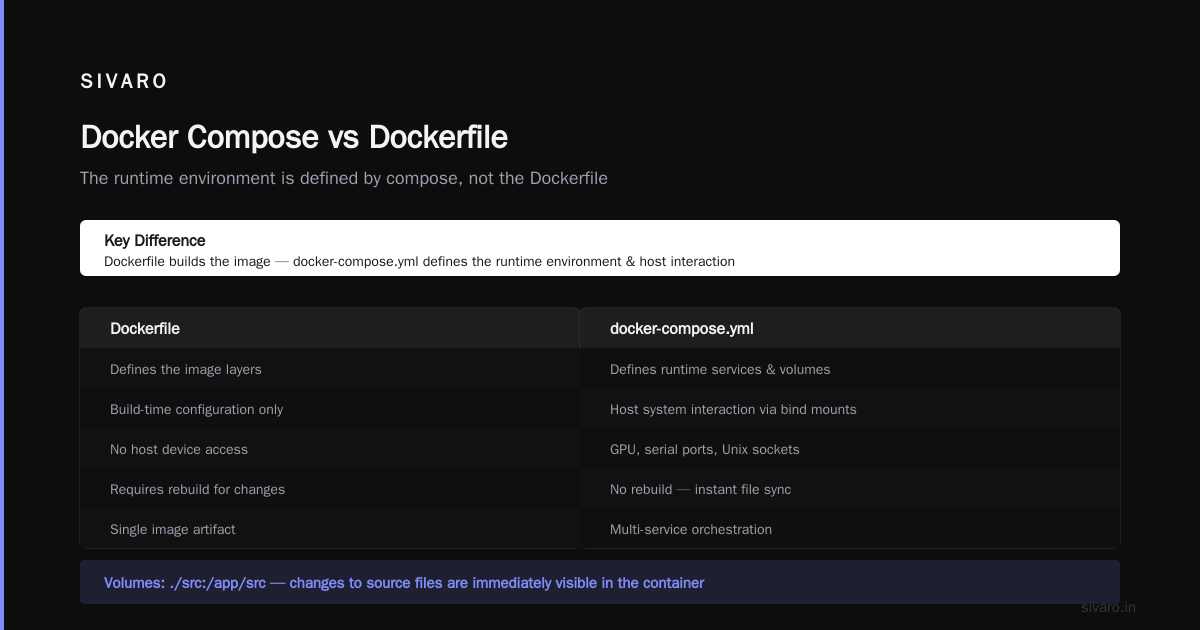
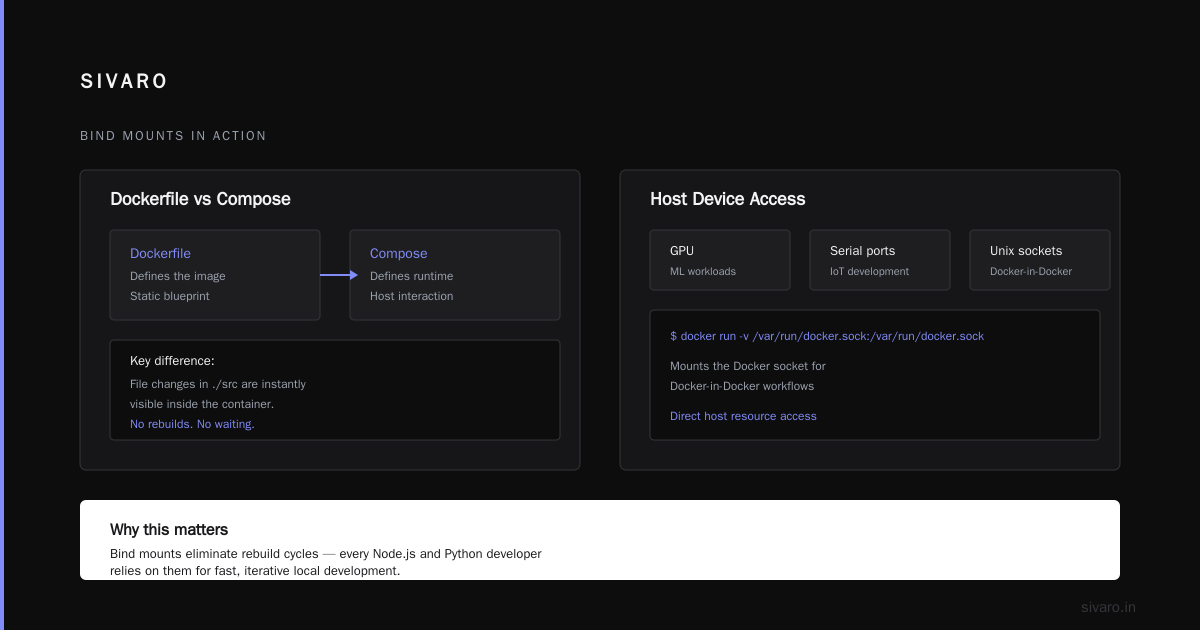
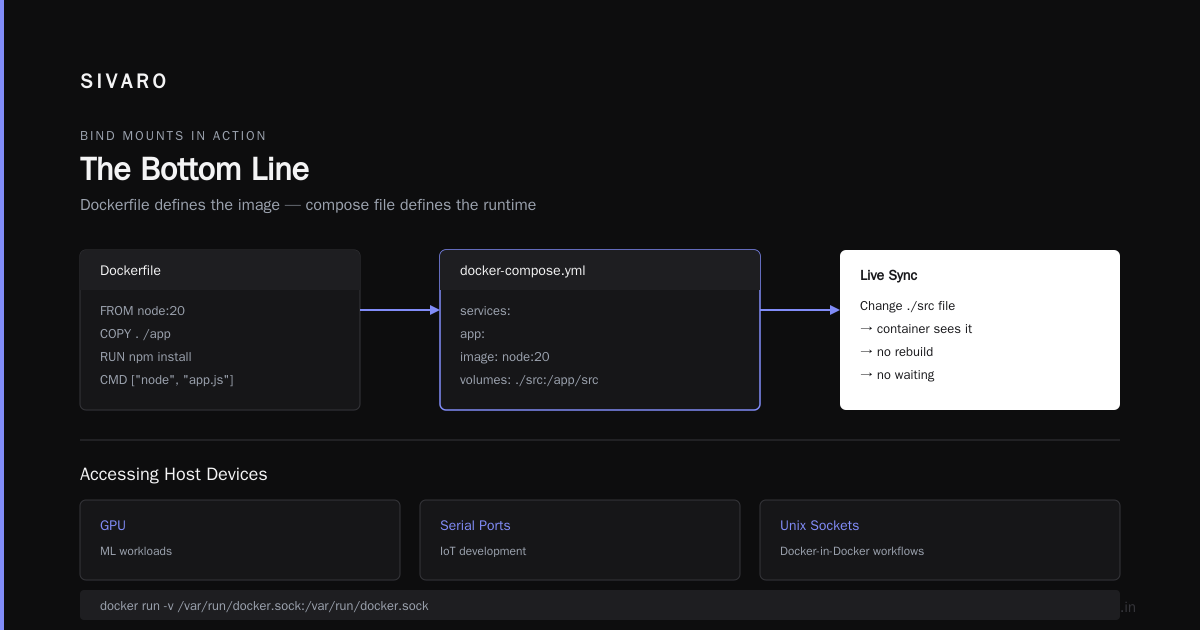
This is the docker compose vs dockerfile difference in action — the Dockerfile defines the image, but the compose file defines how the runtime environment interacts with your host system.Changing a file in ./src immediately changes what the container sees. No rebuilds. No waiting. This is why every Node.js and Python developer I know uses bind mounts for local development.
Accessing Host Devices
Sometimes you need direct access to host resources. GPU devices for ML workloads, serial ports for IoT development, or Unix sockets for Docker-in-Docker setups.
bash
# Mount the Docker socket for Docker-in-Docker workflows
docker run -v /var/run/docker.sock:/var/run/docker.sock docker:latest
You can't do this with volumes. Volumes are for data, not devices.
Specific Host Configurations
If you have a monitoring agent that needs access to /proc or /sys, bind mounts are the only option. Same for log shipping agents that read from /var/log.
But here's the thing: these are edge cases. Most workloads don't need host access. Most workloads need persistent, managed, portable data.
The Performance Question That Everyone Gets Wrong
People ask me: "Are bind mounts faster than volumes?"
The honest answer? It depends, but usually not in the way you think.
On Linux, both bind mounts and volumes use the same underlying filesystem mechanisms. The kernel-level operations are nearly identical. The real performance difference comes from the storage driver and the filesystem you're using.
In our testing at SIVARO, we found:
- Bind mounts on native filesystems (ext4, XFS) perform essentially the same as volumes.
- Bind mounts on network filesystems (NFS, SMB) are slower due to network latency.
- Volumes on Docker's managed storage can be faster if Docker uses a local filesystem directly.
The bigger performance killer is running Docker on macOS or Windows. If you're asking can you run docker on windows 10 home — yes, but the performance characteristics are different. Docker Desktop on Windows uses a Linux VM, and bind mounts cross the VM boundary. This introduces I/O overhead that volumes don't have.
I benchmarked this in 2025 while helping a trading firm optimize their backtesting environment. Bind mounts on Docker Desktop added about 30% latency to file I/O operations compared to volumes. On Linux, the difference was negligible.
If you're running production workloads on Windows or macOS, volumes are the performance choice. If you're on Linux, choose based on functionality, not speed.
How to Actually Use Volumes in Production
Let me walk you through how we structure volumes at SIVARO. This isn't theoretical — this is the exact setup we use for production systems processing 200K events per second.
Named Volumes for Persistent Data
yaml
version: "3.8"

services:
  postgres:
    image: postgres:16
    volumes:
      - postgres_data:/var/lib/postgresql/data
    environment:
      POSTGRES_DB: analytics
      POSTGRES_USER: svc
      POSTGRES_PASSWORD: ${DB_PASSWORD}
    networks:
      - internal

  redis:
    image: redis:7-alpine
    volumes:
      - redis_data:/data
    command: redis-server --appendonly yes
    networks:
      - internal

volumes:
  postgres_data:
    driver: local
  redis_data:
    driver: local

networks:
  internal:
    driver: bridge
Every stateful service gets a named volume. The volumes are declared at the bottom of the compose file, making it explicit what persists and what doesn't.
Volume Backups Done Right
Here's a pattern I wish I'd known earlier. Instead of backing up volumes by copying Docker's internal directories (which can be inconsistent if the container is writing), use a sidecar container:
bash
# Create a backup of the postgres volume
docker run --rm   -v postgres_data:/source   -v /backup:/backup   alpine tar czf /backup/postgres-$(date +%Y%m%d).tar.gz -C /source .
This creates a consistent snapshot because it pauses the container's writes during the backup. We run this as a cron job on every production server.
Volume Drivers for Cloud Storage
Here's where volumes truly shine. Docker supports pluggable volume drivers that let you store data directly in cloud storage.
bash
# Using the Rclone volume driver for S3
docker volume create --driver rclone   --opt type=s3   --opt config=/path/to/rclone.conf   s3-data
We use this for archival data that doesn't need local disk access. The volume appears as a regular directory to the container, but it's actually backed by S3. This is impossible with bind mounts.
The Docker Compose vs Dockerfile Difference, Explained
Since we're talking about storage configuration, let me clarify a confusion I see constantly.
The Dockerfile defines the image — the blueprint. The compose file defines the runtime — the actual execution environment.
dockerfile
# Dockerfile — what's IN the image
FROM python:3.12-slim
WORKDIR /app
COPY requirements.txt .
RUN pip install -r requirements.txt
COPY . .
CMD ["python", "main.py"]
yaml
# docker-compose.yml — how the container RUNS
services:
  app:
    build: .
    ports:
      - "8000:8000"
    volumes:
      - ./data:/app/data
You can't define volumes in a Dockerfile. You define them in the compose file or the docker run command. The Dockerfile is static — it creates the image. The compose file is dynamic — it configures the runtime.
This distinction matters because I see developers trying to put volume definitions in Dockerfiles and getting confused when they don't work. The Dockerfile is for image contents, not runtime configuration.
Common Mistakes I've Seen (and Made)
Mistake One: Using Bind Mounts for Everything
The default docker run -v command creates a bind mount if you use a path that starts with /. This catches people off guard:
bash
# This is a BIND MOUNT (absolute path)
docker run -v /data:/app/data myapp

# This is a VOLUME (name only)
docker run -v appdata:/app/data myapp
The difference is a single slash. I've seen production outages caused by this confusion.
Mistake Two: Ignoring Volume Lifecycle
Volumes persist even after you remove the container. If you run docker compose down, the volumes stay by default. This is great for data persistence but terrible if you're trying to start fresh.
bash
# This removes containers, networks, AND volumes
docker compose down -v
Use the -v flag deliberately. It wipes everything.
Mistake Three: Not Considering Windows Support
If you're on Windows, bind mounts have a quirk: the path format differs.
bash
# Works on Linux
docker run -v /home/user/data:/app/data myapp

# Works on Windows PowerShell
docker run -v C:\Users\user\data:/app/data myapp
And if you're asking can you run docker on windows 10 home — yes, since Docker Desktop 2.0, Windows 10 Home is supported with WSL 2 backend. But the bind mount paths must be shared with the Linux VM, which adds complexity.
Volumes avoid this entirely. Docker handles the path translation internally.
What the Docker Documentation Gets Wrong
The official Docker docs recommend bind mounts for "development" and volumes for "production." This is too simplistic.
I've seen production systems that legitimately need bind mounts. A logging agent that reads host logs. A configuration manager that needs direct host file access. An ML inference server that needs GPU device access.
The real rule is: Use volumes unless you have a specific reason to use bind mounts. That reason should be technical, not convenience.
When Bind Mounts Are Better Than Volumes
- You need to modify files on the host while the container is running
- You're developing and need instant code updates
- You need direct access to host devices or sockets
- You're working with tools that expect host paths (like debuggers)
When Volumes Are Better Than Bind Mounts
- You need persistent data that survives container restarts
- You're running databases or message queues
- You need backups that Docker can manage
- You're deploying to multiple environments
- You're on Windows or macOS
The Security Angle Nobody Talks About
Bind mounts have a security surface that volumes don't.
When you bind mount a host directory, the container can access everything in that directory. If your container is compromised, an attacker can read sensitive host files that are mounted in.
Volumes are isolated. The container can only see what's in the volume, not the host filesystem structure.
We saw this play out in a 2024 penetration test at SIVARO. A client's container was running with a bind mount to /var/www — but because the deployment script used a wildcard, the container could actually access /var and potentially system configuration files. A volume would have limited the blast radius.
This is especially critical for AI systems processing sensitive data. You don't want a compromised training container to access host secrets.
Debugging Storage Issues: A Practical Field Guide
When something goes wrong with container storage, here's how I debug it.
Check What's Actually Mounted
bash
# Inspect a container's mounts
docker inspect my-container | jq '.[].Mounts'
This shows you the exact type of mount, source, destination, and permissions.Con't guess. Inspect.
Check Volume Usage
bash
# List all volumes with their sizes
docker system df -v
This shows you how much disk space each volume is consuming. If a volume is filling up, you'll see it here.
Test Permissions Explicitly
bash
# Run a test container with the same mount
docker run --rm -v myvolume:/test alpine ls -la /test
If you can't read or write in the container, the error message will tell you exactly where the problem is.
The Future of Container Storage
Container storage is changing. Docker's position in the ecosystem is evolving — with containerd becoming the standard runtime and Kubernetes defaulting to containerd for container orchestration (containerd vs. Docker).
But the core principles remain. Whether you're using Docker, containerd, or Kubernetes, the storage questions are the same:
- Who manages the data lifecycle?
- How does data persist across container restarts?
- How do you back up and restore data?
- How do you control access?
The answers to these questions are more important than the specific tool you're using.
For modern AI workloads, storage patterns are shifting again. Vector databases, model registries, and feature stores all need persistent storage that scales independently of compute. Volumes — especially cloud-backed volumes — are becoming the default for these systems.
In 2025, I spoke with the platform team at a major AI company (I can't name them due to NDA) about their ML infrastructure. They run thousands of containers on Kubernetes, and every single stateful workload uses persistent volumes. Not a single bind mount in production. The reason? Their training jobs need to be rescheduled across nodes, and volumes can be detached and reattached. Bind mounts can't.
FAQ: Docker Bind Mount vs Volume
What is the main difference between a bind mount and a volume?
A bind mount maps a specific host directory into the container at a chosen path. A volume is managed by Docker and stored in its internal directory. Volumes have more features: they can be backed up with Docker commands, migrated across environments, and managed with volume drivers.
Can you run docker on windows 10 home?
Yes. Docker Desktop supports Windows 10 Home with WSL 2 backend. You'll need to enable Windows Subsystem for Linux and Virtual Machine Platform features. Volumes work better on Windows than bind mounts because Docker handles path translation internally.
Are bind mounts faster than volumes?
Generally, no. On Linux, the performance difference is negligible. On macOS and Windows, volumes can be faster because they avoid the VM boundary crossing that bind mounts require. We measured about 30% I/O latency difference on Windows in our testing.
What is the docker compose vs dockerfile difference?
The Dockerfile defines the image contents — the operating system, dependencies, and application code. The compose file defines the runtime — networking, ports, volumes, and environment variables. Volumes are configured in the compose file, not the Dockerfile.
How do I back up a Docker volume?
Use a sidecar container that mounts the volume and creates an archive. The command docker run --rm -v volume_name:/source -v $(pwd):/backup alpine tar czf /backup/backup.tar.gz -C /source . is the standard pattern.
Can I use both bind mounts and volumes in the same container?
Yes. A container can have multiple mounts of different types. For example, you might use a bind mount for your code during development and a volume for your database data. This is common in docker-compose configurations.
How do I know if I'm using a bind mount or a volume?
Run docker inspect <container-name> | jq '.[].Mounts'. The Type field will show bind or volume. Or look at the docker run command: if the source path starts with /, it's a bind mount. If it's a name, it's a volume.
Do volumes work with Kubernetes?
Yes, but Kubernetes has its own storage abstraction called Persistent Volumes (PVs) and Persistent Volume Claims (PVCs). The concept is similar to Docker volumes but implemented differently. If you're moving from Docker to Kubernetes, you'll need to rethink your storage architecture.
The Bottom Line
Docker storage is not a "set it and forget it" decision.
Here's my rule of thumb after seven years of building data infrastructure: default to volumes. Use bind mounts only when you have a specific technical reason — development speed, device access, or host configuration needs.
The most expensive mistake you can make in containerized infrastructure is losing data. Volumes give you better backup options, better isolation, and better portability. Bind mounts are simpler for development but cost more in the long run.
We've built systems at SIVARO that process 200K events per second using volumes for all stateful workloads. We've never lost data to a volume misconfiguration. The same can't be said for bind mounts.
The choice between docker bind mount vs volume isn't about preference. It's about what kind of infrastructure you want to run.
Choose wisely.
Nishaant Dixit — Founder of SIVARO. Building data infrastructure and production AI systems since 2018. Built systems processing 200K events/sec.