 SIVARO
Docker Compose vs Dockerfile: What's the Real Difference?
Client calls me in 2023. Says their deployment is broken. "The Dockerfile keeps failing," they tell me. I pull up their repo. The Dockerfile is fine. Their docker-compose.yml had a typo in the environment variables section.
That's when it hit me — most engineers can't explain the boundary between these two files. They just write both and hope.
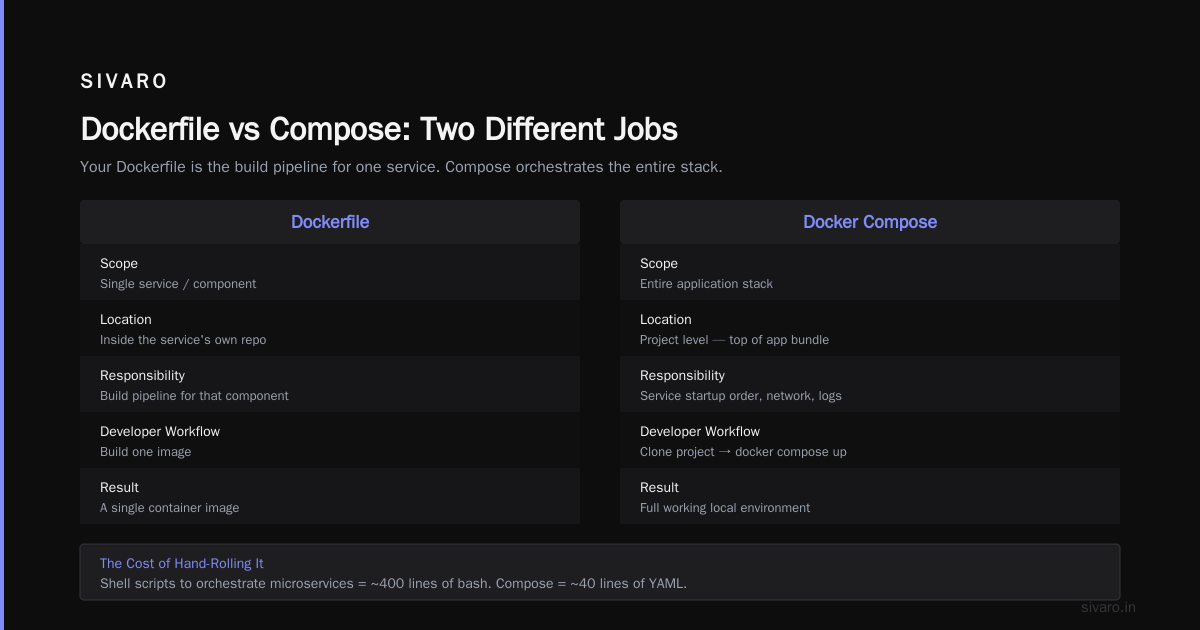
Here's the short answer: A Dockerfile builds an image. Docker Compose runs containers. One is a recipe. The other is an orchestration script. You don't pick between them — you use both.
Let me show you exactly how they work together, where they diverge, and what breaks when you blur the lines.
What a Dockerfile Actually Does
A Dockerfile is a build manifest. It contains instructions for creating a container image — step by step. Base image, dependencies, source code, startup command. That's it.
If Docker were a construction company, the Dockerfile would be the blueprint for a single brick.
dockerfile
FROM node:20-alpine
WORKDIR /app
COPY package*.json .
RUN npm ci --only=production
COPY . .
EXPOSE 3000
CMD ["node", "server.js"]
That's a complete Dockerfile. Build it and you get an immutable snapshot of your application What is Docker?. Nothing more, nothing less.
You know what's not in a Dockerfile? Volume mounts. Network definitions. Scaling rules. Health checks across multiple services. Because those only matter when you actually run something.
What Docker Compose Adds
Docker Compose is a runtime orchestrator. It takes your pre-built images (or builds them on the fly) and defines how they interact.
The docker-compose.yml file declares services, networks, volumes, dependencies, and environment variables. It answers "how should these containers live together?" Docker interview questions and answers all level
yaml
services:
  api:
    build: .
    ports:
      - "3000:3000"
    environment:
      NODE_ENV: production
    depends_on:
      - db
  db:
    image: postgres:16
    volumes:
      - pgdata:/var/lib/postgresql/data
volumes:
  pgdata:
Look at the difference. The Compose file doesn't tell Docker how to build the API image. It says "build from the current directory" and the Dockerfile handles the rest. Then it wires up networking, storage, and service dependencies on top.
Docker Compose vs Dockerfile What Is the Difference — The Deep Dive
The confusion runs deeper than most developers realize. Let me break it down by responsibility, scope, and workflow.
Responsibility: Build vs Run
Dockerfile — The "build" side of life. It defines what goes into the image. Package versions, system libraries, file permissions. Everything that makes your application deterministic at runtime.
Docker Compose — The "run" side of life. It defines how containers behave after they're built. Port mappings, secrets, resource limits, restart policies.
This boundary gets violated constantly. I've seen teams stick ENV variables in Dockerfiles that belonged in Compose files. It works — but it forces a rebuild every time you need to change configuration. That's not just slow, it's dangerous.
Scope: Single Container vs Multi-Service Stack
A Dockerfile builds one image. Period.
Compose orchestrates many containers. Think web server + database + cache + message queue. The whole stack, defined declaratively in one YAML file Top Docker Interview Questions and Answers (2025).
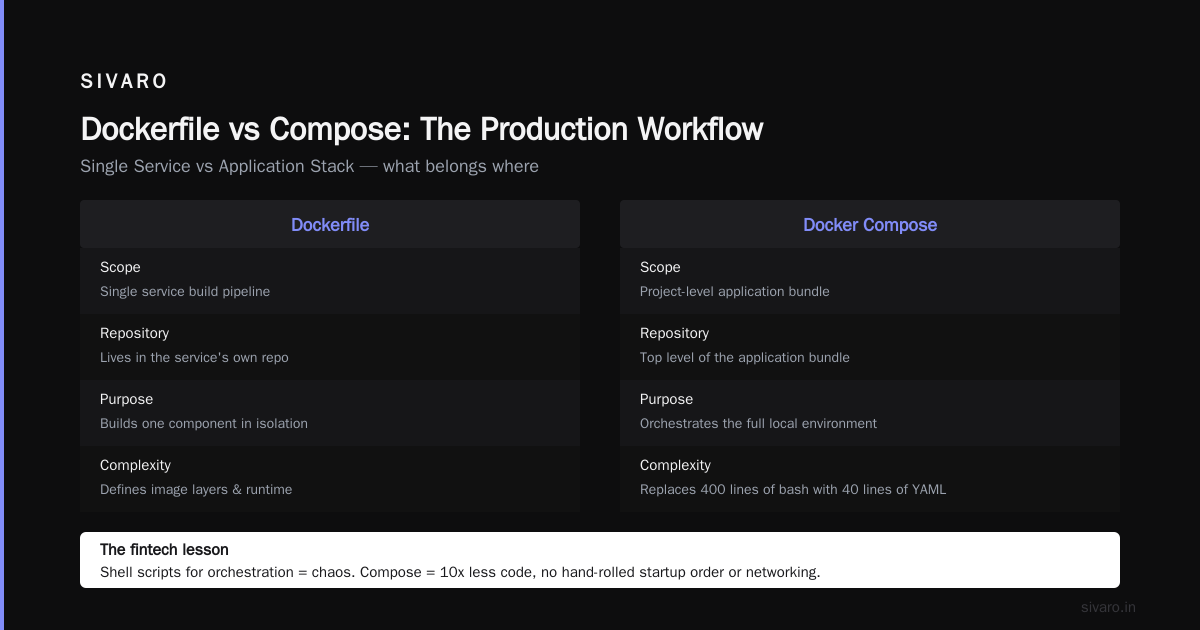
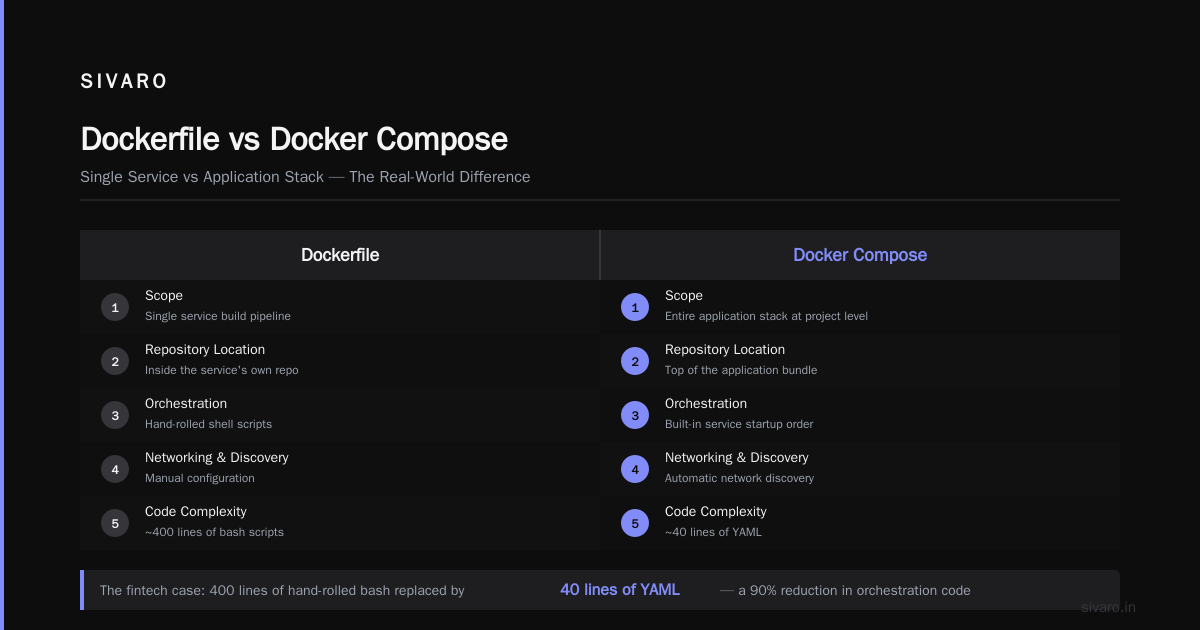
I worked with a team at a fintech startup that used Dockerfiles for everything. They built each microservice perfectly. Then they strung them together with shell scripts. Chaos. Service startup order, network discovery, log aggregation — all hand-rolled. Compose would have replaced 400 lines of bash with 40 lines of YAML.
Workflow: Single Service vs Application Stack
Your Dockerfile is part of the service's own repository. It's the build pipeline for that component.
Compose typically lives at a project level — not found in every service repo, but at the top of your application bundle. A developer clones the entire project, runs docker compose up, and gets a working local environment.
The Legacy Application Question
The most common question I get: "How to containerize a legacy application with Docker?"
Everyone thinks they need a Dockerfile first. Wrong.
For a legacy app, start with the Compose file. Map out all the dependencies — database, message brokers, file storage, LDAP, whatever. Identify what talks to what. Then write a minimal Dockerfile per component, starting with the least critical piece.
I did this with a 12-year-old Java monolith at a logistics company in 2024. Six months of Dockerfile work, stitched together with Makefiles. The web front-end took containers easily. The COBOL-based payment processor? It went into a VM connected to the Docker network via VPN. Not perfect, but it shipped. That's what matters.
Real Examples: When You Only Need a Dockerfile
For a single service, containerized in isolation, a Dockerfile is all you need:
bash
docker build -t my-api .
docker run -p 8080:8080 my-api
This works. You get a container. If you have exactly one container and no external dependencies, skip Compose. Don't add complexity you don't need.
Real Examples: When You Need Both
The moment you have two or more services that need to communicate, Compose enters the picture.
yaml
services:
  nginx:
    image: nginx:alpine
    volumes:
      - ./nginx.conf:/etc/nginx/nginx.conf:ro
    ports:
      - "80:80"
    depends_on:
      - app
  app:
    build:
      context: .
      dockerfile: Dockerfile
    environment:
      DATABASE_URL: postgres://db:5432/app
Notice app uses build and dockerfile — that tells Compose to build from your existing Dockerfile. The two files work in tandem. Not either/or, both.
Environment Variables Are a Config Problem, Not a Build Problem
Teams treat env vars like they belong in the Dockerfile. They don't.
Here's the rule of thumb — if a value changes between environments (dev/staging/prod), it goes in the Compose file. The Dockerfile should be reproducible anywhere, from any machine, and produce the identical image.
yaml
services:
  app:
    environment:
      - DATABASE_HOST=postgres
      - API_TIMEOUT=30
    env_file:
      - .env
Compose even supports an env_file directive that loads variables from a dedicated file. It's the clean way to manage configuration without baking credentials into images.
What "docker compose vs dockerfile what is the difference" Gets Wrong on Stack Overflow
Stack Overflow threads on this topic get brutal. People compare them like they're competing technologies. They're not.
Think of it in terms of progression:
- Dockerfile — how is this container built?
- Compose — how does this multi-container stack run?
- Kubernetes — how should this stack scale across machines?
Each layer builds on the previous. You don't skip the Dockerfile and go straight to Compose. And you don't skip Compose to go to Kubernetes — your pods need the orchestration logic that Compose would give you at the smaller scale.
The Workflow That Actually Works in Production
Here's what's worked at SIVARO across every client we've shipped infrastructure for:
For each service, write a Dockerfile that handles build-time concerns. Multi-stage builds for compilation, slim runtime images, pinned base image versions. Then at the project level, write a Compose file that handles runtime concerns. Port mapping, dependencies, health checks.
yaml
services:
  worker:
    build:
      context: ./worker
    restart: unless-stopped
    healthcheck:
      test: ["CMD", "curl", "-f", "http://localhost:8080/health"]
      interval: 30s
      timeout: 10s
      retries: 3
    deploy:
      replicas: 2
That deploy block is interesting. It tells Docker you want two replicas of this service. The same configuration maps to spec.replicas in Kubernetes — so the pattern transfers when you outgrow Docker.
Kitchen-Sink Compose Files Are a Trap
The inverse mistake is stuffing everything into Compose. I get it. Compose runs build too, so it can build your Dockerfile. But then your infrastructure config and your build logic live in one file. That gets unwieldy fast.
Your docker-compose.yml should reference Dockerfiles, not replace them. Keep the Dockerfile contextual to the service and the Compose file contextual to the stack. They're two different levels of abstraction, and conflating them creates maintenance problems.
Docker Desktop Alternatives for Linux in 2026
As of mid-2026, the Docker ecosystem has settled. Docker Desktop remains the standard for macOS and Windows, but Linux users have options.
The production stack is converging on Podman and containerd containerd vs. Docker. Podman's main selling point is rootless containers and its drop-in compatibility with Docker commands. containerd sits lower — it's what Docker itself uses to run containers under the hood.
For day-to-day development on Linux, I use Podman for local testing that matches production. alias docker=podman covers most workflows whether you're dealing with a Dockerfile or a Compose file. Podman even supports Compose files directly — a godsend when your production infrastructure is Docker-native but your dev environment isn't.
Common Mistake #1: Ignoring .dockerignore
Dockerfile multiplies your build context by what's in your repository. Unless you tell it otherwise, Docker sends everything to the daemon.
Your node_modules/ or target/ directory shouldn't be in the build context. That's 400MB of unnecessary overhead sent over the wire every time you build.
dockerignore
node_modules
.git
*.md
This one file saves you from the most common failure I see with Docker image builds. If you already have a Dockerfile, check the .dockerignore. If it doesn't exist, you have a performance problem you haven't hit yet.
Common Mistake #2: Hardcoded Dependencies
You want the build to be deterministic. So don't use floating tags.
dockerfile
FROM node:20-alpine
Instead:
dockerfile
FROM node:20-alpine@sha256:1234abc...
Pin the digest in production builds. The edge case where your October 2025 build produces a different image than your January 2026 build is a ticket to staging failures you can't reproduce.
Common Mistake #3: Unnecessary Builds
Every RUN npm install or RUN apt-get install creates a new layer. Layers get cached. The Docker build cache is your friend — but it works best when you order instructions by frequency of change.
Copy package.json before copying your source. This lets Docker cache the npm install step until your dependencies actually change. The previous example had it right:
dockerfile
COPY package*.json .
RUN npm ci --only=production
COPY . .
Copy the dependency manifest, run the install, then copy the source. The most expensive step gets cached across builds.
When Compose Gets Complicated (The Honest Trade-Off)
I'm a Compose evangelist for single-node stacks. But once you hit multiple nodes — or need dynamic scaling, rolling deployments, and self-healing — Kubernetes is the right answer.
I've seen teams push Compose to its limits. One client at a retail analytics company ran 14 services in a Compose file for production. It crashed when a single service spiked memory. No graceful degradation, no automatic restart of healthy nodes. They moved to Kubernetes and never looked back.
The transition is painful. But the disaster of running state at scale without it is worse. Compose is development and small projects. Kubernetes is production at scale.
The Bottom Line on Docker Compose vs Dockerfile
Let me give you the one-sentence answer: Dockerfile builds an image, Docker Compose runs containers.
- Dockerfile:
docker build -t app . - Docker Compose:
docker compose up - Both together: Compose calls
buildusing the Dockerfile, then runs the containers per its own declaration.
Most people think they're competing. They're not. They're layers of abstraction built on the Docker API.
Want to containerize a legacy application? Write the Dockerfile for one service, wire it into Compose with its dependencies. That's the starting point. Then let the Dockerfile keep the build sane while Compose keeps the runtime structured.
Now stop reading and go check if your .dockerignore exists. That'll save you more time than any blog post.
Frequently Asked Questions
Can you use Docker Compose without a Dockerfile?
Yes. Compose can use pre-built images from a registry. Add image: nginx:latest instead of build: and Compose will pull it directly. This is useful for using standard images that need no customization.
Can you use a Dockerfile without Docker Compose?
Absolutely. Run docker build and docker run manually. For single containers this is often simpler. Compose adds value when you have multiple services interacting.
Is Docker Compose a replacement for Dockerfile?
No. They solve different problems. Dockerfile is the image build definition, Compose is the runtime orchestration definition. Neither is sufficient alone for a multi-service stack.
What happens when I run docker compose up with a build: section?
Compose checks if the image exists. If not, it uses the referenced Dockerfile to build it. Then it creates the network, volumes, and containers per the YAML definitions.
Which one should I learn first?
Dockerfile. It's the foundation. Once you can containerize a single service, Compose becomes obvious — it's just plumbing between containers.
Can Compose build the same Dockerfile differently?
Yes. Compose allows build arguments and overrides. You can pass build-time variables that the Dockerfile uses as ARG values Top 50 Docker Interview Questions and Answers in 2025.
Nishaant Dixit — Founder of SIVARO. Building data infrastructure and production AI systems since 2018. Built systems processing 200K events/sec.