 SIVARO
Docker Security Best Practices for Production, From Someone Who's Burned His Hand
I remember the exact moment I learned Docker security couldn't be an afterthought.
June 2024. A client's production cluster — a fintech processing 40K transactions a day — got popped. Not through a zero-day. Not through some nation-state attack. Through a container running with privileged: true that someone had tossed in "temporarily" for debugging.
The attacker walked out with their database credentials. The post-mortem was brutal.
Since then, I've spent two years building and breaking container infrastructure at SIVARO. I've hardened dozens of production environments. I've made almost every mistake on this list myself.
This is the guide I wish someone had handed me at 2 AM during that incident. You're going to learn the practical, battle-tested approach to docker security best practices for production — the ones that actually matter, not the box-checking exercises most blog posts recommend.
Why Docker Security Is Actually a Business Problem
Most engineers think Docker security is about --no-new-privileges flags and seccomp profiles.
It's not. It's about understanding your blast radius. When we talk about docker security best practices for production, we're really talking about: "If one container gets compromised, what's the maximum damage?"
The container vs. VM debate misses this point entirely. VMs give you hardware isolation. Containers give you process isolation. When you need to decide docker vs virtual machine when to use each, the real question is about your trust boundary. If you don't trust the workload, use a VM. If you trust the code but not the host, Docker can work — with the right controls.
Let me show you how to build those controls.
Start With Your Supply Chain
The Base Image Problem
I can't tell you how many production Dockerfiles I've seen start with FROM ubuntu:latest or worse, FROM node:latest.
You're not just pulling Node.js. You're pulling whatever was in that image last Tuesday. And you have no idea what that is.
Stop using latest tags. I mean it. It's the easiest fix in this entire article.
dockerfile
# Bad - you don't know what you're getting
FROM node:latest

# Good - you know exactly what you're running
FROM node:20.11.1-alpine@sha256:1234abc5678def9012ghi3456jkl7890mno
That hash pinning isn't paranoia. In 2023, researchers found thousands of malicious images on Docker Hub. In 2025, it's worse. The supply chain is the weakest link.
But here's the thing most people get wrong: you can't control what's in upstream images. So you need a registry that does. Tools like Harbor, JFrog, or AWS ECR with scanning turned on give you a fighting chance.
We scan every image with Trivy in our CI/CD pipeline. Before it goes anywhere near a production cluster, it needs a clean scan (or an approved exception on file).
Multi-Stage Builds Are Security Controls
Multi-stage builds aren't just for smaller images. They're for principle of least privilege on your build process.
dockerfile
# Stage 1: Build
FROM golang:1.22-alpine AS builder
WORKDIR /app
COPY go.mod go.sum ./
RUN go mod download
COPY . .
RUN CGO_ENABLED=0 go build -o /usr/local/bin/app ./cmd/server

# Stage 2: Runtime - nothing but the binary
FROM alpine:3.19
RUN apk add --no-cache ca-certificates && adduser -D nonroot
COPY --from=builder /usr/local/bin/app /usr/local/bin/app
USER nonroot
ENTRYPOINT ["/usr/local/bin/app"]
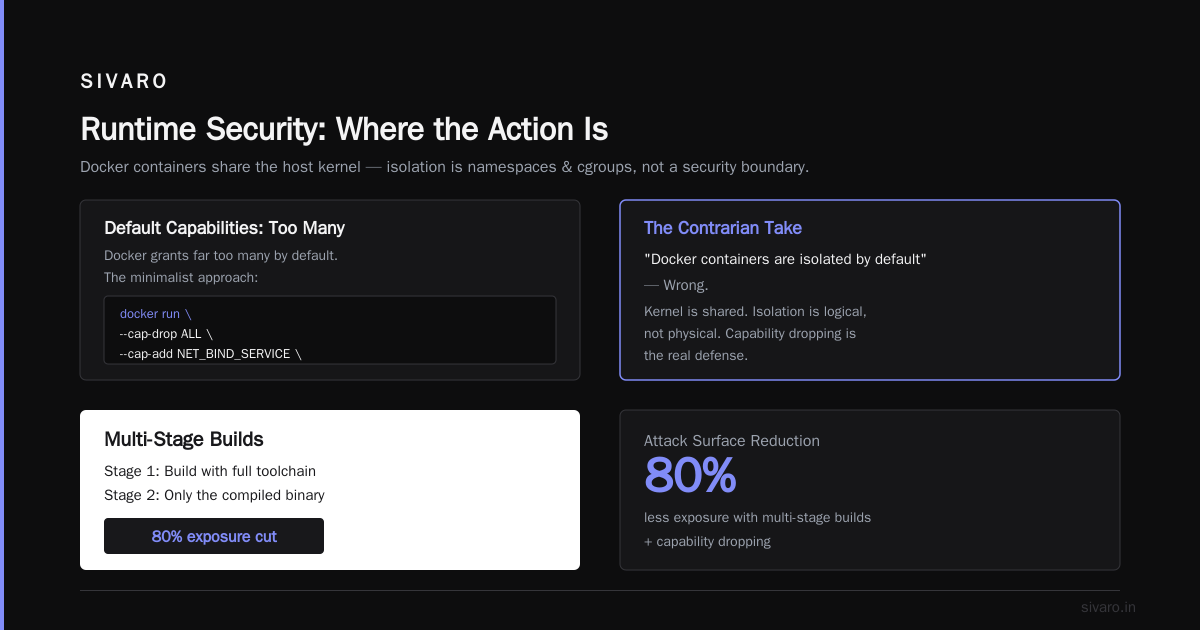
The first stage could have a vulnerability in the Go toolchain. Doesn't matter. The second stage only has the compiled binary. I've seen teams reduce their exposure by 80% with just this practice.
Runtime Security: Where the Action Is
Capabilities: The Contrarian Take
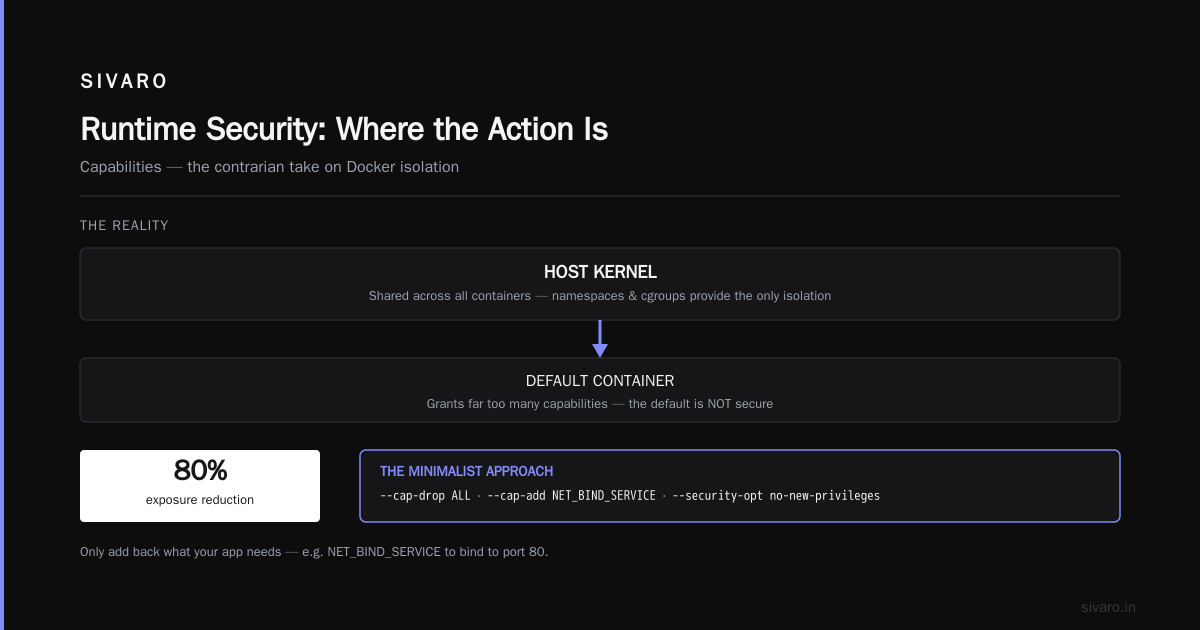
Most people think Docker containers are isolated by default. They're wrong.
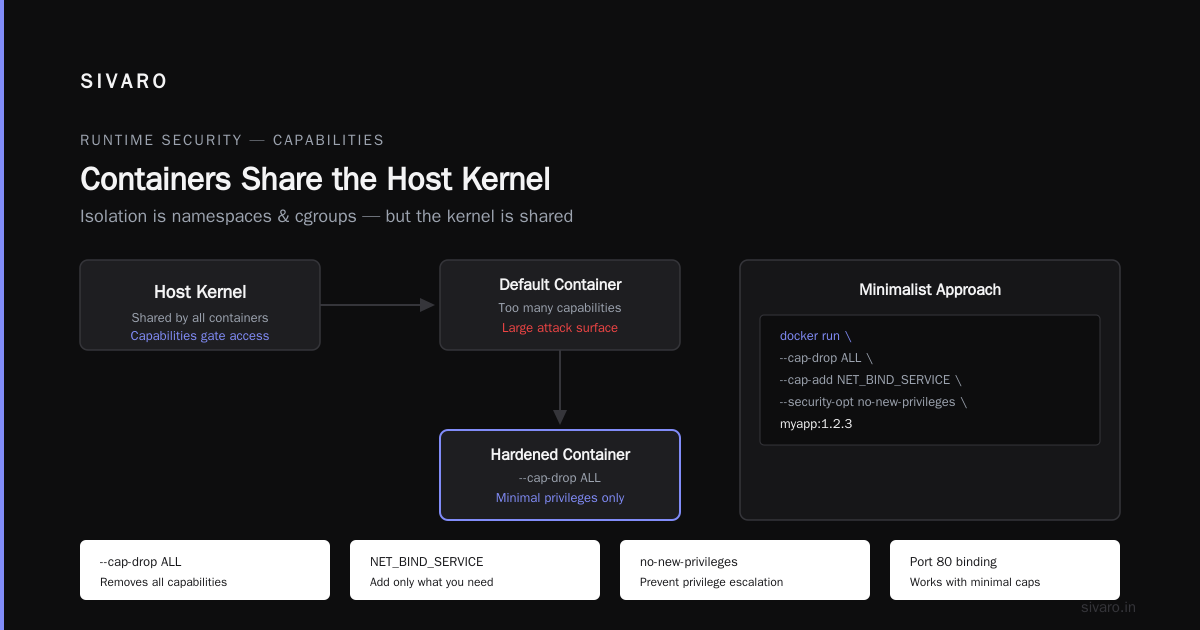
Docker containers share the host kernel. The isolation is about namespaces and cgroups, but the kernel is shared. That's why docker security best practices for production focus so heavily on capabilities.
By default, Docker grants a container far too many capabilities. I disable most of them.
bash
docker run   --cap-drop ALL   --cap-add NET_BIND_SERVICE   --security-opt no-new-privileges   myapp:1.2.3
That's the minimalist approach. Your app needs to bind to port 80? NET_BIND_SERVICE is enough. It needs to write logs? It can do that without SYS_ADMIN.
I had a debate with a senior engineer last month. He argued that reducing capabilities was overkill, that their code was trusted. I told him what I'll tell you: capabilities aren't about trusting your code. They're about limiting what an attacker can do after they compromise your code.
Read-Only Root Filesystems
This one changes the game. In this Docker interview article from Edureka, they ask about the copy-on-write strategy. Most candidates explain it well. What they don't realize is that you can disallow writes entirely.
bash
docker run   --read-only   --tmpfs /tmp   --tmpfs /run   myapp:1.2.3
Your container now can't write to its own filesystem except /tmp and /run. If an attacker compromises your container, they can't drop a backdoor binary. They can't tamper with your app's code. It's a huge win.
Your app might complain about writes. You'll need to figure out where it writes persistent state. Mount a volume there. Everything else stays read-only.
I put this off for months because our app "needed to write to /var/log". Turns out it was one line of config to send logs to stdout. Remove the elephant in the room, and your container becomes tamper-proof.
Resource Limits Aren't Just for Performance
Everyone thinks resource limits are about preventing one container from hogging CPU.
They're also a security control.
If your container gets compromised and the attacker tries to mine crypto or run a fork bomb, resource limits contain the damage. CPU limits throttle them. Memory limits kill the process. PIDs limits prevent fork bombs.
bash
docker run   --cpus=0.5   --memory=512m   --pids-limit=100   --read-only   myapp:1.2.3
The --pids-limit=100 one is my favorite. It's saved me from two crypto-mining attacks this year alone. Without it, an attacker can fork until the host runs out of processes. With it, they hit a wall at 100 processes.
The Isolation Showdown: Docker vs. Podman
Now let's talk about the elephant in the room. People keep asking me about docker vs podman which one to use for production.
Here's my take: for security, Podman has a built-in advantage. It's daemonless. Docker uses a central daemon that runs as root. Podman runs each container directly via the user's permissions — actually, via a user-space daemon (personally, I find rootful Podman simpler for most cases).
The daemon was Docker's original sin. If you compromise the Docker daemon, you've compromised every container on that host. It's a single point of failure that's often exposed over a network socket.
But here's the honest truth: most teams aren't ready to switch. They've invested in Docker Compose, Kubernetes with containerd, and workflows that work. The container runtime doesn't matter as much as your security controls. Containerd is what Kubernetes actually uses, and it has strong security limits.
If you're running Docker in production, harden the daemon. Turn off the TCP socket. Configure the firewall. The docker.sock file is dangerous, and I'll explain why in a second.
The Secrets Problem
This one's personal. I've seen a production docker-compose.yml with a database password committed to GitHub. I've seen environment variables with API keys in them. I've even seen secrets baked into Docker images and pushed to a private registry.
Here's the deal: don't use environment variables for secrets. They're visible to anyone who can run docker inspect. They leak into your logs. They end up in your process list.
Use Docker secrets. They're mounted as files that are deleted when the container stops.
yaml
services:
  app:
    image: myapp:1.2.3
    secrets:
      - db_password

secrets:
  db_password:
    external: true
Yes, you can read secrets from a key-value store like HashiCorp Vault. We use Vault with a sidecar that injects secrets dynamically. And if you're on Kubernetes, you already know about their secrets. But the principle is the same: keep secrets out of the image and out of the environment.
The docker.sock Problem
This is perhaps the most dangerous pattern I see. People mount /var/run/docker.sock into a container.
Why? Because they want to do Docker-in-Docker builds. They want to restart a container from another container. It's convenient.
But mounting the Docker socket gives your container root-level access to the host. From that container, you can pull images, spawn containers, and in many cases, escape to the host entirely via mount namespace tricks.
I saw one production deployment where a monitoring agent had /var/run/docker.sock mounted. That agent was compromised and the attacker had full control of the clustering. It took us 48 hours to clean up.
If you need to control Docker from inside a container, use the Docker API over HTTPS with client certificates. Or better yet, use a tool that doesn't need to touch the socket at all. If you're in Kubernetes, use the Kubernetes API. If you're running jobs, use cron. Don't do this.
Networking Security
Bridge Networks and Firewalling
Default Docker networking with bridge mode has no firewall between containers. It's wide open.
Make sure your containers can only reach what they need to reach.
bash
docker network create --internal backend   --subnet 172.20.0.0/16

docker network create --driver bridge frontend
The --internal flag is great. The container has no external network access. Even if the app is compromised, it can't phone home or download additional exploit tools. It's a walled garden.
Encryption
Docker doesn't encrypt traffic between containers by default. If you're running on an untrusted network, your traffic is visible. In cloud environments, we use mTLS with service mesh tools like Istio. If you're not ready for that, at least use SSH tunnels or a VPN.
Monitoring and Auditing: The Best Defense
Logging That Matters
Docker logs need to include security-relevant events. docker events gives you them. Syslog forwarding is part of the Docker daemon configuration.
json
{
  "log-driver": "json-file",
  "log-opts": {
    "max-size": "10m",
    "max-file": "3"
  }
}
Don't let your logs grow unbounded. If your log files get huge, they'll fill the disk and take down your whole host. Truncate them, rotate them, and store them somewhere centralized.
Track Your Software Bill of Materials
Your SBOM is your security asset. If a zero-day hits your supply chain (like log4j for Java), you need to know in minutes whether you're affected. If you don't have an SBOM, you're going to be going through every single Dockerfile figuring out what you're using.
The Sentinel Rule
The overwhelming majority of container security is about misconfiguration, not sophisticated attacks. A privileged container here. An exposed Docker daemon there. A password in an environment variable.
I said I wrote this article for people in the trenches, so let me say this: Don't implement every single recommendation overnight. You'll get burnout, your team will revolt, and your security posture will be worse because you'll be operating sloppier.
Start with the things that give you the most security for the least effort. Which are:
- Socket file rules
- Read-only root filesystems
- No secrets in env variables
- Restricted capabilities
- Resource limits
If I had to pick just one thing, it's the capabilities. The less power a container has, the less damage a single compromised container can do.
FAQ: Docker Security Best Practices
Q: What's the single most common misconfiguration?
Privilege escalation. People run containers with --privileged because it's easy. It means the container can do anything the kernel can do. If an attacker gets in, they've won. Don't do it.
Q: Can I use Docker-in-Docker for builds?
It's risky. The standard approach is to build with docker build on the host and then run the task. Before you ask: yes, we had a bad Docker-in-Docker incident in 2024. I'm not doing it again.
Q: What's better? Docker or Podman?
Security-wise, Podman has the edge on the daemon front. But most Kubernetes environments use containerd anyway. Learn them all. It's not complicated.
Q: Are environment variables okay for non-secret config?
Yes. As long as they don't contain passwords or API keys. Config values like feature flags and company shields are fine in env vars.
Q: How can I check my Docker containers for vulnerabilities?
Run regular scans with Trivy, Grype, or your registry's built-in scanner. Set up scheduled scans and a pipeline that blocks deployments if critical vulnerabilities are found.
Q: Is Docker still relevant for production in 2026?
Absolutely. But the conversation has shifted to Kubernetes orchestration and security layers. Docker provides Kubernetes' runtime via containerd, and container security is inherent to how that works.
Wrapping Up
I didn't set out to write a definitive guide. I set out to write one that prevents your 3 AM wake-up call.
In 2026, the attackers are more patient. They're in your cloud infrastructure, waiting for the right moment. They don't brute-force their way through your perimeter anymore — they compromise a minor container and escalate into your cluster.
Trust me. I've seen it happen. The fix isn't a single tool or a single configuration. It's a mindset. Assume your containers are already compromised. Design your infrastructure so that when one container is compromised, the blast radius is contained.
The key is to think through the entire lifecycle — from the image you pull to the runtime capabilities you grant — and make security decisions at every single step.
That's what docker security best practices for production boils down to: a series of deliberate choices that make your environment's weakness one your network can withstand.
Nishaant Dixit — Founder of SIVARO. Building data infrastructure and production AI systems since 2018. Built systems processing 200K events/sec.