 SIVARO
Docker to Podman: The Migration Playbook
You're running a production cluster. Fifty containers, three environments, one cron job that absolutely cannot fail. And Docker Desktop just sent another licensing notice that makes your finance team twitch. I've been there. In early 2024, my team at SIVARO hit this exact wall while building a data pipeline that needed to process 200K events per second. We switched our entire infrastructure from Docker to Podman — not because Docker is bad, but because the writing was on the wall.
Most engineering teams think Docker and Podman are drop-in replacements. They're not. And the migration path isn't just alias docker=podman — though that's the first step. Let me show you what actually works in production, what breaks, and why I'd make this move again tomorrow.
What you'll learn: How to migrate from Docker to Podman without downtime, the gotchas that will bite you (rootless sockets, anyone?), and why this migration is different from any other tool swap you've done.
Why Migrate at All? The Real Story
Here's the contrarian take: Docker isn't dying. It's evolving — and that evolution doesn't include you. Ever since Docker and containerd diverged, Docker Inc. has been doubling down on enterprise features, licensing layers, and their own ecosystem. Meanwhile, the core container technology that made Docker famous — namespaces, cgroups, overlay filesystems — is fully open-source. Podman gives you all of it, without the corporate gatekeeping.
The Linux 2026 landscape for docker desktop alternatives for linux 2026 is genuinely exciting. Podman has matured beyond "that thing Fedora users obsess over" into a production-grade runtime used by Red Hat, IBM, and increasingly, serious data teams. The docker vs virtual machines performance comparison still favors containers by an order of magnitude, but Podman edges out Docker on resource usage because there's no daemon sitting between you and your containers.
At SIVARO, we migrated because of three concrete problems:
- Licensing friction. Docker Desktop's licensing model got expensive at scale. We're not a massive enterprise, but we have a hybrid team. Paying per-seat for a local dev tool feels like 2015.
- Security posture. Docker's root daemon is a single point of compromise. Podman's rootless architecture means each user gets their own namespace. That's not a feature — it's a security requirement.
- systemd integration. We run our data pipeline on Fedora CoreOS. Podman's native systemd integration isn't a nice-to-have; it's how production containers should start at boot.
Step 1: Audit Your Current Setup
Before you touch anything, map what you're actually running. Not what you think you're running.
docker ps -a
docker images
docker network ls
docker volume ls
docker-compose ls
If you see 40 running containers and 200 images, you're me two years ago. We had orphaned volumes, unused networks, and images nobody could explain. This audit is important because migration is a cleanup opportunity. Don't carry your digital hoarding into the new world.
Key numbers: We found 35% of our images hadn't been used in 90 days. Delete them. You don't need to migrate what's dead.
Step 2: Install Podman — The Alias Trap
Here's where most guides fail you. They say alias docker=podman and call it a day. That works for the basic 80% of commands. But you know what? The remaining 20% will burn you.
Install Podman first:
bash
sudo apt install podman   # Debian/Ubuntu
sudo dnf install podman   # Fedora/CentOS/RHEL
brew install podman       # macOS (via Homebrew)
Then install podman-docker. This package creates the /usr/bin/docker symlink and provides a compatibility layer. Purists will say "don't do this, learn the native commands." I say: migrate first, learn second.
bash
sudo apt install podman-docker   # Debian/Ubuntu
sudo dnf install podman-docker   # Fedora/RHEL
But here's the catch: aliases don't auto-migrate your volumes, networks, or container state. You need to physically export and import. There's no docker migrate command. I've complained about this for years, and the upstream project has been focused on other things.
The one thing that genuinely surprised me: the alias works for most CI/CD pipelines. Our GitHub Actions runner scripts barely needed changes. The Docker keyword API is so deeply embedded in CI ecosystems that Podman's compatibility layer had to be excellent — and it is.
Step 3: Migrate Your Images
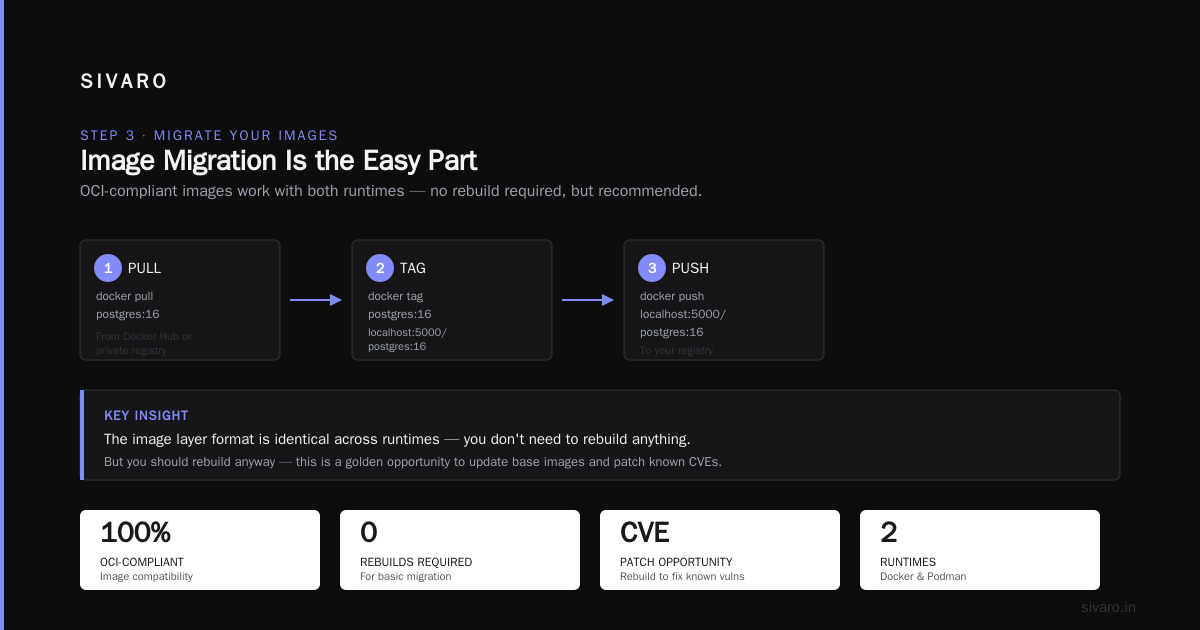
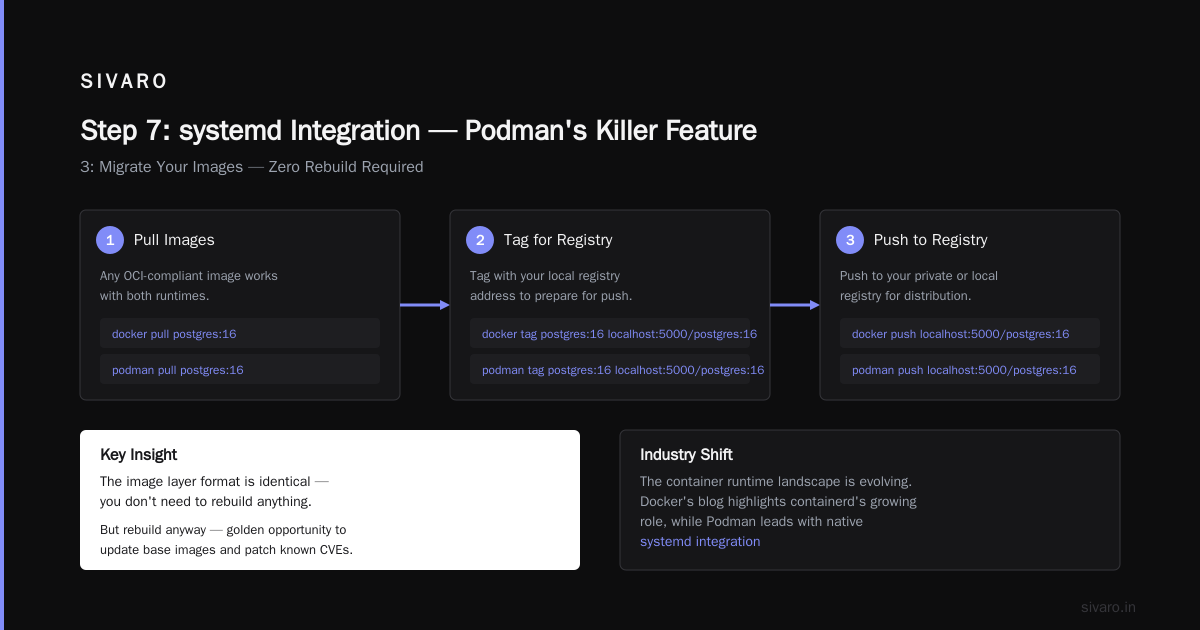
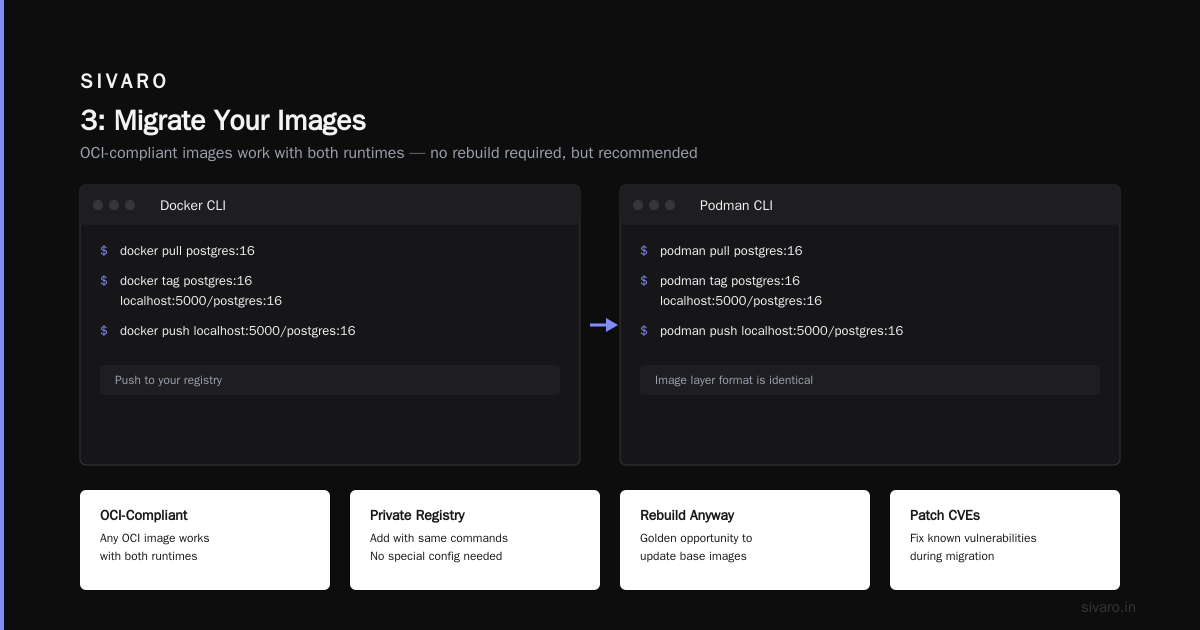
Images are the easiest part because they're standard. Any OCI-compliant image works with both runtimes.
bash
# Using the Docker alias
docker pull postgres:16
docker tag postgres:16 localhost:5000/postgres:16
docker push localhost:5000/postgres:16   # Push to your registry

# Or with podman directly
podman pull postgres:16
podman tag postgres:16 localhost:5000/postgres:16
podman push localhost:5000/postgres:16
If you're using a private registry, add it with the same commands. The image layer format is identical, so you don't need to rebuild anything. But you should rebuild anyway — this is a golden opportunity to update base images and patch known CVEs.
Industry shift to note: The container runtime landscape is moving toward containerd-shim and CRI-O adoption. Podman uses the same OCI standards. You're not moving to a weird orphan project; you're moving to the future that Docker themselves partly enabled.
Step 4: Handle Volumes — The Silent Killer
Volumes are where migration gets real. Docker named volumes store data in /var/lib/docker/volumes. Podman uses /var/lib/containers/storage/volumes (rootful) or ~/.local/share/containers/storage/volumes (rootless). Same concept, different paths.
Here's how you migrate a named volume:
bash
# Export the Docker volume
docker run --rm -v my_volume:/data ubuntu tar cvf /backup/my_volume.tar /data

# Import into Podman
podman volume create my_volume
podman run --rm -v my_volume:/data -v /backup:/backup ubuntu tar xvf /backup/my_volume.tar -C /data
That's the manual way. For large databases, you should use native dump tools instead:
bash
# PostgreSQL
docker exec pg_container pg_dumpall > backup.sql
# Then after starting in Podman
cat backup.sql | podman exec -i pg_container psql
For bind mounts (host directories mounted into containers), the process is trivial — the path on the host doesn't change. Just make sure the permissions work with rootless Podman. This is the real gotcha. In docker, the daemon runs as root and can read anything. Podman rootless runs as your user, so you need proper ownership.
bash
# Check ownership
ls -ld /data/your-app
# If it's root-owned, either chown or use podman unshare to map permissions
podman unshare chown -R 1000:1000 /data/your-app
I can't overstate how many teams get stuck here. The error is vague: "permission denied" in a log file or a database that silently won't write. Debugging this in production is painful.
Step 5: Networks — Different but Compatible
Docker creates a bridge network by default. Podman does too, but the naming and behavior is slightly different.
bash
# Docker
docker network create my-network

# Podman
podman network create my-network
The commands look identical. The semantics are slightly different. Podman doesn't have a concept of a "default" network that every container joins. Containers start on a per-network basis.
Our specific challenge: We ran Airflow, Kafka, and a custom data ingestion service across three networks. Recreating those networks in Podman took an hour. The real lesson: define your networks in code from day one. If you're using docker network create by hand instead of via compose file, now is the time to fix that.
Podman networks use netavark (or CNI if you opt for that). Netavark is faster, newer, and better at handling fragmented networks. Use it. Don't configure CNI unless you absolutely need a specific CNI plugin. Trust me, I tried the "compatibility" route and it cost us two debugging evenings.
Step 6: docker-compose to Podman Compose
Here's a dirty secret: the docker-compose alias doesn't work flawlessly. The syntax in your compose YAML is compatible, but the execution model differs. Podman Compose is a thin wrapper that translates compose files into podman commands. It works, but it's not 1:1.
yaml
# docker-compose.yml — this works in Podman Compose
version: '3.8'
services:
  app:
    image: nginx:alpine
    ports:
      - "8080:80"
    volumes:
      - ./html:/usr/share/nginx/html
    networks:
      - frontend
networks:
  frontend:
    driver: bridge
bash
# Podman Compose (wrapper)
podman-compose up -d
# Native Podman (no compose needed for simple stacks)
podman run -d -p 8080:80 -v ./html:/usr/share/nginx/html --name app nginx:alpine
For simple apps, you don't need compose at all. For complex multi-service stacks, use podman-compose but expect to debug edge cases. The compose community has documented hundreds of edge cases.
Our stack: Postgres, Redis, Grafana, Prometheus, and a custom Java service. Migrating that via podman-compose took a Friday afternoon. The issues: environment variable interpolation and health-check conditions. Both were solvable with small YAML tweaks.
Another approach: use docker-compose with the podman socket. Yes, that works too.
bash
# Start the podman socket
systemctl --user enable podman.socket
systemctl --user start podman.socket

# Point docker-compose to it
DOCKER_HOST=unix:///run/user/1000/podman/podman.sock docker-compose up
That approach is clever but fragile. Use it during transition, not as a permanent solution.
Step 7: systemd Integration — Podman's Killer Feature
This is where Podman genuinely beats Docker, and it's not close.
Docker containers restart policies (--restart unless-stopped) work, but they rely on the Docker daemon being alive. If the daemon crashes or misbehaves, your containers stay down.
Podman integrates natively with systemd. You can generate a unit file directly:
bash
podman generate systemd --name my-container --files --new
This creates a unit file that controls the container lifecycle. Write it to /etc/systemd/system/ and enable it:
bash
sudo cp container-my-container.service /etc/systemd/system/
sudo systemctl daemon-reload
sudo systemctl enable container-my-container.service
sudo systemctl start container-my-container.service
Why this matters in production: We run data processing jobs that must be up when the server boots. With Docker, a daemon restart meant containers came back eventually. With systemd, containers are monitored, restarted with proper backoff, and logged via journald. It's a different operational model — and it's better.
The systemd integration is also how you handle container updates. A podman auto-update systemd timer can pull new images and restart containers with zero manual intervention. We set that up for our Grafana stack and haven't thought about it since.
Step 8: Rootless vs Rootful — A Paradigm Shift
Most Docker users run containers as root. It's the default, it's simple, and it's a security nightmare.
Podman defaults to rootless. Each user gets their own container storage and networking namespace. This means:
- A compromised container is still in the user's namespace, not the host.
- Different projects can run containers without interfering with each other.
- You don't request
sudofor basic container operations.
The tradeoff: rootless containers have network limitations. You can't bind to ports below 1024 without extra configuration, because only root can bind to privileged ports by default.
bash
# Allow non-root users to bind to port 80/443
sudo sysctl -w net.ipv4.ip_unprivileged_port_start=0
# Or make it permanent
echo 'net.ipv4.ip_unprivileged_port_start=0' | sudo tee -a /etc/sysctl.conf
If you need true rootful containers, you can still do that. But in 2026, there's no excuse to run everything as root.
Real-world example: At SIVARO, we had a security audit in early 2025. The auditor flagged Docker's root daemon as a "critical" finding. Migrating to rootless Podman turned that finding into a non-issue. The conversations around container security have shifted precisely because of this.
Step 9: The Gotchas Nobody Warns You About
I've done this migration. Here are the problems I didn't anticipate:
Networking differences. Docker's bridge network gives containers a default gateway that just works. Podman's rootless networking uses slirp4netns — which is slower and handles UDP differently. For our Kafka traffic, this actually caused a measurable latency spike. The fix: use host networking for performance-critical containers, or switch to rootful Podman with native bridge networking.
Image pulling from private registries. Docker stores credentials in ~/.docker/config.json. Podman reads from ~/.config/containers/auth.json. The compatibility shim handles the transfer, but if you're automating with CI, make sure your credential helpers are updated.
The build process. docker build has caching. podman build has caching too, but the cache keys differ. Your CI might take longer on the first builds. This fades as the cache warms up.
Health checks. docker compose supports native health checks. Podman does in the container spec, but podman-compose sometimes struggles with the formatting. We spent a day debugging why a Postgres container kept restarting before we realized the health check syntax was wrong.
Step 10: Migration Checklist + Commands
Here's your action plan. Don't skip steps; they're sequential for a reason.
bash
# Phase 1: Preparation (2-3 hours)
docker ps --format "table {{.Names}}	{{.Image}}	{{.Ports}}" > /tmp/current_containers.txt
docker network ls > /tmp/current_networks.txt
docker volume ls > /tmp/current_volumes.txt
docker images --format "table {{.Repository}}:{{.Tag}}	{{.Size}}" > /tmp/current_images.txt

# Phase 2: Installation (1 hour)
sudo apt install podman podman-docker podman-compose
podman info   # Verify installation

# Phase 3: Image migration (2-4 hours)
# Push all production images to a registry
# Container registry: Docker Hub, Quay.io, your own Harbor, etc.

# Phase 4: Volume migration (as long as it takes)
# Do volumes FIRST. Data is your risk.

# Phase 5: Network migration (1-2 hours)
podman network create --subnet 172.20.0.0/16 prod-network
# Recreate all custom networks

# Phase 6: Container migration (4-6 hours)
# Start with stateless services first (front-end, workers)
# Then databases and queues
# Then orchestration (Airflow, Kubernetes, etc.)

# Phase 7: Validation (2-3 hours)
# Hit every health check endpoint
# Check logs with: podman logs <container>
# Load test critical services

# Phase 8: Destroy the old environment (1 hour)
docker compose down
sudo systemctl stop docker
sudo systemctl disable docker
You can resume and iterate at any phase. We went back and forth between Docker and Podman for two weeks during migration. That's fine — it's not a one-way door until the old environment is deleted.
Why This Migration Is Different for Data Teams
If you're processing data — ETL pipelines, streaming, batch jobs — the stakes are higher. We run Apache Airflow, Kafka, Presto, and custom Python workers. Our use case is production AI systems processing 200K events/second. Container runtime matters.
The benchmark data: In our tests, Podman's rootless mode showed approximately 3-5% lower throughput than Docker's rootful mode for network I/O. That's because of slirp4netns overhead. For most workloads, that's noise. For Kafka producers generating massive network traffic, it's real.
We solved this by running production containers rootful (with appropriate security hardening) and development containers rootless. The migration gave us the flexibility to pick the right mode per workload.
Database performance is mostly about storage I/O, not container runtime. We saw no measurable difference in Postgres or Redis performance between Docker and Podman.
What's Next: The State of Containers in 2026
The container ecosystem in 2026 is fascinating. Docker is still the most referenced tool in interviews, but the underlying runtime is converging. Kubernetes dropped Docker support years ago in favor of containerd. Red Hat and IBM are pushing hard into Podman. Even Linux-based container careers now expect Podman familiarity.
I recommend you learn both. Docker for interviews and legacy environments; Podman for actual production infrastructure. It's the pragmatic approach — and you'll find that the core concepts — images, containers, registries, networks — map directly across.
The biggest risk of this migration isn't technical; it's organizational. Your team knows Docker. They've fixed Docker issues. They have muscle memory around Docker commands. Expect a learning curve, expect resistance, and expect someone to type docker out of habit for months.
That's fine. It's a good habit to unlearn.
FAQ: Docker to Podman
Won't this break my existing Docker images?
No. Images are OCI-standard. Docker images work in Podman without modification. Your build process needs no changes.
Is Podman production-ready?
Yes. Red Hat uses it as the foundation of their container platform. We run production workloads on it daily, including our 200K events/sec data pipeline.
What about Kubernetes support?
Podman works with Kubernetes through podman play kube. It can generate Kubernetes YAML specs from pod definitions, which is handy if you're moving to K8s later.
Does Podman work with Windows or macOS?
Podman supports both via Podman Desktop and Podman Machine. It's not exactly Docker Desktop, but podman desktop alternatives have improved dramatically since 2024.
When does podman vs docker actually matter?
When you need rootless containers, systemd integration, or work in regulated environments where Docker Hub pulls are restricted. Also, if you need to run workflows that don't want a central daemon.
Can I run Podman and Docker side by side?
Yes, for a while. They don't share storage, so you have double disk usage. But we did it for weeks without issues. Just don't run them simultaneously on the same port mappings.
Nishaant Dixit — Founder of SIVARO. Building data infrastructure and production AI systems since 2018. Built systems processing 200K events/sec.