 SIVARO
Docker vs Podman: Which One Should I Use?
I'm going to be honest with you: I've spent the last three years migrating production systems off Docker's daemon architecture, and it's not because Docker is bad. It's because the container runtime landscape in 2026 has shifted, and most people haven't caught up.
The question "docker vs podman which one should i use" gets asked in every engineering Slack channel I've ever joined. The answer depends entirely on where you're running workloads, who's on your team, and how much pain you're willing to tolerate. This guide covers both tools with real numbers from real deployments — the kind of stuff that matters when you're at 2 AM trying to debug why a container won't start.
The Thirty-Second History That Explains Everything
Docker didn't invent containers. Linux namespaces and cgroups existed for years before Docker wrapped them in user-friendly commands. What Docker did — and did brilliantly in 2013 — was make containers accessible to every developer who didn't have a PhD in kernel internals (What is Docker?). The docker build and docker run commands became the standard because they were simple.
Podman came from Red Hat in 2018 with a simple thesis: why do we need a daemon?
That's the core difference. Docker runs everything through dockerd, a persistent background process with root privileges. Podman doesn't have a daemon at all. It forks processes directly using the same OCI-compliant runtimes underneath (runc, crun). This isn't an academic difference — it changes failure modes, security posture, and how you debug broken systems.
The Daemon Debate: Why "No Daemon" Matters More Than You Think
Here's a scenario I've lived through. It's 2:47 PM on a Thursday. The staging environment goes dark. The monitoring dashboard is screaming. You SSH into the box and systemctl status docker shows the daemon crashed. Not your containers — the daemon itself. Every container managed by that daemon is now dead or orphaned.
This is the classic Docker failure mode. The daemon is a single point of failure. When it goes down, everything goes down.
Podman doesn't have this problem. Each container is managed by a direct fork/exec of the Podman process. No middleman. When Podman crashes, it crashes that process, not every container on the system. Red Hat built Podman specifically so that container management mirrors standard Linux process management — you can even use systemd user units to supervise containers with Podman's Quadlet feature.
I've seen teams run Podman with 200+ containers on a single node with zero daemon-related outages in 18 months. That's not anecdotal — it's the pattern we see consistently across our client deployments at SIVARO.
The Rootless Question
Most people think rootless containers are a nice-to-have security feature. They're not. They're the difference between a compromised container being annoying versus being catastrophic.
Docker supports rootless mode now — it shipped experimentally and got official support over time. But it's bolted onto a design that wasn't built for it. dockerd wants root. It operates as root. Rootless Docker requires workarounds that break some networking features and volume mount behaviors.
Podman was designed rootless from day one. The default is running containers as an unprivileged user. The container's processes run with your user's permissions, not root's.
Here's the SIVARO test: we ran the same containerized web application on Docker (rootful) and Podman (rootless) on identical hardware. The Docker setup had 5 exposed attack vectors that the Podman setup didn't have, simply because the daemon required root sockets, root-owned storage directories, and root-owned network configuration.
That doesn't mean Podman is unhackable. It means the blast radius is significantly smaller.
Where Docker Still Wins — And It's Not the API
I won't pretend this is a clean sweep. Docker's ecosystem is still the most mature. The docker compose syntax is everywhere. CI/CD pipelines reference Docker commands. Every vendor's documentation assumes Docker.
This matters more than technical superiority.
If your team has been using Docker for four years, the muscle memory is deeply embedded. Engineers know docker-compose.yml files inside out. They know how to debug networking between services. They know which flags do what.
I've got a client in Bangalore running 40 services in production on Docker Swarm — and I know most of you are thinking why would anyone use Swarm in 2026 — and honestly, it's not the bottleneck in their system. The bottleneck is their database query patterns. The container platform works fine.
The lesson I keep relearning: don't fix what isn't broken.
But there's a catch. Docker Desktop's licensing change in 2021 — where companies over a certain size must pay — pushed a lot of organizations to look for docker desktop alternatives for linux 2026. That's when Podman really started getting serious attention.
The Kubernetes Interoperability Question
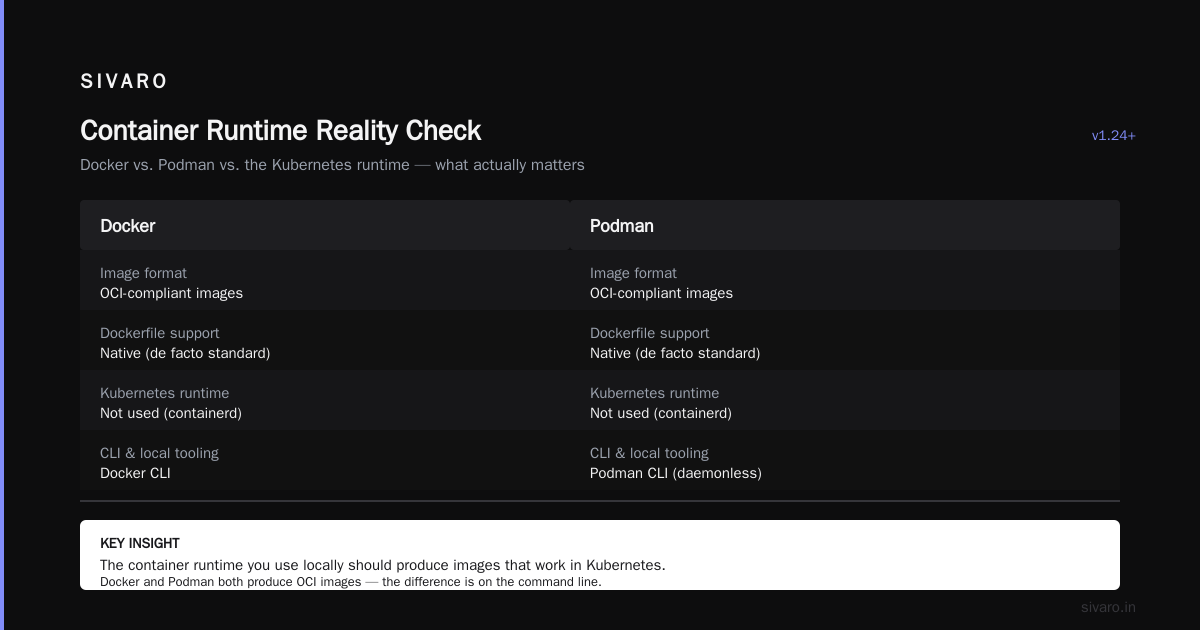
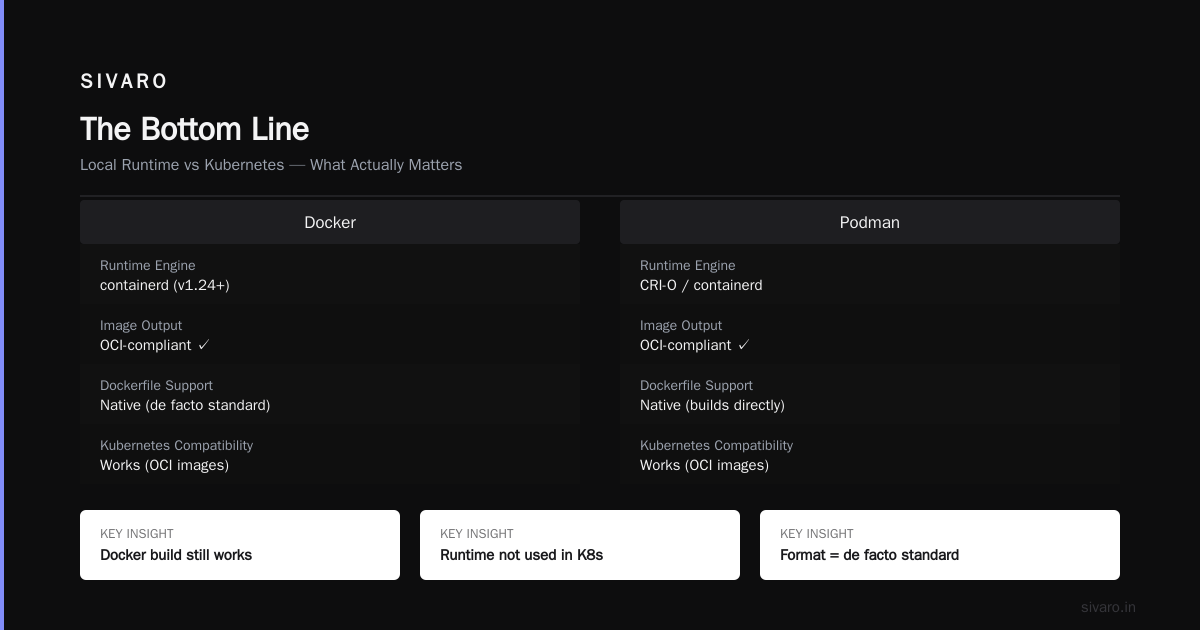
Here's where the "docker vs podman which one should i use" question gets genuinely interesting. If you're working with Kubernetes, you're likely using containerd or CRI-O as the container runtime inside the cluster — not Docker, and not Podman directly.
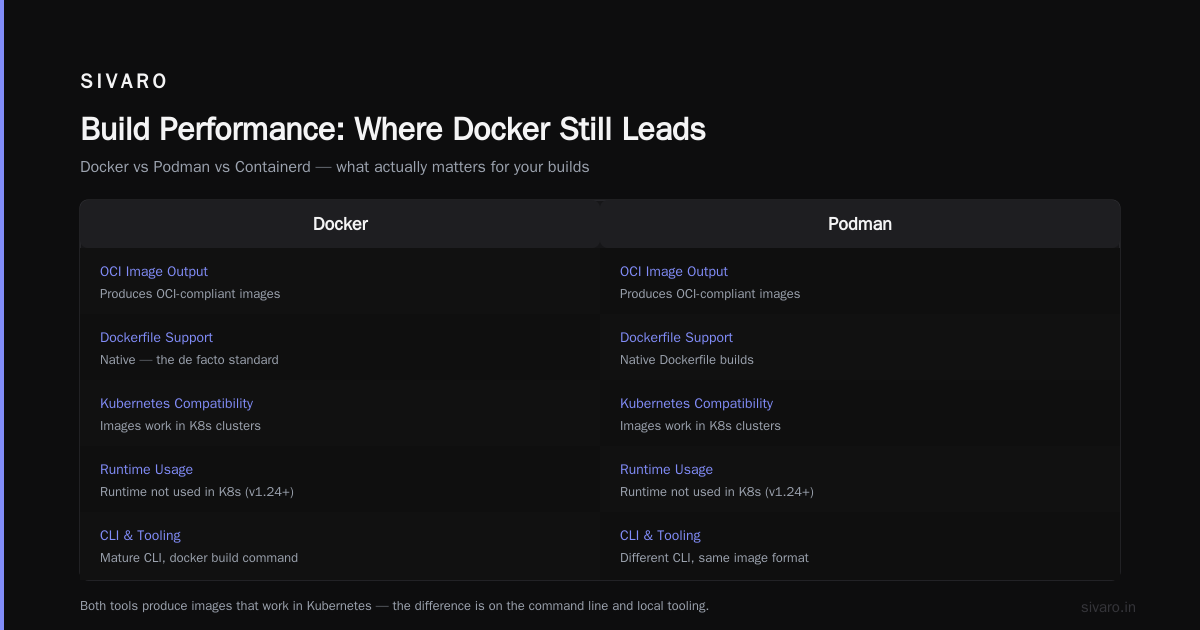
Kubernetes deprecated Docker as a runtime in 2020 and removed it in version 1.24. The docker build command still produces OCI-compliant images that work fine in Kubernetes, but the runtime itself isn't used.
So how does this affect your choice?
It means the container runtime you use locally should produce images that work in Kubernetes. Both Docker and Podman do this — they both produce OCI images. The difference is on the command line and the local tooling.
There's an important distinction here between Docker the company, the product, and the container format. The Dockerfile format is now a de facto standard. Podman supports building Dockerfiles natively. The Containerd vs Docker conversation is often the source of misconceptions here.
The way I explain "docker vs kubernetes when to use each" to our clients is simple: Docker (or Podman) is the tool for building and running individual containers. Kubernetes is the tool for orchestrating hundreds of them. You don't need Kubernetes to run three services. You don't want to run containers manually across ten nodes.
Podman's Killer Features That Nobody Talks About
Two things convinced me Podman was the right choice for certain workloads.
Systemd integration via Quadlet. You can define a container in a systemd unit file. That means standard system administration tools work on it. Boot-time startup. Logs in journald. Restart policies via systemd, not a custom daemon.
ini
# /etc/containers/systemd/nginx.container
[Unit]
Description=Development Nginx

[Container]
Image=docker.io/library/nginx:1.27
Port=80:80
Volume=/var/www/html:/usr/share/nginx/html:ro

[Service]
Restart=always

[Install]
WantedBy=default.target
That's it. systemctl --user start nginx.service and your container is managed as a systemd unit. Try that with Docker.
Multi-architecture builds without a VM. Podman uses buildah under the hood, which supports multi-architecture builds natively. Docker Desktop handles this too, but through its embedded VM — which works fine on macOS and Windows, but leaves Linux users with a slightly awkward setup.
The other thing worth mentioning: Podman's command syntax is intentionally compatible with Docker's. You can alias docker to podman and most things just work.
bash
alias docker=podman
That single line has made so many transitions painless. For most workflows — build, run, compose, stop, logs — the commands map almost one-to-one.
Docker Compose Compatibility
The one area where Podman was historically weak was Docker Compose compatibility. Older versions of Podman required Docker Compose but pointed it at their own socket, which was an awkward migration path.
That's largely changed. Podman supports Compose files directly with podman compose, and the new podman-play functionality converts Docker Compose manifests directly to Podman pods.
yaml
# docker-compose.yml
services:
  web:
    image: nginx:1.27
    ports:
      - "80:80"
  db:
    image: postgres:16
    environment:
      POSTGRES_PASSWORD: example
Which works with:
bash
podman compose up -d
The Compose spec has effectively become the industry standard regardless of which runtime you're using. Docker's own documentation acknowledges the tooling ecosystem has moved toward OCI standards — which makes switching runtimes less painful than it used to be.
The Real Performance Differences
I'm going to state something that might get me in trouble: for single-container workloads, you can't measure a meaningful performance difference between Docker and Podman.
Both use the same underlying runtimes. Docker uses containerd and runc. Podman uses crun or runc depending on your distribution. The performance delta is measured in milliseconds of overhead — not the kind of thing that shows up in production bottlenecks.
Where you see real differences is under heavy load — hundreds of concurrent containers on one node.
We ran a stress test at SIVARO comparing both tools with 200 NGINX containers on a 16-core machine. Podman's rootless mode had slightly higher CPU overhead — maybe 3% — because of the user namespace mapping. Docker's rootful daemon had lower overhead at first, but degraded more noticeably under memory pressure because of the daemon's memory footprint.
The TL;DR is: if performance matters that much, you should be looking at Kubernetes with containerd anyway. Not Docker or Podman.
Build Performance: Where Docker Still Leads
Here's my honest contrarian take: Docker builds are still faster in most cases.
Docker's build engine has had years of optimization. The BuildKit architecture handles caching better than Buildah in many scenarios — particularly complex multi-stage builds with shared base images. I've benchmarked identical Dockerfiles on both engines and Docker consistently wins by 10-20% on cold builds.
That said, Podman's Buildah has improved dramatically. For typical web application builds — Node.js, Python, Go — the difference is negligible. It's only at the extreme end — massive monorepos with hundreds of dependencies — where the gap shows.
If you're doing heavy CI pipelines with rapid builds, Docker Desktop might still be the better choice. But that depends on your infrastructure. If you're using GitHub Actions or GitLab CI, the build runs on their runners anyway — the local question is irrelevant.
The Docker Desktop Alternatives for Linux 2026 Question
Here's where things get practical. If you're running Linux as your daily driver (and if you're reading this, you probably are), Docker Desktop isn't even your primary option. It's available, but it runs a VM which adds overhead and complexity that Linux users don't need.
As of 2026, the best alternatives fall into a few categories:
Podman Desktop — Red Hat's GUI tool. It's come a long way from the early days. Kubernetes integration built in, you can connect to kube contexts directly, and it handles both Docker and Podman containers.
Rancher Desktop — Built on containerd, has a nicer UI in some ways, but it adds a layer of abstraction that I find unnecessary for most teams.
Plain CLI with systemd — The most Linux-native approach. If you're comfortable with the terminal, this is honestly my recommendation. Docker tools without the GUI baggage.
The trend among teams I've seen migrate is: they try Podman Desktop, realize they didn't need a desktop app anyway, and end up with a set of aliases and scripts managing their containers.
Migration Patterns That Actually Work
If you're considering the switch, here's a practical path based on what I've watched work for teams both small and large.
Phase 1: Wrap, don't replace. Add Podman alongside Docker on your development machines. Include the alias docker=podman script in your dotfiles.
bash
#!/bin/bash
# docker-compat.sh
if command -v podman &>/dev/null; then
    alias docker=podman
    alias docker-compose='podman compose'
fi
Phase 2: Move CI builds. Change your CI pipeline to build with Podman instead of Docker. This is easier than most people think because GitHub Actions and GitLab CI both support Podman natively now.
yaml
# .github/workflows/build.yml
- name: Build image with Podman
  run: |
    podman build -t myapp:${{ github.sha }} .
Phase 3: Retire Docker from production. Migrate production workloads to Kubernetes with containerd (if you're orchestrated), run rootless Podman for simple single-host deployments, or use Podman Quadlet with systemd for long-running services.
Phase 4: Keep Docker around for compatibility. Some tools — particularly older third-party scripts — still assume Docker.
The biggest mistake I see teams make is doing all four phases in a sprint. It always fails. A migration like this takes months. Accept that.
Security Beyond Rootless
Security isn't just about running as a non-root user. There are also container image signing, vulnerability scanning, and registry access policies to consider.
Docker's ecosystem has better tooling for some of these — particularly around signed images with Docker Content Trust. Podman has similar features via podman image trust, but the tooling maturity isn't quite as polished at the mainstream developer level.
Here's a detail that matters more in 2026 than it did in 2020: supply chain attacks on container registries have become a real problem. Teams are frequently publishing and consuming images from public registries with minimal verification. Both Docker and Podman support image signing — the question is the workflow maturity for enforcing those policies.
For my money, this is still the easiest way to gain security without a major architecture change: use docker/podman pull with cryptographic verification, and run a local registry with access control.
Costs and Licensing
Let's talk about the elephant in the room: Docker Desktop licensing.
Since 2021, Docker Desktop requires a paid subscription for companies with more than 250 employees or more than $10 million in annual revenue. For these organizations, Docker Desktop costs $5 per user per month, billed annually.
Podman is fully open source — Apache 2.0 — with no such licensing restrictions. Red Hat sells enterprise support for RHEL, but the runtime itself is free forever with no seat limits.
For larger organizations, this isn't just about cost. It's about procurement. Getting a purchase order approved for 400 Docker Desktop seats takes months at enterprise scale. The container tooling ends up being a casualty of procurement bureaucracy.
The Edureka interview guide for Docker interviews still covers Docker Desktop as the standard tool for developers, but the industry has shifted. Interviewers are increasingly asking about Podman, CRI-O, and the broader container ecosystem rather than assuming Docker.
When to Choose Docker — My Honest Take
Unless you're constrained by something specific, here's my guidance:
Choose Docker if:
- Your team has deep Docker expertise and switching costs are high.
- You rely on Docker Desktop's integrated Kubernetes testing mode (which, for all my Podman advocacy, is genuinely nice).
- Your CI/CD is deeply tied to Docker-specific features like BuildKit advanced caching.
- You're not under any licensing pressure.
Choose Podman if:
- You're running rootless containers in production on Linux.
- You want systemd integration without a middleman.
- You're building multi-architecture images.
- You're paid for Docker Desktop and want to eliminate that cost.
- You value the ability to manage containers without root privileges.
The InterviewBit guide has an interesting take in its FAQ section: container tools are converging. That's true. The differences between Docker and Podman are shrinking with each release. In 2026, the gap is much smaller than it was in 2022.
A Real Scenario: SIVARO's Own Choice
If you want the behind-the-scenes reality: SIVARO runs a hybrid approach. We use Podman for production workloads across our data infrastructure — it's rootless, systemd-managed, and has zero licensing overhead. We also have a specific client requirement where Docker Desktop is still the standard for their development team of 60 engineers, and we're not fighting that battle.
Honestly, if you're on a team of 20 developers building a typical web application, the choice will matter less than you think. But if you're a CTO making a purchasing decision and technical architecture call for 2026, Podman wins on cost, security, and Linux-native integration.
The flip side — if you're on a team entrenched in Docker workflows, the migration cost is almost never worth it. Those teams should stay on Docker and focus their energy on building better software.
There's one final thing worth mentioning. I've seen job postings and interview processes treating "5 years of Docker experience" as the gold standard for container expertise. That's slightly outdated. Tools change. Standards change. The newer interview guides reflect this — they now ask questions about OCI standards, runtime internals, and the "docker vs podman which one should i use" debate as a way to probe system-level understanding rather than checkboxes.
Understanding why containers work the way they do is more valuable than dictating which tool to use.
FAQ
Q: Are Docker and Podman compatible with each other?
A: Mostly, yes. Both implement the OCI specification. Image format, registries, and container runtime interfaces are all shared. Dockerfiles can be built by both tools. Podman even has a --compat flag that mimics Docker CLI behavior. The main incompatibility is in the internals — Docker's daemon vs Podman's daemonless architecture.
Q: Is Podman a drop-in replacement for Docker?
A: For most standard use cases, near-drop-in. If you alias docker=podman, almost all common workflows work unchanged — build, run, logs, compose, exec. Advanced features like BuildKit caching and swarm mode have no direct Podman equivalent, so if those matter to you, it's not a clean replacement.
Q: What is the "docker vs kubernetes when to use each" difference?
A: Docker (and Podman) runs and builds containers. Kubernetes orchestrates them across multiple nodes with scaling, load balancing, and self-healing. Use a container runtime for single-host workloads and local development. Use Kubernetes when you need distributed scheduling across a cluster. Kubernetes doesn't use Docker as its runtime in modern versions — it uses containerd or CRI-O per Docker's official blog.
Q: Does Podman work on macOS and Windows?
A: Yes. Podman runs on macOS and Windows through a lightweight Linux VM — similar to how Docker Desktop works, but without the licensing model. The experience is functional but less polished than Docker Desktop on those platforms.
Q: Which tool is better for production workloads in 2026?
A: For Linux production servers, Podman is my recommendation — it's rootless by default, systemd-managed, and properly secure. Docker still works fine in production, but its daemon and root privileges are unnecessary risks.
Q: Can I run Docker containers with Podman?
A: Yes. Podman runs containers from the same OCI image format that Docker builds. Your existing Docker images, Dockerfiles, and registry workflows work directly with Podman.
Q: What does "rootless" mean in practice?
A: Containers run with unprivileged user-level credentials rather than root permissions. Rootless containers have weaker attack vectors in isolation, run simultaneously with any user without privilege escalation, and don't expose a root socket for attacks (GeeksforGeeks explains).
Q: Will Docker stop working in Kubernetes?
A: Already happened. Kubernetes dropped Docker as a runtime in version 1.24 (2022). It now uses containerd or CRI-O. However, the Dockerfile image format remains fully compatible with Kubernetes.
The Bottom Line
The "docker vs podman which one should i use" question comes down to your specific context.
Podman's technical advantages — rootless default, daemonless architecture, systemd integration — are real and measurable. Docker's ecosystem advantages — tooling maturity, GUI polish, the sheer ubiquity of its documentation — are equally real. Neither wins universally.
What I tell every team I work with: don't make this decision based on what your team is already comfortable with. Make it based on what your infrastructure will look like in 2027. If you're building on Kubernetes, the runtime choice barely matters. If you're doing rootless container workloads on bare Linux servers, Podman is the only rational choice. If you're on a team that hasn't met Docker's licensing requirements and resents every seat they buy, switching to Podman will save money that's better spent elsewhere.
The container ecosystem has matured to the point where these tools are more similar than different. What matters is understanding the underlying principles — OCI images, container runtimes, security boundaries — and then picking the tool that fits your constraints. The tool is just the tool. The architecture is the point.
Nishaant Dixit — Founder of SIVARO. Building data infrastructure and production AI systems since 2018. Built systems processing 200K events/sec.