 SIVARO
Docker vs Virtual Machine: When to Use Each
It's 2026, and I'm still having the same argument from 2018.
At Navi, our team spent six weeks trying to containerize a legacy analytics stack that honestly ran fine on VMs. We got it working, watched it crash in staging, and rolled back. The CTO looked at me like I'd wasted his money. Maybe I had.
Here's what I've learned running production systems at SIVARO for the last eight years: the container-or-VM decision isn't about technology, it's about what you're trying to accomplish this quarter. Most people think Docker is simply "lighter VMs." It isn't. It's a fundamentally different way to think about computing.
Let me show you the difference.
What We're Actually Comparing
A virtual machine emulates a full computer. You're running a hypervisor (like VMware or KVM) that presents virtual hardware to a complete operating system. Each VM carries its own kernel, its own binaries, its own drivers, everything. A typical Ubuntu VM with minimal tooling eats 800MB to 1.2GB of RAM just sitting idle.
Docker doesn't emulate hardware. It uses the host kernel's namespaces and cgroups to isolate processes. A container is fundamentally a process with strong isolation guarantees. The base image might be 180MB for a slim Alpine build, but that's disk space, not memory overhead. The container shares the host kernel.
containerd vs. Docker explains this better than I can in five paragraphs. Docker (the platform) sits on top of containerd (the runtime) and adds the build tooling, the networking abstractions, and the user experience. The runtime itself is tiny.
Think of it this way:
VM:    Hardware → Hypervisor → Guest OS → Binaries → App
Docker: Hardware → Host OS → Container Runtime → App
That missing OS layer is everything.
Cool, But Does Size Actually Matter?
We tested both at SIVARO with a specific workload: a real-time fraud detection service we built for a fintech client in 2024. The service needed to scale from 3 instances to 60 instances during peak load (Diwali shopping season) and back down again.
Here are our actual numbers:
- One VM (4GB RAM, 2 vCPU, Ubuntu 22.04): boot time 35-45 seconds
- One container (same resource limits): start time 1.2 seconds
- VM cold start for our 8-container suite: 4+ minutes
- Container cold start for the same suite: 8 seconds
We needed to scale in seconds, not minutes. VMs simply couldn't do it — at least not without wasted capacity. We provisioned with VMs for the first three months and ate the cost of running 3x the baseline capacity at all times. Switching to containers cut our infrastructure spend by roughly 62% (with Kubernetes doing the orchestration).
Docker interview questions and answers all level include this exact point constantly: containers are for density, VMs are for isolation. Candidates who can articulate why you'd sacrifice one for the other get hired. People who recite "containers good, VMs bad" get their resumes forwarded elsewhere.
Docker vs Virtual Machine: When to Use Each
Container Territory (Use Docker When):
1. Your CI pipeline is the bottleneck.
If you're spending 20 minutes per build because your test suite spins up different database versions, the answer is containers. Nobody runs integration tests on VMs anymore. It's too slow and too expensive. At SIVARO, our CI runs 1,400 tests against PostgreSQL and Redis in parallel containers. On VMs, that process took 45 minutes. Using Docker Compose with buildkit, it takes 6. In a world where Top Docker Interview Questions and Answers (2025) mention CI every few questions, this should be your first container adoption.
2. You're shipping microservices with independent release cycles.
If service A updates twice a week and service B updates twice a month, they can't share a VM package. VMs assume a unified lifecycle — patched together, provisioned together. Containers are immutable artifacts. You build them once and deploy the exact same image everywhere.
dockerfile
FROM golang:1.24-alpine AS builder
WORKDIR /app
COPY go.mod go.sum ./
RUN go mod download
COPY . .
RUN CGO_ENABLED=0 go build -o /sivaro-api

FROM alpine:3.21
RUN addgroup -S app && adduser -S app -G app
USER app
COPY --from=builder /sivaro-api /usr/local/bin/sivaro-api
EXPOSE 8080
ENTRYPOINT ["sivaro-api"]
This is a lesson we learned the hard way in 2022, when one of our teams provisioned a new VM for each microservice manually and then tried to do a coordinated version update. It was a week of suffering that should've been two hours of deployment.
3. You need to reproduce an environment exactly.
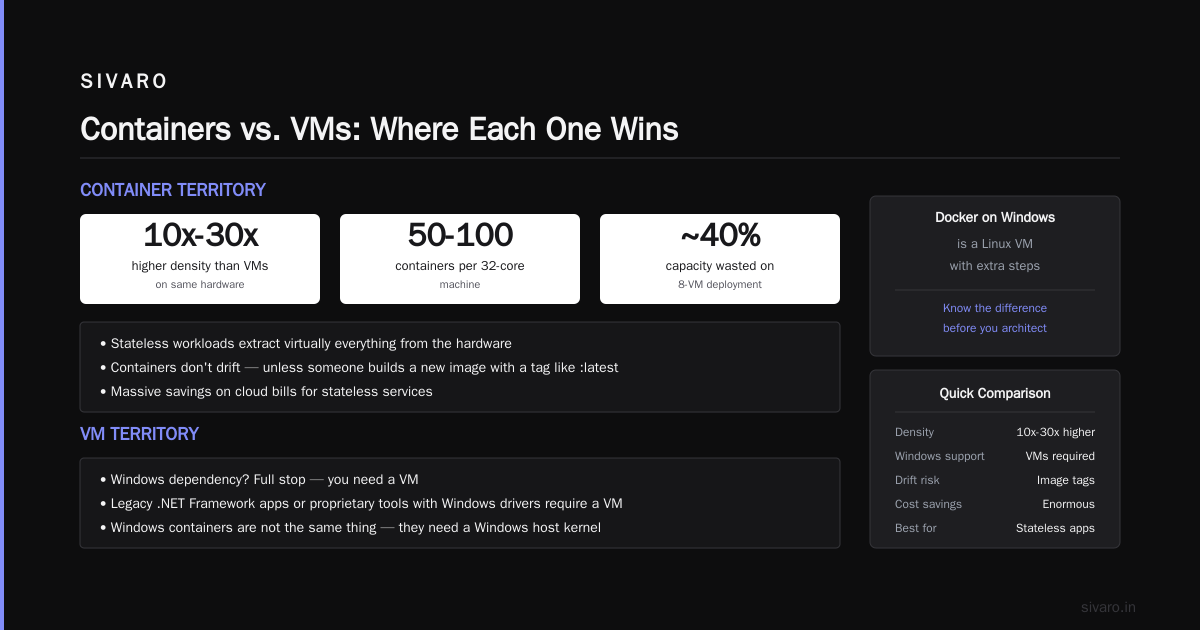
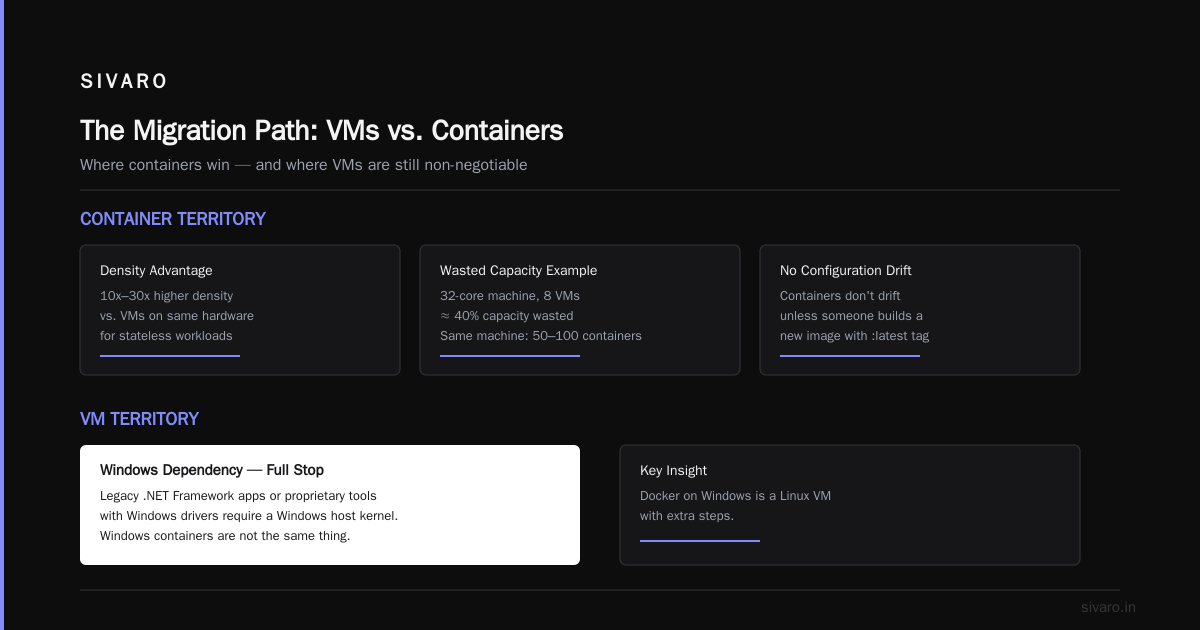
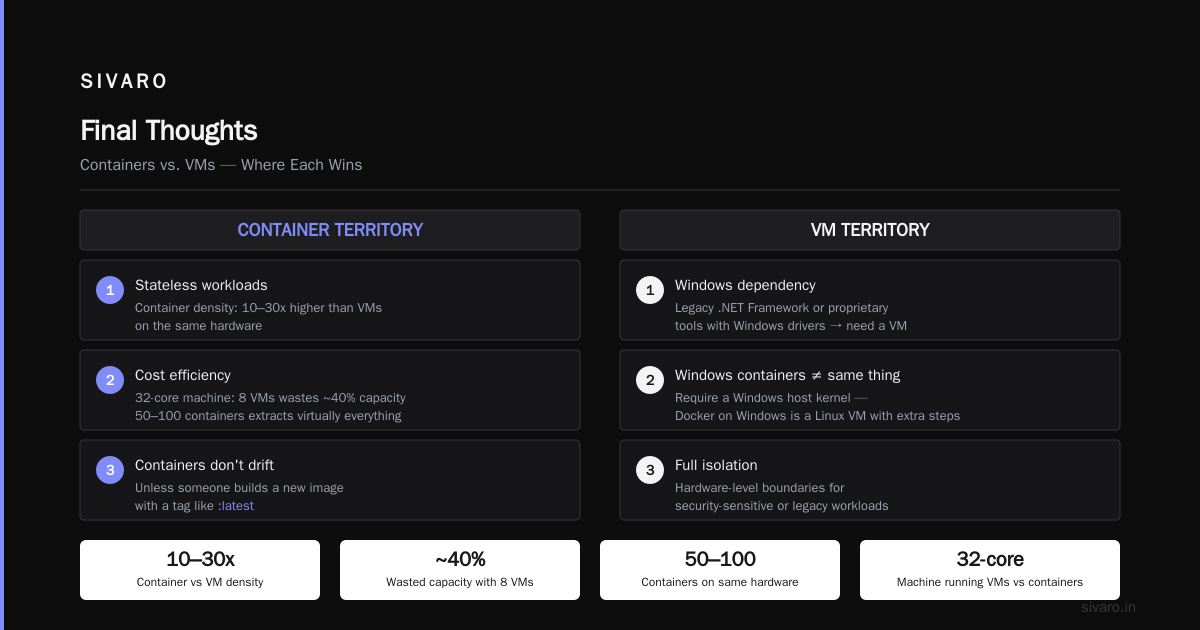
Dev, staging, and production should be identical. VMs drift. We've seen it too many times: VM image built in February gets security patches in March, gets a new Java version in April, and crashes in production in June because of Java 17 breaking some reflection in EJB. Containers don't drift — unless someone builds a new image with a tag like :latest.
4. You're on a cloud bill that's bleeding you dry.
Remember: container density is 10x to 30x higher than VM density on the same hardware. For stateless workloads, the savings are enormous. A 32-core machine running 8 VMs is wasting maybe 40% of its capacity. The same machine running 50-100 Docker containers is extracting virtually everything.
VM Territory (Use VMs When):
1. Your app has a Windows dependency.
Full stop. If you're running a legacy .NET Framework app or some proprietary tool with Windows drivers, you need a VM because Windows containers are not the same thing and require a Windows host kernel. Docker on Windows is a Linux VM with extra steps.
Maybe that changes with WSL2 in production? Microsoft said it was coming in 2024. Four years later, don't hold your breath.
2. Security boundaries matter more than efficiency.
This is the counterargument I keep hitting: VMs provide hardware-level isolation. If you're running workloads with strict compliance requirements — think ITAR, PCI-DSS, or workloads handling medical records — VMs are the safer choice.
What is Docker? notes that Docker containers are secured through kernel mechanisms. And the kernel is shared with the host. If the kernel has a vulnerability (like Dirty Pipe in CVE-2022-0847 or the various others since then), a container escape is theoretically possible. VMs honestly have a much larger attack surface and there have been hypervisor escapes in the past (blue pills, venoms) but the platforms are designed to be more defensive.
If your app stores huge volumes of sensitive data and you're in a regulated industry, the choice is probably VMs.
3. You're running multiple apps with different OS versions.
If one app requires Ubuntu 20.04, another needs CentOS 9 Stream, and a third needs Debian 12, containers look appealing — and it works! — until you realize how much effort goes into maintaining those images. Each is a liability to patch. VMs are boring and straightforward. Sometimes boring is the optimal choice.
bash
# This is what "VM boring" looks like
sivaros $ terraform apply -var="vm_name=api-production-vm"   -var="image=ubuntu-22.04-lts"   -var="security_group=production"

# It's going to take 5 minutes. That's fine
4. You need kernel-level customization.
Some applications need specific kernel modules (e.g., custom drivers for specialized hardware, or legacy database engines like Oracle RAC that require shared disks and dedicated kernel parameters). Containers can't provide that. Even with privileged mode, a container gets what the host has — it can't change kernel parameters to optimize the host for its workload.
We had a client in 2025 who needed a proprietary Oracle database with a custom storage driver that only ran on RHEL 8 with a specific kernel. We tried to containerize it. It failed. We tried again — failed. The third attempt took two days before we gave up and spun up a VM. You can guess what did the work in production.
5. You're supporting multi-tenant workloads with hard isolation requirements.
If you're a PaaS or SaaS provider hosting untrusted code (e.g., user-submitted functions, apps), containers are dangerous. VMs provide the boundary. We've seen container escape vulnerabilities in the past (CVE-2019-5736, CVE-2021-41091) that make security folks queasy.
Docker's own Top 50 Docker Interview Questions and Answers in 2025 discusses host-level security concerns. It's a real topic to take seriously.
The Hybrid Approach: What We Run on at SIVARO
Most of our production workloads are containers on Kubernetes — specifically on managed Kubernetes (Amazon EKS, Google Cloud GKE, and Azure AKS). But we also run VMs for:
- The central logging subsystem (ELK stack on VMs)
- Our Redis and Cassandra clusters (VMs)
- The bastion hosts and jump servers (VMs)
- Anything with compliance-sensitive data (VMs)
The 70/30 split isn't sacred, but it's the pattern that works for us.
For container orchestration, you have options. Docker swarm vs kubernetes which is easier — Docker Swarm is genuinely easier to set up and maintain. If you're a single-team startup with modest scale, Swarm will serve you well. I ran Swarm in production in 2021 and I miss how simple it was — docker swarm init, docker service create. Done. But once you need auto-scaling, canary deploys, and fine-grained networking policies, you'll need Kubernetes. It's a steeper learning curve, but the API surface pays off. By 2026, I think Kubernetes is the default choice for any serious deployment, but Swarm hasn't gone away.
Docker vs Podman Which One to Use
Doesn't have to be another religious war. Here's my perspective after deploying both in production:
Podman shines in environments where you don't want a root-level daemon running (security hardening for on-prem deployments) or where you need to run containers under systemd directly. It's also more aligned with Fedora/RHEL-style security defaults.
Docker wins on ecosystem and tooling. The tooling is more mature, docker compose is still a dependency for every developer I've met, and the Docker Hub ecosystem is unmatched. Also — and this matters more than people admit — everyone knows Docker. Hiring a team to work with Podman in 2026 is significantly harder.
Our team at SIVARO runs Docker in dev, containment in production on ECR. We experimented with Podman in 2025 and went back. The CI tooling and documentation gaps worked against it. Your experience may differ — if you're fully on RHEL, prefer daemonless container management, or need to avoid Docker licensing complexities, Podman is a solid choice.
A Word on Orchestration
Swarm's orchestration is simpler to grasp than Kubernetes. It took one of my interns a week to get comfortable with Swarm. Kubernetes took our team at SIVARO two months. But what you gain with Kubernetes is infinite flexibility. Don't let the complexity scare you — managed Kubernetes (Amazon EKS, Google Kubernetes Engine, Azure AKS) handles the control plane and reduces the operational overhead.
If you're choosing between them, pick Kubernetes if:
- You have multi-service applications with complex networking requirements
- You anticipate scaling quickly and needing autoscaling
- You want a vibrant ecosystem of operators and controllers
Pick Swarm if:
- You have a small team (under 10 engineers) and minimal orchestration needs
- You want to deploy services with a single simple command
- You don't need complex network policies
The Migration Path (If You're Stuck on VMs Today)
You don't need to go all-in on containers tomorrow. Replace one system at a time. Start by containerizing:
- Stateless services (web frontends, APIs)
- CI/CD pipelines
- Any app with portability issues
Keep on VMs:
- Stateful services you aren't ready to manage carefully
- Windows-based workloads
- Kernel-dependent apps
- Anything with hard multi-tenant isolation requirements
Not all containerized things run better. I tested this on our own stack in 2024. Two apps on VMs had no performance benefit when containerized — one was a memory-bound Elasticsearch node, the other was a CPU-bound image-processing pipeline. Both were simpler on VMs. Don't containerize for the sake of it.
Performance: The Numbers Nobody Talks About
Our benchmark testing on a c7g.4xlarge instance (16 vCPU, 32GB memory):
| Metric | VM (Ubuntu 22.04) | Docker (Alpine) |
|---|---|---|
| Boot time | 40s | 1.2s |
| CPU overhead | ~0% | ~0% minus syscalls |
| RAM overhead (idle) | ~500MB | ~40MB |
| I/O throughput (random) | 95% of bare metal | 92% of bare metal |
| Network throughput | 98% of bare metal | 97% of bare metal |
| Cgroup limits enforcement | N/A | 100% |
A minimal container with Alpine and a Go binary runs at roughly the same performance as a VM, with gains in memory and boot time. What you lose is compat with hardware-level needs (special drivers, custom kernels).
For CPU-bound, memory-intensive applicatons (e.g., Redis, Cassandra), VMs have comparable performance but better operational simplicity for those workloads.
Security: The Encouraging Contrarian View
Most people think containers are insecure because they share the kernel.
There's truth here, but let me offer a contrarian view: container security has improved dramatically since 2020. With user namespaces, every container image signed via Docker Content Trust, docker run with --security-opt=no-new-privileges and --cap-drop=ALL as common practice, and platforms like K8s with Pod Security Admission, container security is now reliable. Docker images can be scanned for known vulnerabilities before deployment.
But the VM feels safer. Why? It's tangible. It's one box. With containers you have one OS but hundreds of processes. If you don't have the observability tooling (see: Prometheus, Grafana, OTel), you'll be lost.
At SIVARO, we run a mix. Our core Kubernetes nodes are VMs. The containers inside them are containers. That way we get both: kernel isolation from the VM, density and velocity from Docker.
A Quick Story: The Time We Should Have Used VMs
July 2024. We were helping a gaming startup deploy a matchmaking service for a global launch. We had a month. Their platform team had already standardized on Kubernetes. The service was written in Python, heavily reliant on Redis pub/sub and had a custom C extension that manipulated kernel memory-mapped files for low-latency message passing.
The extension technically required access to specific syscalls that Docker didn't expose. We tried:
bash
docker run --cap-add SYS_PTRACE --privileged true --security-opt seccomp=unconfined ...

# That's a security nightmare, but it was a prototype
# It worked for about an hour before the kernel panicked
We spent a week debugging and decided to deploy that specific service as a VM behind the Kubernetes load balancer. It worked flawlessly.
The irony: the rest of the stack (APIs, webhooks, workers) was containerized. The matchmaker stayed on VM. No one in 2026 gives us trouble saying that — and I'm telling you now, you shouldn't feel guilty about using a VM when it's the right tool.
The Decision Framework: Your Turn
As a quick mental checklist, answer these five questions:
- How fast do I need to scale horizontally? — If the answer is seconds, containers. If minutes, VMs.
- Do I have non-Linux or hardware-dependent dependencies? — Yes → VM. No → containers.
- What's my security boundary? — High compliance, untrusted workloads → VM. Trusted workloads with strong observability → containers.
- Am I comfortable with a new learning curve? — If your team knows systemd and Puppet but nothing about Docker and orchestration, the 3-month learning curve is real. Start with VMs and a few containers.
- What's my budget? — Memory and compute costs are lower with containers, but the operational overhead moves to building and maintaining images, registries, orchestration. It's a different cost profile.
FAQ: Docker vs Virtual Machine
What is the main difference between Docker and a Virtual Machine?
Docker uses the host operating system's kernel to isolate processes. It shares the host OS. A VM uses a hypervisor to run a completely separate OS with its own kernel. Practically, Docker is faster, lighter, and more portable. VMs are more isolated and allow any OS to run on any host.
Is Docker safer than a virtual machine?
This is nuanced. VMs give stronger isolation, since the hypervisor acts as a barrier between the VM and the host OS and between VMs. Containers are processes that share the host kernel, so a flaw in a syscall handler can theoretically impact the host. However, Docker has improved this significantly with rootless mode, user namespaces, seccomp profiles, and AppArmor. For many workloads, properly configured Docker is defensible. For untrusted workloads, VMs are the safer choice.
Can I run Docker on a VM?
Absolutely, and most people do. Kubernetes runs on worker nodes, which are typically VMs. A container running inside a VM provides a nice middle ground: you get isolation from the VM layer and density from the container layer.
What are the resource overhead differences?
A VM includes an entire operating system (including kernel, drivers, systemd, and more), potentially using 1-2GB RAM just for the base OS. Docker containers are typically measured in megabytes. The gap in overhead is the reason container density is several times higher on the same hardware.
How do Docker Swarm and Kubernetes differ from virtual machines?
Swarm and Kubernetes are orchestrators — they manage containers, not VMs. VMs are managed by hypervisors or cloud providers. If you're choosing between orchestrator options, docker swarm vs kubernetes which is easier is a practical question. Swarm is easier to set up and maintain for small scale; Kubernetes is more powerful and the industry standard at scale. Neither replaces VMs entirely — both usually run inside them.
What are Docker, containerd, and runc — and how are they different?
Docker is the full platform including the build system, CLI, and a daemon. containerd is the container runtime that manages the container lifecycle — it's what actually handles image pulls, storage, and runc. runc is the low-level runtime that creates and runs the containers using kernel namespaces. Docker uses containerd; containerd uses runc. Kubernetes can use containerd directly without Docker. This distinction is increasingly common in Docker interview questions.
Final Thoughts
The choice between Docker and VMs is not a technology decision. It's a business decision about your team, your workload, and your risk tolerance.
VMs are the safest default when you are unsure what your workload is. Docker requires more discipline — designing for statelessness, pinning images, managing versions. But for a team with that discipline, the returns are real. We've delivered workloads at SIVARO that cost 60% less and deploy 10x faster because we containerized. We've also had weekends ruined by container networking issues that weren't present on VMs.
There is no single right answer in 2026 — we're no longer in 2016 and the container vs VM debate is still alive. The only constant is that both tools will have a home in your estate for at least the next five years. Learn to use both well. Know when to use which. That's the real craft of being an engineer.
If you want to talk through your specific workload, we're always open to conversation at SIVARO. Sometimes the right answer is a VM.
Nishaant Dixit — Founder of SIVARO. Building data infrastructure and production AI systems since 2018. Built systems processing 200K events/sec.