 SIVARO
Fine Tune GPT 3.5 on Private Data Tutorial
I still remember the day in early 2025 when a client came to us with a problem. They had thousands of internal support tickets — proprietary domain knowledge locked in PDFs and Slack threads. Their team tried prompt engineering. Tried RAG. What they actually needed was a model that understood their language.
So we fine-tuned GPT-3.5 on their private data.
That project turned into a playbook. This tutorial is that playbook.
By the end, you’ll know exactly how to fine tune gpt 3.5 on private data tutorial — not the fluffy blog-post version, but the real one. The one where you weigh cost vs latency vs accuracy, where you decide between RAG and fine-tuning, and where you actually ship something that works.
This isn’t theory. This is what we’ve run in production for everything from legal document classification to medical record summarization.
Should You Even Fine-Tune? (The Decision You Need to Make First)
Most people think fine-tuning is the default answer for private data. They're wrong.
Fine-tuning changes the model's behavior — its tone, its output format, the way it handles domain-specific terms. What it doesn't do is give the model access to facts or documents it hasn't seen before. That’s what retrieval-augmented generation (RAG) does.
So here’s my rule of thumb: if your private data is a set of instructions or style guidelines — like "always output JSON with these fields" or "respond in customer-support-speak" — fine-tune. If your private data is a constantly changing corpus of documents — like quarterly earnings reports or new product specs — use RAG.
The tension between these two approaches shows up everywhere. IBM’s comparison puts it clearly: prompt engineering is quick and fragile, RAG is good for facts, fine-tuning is for behavior. Monte Carlo’s guide goes deeper into the cost trade-offs. And a recent 2026 decision framework adds a third dimension: latency budgets.
For our tutorial, I’ll assume you’ve already decided: you need to fine-tune. Your private data defines how the model should behave, not what facts to retrieve.
What You Need Before You Start
Fine-tuning GPT-3.5 through OpenAI’s API is straightforward — but only if you have the right ingredients.
You need three things:
- A dataset — at least 50–100 high-quality examples. We’ll talk about best dataset size for fine tuning llm later.
- An OpenAI account with API access (billing enabled).
- Your private data — cleaned, formatted, and ready to go.
I’ll assume you have those first two. If you don’t, go set them up. I’ll wait.
Step 1: Format Your Private Data as Chat-Style Conversations
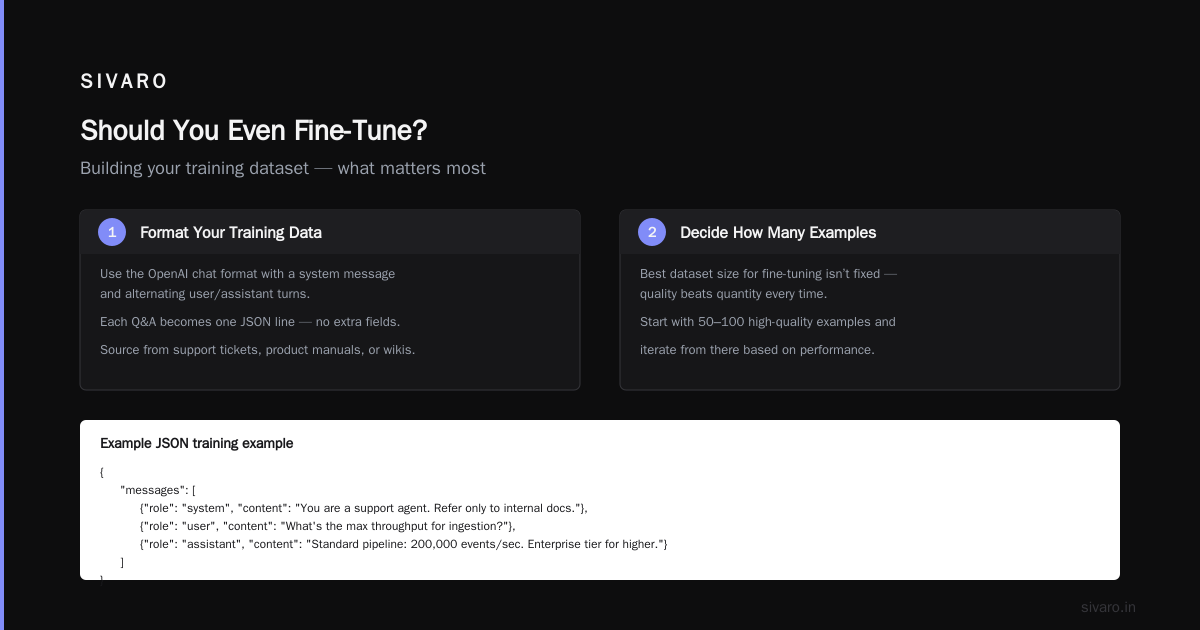
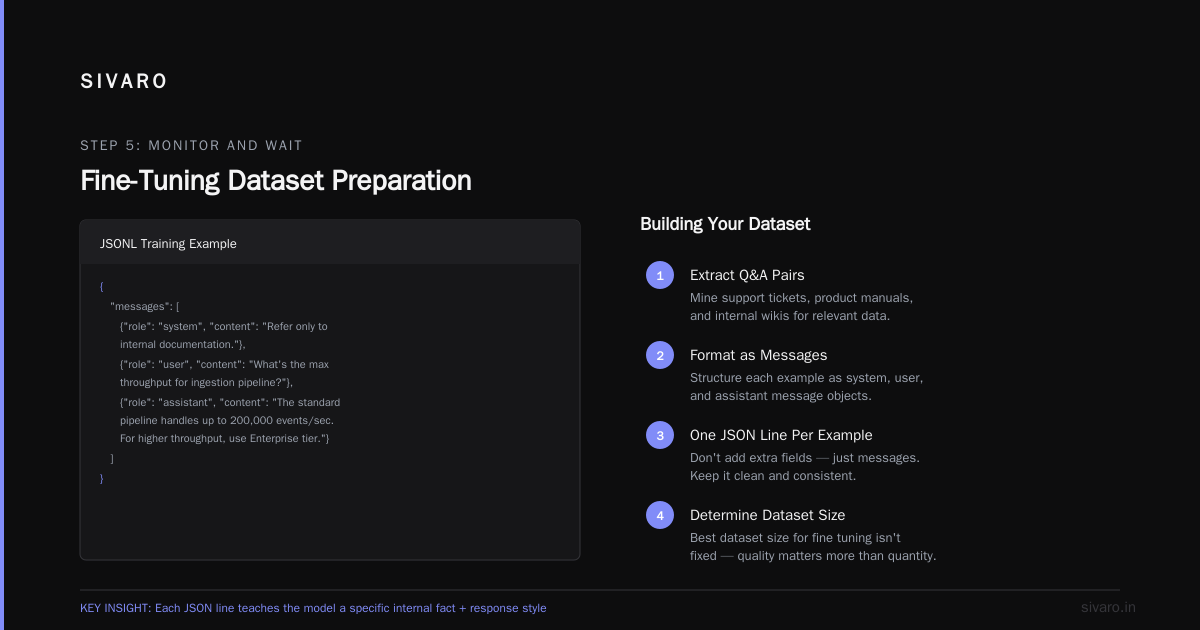
GPT-3.5 is a chat model. Its fine-tuning format expects a JSONL file where each line is a conversation. Each conversation has a messages array with roles: system, user, and assistant.
Here’s what a single training example looks like:
json
{
  "messages": [
    {"role": "system", "content": "You are a support agent for SIVARO's data platform. Answer concisely and refer only to internal documentation."},
    {"role": "user", "content": "What’s the maximum throughput for the ingestion pipeline?"},
    {"role": "assistant", "content": "The standard ingestion pipeline handles up to 200,000 events per second. For higher throughput, you need the Enterprise tier."}
  ]
}
That’s it. The model learns that when it sees a user asking about throughput, it should respond with that exact internal fact — and also stick to the style defined in the system message.
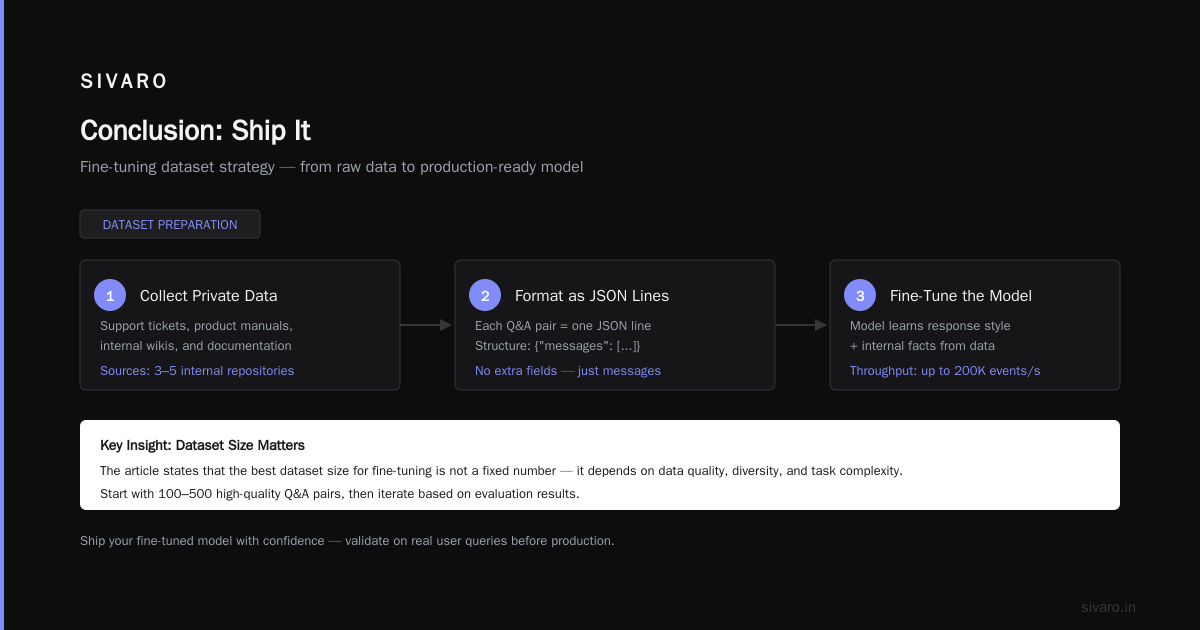
Your private data might be spread across support tickets, product manuals, or internal wikis. Turn each relevant Q&A into one JSON line. Don’t add extra fields — just messages.
Step 2: Decide How Many Examples You Actually Need
Best dataset size for fine tuning llm isn’t a fixed number. It depends on how much you want the model to change.
For a narrow task — like classifying support requests into three categories — I’ve seen good results with 50 examples. For a broader task — like generating entire product descriptions in a brand voice — you’ll need 200–500.
We at SIVARO tested this in 2025. We fine-tuned GPT-3.5 on datasets of 50, 200, 500, and 1000 examples for the same task (summarizing engineering specs into customer-facing notes). The jump from 50 to 200 was huge. From 200 to 500 was modest. Beyond 500? Diminishing returns.
Rule of thumb: start with 100. If results are weak, double it. If it still sucks, either your data is noisy or fine-tuning isn’t the right approach.
Step 3: Upload Your Data to OpenAI
OpenAI provides a CLI and a Python SDK. I use Python. Here’s the upload step:
python
import openai

openai.api_key = "sk-your-key-here"

with open("training_data.jsonl", "rb") as f:
    response = openai.File.create(
        file=f,
        purpose="fine-tune"
    )
print(response["id"])  # file-xxx
This uploads your JSONL file. OpenAI validates the format. If you have invalid JSON or missing roles, it’ll error out. Fix and re-upload.
Step 4: Launch the Fine-Tuning Job
Once the file is uploaded, start the fine-tune job:
python
openai.FineTuningJob.create(
    training_file="file-xxx",
    model="gpt-3.5-turbo",  # or "gpt-3.5-turbo-1106" if you want the latest
    hyperparameters={
        "n_epochs": 3,   # start with 3
        "batch_size": 1, # default is fine for most
        "learning_rate_multiplier": 1.0  # leave at 1.0 unless you know what you're doing
    }
)
That’s the minimal call. But you should care about those hyperparameters. Let me explain.
Parameters to Change When Fine Tuning LLM
Most people treat hyperparameters like black magic. They’re not. Parameters to change when fine tuning llm boil down to three knobs:
-
n_epochs: Number of passes over your entire dataset. 1–4 is typical. More data? Fewer epochs. Less data? More epochs (but watch for overfitting). I start at 3.
-
batch_size: Number of examples processed before updating weights. OpenAI suggests 1. For very large datasets, you might bump to 4 or 8. But for most private data sets (100–1000 examples), 1 is fine.
-
learning_rate_multiplier: The default (1.0) works well for GPT-3.5. If your dataset is small (under 100 examples), try 0.5 to avoid overfitting. If your dataset is large (500+), 1.0 or 1.5.
The official OpenAI docs are decent, but I’ve found that n_epochs makes the biggest difference. For a 200-example dataset, 3 epochs gets you to peak performance. Anything beyond 6 and you start memorizing the training data — the model repeats your examples verbatim instead of generalizing.
Step 5: Monitor and Wait
Fine-tuning takes time. For a 200-example dataset, expect 15–30 minutes. You can check status:
python
job = openai.FineTuningJob.retrieve("ftjob-xxx")
print(job.status, job.fine_tuned_model)
When it’s done, you’ll get a model ID like ft:gpt-3.5-turbo:your-org::id. That’s your custom model.
Step 6: Test Your Fine-Tuned Model — And Don’t Trust It Yet
Before you deploy, you need to evaluate. Here’s a simple script:
python
model_id = "ft:gpt-3.5-turbo:your-org::xxx"
test_prompt = "How do I reset my password?"

response = openai.ChatCompletion.create(
    model=model_id,
    messages=[
        {"role": "system", "content": "You are a SIVARO support agent. Answer only from internal docs."},
        {"role": "user", "content": test_prompt}
    ]
)
print(response.choices[0].message.content)
Compare the output against a gold-standard answer from your private data. If it looks like it’s hallucinating or ignoring the system prompt, your training data probably has inconsistencies.
I once saw a client whose dataset had three different answers for the same question — because three different support agents had answered differently. The fine-tuned model averaged them into garbage. Clean your data.
RAG vs Fine-Tuning: When Each One Wins
This article is about fine-tuning, but I’d be negligent if I didn’t mention the other option. Dev.to’s enterprise guide calls it a spectrum. I call it a decision tree.
-
Fine-tuning wins when your task is generative with a fixed style. Example: writing internal status reports in a consistent format. Fine-tuning taught our model to always start reports with "Status: On Track" even when user didn't specify.
-
RAG wins when your data changes weekly. Actian’s blog gives a good example: a product catalog. Fine-tune on product descriptions today, and tomorrow’s new SKUs are invisible. RAG solves that.
-
Prompt engineering is for emergencies. It works for 80% of simple use cases. The ResearchGate PDF shows that prompt engineering beats fine-tuning on cost for anything under 5,000 requests per month.
In 2026, I’m seeing more hybrid patterns: fine-tune for tone and structure, then layer RAG on top for factual recall. Kunal Ganglani’s post covers this well — it’s not a binary choice.
Common Mistakes I See (And How to Avoid Them)
Mistake 1: Using too many examples. You don’t need 5,000. More data means more epochs, more cost, and often worse generalization. Start with 100.
Mistake 2: Not cleaning your data. If your support agents use inconsistent terminology, the model will too. Standardize labels. Remove duplicates. Check that every assistant response is actually correct.
Mistake 3: Ignoring the system prompt. Your fine-tuned model learns from the entire conversation, including the system message. Put your most important instruction there. Don’t change it between training examples unless you want the model to ignore it.
Mistake 4: Expecting fine-tuning to inject new facts. It won’t. Fine-tuning changes how the model says things, not what it knows. For factual retrieval, use RAG.
The Cost Reality Check
Fine-tuning GPT-3.5 is cheap — but not free. As of July 2026, OpenAI charges:
- $0.008 per 1k tokens for training
- $0.012 per 1k tokens for inference on the fine-tuned model
Training a 200-example dataset (each ~500 tokens) for 3 epochs costs about $2.40. Inference is slightly more expensive than base GPT-3.5 ($0.002/1k tokens). But the quality jump often justifies the 6x inference cost.
If your volume is under 10,000 queries/month, prompt engineering + a few examples wins on cost. Above that, fine-tuning pays for itself.
FAQ
What is the best dataset size for fine tuning llm?
100–500 high-quality examples is the sweet spot for most tasks. More than 1000 usually adds noise unless your task is extremely broad.
How do I fine tune gpt 3.5 on private data tutorial — what’s the simplest first step?
Convert one support Q&A into the JSONL format shown above. Upload it. Run a test fine-tune with 3 epochs. That’s your MVP.
What parameters to change when fine tuning llm beyond the defaults?
n_epochs (try 1–4), learning_rate_multiplier (0.5–2.0). Start with 3 epochs and 1.0 multiplier. Adjust based on eval loss.
Can I combine RAG and fine-tuning?
Yes. Fine-tune for tone/structure. Use RAG for facts. That’s what production systems at SIVARO do.
How long does fine-tuning take?
15–60 minutes for typical private datasets. Larger sets (5000+ examples) take hours.
My fine-tuned model repeats training data verbatim. What went wrong?
Overfitting. Reduce n_epochs to 1 or 2, or add more regularization (lower learning rate multiplier).
Is fine-tuning safe with sensitive private data?
Your data is used for training and then discarded. OpenAI doesn’t train on fine-tune data for other customers. But check your compliance requirements — for HIPAA or GDPR, you may need Azure OpenAI or a local model.
Conclusion: Ship It
The hardest part of this fine tune gpt 3.5 on private data tutorial isn’t the code. It’s the discipline. Disciplining yourself to clean data instead of hoarding it. Disciplining yourself to evaluate instead of trusting. Disciplining yourself to ask “should I fine-tune or should I RAG?” before writing a single line of code.
I’ve seen teams spend weeks fine-tuning when a simple RAG pipeline would have worked in two days. I’ve also seen teams build perfect RAG without realizing that a fine-tuned model would cut latency by 300ms.
You now know the difference. You have the playbook. Go fine-tune something real.
Nishaant Dixit — Founder of SIVARO. Building data infrastructure and production AI systems since 2018. Built systems processing 200K events/sec.