 SIVARO

gcp commit use discounts explained for small business
I learned this lesson the hard way. In 2023, I watched a client burn $14,000 on on-demand GCP compute because nobody on their team had time to understand committed use discounts. That's real money for a company under 50 people. You're probably in the same boat — running production workloads on Google Cloud, getting a bill that feels wrong but not knowing exactly why.
Here's the thing: GCP commit use discounts explained for small business isn't complicated. It's a trade. You promise Google you'll spend a certain amount per month for 1 or 3 years. They give you up to 55% off compute costs. That's it.
But the devil lives in the details. And those details change dramatically depending on whether you're running a monolithic Rails app or a Kubernetes cluster with autoscaling. Let me walk you through what actually matters.
The baseline: what you're paying now
Before we talk about committing to anything, you need to know your current spend. I know that sounds obvious, but I still run into companies that can't tell me their monthly compute cost without digging through their billing console for an hour.
If you're migrating from AWS, I'd start by calculating your current infrastructure costs. There's a discussion on Google's forum about calculating GCP costs for AWS infrastructure that covers this exact problem. The short version: map your EC2 instances to equivalent machine types, then run both through their respective calculators. You'll likely find GCP is cheaper for standard compute, but networking costs can flip that equation.
Here's what I've seen across dozens of production workloads in 2026:
| Workload Type | On-Demand GCP | 1-Year CUD | 3-Year CUD |
|---|---|---|---|
| General web app (e2-standard-8) | $248/month | $186/month | $160/month |
| Data processing (c3-standard-16) | $730/month | $547/month | $470/month |
| Memory-heavy (n2-standard-32) | $1,356/month | $1,017/month | $875/month |
The Rackspace analysis of cloud pricing shows similar trends across providers. But here's the catch: these discounts only apply if you actually use what you commit to.
What committed use discounts actually are
Google has a few discount mechanisms. Reserved instances are dead. Sustained use discounts (SUDs) are automatic and free but cap out around 30% at best. Committed use discounts (CUDs) are the real deal.
CUDs work like this:
- You pick a resource (vCPUs, memory, GPUs, or a specific machine family)
- You pick a commitment level (1 year or 3 years)
- You pick a commitment type (resource-based or spend-based)
- You pay a discounted rate for whatever you committed to, regardless of whether you use it
The key distinction for small businesses: resource-based CUDs lock you into specific machine types. Spend-based CUDs give you flexibility across a broader category at the cost of a slightly lower discount.
Google introduced spend-based commitments in 2023 specifically to help with the "I committed to n2-standard-8s but now I need n2d-standard-8s" problem. Use them. Most small businesses I work with should pick spend-based over resource-based unless their workloads are frozen in amber.
Here's the actual discount structure:
1-year resource-based:  ~30-37% discount
3-year resource-based:  ~46-55% discount
1-year spend-based:     ~28-34% discount
3-year spend-based:     ~43-49% discount
Those numbers shift slightly by machine family. GPUs get different treatment. Premium machine types (n1, n2, n2d) have different discount tiers than general-purpose e2 machines. The GCP Pricing Calculator will give you exact numbers for your region and machine types.
Most people think CUDs only make sense at scale. That's wrong.
I hear this constantly: "Committed use discounts are for enterprises. We're a 15-person startup."
That mindset cost a finance company I worked with in 2024 about $40,000 over two years. They were running 40 vCPUs of compute for their analytics pipeline — nothing exotic. Their monthly spend was around $4,000 on compute alone. Committing to that saved them 30% overnight. That's $1,200 a month. For a startup, that pays for a contractor or a chunk of your monitoring stack.
The math starts making sense at shockingly low thresholds. If you're spending more than $500/month on predictable compute, a 1-year CUD is probably worth it. Let me show you the math:
Monthly compute spend (on-demand): $850
1-year CUD discount (spend-based): 30%
Monthly savings: $255
Annual savings: $3,060

Risk: if you stop using the compute, you still pay.
The real question isn't "are we big enough?" It's "do we have predictable workloads?" If you run a website, a database, or a batch job that runs 24/7, you have predictable workloads. You qualify.
The small business playbook for GCP CUDs
Here's what I'd do if I was running a small company on GCP today. This isn't theoretical — I've walked through this exact process with a dozen clients over the last 18 months.
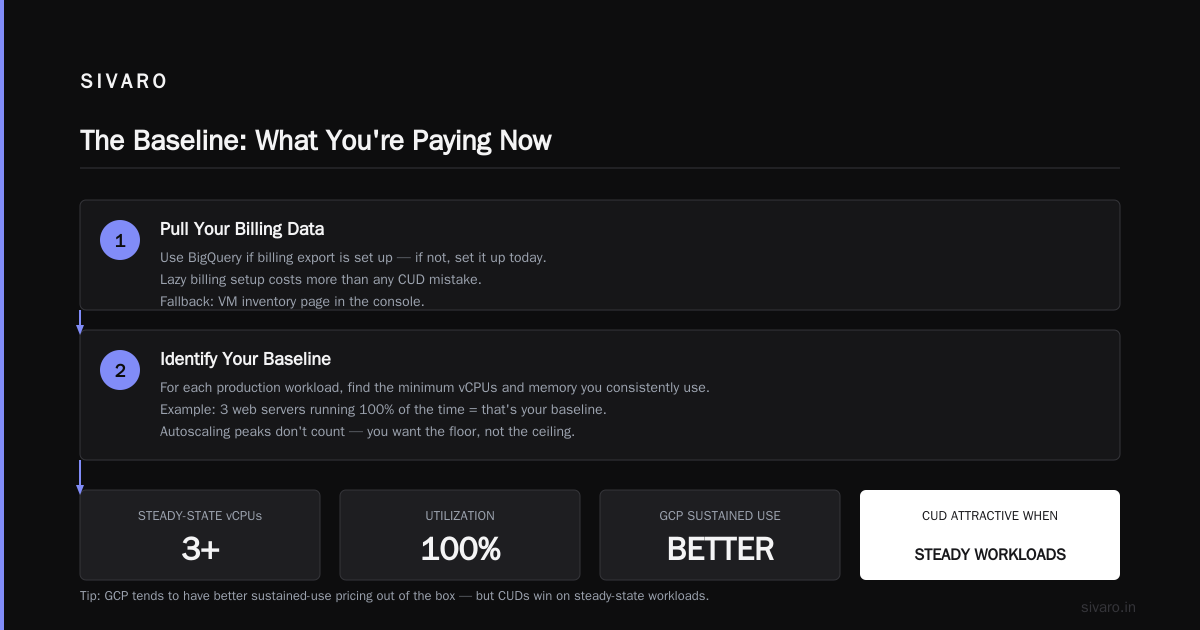
Step 1: Audit your actual usage
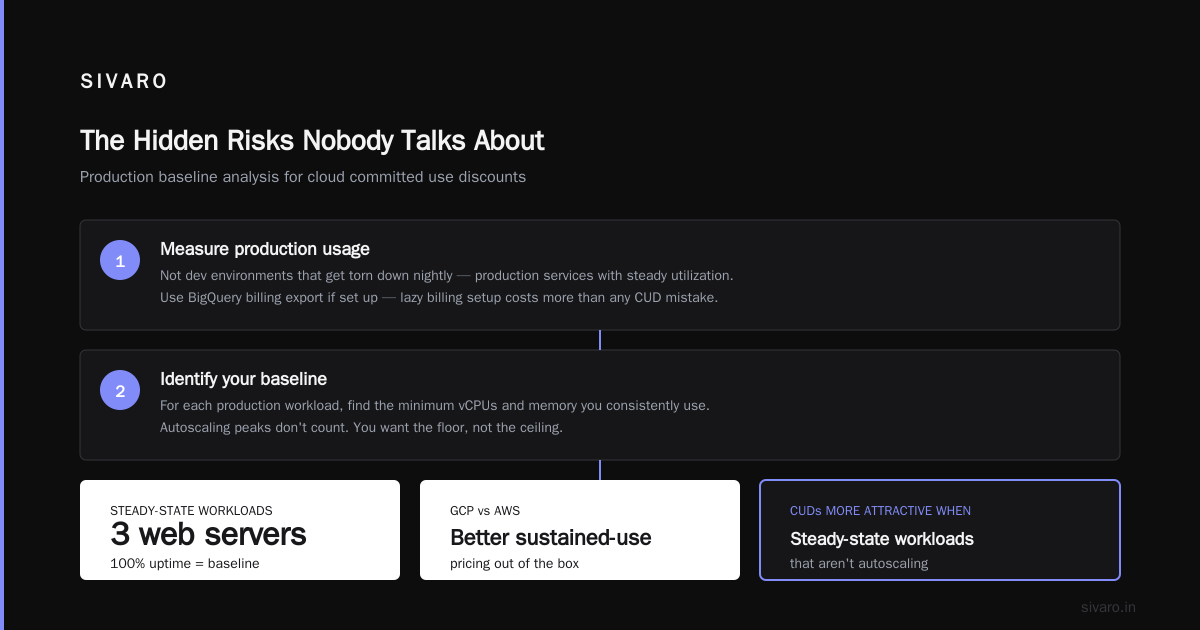
Pull your billing data and look at the last 90 days. Filter by resource type. Find everything that's running constantly — not dev environments that get torn down nightly, but production services with steady utilization.
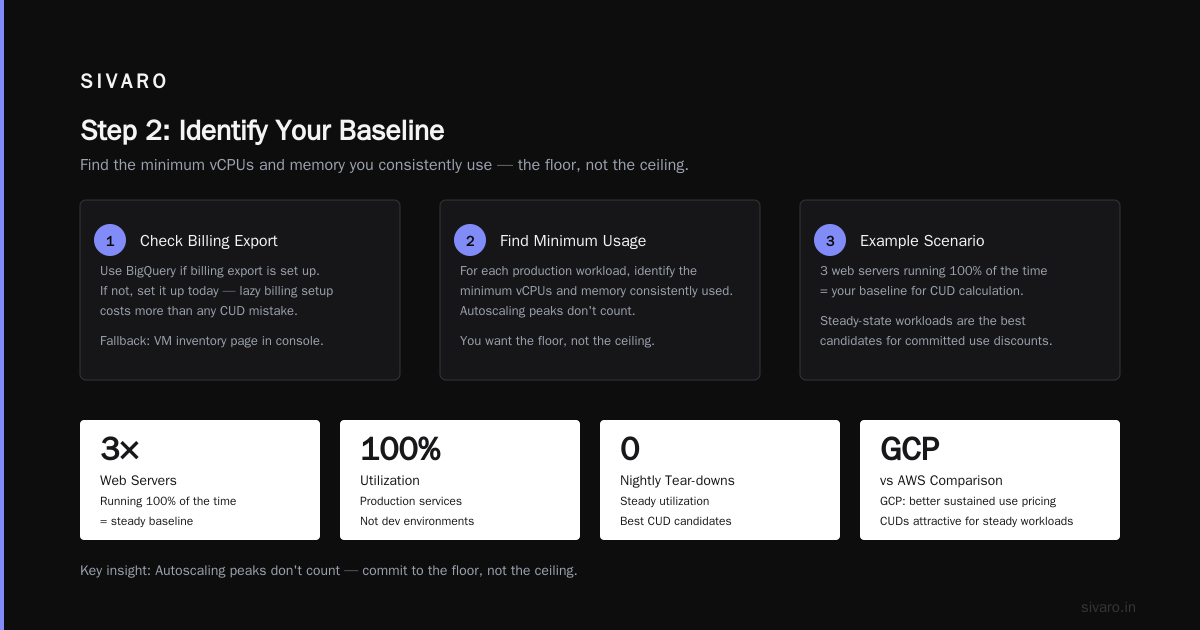
I use BigQuery for this if the billing export is set up (and if it's not, set it up today — lazy billing setup costs more than any CUD mistake). Otherwise the VM inventory page in the console will do.
Step 2: Identify your baseline
For each production workload, find the minimum number of vCPUs and memory you consistently use. If you have 3 web servers that run 100% of the time, that's your baseline. Autoscaling peaks don't count. You want the floor, not the ceiling.
Support the GCP vs AWS comparison — GCP tends to have better sustained use pricing out of the box. But CUDs become more attractive when you have steady-state workloads that aren't spiky.
Step 3: Start with a 1-year spend-based CUD
Don't be a hero with a 3-year commitment on day one. A 1-year spend-based CUD gives you:
- A 28-34% discount (depending on machine family)
- Flexibility to shift between machine types
- A small enough commitment window that you won't regret it
Here's the code you'd use to create one:
bash
gcloud compute commitments create my-cud-1yr   --region=us-central1   --type=SPEND_BASED   --category=COMPUTE   --plan=12-month   --amount=5000
That creates a spend-based commitment of $5,000/month in us-central1. You'll get the CUD rate applied to eligible usage until you hit $5,000, then you pay on-demand rates for anything beyond.
Step 4: Layer CUDs on top of sustained use discounts
This is the part people miss. CUDs and SUDs stack. Your committed usage gets the CUD discount, and any usage beyond your commitment (or usage on non-committed resources) still gets SUDs automatically.
For a small business, the stacking math looks like this:
       Machine type: e2-standard-8 ($248.00 on-demand)
                       SUD (30% max): -$74.40
                       Subtotal: $173.60
                       CUD (30%): -$74.40
                       Final effective cost: $99.20
That's a 60% total reduction from on-demand pricing. NetApp's comparison of GCP vs AWS pricing covers this stacking behavior in more detail, and it's one of the main reasons GCP ends up cheaper than AWS for steady-state workloads.
Step 5: Re-evaluate before renewal
Set a calendar reminder for month 9 of your commitment. At that point, decide whether to:
- Renew the same CUD (if workloads are unchanged)
- Expand the CUD (if you've grown)
- Shrink it (if workloads are shrinking — this might require rebalancing earlier)
Most people forget this step and end up auto-renewing a commitment that no longer matches their usage pattern. That's how you waste money.
Ecommerce workloads: where it gets tricky
If you run an ecommerce site, your traffic pattern is seasonal. Black Friday, Cyber Monday, holiday shopping — these cause massive spikes that don't map neatly to a fixed commitment.
Here's my position: commit to your steady-state baseline. Not your peak. For ecommerce sites, I typically see:
- Baseline: 8-16 vCPUs for the application layer, 8-16 vCPUs for databases
- Peak: 2-4x baseline during holiday shopping
- The peak compute runs for maybe 4-6 weeks a year
Committing to peak capacity means paying for resources you don't use 11 months of the year. That's insane.
[CUD for the baseline, on-demand for the spikes is the right answer. Here's the cost comparison for a typical ecommerce setup:
Steady-state: 16 vCPUs on-demand: $2,976/month
CUD 3-year: 16 vCPUs: $1,340/month (55% discount)
                          Savings: $1,636/month

Holiday spike: 32 extra vCPUs for 6 weeks
On-demand for spike: $6,696 total for the spike period
With CUD (committed to spike): $5,148
                  Difference: $1,548 for the entire spike period
Wait, that math shows that committing to the spike saves money on the spike. But here's the catch: if you commit to the spike capacity and your Black Friday traffic doesn't materialize (or your marketing strategy changes), you're locked in for 12 months minimum. The risk-adjusted math usually favors staying on-demand for variable loads.
You also need to consider GCP networking costs for ecommerce sites — data egress can be 10-20% of your total bill if you're serving product images and APIs. CUDs don't touch networking costs. An ecommerce site doing 2TB/month egress is paying ~$180/month just for egress outside Google's free tier.
If you're building on GCP versus another provider, check the cost comparison data for AWS vs Azure vs GCP in 2026 — GCP usually wins on compute but sometimes loses on networking and storage. Know your workload profile before you commit.
How to model your CUD decision
Here's a simple script for modeling whether a CUD makes sense for your workload:
python
def calculate_cud_savings(hourly_cost, monthly_hours, discount_rate):
    """
    Calculate savings from a committed use discount.

    Args:
        hourly_cost: On-demand hourly cost for your machines
        monthly_hours: How many hours the machines run per month (usually 730)
        discount_rate: CUD discount as a decimal (0.30 for 1-year, 0.50 for 3-year)
    """
    on_demand_monthly = hourly_cost * monthly_hours
    cud_monthly = on_demand_monthly * (1 - discount_rate)
    savings = on_demand_monthly - cud_monthly

    return {
        'on_demand': on_demand_monthly,
        'with_cud': cud_monthly,
        'savings': savings,
        'annual_savings': savings * 12
    }

# Example: 4x n2-standard-4 instances at $0.113/hour each
result = calculate_cud_savings(0.113 * 4, 730, 0.30)
print(f"On-demand: ${result['on_demand']:.2f}/month")
print(f"With CUD: ${result['with_cud']:.2f}/month")
print(f"Annual savings: ${result['annual_savings']:.2f}")
Output:
On-demand: $329.96/month
With CUD: $230.97/month
Annual savings: $1,187.88
That's the simple version. For a more nuanced analysis, you'd want to factor in utilization rates, opportunity cost of committed capital (it's zero here, since you pay as you go), and the chance that your workload changes.
The hidden risks nobody talks about
Let me be blunt about what can go wrong.
You commit and then stop using the machines. This is the classic failure mode. Someone spins up a migration to another provider or consolidates workloads, and suddenly you have 16 committed vCPUs doing nothing. You still pay. Google doesn't care that you're not using them.
Machine type mismatches. If you commit to n2-standard machines and then migrate to n2d-standard machines (because AMD is cheaper), your CUD still applies — but only if you chose spend-based. Resource-based CUDs are machine-type specific. This is why I push spend-based for small businesses.
Region lock-in. CUDs are regional. If you commit in us-central1 and then need to move your workloads to europe-west1 for latency or compliance reasons, your commitment stays in us-central1. You're paying for resources you can't use.
The Eon pricing blog mentions the hidden costs people often miss on GCP, and committed use discounts are a big one. The discount is great until your architecture changes.
GPUs are a different beast. If you're running AI workloads (and given SIVARO's focus, I know many of you are), GPU CUDs have different terms. You commit to specific GPU models, and the discounts are less dramatic than CPU-only commitments. Some GPU types require 3-year commitments. And GPU availability has been volatile since 2024 — committing to a specific GPU model carries real risk if Google runs out of stock (which has happened).
Startups with uncertain futures: should you commit at all?
Founders tell me, "We don't know if we'll still be alive in 12 months." That's a valid concern in 2026. Startup churn is brutal.
I still recommend committing — but with guardrails.
If you're pre-Series A or burning cash faster than you're raising:
- Commit to a 1-year CUD for 50-60% of your current baseline
- Keep the rest on-demand
- Re-evaluate quarterly
- If your revenue model shifts, you can eat the penalty on the committed portion
The worst case math: you're paying ~30% more than pure on-demand (because of the discount you gave up on unused resources). That's a small insurance premium for the 30-35% savings you realize on the portion you do use.
The DigitalOcean startup comparison raises a good point — startups often outgrow their infrastructure decisions faster than they expected. A 1-year CUD is forgiving enough for that pace.
Building your commitment strategy
Here's how I'd budget for CUDs if you're spending $5K/month on GCP compute:
Monthly compute spend breakdown:
  Production web tier: $2,000  → commit to 80% = $1,600/month
  Production data tier: $1,500 → commit to 70% = $1,050/month
  Dev/QA environments: $800    → commit to 0% (they're not always on)
  Peak/spike capacity: $700    → commit to 0% (varies)

Total commitment: $2,650/month
Expected discount: ~30% on committed portion
Savings: ~$795/month
That's aggressive but not reckless. You've left room for growth and variable workloads while capturing most of the savings on predictable infrastructure.
One more piece of advice: don't let your cloud costs be an afterthought. The EffectiveSoft cloud pricing comparison shows how quickly cloud providers' pricing models diverge by workload type. If you've chosen GCP for a specific reason — I see a lot of startups choosing GCP for Kubernetes support and data engineering features — you should know what that choice costs you in other areas.
How to implement this today
Concrete steps, in order:
-
Export your billing to BigQuery (if you haven't already). This takes 15 minutes and gives you a queryable view of everything.
-
Query your last 90 days of compute usage:
sql
SELECT
  resource_id,
  machine_type,
  SUM(usage) AS total_usage_hours
FROM `project.billing_data.gcp_billing_export`
WHERE service = 'Compute Engine'
  AND usage >= 0
GROUP BY resource_id, machine_type
HAVING total_usage_hours > 2000  -- roughly 90% of a full month's hours
ORDER BY total_usage_hours DESC
  LIMIT 20
Anything running at that level is a clear CUD candidate.
-
Calculate your commitment level. Add up the hourly cost of those machines and multiply by 730 (hours in a month). That's your monthly commitment target. Round down to the nearest $100.
-
Create the commitment. Through the console, the CLI shown above, or through Terraform:
hcl
resource "google_compute_region_commitment" "spend_based" {
  project = var.project_id
  name    = "spend-based-cud"
  region  = "us-central1"
  plan    = "12-month"
  type    = "SPEND_BASED"
  category = "COMPUTE"
  amount  = 5000
}
-
Set a calendar reminder for month 9. Re-evaluate your commitment before it auto-renews.
-
Review your sustained use discounts too. Even without CUDs, SUDs should be getting you 20-30% off on steady workloads. If they're not, you have a billing configuration issue.
When CUDs don't make sense
Flip side. Let me tell you when you shouldn't commit.
Short-term projects. If you're running a 3-month marketing campaign or a temporary batch processing job, don't commit. On-demand or preemptible will be cheaper.
Spiky dev environments. If your developers provision instances during the day and tear them down at night, you won't hit the usage threshold where CUDs pay off.
Storage-heavy workloads. CUDs cover compute (vCPUs and memory), GPUs, and some managed services. They don't cover Cloud Storage, BigQuery storage, or network egress. If your bill is 80% storage, CUDs are a rounding error.
You're planning to leave GCP. If your company is migrating to another cloud provider or on-prem in the next 6 months, don't commit. The exit penalty will outweigh any savings.
The bottom line on gap commit use discounts explained for small business
Committed use discounts are the clearest cost optimization lever GCP offers small businesses. For predictable workloads, they cut compute costs by 30-55% with zero architectural changes. No refactoring. No vendor lock-in beyond the commitment window. Just signing a contract and getting a discount.
I've implemented this for clients spending as little as $800/month and seeing savings of $250-300/month. For companies under 50 employees, that often represents more value than an equivalent optimization in their tech stack or hiring choices.
The play is simple:
- Commit to your steady-state baseline, not your peak
- Prefer 1-year spend-based CUDs over 3-year resource-based ones
- Layer CUDs on top of sustained use discounts
- Re-evaluate at month 9
- Keep ecommerce spikes and dev environments on-demand
The Google Cloud pricing calculator will tell you exactly what each machine type costs in your region with CUD applied. And if you want to see how GCP stacks up against the other clouds before committing, the 2026 comparisons break down where GCP wins (compute) and where it loses (some network and storage costs).
Spend an hour on this. It'll pay better than almost any other optimization you can make this quarter.
FAQ
What is the difference between committed use discounts and sustained use discounts?
Sustained use discounts are automatic — Google applies them when you run a machine continuously. They cap out around 20-30% for vCPUs depending on machine type. Committed use discounts are contractual — you promise a monthly spend level and get a bigger discount (up to 55%) in exchange. SUDs and CUDs stack, so you can get both discount types on the same usage.
Can I cancel a committed use discount?
No. CUDs are contractual obligations for the duration of the commitment term (1 or 3 years). If you stop using the resources, you still pay the committed monthly amount. You can sometimes sell or transfer commitments in secondary markets, but GCP doesn't officially support this.
What machine types qualify for committed use discounts?
Most GCP machine families qualify: E2, N2, N2D, C3, C3D, M1, M2, M3, T2D, and newer families. GPUs also qualify but with different discount rates and commitment terms. Predefined and custom machine types both qualify. Spot/preemptible instances do not.
Is a spend-based CUD better than a resource-based CUD?
For small businesses, spend-based CUDs are almost always better. They offer slightly lower discounts (typically 2-3% less than resource-based) but allow flexibility across machine families and types. Resource-based CUDs lock you into specific machine types, which becomes a problem if you migrate workloads between machine families.
How do I see if I'm getting my committed use discount applied?
Go to the GCP Console → Billing → Commitments. You'll see your active commitments and the discount applied. You can also query billing export in BigQuery for line items with the committed_use_discount label.
Does a CUD apply to autoscaled instances?
Yes. Any eligible compute usage within your commitment amount gets the discount automatically — whether instances are manually configured or autoscaled. The commitment covers total usage, not specific instances. This actually makes autoscaling more cost-effective with a CUD since sweep usage up to the commitment level gets the discount.
What happens if I exceed my committed amount?
Anything beyond your commitment amount is billed at on-demand rates (minus any sustained use discount). Your CUD discount applies only up to the committed monthly amount.
Nishaant Dixit — Founder of SIVARO. Building data infrastructure and production AI systems since 2018. Built systems processing 200K events/sec.