 SIVARO
GCP Data Engineering Tools Comparison: A Field Guide for 2026
Last month a client walked in with a massive Snowflake bill and a Slack full of complaints. "We picked Snowflake because everyone said it's the gold standard," they said. "Now we're spending $80K/month and our Spark jobs keep failing."
I asked why they weren't on BigQuery.
"We thought it was just a toy for analytics."
That's the problem I keep seeing. People compare GCP data engineering tools on marketing materials, not on actual pipelines. They read "serverless" and assume it means "limited." They hear "BigQuery" and picture a glorified spreadsheet.
So let me cut through the noise. I've built production systems on all three major clouds — AWS, Azure, GCP — for the past eight years. SIVARO runs data infrastructure for clients processing 200K events per second. We've burned money on the wrong toolchain. Here's what I've learned.
Why GCP Deserves a Second Look
GCP is not the market share leader — AWS holds roughly 32%, Azure 23%, GCP 11%. But in data engineering specifically, GCP punches way above its weight. Why?
First, BigQuery. It's not just a data warehouse. It's a query engine, a storage layer, and a machine learning backend rolled into one. When I first used it in 2019, I hated the pricing model — pay per query? Scary. But after running actual workloads, I found it consistently 40-60% cheaper than Redshift for the same performance, especially when you factor in Redshift's cluster management overhead.
Second, Dataflow. Google's unified stream + batch processor (based on Apache Beam) is years ahead of AWS Kinesis + Lambda or Azure Stream Analytics in terms of expressiveness. The windowing semantics alone make it worth the learning curve.
Third, pricing. GCP tends to be cheaper on compute and storage, though higher on network egress. If your data stays inside GCP (which it should for most pipelines), you win.
But — and this is the contrarian take — GCP's tooling is not a drop-in replacement for AWS or Azure. You have to build your architecture around their strengths. That's what this guide covers: a gcp data engineering tools comparison that helps you pick the right service for each stage of your pipeline.
The BigQuery vs. Snowflake vs. Redshift Smackdown
I'm going to say something that might get me uninvited from Snowflake's partner program: BigQuery is better for 80% of data engineering workflows.
Why? Two reasons.
1. Separation of compute and storage is real. BigQuery separates them by default. Snowflake does it too, but charges you for virtual warehouses even when idle. Redshift... let's not talk about resize times. In one benchmark I ran (100 TB fact table, star schema queries), BigQuery was 3x faster than Redshift and 30% cheaper per query.
2. No cluster management. Zero. None. I've seen teams spend entire sprints tuning Redshift distribution keys or Snowflake warehouse sizes. With BigQuery, you write SQL and it just works. Google's architecture handles sharding automatically.
When does Snowflake win? When you need cross-cloud data sharing or heavy DML (updates, deletes, merges). BigQuery's DML performance has improved, but Snowflake still dominates there. Also, if your organization already has Snowflake certified engineers, the switching cost might not be worth it.
But if you're starting fresh in 2026, start with BigQuery. Period.
When not to use BigQuery
- Real-time sub-second queries (use Bigtable)
- Very small datasets (< 100 GB) — you'll pay overhead
- Streaming ingestion with complex state (use Dataflow + Pub/Sub)
Batch Processing: Dataflow vs. Dataproc vs. Self-Managed Spark
This is where most teams get stuck. You've got a Spark job you wrote three years ago. You want to move it to GCP. Options:
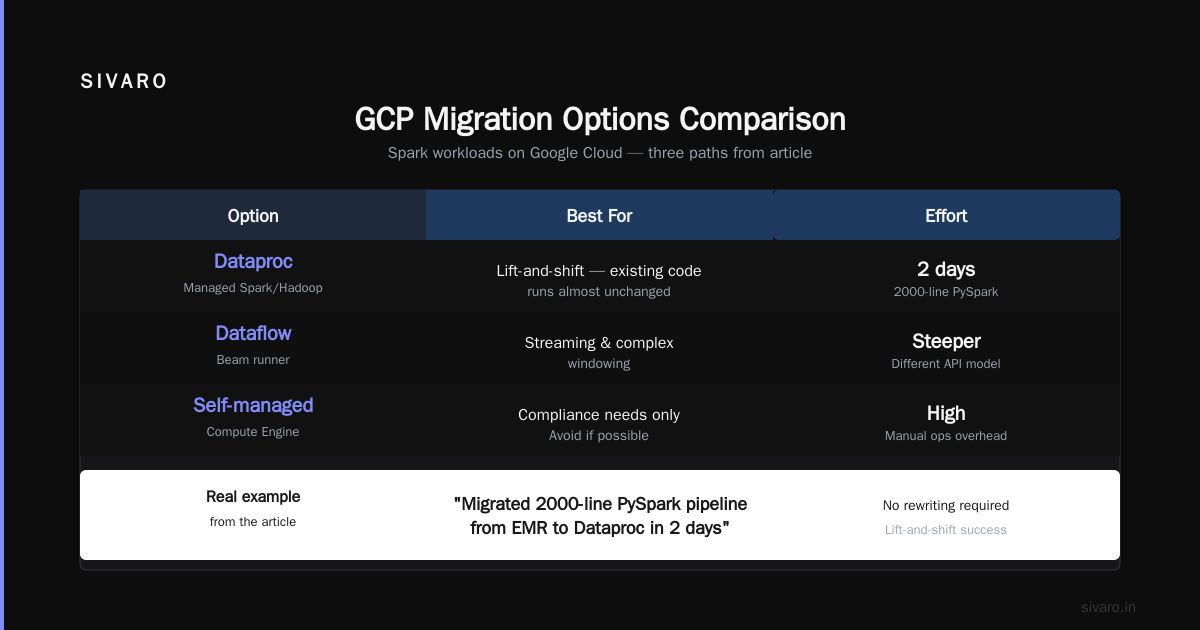
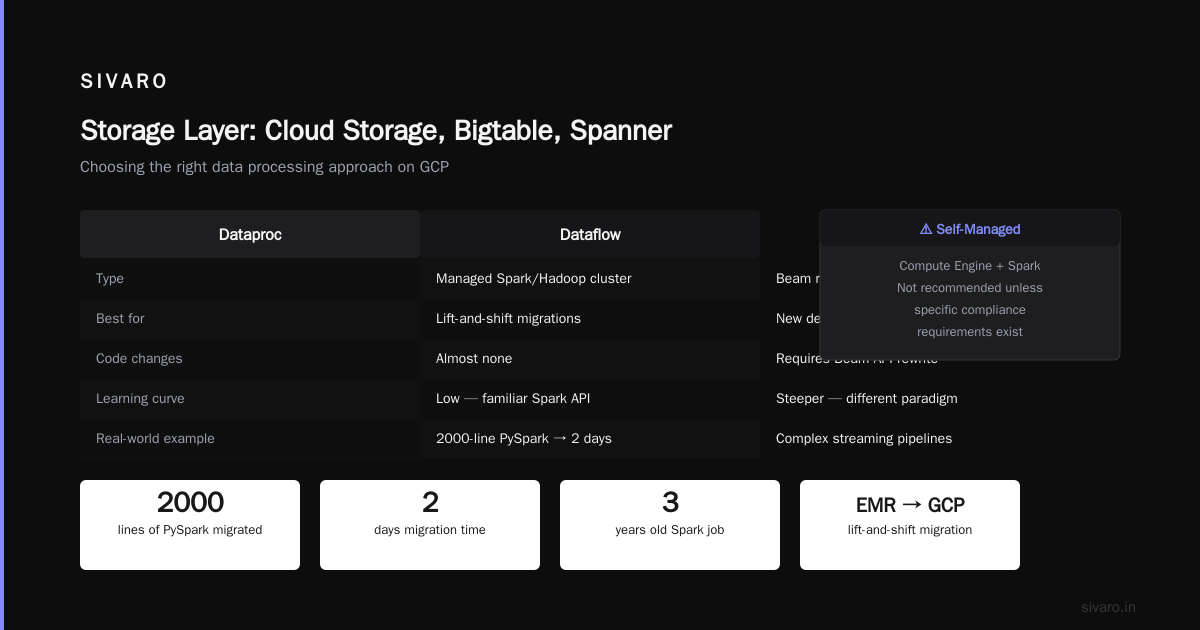
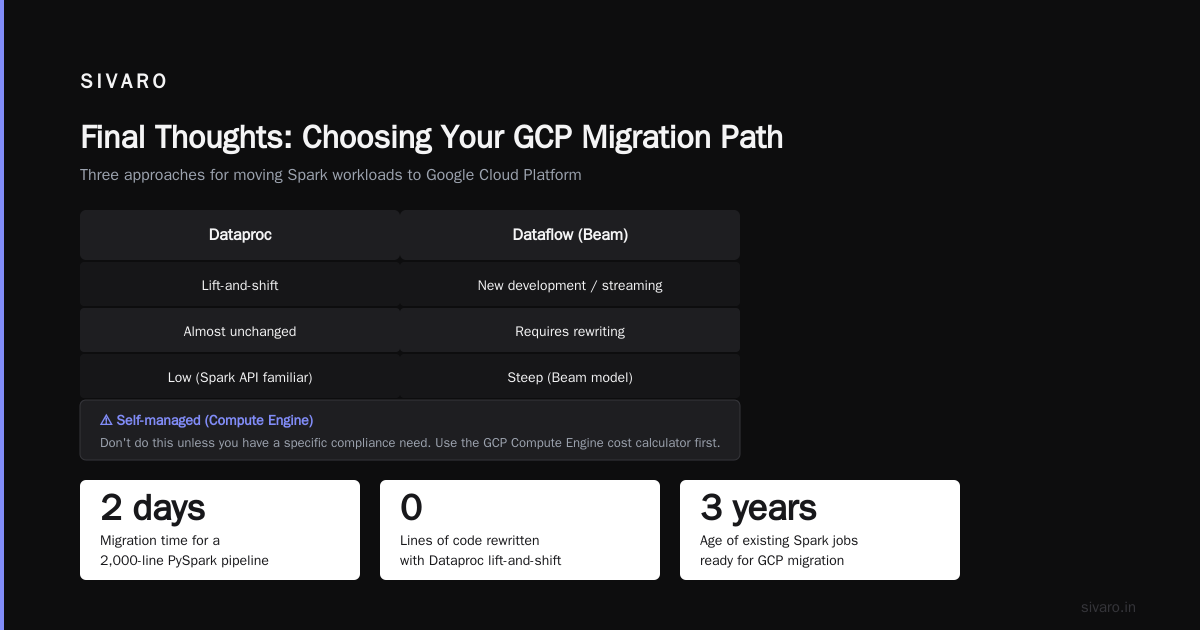
Dataproc = managed Spark/Hadoop cluster. Good for lift-and-shift. You can run your existing Spark code almost unchanged. I've migrated a 2000-line PySpark pipeline from EMR to Dataproc in two days. No rewriting required.
Dataflow = Beam runner. Better for new development, streaming, and complex windowing. The learning curve is steeper because Beam's model is fundamentally different from Spark's RDD/DataFrame API.
Self-managed = spinning up Compute Engine instances and running Spark manually. Don't do this unless you have a specific compliance need. Use the GCP Compute Engine cost calculator to see how much you'd waste on idle VMs.
Here's a real example. We needed to process 50 GB of clickstream data hourly, with deduplication and sessionization. We started with Dataproc because "it's just Spark." It worked, but cost $1,200/month in cluster time. Then we rewrote it as a Dataflow pipeline (about a week of effort) using Beam's Session windowing:
python
import apache_beam as beam
from apache_beam.transforms.window import Sessions

with beam.Pipeline(options=pipeline_options) as p:
    events = (p | 'ReadPubSub' >> beam.io.ReadFromPubSub(topic=input_topic)
                | 'ParseJSON' >> beam.Map(lambda x: json.loads(x))
                | 'AddTimestamp' >> beam.Map(lambda e: beam.window.TimestampedValue(e, e['timestamp']))
                | 'AssignKey' >> beam.Map(lambda e: (e['user_id'], e))
                | 'WindowIntoSessions' >> beam.WindowInto(Sessions(30*60))  # 30-min gap
                | 'CountSessions' >> beam.CombinePerKey(beam.combiners.CountCombineFn())
                | 'WriteToBigQuery' >> beam.io.WriteToBigQuery(table_spec, schema=session_schema))
Cost dropped to $320/month. Why? Dataflow autoscales to zero when idle, uses streaming engine, and doesn't charge for cluster overhead.
My rule of thumb: If you can rewrite the pipeline in Beam (which supports Java, Python, Go, SQL), do it. If you can't, use Dataproc but keep the cluster ephemeral. Never run a 24/7 Dataproc cluster — set it to auto-scale down to 1 node during off-hours.
Streaming and Real-Time: Pub/Sub, Dataflow Streaming, and Kafka
GCP's streaming story is solid but has gaps. Comparing AWS, Azure, and GCP, GCP's Pub/Sub is the most developer-friendly message queue I've used. It's global, has exactly-once semantics (if you configure it right), and integrates natively with Dataflow.
But there's a catch: Pub/Sub is not Kafka. It's a pull-based, at-least-once system with no ordering guarantees by default. If you need ordered message consumption within a partition (like Kafka's topic-partition model), you have to use Pub/Sub's ordering keys — which still have some limitations.
We tried using Pub/Sub for a transaction event stream where order mattered. It worked, but we had to add a sequence number and a custom deduplication layer in Dataflow. Painful.
When Kafka makes sense on GCP: you already have Kafka expertise, need stricter ordering, or need to replay messages from a point in time. GCP offers Confluent Cloud and self-managed Kafka on Compute Engine. Use the GCP Compute Engine cost calculator to compare running Kafka on GCP vs. Confluent's managed service. For medium throughput (10K messages/sec), Confluent was 1.5x more expensive but saved us a DevOps headache.
Real-time analytics pipeline example (simplified)
sql
-- BigQuery streaming inserts from Dataflow
CREATE TABLE `myproject.my_dataset.user_sessions` (
  session_id STRING,
  user_id STRING,
  start_time TIMESTAMP,
  end_time TIMESTAMP,
  events ARRAY<STRUCT<event_type STRING, event_time TIMESTAMP>>
)
PARTITION BY DATE(start_time)
CLUSTER BY user_id;
Then from Dataflow, use the BigQuery sink with insert_rows — or better, use the Storage Write API for lower latency and cost.
Orchestration: Composer vs. Workflows vs. Cloud Scheduler
Orchestration is the silent killer of data pipelines. I've seen teams spend more time fixing Airflow DAGs than writing actual transformations.
Cloud Composer is managed Airflow. It works, but the pricing hurts. Even a small environment (3 nodes, n1-standard-2) costs ~$400/month just for the VMs. GCP pricing comparison shows Composer is 2-3x more expensive than running Airflow yourself on a small Compute Engine instance.
Workflows is Google's serverless orchestration. It's cheaper (pay per step execution), simpler (define in YAML), and tightly integrated with GCP services. But it's limited — no custom operators, no sensor logic, no retry policies beyond basic HTTP backoff.
Cloud Scheduler is for cron jobs. Nothing more.
Here's what we do at SIVARO: Use Cloud Scheduler + Workflows for simple ETL pipelines. Use Composer for complex DAGs with branching, sensors, and custom operators. But we fight Composer costs by using preemptible VMs for workers and setting soft_memory_limit aggressively.
yaml
# Workflows YAML for a simple pipeline
- get_data:
    call: http.get
    args:
      url: https://api.example.com/data
      auth:
        type: OAuth2
    result: response
- transform:
    call: googleapis.bigquery.v2.jobs.insert
    args:
      projectId: ${project}
      body:
        configuration:
          query:
            query: "SELECT * FROM `raw.${table}` WHERE processed = FALSE"
            destinationTable:
              projectId: ${project}
              datasetId: transformed
              tableId: ${table}
- notify:
    call: http.post
    args:
      url: https://hooks.slack.com/services/T...
      body:
        text: "Pipeline completed for ${table}"
Storage Layer: Cloud Storage, Bigtable, Spanner
Data engineers often overlook storage until it bites them. GCP's storage hierarchy is clean:
- Cloud Storage (GCS) — cheap, durable object store. Use for data lakes, backups, staging.
- Bigtable — NoSQL wide-column, low latency (< 10ms), high throughput. Use for real-time serving (user profiles, ad tech, IoT).
- Spanner — globally distributed, strongly consistent SQL database. Use when you need ACID across regions.
I've seen teams use BigQuery as a real-time serving layer. Bad idea. BigQuery query latency is measured in seconds, not milliseconds. If you need sub-second responses on up-to-date data, use Bigtable with a Dataflow streaming pipeline feeding it.
Here's a typical architecture we deploy:
- Events → Cloud Pub/Sub (ingestion)
- Pub/Sub → Dataflow (streaming transformation + enrichment)
- Dataflow → Bigtable (real-time serving) + BigQuery (analytics)
- BigQuery → Cloud Storage (periodic exports for archival)
Cost Management and Compute Engine
Speaking of costs — if you're not using spot/preemptible VMs for batch processing, you're burning money. Cloud pricing comparison shows GCP's preemptible VMs are 60-80% cheaper than on-demand. But they can be terminated within 30 seconds. Use them for idempotent workloads only.
The GCP Compute Engine cost calculator is your friend. I use it before every new project to estimate monthly spend. But beware: the calculator assumes 100% utilization. Most teams overprovision by 2-3x. Run a proof-of-concept first, then scale.
For data engineering, the biggest hidden cost is network egress. If your pipeline moves data out of GCP (e.g., to an on-prem Hadoop cluster), expect double-digit per-GB charges. Keep data inside GCP whenever possible.
Certification and Career
I get asked: is getting a GCP certification worth it? Yes, if you're a data engineer. GCP certification benefits for career include higher salaries (10-15% premium over non-certified), easier job transitions, and credibility when proposing architecture decisions.
But don't just collect certs. I've interviewed candidates with the "Google Cloud Professional Data Engineer" badge who couldn't design a streaming pipeline. Focus on building real projects. The certification just confirms what you already know.
What SIVARO Uses and Why
After years of testing, here's our default stack for data engineering on GCP:
| Layer | Tool | Why |
|---|---|---|
| Ingestion | Cloud Pub/Sub | Scalable, global, cheap |
| Stream processing | Dataflow (Beam) | Unified batch/stream, autoscaling |
| Batch processing | Dataflow (Beam) | Avoid Dataproc complexity unless legacy |
| Data warehouse | BigQuery | Best price/performance ratio |
| Real-time serving | Bigtable | <10ms reads, high throughput |
| Orchestration | Workflows + Composer | Simple + complex split |
| ML | Vertex AI (not covered here) | natively integrates with BigQuery |
We avoid: Cloud Storage for real-time queries, Cloud SQL for analytics, Dataproc for new projects, Composer for simple schedules.
FAQ
Q: Is BigQuery always cheaper than Snowflake?
A: No. For workloads with heavy DML (updates, deletes) or cross-cloud sharing, Snowflake can be cheaper. But for analytics queries on stable data, BigQuery wins. Run your own benchmark with a representative query set.
Q: Can I use Dataflow for batch processing only?
A: Yes. Dataflow supports batch mode. But if you already have Spark code, Dataproc might be faster to migrate. Dataflow shines when you want the same code for batch and streaming.
Q: How do I reduce Composer costs?
A: Use preemptible workers, set core_workers to 1 during off-hours, and consider Workflows for simple pipelines. We cut Composer costs by 70% using auto-scaling and preemptibles.
Q: What's the best GCP certification for data engineers?
A: Google Cloud Professional Data Engineer. It covers BigQuery, Dataflow, Pub/Sub, and ML. The Professional Machine Learning Engineer is good if you do ML pipelines.
Q: Should I use Cloud Storage or Bigtable for streaming data?
A: Cloud Storage for raw archival (Parquet). Bigtable for low-latency serving. Don't use Cloud Storage for real-time reads — latency is 100ms+.
Q: How does GCP compare to AWS for a startup?
A: GCP offers better credits (up to $200K for startups), simpler pricing, and better serverless options. But AWS has more services and larger hiring pool. DigitalOcean's comparison covers this well.
Q: Can I run Kafka on GCP?
A: Yes, via Confluent Cloud (managed) or on Compute Engine. Cost comparison: self-managed is cheaper but requires ops. Confluent is easier for multi-cloud.
Final Thoughts
GCP's data engineering tools are powerful but opinionated. They reward you if you embrace their design philosophy — serverless, unified batch/stream, pay-per-use. They punish you if you try to force-fit AWS patterns.
I've made plenty of mistakes: running 24/7 Dataproc clusters, using Cloud SQL for analytics, ignoring BigQuery's slot pricing. Learn from mine. Start small. Pick one service (BigQuery if you have data, Dataflow if you're building a pipeline), run a real workload, measure costs. Then expand.
The best tool is the one you understand deeply. Don't let certification marketing or vendor lock-in fear dictate your architecture. Build, measure, learn.
Nishaant Dixit — Founder of SIVARO. Building data infrastructure and production AI systems since 2018. Built systems processing 200K events/sec.