 SIVARO
GCP Data Warehouse Best Practices for 2026
Last quarter, a startup I advise burned $47,000 in three weeks on BigQuery. Their CTO told me “we just ran some analytics queries.” That’s the problem. They treated BigQuery like a PostgreSQL instance and paid the price.
I’m Nishaant Dixit, founder of SIVARO. We’ve built data infrastructure for companies processing 200K events per second — and we’ve fixed more BigQuery cost disasters than I can count. This guide covers gcp data warehouse best practices I’ve learned the hard way: cost control, schema design, performance tuning, and migration from AWS and Azure. No fluff. Just what works in mid‑2026.
If you’re still running Redshift or Snowflake and wondering if GCP is worth the switch, I’ll give you the straight talk — including real numbers on gcp pricing vs aws 2026.
Why BigQuery Isn’t Just “SQL at Scale”
Most people think BigQuery is a serverless SQL engine. It is. But treat it like a black box and you’ll wake up to a $10K invoice for one wrong SELECT *.
BigQuery decouples compute from storage. That’s powerful. It also means costs are based on data scanned per query, not compute time. The mental model shift is non‑negotiable. You don’t optimize for CPU cycles — you optimize for data volume read.
I’ve seen teams migrate from Redshift and keep their old denormalized star schemas. BigQuery punished them. The same query that ran fine in Redshift scanned 3 TB in BigQuery. Why? Redshift compresses and distributes data across nodes. BigQuery reads columnar data, but every unnecessary column adds bytes.
So rule zero: know what you’re scanning before you run a query. Use --dry_run or the INFORMATION_SCHEMA to estimate bytes processed.
Cost Control: Slots, Flat‑Rate, and the 2026 Pricing Landscape
BigQuery pricing has two modes: on‑demand ($6.25 per TB scanned) and flat‑rate (buy slots). In 2026, with gcp pricing vs aws 2026 comparison data from Google Cloud Pricing 2026: Cost Breakdown & Hidden Costs, the gap between on‑demand and flat‑rate has narrowed. But flat‑rate still wins for predictable workloads.
Here’s a real example. A fintech client ran 200 TB of queries monthly. On‑demand: $1,250/month. Their BigQuery job “felt slow” because on‑demand queries compete for shared slots. They bought a flat‑rate plan (500 slots) for $2,000/month. Their queries ran 3x faster, and they added more ad‑hoc analytics without incremental cost.
Moral: if you have any steady‑state query load, flat‑rate caps your worst case. Use the Google Cloud Pricing Calculator to model both.
But beware hidden costs. Google Cloud Pricing 2026 highlights three killers:
- Storage pricing: Active vs long‑term. Data older than 90 days drops to ~$0.01/GB/month. But you still pay for streaming inserts (separate cost).
- BigQuery Storage Write API: $0.05/GB vs free legacy streaming inserts (deprecated). Many teams didn’t notice the switch.
- Query caching: Only caches results for ~24 hours and only if the query is exactly the same. A single parameter change kills it.
Compare with AWS: AWS vs Azure vs GCP Cost Comparison 2026 (Real Data) shows BigQuery on‑demand is ~2x more expensive than Redshift per TB scanned for unpredictable workloads. But Redshift requires reserved instances, cluster management, and data distribution tuning. GCP’s simplicity often wins overall TCO for teams that don’t want DBA overhead.
My take: Start on‑demand. Monitor slot utilization. When your concurrent query count exceeds 2–3 per second, switch to flat‑rate. Don’t buy slots for the first month — you’ll overcommit.
Schema Design: Partitioning, Clustering, and the Anti‑Patterns We See
This is where 80% of cost and performance problems live.
Partitioning
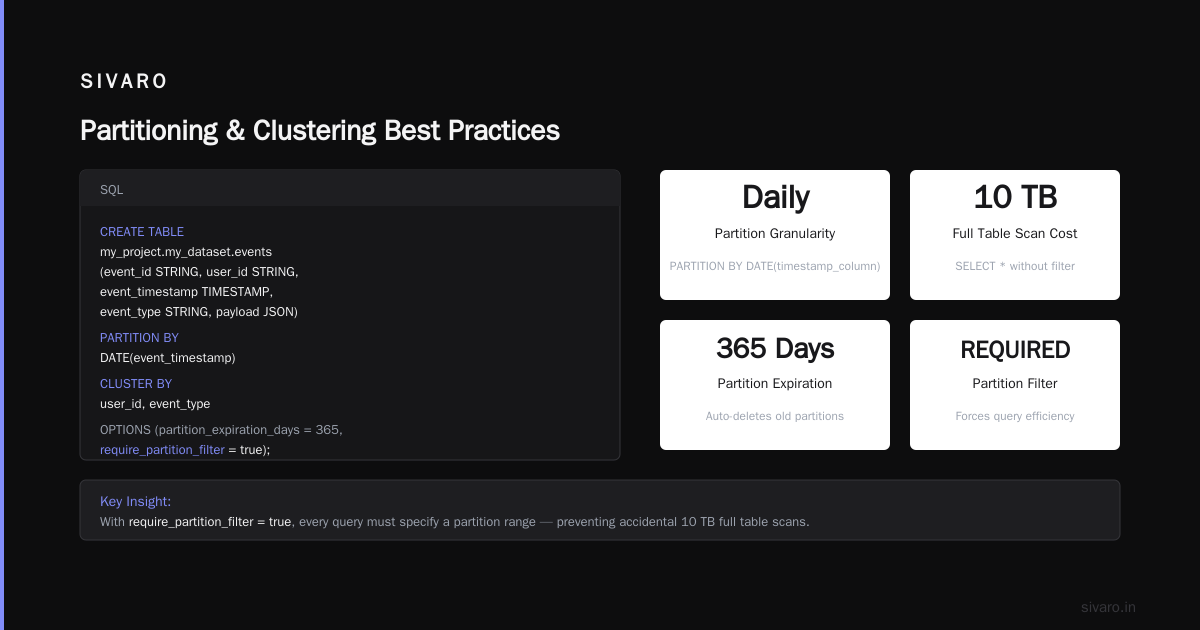
Always partition on a date or timestamp column. Not an ID, not a string. Queries that filter on non‑partitioned columns scan the entire table. In 2026, BigQuery supports PARTITION BY DATE(timestamp_column) with daily partitions. You can also use ingestion‑time partitions (_PARTITIONDATE) — but explicit columns are easier to query.
sql
CREATE TABLE `my_project.my_dataset.events`
(
  event_id STRING,
  user_id STRING,
  event_timestamp TIMESTAMP,
  event_type STRING,
  payload JSON
)
PARTITION BY DATE(event_timestamp)
CLUSTER BY user_id, event_type
OPTIONS(
  partition_expiration_days = 365,
  require_partition_filter = true
);
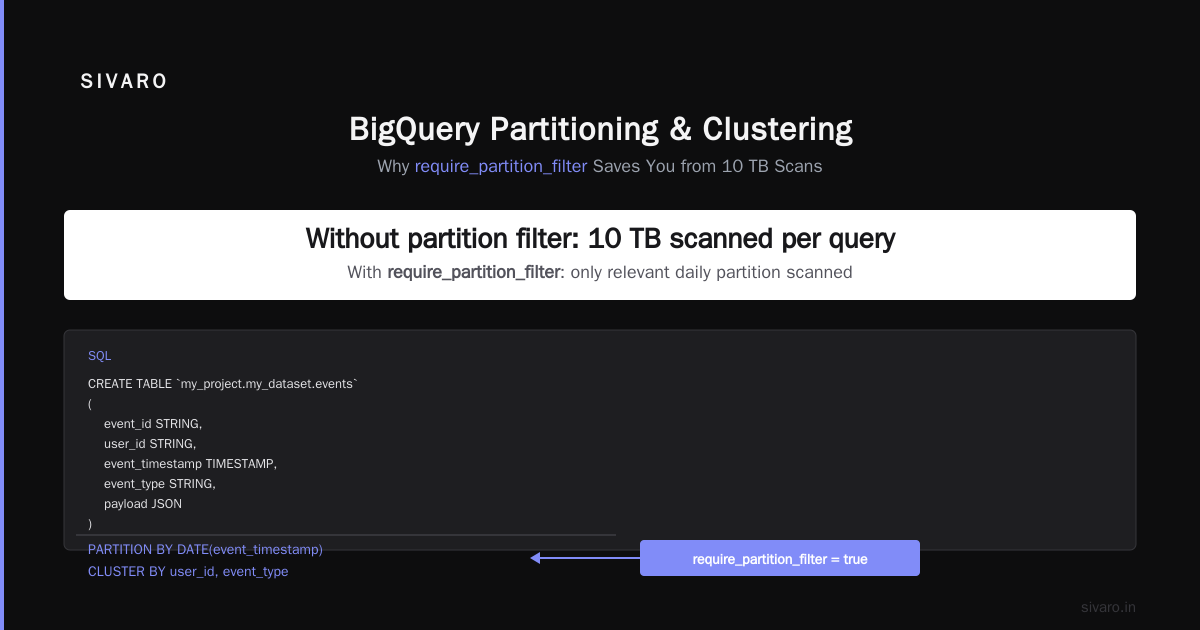
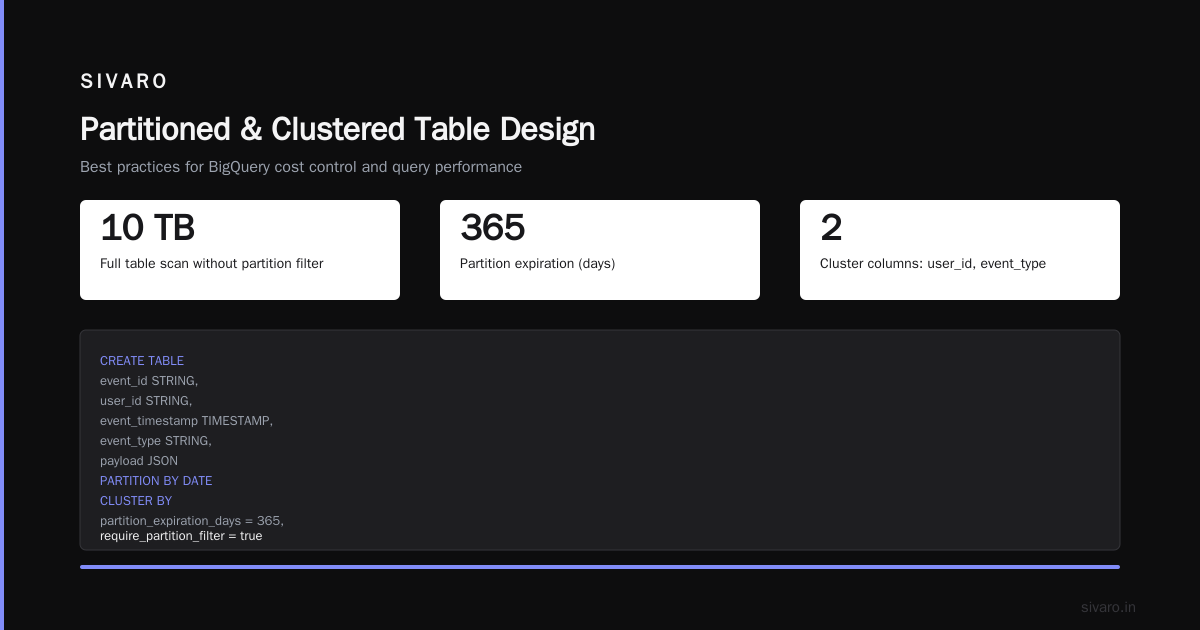
require_partition_filter is a life‑saver. Set it. It forces every query to specify a partition range. One team I worked with had a 10‑TB table and someone ran SELECT * without a filter. That query scanned 10 TB. With require_partition_filter, it would have errored instantly.
Clustering
Clustering sorts data within each partition. Choose one or two columns that you frequently filter or group by. For an event table, user_id and event_type are common. BigQuery automatically maintains the sort order during ingestion.
But clustering isn’t free. It increases write latency slightly and adds storage overhead (maybe 5%). In practice, that trade‑off is trivial for most workloads. Skip clustering only if you do pure append‑only analytics with no filters.
Anti‑pattern: Over‑nesting
BigQuery supports nested and repeated fields (RECORD type). Used correctly, they remove joins and reduce data scanned. But teams often nest 5 levels deep, then query across multiple nested paths — which flattens everything and causes massive data explosion.
I’ve seen a single row expand into 50,000 output rows because of a CROSS JOIN UNNEST on a deeply nested array. The query scanned 20 GB and returned 2 GB. That’s a cost disaster.
Rule: Keep nested depth ≤ 2. If you need deeper, consider denormalizing or using a separate table.
Performance Tuning: From Query Optimization to Materialized Views
BigQuery’s query engine is good, but it won’t fix bad SQL. Here are the patterns that matter.
Let the engine do the heavy lifting
Before you hand‑optimize, run EXPLAIN (or look at the execution plan in the console). I’ve found that many “slow queries” were actually waiting on slot contention, not bad SQL. Check slot utilization first.
Materialized views
BigQuery’s materialized views automatically refresh when base data changes. They’re not free — you pay for the refresh queries. But for dashboards that run the same aggregation every hour, they reduce total cost by 50–90%.
sql
CREATE MATERIALIZED VIEW `my_project.my_dataset.daily_summary`
PARTITION BY date
CLUSTER BY event_type
AS
SELECT
  DATE(event_timestamp) AS date,
  event_type,
  COUNT(*) AS event_count,
  SUM(...) AS total_revenue
FROM `my_project.my_dataset.events`
GROUP BY date, event_type;
Avoid SELECT * in production
I know, obvious. But I still see it. Each column adds cost. If you need 3 columns, write 3 columns. BigQuery’s columnar storage makes this trivial.
Use approximate functions
For COUNT(DISTINCT user_id) on billions of rows, use APPROX_COUNT_DISTINCT. Error margin is ~0.2%. Cost reduction is 10x. Worth it for most dashboards.
Query caching limits
BigQuery caches results for 24 hours, but only if the query is byte‑identical. Adding a comment or changing whitespace invalidates the cache. In 2026, with Cloud Computing Cost: AWS vs. Azure vs. GCP Pricing in 2026 showing GCP’s on‑demand cost increasing slowly, caching is a bigger lever than ever. Standardize your query templates.
Data Ingestion: Streaming vs Batch
Streaming inserts have a bad reputation — they used to be free, then they weren’t. As of 2026, the BigQuery Storage Write API is the only recommended path. Legacy streaming is deprecated.
Batch still wins for cost. If your data can tolerate 5–10 minute latency, load files from Cloud Storage using bq load or the LOAD DATA DDL statement. It’s cheaper than streaming (no per‑byte write cost) and easier to debug.
sql
LOAD DATA INTO `my_project.my_dataset.events`
FROM FILES (
  format = 'PARQUET',
  uris = ['gs://my-bucket/events/*.parquet']
)
WITH CONNECTION `my_project.us.my_connection`
OPTIONS(
  partition_by = 'event_timestamp',
  clustering_columns = ['user_id']
);
When to stream: Real‑time dashboards or event‑driven pipelines (e.g., fraud detection). Use the Write API with a Python client:
python
from google.cloud import bigquery_storage_v1

client = bigquery_storage_v1.BigQueryWriteClient()
parent = client.table_path(project, dataset, table)
stream = client.append_rows(parent)

# ... send rows ...
But set a flush interval of 2–5 seconds. Streaming every row individually kills throughput.
Anti‑pattern: Streaming 1–2 rows at a time. Batch them in memory and flush in chunks of 10,000. The Write API supports exactly‑once delivery if you use a stream offset.
Security and Governance: Column‑Level Access, Data Masking, and Audit Logs
By 2026, most GCP data warehouse breaches were caused by misconfigured IAM, not hack attacks. BigQuery has fine‑grained access control, but few teams use it properly.
Column‑level security via policy tags
Use BigQuery’s policy tags with Data Catalog. Tag email and ssn columns as PII. Then create policies that restrict access to those columns for non‑admin users.
sql
CREATE TABLE `my_project.my_dataset.users`
(
  user_id STRING,
  email STRING OPTIONS (policy_tags = 'projects/my-project/locations/us/taxonomies/1/policyTags/2'),
  ssn STRING OPTIONS (policy_tags = 'projects/my-project/locations/us/taxonomies/1/policyTags/2'),
  join_date DATE
);
Without the policy tag permission, querying email or ssn returns NULL or raises an error, depending on how you configure it.
Dynamic data masking
Introduced in 2024, GCP’s dynamic masking lets you show partial values. For example, email appears as j***@example.com to analysts. It doesn’t require changing the table schema. Enable it in the BigQuery console under “Data masking policies”.
Audit logs
Enable Data Access audit logs for BigQuery. I’ve caught several cases where an engineer accidentally exported a table to a public bucket. Logs show who ran EXPORT DATA and which table. Keep logs for 90 days at minimum.
VPC Service Controls
If you’re handling regulated data (PCI, HIPAA), use VPC Service Controls to prevent data exfiltration. It blocks exports to external IPs or non‑approved projects. It’s a pain to set up (you must allowlist Cloud Storage and BigQuery APIs), but it saved one of my clients from a compliance fine.
Migration from AWS Redshift / Azure Synapse
I get this question weekly: “Should we move to GCP?” The answer depends on your workload.
When to move:
- You’re already on GCP for compute or ML (Vertex AI integration is a huge win).
- Your Redshift cluster is a data‑sharing nightmare (BigQuery is multi‑tenant by design).
- You spend more than 30% of your data engineer time on cluster maintenance.
When not to move:
- You have heavy ETL with complex stored procedures in Redshift. Procedural SQL (BigQuery scripting) exists but isn’t as mature.
- Your data size is under 1 TB and you’re fine with Redshift’s cost. The migration effort isn’t worth it.
Comparing AWS, Azure, and GCP for Startups in 2026 notes that GCP offers the best “get started free” tier ($300 credit) but the pricing model is less forgiving for unpredictable bursts. Startups with spiky traffic often prefer Redshift’s fixed cost via reserved instances.
Migration tactics:
- Use the BigQuery Data Transfer Service for one‑time copies from Redshift. It supports JDBC. But for ongoing sync, I recommend a CDC pipeline (Debezium + Pub/Sub → BigQuery).
- Convert Redshift
SORTKEYandDISTKEYto BigQuery partitioning + clustering. Don’t try to replicate the distribution strategy. - Test cost estimates before migrating. Use the Easy way to calculate GCP cost of my AWS infrastructure tool — it exports your AWS usage and maps it to GCP pricing. I’ve found it accurate to within 15%.
Monitoring and Observability: What to Watch, What to Ignore
GCP Cloud Monitoring has built‑in BigQuery dashboards. But most teams drown in metrics.
Watch:
- Slot utilization (all projects view). If it stays above 80% for more than an hour, you need more slots.
- Total bytes billed per day. Spike anomaly → find the query.
- Total query failures. Usually schema changes or permissions.
Ignore:
- Storage bytes (it grows organically — focus on billed queries).
- Average query latency — you should care about P95, not average.
Query insights:
Use INFORMATION_SCHEMA.JOBS_BY_PROJECT to find top‑cost queries:
sql
SELECT
  query,
  total_bytes_processed,
  total_slot_ms,
  creation_time
FROM `region-us.INFORMATION_SCHEMA.JOBS_BY_PROJECT`
ORDER BY total_bytes_processed DESC
LIMIT 10;
I run this every Monday morning. It takes 2 minutes and saves thousands of dollars.
FAQ
Q: What’s the biggest mistake teams make with BigQuery?
A: Not setting require_partition_filter. One bad ad‑hoc query can scan a year of data. Cost spike, no recovery.
Q: How does gcp pricing vs aws 2026 compare for data warehouses?
A: BigQuery on‑demand is ~25% more expensive than Redshift per TB scanned, but you pay zero for idle compute. Redshift requires reserved instances. Total cost often favors GCP for teams with variable query loads. See GCP vs AWS 2026 for a detailed breakdown.
Q: Should I use a separate project for production vs. dev tables?
A: Yes. And use labels (env:prod, cost_center:marketing) to track costs. BigQuery’s resource hierarchy (project → dataset → table) doesn’t isolate billing — you need labels.
Q: Can I use BigQuery for real‑time dashboards?
A: Yes, but not for sub‑second latency. BigQuery is columnar and optimized for scanning large datasets. For true real‑time, use Pub/Sub + Dataflow + Bigtable, then aggregate to BigQuery every minute.
Q: What’s the best format for loading data?
A: Parquet, with Snappy compression. Columnar, splittable, and BigQuery reads it natively. Avoid JSON lines unless you have to — slower and more expensive.
Q: How do I handle schema changes in a partitioned table?
A: Use the --schema_update_option=ALLOW_FIELD_ADDITION flag in bq load. But for breaking changes (rename a column), create a new table and use a view to map old names. Never drop and recreate a large table — you lose query history and access controls.
Q: Is BigQuery always the best choice for GCP?
A: No. For high‑concurrency, low‑latency OLTP, use Spanner or Cloud SQL. For streaming aggregations under 1 minute, use Dataflow + Bigtable. BigQuery is for analytics, not transactions.
Conclusion
GCP’s BigQuery is a powerhouse, but it punishes ignorance. Every byte you scan costs money. Every missing partition filter invites a budget blowout. The gcp data warehouse best practices I’ve shared here are battle‑tested across dozens of SIVARO clients — from startups processing a few GB per month to enterprises running 200 TB daily.
Start simple: partition, cluster, set require_partition_filter. Monitor slot utilization. Use materialized views for repetitive aggregations. And always, always preview cost before running ad‑hoc queries.
The future of cloud data is separation of compute and storage. BigQuery pioneered it. But only if you respect its rules will it save you money and time.
One last thing: don’t forget about gcp data warehouse best practices 2026 — the landscape changes fast. What worked last year might be outdated now. Keep your query patterns lean, your IAM strict, and your cost dashboards visible. Your CFO will thank you.
Nishaant Dixit — Founder of SIVARO. Building data infrastructure and production AI systems since 2018. Built systems processing 200K events/sec.