 SIVARO
GCP for Beginners Where to Start: A No-BS Guide to Google Cloud in 2026
Back in 2019, I watched a founder burn through $12,000 on GCP in three months. He hadn't touched a single production workload. Just dev instances, data egress, and a few BigQuery queries that spiraled faster than his runway. The platform didn't screw him — his ignorance did.
That's why I'm writing this. You're here because you heard Google Cloud is powerful, maybe cheaper than AWS, and definitely better for data and AI. You're right on all three. But "where to start" isn't a tutorial — it's a strategy. A set of decisions that prevent you from becoming that founder.
This guide is for beginners, yes. But beginners who want to build real stuff. I'll show you exactly what matters, what you can ignore, and where the hidden costs live. By the end, you'll know how to set up your first project without paying a dime more than you have to.
Why GCP in 2026? (Not Just Because of the Free Tier)
Most cloud comparisons are useless. They list features like bullet points in a marketing deck. Let me give you the real reasons GCP stands out today.
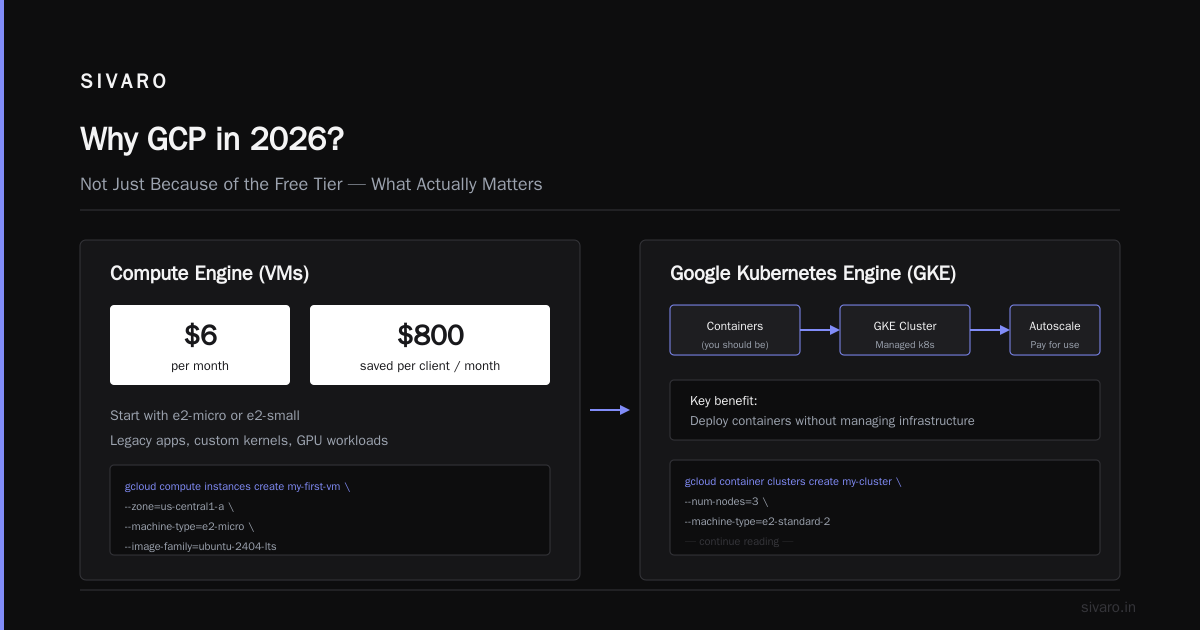
Kubernetes isn't an afterthought. Google invented Kubernetes. Their managed service, GKE, is the most mature in the industry. AWS EKS and Azure AKS have caught up, but GKE still wins on autoscaling, node auto-repair, and cost management. If containers are your future — and they should be — GCP is the easiest place to start.
Data and AI are unfair advantages. BigQuery is a beast. It's a serverless data warehouse that scales to petabytes. You don't need a PhD to query 10TB of data. And Vertex AI? It's the fastest path from notebook to production model I've used. Even AWS users admit Google's ML infrastructure is tighter (GCP vs AWS 2026).
Pricing is transparent — mostly. Google doesn't hide egress fees like AWS used to. They also offer sustained-use discounts that kick in automatically. No reserved instance planning needed. Run a VM for a month, you get a discount. Run it for a whole year, it's even cheaper. Simple.
But let's be honest: the free tier is generous. $300 in credits for 90 days. That's enough to launch a prototype, learn the ropes, and maybe even run a low-traffic production app for a month. Use it wisely.
First Steps: Your GCP Account Won't Set You Free (But Close)
Creating an account is easy. Go to console.cloud.google.com, sign up, enter a credit card. You won't be charged until you manually upgrade from the free trial. I've never seen Google bill early.
Do this immediately:
-
Create a billing account with a budget alert. I set mine at $50, $100, and $200. Google sends email notifications. You'd be surprised how many people skip this and get a $3,000 surprise.
-
Set up an organization. If you're a team, create a Google Workspace or Cloud Identity account. This gives you a tree structure for projects. I've seen startups with 50 projects floating around — that's a nightmare for IAM.
-
Learn the
gcloudCLI. It's your best friend. I'll show you the first command you should run:
bash
gcloud projects create my-first-project --name="First Project"
gcloud config set project my-first-project
gcloud config set compute/region us-central1
gcloud config set compute/zone us-central1-a
That's your foundation. Set a default region and zone to avoid accidental cross-region networking (which costs money — more on that later).
IAM is not optional. Every beginner lets the user who created the project handle everything. Don't. Create separate service accounts for your apps. Use primitive roles sparingly. A simple rule: if you can't explain why a user needs roles/compute.admin, they shouldn't have it.
The Core Compute: VMs, Containers, and Serverless – What Actually Matters
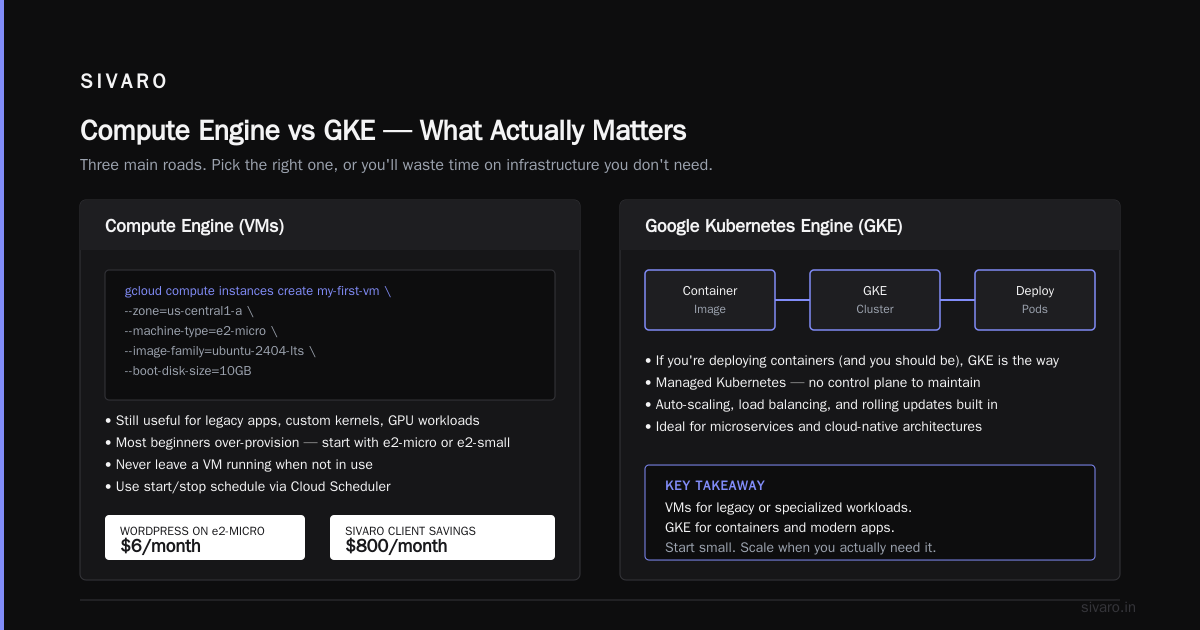
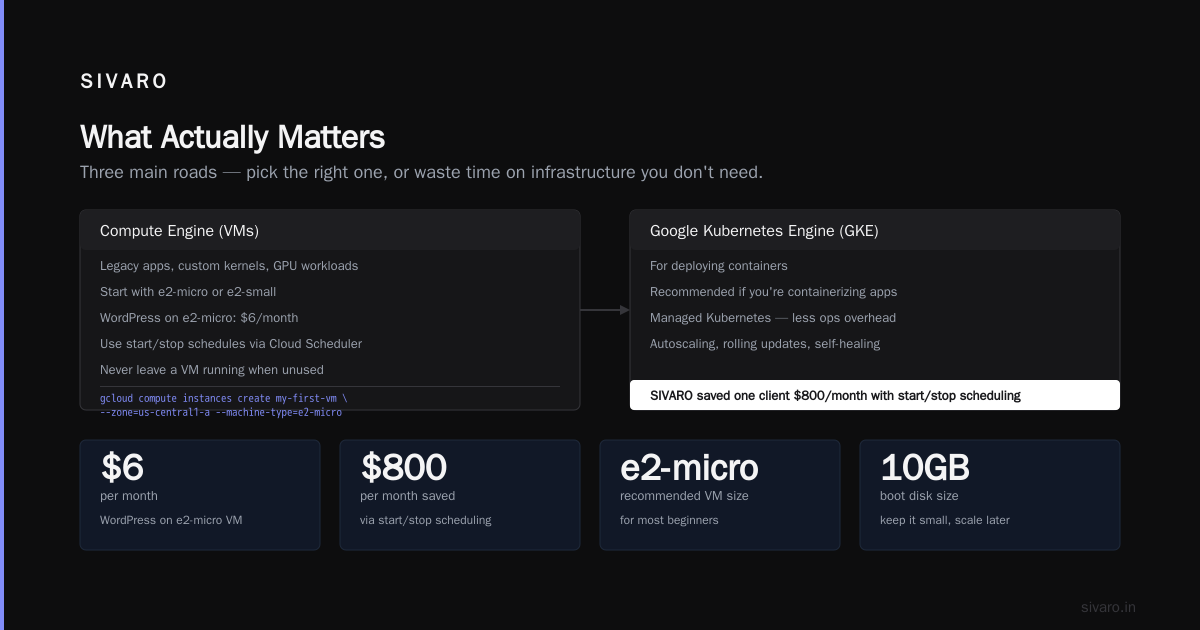
You've got three main roads. Pick the right one, or you'll waste time on infrastructure you don't need.
Compute Engine (VMs)
Still useful for legacy apps, custom kernels, or GPU workloads. But most beginners over-provision. Start with e2-micro or e2-small. I've run a WordPress site on an e2-micro for $6/month.
bash
gcloud compute instances create my-first-vm     --zone=us-central1-a     --machine-type=e2-micro     --image-family=ubuntu-2404-lts     --image-project=ubuntu-os-cloud     --boot-disk-size=10GB
Never leave a VM running when you're not using it. Use a start/stop schedule via Cloud Scheduler. SIVARO saved one client $800/month this way.
Google Kubernetes Engine (GKE)
If you're deploying containers (and you should be), GKE is the sweet spot. Autopilot mode handles node management. You pay only for pods, not nodes. For a beginner's app with sporadic traffic, that's gold.
bash
gcloud container clusters create my-cluster     --region=us-central1     --num-nodes=1     --machine-type=e2-small     --enable-autoscaling --min-nodes=1 --max-nodes=3
Word of caution: Autopilot is slightly more expensive per pod than standard mode but frees you from node management. Choose based on whether you want to touch infrastructure.
Cloud Run – Serverless for Mortals
Cloud Run is the easiest way to deploy a Docker container. No Kubernetes. No clusters. Just push and get a URL. I deployed a Node.js API in 10 minutes.
yaml
# service.yaml
apiVersion: serving.knative.dev/v1
kind: Service
metadata:
  name: my-api
spec:
  template:
    spec:
      containers:
      - image: gcr.io/my-project/my-api:latest
        ports:
        - containerPort: 8080
bash
gcloud run deploy my-api --source . --region us-central1 --allow-unauthenticated
Cloud Run is pay-per-request. If you have zero traffic, you pay zero dollars. Perfect for prototypes and internal tools.
Storage Choices: Don't Pick the Wrong One and Cry Later
Storage is where beginners make expensive mistakes.
Cloud Storage (GCS) is for objects — images, videos, backups, static files. Use buckets with different storage classes: Standard (hot), Nearline (30-day), Coldline (90-day), Archive (365-day). A common pattern: host user-uploaded images in Standard, move old logs to Nearline.
bash
gcloud storage buckets create gs://my-static-assets --location=us-central1 --class=standard
gcloud storage cp my-file.txt gs://my-static-assets/
Never use a VM's persistent disk for storing large amounts of data. That's what GCS is for. Persistent disks are expensive and limited.
Databases? Cloud SQL for MySQL/PostgreSQL is your default choice for relational data. BigQuery for analytics. Firestore for real-time apps (chat, sync). Spanner for global scale (overkill for beginners). Bigtable for time-series or high-throughput (also overkill).
Here's a rule I use at SIVARO: If your app can fit on a single machine, start with Cloud SQL. If it needs to scale reads, use Cloud SQL with read replicas. If you're doing complex aggregations, use BigQuery. Don't touch Spanner until you've proven you need it.
Networking and Costs: The Real Landmines
Cloud networking is a black hole for money. The biggest culprit: egress fees.
What are gcp egress fees explained simply? Every byte that leaves Google's network costs you money. Uploading data to GCP? Free. Downloading data from GCP to the internet? You pay. Transferring between regions? You pay. Transferring to AWS or Azure? You pay.
According to the Google Cloud Pricing 2026 analysis, egress can account for 20-40% of your total cloud bill if you're not careful. I've seen a startup's bill double because they were serving customers from one region but all their data was in another.
How to avoid egress shock:
- Put your compute and storage in the same region. Always.
- Use Cloud CDN for static content served to end users.
- If you need to transfer data to another cloud, use Google's partner interconnect or a dedicated connection.
Use the GCP Pricing Calculator before you provision anything. It's not perfect, but it gives you a ballpark. I build a model for every new project. Saves me from surprises.
Comparing to AWS: Google Cloud Pricing vs AWS shows GCP is often cheaper for sustained workloads due to automatic discounts. For short-lived bursty workloads, AWS might win. But for 24/7 operations, GCP typically comes in 10-20% lower.
GCP vs Azure for Ecommerce: A Real-World Tiebreaker
If you're building an ecommerce site, cloud choice matters deeply. I helped a merchant migrate from Azure to GCP last year. Their monthly spend dropped from $1,200 to $890 for the same workload.
GCP's advantages for ecommerce:
- BigQuery for real-time analytics. You can run queries on user behavior, inventory, and pricing without provisioning a warehouse. Azure's Synapse is comparable but costs more.
- Cloud CDN with low latency. Google's edge network is massive. For a global storefront, that means faster page loads.
- Lower egress to certain regions. Google's network to Asia is faster and cheaper than Azure's, according to the Cloud Pricing Comparison 2026.
When Azure wins: If you're deeply integrated with Microsoft (Active Directory, Office 365, .NET stack), Azure is the obvious choice. Also, Azure's hybrid cloud (Azure Stack) is better for companies that need on-premises consistency.
But for most ecommerce scenarios — Magento, Shopify headless, custom Django/Node.js — GCP holds its own. The Comparing AWS, Azure, and GCP for Startups in 2026 analysis puts GCP ahead on developer experience and AI features.
AI/ML on GCP – Unfair Advantage
Let's talk about the elephant in the room. Google is an AI company. Their cloud is built with ML in mind.
Vertex AI is the one-stop shop. You can train models, deploy them, and monitor them. For beginners, the AutoML options are stunning: upload a CSV, click train, get a model. No data science background needed.
Here's a quick Python example to train a custom model using Vertex AI:
python
from google.cloud import aiplatform

aiplatform.init(project='my-project', location='us-central1')

model = aiplatform.AutoMLTabularTrainingJob(
    display_name='customer-churn-model',
    optimization_prediction_type='classification'
)

dataset = aiplatform.TabularDataset.create(
    display_name='churn-dataset',
    gcs_source='gs://my-bucket/churn_data.csv'
)

model.run(
    dataset=dataset,
    target_column='churned',
    budget_milli_node_hours=1000,
    disable_early_stopping=False
)

endpoint = model.deploy(machine_type='n1-standard-4')
Cost? Training on a small dataset might run $20. Deployment per hour is a few cents. Compare that to hiring a data science team.
Pitfalls Beginners Fall Into (I've Seen These at SIVARO)
Over the years, I've watched the same mistakes repeat.
1. Over-provisioning from day one. You don't need an n2-standard-8 for your prototype. Start small. Scale up when you see load. Cloud is elastic for a reason.
2. Ignoring committed use discounts. If you know you'll run a VM for a year, commit. GCP offers 1-year and 3-year commits for up to 70% discount. You can sell unused commitments on the marketplace. Do it.
3. Not setting IAM boundaries. Too many people use the owner role for everything. A data scientist doesn't need access to billing. A developer doesn't need to delete Cloud Storage buckets. The principle of least privilege isn't paranoid — it's prudent.
4. Forgetting to shut down non-production VMs. I've seen dev VMs running for months, costing $300 each. Use a Cloud Function to stop instances overnight. Or use the GCP console's "stop" button. Seriously.
5. Ignoring budget alerts. Set them. Use the Google Cloud Pricing Calculator to estimate, then set alerts at 50%, 75%, 90%, and 100% of budget. SIVARO once caught a runaway BigQuery query that would have billed $2,000 in an hour.
FAQ
Is GCP cheaper than AWS?
It depends on your workload. For sustained compute and data-heavy workloads, GCP is usually 10-20% cheaper due to automatic discounts and lower egress costs. For bursty short-lived workloads, AWS might win. Check the Cloud Computing Cost: AWS vs. Azure vs. GCP Pricing in 2026 analysis for detailed numbers.
How do I calculate GCP cost for my existing AWS infrastructure?
Google provides a Migration Partner tools but also a manual method: map your EC2 instance types to GCP machine families (e.g., t3.medium to e2-small), then use the pricing calculator. I've done this for clients and found it's within 5% accuracy.
What's included in the GCP free tier?
$300 in credits for 90 days. Plus always-free products: 1 GB Cloud Storage, 1 million BigQuery queries/month, 2 million Cloud Functions invocations, and more. See the official docs for the full list.
Can I run an ecommerce site on GCP?
Absolutely. Use Compute Engine or GKE for the backend, Cloud SQL for orders, BigQuery for analytics, and Cloud CDN for assets. Just watch egress fees if you serve a global audience. Use Google Cloud Pricing 2026 to model costs by region.
How do I learn GCP fast?
Start with the official Google Cloud Skills Boost (formerly Qwiklabs). The hands-on labs are short and practical. Then build a small project — a personal blog, a todo app, or a data pipeline. Don't read theory. Build.
What about egress costs between GCP and other clouds?
High. Very high. If you have a multi-cloud setup, use direct peering or a dedicated interconnect. Always keep your egress in mind. The "gcp egress fees explained" article on Eon's blog breaks this down with real numbers.
Should I use Azure or GCP for ecommerce?
It depends on your stack. If you're a Microsoft shop (C#, Active Directory, SharePoint), Azure is smoother. If you want AI-powered recommendations, lower latency in Asia, and simpler pricing, go GCP. The Comparing AWS, Azure, and GCP for Startups in 2026 guide has a great comparison table.
Start Small, Stay Sensible
GCP is powerful. Its tools — especially for data and AI — can give you a real edge. But the platform rewards discipline. The founder I mentioned earlier? He learned his lesson. After setting up budgets, using committed discounts, and moving his dev to Cloud Run, his monthly bill dropped to $87. Same workload.
That's the real takeaway: gcp for beginners where to start isn't about learning every service. It's about learning cost control, IAM, and the three compute paths (GCE, GKE, Cloud Run). Master those, and the rest follows.
You don't need to be an expert to start. You just need to be intentional.
Nishaant Dixit — Founder of SIVARO. Building data infrastructure and production AI systems since 2018. Built systems processing 200K events/sec.