 SIVARO
GCP For Small Apps: The Honest Pricing Reality
You know that moment when you deploy your first app and get the bill? I had that moment in 2019. Built a simple product for a startup, deployed on AWS, forgot to turn off a dev instance. Four hundred dollars disappeared in six weeks. The app had two users. Both were me.
Since then, I've built dozens of systems on Google Cloud Platform. I've made the mistake of over-provisioning, paid for data egress I didn't need, and watched startups burn runway on services they never touched. This is the guide I wish I'd read before clicking "Enable Billing".
Google Cloud Platform pricing for small apps isn't a simple answer. It's a map of traps and shortcuts. Let me show you what actually matters.
Why GCP Feels Cheap Until It Doesn't
Most people compare cloud providers by looking at the calculator for one VM. They see GCP's e2-medium at around $25/month and think they've won. Then the bill arrives and it's $180 for details nobody explained.
Here's the uncomfortable truth: GCP's base rates are competitive. Their add-ons and egress will knife you.
The GCP vs AWS 2026 analysis shows GCP often beats AWS on raw compute pricing for sustained use. NetApp's breakdown agrees that GCP's custom machine types let you avoid paying for resources you don't need. But that's the published price, the on-paper number.
What actually matters:
- Data transfer out — costs more than the VM
- Cloud NAT — $45/month just to exist, plus $0.005 per GB
- Premium tier networking — silently enables itself
- Snapshots and logs — grow until your bill shocks you
- Committed use discounts — only help if you're running 24/7 and can predict the future
At SIVARO, we ran a side project on GCP. The compute bill was $38. The total bill was $74. Logging and monitoring alone added $12. You don't see this until you actually make a project.
The Free Tier Is Generous. The Catch Is Subtle.
GCP's free tier is genuinely the best of the big three. DigitalOcean's startup comparison ranks it above AWS and Azure for beginners. You get:
- 1 e2-micro instance in us-central1, us-west1, or us-east1
- 30 GB of standard storage
- 1 GB of network egress per month from North America
- Up to 5 GB of Cloud Storage
- 1 million Cloud Functions invocations per month
- 1 million Cloud Run requests per month
That's a real free tier. You can run a production app on the always-free e2-micro instance and pay nothing. I've done it. A customer's entire startup ran on GCP free tier for six months while they looked for product-market fit.
But here's what's invisible: that free e2-micro instance is a shared core, not a full core. It throttles at 20% of a vCPU. Fine for a Node.js API pulling a few requests per minute. Terrible for anything that compiles code, processes images, or handles traffic spikes.
And the free tier only covers one instance in three specific regions. If you need multi-region for redundancy, you're paying full price. If you want your free instance in Frankfurt for GDPR reasons, you're paying full price.
My rule: Start with the free tier to test, but expect to outgrow it within your first year of real usage.
Compute: Where GCP Actually Shines
For a small app, you have three main compute paths:
Cloud Run — The Standout
Cloud Run is serverless containers. It scales to zero. It charges per 100 milliseconds of active CPU, plus per 1000 requests. The free tier gives you 180,000 vCPU-seconds per month, which is roughly 50 hours of active computing.
The catch: you don't pay for idle time. That's huge. An API that handles 10,000 requests a day might run for 2 hours of compute total. Your bill could be under $5.
We built a recommendation engine for a retail client on Cloud Run. It processes 50,000 requests daily, scales to handle Black Friday spikes, then collapses to zero. Their monthly cost is $23. AWS Lambda would have been similar, but the container packaging means no cold-start suffering.
Here's a basic Cloud Run service definition:
yaml
apiVersion: serving.knative.dev/v1
kind: Service
metadata:
  name: my-api
  namespace: '123456789012'
spec:
  template:
    metadata:
      annotations:
        autoscaling.knative.dev/maxScale: '5'
        run.googleapis.com/cpu-throttling: 'true'
    spec:
      timeoutSeconds: 300
      containers:
        - image: gcr.io/my-project/my-api:latest
          resources:
            limits:
              cpu: '1'
              memory: 512Mi
          startupProbe:
            httpGet:
              path: /health
            initialDelaySeconds: 5
            periodSeconds: 5
The maxScale: 5 is the magic knob. It caps your cost. Even if the world discovers your app, you'll never run more than 5 instances, so your hourly charge tops out.
The e2-micro — Cheap but Limited
The free e2-micro is enough for many small apps. Need more power? Go to e2-small ($12.74/month) or e2-standard-2 ($49.66/month on demand).
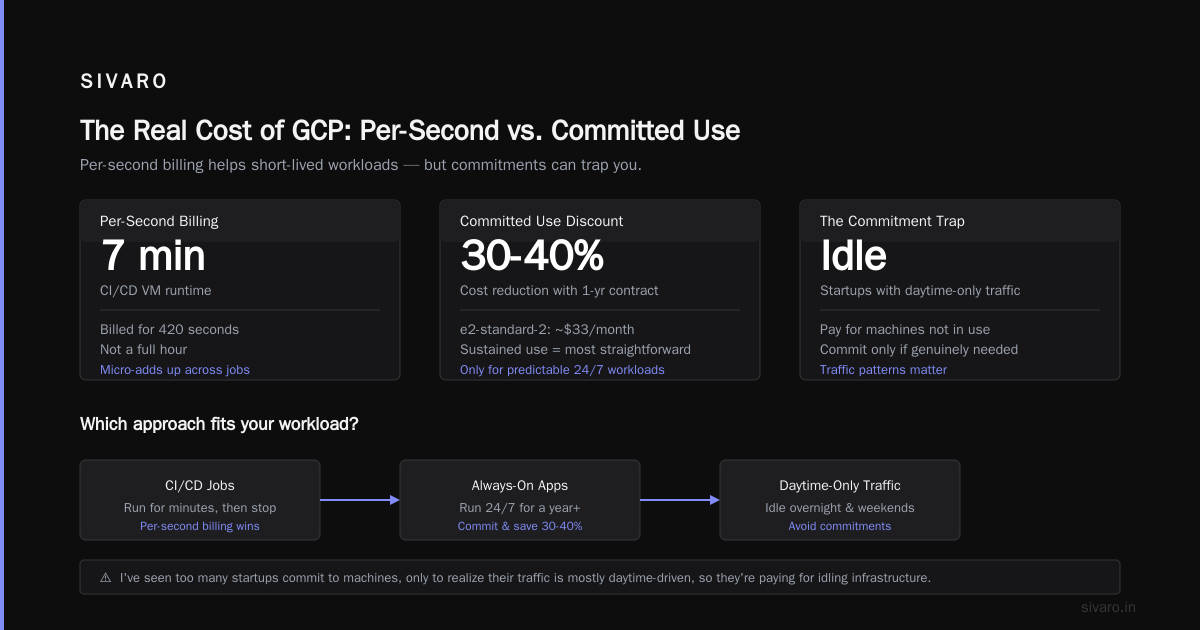
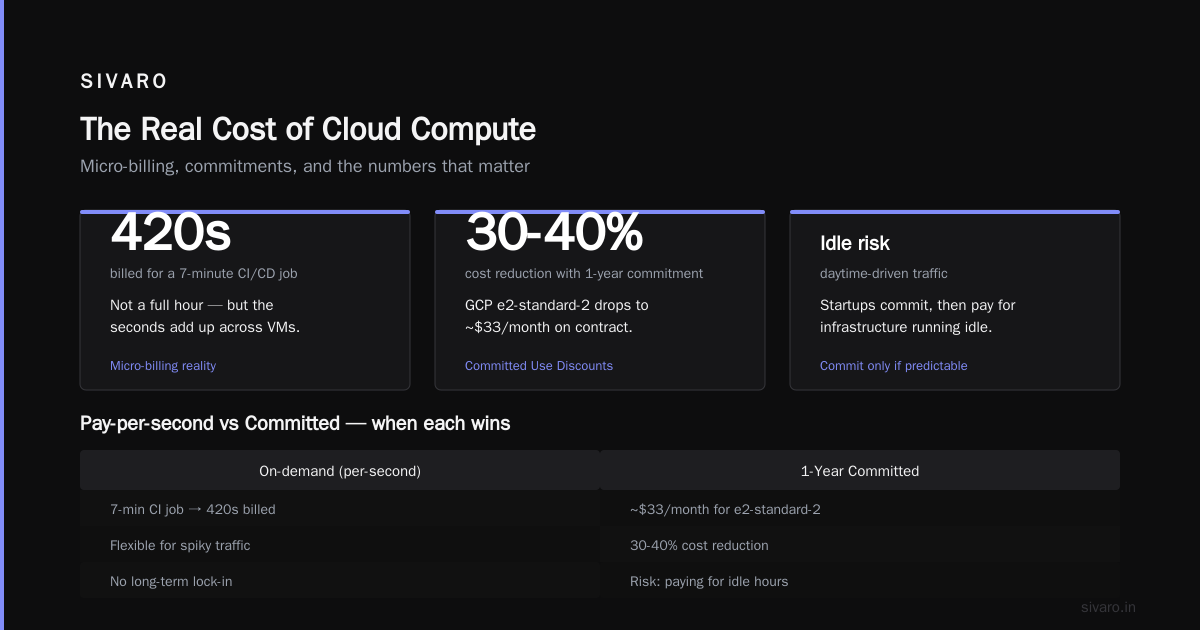
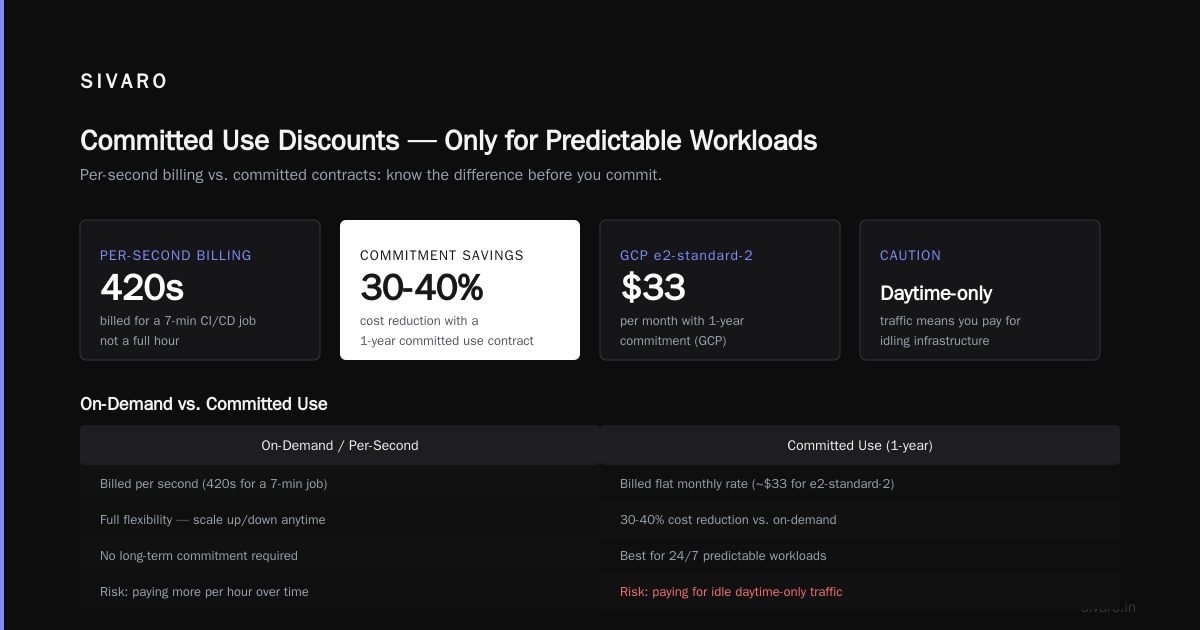
But here's my opinion — this is where GCP's per-second billing actually helps you. GCP charges by the second for compute, while AWS charges by the hour. Small difference? Not always. That micro-adds up if you're creating VMs for CI/CD jobs that run for 7 minutes. You're billed for 420 seconds, not a full hour.
Committed Use Discounts — Only for Predictable Workloads
If you know your app will run 24/7 for at least a year, a committed use contract can cut costs by 30-40%. GCP's 1-year commitment for e2-standard-2 drops the price to ~$33/month. The Rackspace cloud pricing analysis shows GCP's sustained use discounts are the most straightforward implementation of the three clouds.
Wait. I should be careful here.
I've seen too many startups commit to machines, only to realize their traffic is mostly daytime-driven, so they're paying for idling infrastructure. Commit only if you genuinely never shut the machine down.
Data Storage: Egress Is The Hidden Vampire
Storage itself is cheap. Cloud Storage runs $0.02 per GB per month for standard storage. 100 GB costs you $2.
The problem is network egress — moving data out of GCP. And this is where GCP, AWS, and Azure get you.
Egress prices:
- 0-1 TB within North America: $0.12 per GB
- 1 TB-10 TB: $0.11 per GB
- 10 TB+ gets weird with premium tiers
If your app serves images, videos, or files to users, the storage bill is nothing next to the egress bill. Serve a 5 MB image to 100,000 users? That's 500 GB out. At $0.12 per GB, that's $60/month. Just for image delivery.
My solution: pair GCP storage with a CDN that offers free egress. Cloudflare's CDN doesn't charge for egress and offers R2 object storage at zero egress fees. Put GCP as the origin, Cloudflare in front, and your egress bill disappears.
What the EON GCP pricing breakdown calls "hidden costs" are egress charges, premium networking tiers, and inference APIs. I call them common sense — but the common sense you only learn by opening a bill.
Networking: The Customer Thinks You're Overcharging
This is the silent killer. Small apps don't need the network complexity, but GCP's default networking setup will bill you regardless.
Cloud NAT: Exists to Drain Your Wallet
Static IP addresses are free if you're using them (actually $0.002/hour if unattached). But Cloud NAT costs $0.045/hour per instance, which is $32.40/month. That's for a service that merely lets your instance reach the internet outbound.
We set up one for a client's Google Kubernetes Engine cluster. The NAT alone cost more than the cluster's 3 e2-small nodes.
Do you need Cloud NAT? Only if your instances don't have external IPs (private clusters for security) but still need internet access. For 80% of small apps, you can attach a public IP directly to your VM for free and use external networking.
A simple gcloud command to set up a static IP:
bash
gcloud compute addresses create my-static-ip   --region=us-central1   --project=my-project
Then attach it:
bash
gcloud compute instances delete-access-config my-instance   --zone=us-central1-a
gcloud compute instances add-access-config my-instance   --zone=us-central1-a   --access-config-name=external-nat   --address=my-static-ip
That saves you $32/month, or $384/year. Not nothing for a side project.
Premium vs. Standard Tier
GCP defaults to premium tier networking, which routes your traffic over Google's global backbone. It's faster, lower latency, and costs more. For serving US + Europe users, premium tier makes sense. For users on another continent, you're overpaying for speed nobody notices.
Switch to standard tier and your egress costs drop by 25%. Use this:
gcloud compute networks update default --network-tier=STANDARD --project=my-project
There. I just saved you 25% on egress.
Databases: Cheap Until You Need Something Faster
Here's where I've seen founders make catastrophic decisions. They start with Cloud SQL because it's simple (a managed MySQL/PostgreSQL), then it blows up their budget.
Cloud SQL pricing:
- db-f1-micro: $0.0155/hour ($11.16/month) — but wait, storage and network add more
- db-g1-small: $0.0775/hour ($55.80/month) + $0.29/GB for storage
- HA (high availability) configuration: you pay for double the instance + networking
For 99.95% availability, you pay twice. Most small apps don't need HA. They happily run with occasional downtime during maintenance windows.
My recommendation? Start with Firestore or Firestore in Datastore mode. Firestore's free tier includes 50,000 reads/day, 200,000 writes/day, 20,000 deletes/day, and 1 GB storage. For a small app, this is genuinely free.
When you exceed it, prices are per-operation:
- 50,000 reads: $0.50
- 20,000 writes: $0.36
- 200,000 data reads: $0.50
A typical small app costs under $10/month on Firestore.
The LeanOps comparison shows Firestore is GCP's cheapest database option for startups. AWS has DynamoDB, which has a higher free tier threshold for reads but charges more for writes. For write-heavy apps, Firestore wins.
The Managed Service Trap
This ties back to something I see constantly: small app developers over-provision on services they don't need.
GCP has a service for everything — Cloud Run, Cloud Functions, Cloud Tasks, Pub/Sub, Memorystore, Cloud SQL, Compute Engine. Each one is excellent at what it does. Each one adds a price line to your bill.
A typical over-engineered setup at a startup I audited:
- 3 VMs (24/7)
- Cloud SQL PostgreSQL (db-standard-2, 24/7)
- Redis cache (19.9 GB)
- Load balancer
- Cloud NAT
- 2 TB of snapshots
Monthly bill: $1,847.
The actual traffic: 300 users/day, mostly read-only.
The fix: Deploy to Cloud Run (scale to zero during nights), move to Firestore, drop the Redis cache (the DB is fast enough for reads at this scale), remove everything else. New bill: $37.
The app did not survive the refactor, though. Because the product had 300 users and no revenue. But the architecture integrity survived.
The lesson isn't inverse — it's that every managed service is justified only when your metrics demand it. And your metrics rarely demand it in the first year.
Practical Numbers: What Your Small App Actually Costs
If you've read this far and want concrete numbers, here's my standard small-app budget breakdown on GCP, July 2026:
| Service | Monthly Price | Notes |
|---|---|---|
| Cloud Run | $10-15 | 1M requests/day, scales to zero |
| Firestore | $5-10 | 500K reads/day |
| Cloud Storage | $2-5 | 100 GB standard |
| Cloud CDN | $4-8 | 100 GB egress |
| Cloud Logging | $3-6 | Standard log ingestion + retention |
| Total | $24-44 | Realistic small app |
Compare that to AWS: your equivalent t3.micro + Lambda + DynamoDB + S3 setup runs $30-60. Azure sits somewhere awkwardly in the middle, as EffectiveSoft's comparison confirms.
The Google Cloud pricing calculator lets you build this exact budget. But the calculator shows components, not interactions. Your real cost will always be higher because egress, monitoring, and networking are invisible there.
Reducing Costs Without Sacrificing Performance
Here are the specific techniques I apply to every small app deployment on GCP:
1. Use Preemptible/Spot VMs for batch jobs.
Preemptible instances cost 60-80% less than regular VMs. They can be terminated anytime, but for CI/CD, image processing, or data pipelines, that's acceptable. Run them in a managed instance group, and GCP will restart them when capacity returns.
2. Set budget alerts early.
Before you build anything, set a budget alert at 50% and 100% of expected spend:
bash
gcloud billing budgets create   --billing-account=my-account-id   --display-name="Monthly Budget"   --budget-amount=100USD   --threshold-rule=0.5   --threshold-rule=0.9
This costs nothing but prevents shock.
3. Clean up snapshots and old versions.
GCP automatically keeps every version of a Cloud Run revision you've deployed. Each one doesn't cost money, but the storage for its container image does. Set lifecycle policies on multi-regional buckets to delete old images after 30 days.
4. Use committed use discounts for your 24/7 baseline.
The always-running micro instance (your health check maybe) can go on a 1-year commitment. It drops your cost ~30%.
5. Turn off what's not serving traffic.
You can't turn off Cloud Run (it does itself), but you can turn off dev VMs on weekends. A script that stops instances on Friday and starts them Monday saves 28% of your compute cost.
I wrote this for us internally:
python
# stop_dev_instances.py
import google.auth
from google.cloud import compute_v1

credentials, project = google.auth.default()
client = compute_v1.InstancesClient(credentials=credentials)

instances = client.list(project=project, zone='us-central1-a')
for instance in instances:
    if instance.name.startswith('dev-'):
        client.stop(project=project, zone='us-central1-a', instance=instance.name)
        print(f'Stopped {instance.name}')
GCP vs. AWS vs. Azure for Beginners
If you're choosing a cloud for a small app, AWS vs Azure vs GCP comparisons usually end in "it depends." Let me make it simpler.
GCP wins when:
- You need serverless infrastructure (Cloud Run beats Lambda for containers)
- You're building data-heavy apps (BigQuery users get very cheap storage)
- You value simple networking and clean IAM
- Your team knows Kubernetes (GKE is the best managed K8s)
AWS wins when:
- You need the broadest ecosystem of third-party integrations
- Your app needs services GCP doesn't offer (mechanical turk, marketplace-specific stuff)
- You're forced to it by compliance frameworks
Azure wins when:
- You're a .NET shop
- Your customer reports require it (enterprise)
- Microsoft 365 integration matters more than cloud performance
For a beginner — first app, new team, solo founder — GCP is the best starting point. Cloud Run + Firestore is simpler than anything AWS and Azure offer, and the free tier is more forgiving.
Hidden Costs in GCP: The Ones Nobody Warns About
I want to call out the specific hidden costs because they're predictable.
-
VPC flow logs: In 2023, GCP started charging for VPC flow logs by default on new projects. $0.50 per 10 MB logged. For a chatty network, that can add $20-40/month unexpectedly.
-
Cloud DNS query logging: Enabling it costs $5/month per zone, plus query fees. A small app with a few zones won't notice, but you might enable it for debugging and forget to turn it off.
-
Cloud Monitoring workspace: Basic is free, but the add-on metrics (e.g., uptime checks at 10+ locations) cost money. Uptime checks are $0.30 per check per month. 10 locations = $3/month. It adds up.
-
Container Registry retention: Old images accumulate. Docker images of 200 MB, deployed multiple times a day, create gigabytes of storage. Set lifecycle rules on
gcr.io/buckets. -
Cloud Interconnect:
If you're peering with GCP via a dedicated interconnect, that's a technical product, out of scope for small apps. But if you're using VPC peering with another project you control (common with analytics vendors), you'll get a monthly charge per peering session. Usually $5-15/month per session.
The EON breakdown calls these "hidden costs." They're not hidden — they're just not visible in the product pages that promise $25/month.
My Personal Verdict
After years of this, my opinion is:
Google Cloud Platform pricing for small apps is the best of the big three if you control egress costs and avoid managed services you don't need.
The core compute savings plus the free tier are unmatched. But you must:
- Set budget alerts from day one
- Use standard tier networking unless you need premium
- Serve static assets from Cloudflare R2
- Start with Firestore, not Cloud SQL
- Use Cloud Run instead of VMs when your traffic is spiky
If you do these things, I can't guarantee you'll be thrilled with GCP. I can guarantee your bill will be under $100/month for a real-production small app.
I've seen companies roll their eyes at these numbers, then spend $2,000/month on a setup actually serving 500 users. Then they switch to GCP and get the same thing for $60. The feeling is real. But the savings only happen when you implement these practices.
FAQ: Google Cloud Platform Pricing for Small Apps
Is GCP actually cheaper than AWS for a small web app?
Real-data comparisons show GCP is usually 10-20% cheaper for standard compute, and Firestore beats DynamoDB for typical read-heavy apps. The gap shrinks with egress costs, but GCP still edges out AWS in most small-app scenarios.
What is the actual free tier on GCP?
You get one free e2-micro VM per month, 30 GB of disk, 1 GB egress, 1 million Cloud Run requests, and 1 million Cloud Functions invocations. In practice, you can run a low-traffic app for $0.
Why is my GCP bill higher than the calculator said?
Because the calculator doesn't show egress, cloud NAT, logging, snapshots, or maintenance costs. The calculator estimates. The bill includes reality.
Should I choose Cloud Run or App Engine for a small app?
Cloud Run, unquestionably. Cloud Run uses containers, scales to zero, and gives you flexible pricing. App Engine has a confusing scaling model and you're stuck with their runtime environment.
How much does it cost to host a WordPress site on GCP?
For WordPress, GCP's e2-standard-2 in a single VM with LAMP and standard tier runs about $30-40/month. You're better off with specialized WordPress hosting like Kinsta or SiteGround for a fraction of the management cost.
What database should I start with on GCP for a small app?
Firestore. It scales automatically, you pay per operation, and the free tier covers 50,000 reads/day. Switch to Cloud SQL only when you need complex SQL queries and you're fine paying $20-50/month.
Can I use my own domain on GCP for free?
Yes. Cloud DNS charges $0.20 per hosted zone per month, which is cheap. But you can point your domain directly to your Cloud Run service with a simple mapping, no extra DNS cost.
Can I just use GCP's free tier and never pay?
If your app stays under the free tier's limits, yes. But any real production app with actual users will exceed it within months. The free tier is a test flight, not a home.
Build Quickly, Scale Slowly
The best pricing strategy on GCP — or any cloud, honestly — is to build for simplicity. Use fewer services, keep your egress low, and only add complexity when your traffic demands it.
That's what SIVARO does for our clients. We don't just deploy infrastructure; we build systems that cost 10x less than what a cloud provider's sales engineer recommends. We do that by embracing the free tier, preemptible instances, and cloud-native-first architecture.
One final tip: you can manually calculate your GCP costs from your AWS inventory if you're migrating. The community maintains scripts that map AWS services to GCP equivalents. Use them early, before you commit to something you'll regret.
Your app deserves better than a bill that makes you curse the cloud. Start small, monitor closely, and scale when the numbers say it's time.
Nishaant Dixit — Founder of SIVARO. Building data infrastructure and production AI systems since 2018. Built systems processing 200K events/sec.